Inspiration
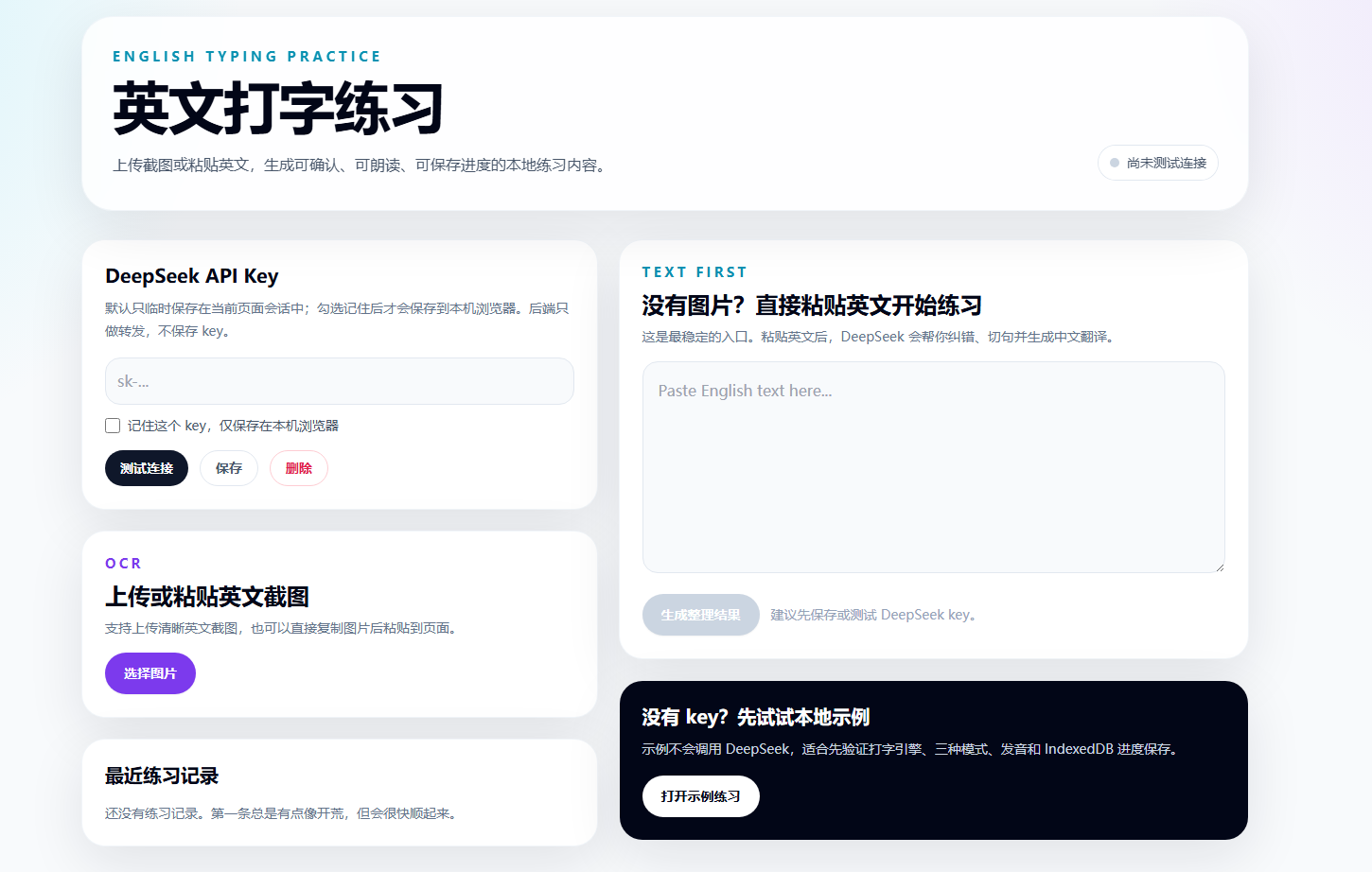
English learners often collect useful material from screenshots, articles, and notes, but turning that material into structured typing practice takes too much manual work. AI English Typing Practice turns raw English into an editable, reusable practice session while keeping the learner in control.
What it does
Accepts pasted English text or an uploaded/pasted screenshot Runs in-browser OCR with Tesseract.js Uses AI to correct and segment sentences and generate Chinese translations Provides a human review step to edit, reorder, add, or remove sentences Generates word-level study material with phonetics and Chinese meanings Supports full-text, sentence, and word typing modes Gives per-character feedback for correct, incorrect, missing, whitespace, and punctuation input Reads text aloud with the Web Speech API Saves sessions, images, AI results, and practice progress locally in IndexedDB Includes a fully local demo path so judges can test the core practice experience without an API key
How we built it
The project is a Next.js 15 App Router application written in TypeScript and React, styled with Tailwind CSS. Browser-side OCR is handled by Tesseract.js. IndexedDB stores user data locally, and a small set of Next.js Route Handlers proxies AI requests without persisting the user's key.
The application was developed with Codex powered by GPT-5.6 as an iterative engineering partner, not as a one-shot generator. GPT-5.6 helped translate the design document into the application architecture, implement and refactor feature modules, generate tests, diagnose Windows encoding and Next.js SWC issues, fix a Playwright/IndexedDB race, and verify each major stage with TypeScript checks, Vitest unit tests, a Playwright end-to-end happy path, and a production build. Human-directed decisions included keeping an AI-output review step, local-first persistence, explicit API-key consent, and a no-key demo path. The implementation log in the repository records the key decisions, failures, fixes, and verification results.
Challenges
The most interesting challenges were preserving a temporary API key across client-side navigation without storing it by default, keeping browser-only APIs out of server rendering, preprocessing screenshots for usable OCR quality, and making per-character typing feedback tolerant enough for learning while still handling spaces and punctuation correctly.
Accomplishments
A complete text/OCR → AI cleanup → human confirmation → vocabulary generation → typing-practice flow Three distinct practice modes with persistent progress Privacy-conscious local storage and explicit key persistence A no-key demo experience Automated unit, end-to-end, type, and production-build verification
What we learned
A learning tool benefits from a deliberate human confirmation step: AI can accelerate cleanup and enrichment, but learners need a clear place to correct the source material before practice content becomes persistent.
What's next
Next steps include richer pronunciation controls, spaced-repetition review, additional language pairs, export/import of practice packs, and an optional hosted demo.
Built With
- codex
- deepseek-api
- indexeddb
- next.js
- playwright
- react
- tailwind-css
- tesseract.js
- typescript
- vitest