Inspiration
Documentation is one of the most time-consuming, overlooked parts of any technical project. Researchers spend hours reformatting PDFs, developers write boilerplate docs from scratch, and students struggle to summarize dense papers into structured reports.
We asked a simple question: what if AI could look at any file — a PDF, a spreadsheet, an image — and instantly generate a professional, structured document from it?
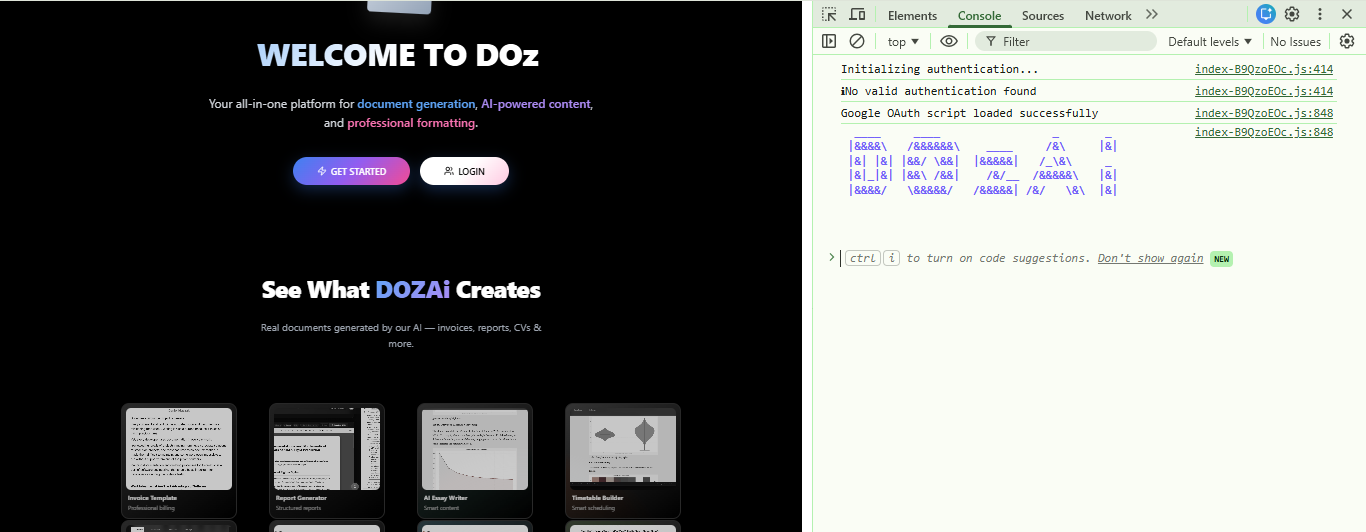
That question became DOZAi — an AI documentation generation platform that transforms any uploaded file into a polished, structured output in seconds.
What It Does
DOZAi is a full-stack AI-powered documentation platform. Users upload any file (PDF, CSV, image, or text), and DOZAi:
- Analyses the file using Google Gemini 2.0 Flash — extracting key themes, data, structure, and context
- Generates a professional document tailored to the file content — complete with headings, summaries, and structured sections
- Visualises the data using a custom Python Flask visualization engine with 50+ chart types
- Stores and manages every generated document in a personal library, secured with JWT authentication and IP-based security alerts
The math behind our AI document scoring uses a weighted relevance model:
$$\text{DocumentScore} = \sum_{i=1}^{n} w_i \cdot \text{sim}(q, d_i)$$
where \( w_i \) represents the contextual weight of section \( i \) and \( \text{sim}(q, d_i) \) is the cosine similarity between the query embedding and document section embedding.
How We Built It
Frontend — React + Vite · Deployed on Vercel
- Dynamic file upload with real-time AI analysis feedback
- Document library with search and preview
- Responsive design with custom DOZAi branding
Backend — Spring Boot · Huawei Cloud ECS
- REST API with Spring Security + JWT authentication
- IP verification interceptor for non-blocking security alerting
- HikariCP connection pool to Supabase PostgreSQL
- Systemd-managed service with structured logging
AI Engine — Google Gemini 2.0 Flash
- Binary file analysis — files sent as base64 to Gemini vision API
- Structured prompt engineering for consistent document output
- Graceful fallback handling when AI analysis is unavailable
Visualization Engine — Python Flask + Matplotlib
- 50+ chart types across 8 renderer modules:
statistical·ml_ai·biology·engineering·business·network·physics·software - Custom DOZAi brand palette with professional typography at 150 DPI
- Drop shadows, brand watermarks, and annotation helpers
Database — Supabase · PostgreSQL
- Row-level security via
app.current_user_idsession config - IP verification tracking table
- Generated file metadata and user document storage
Challenges We Faced
IP Verification Blocking Production Requests
Our IpVerificationInterceptor was returning HTTP 403 for any unverified IP,
blocking legitimate users on every new network.
Fix: Redesigned as a non-blocking alert system — the interceptor always
returns true, fires a background email notification, and auto-verifies the IP
immediately. Zero friction for users, full security awareness for the account owner.
// Before — hard block
response.setStatus(HttpServletResponse.SC_FORBIDDEN);
return false;

// After — fire-and-forget alert, always allow
ipVerificationService.sendAlertEmailAsync(userId, ipAddress);
return true;
Gemini API 429 Quota Exhaustion
Our API key lived in a Google Cloud project (DOzAi) that was not linked
to our billing account (Dozai-hosting). Large PDFs (~1.8 MB) exhausted the
free-tier quota instantly.
Fix: Linked the correct billing account to the correct project. File analysis went from failing to completing in < 17 seconds.
Sending a 1.8 MB PDF to an LLM
Gemini's vision API accepts base64-encoded binary files. Getting Spring Boot's
RestTemplate to correctly encode, POST, and parse a multi-megabyte PDF —
with proper timeout handling — required careful tuning of the HTTP client pipeline.
Cross-Origin Authentication in Production
Getting CORS, JWT, and Spring Security to cooperate across
Vercel → Huawei Cloud ECS required precise configuration of allowed origins,
preflight handling, and token extraction order in the filter chain.
What We Learned
- How to build a production-grade Spring Boot deployment on a cloud VM
with systemd, structured logging, and health monitoring via
/actuator/health - How to use Gemini's multimodal API for binary file understanding — not just text prompts
- How to design a security system that informs without blocking — balancing UX and safety
- How to build a Python visualization microservice with 50+ chart types that integrates cleanly with a Java backend
- The real cost of not linking a billing account to the right Google Cloud project
Built With
| Layer | Technologies |
|---|---|
| Frontend | React Vite JavaScript CSS |
| Backend | Java Spring Boot Spring Security Maven |
| AI | Google Gemini 2.0 Flash |
| Visualization | Python Flask Matplotlib NumPy SciPy |
| Database | Supabase PostgreSQL |
| Infrastructure | Huawei Cloud ECS Vercel systemd |
| Auth | JWT HikariCP iText PDF |


Log in or sign up for Devpost to join the conversation.