Inspiration
On a day like today, September 11th, I am reminded of how critical a coordinated and rapid response is during a large-scale disaster. I was inspired by the tireless work of first responders and aid agencies but also struck by the immense challenges they face: chaotic information, logistical bottlenecks, and the overwhelming task of allocating limited resources in real-time. I saw an opportunity to apply the power of Artificial Intelligence to cut through this chaos. The vision for the AI Disaster Assistant was born from a simple question: How can I use data to help people make smarter decisions when every second counts?
How I Built It
My development process was focused on creating a lean and effective tool:
Architecture: I designed a classic client-server architecture. The frontend is built with standard HTML, CSS, and JavaScript, ensuring it's lightweight and accessible on any device. This frontend communicates with a powerful backend built with Python and the Flask web framework.
AI Core Development: The heart of the project is its connection to the Gemini API. Instead of building models from scratch, my Flask backend serves as an intelligent intermediary. It collects input from the user, formats it into carefully designed prompts, and sends them to the Gemini API. It then processes the AI-generated responses to extract key insights, such as identifying urgent needs from emergency reports or summarizing chaotic situations into actionable advice.
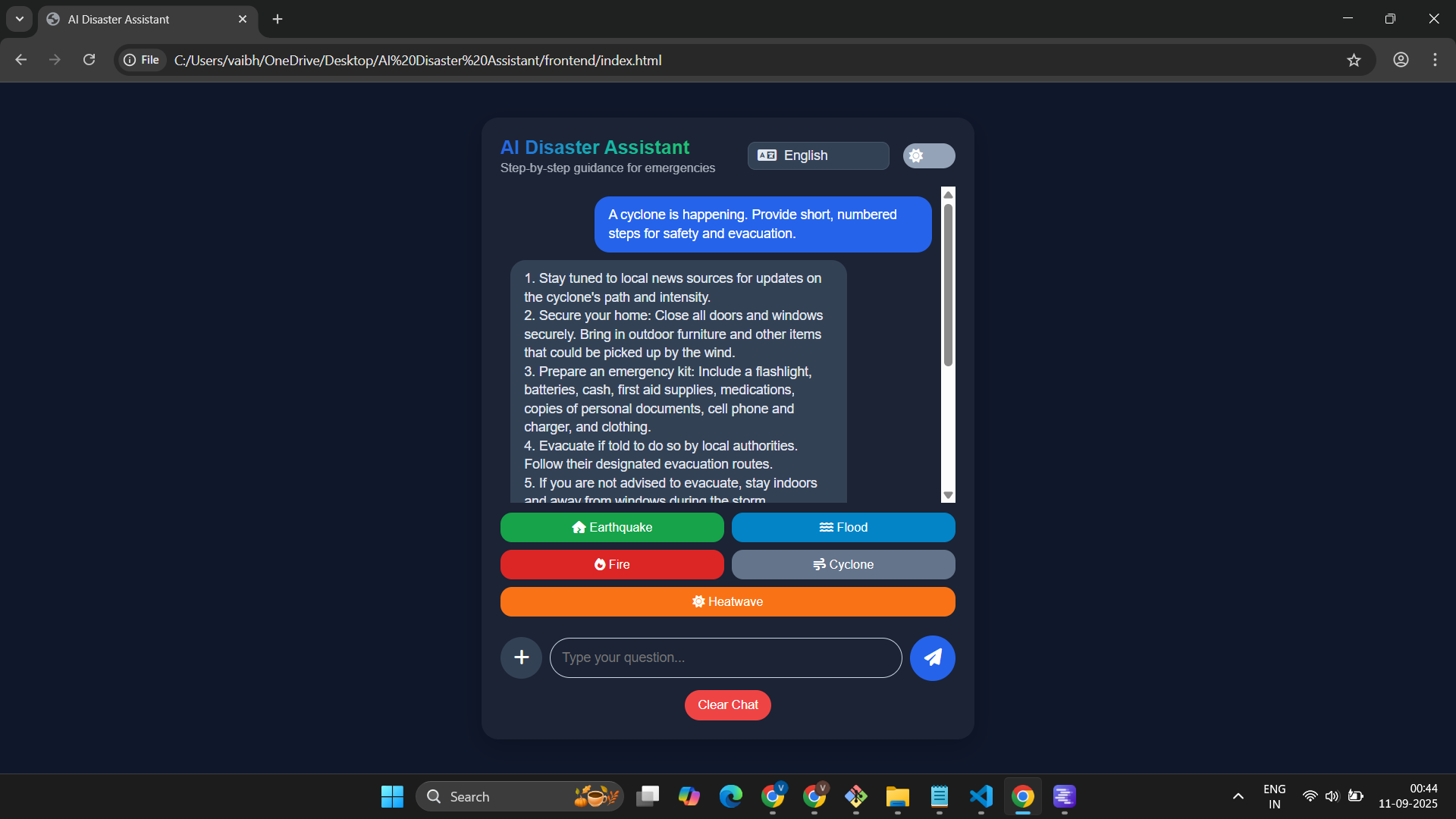
Dashboard and Visualization: For the frontend, I focused on clarity and speed. Using clean HTML and CSS, I built a simple, responsive interface. JavaScript is used to fetch the AI-powered insights from my backend API and display them in a way that is easy for a first responder to understand immediately—using clear text summaries, color-coded alerts, and organized lists.
Integration and Testing: I connected the frontend and backend via a REST API. I tested the full application flow, ensuring that user requests were quickly sent to the backend, processed by the Gemini API, and displayed back to the user with minimal delay.
Challenges I Faced
My primary challenge shifted from training models to mastering prompt engineering. Getting a powerful AI like Gemini to provide consistently accurate and relevant information from messy, real-world inputs was a significant hurdle. I spent countless hours refining my prompts to ensure they were specific enough to avoid vague answers but flexible enough to handle a wide variety of crisis scenarios.
Another challenge was managing API interactions. I had to build my application to handle potential delays from the external API call and design the user interface to feel responsive even when waiting for the AI to process complex requests.
What I Learned
This project was an incredible learning experience. I deepened my skills in building robust backend APIs with Python and Flask and creating dynamic user interfaces with JavaScript. Most importantly, I learned the modern art of integrating and prompt-engineering large language models. It reinforced the idea that today, building powerful AI applications is not just about complex algorithms, but also about creatively and responsibly leveraging the amazing tools at our disposal.
Built with
Frontend: HTML, CSS, JavaScript Backend: Python, Flask AI: Google Gemini API

Log in or sign up for Devpost to join the conversation.