-
-
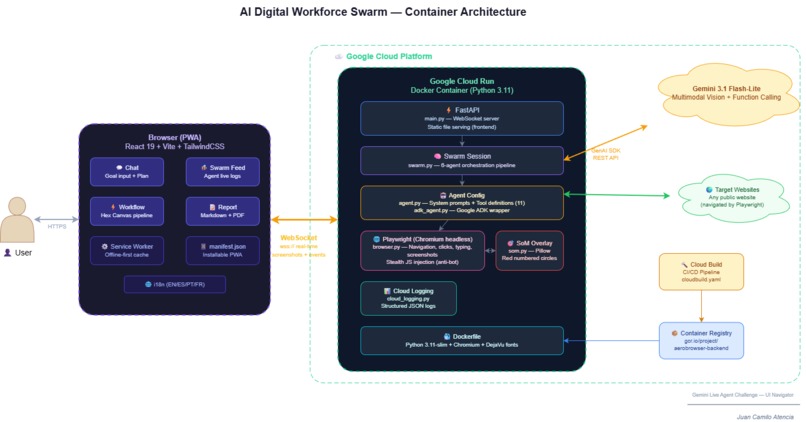
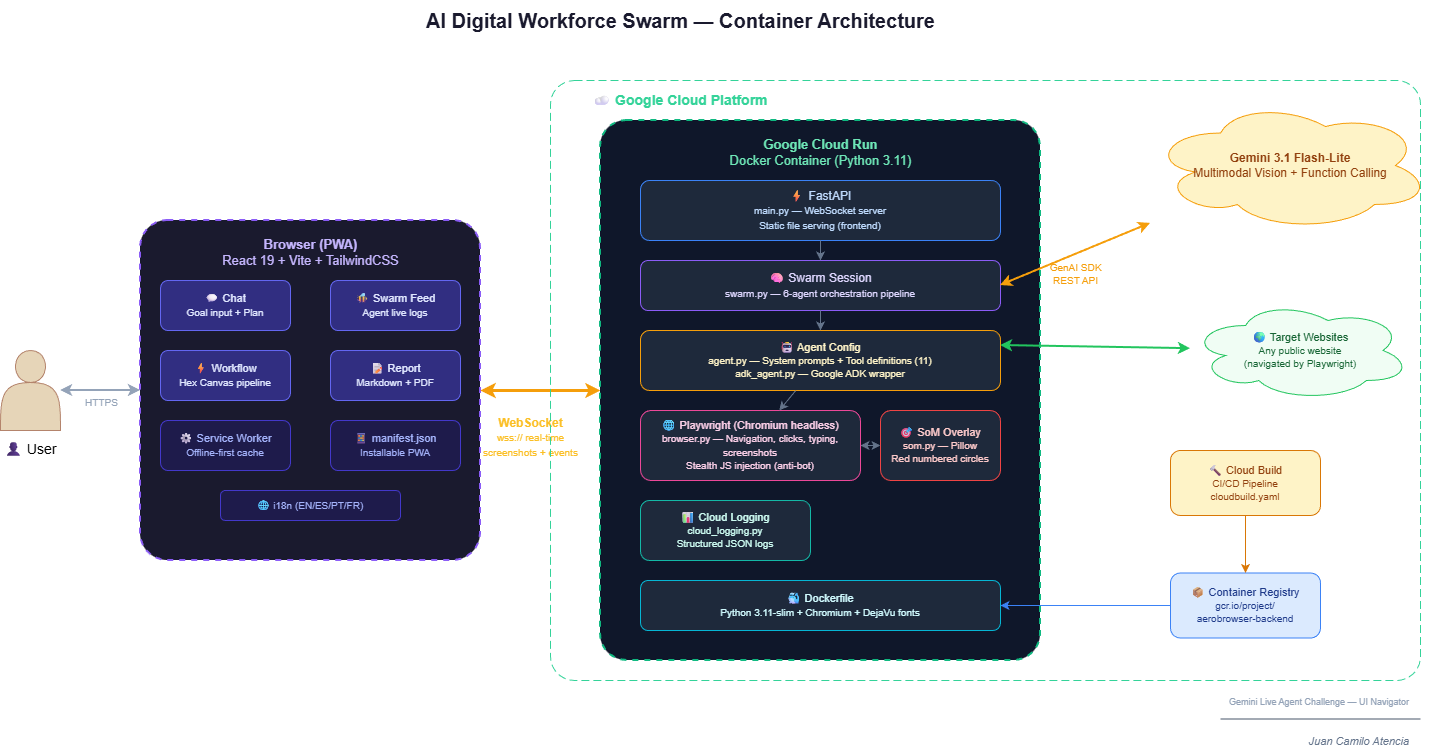
architecture-Container Architecture
-
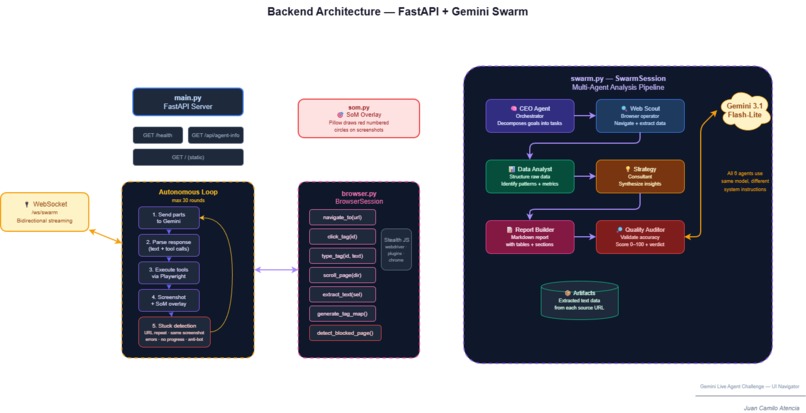
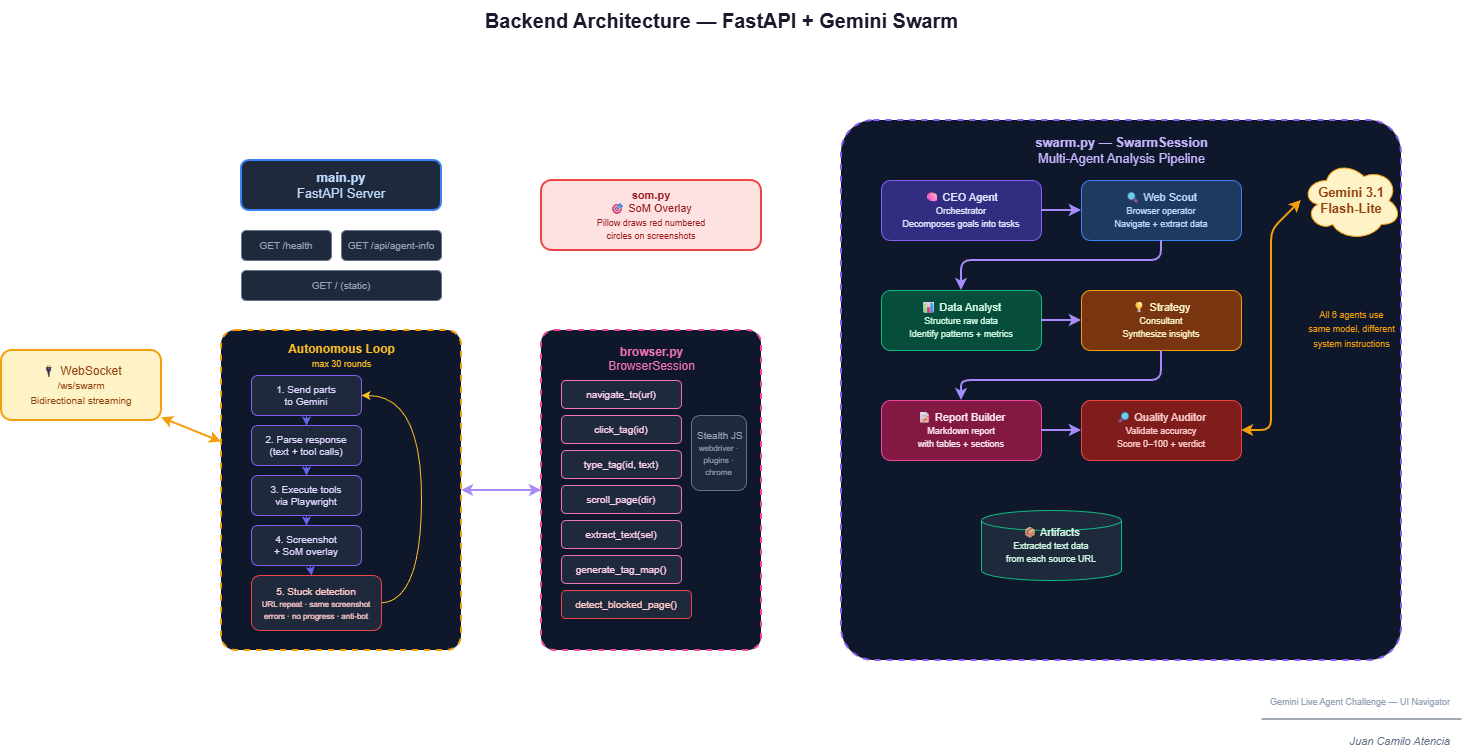
architecture-Backend Architecture
-
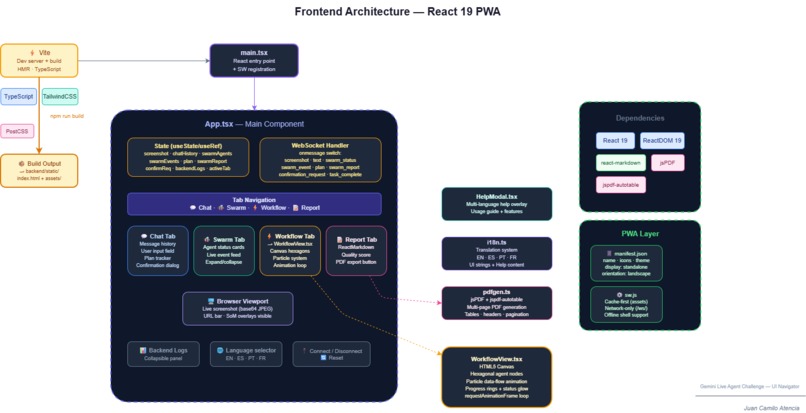
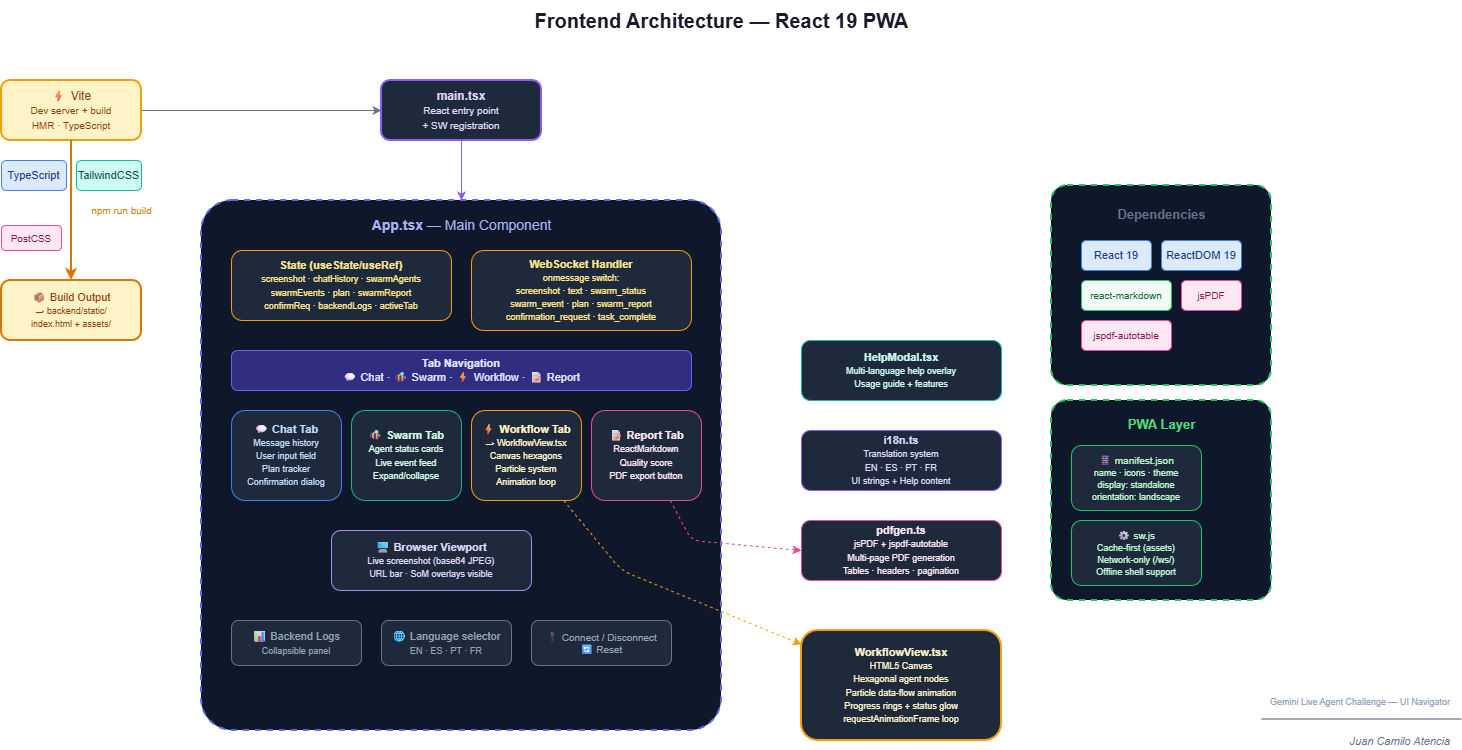
architecture-Frontend Architecture
-
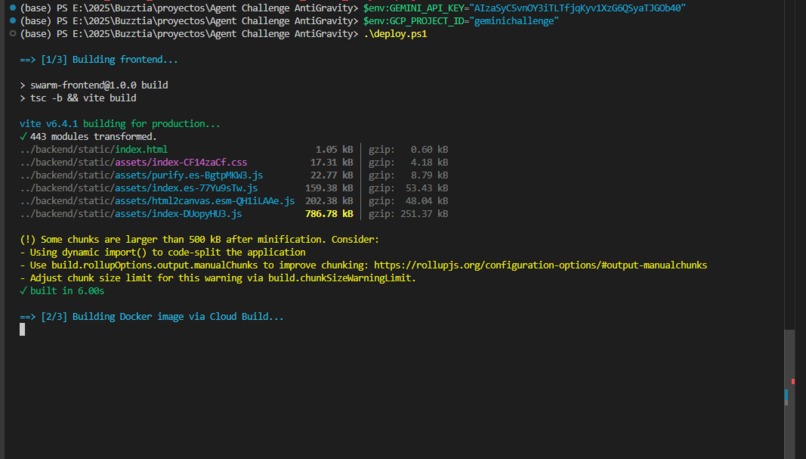
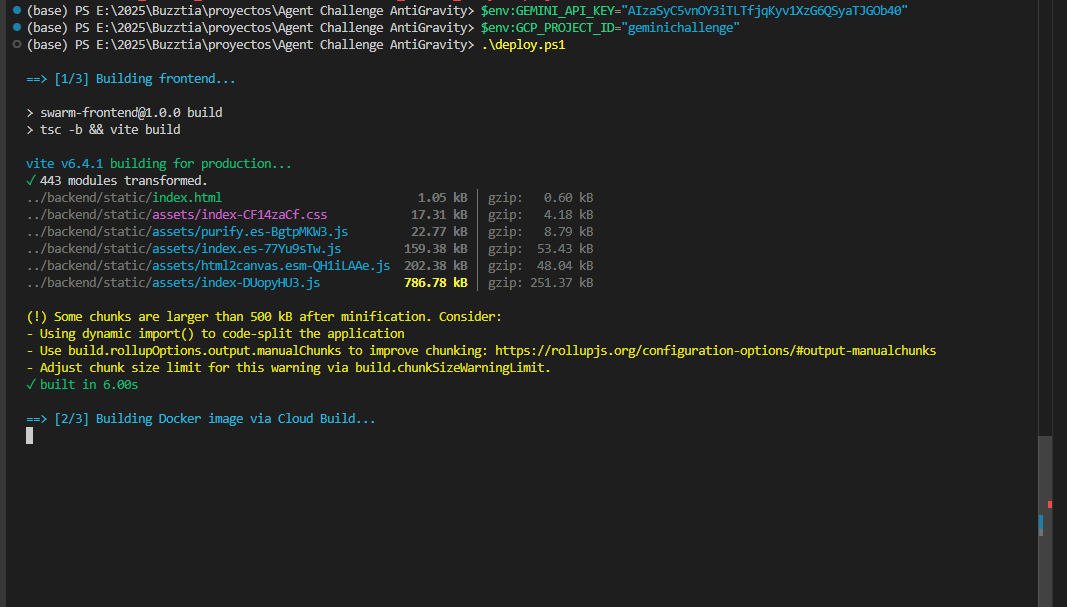
Automatic deployment step 1
-
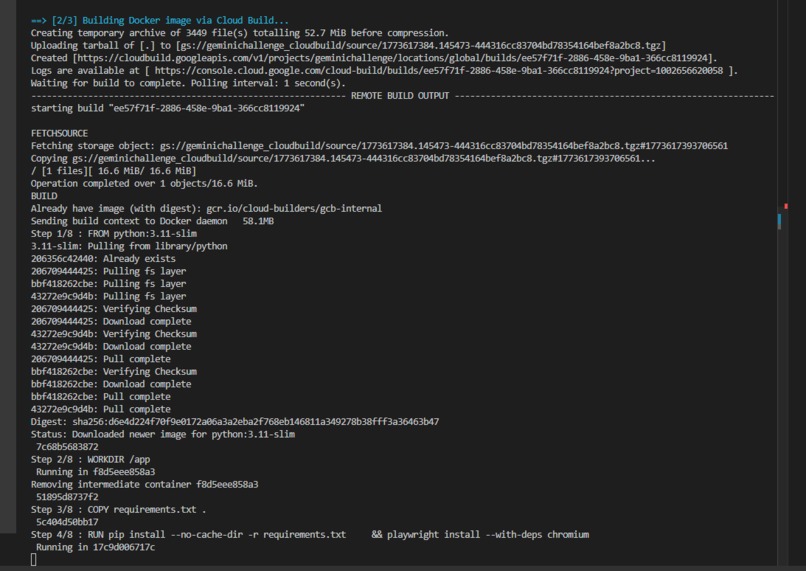
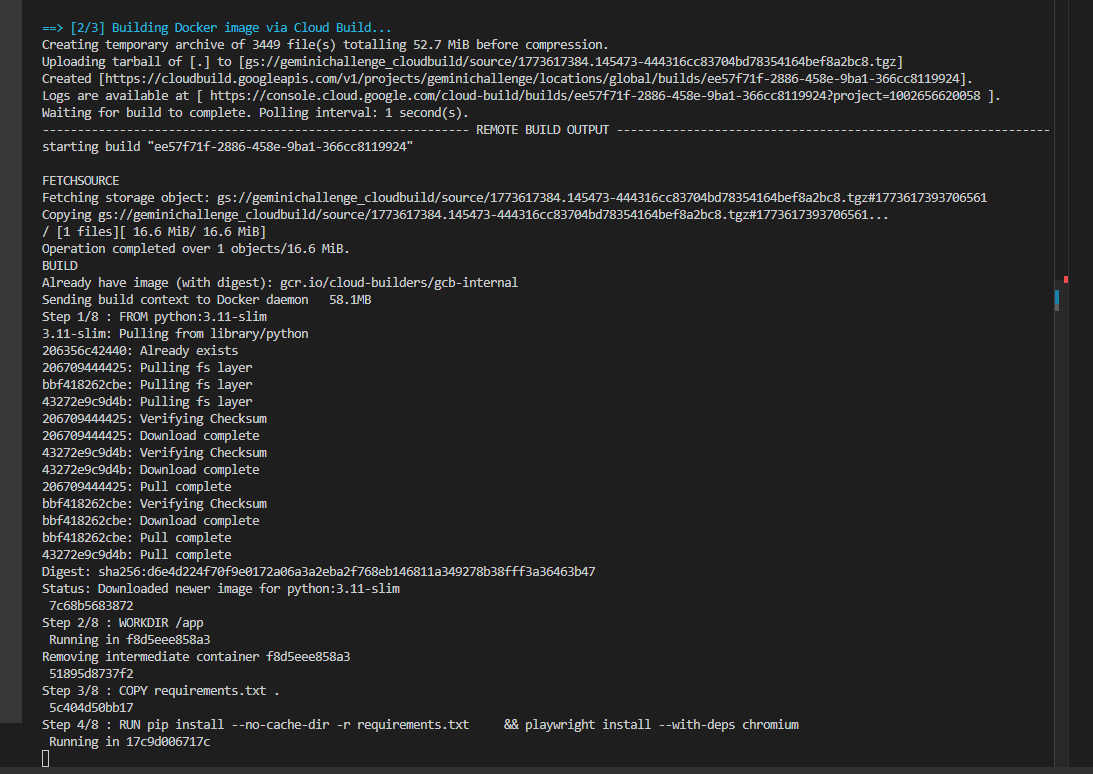
Automatic deployment step 2
-
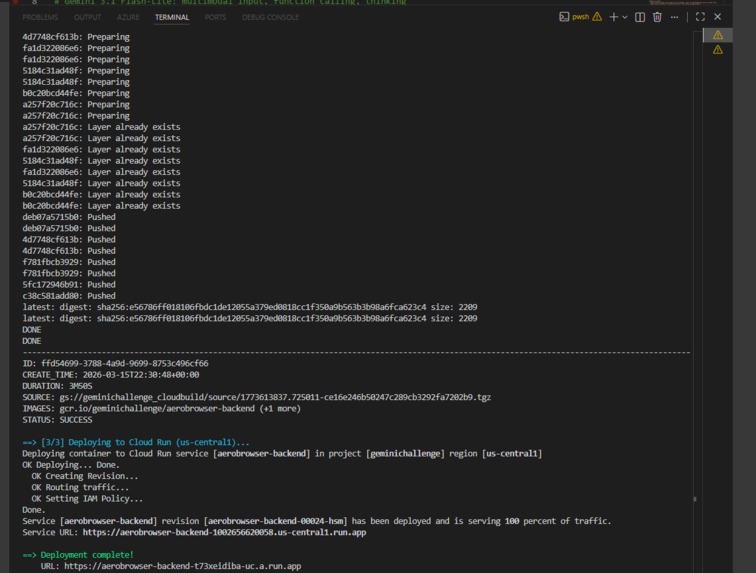
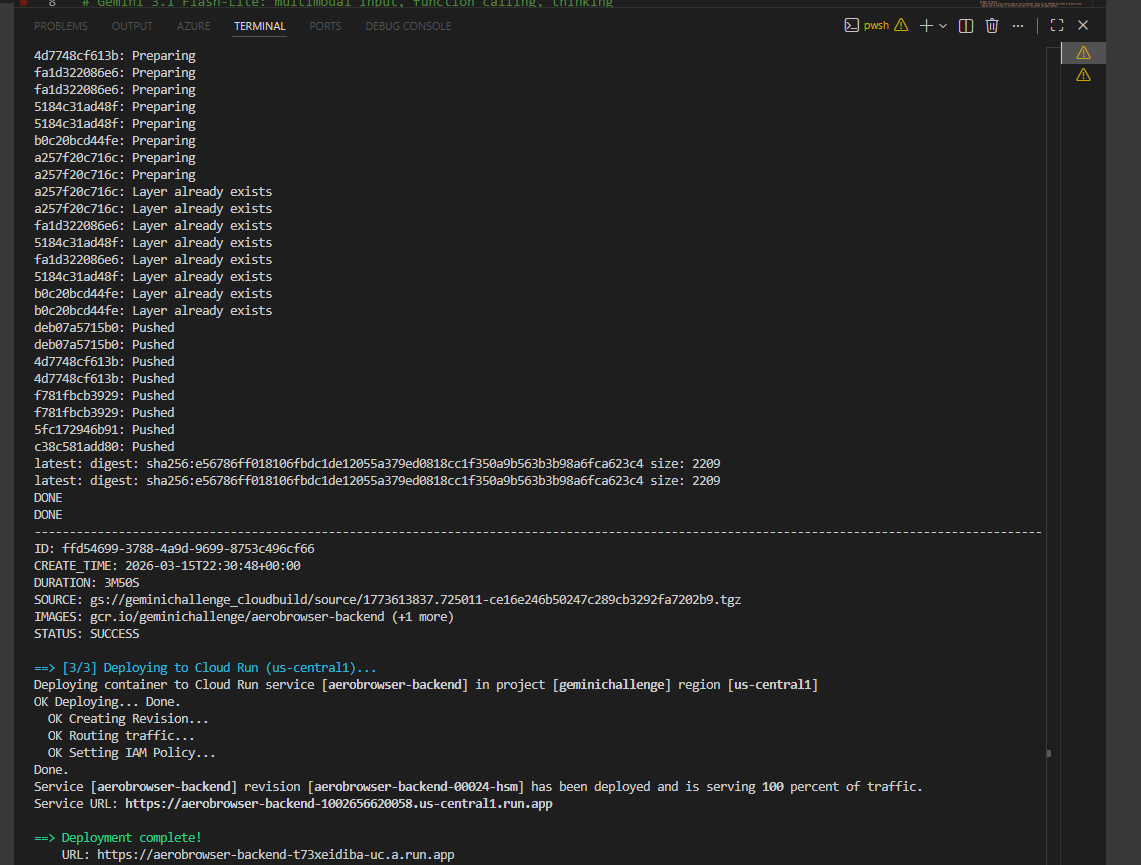
Automatic deployment step 3
-
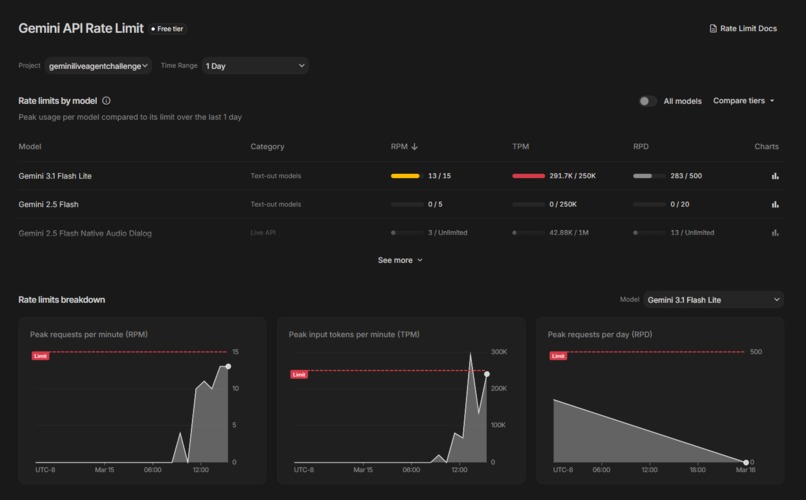
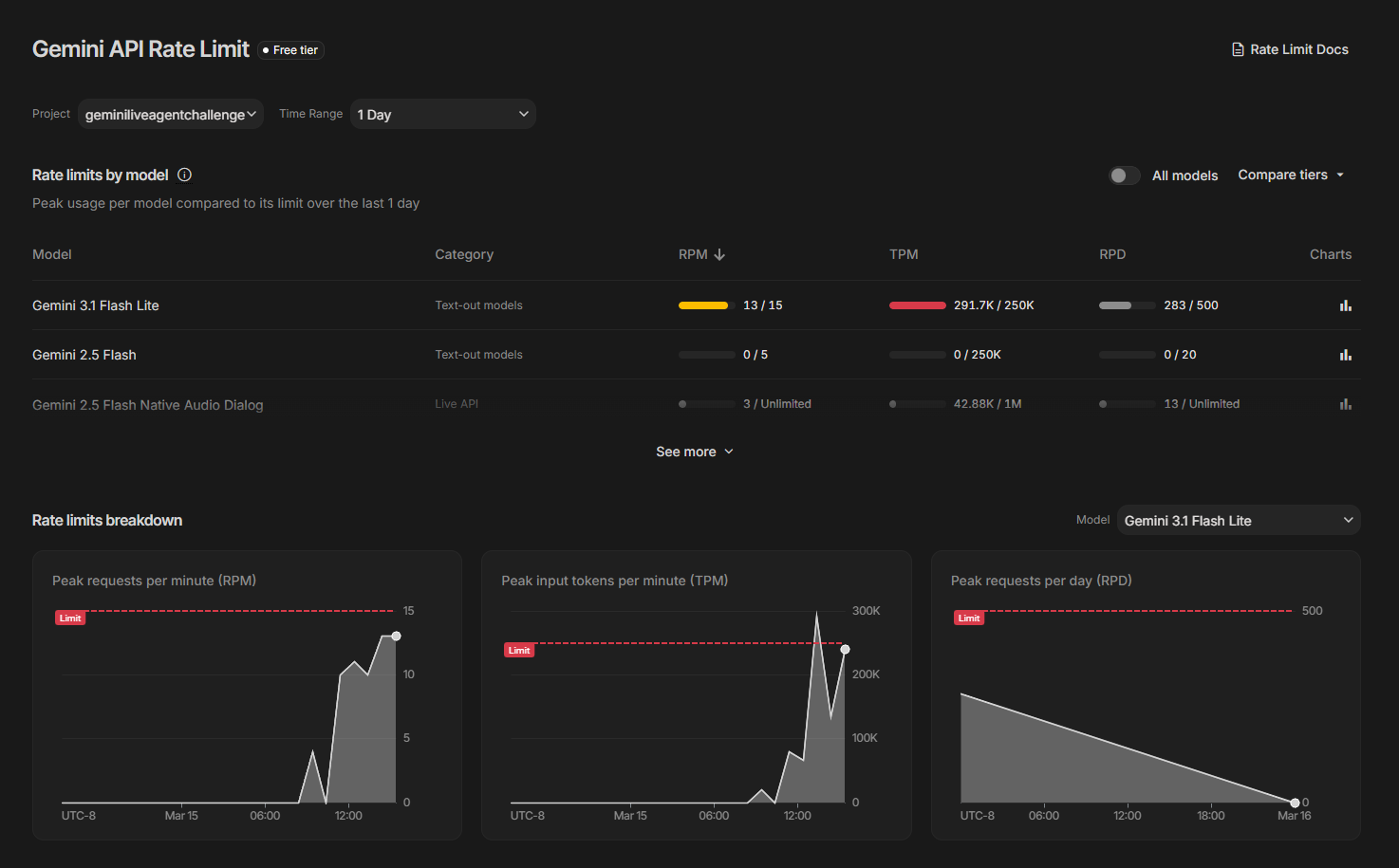
GEMINI Api Rate
-
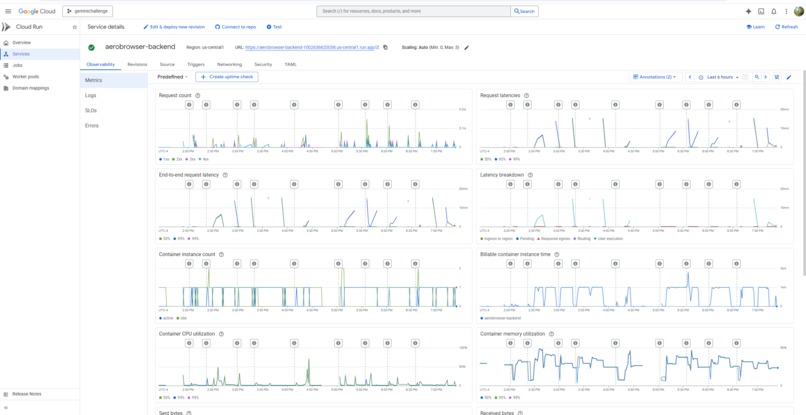
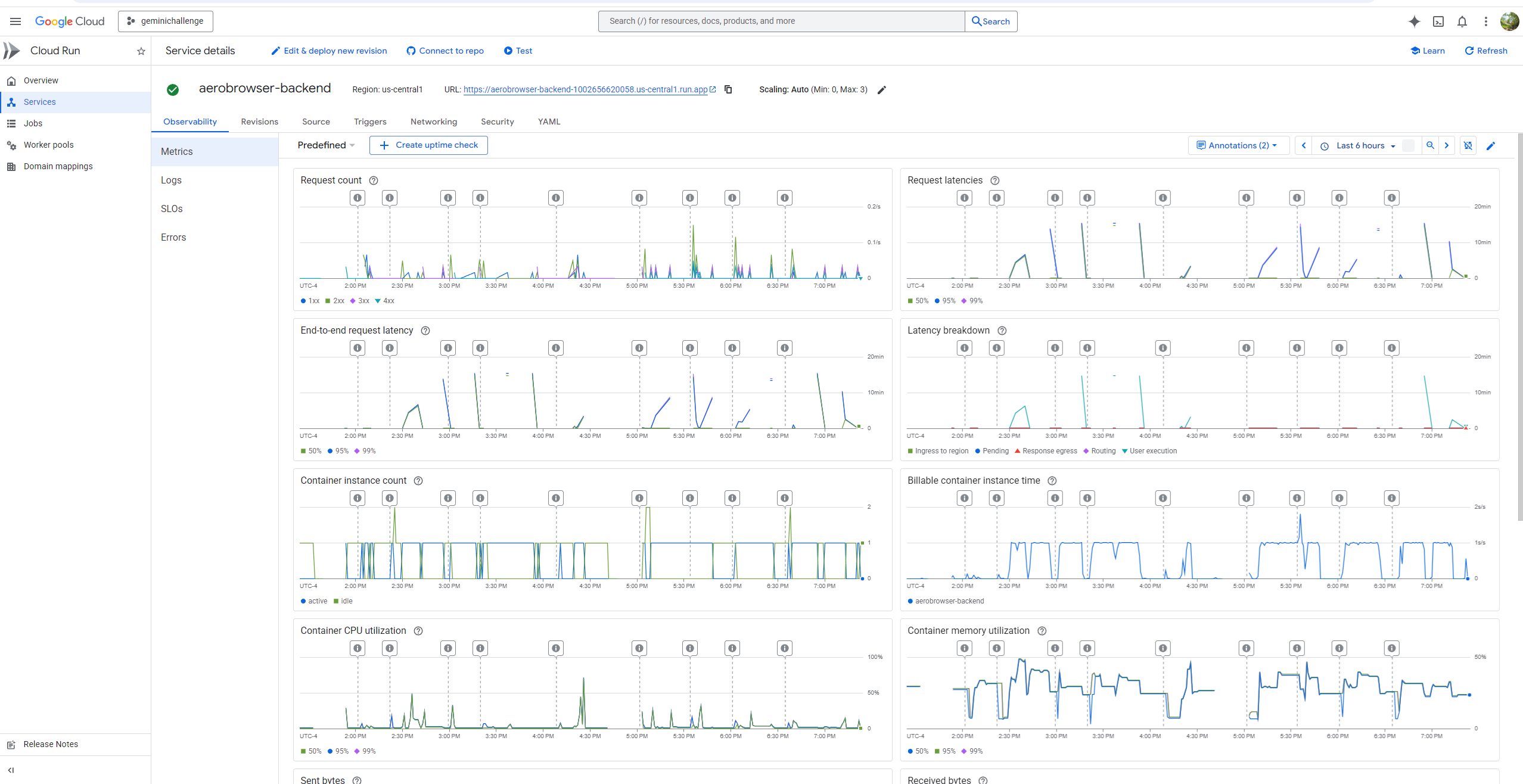
Cloud Run - Charts
-
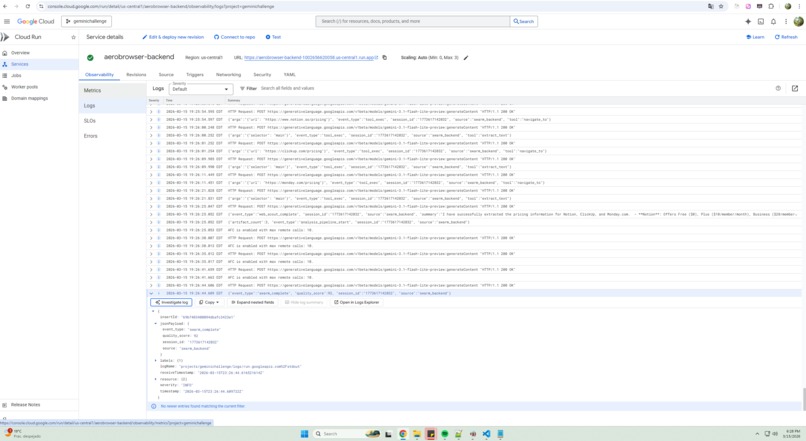
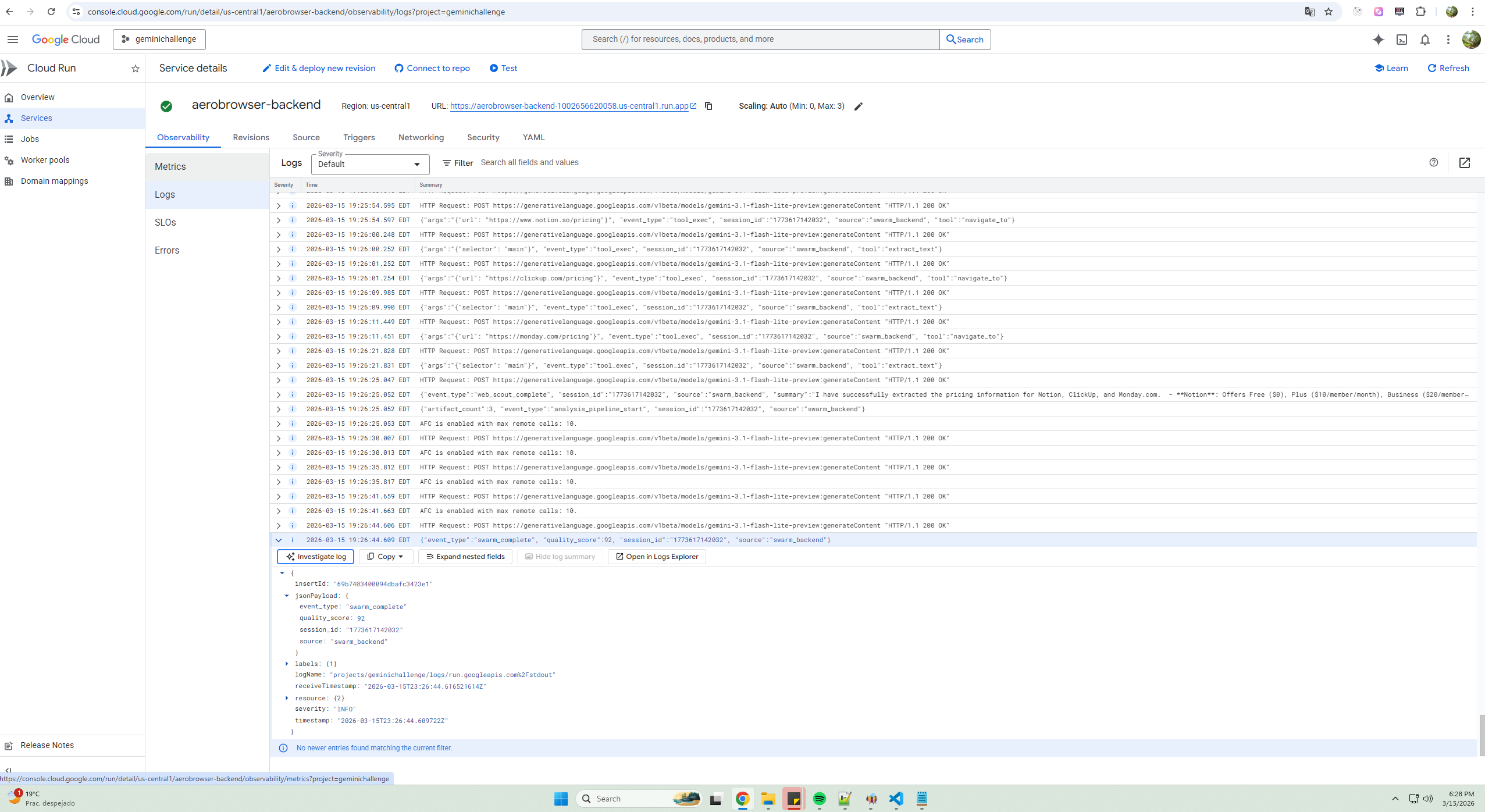
Cloud Run - Logs
-
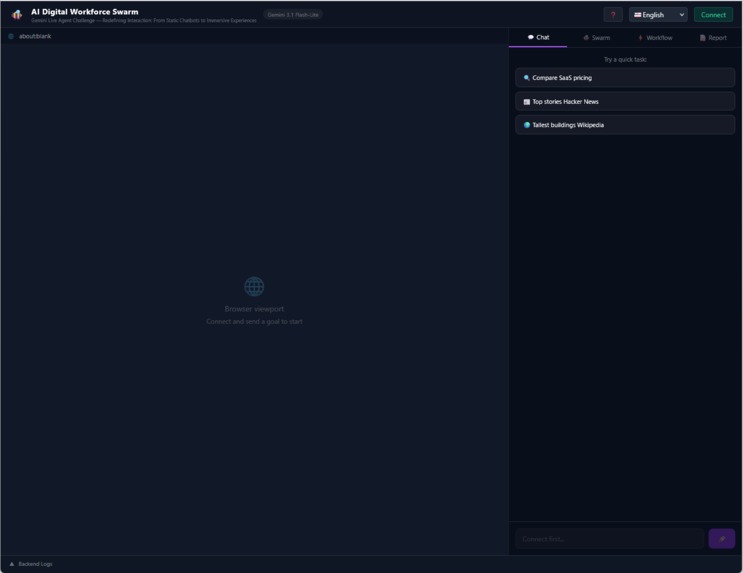
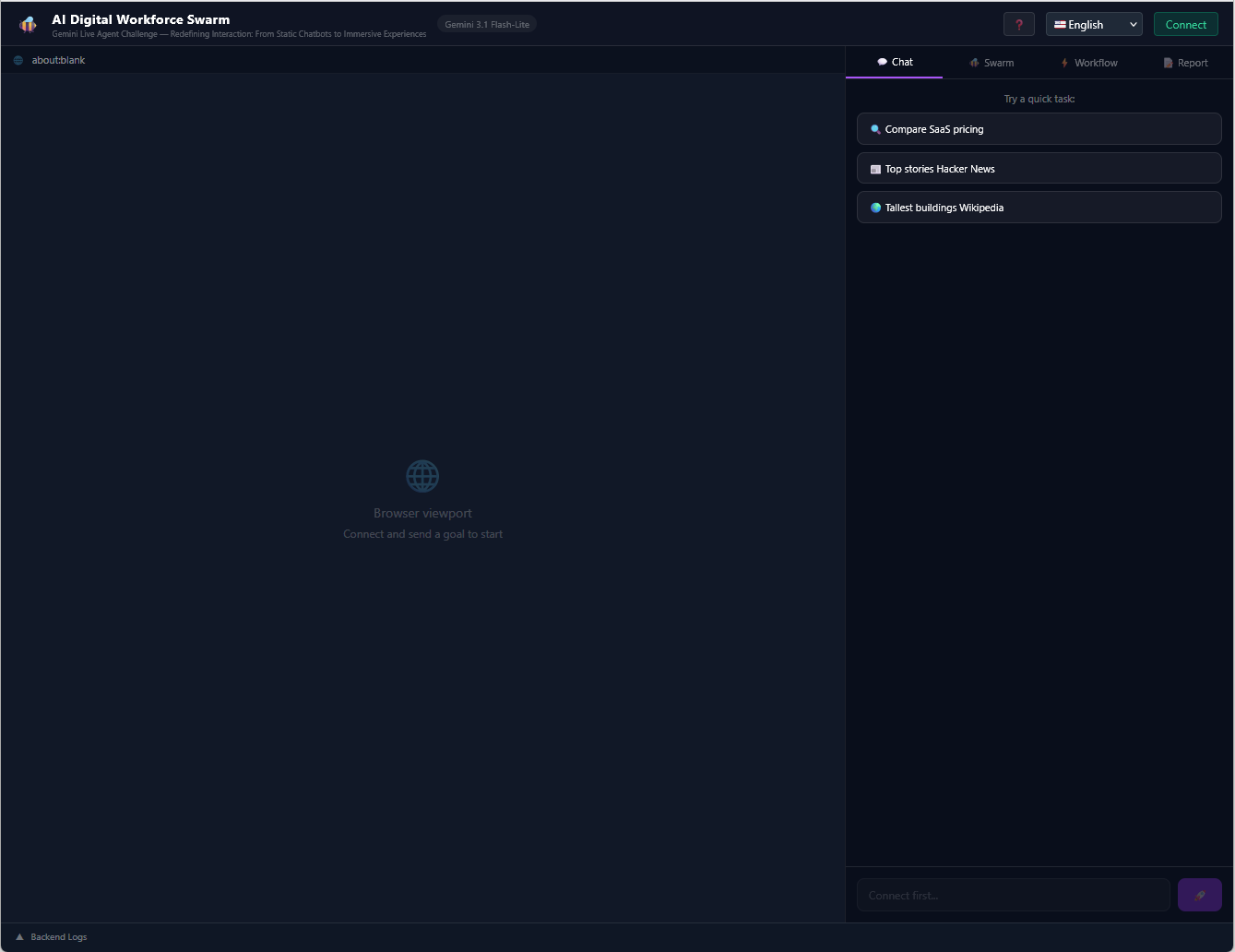
AI Digital Workforce Swarm in Action - 1
-
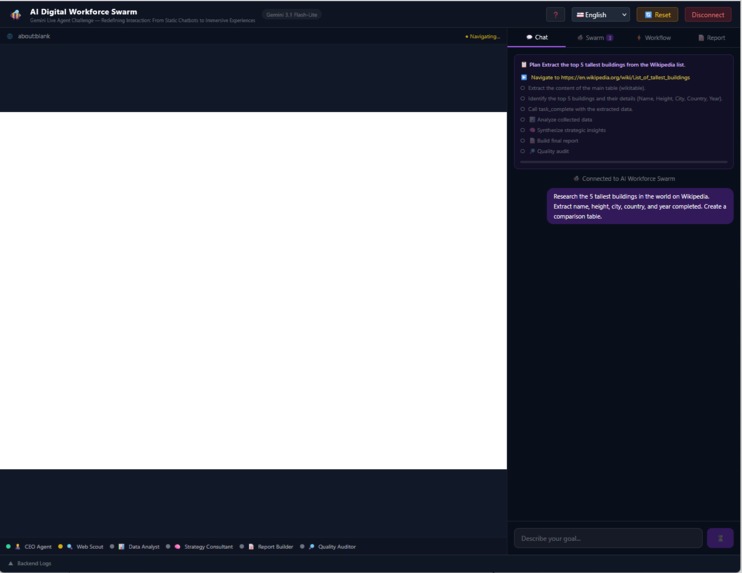
AI Digital Workforce Swarm in Action - 2
-
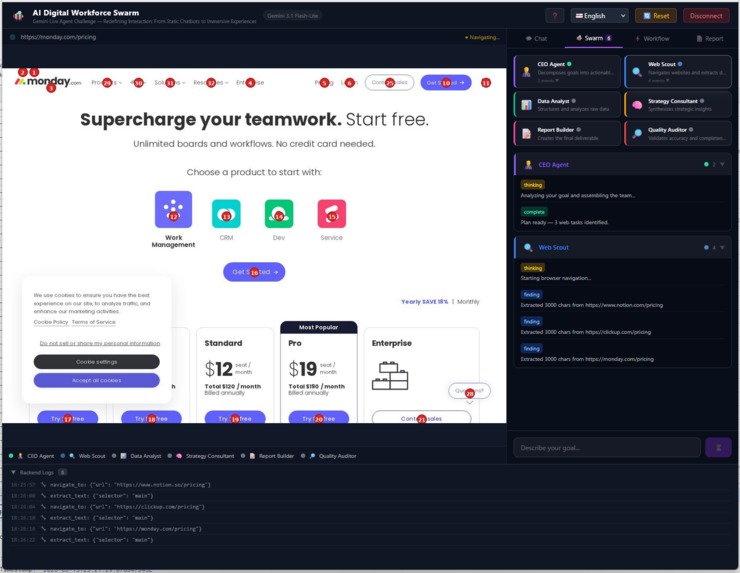
AI Digital Workforce Swarm in Action - 7
-
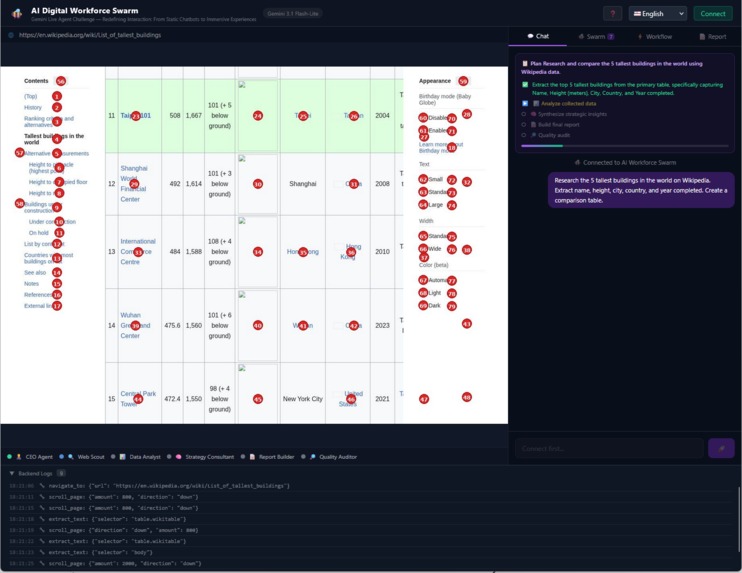
AI Digital Workforce Swarm in Action - 3
-
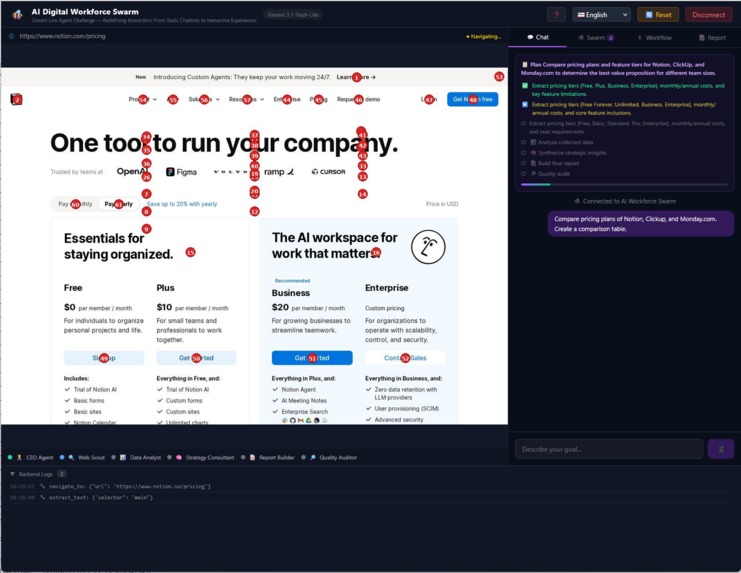
AI Digital Workforce Swarm in Action - 6
-
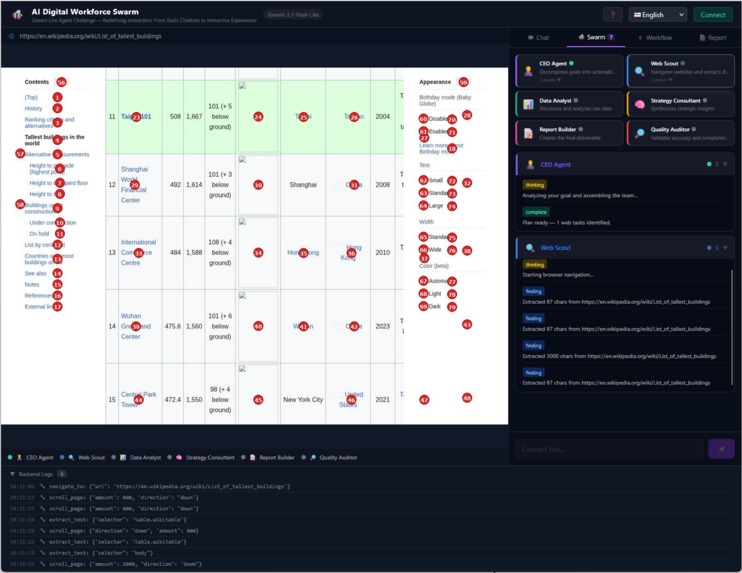
AI Digital Workforce Swarm in Action - 4
-
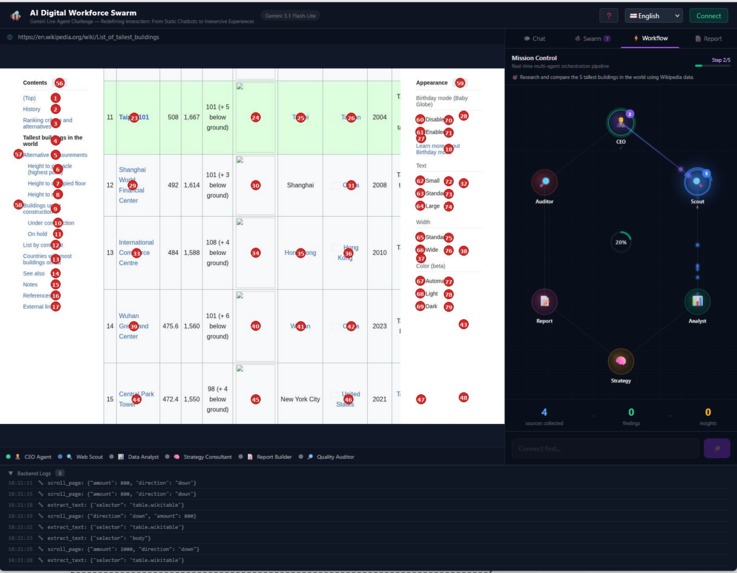
AI Digital Workforce Swarm in Action - 5
-
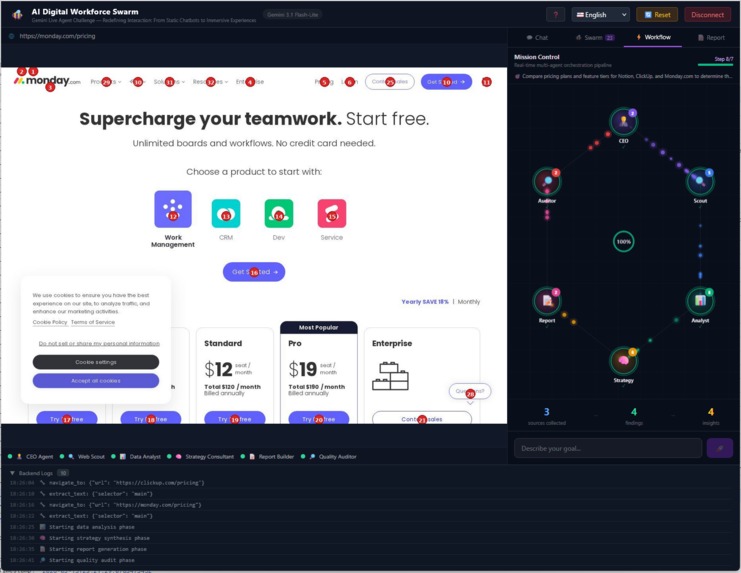
AI Digital Workforce Swarm in Action - 8
-
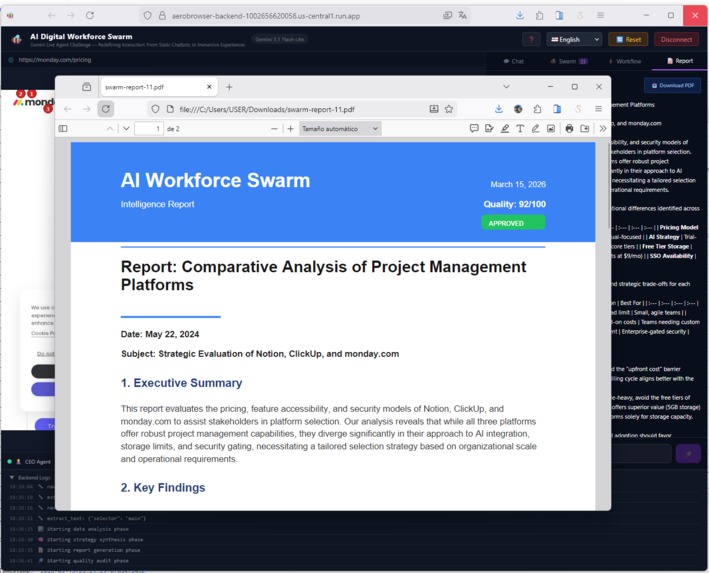
AI Digital Workforce Swarm in Action - 9
Inspiration
Every serious research task starts the same way: 20 browser tabs, endless copy-paste, scattered notes, and the constant fear of missing something important.
I kept thinking: if companies use teams of analysts to solve this problem, why are we still doing it alone?
What if a swarm of AI agents could work like a real consulting team — researching, analyzing, and synthesizing insights together?
The Gemini Live Agent Challenge was the perfect catalyst. The UI Navigator category challenged me to go beyond static chatbots and create an immersive experience where the user watches in real-time as the AI swarm navigates, analyzes, and produces results.
Most AI assistants work as a single agent. This project explores a different paradigm: a coordinated digital workforce, where multiple specialized agents collaborate like a real team — each with a distinct role, passing work to the next, just like a consulting firm.
What it does
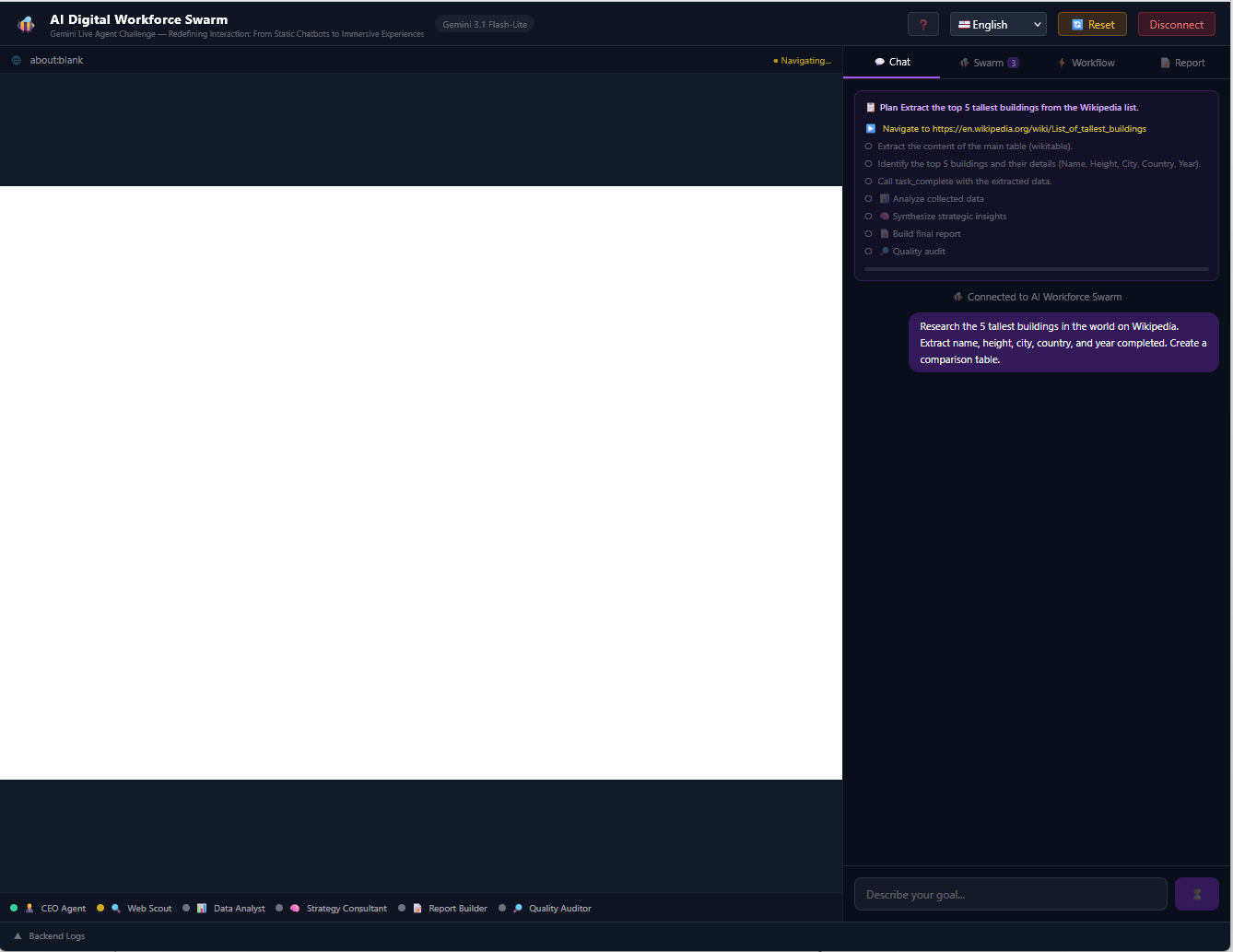
Instead of a single AI assistant, the system behaves like a miniature consulting firm operating inside the browser. Each agent has a specialized role and collaborates through an orchestrated pipeline.
The user types a research goal (e.g., "Compare pricing and features of AWS vs GCP vs Azure for startups") and the swarm takes over:
- 🧠 CEO Agent (Orchestrator) decomposes the goal into concrete sub-tasks with specific URLs
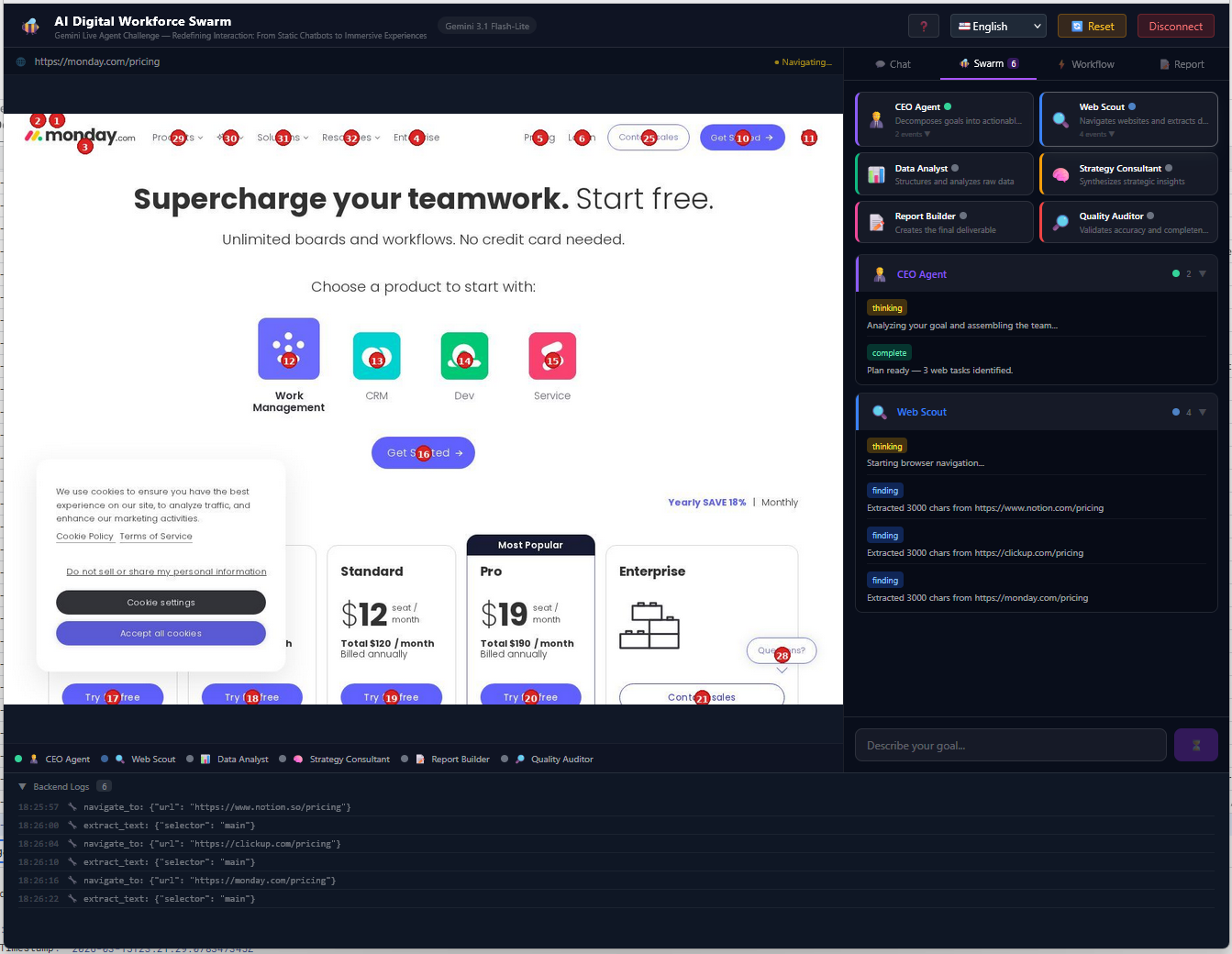
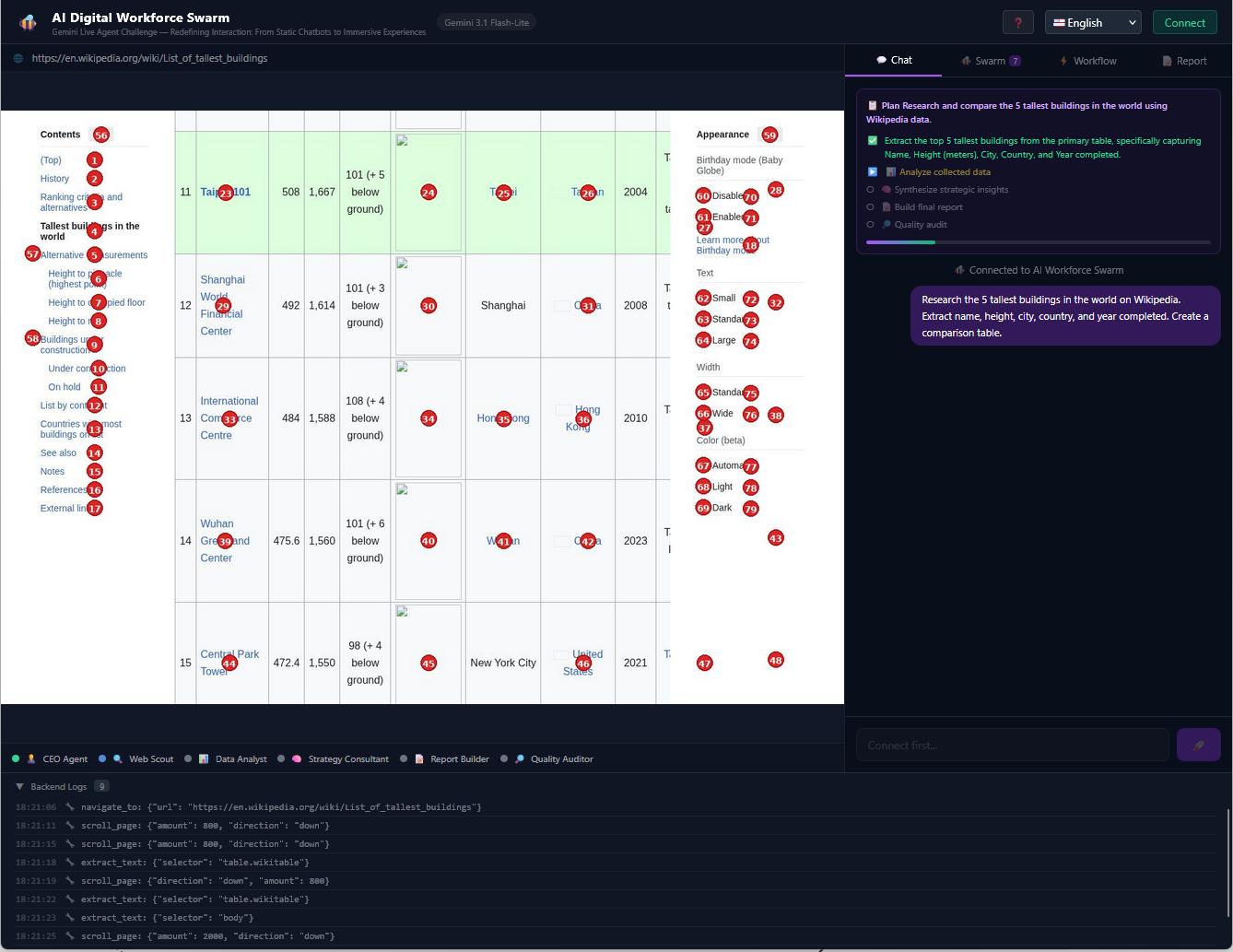
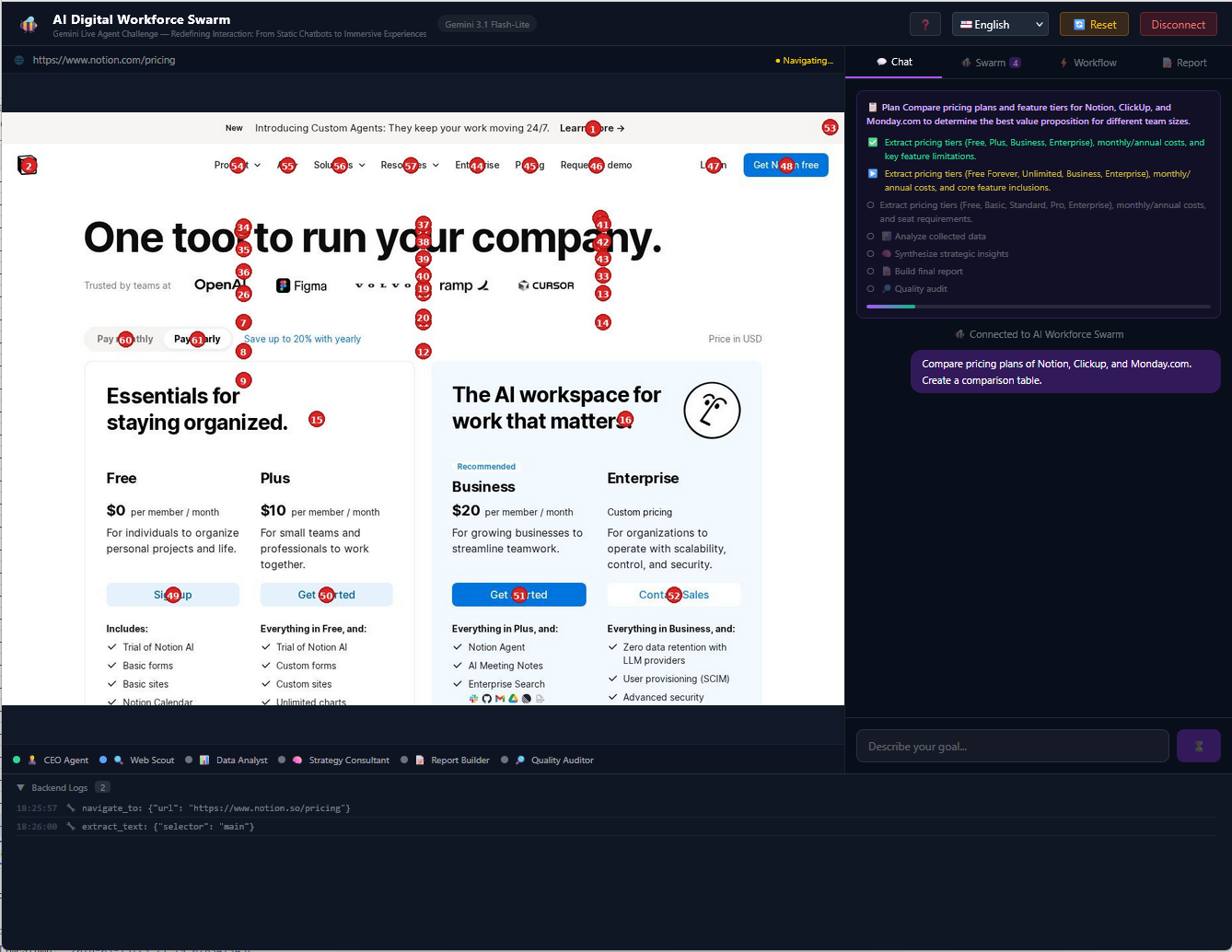
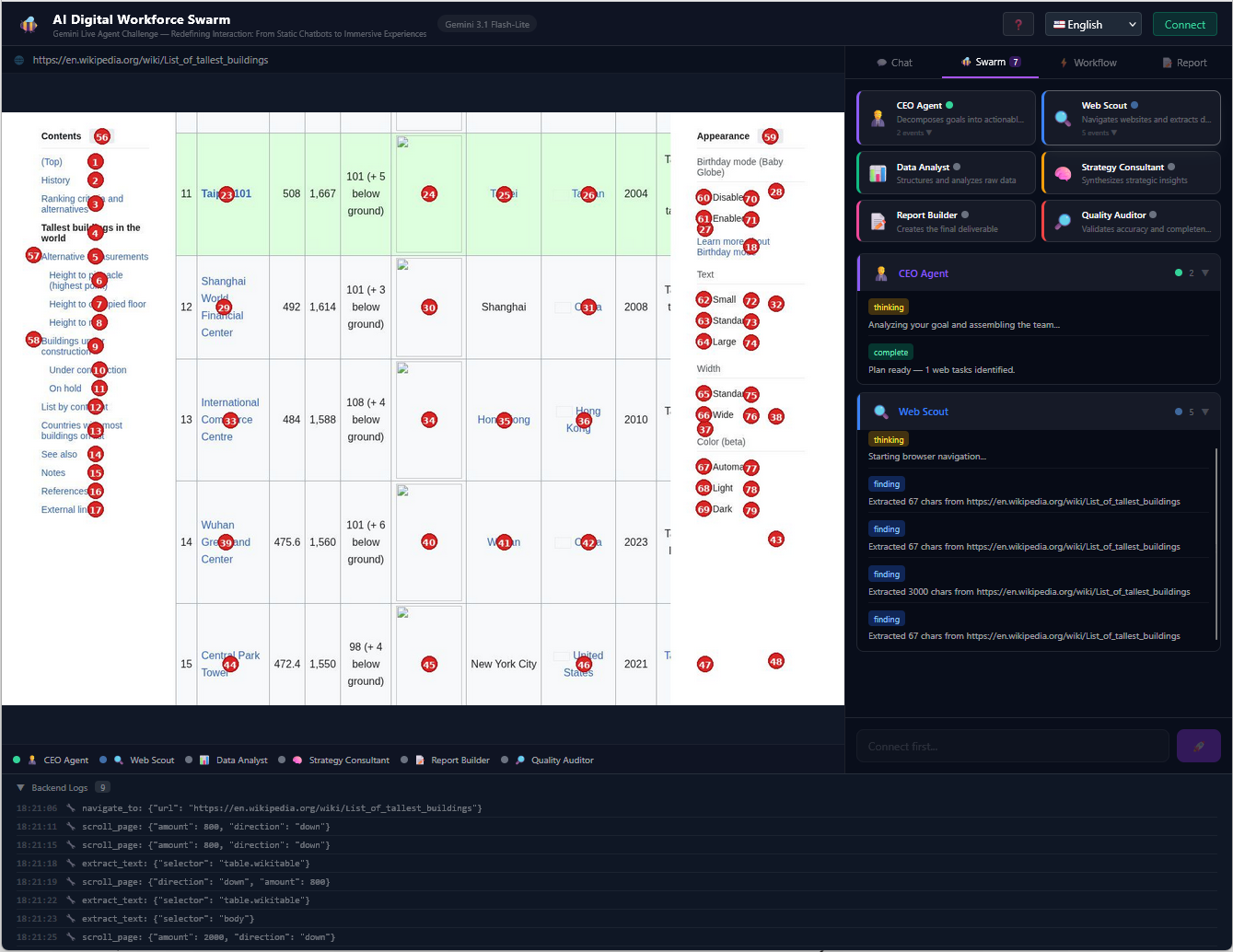
- 🔍 Web Scout autonomously navigates the web with a server-side Playwright browser, extracting data from each page using my hybrid DOM + Vision system (Set-of-Marks)
- 📊 Data Analyst structures and analyzes the raw extracted data, identifying patterns and metrics
- 🧠 Strategy Consultant synthesizes findings into actionable strategic insights
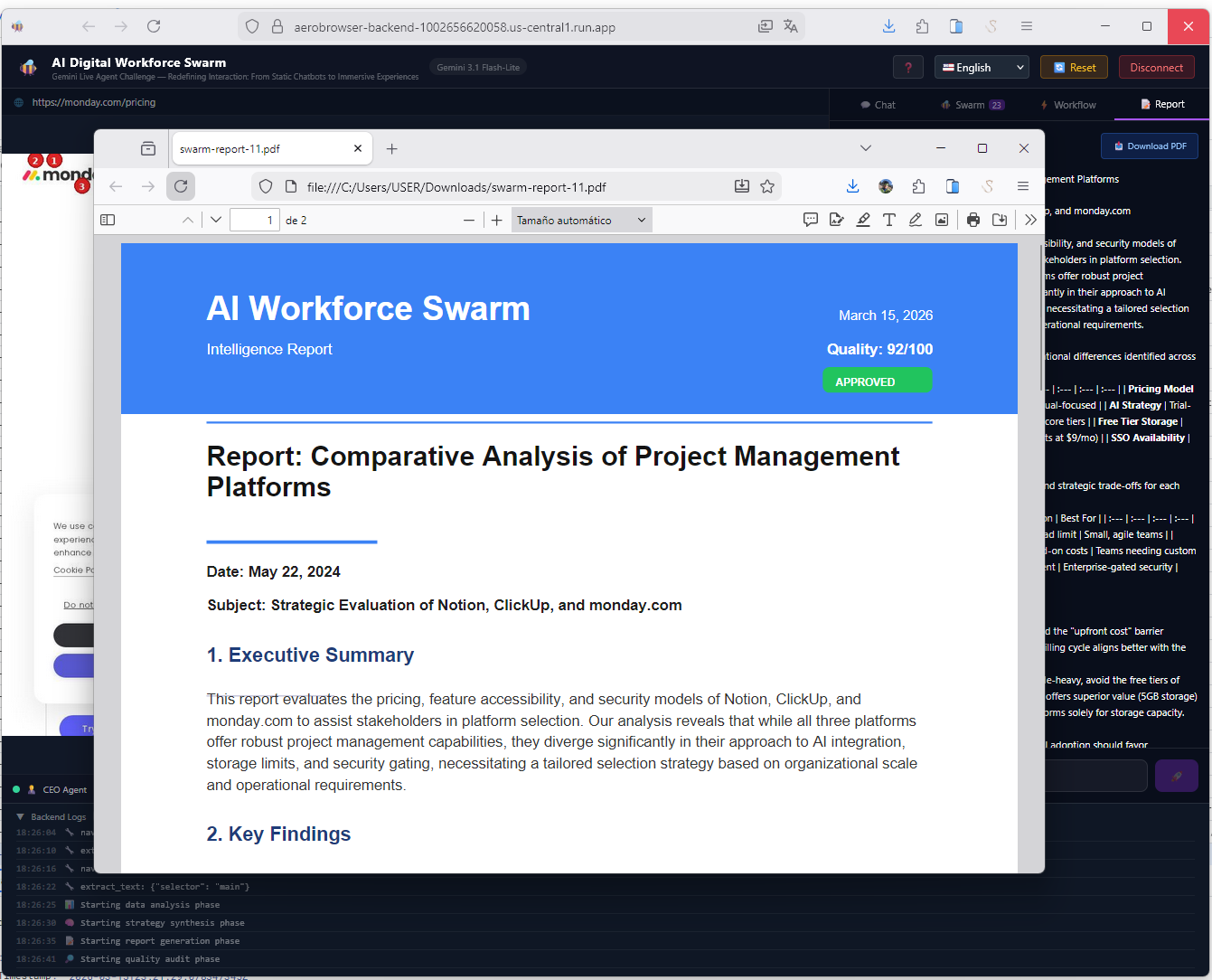
- 📝 Report Builder generates a professional Markdown report with comparative tables
- 🔎 Quality Auditor validates accuracy, detects unsupported claims, and assigns a quality score
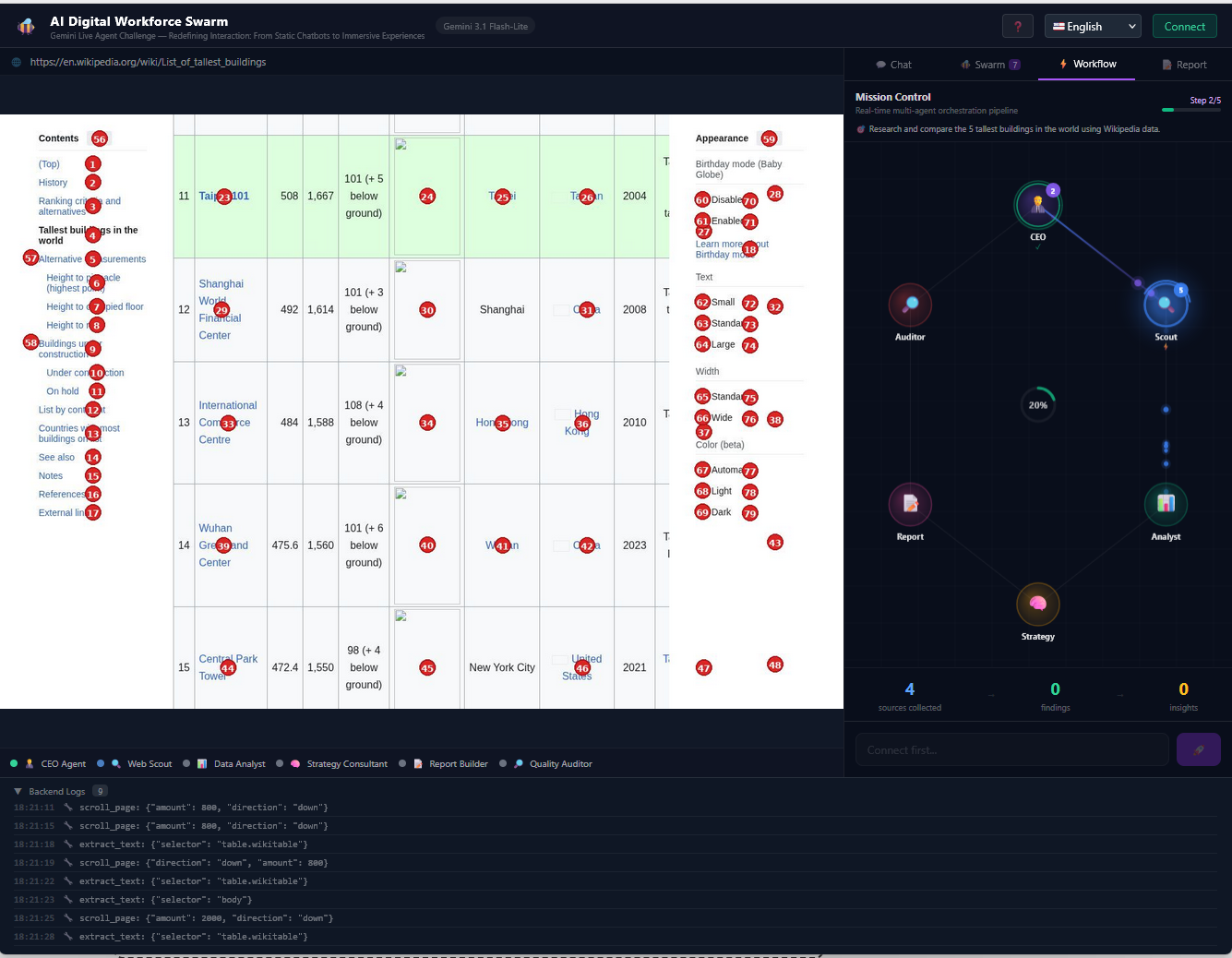
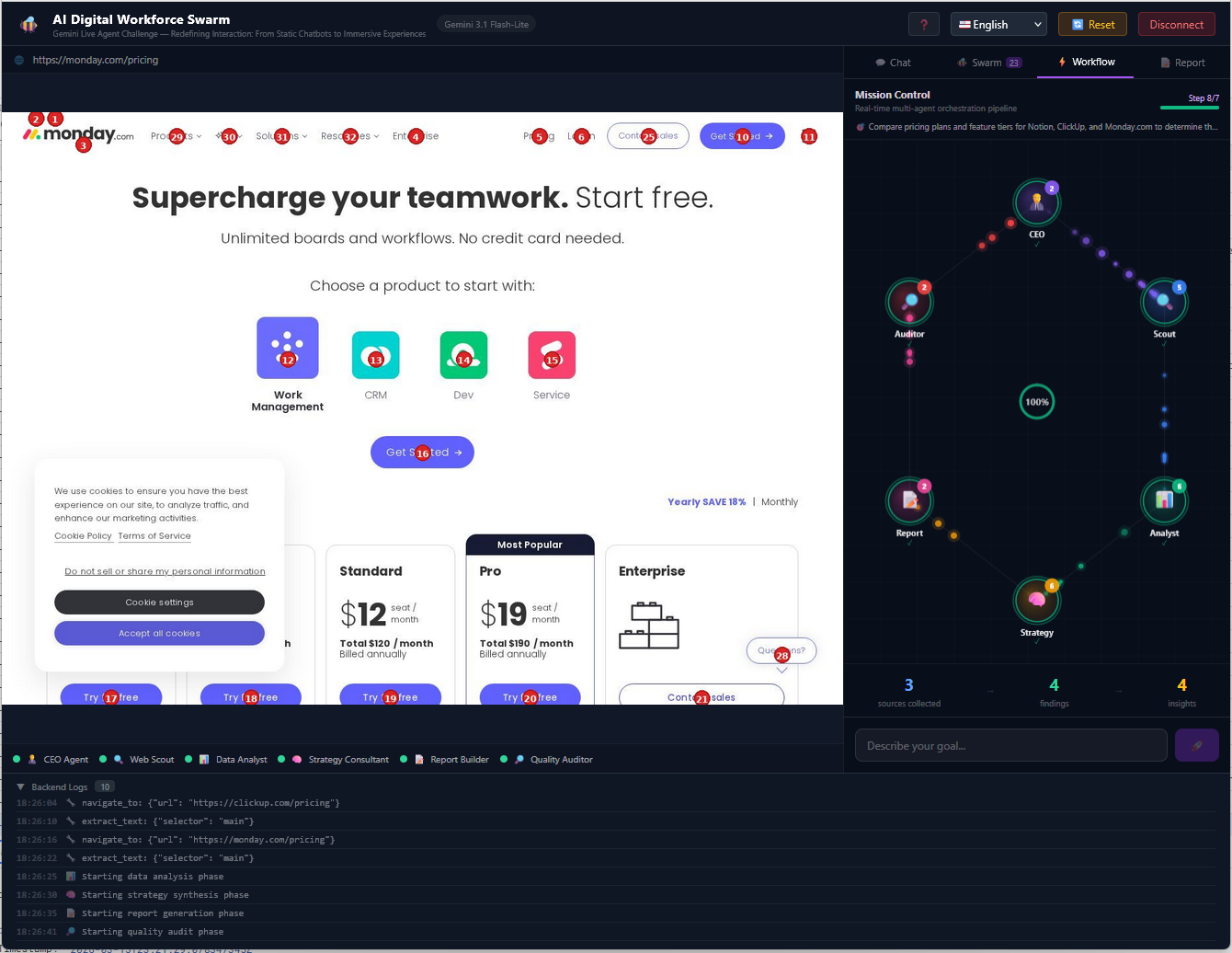
All of this is streamed in real-time via WebSocket. The user sees:
- The live browser with updated screenshots
- The swarm activity with logs from each agent
- An animated visual pipeline with data particles flowing between hexagons (Canvas)
- The final report with PDF export
The app is installable (PWA), works offline for the UI shell, and offers a full-screen experience.
How I built it
Architecture
Conceptually, the architecture separates two responsibilities:
- Navigation agents that interact with websites like a human user
- Analysis agents that transform raw information into structured insights
These communicate through a WebSocket-driven pipeline:
$$ \text{User} \xrightarrow{\text{WebSocket}} \text{FastAPI} \xrightarrow{\text{Gemini API}} \text{6-Agent Swarm} $$
Backend (Python)
- FastAPI as the web server with WebSocket support for bidirectional real-time streaming
- Playwright (headless Chromium) for autonomous server-side web navigation
- Google GenAI SDK + Google ADK (Agent Development Kit) for the canonical agent definition
- Pillow for the Set-of-Marks (SoM) pipeline — server-side visual annotation
- Cloud Logging structured for observability
Key Innovation: Hybrid Visual-DOM Perception (SoM)
Most AI browser agents rely on one of two approaches:
| Approach | Limitation |
|---|---|
| DOM-only | Breaks on Shadow DOM, canvas, or obfuscated pages |
| Vision-only | Lacks semantic precision for reliable interaction |
My solution combines both.
The system overlays numbered visual markers on interactive elements and feeds Gemini two inputs simultaneously:
- The annotated screenshot (visual context)
- A structured TAG_MAP (semantic metadata)
This allows the agent to both see the interface and understand its structure.
The full pipeline works in 4 steps:
Element discovery: JavaScript injection extracts interactive elements (CSS selectors, coordinates, labels). If the DOM is inaccessible, coordinates alone suffice.
Visual annotation:
som.pydraws red numbered circles on each interactive element in the screenshot using Pillow — entirely server-side, no browser extensions needed.Multimodal understanding: Gemini cross-references the visual red numbers with the TAG_MAP labels to make precise decisions. This dual-channel approach means the agent both sees the page layout and reads the element metadata.
Dual execution: CSS selector first (precise), with fallback to coordinates ((cx, cy)) if the selector fails — working on any website, including Shadow DOM, iframes, and canvas.
| Approach | DOM Required? | Accuracy | Works on Canvas/Shadow DOM? |
|---|---|---|---|
| DOM-only | Yes | High | No |
| Vision-only | No | Medium | Yes |
| My Hybrid (SoM) | Optional | Highest | Yes |
Frontend (React 19)
- React 19 + Vite + TypeScript + TailwindCSS
- Pipeline visualization as animated hexagons on Canvas with a particle system representing data flow between agents
- Markdown rendering with react-markdown and PDF generation with jsPDF
- Full PWA with Service Worker (offline-first), Web App Manifest, and standalone mode
- Internationalization (i18n) with English/Spanish support
Deployment
- Google Cloud Run (serverless, auto-scaling)
- Cloud Build for automated CI/CD (build frontend → Docker → deploy)
- The Dockerfile installs headless Chromium + DejaVu fonts for the SoM labels
Challenges I ran into
1. Pivoting from Chrome Extension to server-side browser
My first approach was building a Chrome Extension that would control the browser directly from the client side. I got it working — the extension could tag elements and take screenshots — but I hit serious problems when navigating between pages or switching tabs. The extension would lose context, permissions would break across origins, and managing state across tab changes was fragile and unreliable. I realized I needed full control over the browser lifecycle, so I made the pivot to a server-side Playwright instance. This was a major architectural decision: it meant rewriting the navigation layer, but it gave me complete control over the browser — no permission issues, no lost state, no cross-origin restrictions. The Chrome Extension experience wasn't wasted though: the SoM tagging logic I built for the extension directly informed the server-side som.py pipeline.
2. Anti-bot defenses and web blocks
Modern websites have aggressive anti-automation defenses. I had to implement stealth scripts that hide Playwright's fingerprints (redefining navigator.webdriver, simulating plugins, etc.) and design block detection and early abandonment logic — if the agent detects a CAPTCHA or "access denied," it doesn't retry: it reports the block and moves on.
3. Tag IDs resetting every screenshot
Every new screenshot generates a completely new TAG_MAP. Initially, the agent tried to reuse IDs from previous screenshots, causing clicks on the wrong elements. The fix was reinforcing in the system prompt: "Tag IDs reset on every new screenshot. Never reuse a tag_id from a previous screenshot."
4. Swarm pipeline latency
With 6 agents running sequentially (Orchestrator → Scout → Analyst → Strategy → Report → Audit), total time could be significant. I optimized by using Gemini 3.1 Flash-Lite (the fastest available model) and streaming every step via WebSocket so the user sees immediate progress instead of waiting for the final result.
5. Multimodal coordination for the Scout
Getting Gemini to correctly cross-reference visual red numbers with TAG_MAP labels was a prompt engineering challenge. I solved this with mandatory TAG_MAP verification before every action and explicit examples in the system prompt:
"if you want to click 'Drafts' and the TAG_MAP says id:9 = 'Sent' and id:11 = 'Drafts', use tag_id 11, NOT 9"
6. PWA on Cloud Run
Configuring the Service Worker to correctly cache the UI shell without interfering with WebSocket connections required a careful strategy of cache-first for static assets and network-only for the /ws/ endpoint.
What I learned
- Know when to pivot: I spent significant time building a Chrome Extension before realizing its limitations with tab navigation and cross-origin restrictions. The lesson: prototyping fast is valuable, but recognizing when an approach has a ceiling is even more valuable. Moving to server-side Playwright felt like starting over, but the code I wrote for the extension — especially the element tagging and SoM overlay logic — translated directly into the server-side pipeline. No work was truly lost.
- Extensions vs. PWA — different strengths: The Chrome Extension gave me direct access to the DOM but limited control over the browser itself. The PWA gave me a polished, installable user experience with offline support. The final architecture combines the best of both worlds: a PWA as the user-facing layer (installable, offline shell, full-screen, responsive) with a server-side headless browser that has the unrestricted control an extension could never provide. If I had to do it again, I'd start server-side from day one — but I wouldn't have understood why without building the extension first.
- Prompt engineering is the new software engineering: 60% of the agent's behavior is defined in the system prompts. A poorly designed prompt produces loops, wrong clicks, and garbage data. A well-designed prompt produces an agent that behaves like a professional.
- Multimodal vision is powerful but imprecise alone: Without the TAG_MAP as a textual "anchor," Gemini sometimes confused visually similar elements. The dual combination (visual + semantic) was the breakthrough.
- Agents need escape hatches: Without loop detection and early abandonment, the system could burn all its rounds retrying failed actions. The Anti-Loop & Stuck Detection section of the prompt turned out to be the most critical piece I wrote.
- WebSocket streaming transforms the UX: Showing every step in real-time turns a boring 60-second wait into a fascinating experience of watching the AI work.
Accomplishments I'm Proud Of
- Built a fully working multi-agent swarm architecture rather than a single AI assistant
- Designed a hybrid visual-DOM perception system enabling robust web navigation on any site
- Created a real-time visualization pipeline showing how agents collaborate through animated hexagonal Canvas
- Implemented resilient navigation that handles CAPTCHAs, blocked pages, and anti-bot defenses gracefully
- Delivered a production-like PWA experience with installable UI, offline shell, and full-screen mode
- Defined the agent using Google ADK for introspection and future ecosystem compatibility
What I learned
- Prompt engineering is the new software engineering: 60% of the agent's behavior is defined in the system prompts. A poorly designed prompt produces loops, wrong clicks, and garbage data. A well-designed prompt produces an agent that behaves like a professional.
- Multimodal vision is powerful but imprecise alone: Without the TAG_MAP as a textual "anchor," Gemini sometimes confused visually similar elements. The dual combination (visual + semantic) was the breakthrough.
- Agents need escape hatches: Without loop detection and early abandonment, the system could burn all its rounds retrying failed actions. The Anti-Loop & Stuck Detection section of the prompt turned out to be the most critical piece I wrote.
- WebSocket streaming transforms the UX: Showing every step in real-time turns a boring 60-second wait into a fascinating experience of watching the AI work.
Why It Matters
Research, competitive analysis, and information synthesis are among the most time-consuming tasks in knowledge work.
AI Digital Workforce Swarm explores a new interaction model where users no longer operate software directly — instead, they delegate goals to a coordinated team of AI agents that navigate, extract, analyze, and report autonomously.
This isn't about replacing human judgment. It's about freeing humans from the mechanical parts of research so they can focus on the decisions that matter.
Vision
Today, AI assistants answer questions.
Tomorrow, they will operate software.
This project explores what happens when we move beyond a single assistant and build an entire digital workforce of AI agents collaborating in real time — each specialized, each accountable, each passing the baton to the next until the job is done.
Built With
- chromium
- docker
- fastapi
- gemini-3.1-flash-lite-preview
- google-adk-(agent-development-kit)
- google-cloud-build
- google-cloud-logging
- google-cloud-run
- google-gemini-3.1-flash-lite
- google-genai-sdk
- html5
- jspdf
- pillow
- playwright
- progressive-web-app-(pwa)
- pwa
- python
- react
- service
- tailwindcss
- typescript
- vite
- websocket

Log in or sign up for Devpost to join the conversation.