-
-
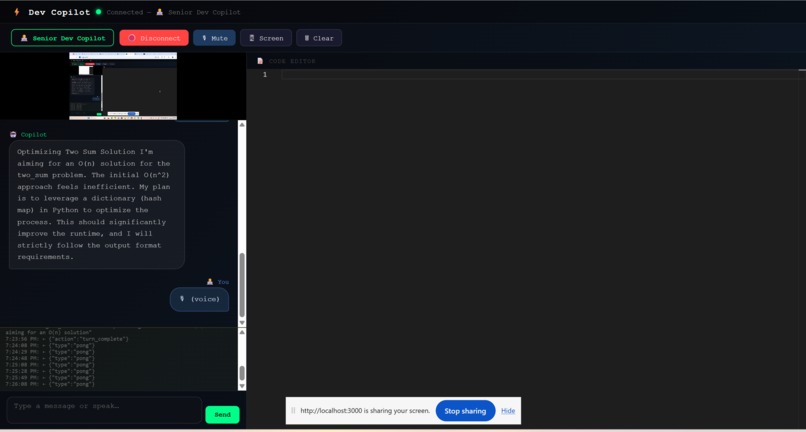
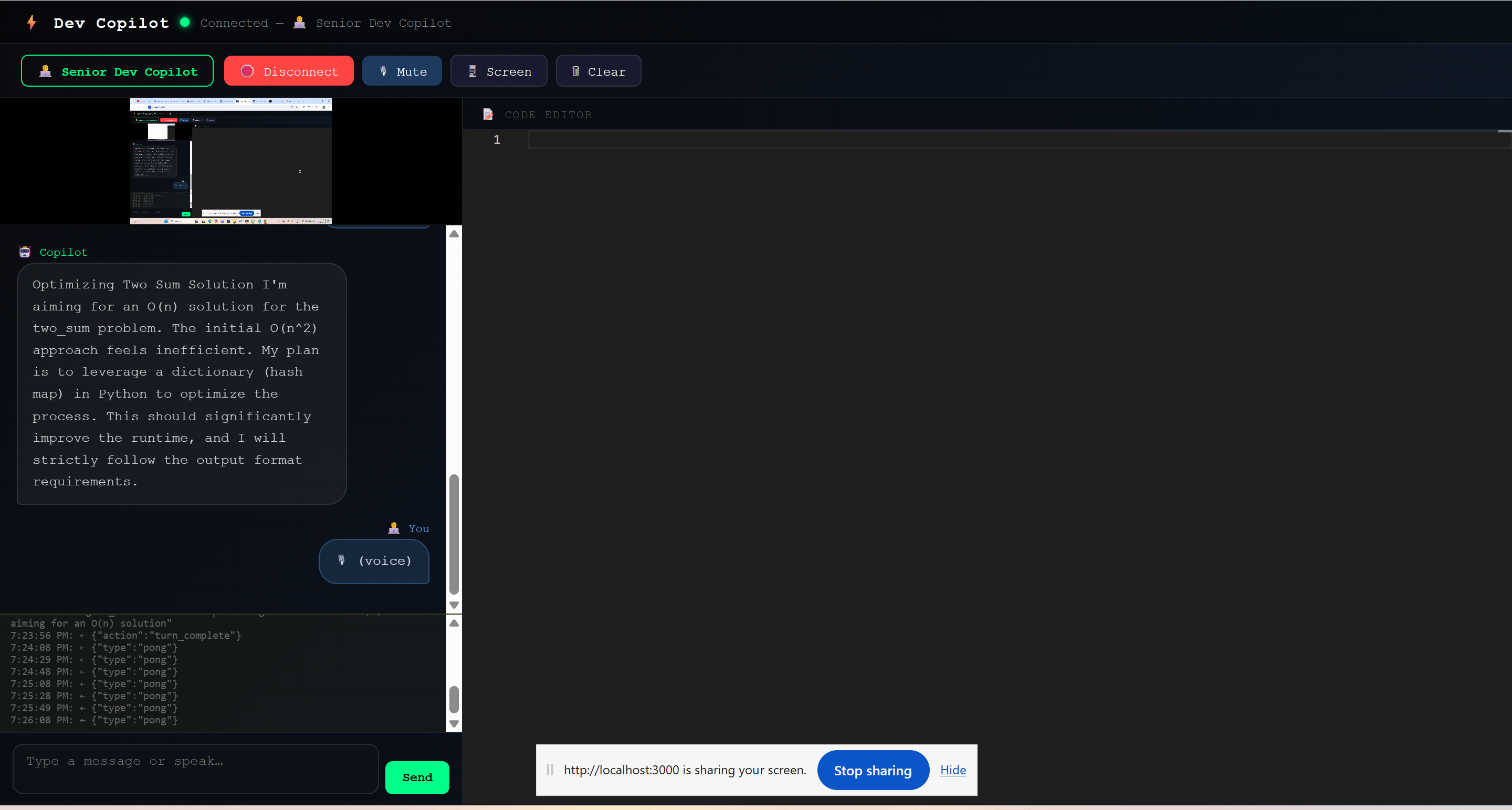
Interface of my project
-
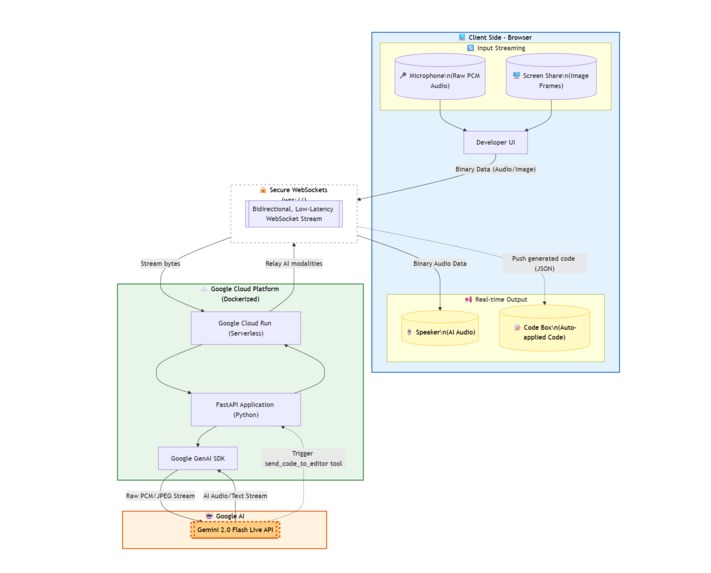
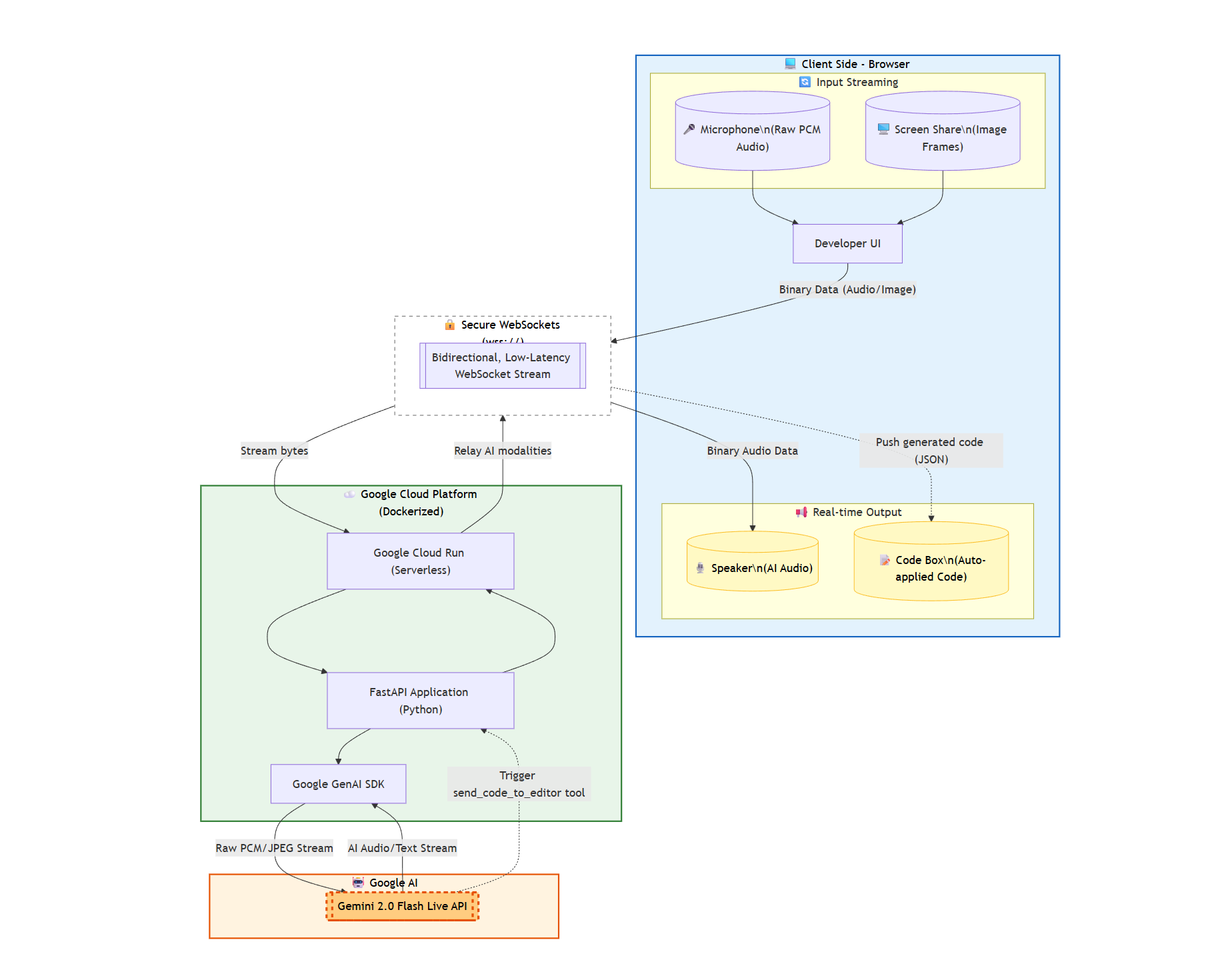
Architecture Diagram
💡 Inspiration
The hackathon prompt challenged us to "break the text box" and move beyond static chats. As developers, we constantly waste time copying code, pasting it into an AI window, typing out the context, and moving the fix back. We wanted an immersive experience: a Copilot that sits next to you, looks at your screen, listens to your voice, and pair-programs with you in real-time.
⚙️ What it does
Ai-DevPilot is a multimodal, real-time coding assistant. Instead of typing, you simply share your screen (IDE or web browser) and talk to it.
- Real-Time Voice & Vision: Powered by the
gemini-2.0-flashLive API, it streams your screen frames and voice simultaneously. - Dual Personas: With a click, the agent switches from a helpful "Senior Dev Copilot" (assisting with React/Python bugs) to a strict "FAANG Interviewer" (grilling you on Big O complexity and DSA while watching you code).
- Smart Code Execution: When the AI suggests a fix, it doesn't just read the raw syntax out loud (which sounds robotic). Instead, it uses Native Tool Calling to seamlessly push the exact code block into your UI for a 1-click application.
🏗️ How we built it
- Frontend: A React.js application that captures raw microphone data (
audio/pcm;rate=16000) and extracts video frames from a screen-share stream using HTML5 Canvas. - Backend: A FastAPI server utilizing
asyncioto manage bidirectional, low-latency WebSockets. - AI Engine: We used the new
google-genaiSDK to connect to the Gemini Live API. We configured theLiveConnectConfigto handle Audio modalities and injected specificSystem Instructionsfor the personas. - Cloud Infrastructure: The entire backend agent is containerized using Docker and deployed securely on Google Cloud Run to handle the active WebSocket connections.
🚧 Challenges we ran into
- The "Thinking Out Loud" Bug: Initially, the multimodal model would narrate its actions out loud (e.g., "I am looking at the code and will now write a fix"). We overcame this by implementing Tool Calling (
send_code_to_editor). This forced the model to execute the code transfer as a background function, freeing up the audio channel for natural, human-like conversation. - Streaming Raw Audio: Managing raw PCM byte streams between the browser's
AudioContextand the Python backend without clipping or dropping packets required careful buffer management and queueing. - Cloud WebSockets: Configuring Google Cloud Run to properly maintain long-lived secure WebSocket connections (
wss://) required adjusting our port bindings and Docker configurations.
🏆 Accomplishments that we're proud of
Successfully fusing three distinct input/output modalities—Voice, Vision, and Executable Code (Tools)—into one cohesive loop. The latency is incredibly low, making it actually feel like another engineer is sitting in the room with you.
📚 What we learned
We learned the incredible power and speed of the Gemini 2.0 Flash model. Moving from standard REST API generation to real-time, bi-directional streaming completely changes how applications need to be architected (moving from request/response to continuous event loops).
🚀 What's next for Ai-DevPilot
We plan to package the frontend as a native VS Code Extension so the tool-calling function can write and edit local files directly on the developer's machine, removing the browser middleman entirely!
Built With
- docker
- fastapi
- gemini-2.0-flash
- google-cloud-run
- google-genai-sdk
- python
- react
- websockets

Log in or sign up for Devpost to join the conversation.