-
-
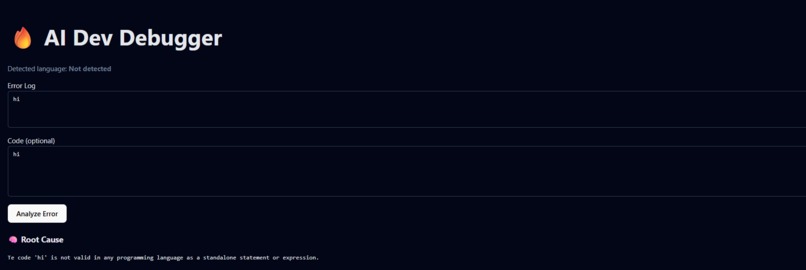
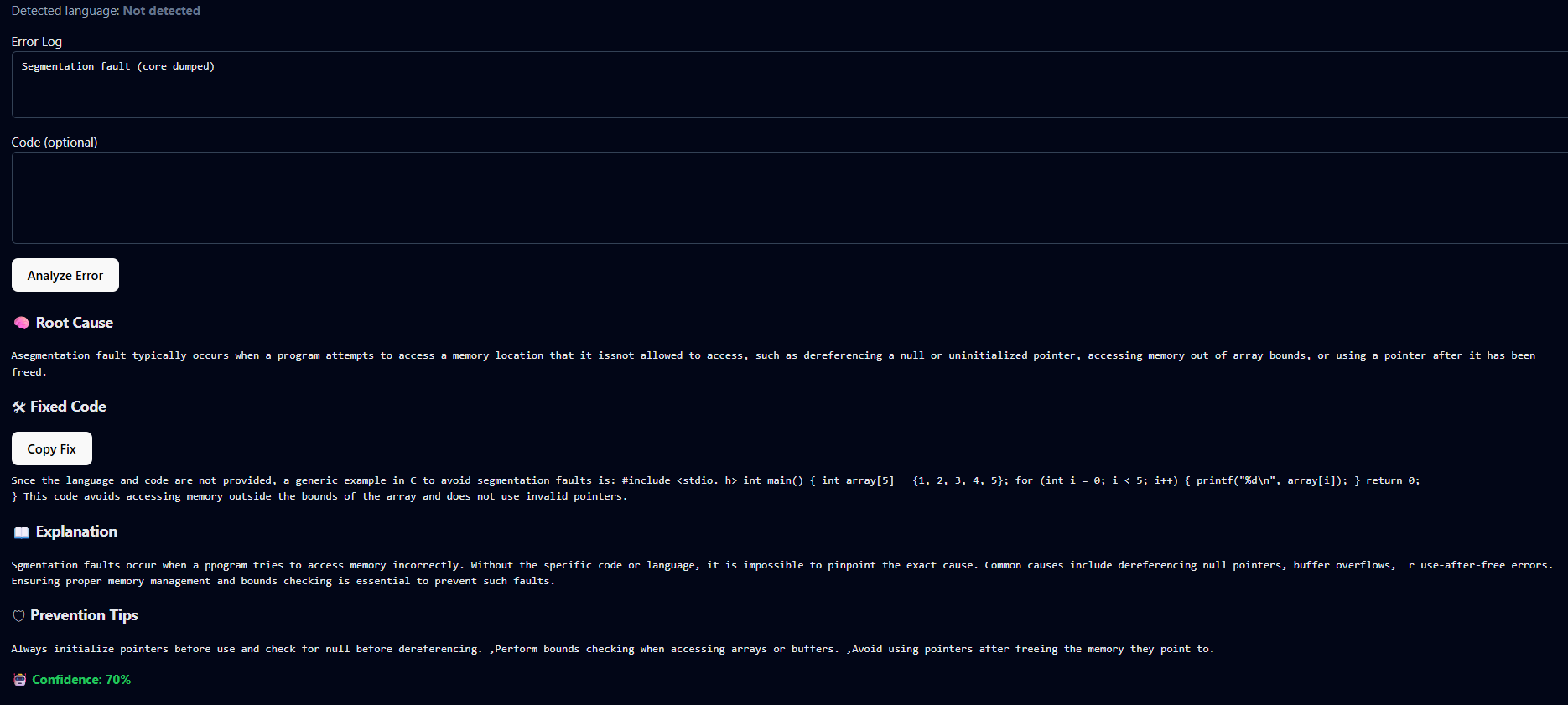
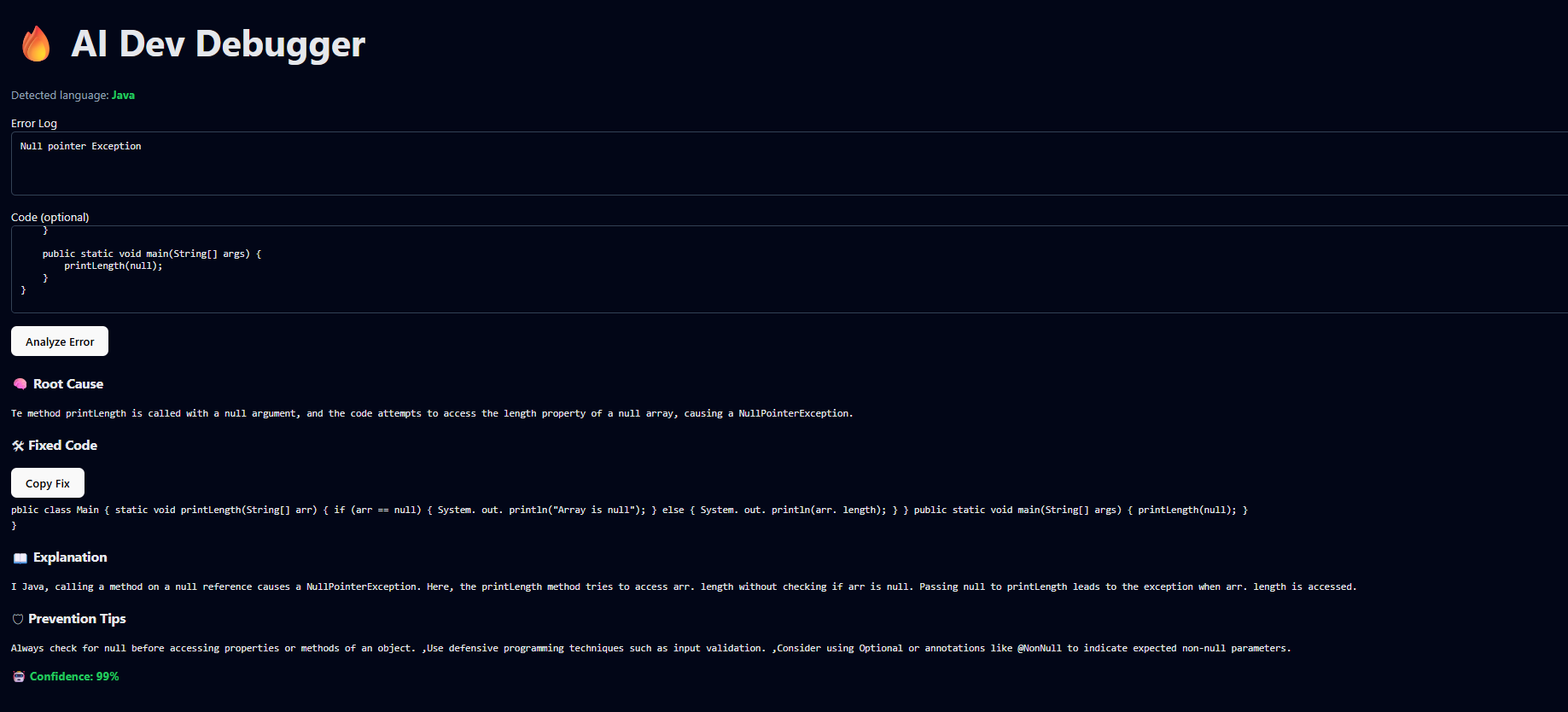
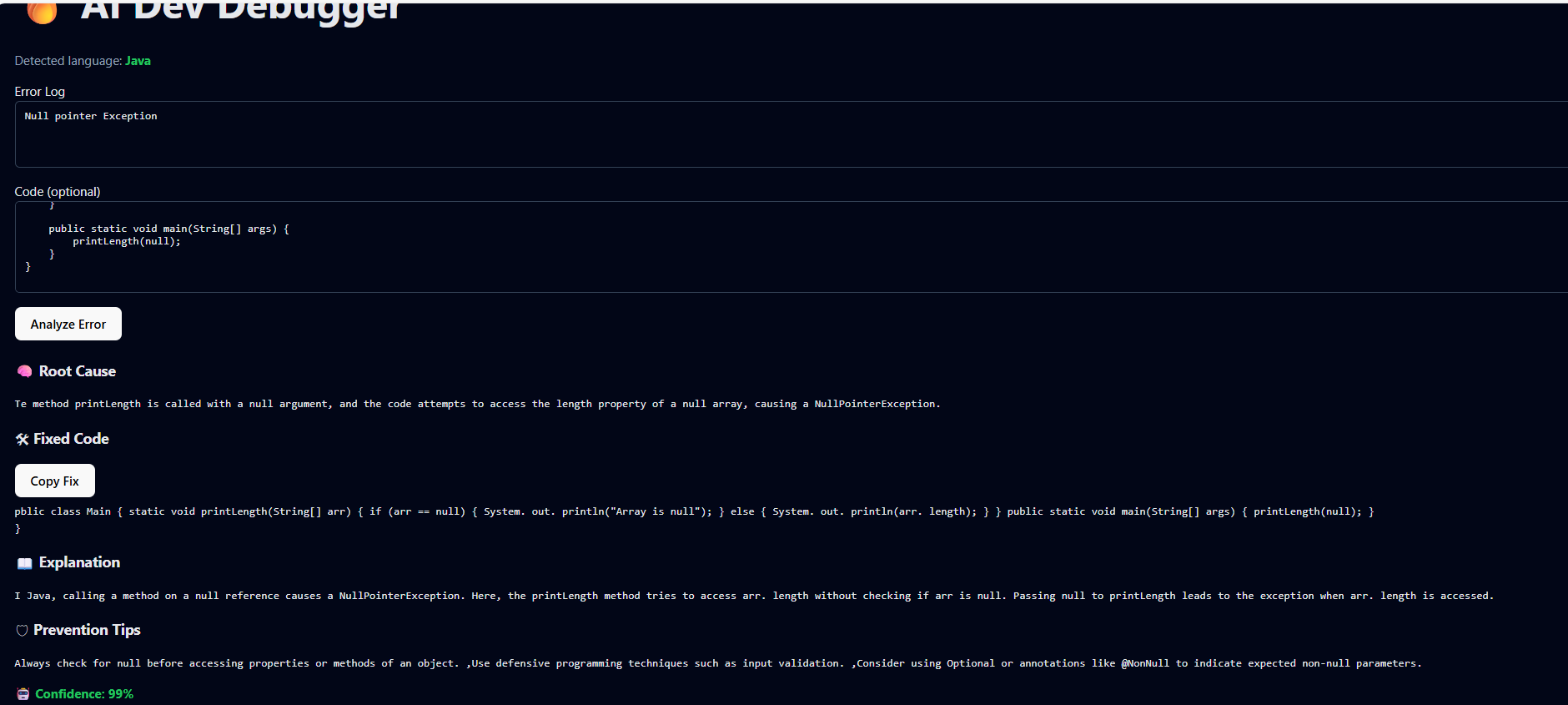
Automatic language detection
-
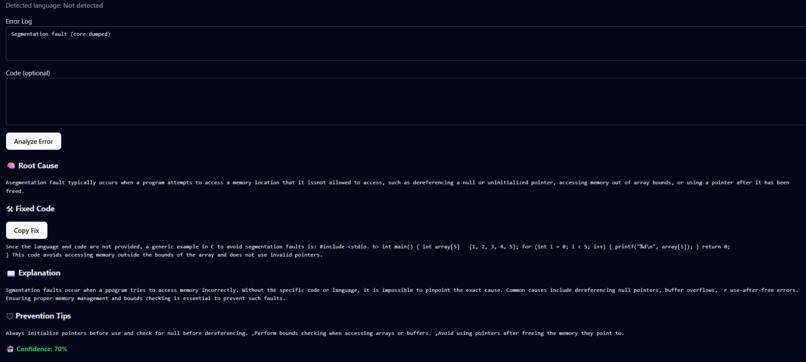
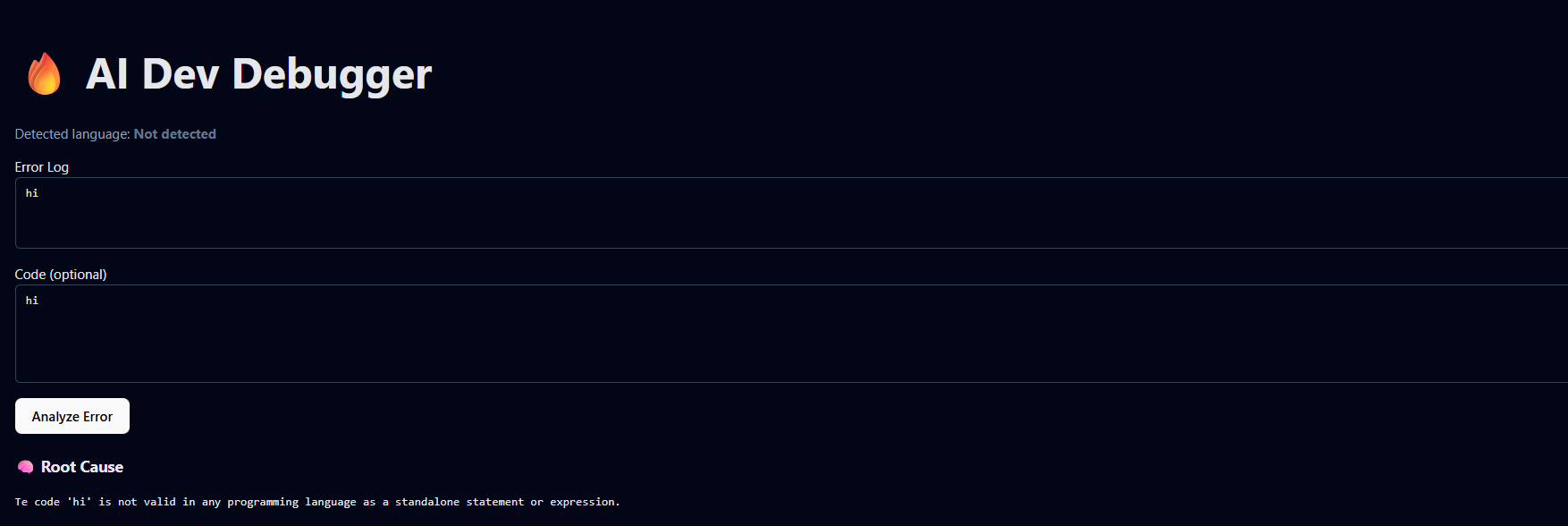
Graceful handling of incomplete input
-
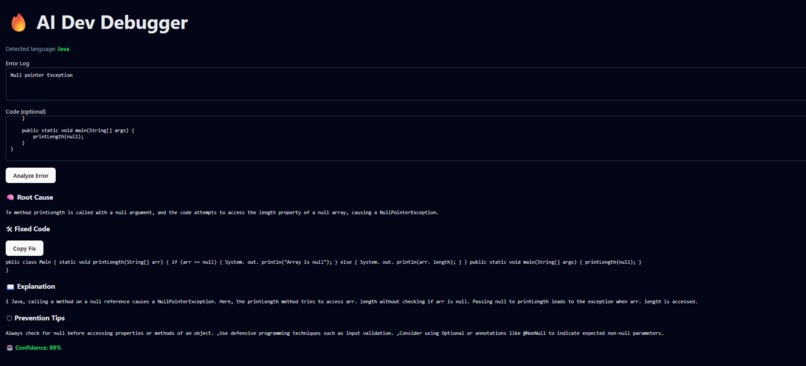
Safe, context-aware fix suggestion
-
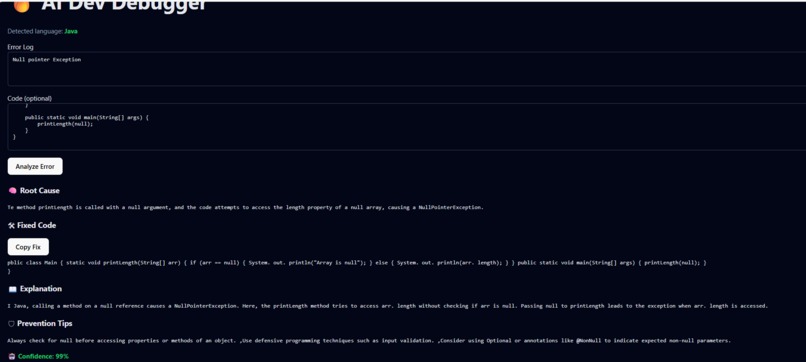
Clear root cause identification
Inspiration
Debugging is often the most frustrating part of software development, especially when error messages are vague, misleading, or scattered across forums. As a developer, I noticed how much time is lost searching for explanations instead of actually fixing the problem. This inspired me to build AI Dev Debugger — a tool that behaves like a calm senior engineer who explains errors clearly, suggests safe fixes, and helps developers learn while debugging.
What it does
AI Dev Debugger analyzes error logs and optional code snippets to identify the root cause of an issue. It automatically detects the programming language, explains why the error occurred, suggests a clean and safe fix, and provides prevention tips to avoid repeating the same mistake. The output is structured, readable, and focused on clarity rather than raw technical noise.
How we built it
The frontend was built using React with Vite to provide a fast, clean, and responsive user experience. The backend is powered by FastAPI, which handles requests, validates inputs, and communicates with the AI model. The system processes error logs and code, generates structured responses, and returns them to the frontend with typing animations for better readability and engagement. Special attention was given to formatting, grammar, and avoiding hallucinated fixes.
Challenges we ran into
One major challenge was ensuring the AI responses were accurate, well-formatted, and free of spelling or grammar errors. Another challenge was handling cases where the error message did not logically match the programming language, such as segmentation faults in Java. We also had to carefully manage environment variables and security to avoid exposing sensitive API keys.
Accomplishments that we're proud of
We successfully built an end-to-end AI-powered debugging assistant with a clean UI, structured output, and strong focus on usability. The tool handles real-world error scenarios, avoids unsafe suggestions, and provides confidence scores to indicate reliability. Completing both backend and frontend integration within the hackathon timeline is a major achievement.
What we learned
This project helped us better understand prompt engineering, API integration, secure environment handling, and designing AI systems that prioritize clarity and trust. We also learned how important UX is when presenting technical information and how small details can significantly improve developer experience.
What's next for AI Dev Debugger
In the future, we plan to add support for more programming languages, deeper code analysis, IDE integrations, and project-level debugging. We also aim to include user feedback loops and learning modes to help developers improve their debugging skills over time.


Log in or sign up for Devpost to join the conversation.