-
-
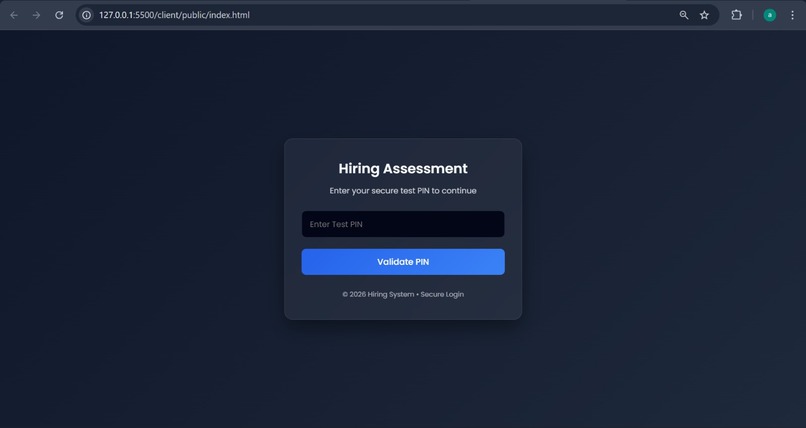
Enter your Test PIN to begin your assessment securely.
-
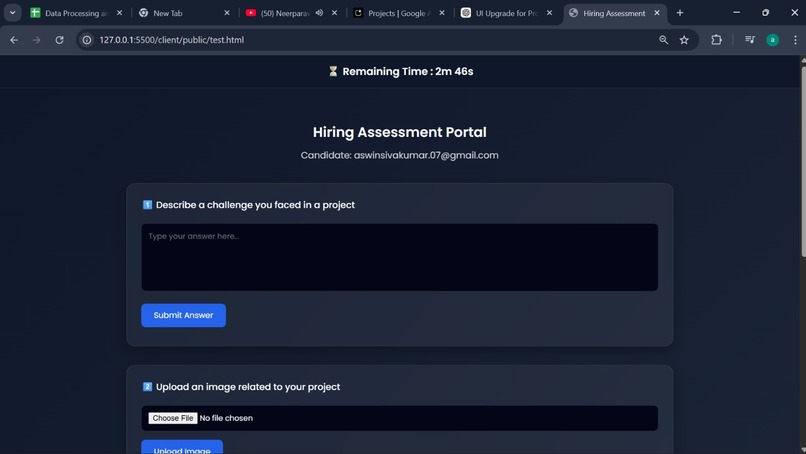
Upload your documents securely for verification and analysis.
-
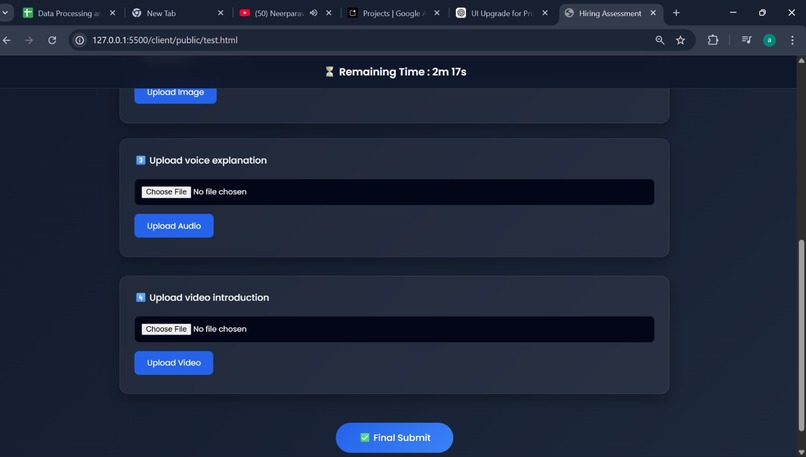
Upload your documents securely for verification and analysis.
Inspiration
What it does
How we built it
Challenges we ran into
Accomplishments that we're proud of
What we learned
What's next for AIDetect Exam Platform
Gemini AI Detection Testing Platform
A full-stack web application designed to administer and evaluate candidate tests using AI detection technology. The platform allows administrators to invite candidates, manage timed tests, and analyze submissions (text, images, audio, video) to determine if they are human-generated or AI-assisted.
Features
Admin Functionality
- Secure admin login with username/password authentication
- Invite candidates via email with unique PIN codes
- Set custom test time windows (start and end times)
- View all candidate results and submissions
- Generate final verdicts using AI analysis of all submissions
Candidate Experience
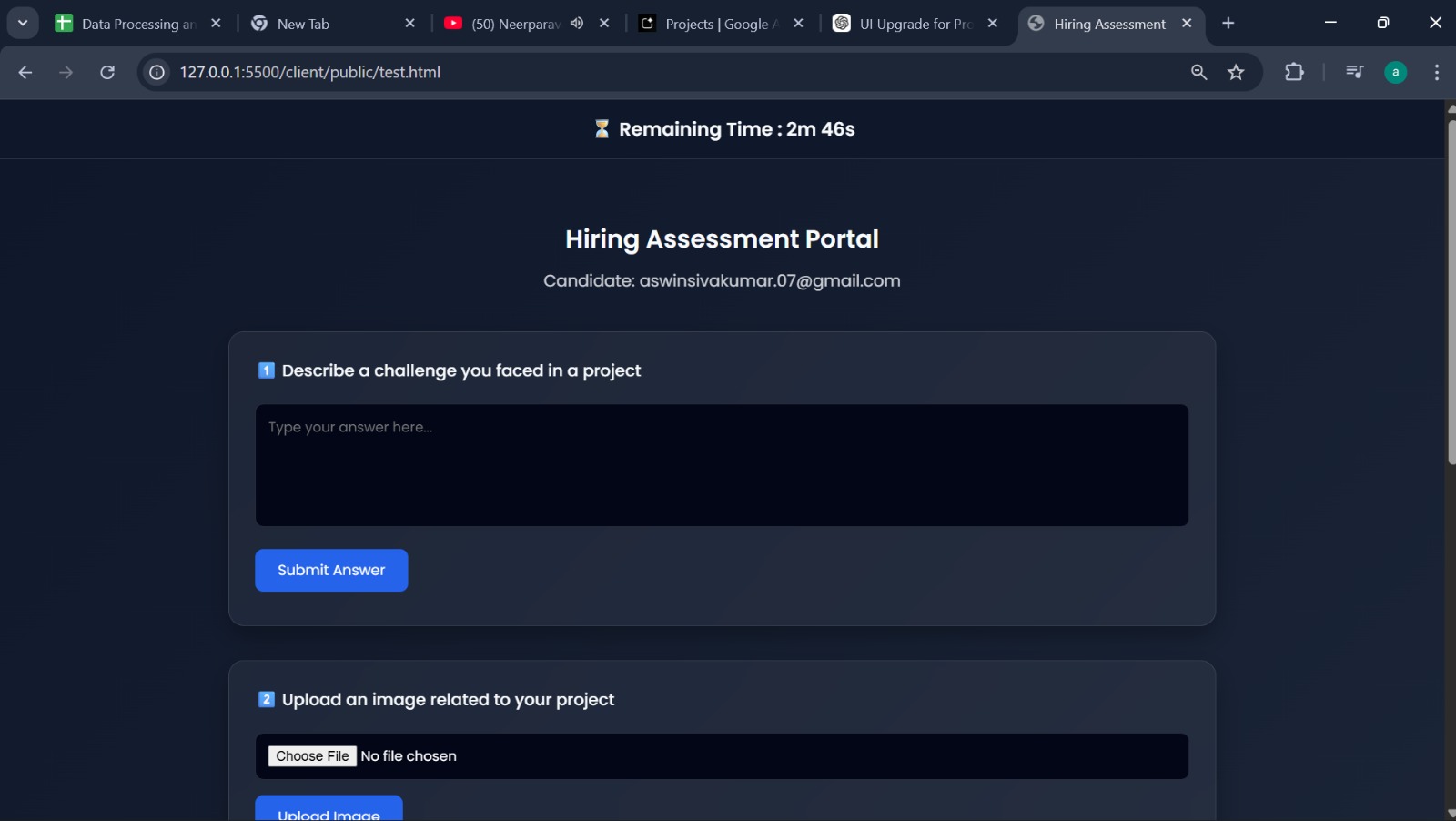
- PIN-based login system
- Time-windowed test sessions with strict enforcement
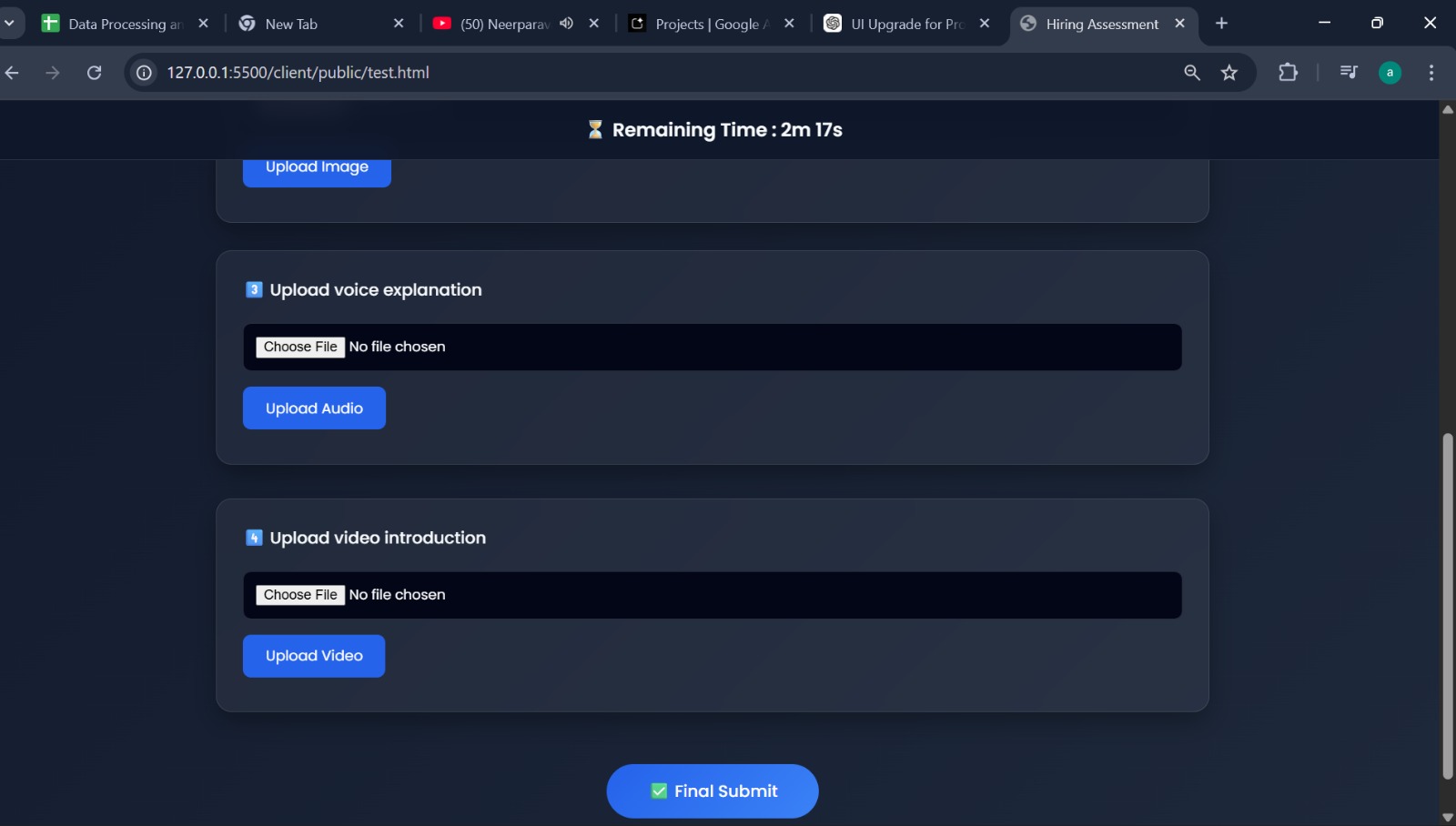
- Multi-modal submission support:
- Text answers with AI/human detection
- Image uploads with forensic analysis
- Audio recordings with voice analysis
- Video submissions with content verification
- Real-time submission status tracking
- Automatic test completion detection
AI Analysis
- Powered by Google Gemini 2.5 Flash model
- Specialized prompts for each media type:
- Text: Human vs AI content detection
- Images: Real vs AI-generated image analysis
- Audio: Human vs synthetic voice detection
- Video: Authentic vs deepfake content verification
- Comprehensive final verdict generation combining all analyses
Tech Stack
Frontend
- React 19 - Modern JavaScript library for building user interfaces
- Vite - Fast build tool and development server
- ESLint - Code linting and formatting
- CSS - Styling with modern CSS features
Backend
- Flask - Lightweight Python web framework
- SQLite - Embedded database for data persistence
- Google Generative AI (Gemini) - AI analysis and detection
- Pillow (PIL) - Image processing
- Flask-CORS - Cross-origin resource sharing support
Additional Libraries
- python-dotenv - Environment variable management
- base64 - Data encoding for media processing
- datetime - Time window management
Installation
Prerequisites
- Python 3.8+
- Node.js 16+
- Google Gemini API key
Backend Setup
Navigate to the server directory:
cd serverCreate a virtual environment:
python -m venv venv
source venv/bin/activate  # On Windows: venv\Scripts\activate
Install dependencies:
pip install -r requirements.txtSet up environment variables: Create a
.envfile in the server directory with:GEMINI_API_KEY=your_api_key_hereInitialize the database:
python init_db.py
Frontend Setup
Navigate to the client directory:
cd clientInstall dependencies:
npm install
Usage
Running the Application
Start the backend server:
cd server
python app.py
The server will run on
http://localhost:5000Start the frontend development server:
cd client
npm run dev
The client will run on
http://localhost:5173(default Vite port)
Admin Access
- Navigate to the admin login page
- Use credentials:
admin/admin123 - From the dashboard, invite candidates and view results
Candidate Flow
- Receive email invitation with PIN
- Login using PIN during the scheduled time window
- Complete test submissions (text, image, audio, video)
- Submit final test completion
Database Schema
Users Table
CREATE TABLE users (
    id INTEGER PRIMARY KEY AUTOINCREMENT,
    email TEXT UNIQUE NOT NULL,
    pin TEXT NOT NULL,
    test_start DATETIME,
    test_end DATETIME,
    status TEXT DEFAULT 'Invited',
    text_submitted BOOLEAN DEFAULT 0,
    image_submitted BOOLEAN DEFAULT 0,
    audio_submitted BOOLEAN DEFAULT 0,
    video_submitted BOOLEAN DEFAULT 0,
    final_submitted BOOLEAN DEFAULT 0,
    created_at DATETIME DEFAULT CURRENT_TIMESTAMP
);
Tests Table
CREATE TABLE tests (
    id INTEGER PRIMARY KEY AUTOINCREMENT,
    user_id INTEGER,
    question TEXT,
    answer TEXT,
    ai_result TEXT,
    created_at DATETIME DEFAULT CURRENT_TIMESTAMP,
    FOREIGN KEY(user_id) REFERENCES users(id)
);
API Endpoints
Authentication
POST /admin/login- Admin authenticationPOST /validate-pin- Candidate PIN validation
Test Management
POST /generate-invite- Create candidate invitationPOST /submit-text-answer- Submit text responsePOST /submit-image-answer- Submit image uploadPOST /submit-audio-answer- Submit audio filePOST /submit-video-answer- Submit video filePOST /mark-submitted- Mark test as completedGET /submission-status/<user_id>- Check submission status
Admin Dashboard
GET /admin/all-results- Retrieve all candidate resultsGET /admin/final-verdict/<user_id>- Generate final AI verdict
Frontend Routes
GET /login-page- Candidate login pageGET /test-page- Test interfaceGET /admin-page- Admin loginGET /admin-dashboard- Admin dashboard
Security Features
- PIN-based authentication for candidates
- Time window enforcement to prevent early/late access
- Submission freezing after initial upload
- CORS protection
- Secure file upload handling
Development
Running Tests
# Backend linting (if configured)
# Frontend linting
cd client
npm run lint
Building for Production
# Frontend build
cd client
npm run build
npm run preview
Contributing
- Fork the repository
- Create a feature branch
- Make your changes
- Test thoroughly
- Submit a pull request
License
This project is licensed under the MIT License - see the LICENSE file for details.
Support
For support or questions, please open an issue in the repository.

Log in or sign up for Devpost to join the conversation.