-
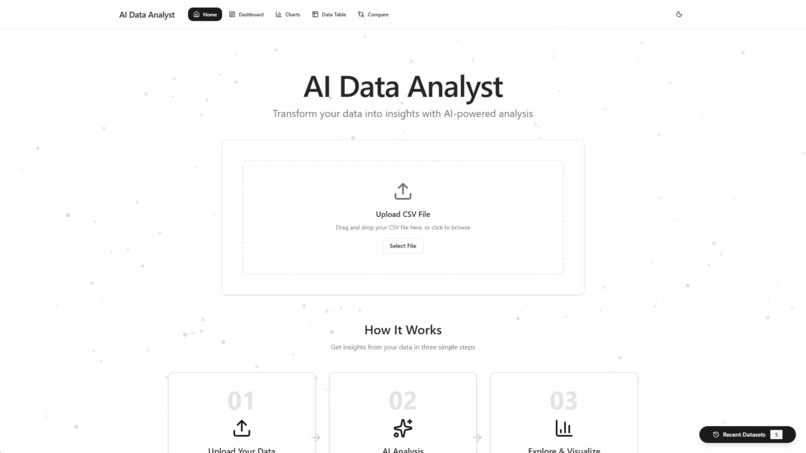
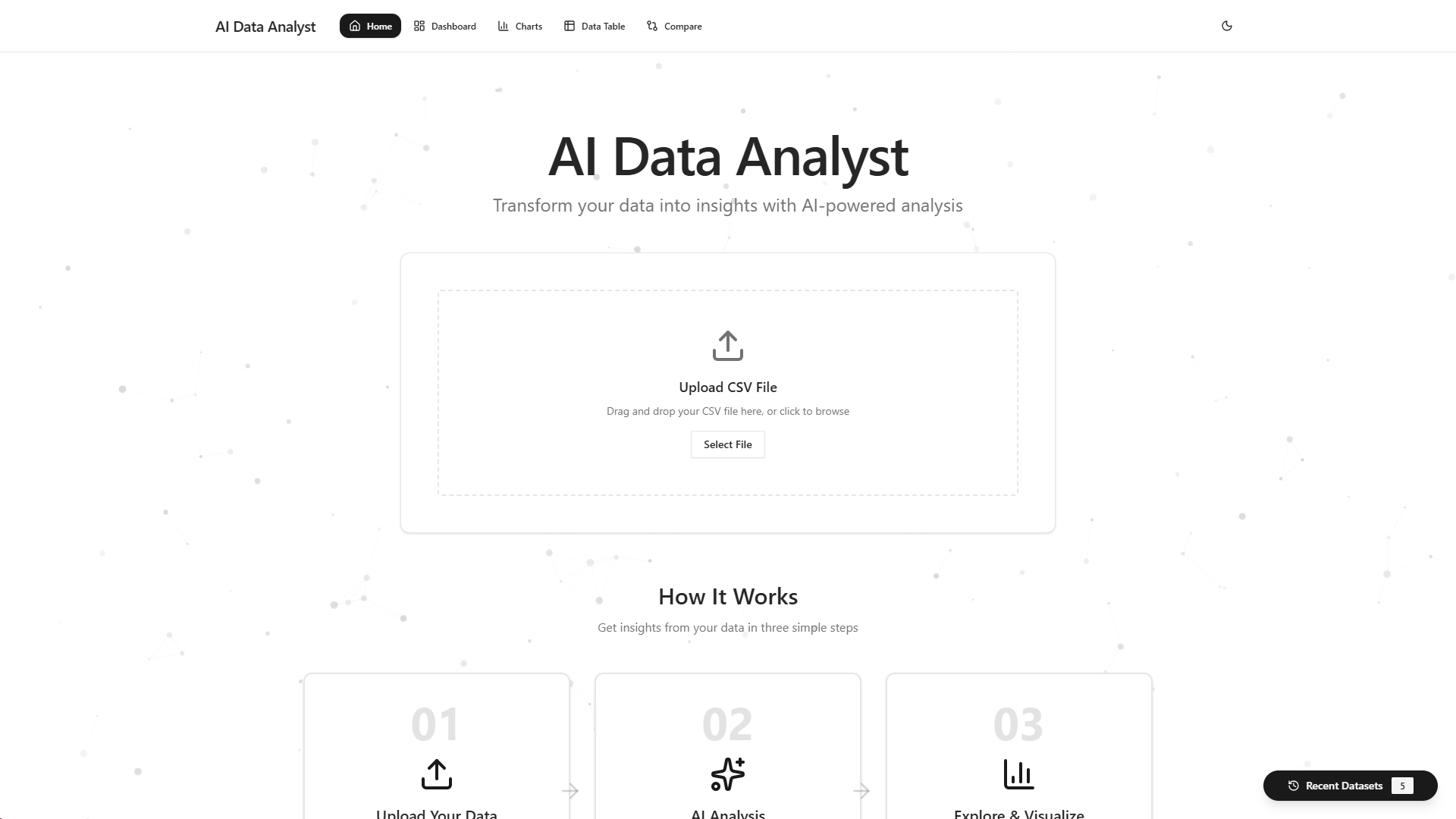
Home Page
-
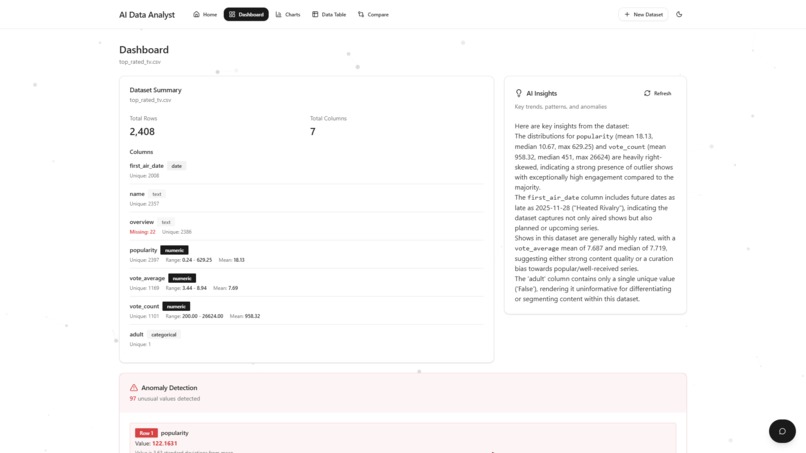
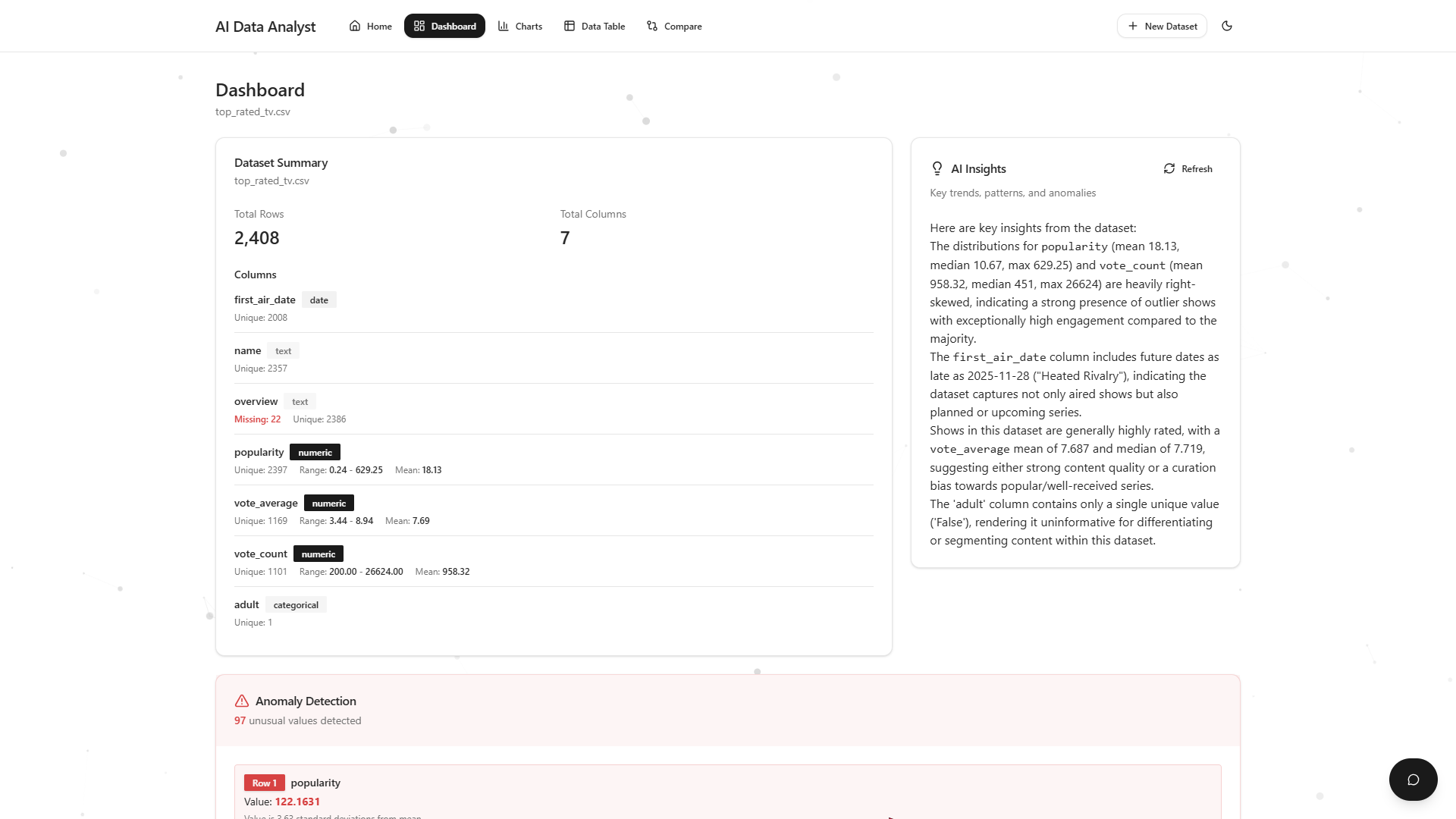
Dashboard
-
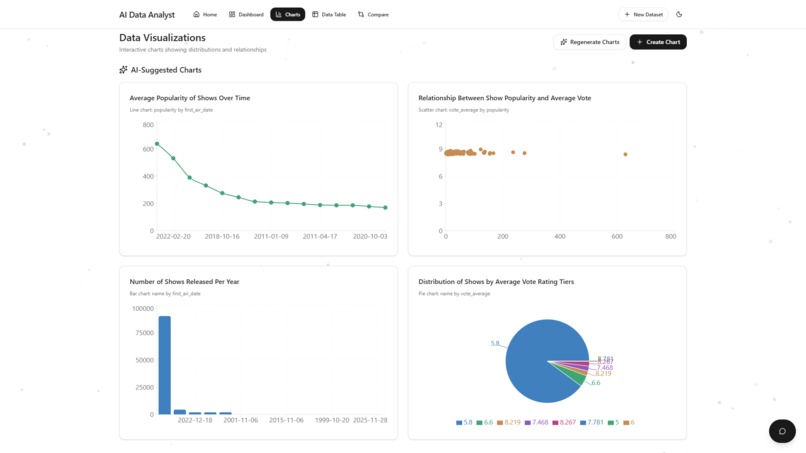
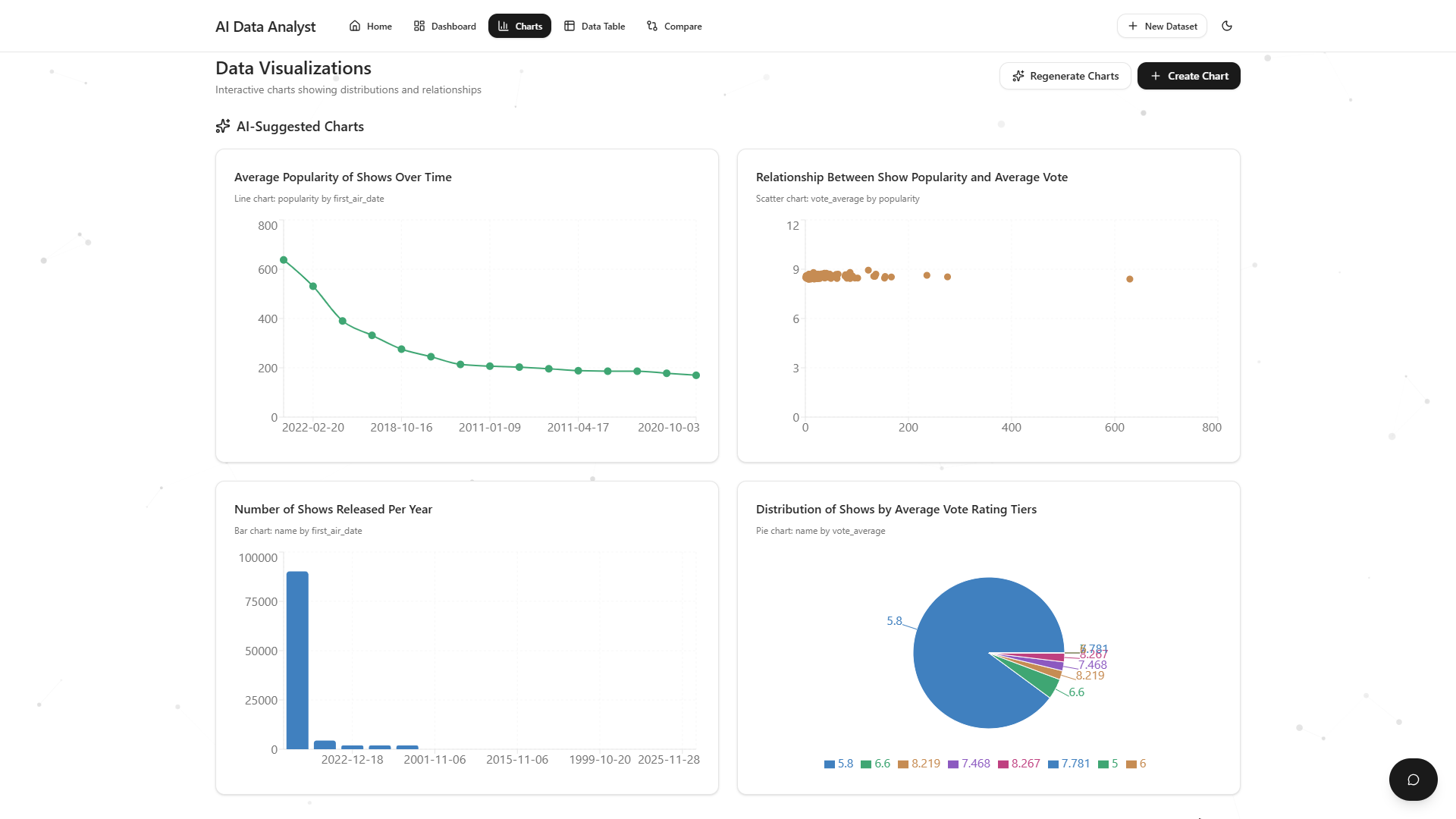
Charts
-
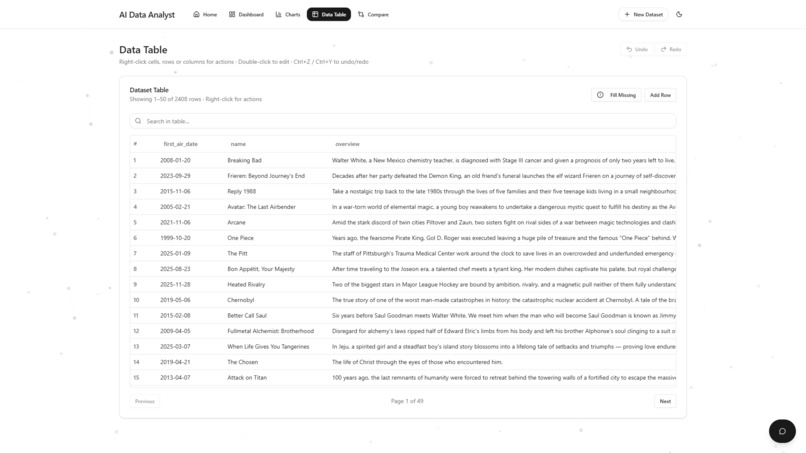
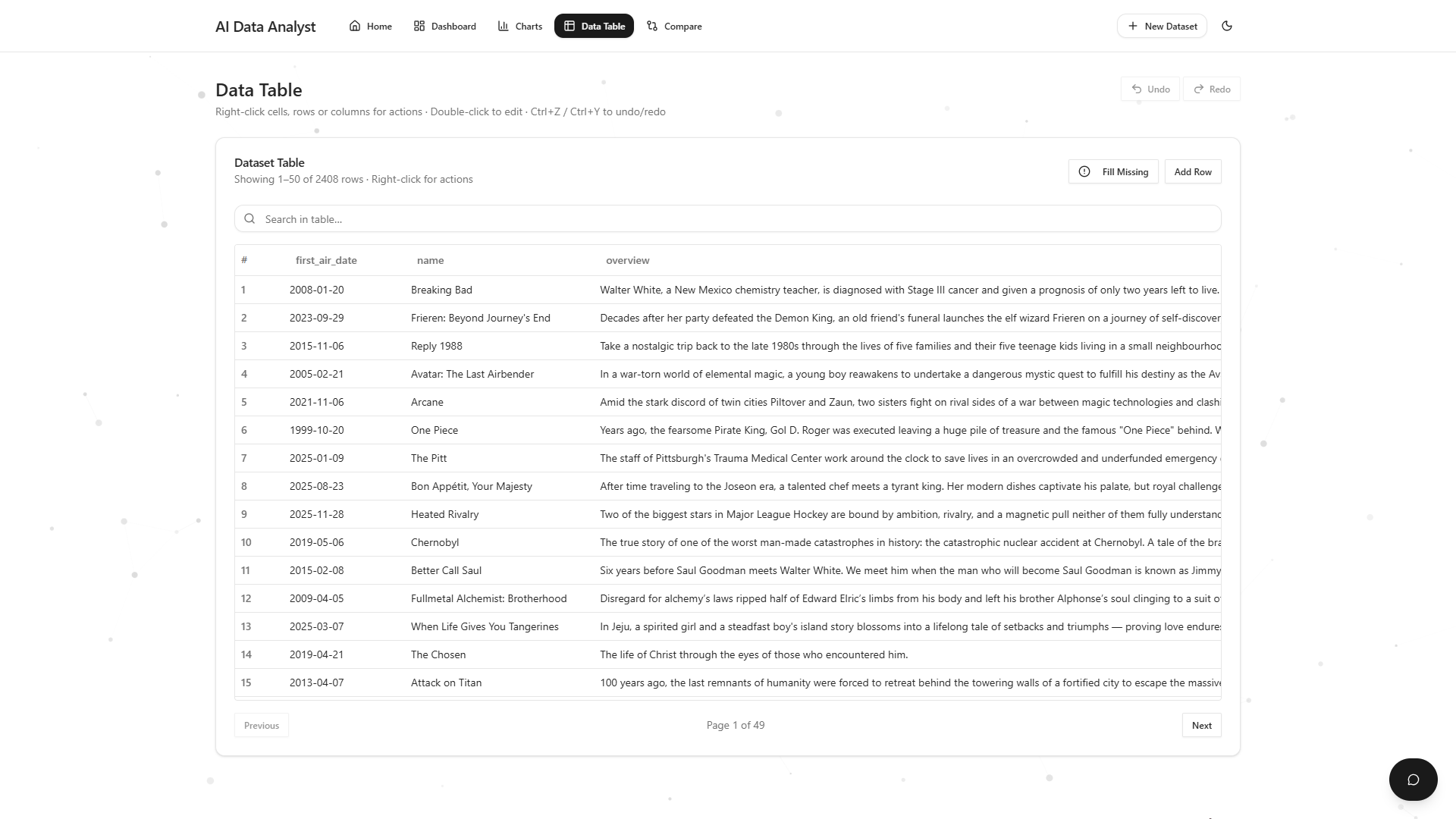
Data Table
-
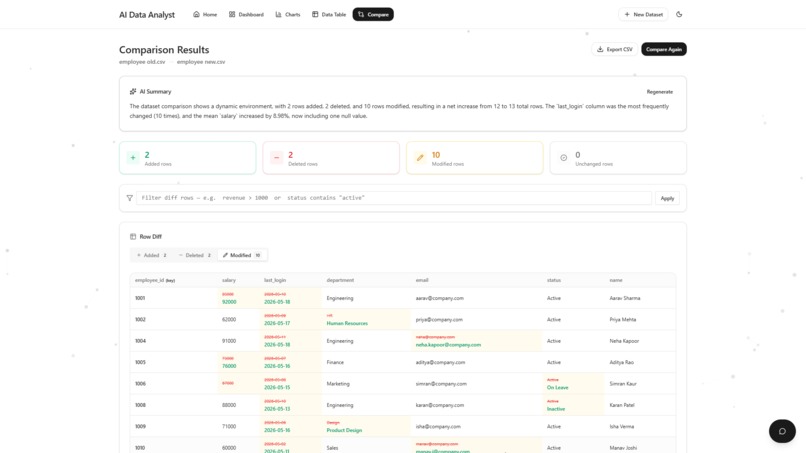
Comparison Page 1
-
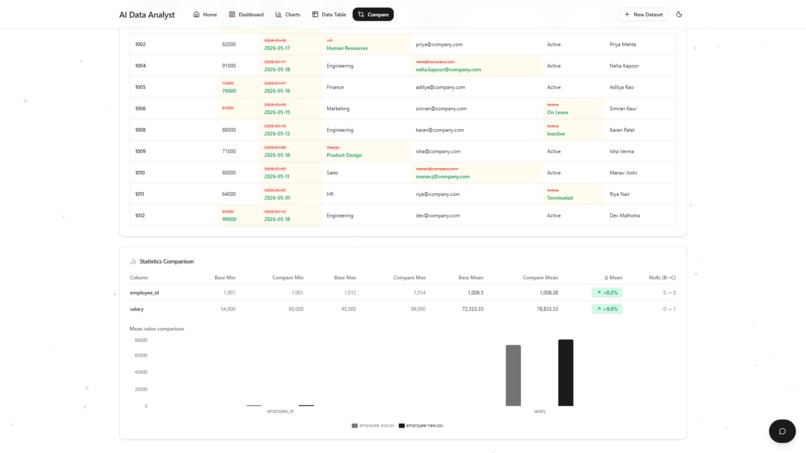
Comparison Page 2
-
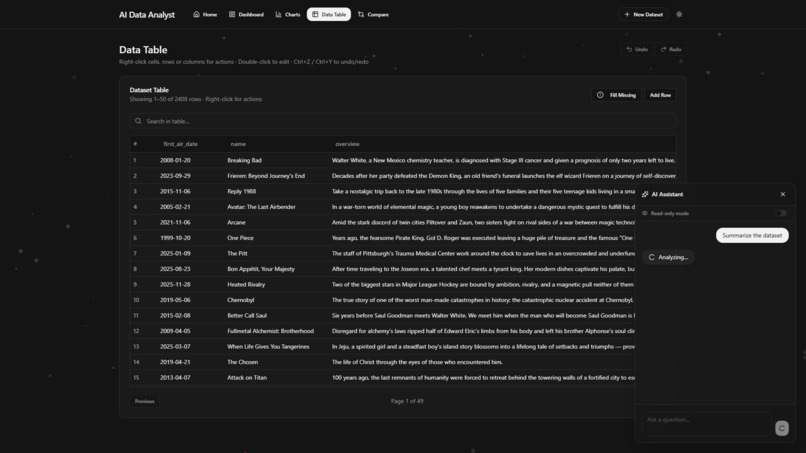
AI Chat Request Dark Mode
-
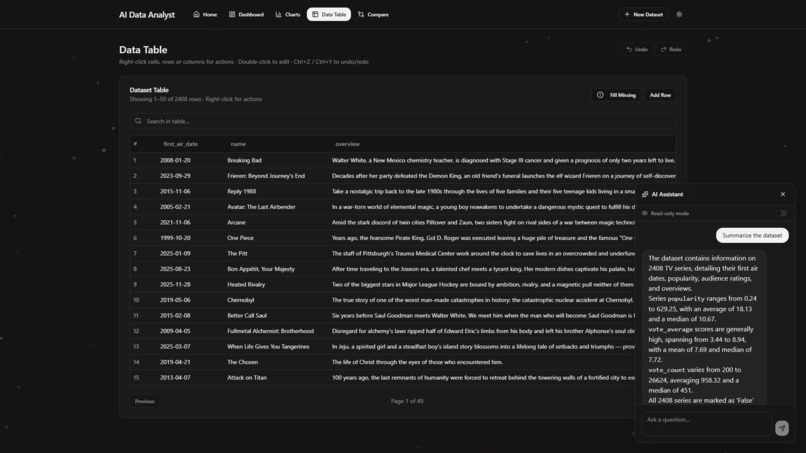
AI Chat Response Dark Mode
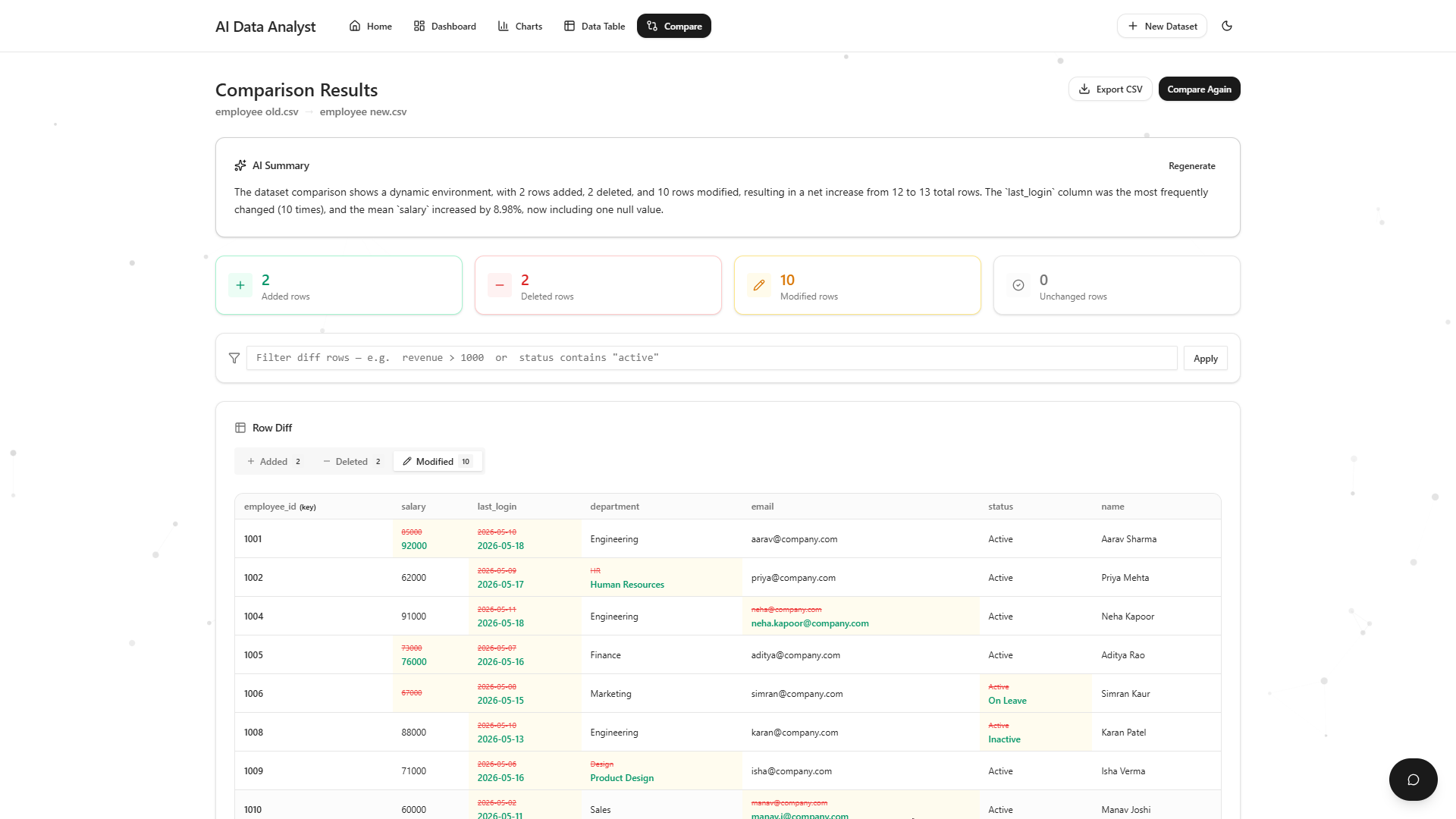
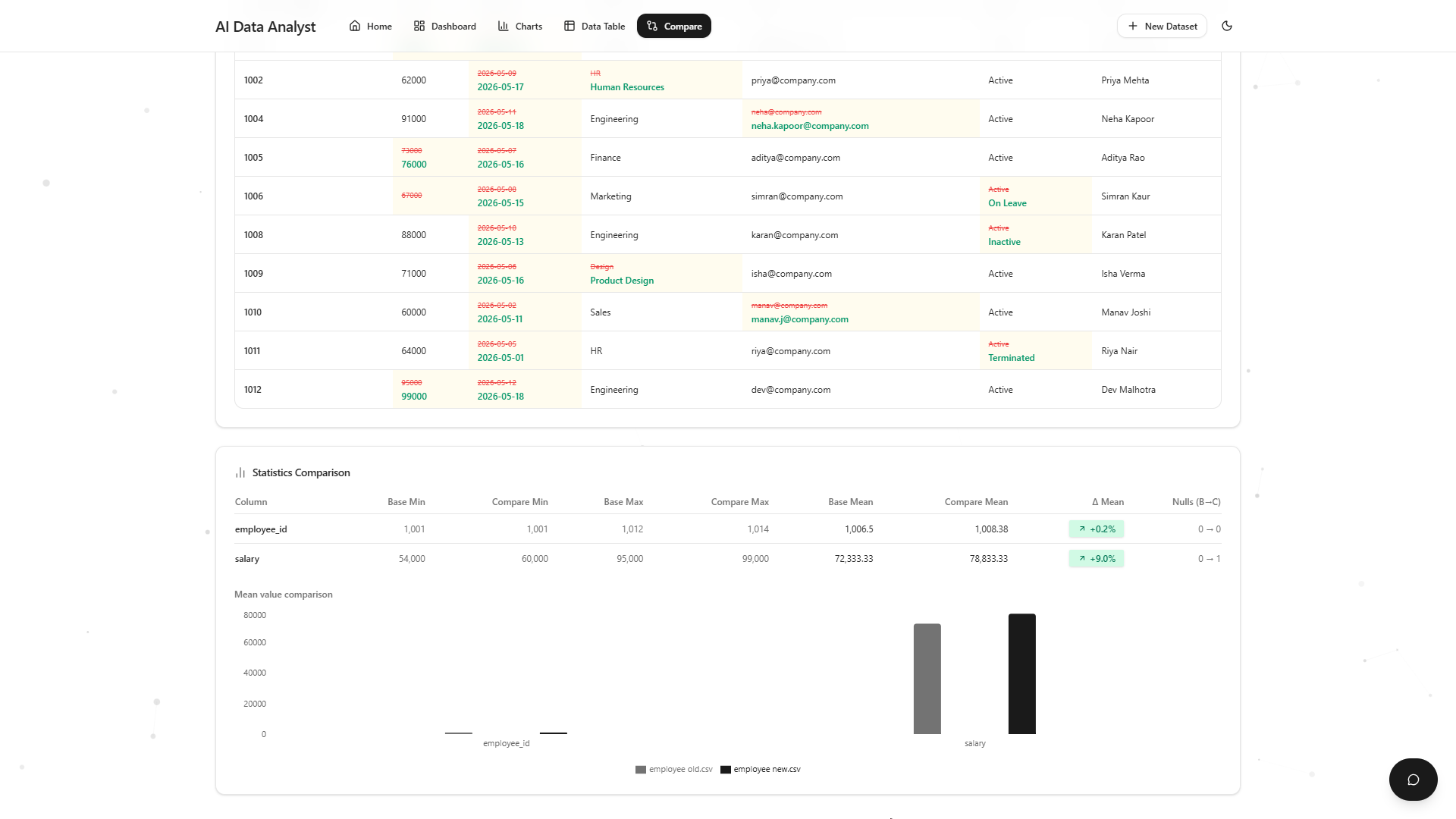
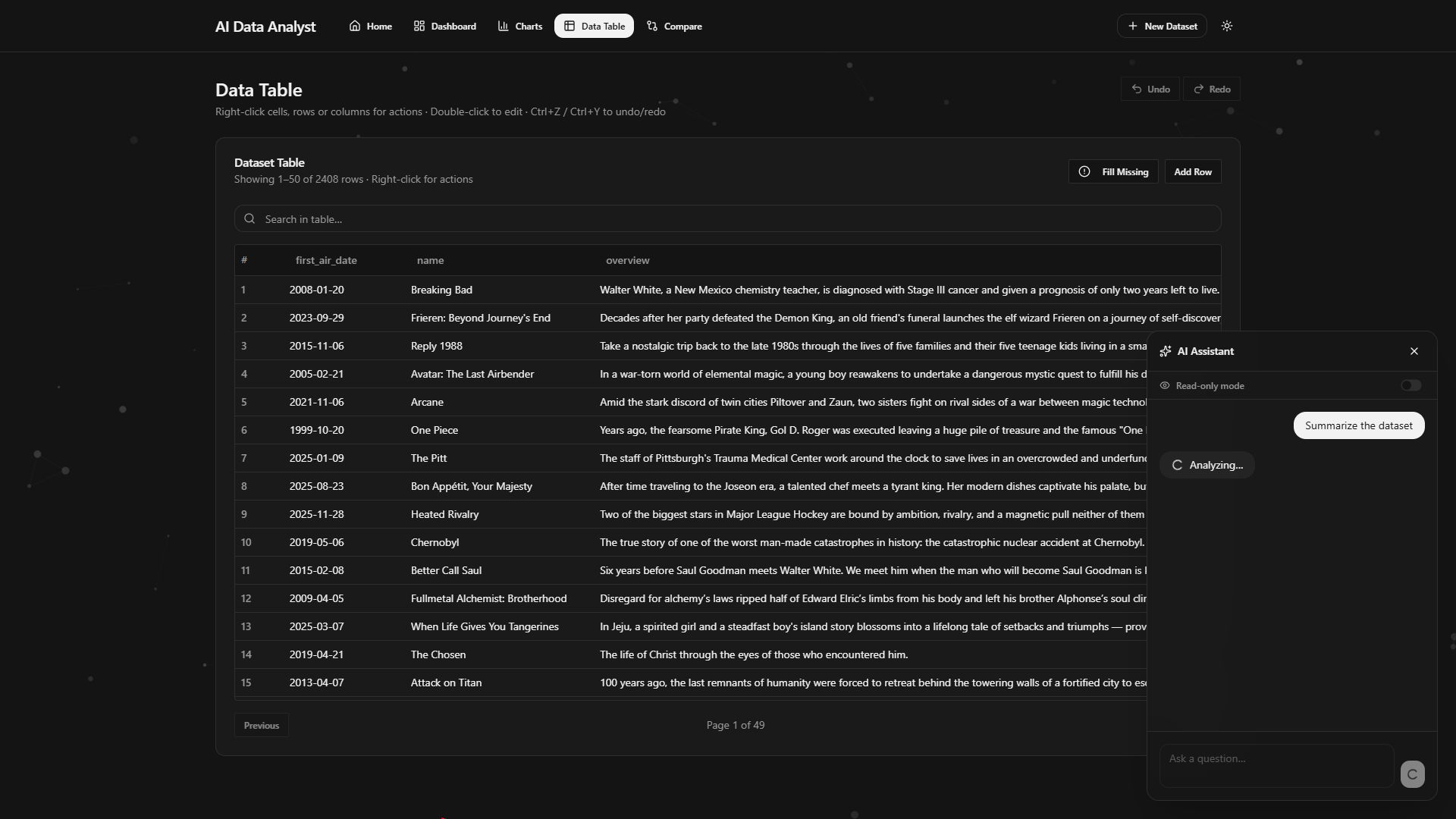
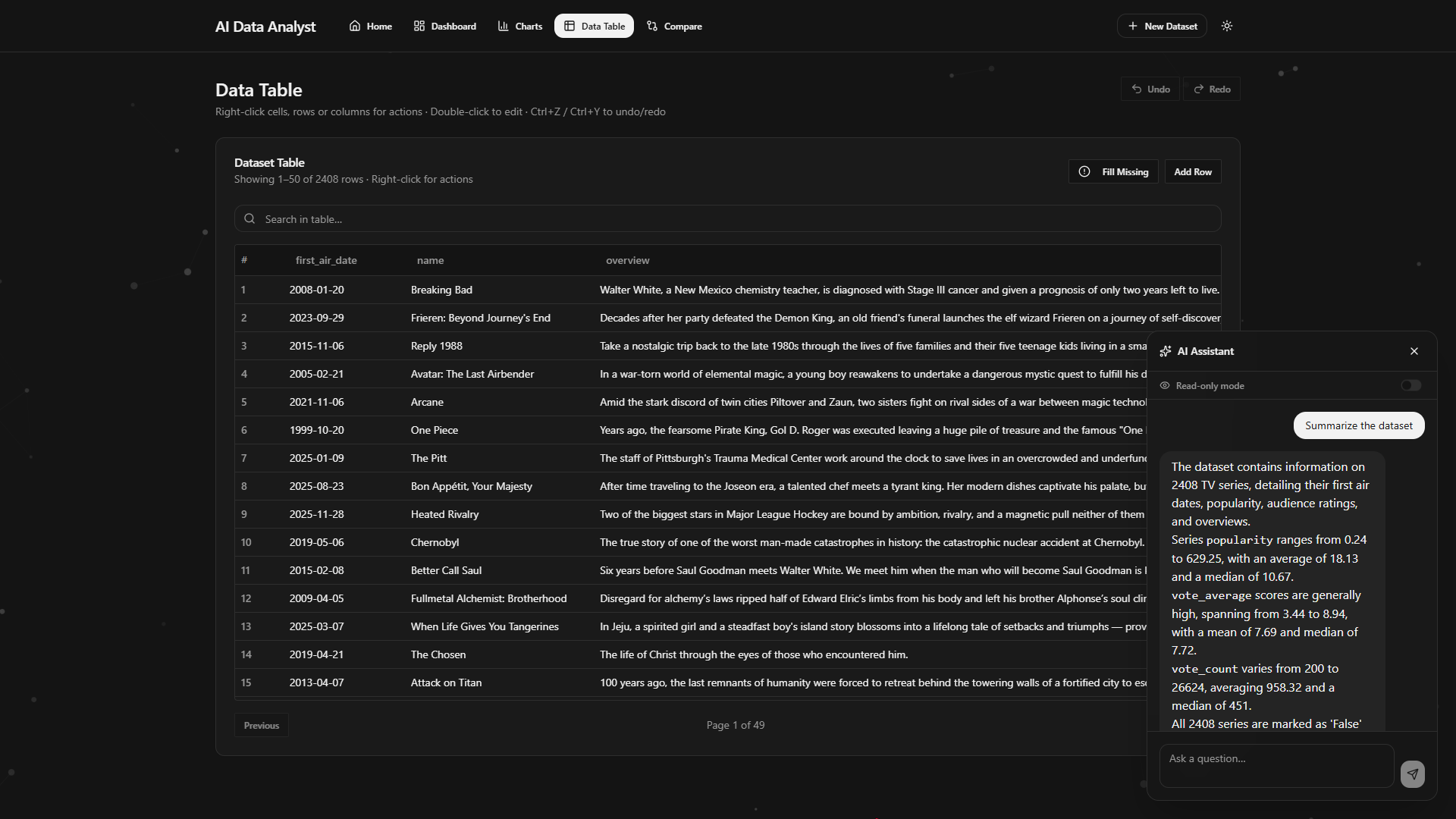
Inspiration
Most CSV analysis tools are either too technical for casual users or too limited for fast exploration. I wanted to create a platform where users could upload datasets and immediately understand them through AI-powered insights, visualizations, anomaly detection, and conversational analysis.
The goal was to make data analysis more accessible, interactive, and beginner-friendly.
What it does
AI Data Analyst is an AI-powered web application that transforms CSV datasets into interactive insights.
Users can:
- Upload and analyze CSV files instantly
- Generate charts and visualizations automatically
- Detect anomalies and missing values
- Compare datasets with intelligent diff analysis
- Interact with an AI assistant about their data
- Perform AI-assisted dataset editing
- Undo and redo dataset modifications
- Export comparison results
The application automatically detects column types, computes statistics, generates summaries, and helps users explore data without requiring technical expertise.
How I built it
This project was created using MeDo with an iterative AI-driven development workflow.
I designed the product structure, features, user flows, and system behavior through detailed prompting, refinement, testing, and debugging iterations. The project evolved through continuous back-and-forth improvements focused on usability, dataset handling, visualization quality, and AI interaction behavior.
The application uses:
- React + TypeScript
- Tailwind CSS
- shadcn/ui
- Recharts
- Supabase Edge Functions
AI capabilities are used for:
- dataset summaries
- chart recommendations
- conversational analysis
- AI-assisted editing workflows
Challenges I ran into
One of the biggest challenges was refining reliable dataset comparison behavior across different dataset structures and edge cases.
Handling:
- schema drift
- fuzzy matching
- duplicate keys
- missing values
- visualization edge cases
- AI edit consistency
required multiple prompt iterations and testing cycles.
Another challenge was making the AI interactions feel context-aware while still keeping the interface simple and responsive.
Accomplishments that I'm proud of
- Designed a complete AI-powered analytics workflow
- Created intelligent dataset comparison functionality
- Added AI-assisted editing with undo/redo support
- Built a responsive modern interface with dark mode support
- Integrated conversational AI directly into the data workflow
- Developed automatic charting and anomaly detection experiences
What I learned
This project taught me a lot about:
- AI-assisted software creation workflows
- prompt engineering for iterative product development
- designing scalable user experiences
- handling real-world dataset edge cases
- structuring AI interactions effectively
I also learned how important iteration and testing are when building AI-powered applications.
What's next for AI Data Analyst
Future improvements could include:
- Excel and JSON support
- collaborative workspaces
- live database integrations
- advanced ML insights
- natural language querying
- automated dashboard generation
- cloud syncing and sharing features
The long-term vision is to make AI-assisted data analysis accessible to everyone.
Built With
- biome
- gemini-2.5-flash
- react
- react-router
- recharts
- shadcn/ui
- supabase-edge-functions
- tailwind-css
- typescript
- vite

Log in or sign up for Devpost to join the conversation.