-
-
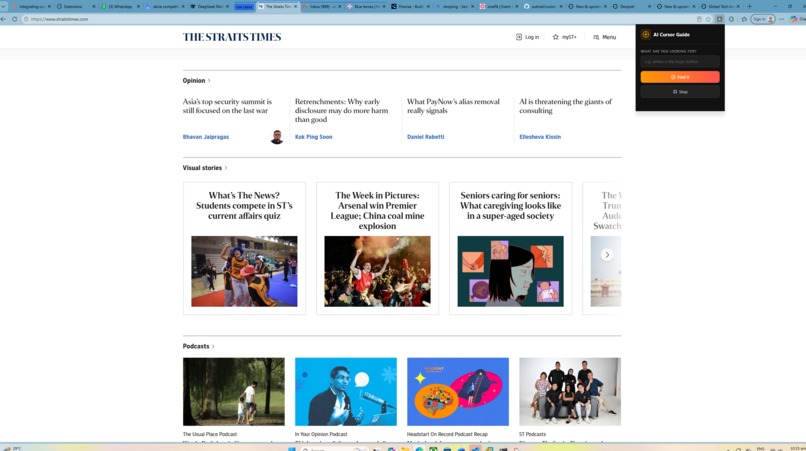
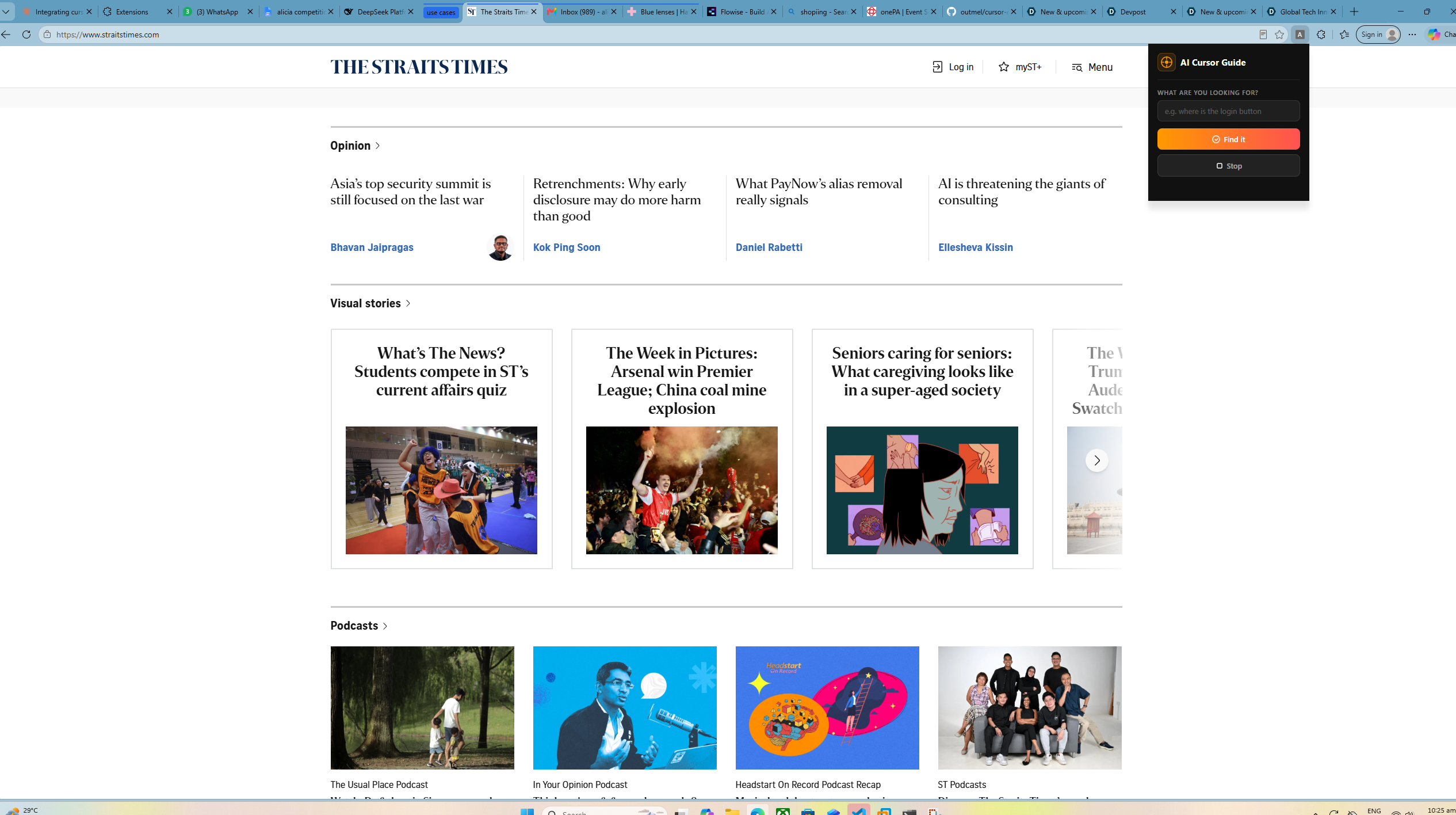
UI of the extension
Inspiration
My grandmother. Every time she visited a new website, she'd call me over to help her find things, like the login button, the search bar, the newsletter signup. She knew exactly what she wanted, she just couldn't find it. Personally, I felt that she should just be able to ask someone at all times, as I would not always be there to help her. That frustration became the spark for AI Cursor Guide, which is a tool that lets anyone find any element on any webpage just by describing it in plain English.
What it does
AI Cursor Guide is an Edge extension and AI tool that takes a natural language query like "where is the podcast section?" and highlights the exact UI element on the page with a red rectangle for 5 seconds. You type what you're looking for, the AI reads the live page, and a highlight appears directly on the answer.
For better visibility, the cursor has a golden trail so that users will be able to find it easily. Additionally, elements the cursor overs over will have a red border around them.
How we built it
The stack came together in layers. The extension is built with Edge in mind. A content script handles all the DOM scanning, element matching, and visual highlighting. A background service worker acts as the message broker between the page and the AI backend.
The AI layer uses Flowise v2 to orchestrate LLM calls, and is hosted using Docker, with DeepSeek V4 Flash as the model. Instead of sending screenshots, we built a DOM snapshot system that extracts all clickable elements as structured text and sends that to DeepSeek.
The infrastructure required learning something completely new. We ran Flowise on an Ubuntu VMware virtual machine and needed the Edgeextension on the host machine to communicate with it. By configuring VMware's network adapter to bridged networking mode, both the host and VM shared the same subnet over WiFi, thus letting the extension reach Flowise at the VM's local IP directly, with no cloud and no tunnels. This was merely for prototyping purposes.
Challenges we ran into
Tailoring the AI's logic was the hardest part. Getting DeepSeek to return a precise element from the DOM snapshot required extensive prompt iteration. The model kept returning vague labels like "asia" instead of copying exact text from the snapshot. The fix was making the system prompt extremely explicit: "copy the exact text from inside the quotes in the list. Do not invent text."
Element visibility was another major hurdle. A DOM element can exist in the HTML but be hidden, clipped, or have zero size due to overflow:hidden containers. The matching logic had to filter out invisible elements and prefer visually rendered ones with real bounding rectangles. Niche queries pushed the limits of simple keyword matching. Generic intents like "login" were easy. But "where are the podcasts?" required the full AI pipeline to read the actual page content and return something meaningful. We built a fallback chain — AI → fallback words → partial matching — so it always returns something even when the backend is unreachable.
Accomplishments that we're proud of
Built a working AI-powered browser extension that works on any website without any page-specific configuration Designed a DOM snapshot system that gives the AI enough context to identify the right element without needing a screenshot Got the full local stack (Edge extension, Flowise, DeepSeek) communicating reliably across a VM and host machine on the same subnet Built a robust fallback chain so the tool degrades gracefully when AI is unavailable
What we learned
How to build an Edge extension from scratch with service workers and content scripts How to structure a Flowise v2 agentflow with an LLM node and structured JSON output How VMware bridged networking works and how to get a VM and host machine on the same subnet over WiFi How DOM geometry works — getBoundingClientRect, overflow:hidden, and why elements can exist but be visually invisible How to write prompts that force an LLM to work within strict constraints rather than improvise
What's next for AI Cursor Guide
Multi-step guidance — chain queries to walk users through entire flows, not just single elements Voice input — speak your query instead of typing Broader automation — connect to Flowise agents that can click, fill forms, and navigate autonomously Accessibility focus — tailor the tool specifically for elderly and less tech-savvy users, the original inspiration behind the project
Built With
- css
- deepseek
- flowise
- html
- javascript
- vmware

Log in or sign up for Devpost to join the conversation.