-
-
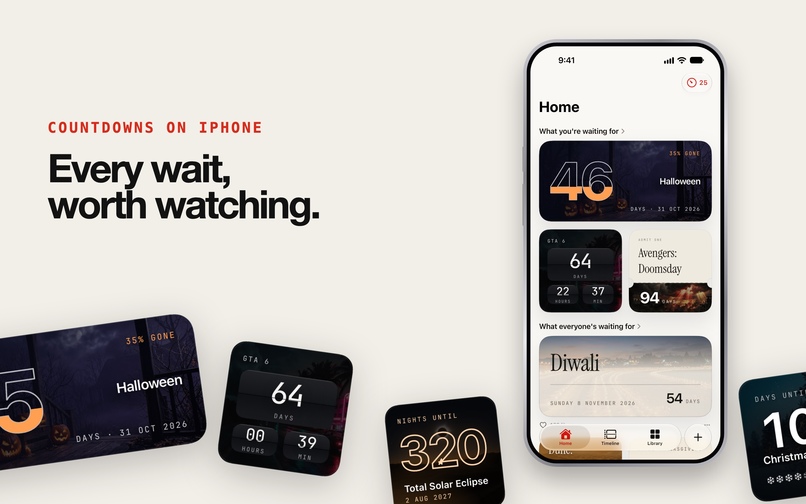
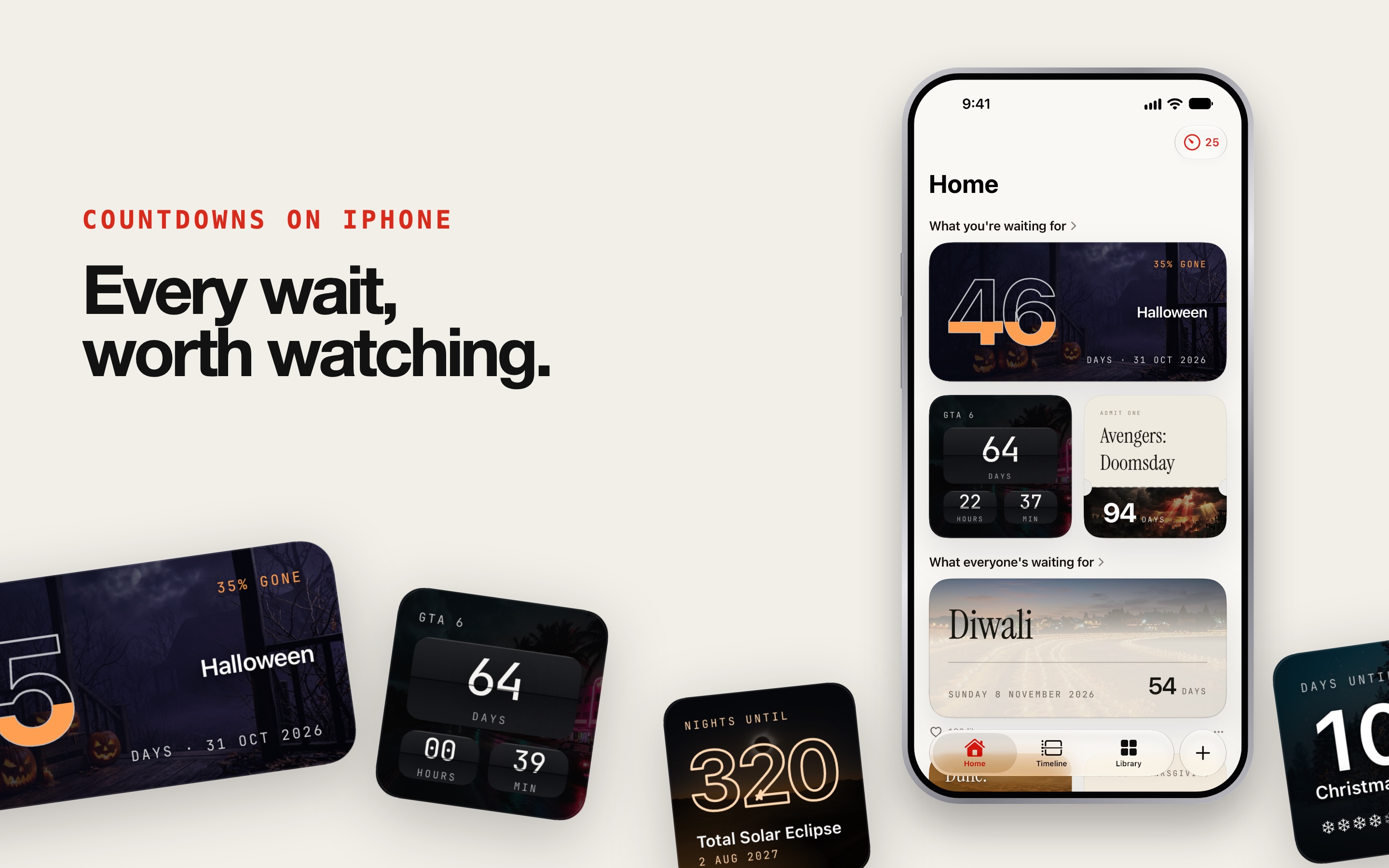
Countdowns AI Plus on iPhone: every wait, worth watching. Your countdowns up top, what everyone else is waiting for below.
-
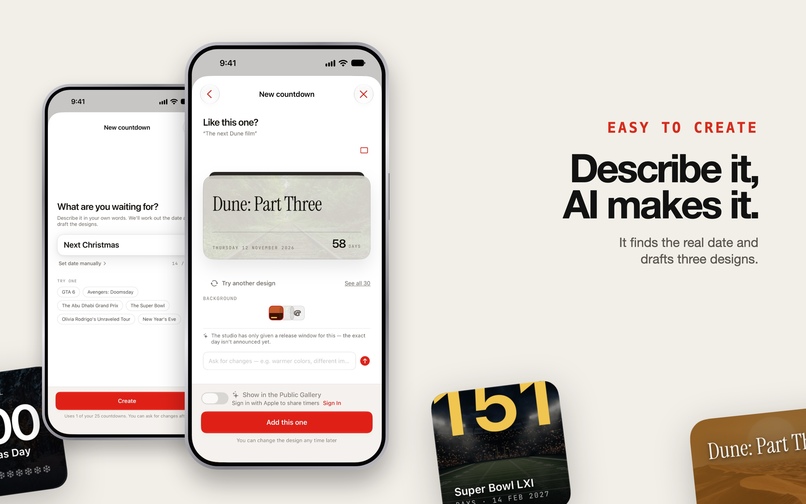
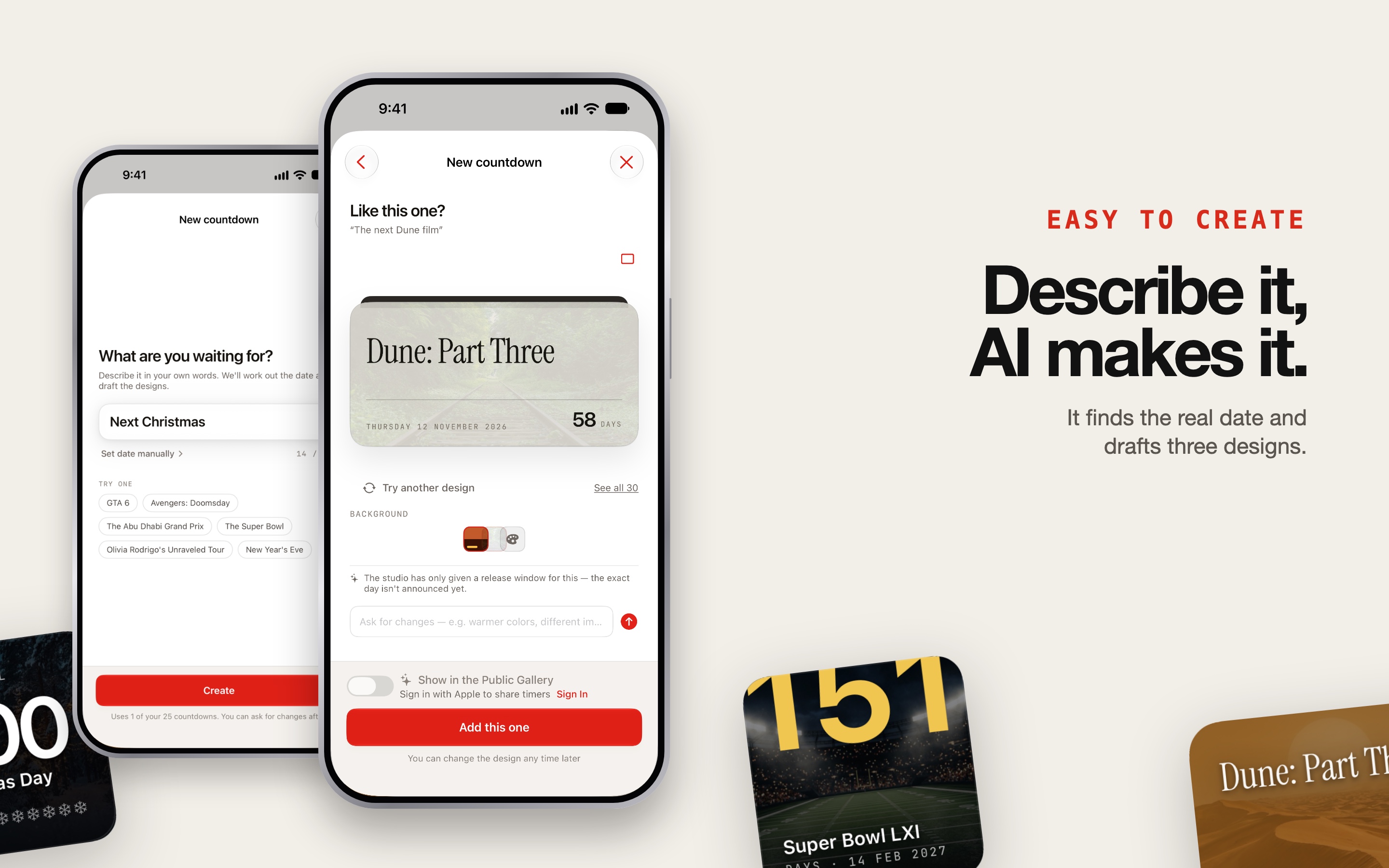
Easy to create: describe it in your own words, and the AI finds the real date and drafts the designs.
-
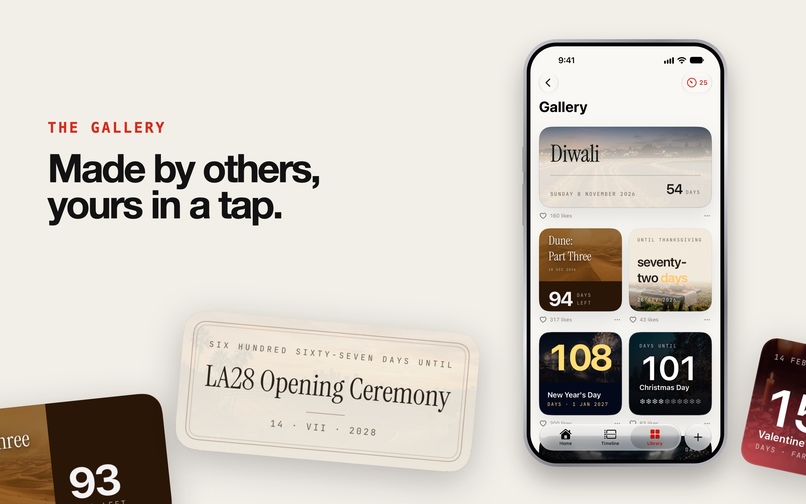
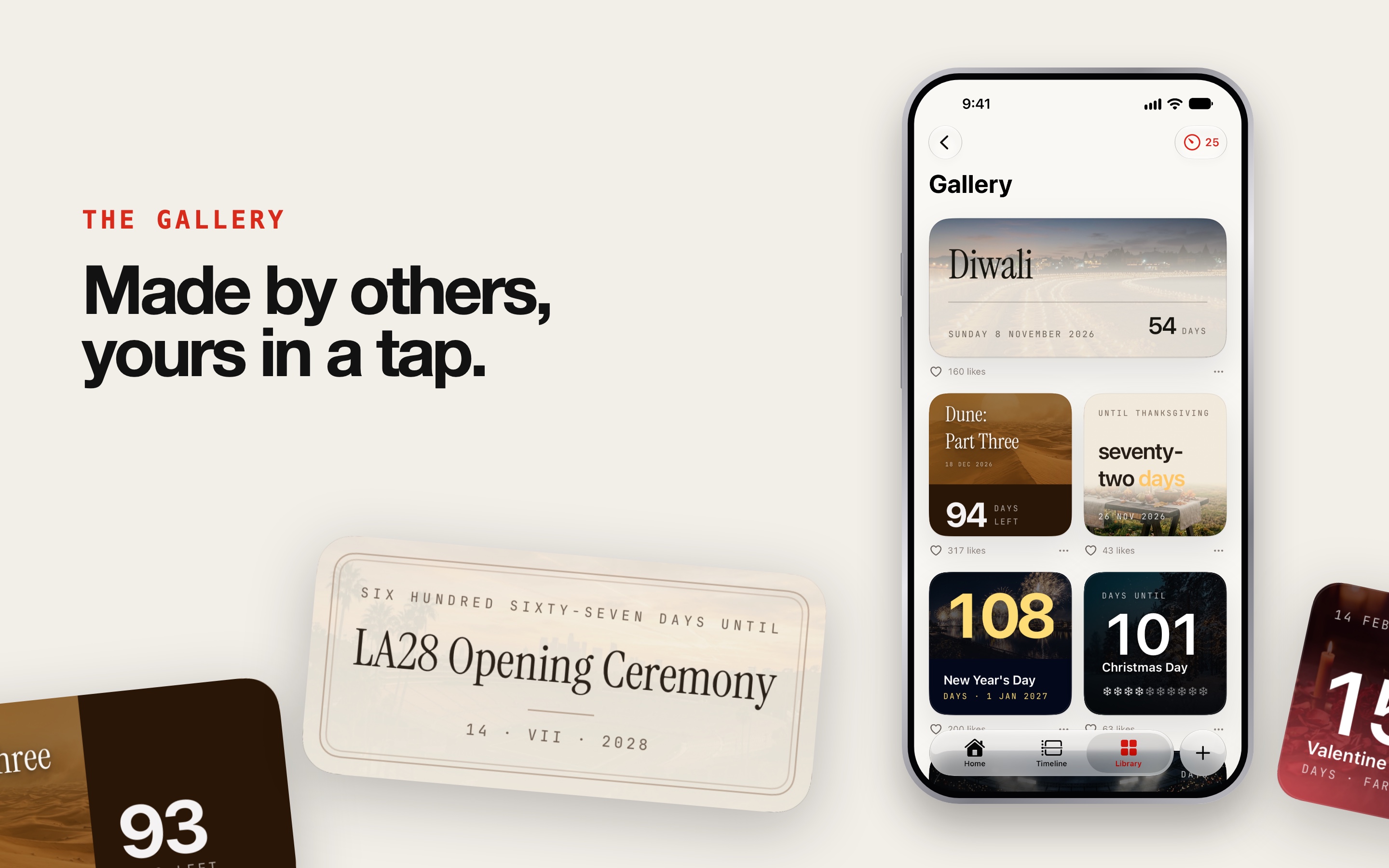
The Gallery: countdowns made by other people, moderated, yours in one tap.
-
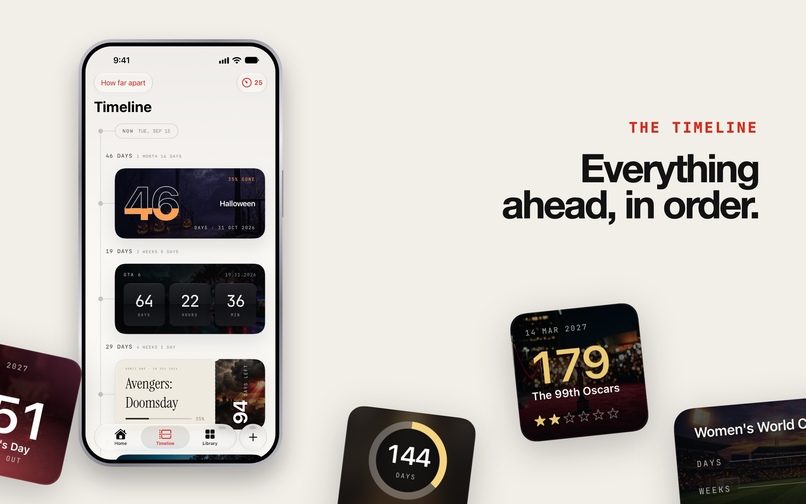
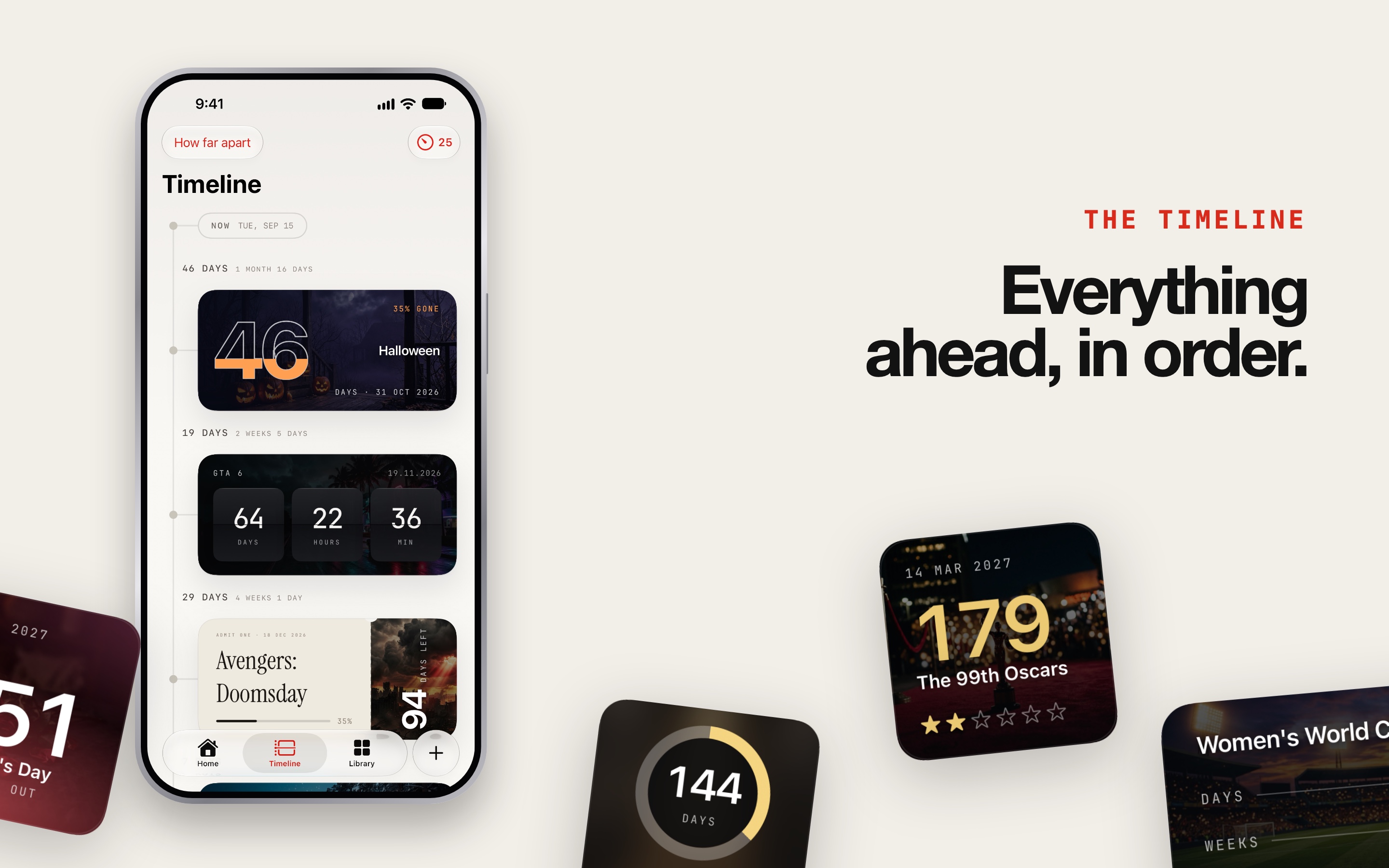
The Timeline lays every countdown out in order and shows how far apart they are.
-
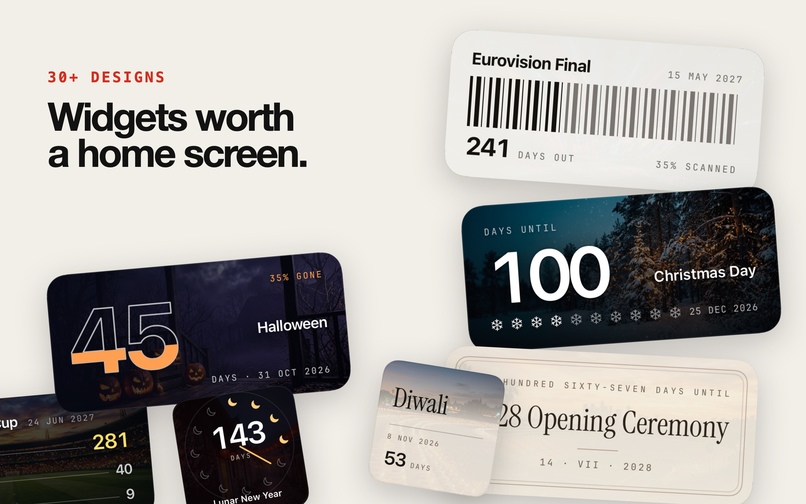
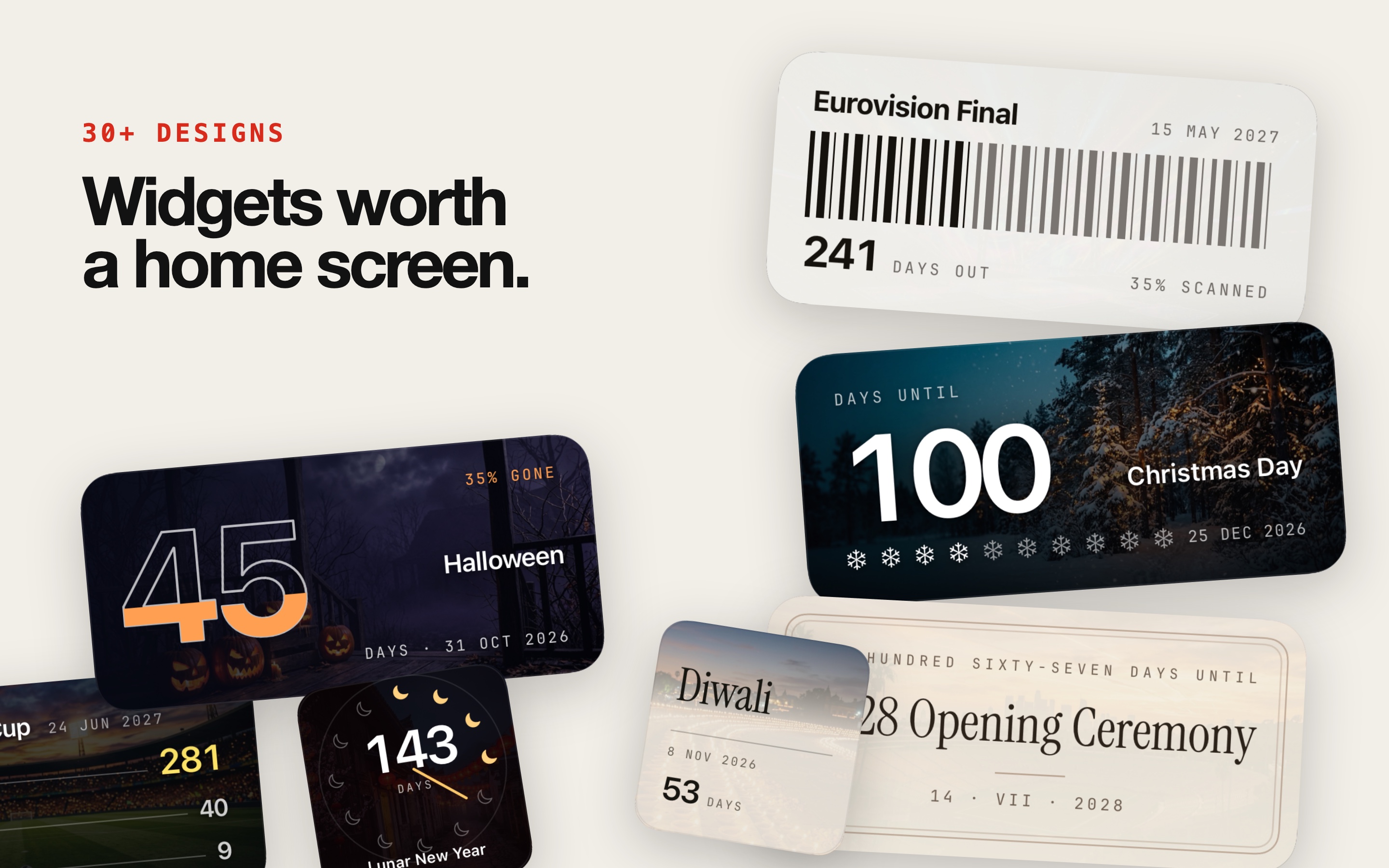
30+ designs: widgets worth a Home Screen, from mechanical counters to ticket stubs.
-
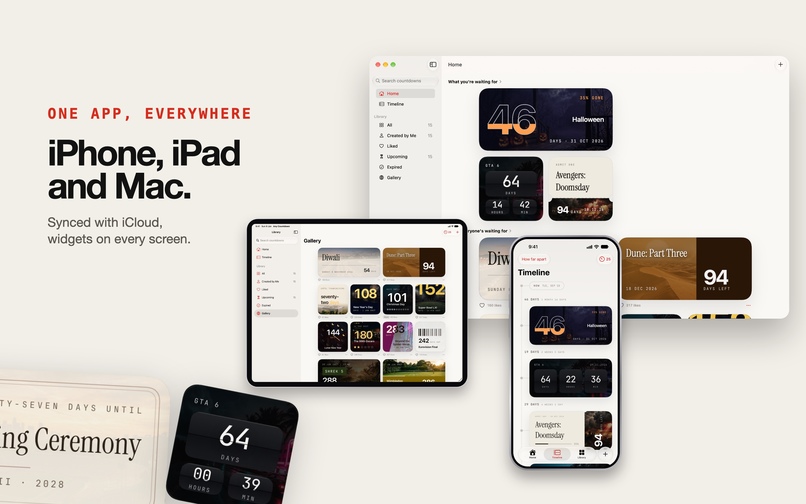
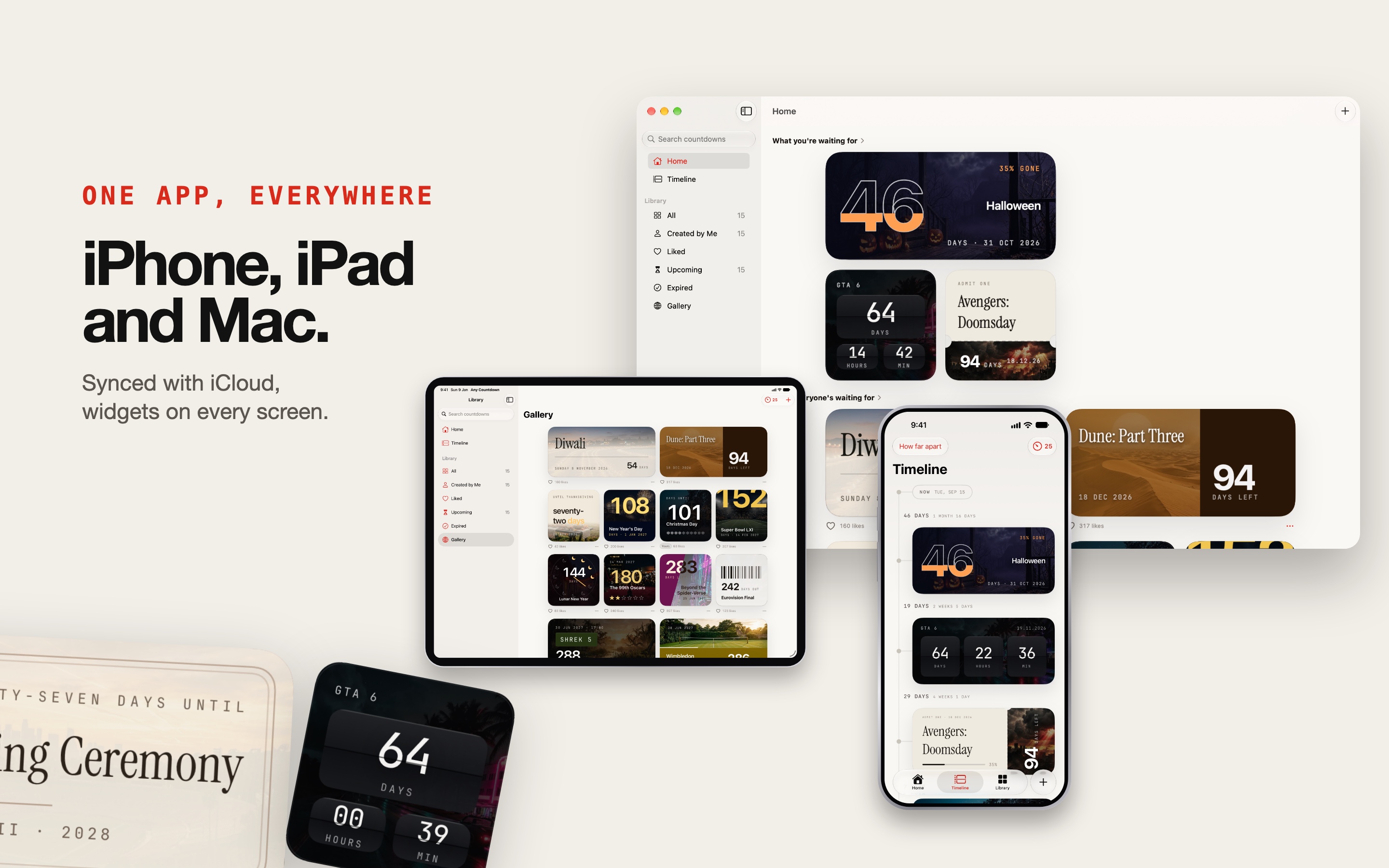
One app everywhere: iPhone, iPad and Mac, synced with iCloud.
Inspiration
Every countdown app starts with a date picker. But most of the things I actually wait for don't come with a date I know by heart: a film release, a cup final, the next total solar eclipse, a season finale. I wanted to type "the next Dune film" and get a widget worth the Home Screen space, with the date found for me.
What it does
Countdowns AI Plus turns a sentence into a Home Screen widget.
- Say it in your own words. The AI resolves the real date with web-search grounding, asks at most one clarifying question, and proposes three candidate designs. If a studio has only announced a release window, it says so rather than inventing a day.
- 30 widget styles: editorial type, mechanical counters, ticket stubs, postage stamps, glowing numerals, Swiss grids. Each gets artwork suited to the event. Refine in plain words: "warmer colors", "different image".
- Phase-aware widgets. Days, then hours on the final day, then "arrived", then past. Nothing fetches at render time.
- Timeline lays your countdowns out in order and shows the gaps between them.
- Gallery shows what everyone else is waiting for; add any of it in a tap. Every public timer passes a moderation check before publishing, and any of them can be reported.
- Everywhere. iPhone, iPad and Mac, synced with iCloud, localized into 21 languages, shareable links that open the app through Universal Links, and no ad SDK.
How I built it
- SwiftUI and WidgetKit, with one shared render path for the app and the widgets, and sparse timelines the system replays offline.
- The AI sits behind a provider protocol: OpenRouter models with web-search grounding, a fallback model, and a cheap suitability check before anything goes public. Every request goes through a Firebase Cloud Function proxy protected by App Check, so no AI key ships in the app.
- Firebase for Remote Config, Firestore, Storage, Hosting, Analytics and Crashlytics; Cloud Functions in TypeScript.
- RevenueCat for the paywall, entitlements and offerings. Credits live in RevenueCat virtual currencies, and the only thing that can spend or grant them is the Cloud Function holding the secret key.
Challenges
- Every AI creation costs real money, which ruled out an unlimited subscription and a lifetime purchase. I defined a bounded unit (one creation session, charged when the first design appears, refinements included), capped turns and images per session, and priced every SKU against a worst-case cost ceiling.
- Widgets are device-dependent canvases. Thirty templates from the smallest iPhone to a Mac desktop kept clipping text, so I built a render-and-OCR harness that draws every template and reads the result back.
- Dates from natural language: ambiguous events, postponed events, and events with no announced date yet.
What I learned
Shipping to three platforms at once surfaces problems no simulator shows: an entitlement silently dropped by a build, an Info.plist key that never shipped, and App Review's expectations for an app that carries AI-generated, user-shared content. Verifying the actual archive became part of every release. Both apps are now live on the App Store: the Mac app since September 8, 2026, and the iOS app since September 18, 2026.
Built With
- app-check
- cloud-functions
- cloudkit
- firebase
- firestore
- node.js
- openrouter
- remote-config
- revenuecat
- sign-in-with-apple
- storekit
- swift
- swiftui
- typescript
- universal-links
- widgetkit

Log in or sign up for Devpost to join the conversation.