-
-
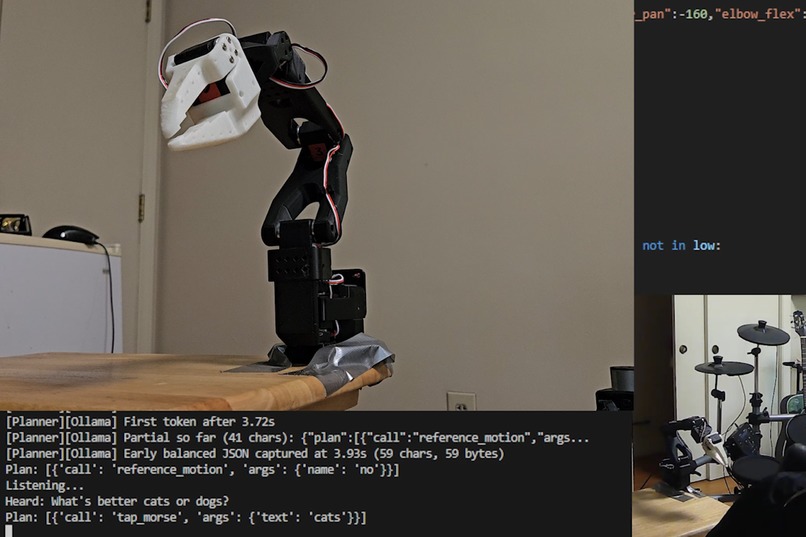
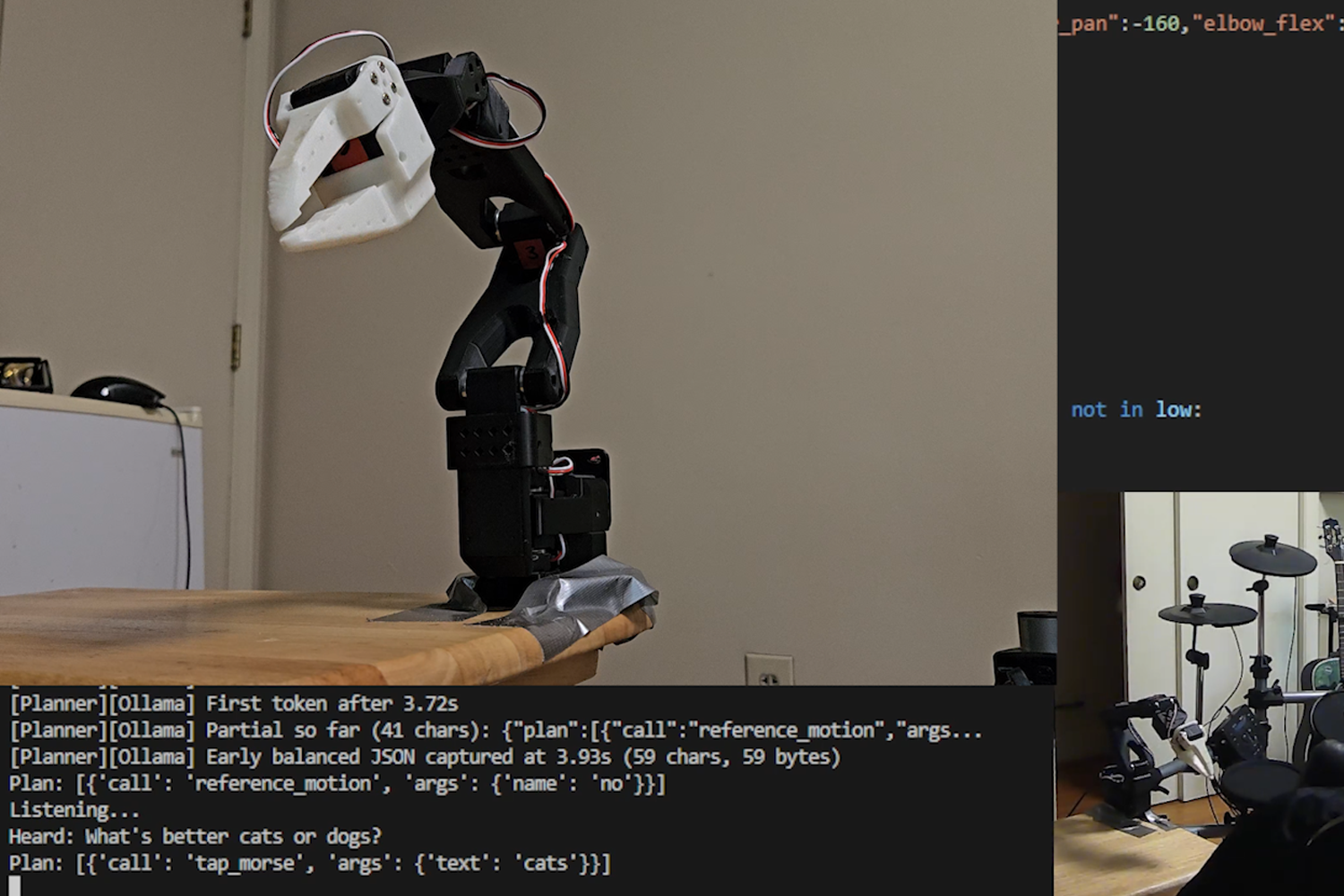
I'm more of a dog person, but the AI has spoken
Inspiration
I really enjoy using AI for various projects and seeing its growth and what it can do. One area of interest is offline models that can run anywhere, regardless of wifi, so a contest to utilize a new and downloadable model seemed both fun and appealing. I enjoy dabbling in robotics whenever possible, so it just felt like the stars align to give a robot arm endless functionality options by enabling AI to control it.
What it does
First, the program listens for voice commands. When it hears our request, it processes it through the AI model. The prompt ended up getting very thorough, but the short of it is we tell the AI model what we want, how to use the robot arm, what its options are, and what kind of response we expect. The model then provides its response and the arm performs its motions accordingly.
How we built it
First, I assembled an SO100 Lerobot arm. It comes with 2 arms, where one is meant as a follower and one is meant to be a leader. The follower copies the leader's movements, but here I only assembled the follower, since it can act as a standalone robot arm which is all we need for this project. It's AI controlled, after all, not manually directed!
I downloaded the Lerobot code, calibrated, and got going on getting the customization going. Before getting into the AI part, I set it up such that I could easily train certain aspects for the AI model to then use. I preprogrammed certain motions, like "yes", "no", and "dance". I programmed in other aspects as well like its rest position, which it returns to as something like a home base. This is done via a separate script that is also included in the project.
Then to the exciting part. I downloaded the gpt-oss-20b model and set it up such that it would process the voice command, figure out how best to respond given the request and its options (which includes controlling the arm itself, not just preplanned motions), and then respond in the way it's requested to. This then is used to actually move the robot arm.
Challenges we ran into
It took awhile to get actually working, such that the AI model was being correctly communicated with. I don't have the ideal type of graphics card to use, but I think there were other issues on my end as well. I ended up finding a solution called Ollama that allowed me to correctly communicate with the gpt-oss-20b model as intended and get the project working in full.
Accomplishments that we're proud of
It works! This is my first time dabbling in a fully offline model, and the challenges I mentioned made it that much sweeter to get it working.
What we learned
I learned a lot in this project! I am a lot more comfortable getting open ai models working, with using Ollama, and with controlling the LeRobot arm.
What's next for AI Controlled Robot Arm that Can do Anything*
It's really cool as a standalone project, but I make a lot of projects and am certain that I'll be able to integrate this into a focused endeavor. The most likely candidate for this is this upcoming Halloween. The robot arm will throw candy at kids, be able to take direction from me via voice commands, do funny things like shoe away grown-ups, and now be able to be way down the driveway. This is great, because where it needs to be positioned for kids to realistically see it and get candy will also be way out of wifi range.
Built With
- ollama
- openai
- python


Log in or sign up for Devpost to join the conversation.