The Problem We Wanted to Solve
Most AI writing tools today have a big privacy problem: they send your data to their servers. We wanted to create a tool that gives you all the power of AI without sacrificing your privacy or paying for subscriptions.
When Google announced that its AI (Gemini Nano) could run directly inside the Chrome browser, we saw our chance. We built AI Content Studio to prove that you can have a powerful, all-in-one writing assistant that works entirely on your own device. Your data never leaves your computer—no internet needed, no hidden costs, just pure AI power at your fingertips.
What Our App Does
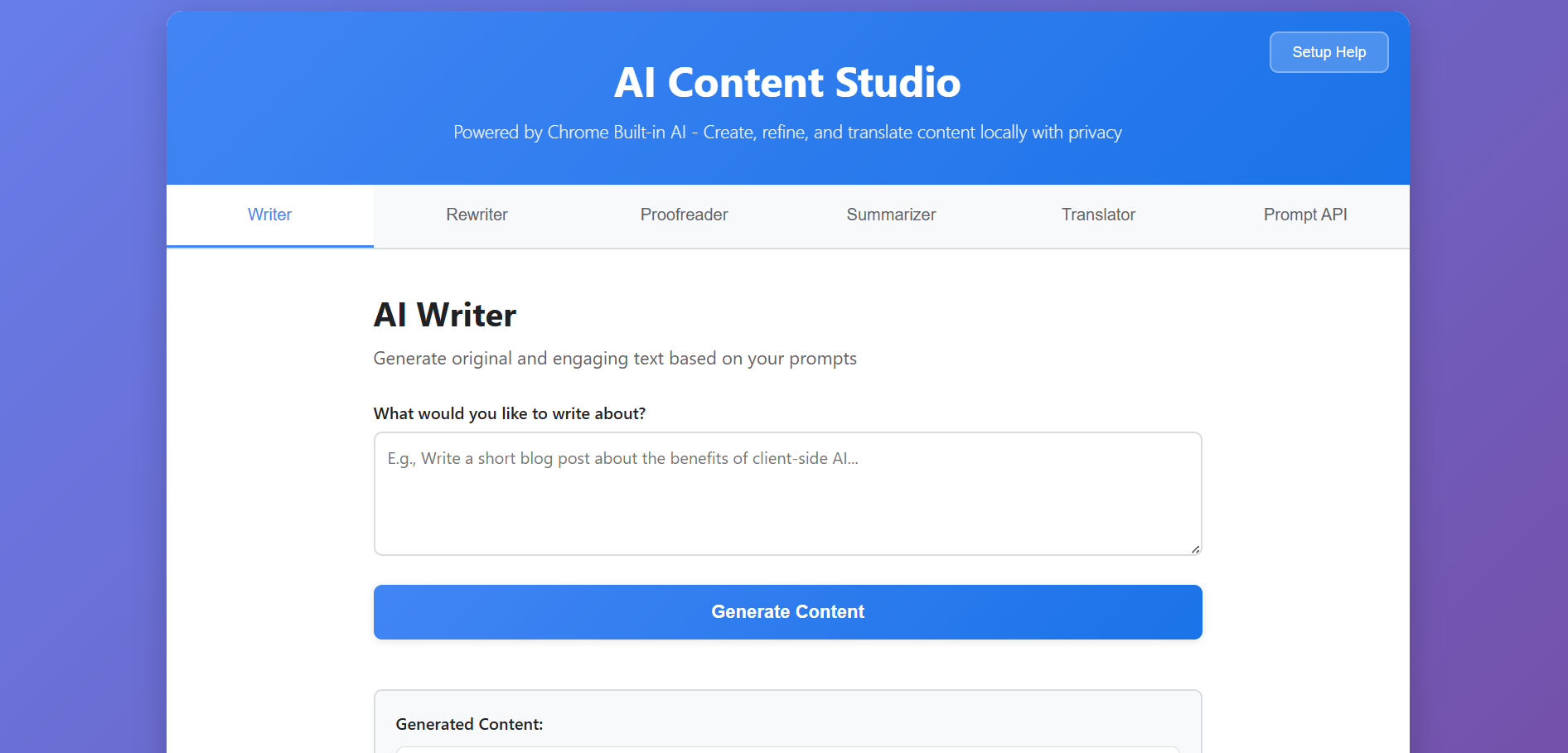
AI Content Studio is your new favorite writing buddy, living right in your browser. It's packed with six smart tools:
- Writer: Brainstorm and generate new content from a simple idea.
- Rewriter: Rephrase and improve your existing text.
- Proofreader: Catch grammar mistakes and polish your sentences for clarity.
- Summarizer: Quickly get the key points from long articles or documents.
- Translator: Translate your text between different languages.
- Prompt API: For the more technically inclined, a tool to craft advanced AI commands.
The magic is that everything happens instantly and privately on your own computer.
How We Built It
We kept things simple and fast. We built the entire app using just the core web languages:
- HTML for the structure.
- CSS for the beautiful, responsive design.
- Vanilla JavaScript for all the smart functionality, tapping directly into Chrome's built-in AI.
Our main focus was on making it easy to use. We built a smart system that:
- Automatically checks if your browser is ready for the AI features.
- Guides you with clear, step-by-step setup instructions if it's not.
- Handles errors gracefully, so you always know what's happening.
The Hurdles We Faced
- Getting the AI to Work: This new Chrome AI is an advanced feature that users have to manually enable first. Our solution was to build a friendly guide that walks you through the simple setup process.
- Working with New Tech: Since these AI APIs are brand new, we had to be adaptable and build our app to handle some uncertainties, ensuring a smooth experience.
- The Privacy Challenge: Our core goal was to keep all processing on your device. This meant we had to forgo easy cloud solutions and figure out how to do everything locally, which was a fun technical challenge.
What We're Proud Of
- True Privacy: We built a full-featured AI app that genuinely never sends your data anywhere.
- It Just Works: We created a seamless experience, from detecting the AI to guiding you through setup and delivering fast results.
- A Clean and Modern Tool: We designed an interface that is a joy to use—simple, intuitive, and works great on both desktop and phone.
- No Bloat: By using pure JavaScript without any bulky frameworks, the app is lightning-fast and reliable.
What We Learned
- Privacy is a Feature: Users care deeply about their data, and building a tool that respects that is a powerful advantage.
- Power Can Be Local: You don't need a massive server farm to run powerful AI; modern browsers can handle it beautifully.
- Guidance is Key: Instead of letting users fail with complex tech, clear instructions can turn a frustrating experience into a successful one.
What's Next for AI Content Studio
We're just getting started! Here’s a peek at what we’re dreaming up:
- More Power: Adding support for more languages, letting you work on multiple documents at once, and adding export options.
- Ready-Made Templates: Templates for common tasks like emails, blog posts, and social media updates.
- Save Your Work: A history feature so you can revisit your past sessions.
- Chrome Extension: Turning the app into a browser extension for instant access anywhere you write online.
Our vision is to keep evolving AI Content Studio into the go-to, privacy-first platform for all your content creation needs.

