-
-
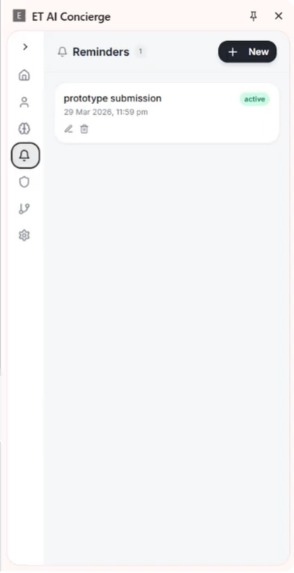
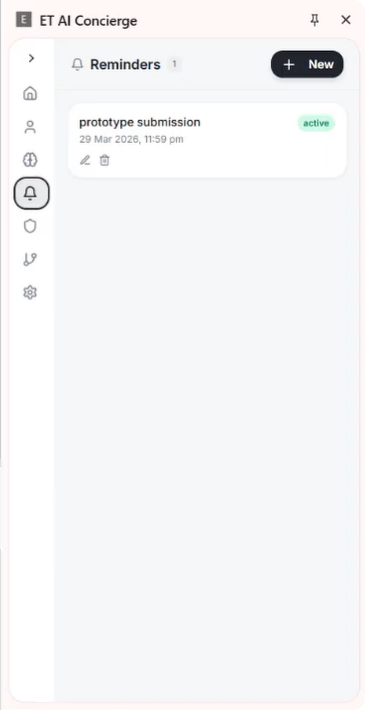
Reminders Option
-
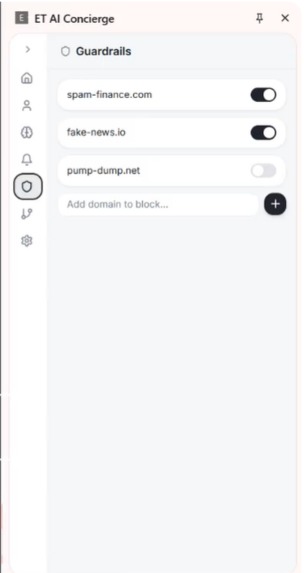
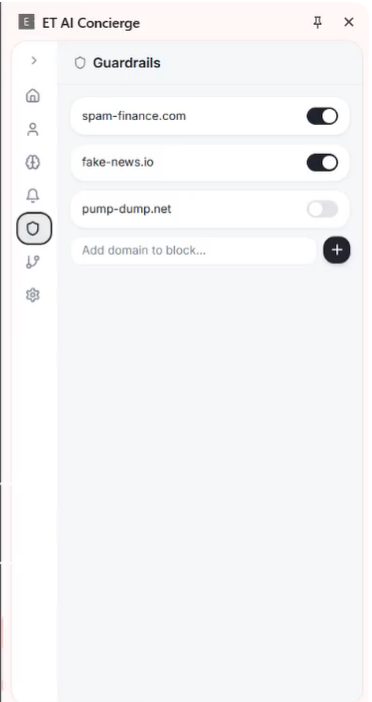
Guardrails :- Use to restrict the extension to see the important website
-
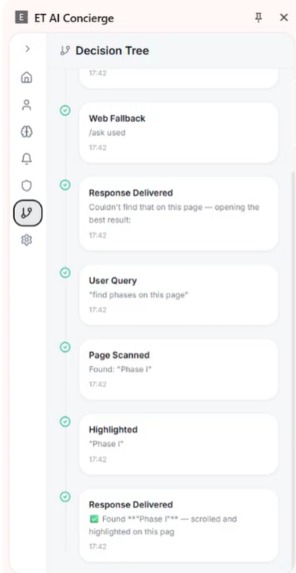
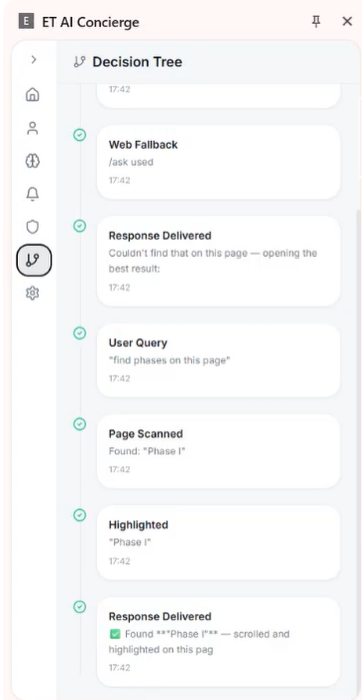
Decision Tree :- How it actually thinks and works
-
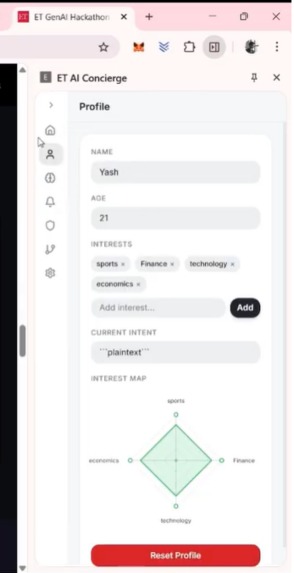
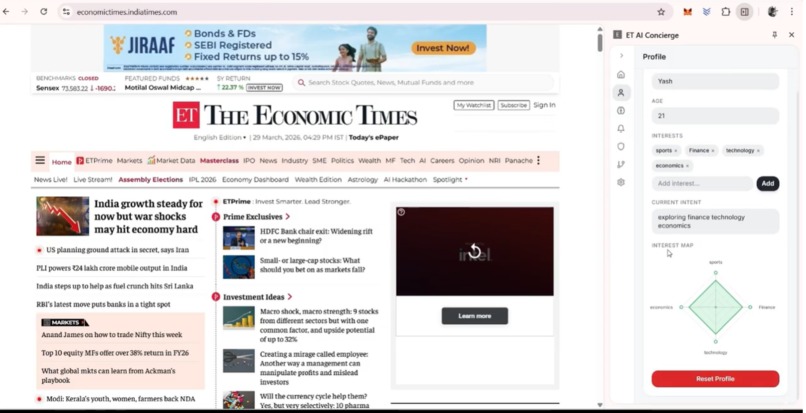
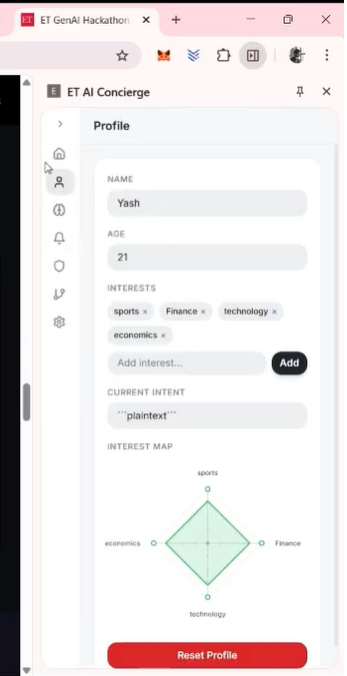
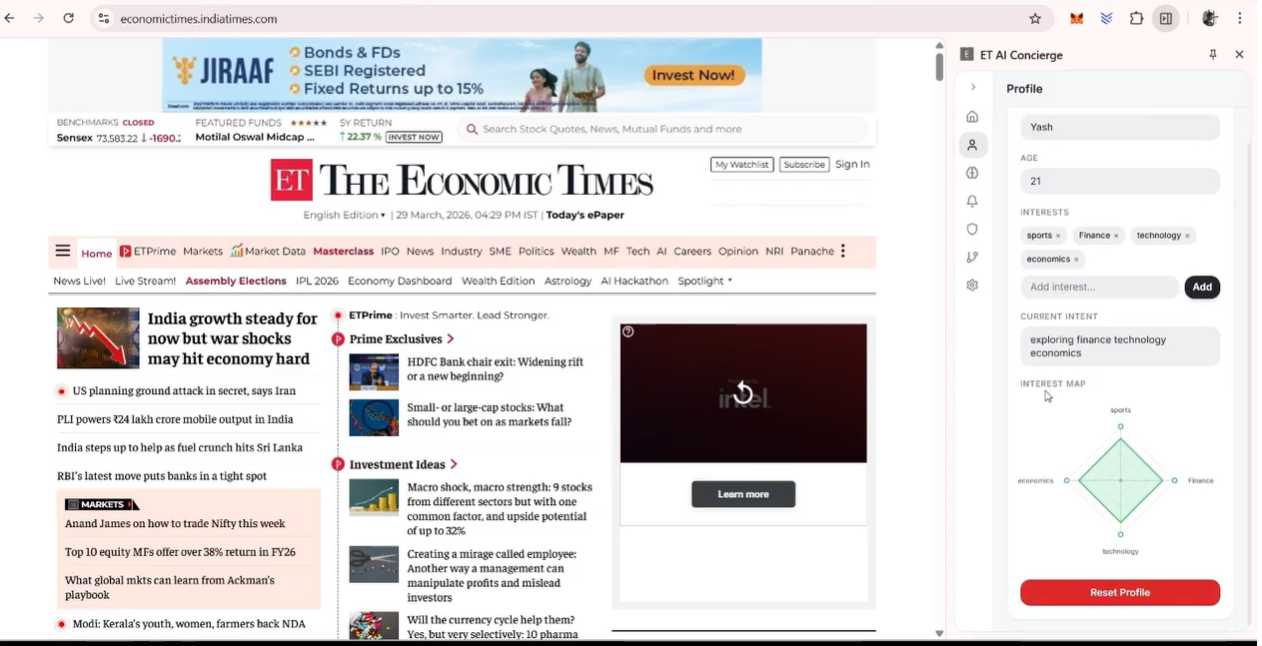
User Profile Mapping
-
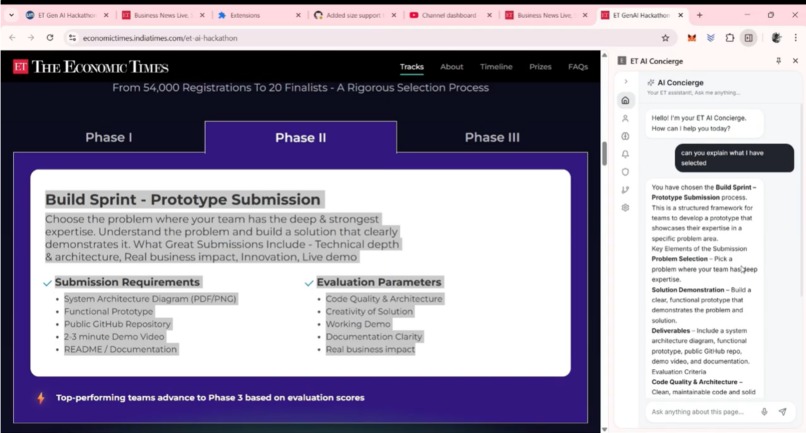
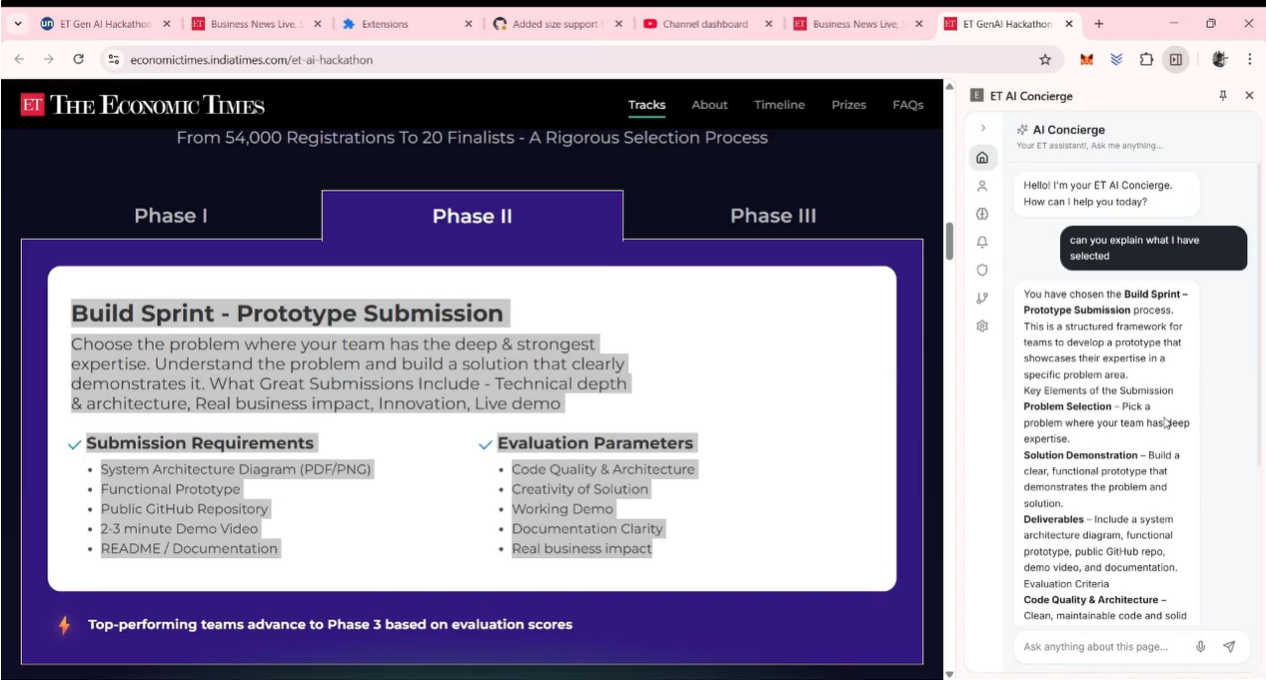
In page reference
-
Overall Working of Browser Extension
-

General Query and Answers
-

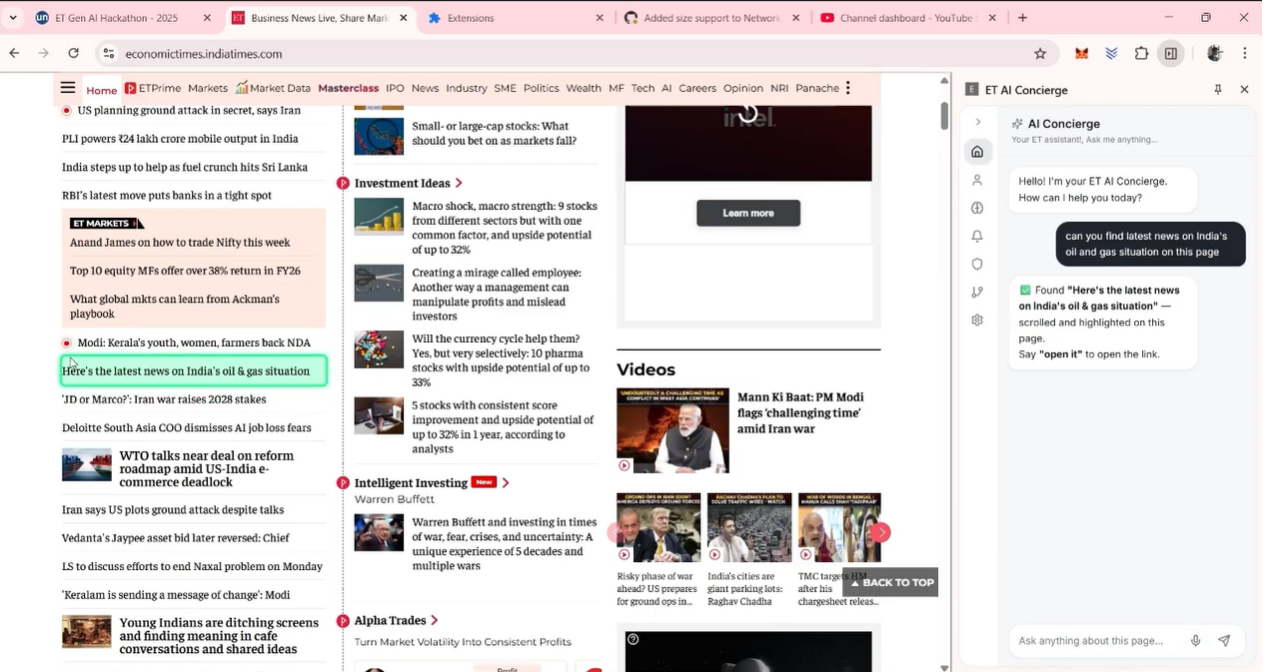
Web Navigation in the web page
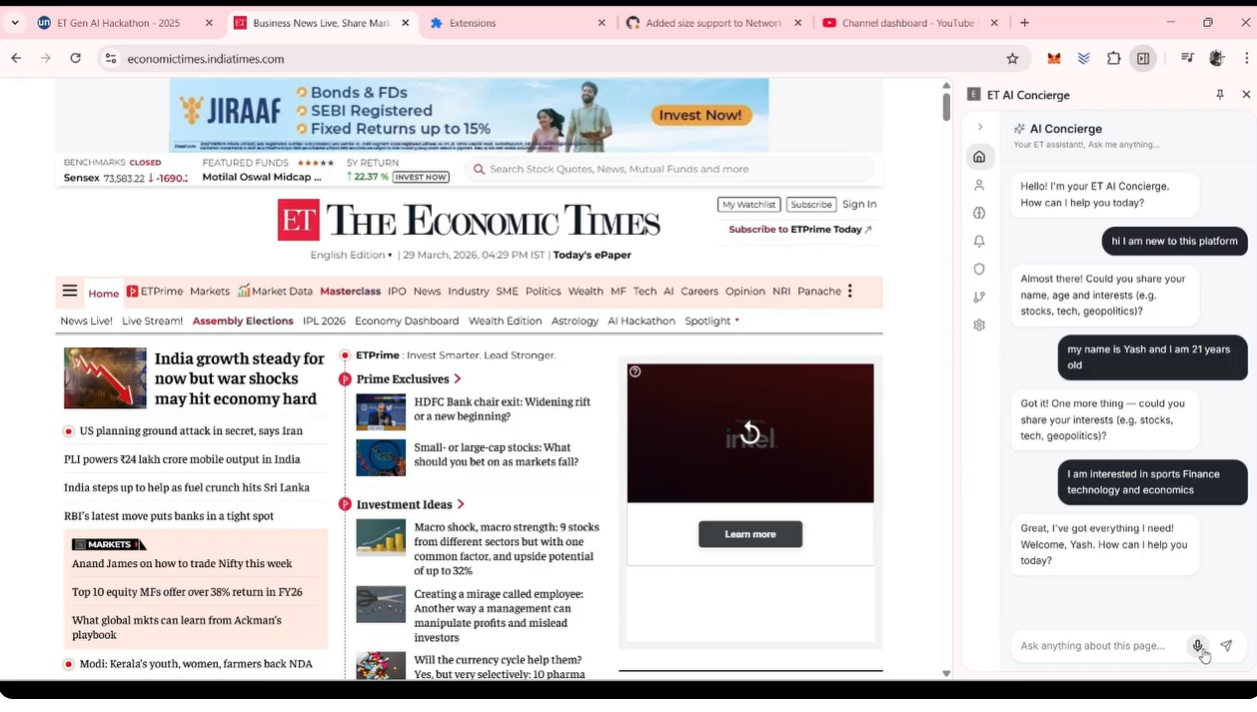
Inspiration
Almost every AI assistant today asks the same thing of you: stop what you're doing, leave the page, and come find it. Select the text. Copy it. Open a new tab. Paste it in. Read the answer. Go back and try to remember where you were. It's such a normal part of using AI now that most people don't even notice how much friction it actually adds. It's the default way we use the most powerful tech we've ever had, and honestly, it works against how people actually read and browse and get things done.
There's a second problem hiding under that one. Whenever something does try to understand you online, it usually does it quietly. Recommendation engines decide what to show you next based on a profile you never see and can't correct. Personalization has kind of become something that's done to people instead of with them.
Most browser AI tools we looked at were fine, but shallow. They can summarize a page if you ask nicely, sure. But they can't actually see what you're looking at until you copy it in. They can't do anything on a page beyond telling you what to click. They don't remember you in any way you can inspect. And they definitely can't tell you why they suggested something, because there's nothing behind the curtain to show you.
So we built AI Concierge to fix all four of those at once something that's actually there with you while you browse, instead of somewhere you have to go find.
What it does
AI Concierge sits in a side panel in Chrome and stays with you across whatever tab you're on.
- It's always paying attention. It reads the page you're on in real time, so it already knows what you mean when you say "explain this."
- You can just highlight and ask. Select any bit of text and ask a question about it directly. The question and the selected text go to the model together, so it's actually answering what you pointed at, not guessing.
- It can act, not just talk. A navigation agent can do things on a page for you instead of just describing what to click.
- It remembers you, out in the open. A short onboarding builds up a profile of your preferences we call it the Behavioral Graph and unlike a hidden tracking cookie, you can open it, edit it, or delete it whenever you feel like it.
- It shows its reasoning. Every decision it makes gets logged and shown to you, so instead of "just trust it," you get "here's what happened and why."
- It talks, and it knows when not to. Voice support in several languages, backed by live web search, plus hard rules that keep it from touching flagged or sensitive pages.
Honestly, this is built for anyone who spends a lot of time reading and researching across tabs students grinding through dense material, people going through contracts or dashboards at work, or just someone tired of the copy-paste loop. It also happens to work well for companies, since the same setup can be white-labeled internally on a company wiki, where having memory that's visible and auditable matters even more.
How we built it
What the user sees is a Chrome Extension. It talks to a backend we built with FastAPI and MCP (Model Context Protocol), and we deployed the whole thing on Alibaba Cloud so it's actually running in the cloud, not just on somebody's laptop during the demo.
We broke the system into agents and gave each one the Qwen Cloud model that actually fit its job, instead of dumping everything on one model:
| Agent | Job | Model |
|---|---|---|
| Orchestration | Figures out what you want and sends it to the right agent | Qwen3.6-Plus |
| Perception & Navigation | Reads the live page and acts on it | Qwen3.7-Plus |
| Voice | Handles voice in multiple languages, with web search built in | Qwen3.5-Omni-Plus-Realtime |
| Utility | Quick, cheap handling for small stuff like reminders | Qwen3.5-Flash |
Live web search runs through the orchestration agent's function-calling, so it feels like a built-in part of the system instead of some tool bolted on the side. Memory — the Behavioral Graph and the Decision Tree logs lives in Alibaba Cloud Tablestore.
We split into two smaller teams so we could move faster. One worked on the extension, the page-reading logic, and the voice interface. The other built the backend and wired up each agent to its model. Then we came back together to connect both halves and get everything deployed on Alibaba Cloud.
Challenges we ran into
- A news site with infinite scroll broke our page reader. We were reading the entire page every time at first, and on a page that never stops loading, that got slow and messy fast. Fixed it by only reading what's actually visible on screen, plus a bit of context around it.
- A page with a live chart gave us flat-out wrong answers. The page had updated after we'd already grabbed the context, so the model was working off old numbers. We now re-read the page right before sending the question instead of caching context too early.
- On sensitive pages, like banking sites, our navigation agent tried clicking things it really shouldn't. That's actually what made us take guardrails seriously we now just block interaction outright on flagged pages instead of hoping the model behaves.
- Voice replies would sometimes talk over a video already playing. Added a simple check so the assistant pauses or quiets down if there's already audio going on the tab.
- Our first Decision Tree was basically unreadable. It looked like a raw log dump, which kind of defeats the whole point. We rebuilt it a few times until it read more like a plain explanation than a stack trace.
Accomplishments that we're proud of
We got a full loop actually working end to end live browser context goes in, Qwen handles the reasoning across agents, and you get a grounded, voice-capable answer back, no tab-switching required. We built a memory system people can genuinely see and control, which feels a lot more honest than the black-box personalization most tools quietly run. We also actually deployed this to Alibaba Cloud instead of just faking it for a demo. And somewhere in the middle of building, we realized we could combine a few planned agents into fewer, stronger ones, which made the whole thing easier to explain and easier to trust.
What we learned
- Deployment is its own skill. Getting a containerized FastAPI + MCP server running properly on Alibaba Cloud ECS, with the right permissions and network setup to actually reach Qwen Cloud, took more planning than we expected. Lesson learned: start deployment early, not in the last hour.
- A Decision Tree only matters if people can read it. We had to turn raw agent calls intent detection on Qwen3.6-Plus, page reading on Qwen3.7-Plus into something short and human-readable instead of a technical log.
- Understanding a live web page is harder than it looks. Our navigation agent on Qwen3.7-Plus needs a fresh picture of the page right when it acts, because pages change constantly. A stale snapshot means wrong clicks.
- Reading the page well is the foundation for everything else. We learned to pull out just the relevant part of the page instead of the whole DOM, which keeps the orchestration agent's routing fast and accurate.
- Letting people select text and ask about it directly is what actually solves the problem. Feeding the selected passage straight into the query, along with page context, means the answer is grounded in exactly what the user pointed at. This one feature is really what kills the copy-paste habit we set out to fix in the first place.
What's next for AI Concierge: The Transparent Multi-Agent Browser Companion
We want to build out a proper dashboard so people can manage their memory in more detail, not just view or delete it. We're also thinking about summaries that connect information across several tabs instead of just one page at a time. On the business side, we'd like to offer safety presets for companies wanting to run this internally on their own tools. And eventually, we want to scale the Alibaba Cloud setup so it can handle a lot more users than it does right now.


Log in or sign up for Devpost to join the conversation.