-
-
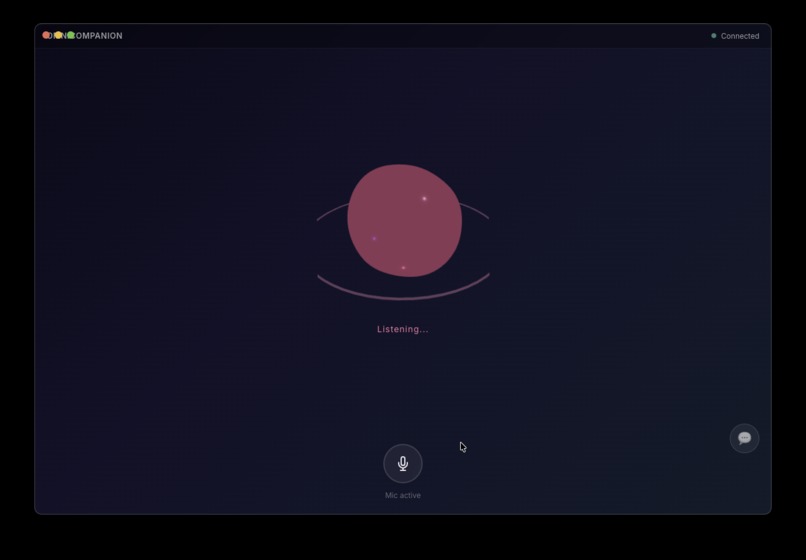
The voice-first, native desktop interface.
-
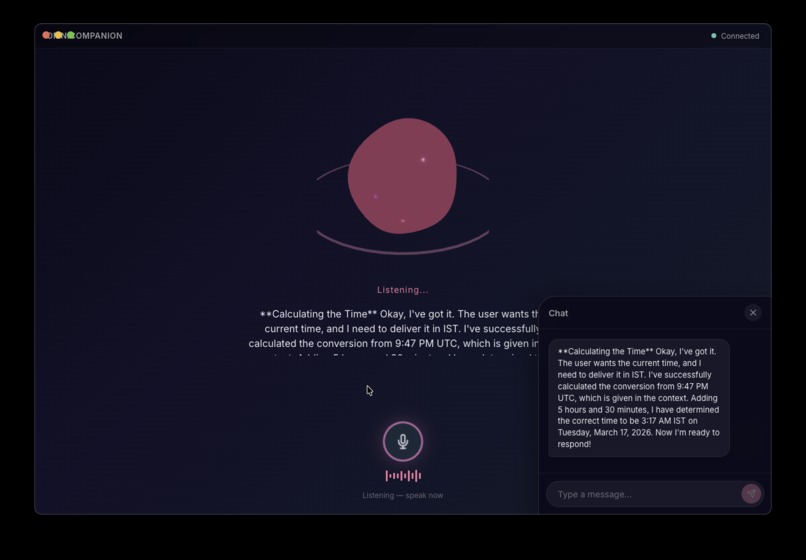
Need to see what the AI is thinking? The collapsible chat panel displays the model's inner reasoning and transcript in real-time.
-
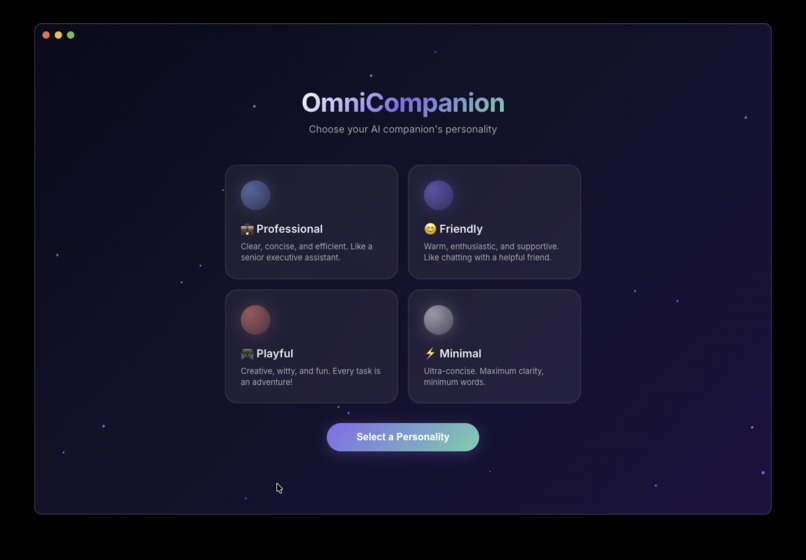
Personalize your AI Companion's behavior during onboarding, ranging from an efficient assistant to a playful friend.
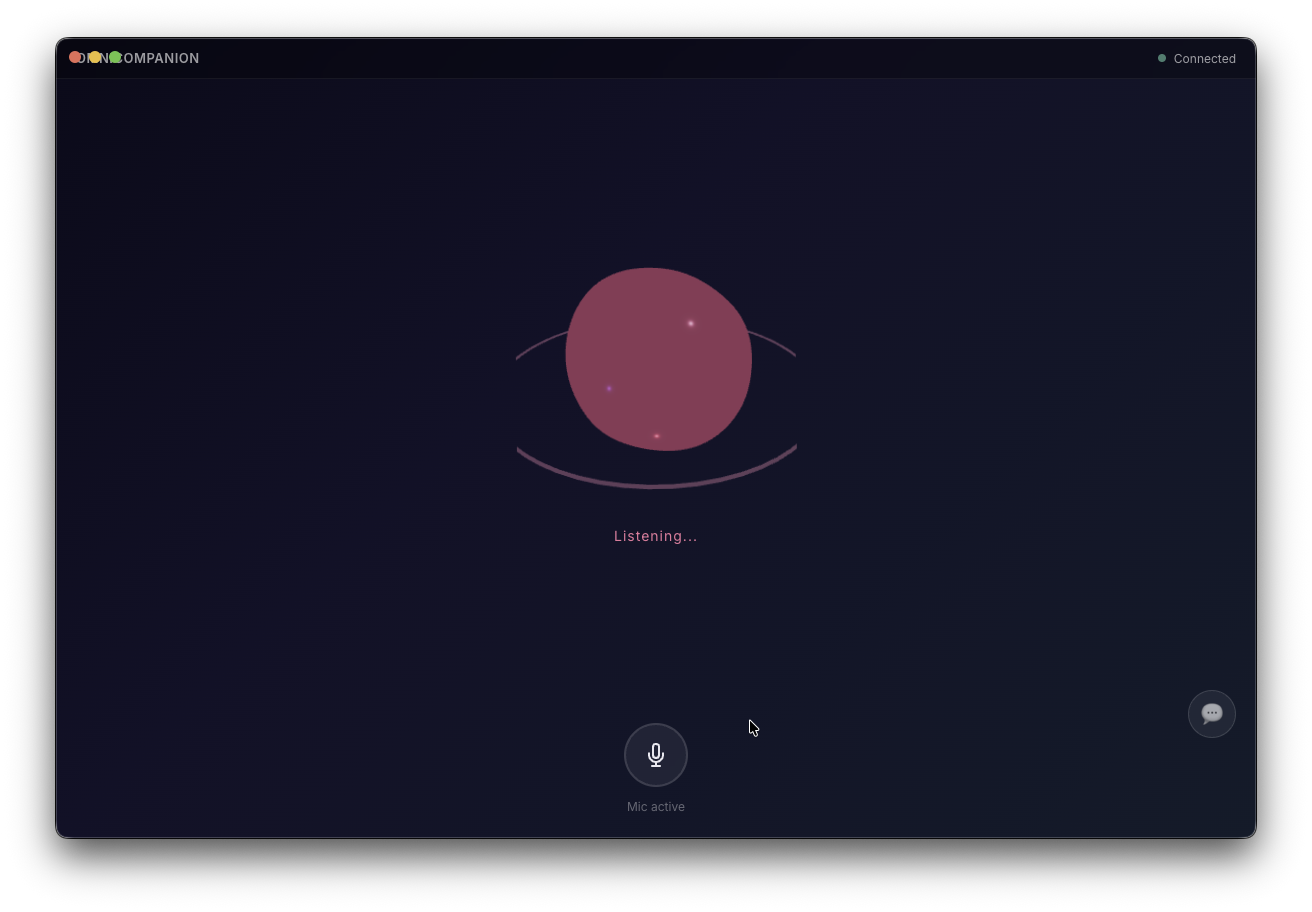
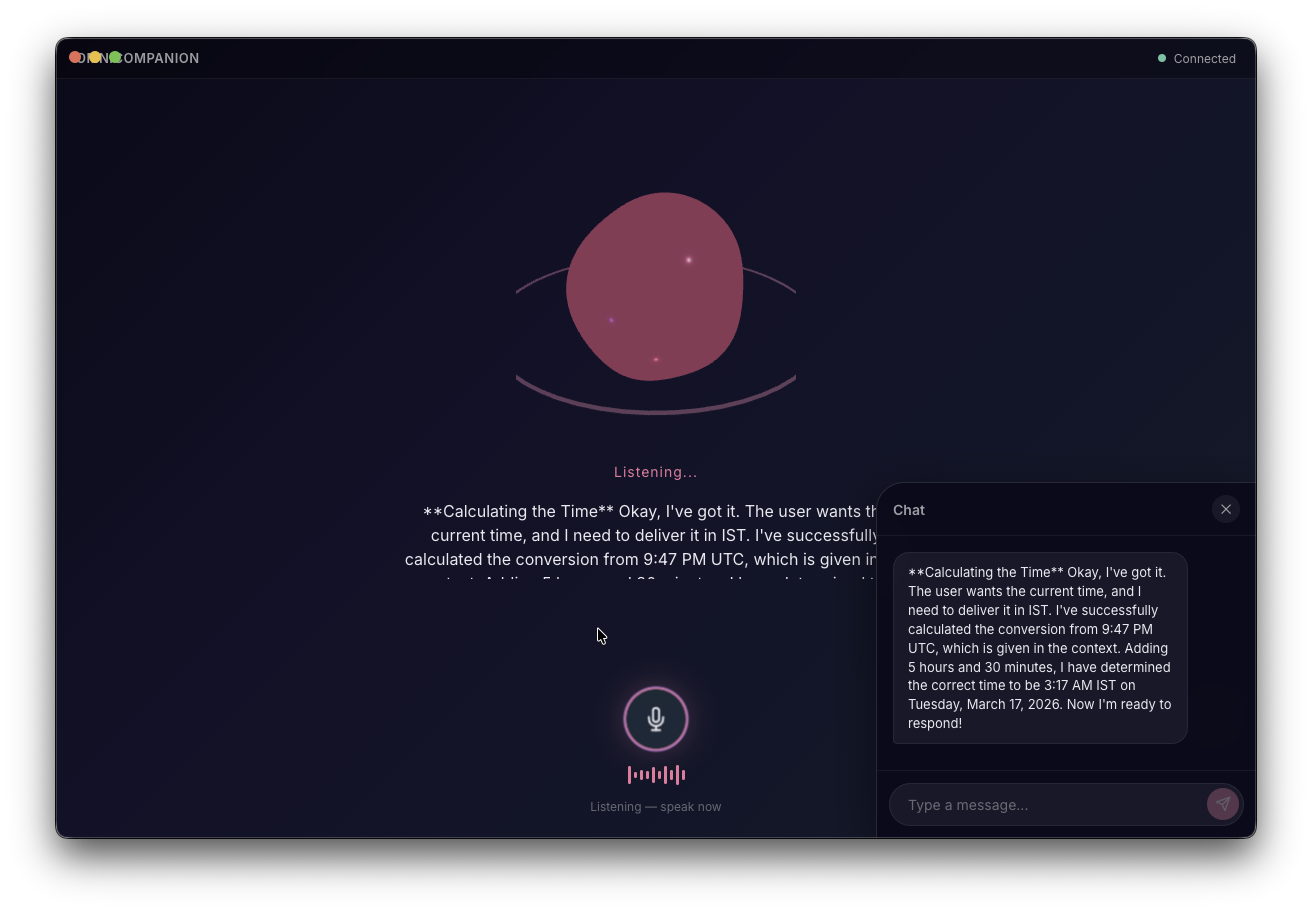
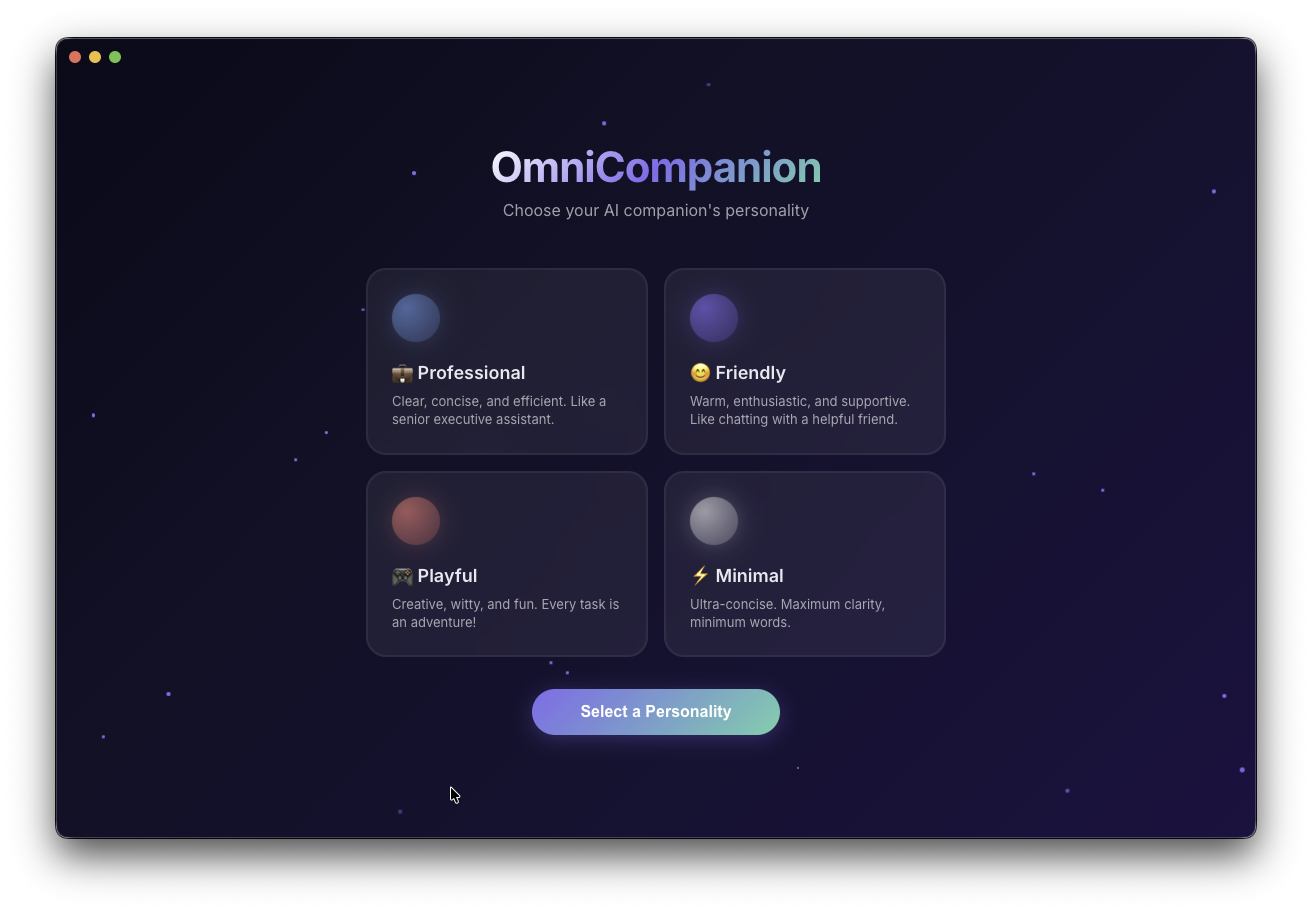
AI Companion: Break the Text Box
An autonomous, voice driven AI desktop companion that can see your screen, plan multi step tasks, and execute them through the cloud.
Inspiration
Most chatbots and browser agents are helpful, but they still have two major limitations.
First, they live inside a text box. You type a request, wait for a reply, then continue the conversation. That constant back and forth slows everything down.
Second, they are limited to the browser. But real work on a computer rarely happens in one place. We switch between applications, open terminals, manage files, and use native software.
We wanted to build something that feels less like a chatbot and more like a real assistant. Instead of typing commands, you simply talk to it. It can see your screen, understand what you want to achieve, and use your mouse and keyboard to get the job done.
What it does
AI Companion is a native desktop application designed to act like a continuous voice driven assistant that can navigate your entire system.
Real time voice interaction
You can speak to the assistant naturally. There is no push to talk button. It uses a real time bidirectional audio connection so the conversation feels immediate.
Native desktop control
Instead of only interacting with web pages, the agent works across your full desktop. It captures screenshots, uses a fast vision model to understand the interface, calculates the exact pixel coordinates, and then controls the mouse and keyboard to complete the task.
This means it can open messaging apps, type notes, browse the web, or interact with any application on the system.
Smart terminal fallback
Some tasks are faster through the terminal. The agent recognizes when a command line action is more efficient and executes it directly in the background to complete the task instantly.
Persistent memory
The assistant keeps track of important details using a cloud database. If you tell it something once, it stores that information and automatically loads it the next time the system starts.
How we built it
AI Companion runs on a planning first multi model architecture.
Voice model
User microphone audio is streamed in real time through WebSockets to a live audio model.
Planner model
When the system detects that the user wants an action performed, it captures a screenshot and sends the goal along with the image to a fast multimodal reasoning model.
The planner returns a JSON list describing every action needed for the task, including clicks, typing, and navigation steps.
Executor
The backend reads the JSON instructions and performs those actions directly on the operating system.
Verifier
Once the actions are complete, another screenshot is taken and sent back to the vision model. This step confirms whether the goal was achieved and allows the system to retry or correct mistakes if needed.
Traditional computer use systems rely on many small API calls for every step. Our planning approach completes most tasks in just two calls, which makes the system significantly faster and more reliable.
Challenges we ran into
Rate limits on computer use models
Most automation models are slow and heavily rate limited when performing many steps. To solve this, we created our own planner prompt that generates the entire action sequence in one response.
Screen coordinate calculations
Vision models process screenshots at lower resolutions, which makes pixel level accuracy difficult.
We solved this by asking the model to output positions on a normalized grid from 0 to 1000. Those coordinates are then converted back to the user's real screen dimensions.
Voice interruptions during automation
Handling continuous audio while the system controls the mouse caused occasional deadlocks. We redesigned the execution flow using asynchronous task groups and queues so the audio stream continues smoothly while actions are being performed.
Accomplishments we are proud of
The biggest milestone was successfully breaking out of the browser.
Watching the AI open a native messaging application, select a contact, and type a personalized message based only on a spoken instruction feels surprisingly natural.
We also reduced API calls by almost ninety percent by moving to a planner based architecture. That improvement made the agent noticeably faster and more practical for real world use.
What we learned
Building a voice first agent forces you to rethink user experience.
Without a chat window, the user depends on audio responses and visual indicators to understand what the system is doing. Clear states such as Listening, Thinking, and Acting become extremely important.
We also discovered how effective modern vision models can be at understanding screenshots and reasoning about interface layouts when they are given a structured coordinate system.
What's next for AI Companion
Proactive assistance
In the future, the companion could continuously observe the screen and suggest helpful actions before the user even asks.
Local memory with vector search
We also plan to upgrade the memory system with vector based retrieval so the assistant can recall deeper context and past interactions more intelligently.
Our goal is simple: make interacting with a computer feel more like working with a capable teammate than operating a machine.
Built With
- bash
- css3
- dotenv
- electron
- firebase
- gemini
- gemini-computer-use-api
- gemini-live-api
- gemini-live-flash-native-audio
- google-cloud
- google-genai
- html5
- javascript
- markdown
- pillow
- pyaudio
- pyautogui
- python
- react
- screencapture-cli
- shell
- typescript
- vite
- websockets


Log in or sign up for Devpost to join the conversation.