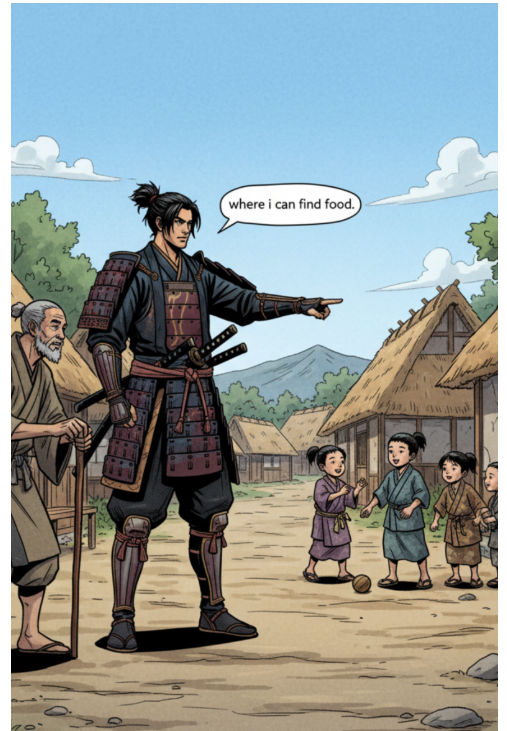
AI Comic Studio - Complete Documentation
Getting Started
How to Use & Test Instructions
- Open the web app using the provided link
- Create a new project by clicking "New Project"
- Configure your project
- Enter a project title
- Select an art style: Comic, Manga, Cartoon, Pixel Art, or Retro
- Build your assets (Assets tab)
- Add character name and description
- Optionally upload reference images
- Click "Generate Character" for consistent visual design
- Create comic pages (Pages tab)
- Either create panels manually for full control
- Or use "Generate from Story" for AI-driven layout
- Add dialogue and captions as needed
- Export your comic by clicking "Export PDF" for a print-ready file
Tip: More detailed descriptions and scene prompts lead to higher visual and storytelling quality.
Overview
The Problem & Inspiration
Every AI art tool has the same issue: consistency. While individual images are beautiful, telling a story across multiple panels becomes problematic as characters change faces, outfits, and art styles. AI Comic Studio was created to solve this—enabling anyone to create comics that look like they came from a single artist, entirely powered by AI.
What It Does
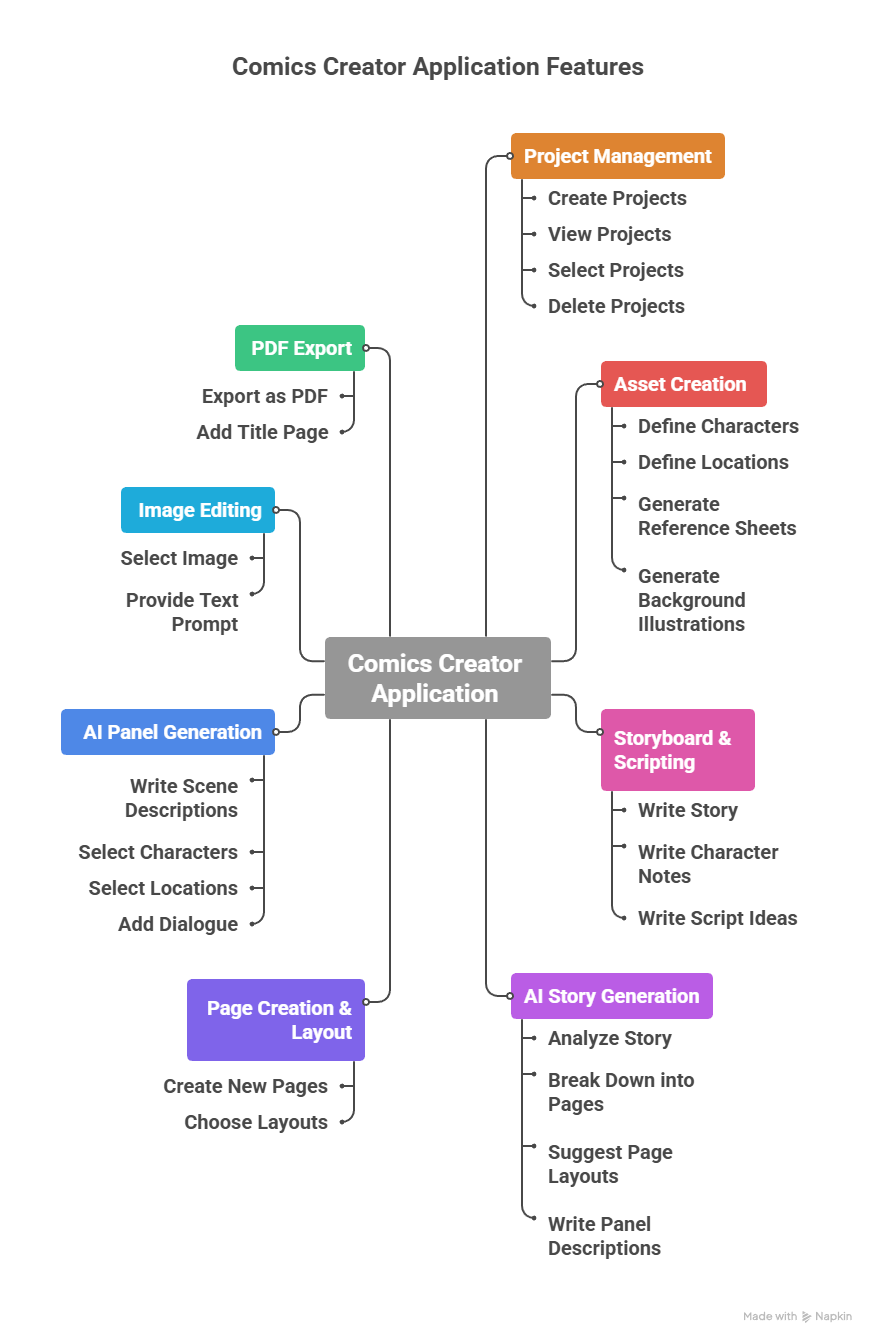
AI Comic Studio is an AI-powered web application that generates complete, consistent, and stylized comics from text descriptions.
Key Features:
- Create characters and locations once, with AI maintaining visual consistency throughout
- Support for five art styles: Comic, Manga, Cartoon, Pixel Art, and Retro
- Two operational modes for flexibility
- Professional multi-page PDF export
Two Modes of Operation:
- AI Director Mode: Write a full story and let AI automatically generate pages, panels, and dialogue layouts
- Manual Mode: Build each panel manually for complete creative control
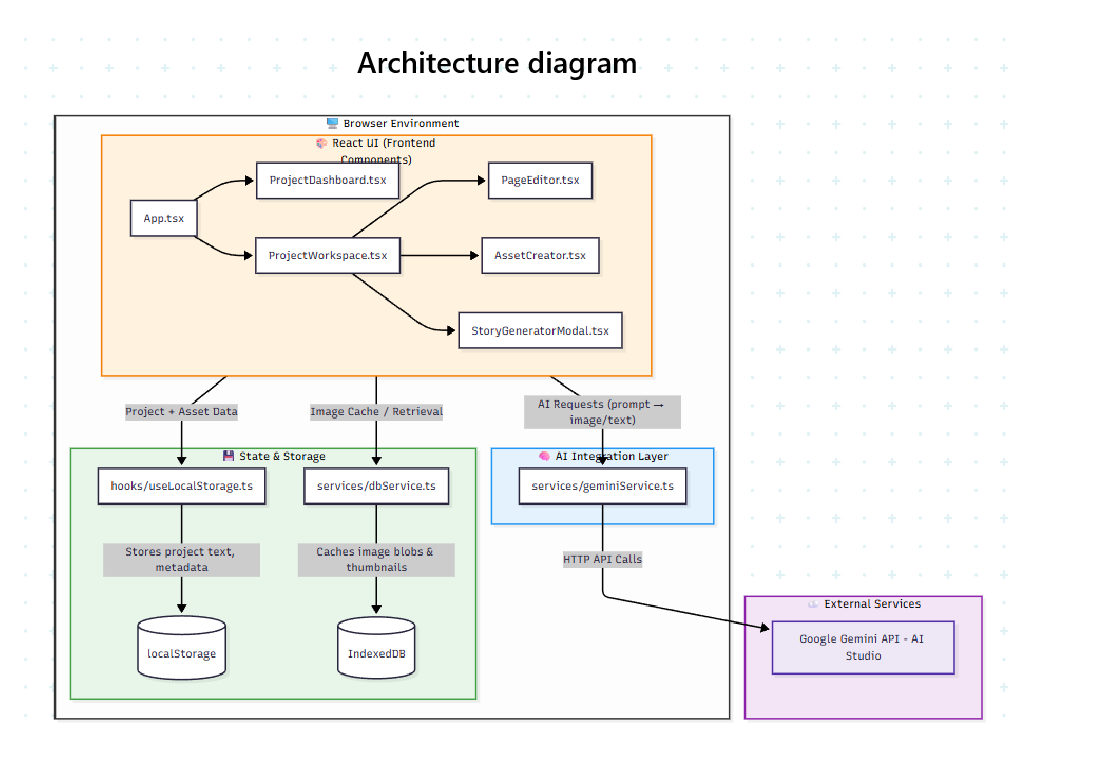
Technical Architecture
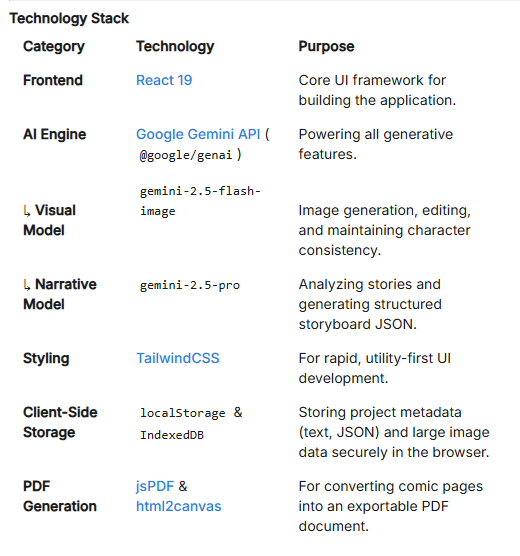
Technology Stack
- Frontend: React and Tailwind CSS for clean, modern UI
- AI Engine: Google Gemini
- Backend: Google Cloud Run (serverless architecture)
- Storage:
- localStorage for story data and metadata
- IndexedDB for image caching
- No external database required
- Export: jsPDF and html2canvas for multi-page PDF generation
Design Philosophy
Serverless, browser-first architecture with all processing optimized for in-browser performance and scalability through Cloud Run.
Development Journey
Challenges Overcome
- Character Consistency: Implemented prompt chaining and style reinforcement to maintain character appearance across generations
- PDF Layout: Fixed alignment issues to preserve panel consistency in exports
- Image Data: Optimized handling of large image data within browser constraints
- UI Design: Created an intuitive interface balancing simplicity with powerful customization
- Style Accuracy: Ensured visual fidelity across all five art styles
Key Accomplishments
- Built a fully functional AI comic creation platform from the ground up
- Achieved consistent character rendering across multiple panels
- Created a database-free, serverless application using only browser storage
- Developed an end-to-end workflow from concept to comic export
- Made comic creation accessible to users without artistic skills
What We Learned
- Integration of Google AI Studio (Gemini) for text-to-image workflows
- Critical importance of detailed prompting for AI generation quality
- Efficient local data management using browser APIs
- Advanced performance optimization and responsive design techniques
- Collaborative creative thinking with AI as a partner
Future Roadmap
- Cloud Sync & Authentication: Save and access projects from anywhere
- AI Motion Comics: Add animation and transitions between panels
- Context Memory Engine: Enable AI to maintain tone and emotion consistency across stories
- Voice & Sound Integration: Add AI-generated voices and background audio
- Community Showcase: Allow creators to share and discover community-created comics
- AI Script Co-Writer: Provide dynamic dialogue and plot suggestions


Log in or sign up for Devpost to join the conversation.