Inspiration
Coaching has one of the highest ROIs you can get from your time - but it’s still inaccessible for most people. Finding the right coach takes effort, great coaches are expensive, and even when you do want help, you often don’t know where to start.
At the same time, “AI agents” promise leverage, but they still feel too technical: prompts, setup, workflows, too many knobs. Simon’s brief for Better Creating resonated with me: build a minimal, beautifully designed AI coaching app that lets people start immediately — with personal context — without feeling like they’re configuring a tool.
That became the goal: make AI coaching feel as simple and calm as opening a notes app — but smarter and more structured.
What it does
AI Coach is an iOS app for builders, creators, and system-focused professionals.
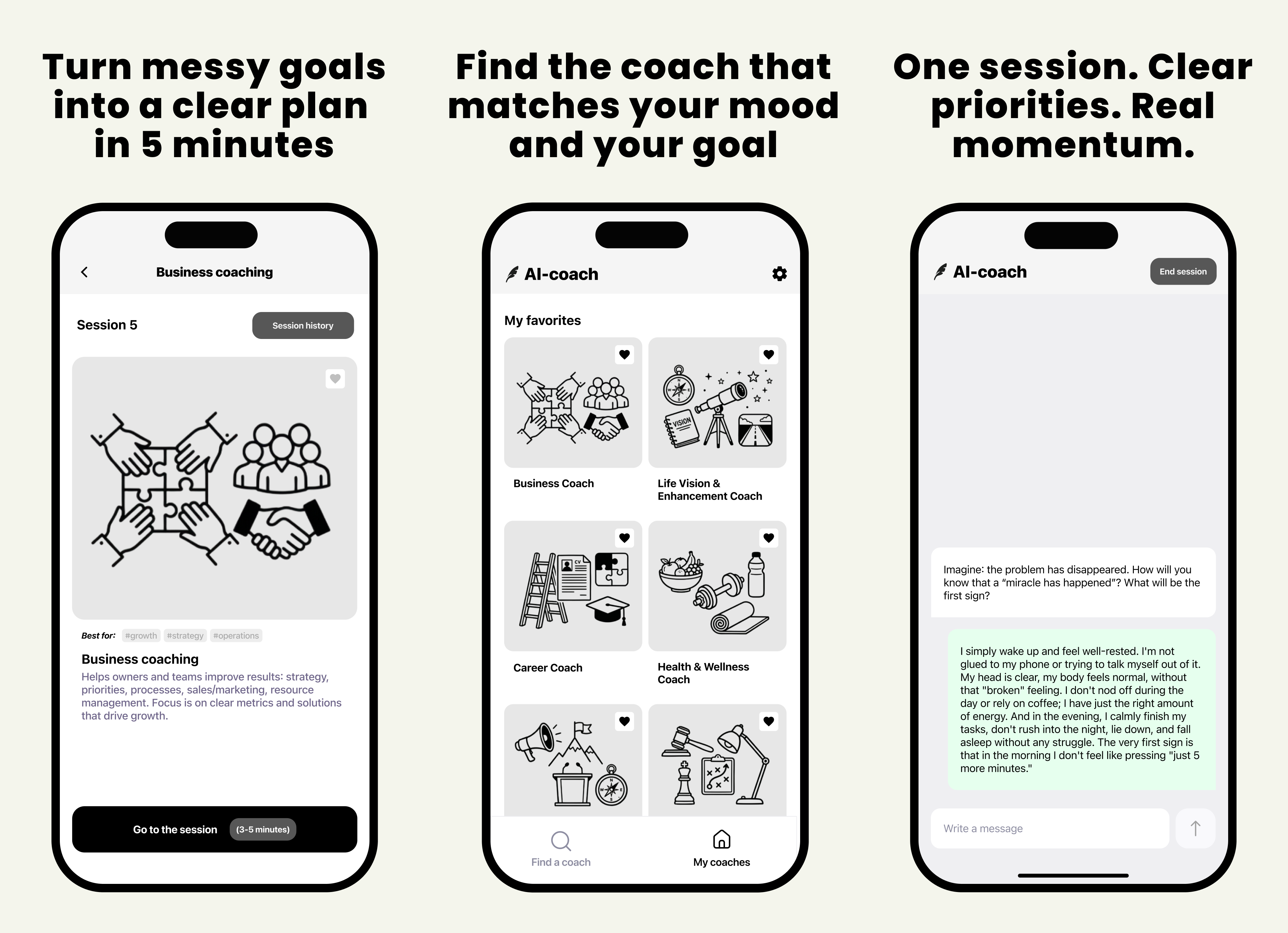
- Browse predefined coaches (Business, Career, Life Vision, Leadership/Executive, Health)
- Create your own coach via a short questionnaire (goals, tone, constraints, working style)
- Add personal context once, then reuse it across sessions (values, current projects, challenges)
- Chat in structured sessions designed to turn messy thoughts into decisions and next steps
- Save favorites and keep session history so your “coaching stack” stays organized
The product philosophy is simple: no agent setup — just pick a coach and start.
How I built it
iOS (Swift / SwiftUI)
- Main screen: “My Coaches” (favorites + created)
- Coach detail + quick-start session flow
- Chat UI with session history
- Lightweight onboarding + settings (privacy/terms, share, contact)
Backend (Python / Flask)
- Chat API: start session → send messages → receive a reply
- Coach generator: takes questionnaire answers → outputs:
- system prompt
- welcome message
- short + full description
- best-for tags
- Ops: error reporting + Telegram notifications (so I can see issues instantly)
AI layer
- Each coach has a dedicated system prompt for consistent tone and structure
- Custom coaches are generated from the questionnaire to feel specific, not generic
Challenges I ran into
- Making it feel non-technical: the hardest part wasn’t “calling OpenAI,” it was designing a flow that doesn’t feel like prompt engineering.
- Prompt quality vs. simplicity: fewer questions means less data, but too many questions increases friction. I iterated on a short questionnaire that still produces a “real” coach profile.
- Consistency across coaches: different coach types need different structures (e.g., business strategy vs. life vision). I built per-coach prompt templates and a shared “session structure.”
- Latency + UX: coaching should feel calm, not jittery. I focused on clear loading states and predictable session flow.
Accomplishments that I'm proud of
- A minimal end-to-end product: create a coach → start a session → get structured guidance → review history
- A coach generator that produces prompts, welcome message, descriptions, and tags from a short questionnaire
- A UX that feels closer to an intentional “Better Creating” app than a technical agent dashboard
- A backend setup with Telegram alerts so issues are visible immediately during testing
What I learned
- “AI product” success is mostly UX and framing: the same model can feel magical or frustrating depending on setup and interaction design.
- Users don’t want more options - they want a clear starting point and a repeatable system.
- The best coaching interactions come from structure: reframing → options → decision → next steps.
What's next for AI Coach
- Coach library + sharing: browse coaches made by others (with Better Creating-style curation)
- Personal context as a first-class feature: saved context packs (work, health, relationships) you can toggle per session
- Session modes: quick 3-minute clarity, deep work planning, weekly review, decision sprint
- Better memory controls: editable summaries and “what you want the coach to remember”
- Polish + performance: faster responses, improved onboarding, and a cleaner coach discovery experience