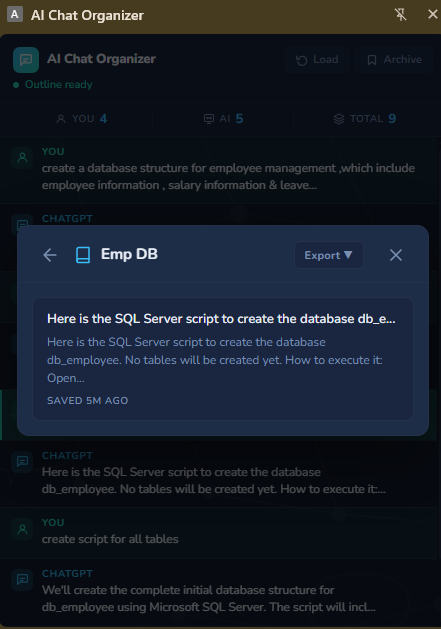
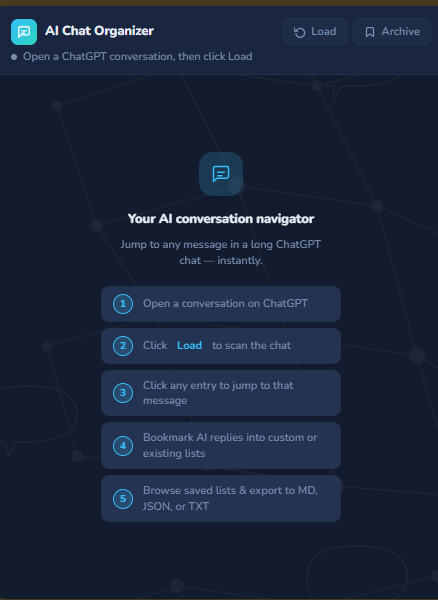
AI Chat Organizer is a Chrome extension that turns any long ChatGPT conversation into a clickable, navigable outline in Chrome's native side panel. Instead of scrolling through hundreds of messages to find something, you click Load, see every question and response listed in order, and jump directly to any message with one click.
It's for developers, students, researchers, and writers — anyone who has valuable, knowledge-dense AI conversations and currently has no way to navigate them except endless scrolling or browser search.
Beyond navigation, you can bookmark any ChatGPT response into named collections that persist locally in your browser. Browse your saved answers any time, even after the original conversation is gone, and export a whole collection to Markdown, JSON, or plain text.
Everything runs locally. No server, no API key, no data leaves your device.
What I learned: This was my first time using a coding agent inside a repository — working through a structured plan → spec → build loop rather than jumping straight to code. The biggest insight was how much the upfront spec work paid off during the build: the adapter pattern for DOM reading, the messaging architecture between the content script and side panel, and the identity reconciliation system all came directly from decisions made in the spec before a single line was written. I also learned how fragile DOM-based extraction can be — ChatGPT's markup changed during development and having the adapter isolated meant fixing it in one file without touching anything else.
Built With
- dexie.js
- react
- typescript
- vite

Log in or sign up for Devpost to join the conversation.