-
-
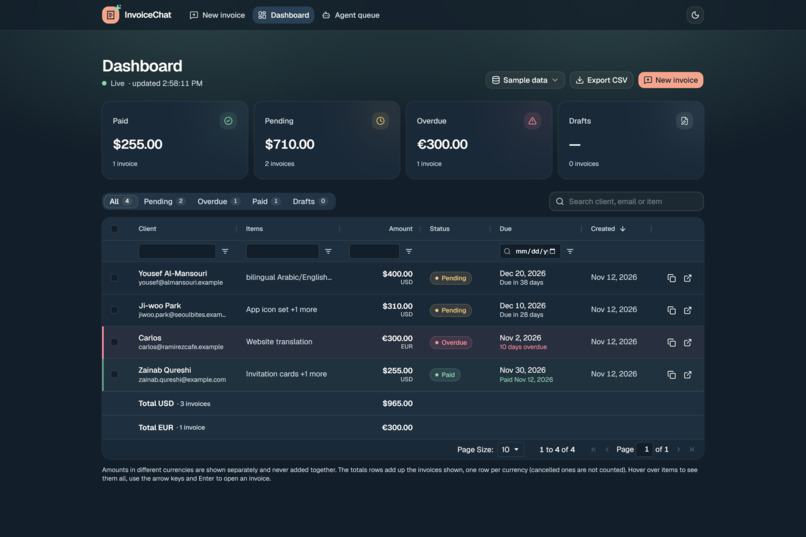
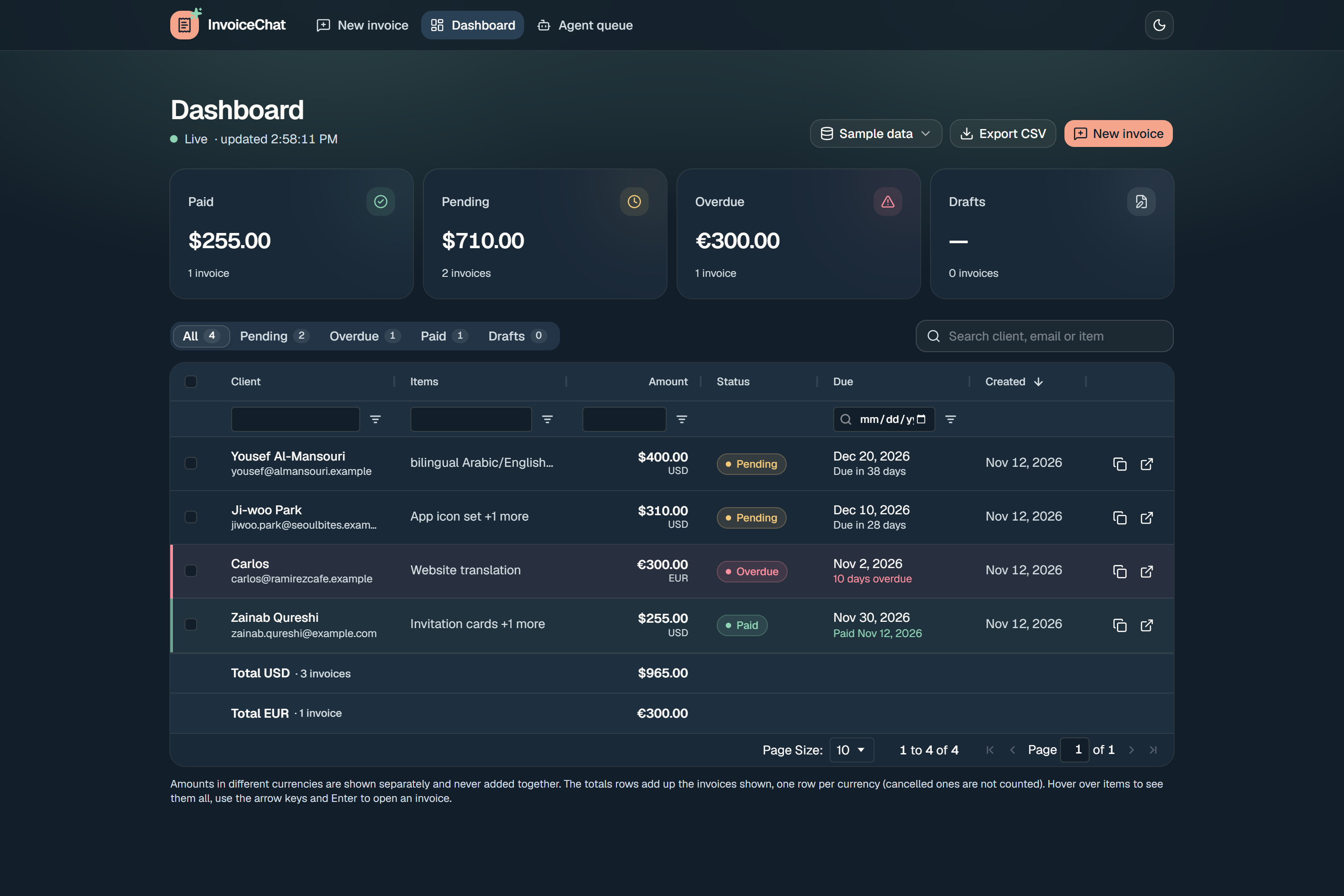
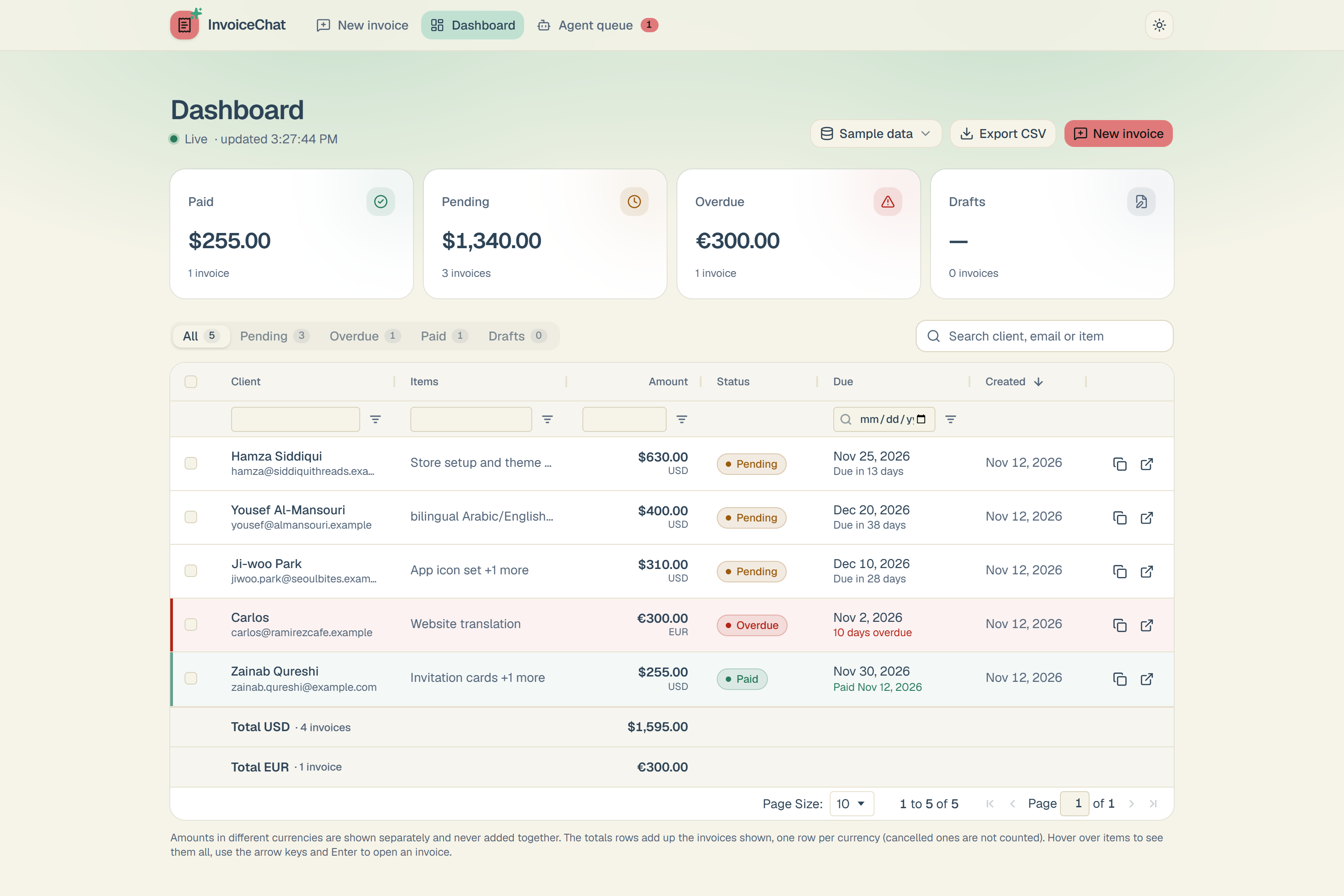
dashboard 4 pending, paid and overdue invoices
-
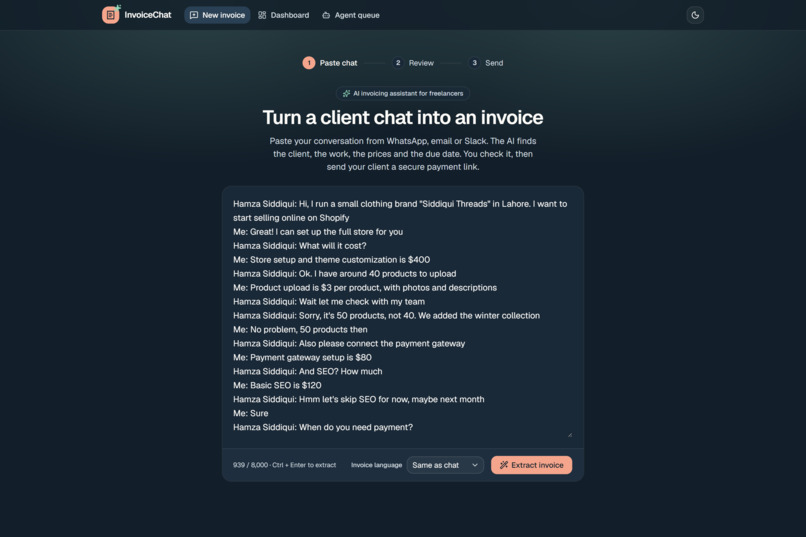
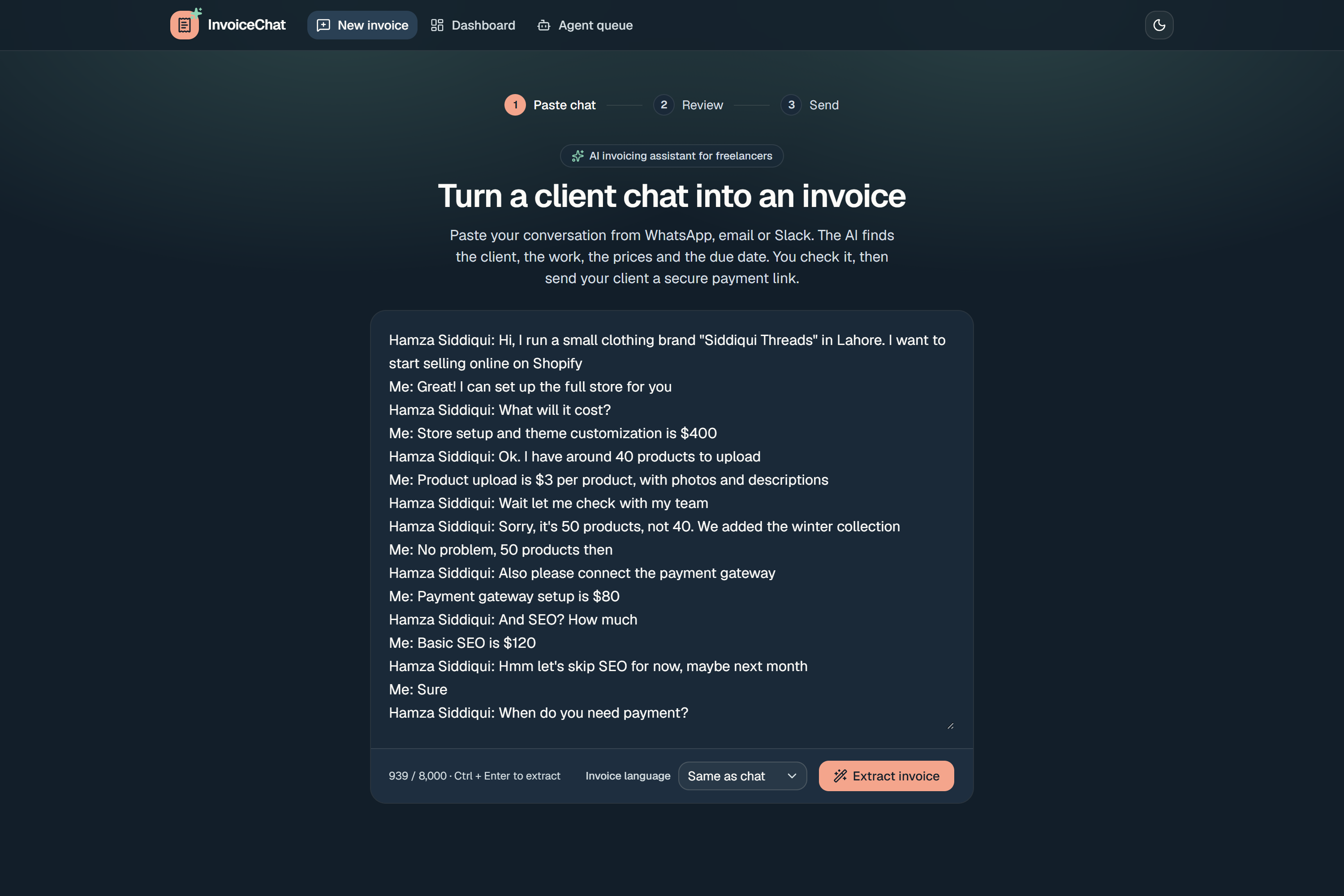
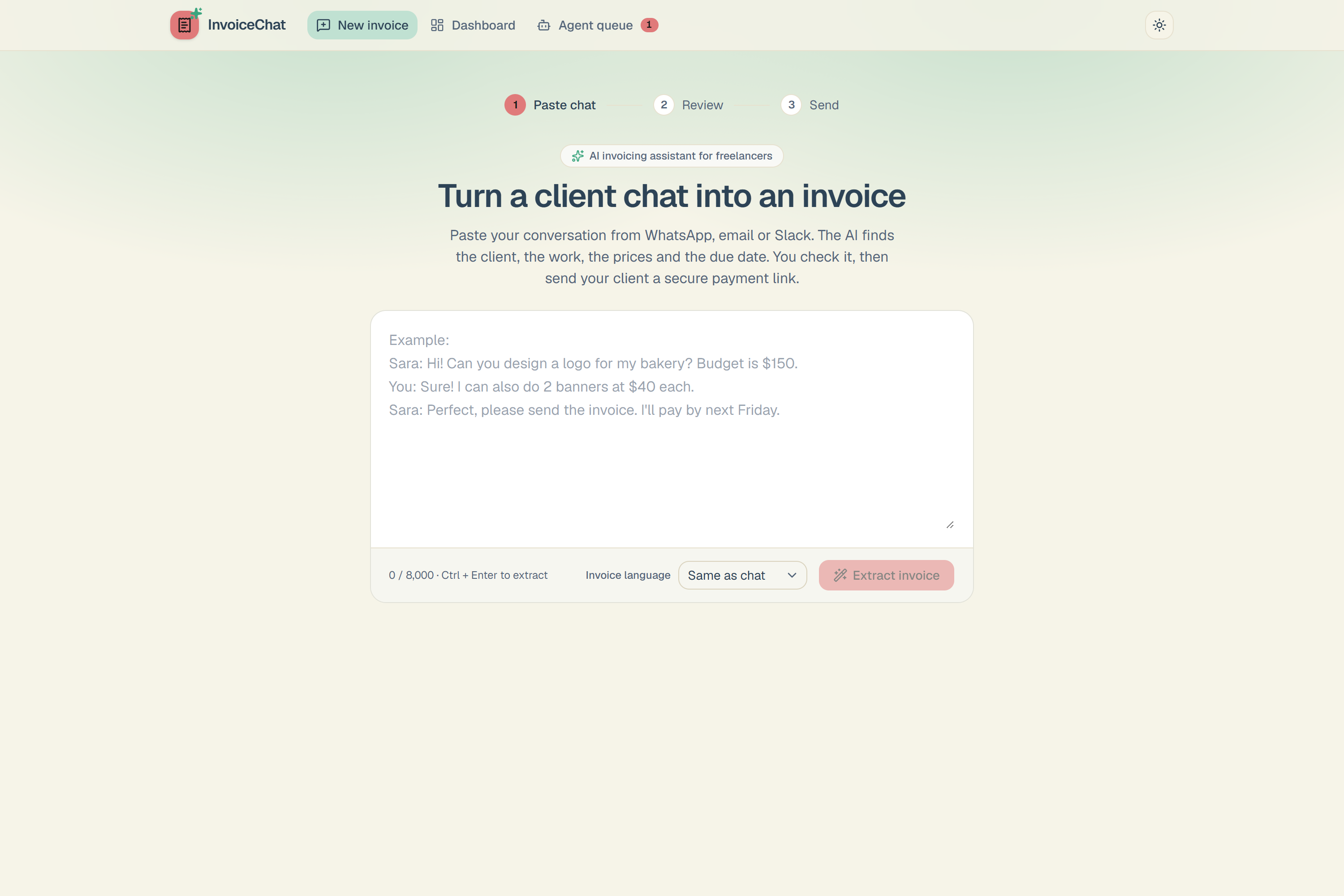
Chat between freelancer and client is pasted in the chat textbox
-
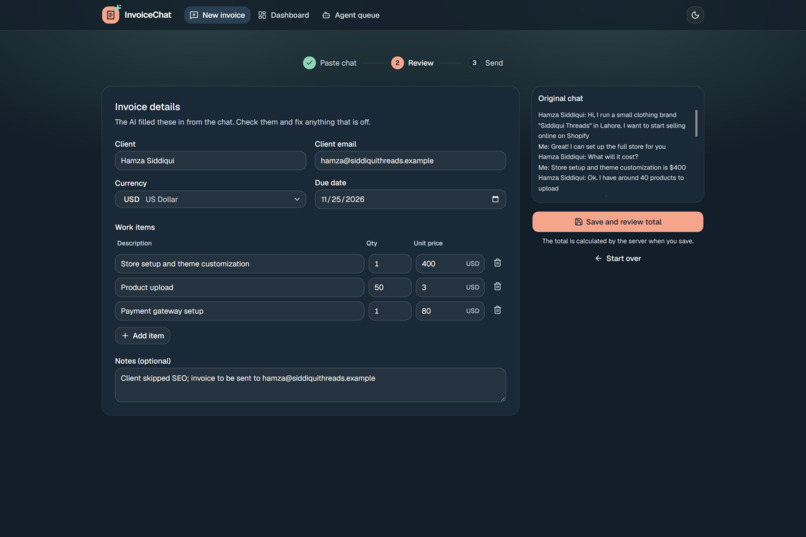
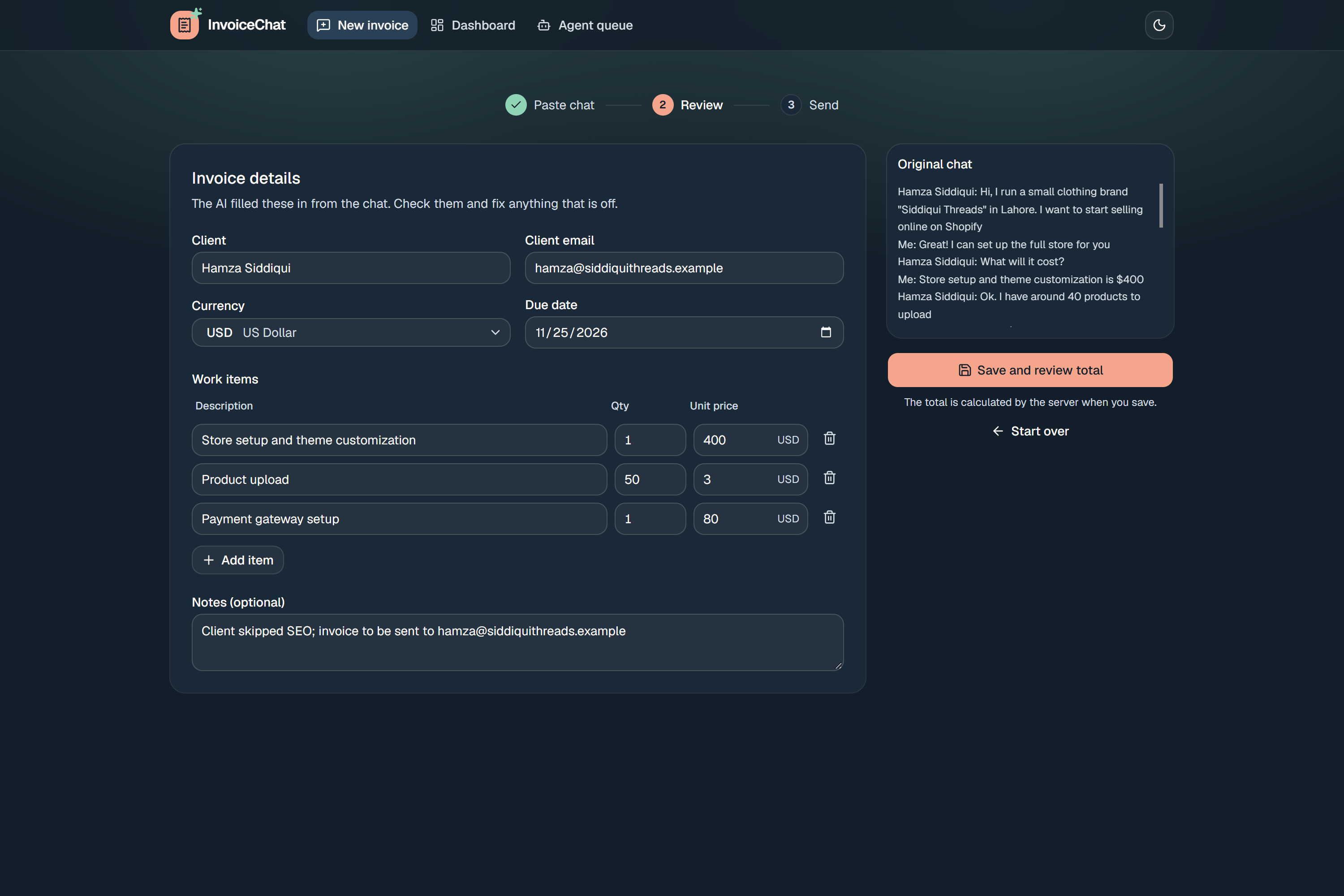
Editable extracted invoice
-
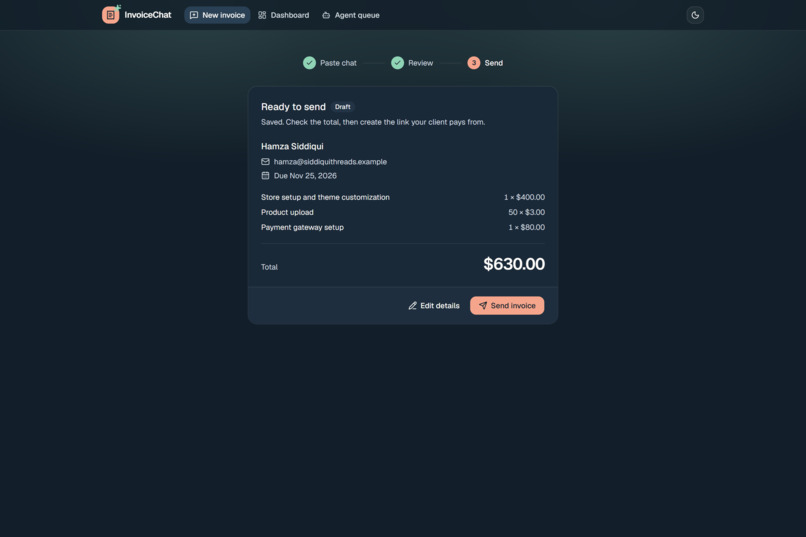
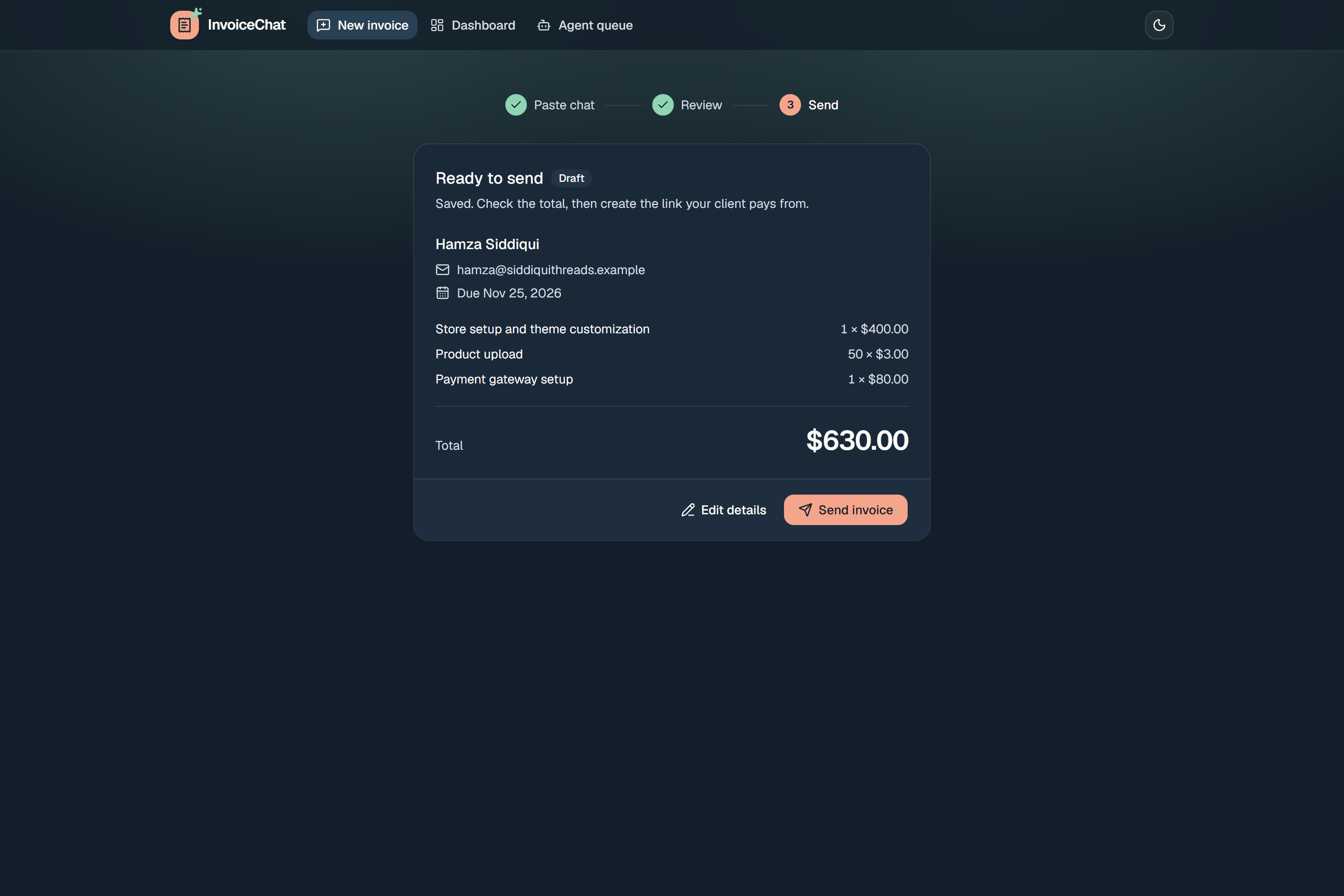
check Invoice details before sending it to the client
-
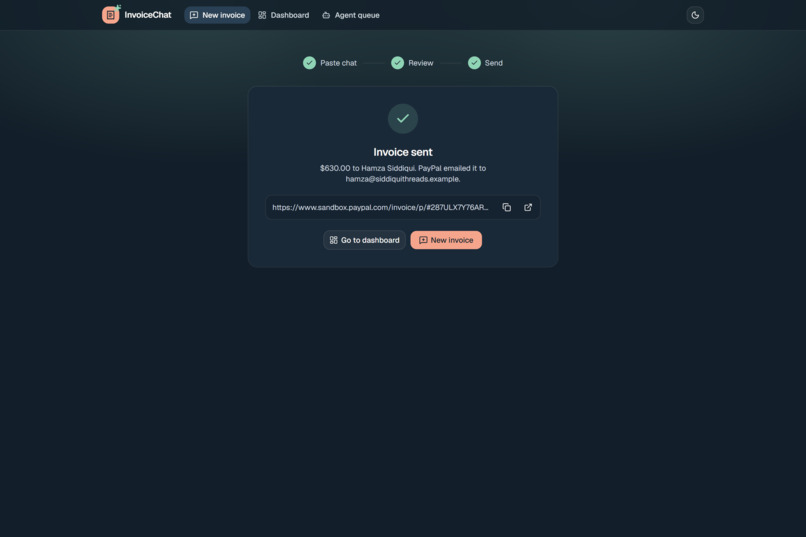
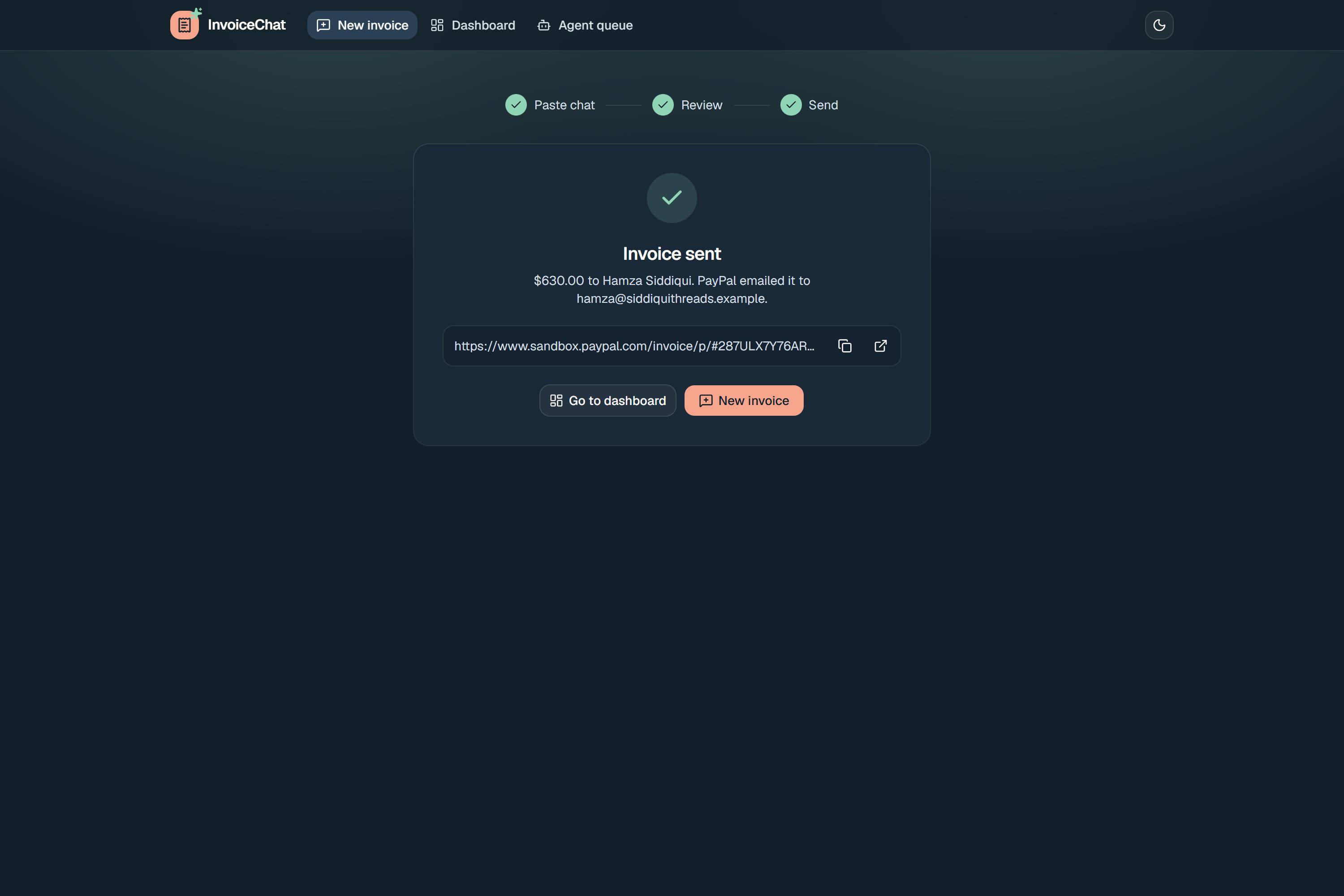
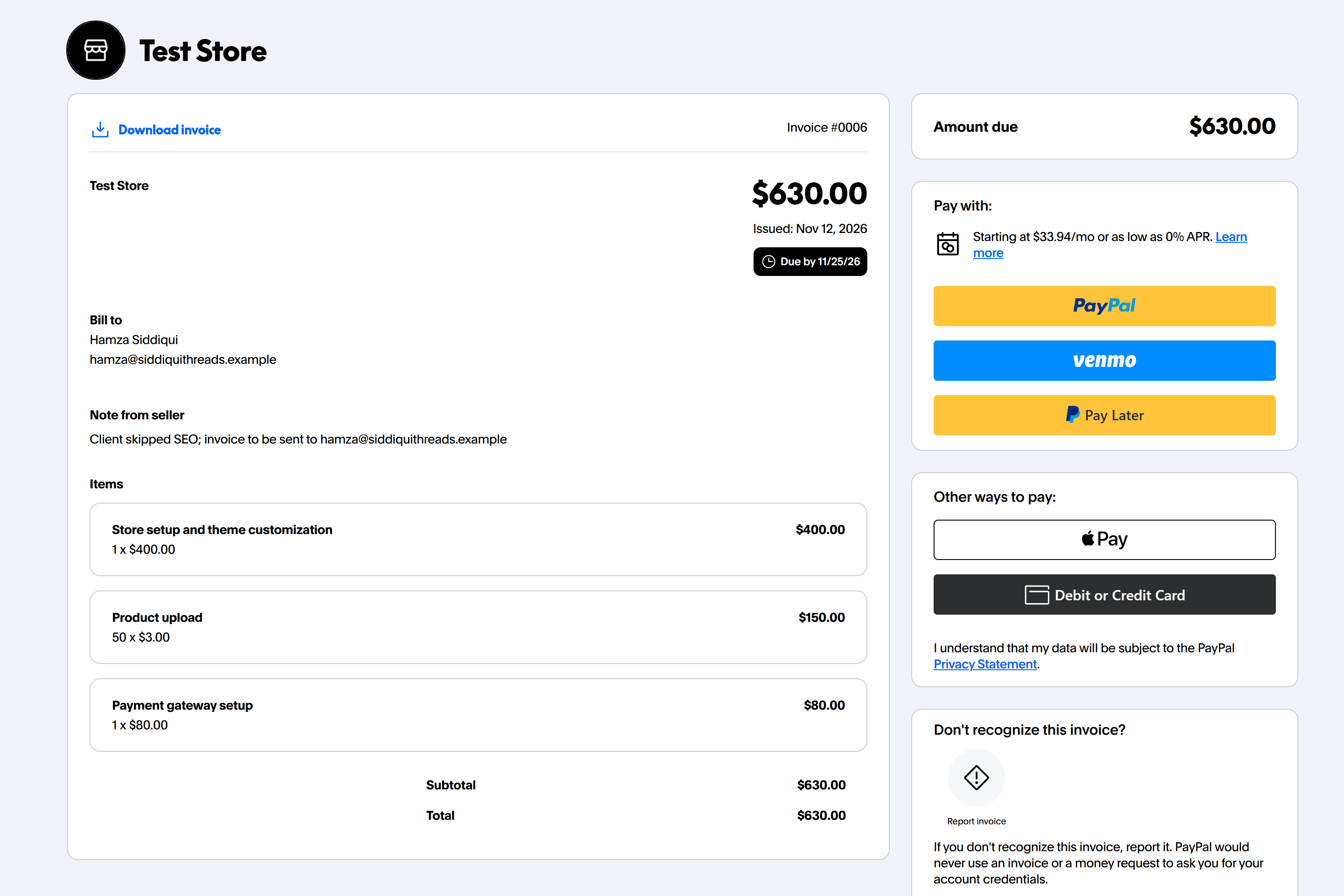
Invoice sent to the customer and generates the payment link
-
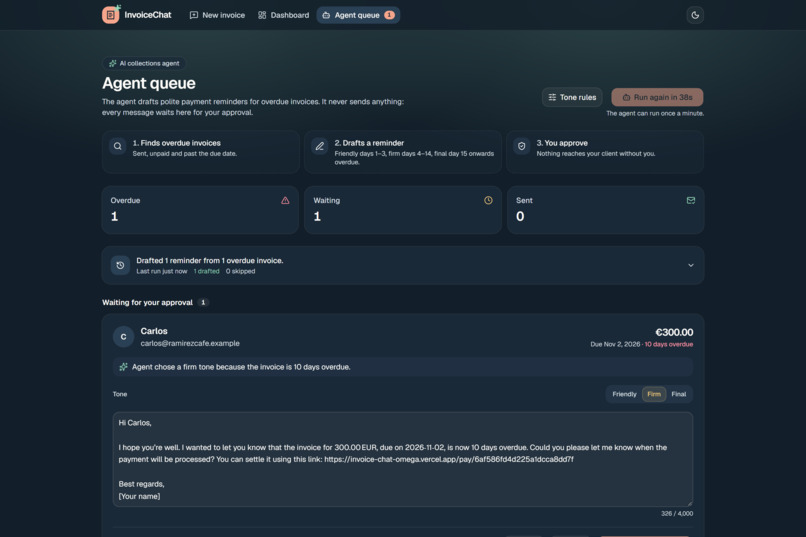
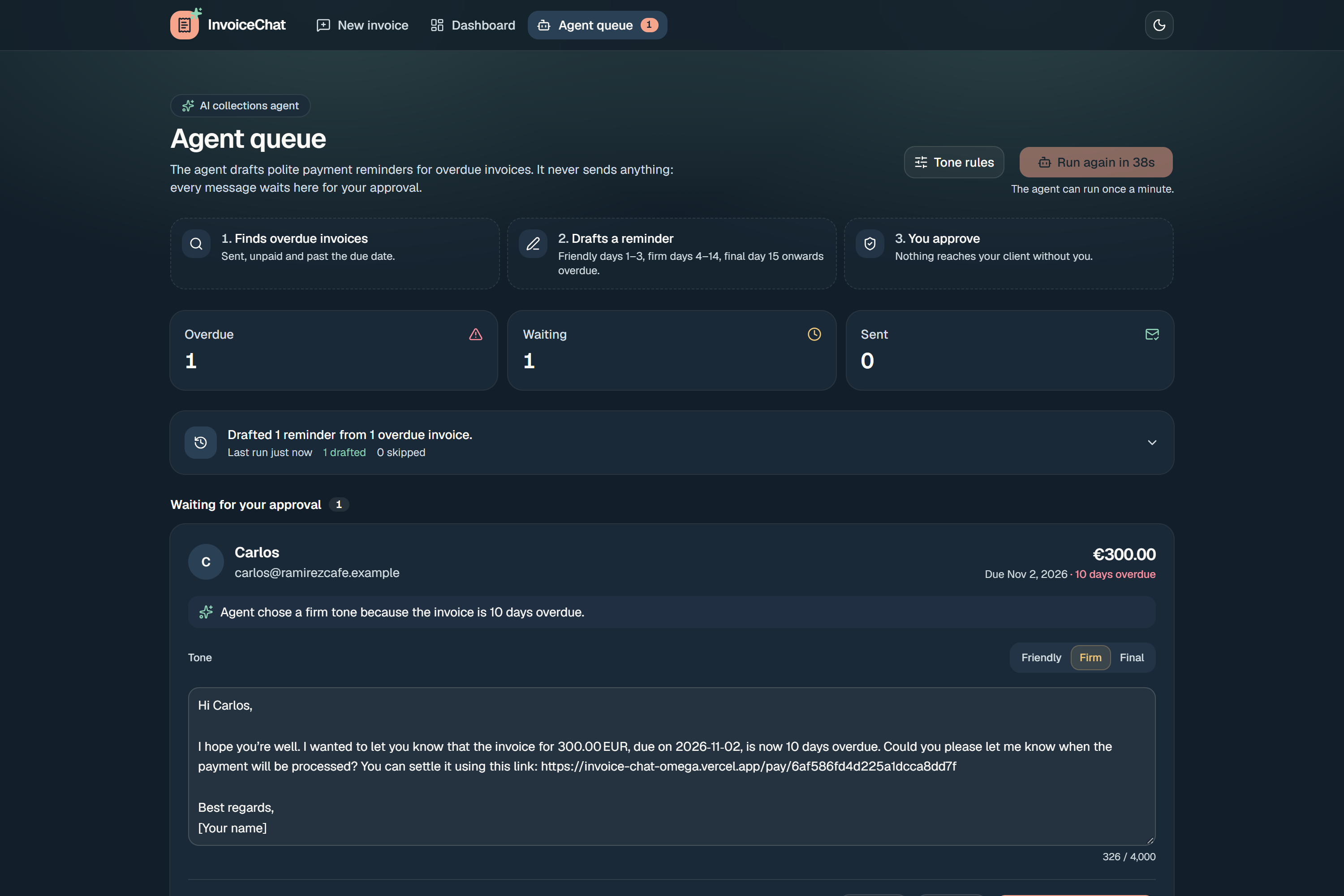
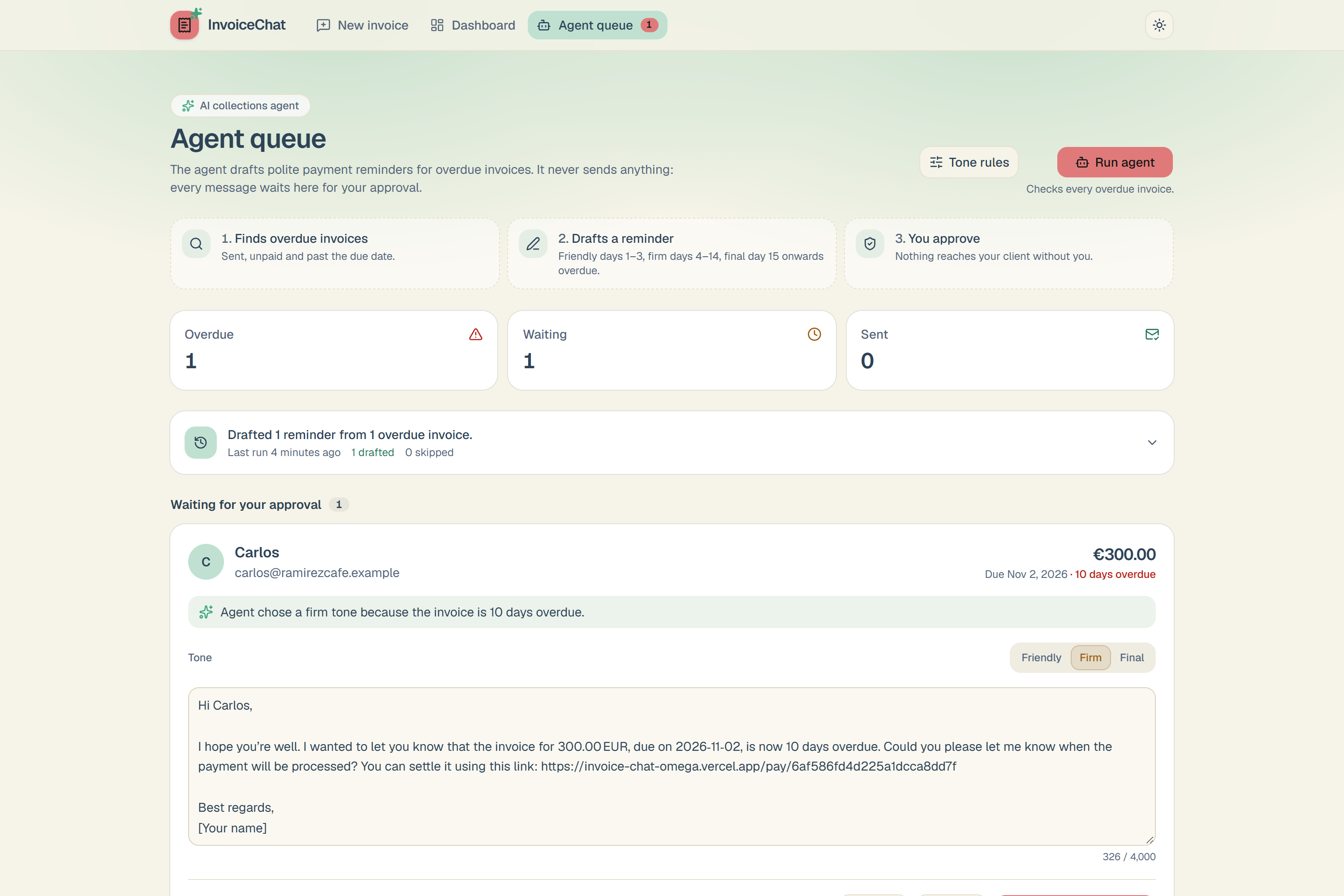
Agent Queue, agent reminding for overdue clients
-
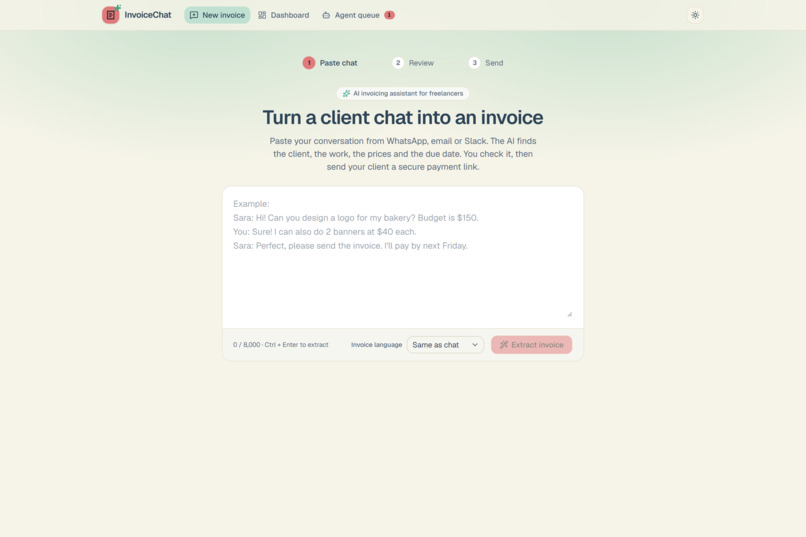
Paste Chat in light mode
-
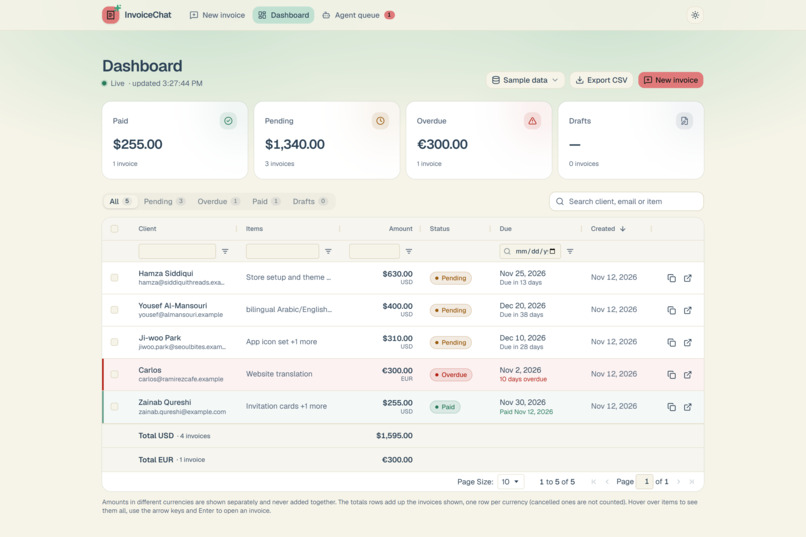
dashboard in light mode
-
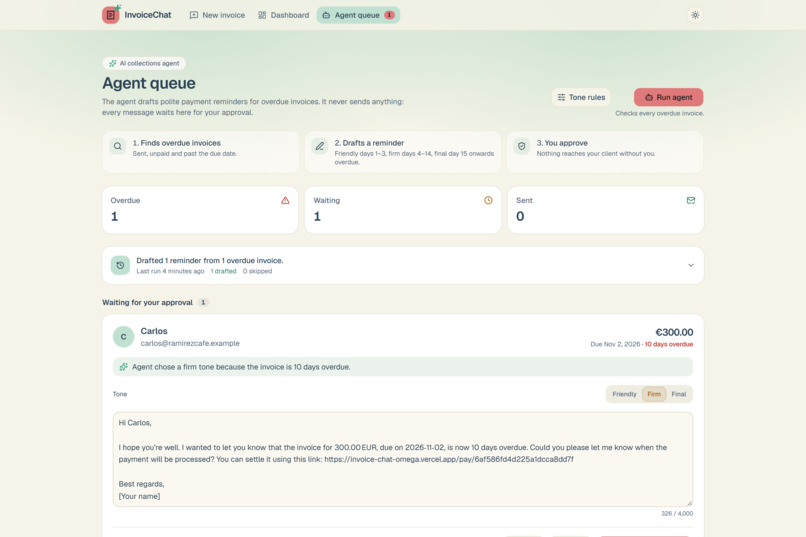
Agent in light mode
-
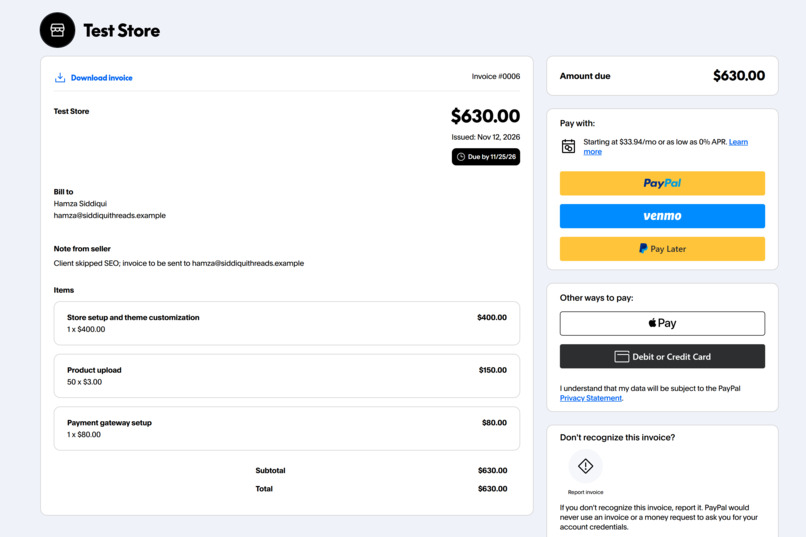
sandbox paypal invoice
Inspiration
I'm a developer in Karachi, and many freelancers around me agree on work in WhatsApp chats: "logo for $150, two banners at $40 each, pay by Friday." Turning that into a proper invoice means retyping names, prices and dates. Then comes the hardest part: chasing late payments without sounding rude. I wanted a tool where you paste the chat and get paid, with an assistant that helps you follow up politely.
What it does
- Paste a chat. AI extracts the client, line items, currency and due date, including relative dates like "next Friday", in any language.
- Review and edit. Nothing is saved until you check it. Warnings point out anything the AI wasn't sure about, and saved clients autocomplete.
- Send through PayPal. The server calculates the total (never the AI) and creates and sends a real PayPal sandbox invoice with the PayPal Invoicing API.
- Get paid, live. When the client pays, a signature-verified PayPal webhook marks the invoice paid, and the dashboard updates within seconds with a "Sara Khan paid $230.00" notification.
- See everything in one grid. An AG Grid dashboard with column filters, live totals per currency (never mixed), coloured overdue and paid rows, tooltips, keyboard navigation and CSV export.
- Collect overdue money. A collections agent finds overdue invoices and drafts reminders in a friendly, firm or final tone, following tone rules you set (for example, firm from day 4). It explains its choice, you can change the tone or edit the text, and it never sends anything by itself. You approve every message. You can also tick rows in the grid and draft reminders for all of them at once.
InvoiceChat also supports Braintree (a PayPal service): it hosts its own pay page with Braintree's card form, mapping each currency to its own merchant account.
How I built it
- Backend: Python, FastAPI and Pydantic v2, with MongoDB Atlas. Routers stay thin, and all payment code lives in one service per provider (PayPal, Braintree, and a test provider).
- AI: Groq running
openai/gpt-oss-120bin JSON mode at temperature 0. The prompt treats the chat as data (a prompt-injection guard), the answer is validated against a strict schema, and if it fails, the validation error is sent back to the model for one retry. - Money rules: the total is always computed by the server:
$$\text{total} = \sum_{i} q_i \cdot p_i$$
It is rounded per currency (JPY, HUF and TWD have no decimals). Amounts in different currencies are never added together. "Overdue" is never stored: it is computed from the status and the due date.
- Payments: PayPal Invoicing v2 (create → send → read the payer link), PayPal webhooks with signature verification and duplicate protection, and Braintree Drop-in with a 2-minute lock against double charges. Each invoice remembers which provider sent it, so switching providers never breaks an unpaid invoice.
- Frontend: React 19, Vite, Tailwind CSS v4, shadcn/ui, TanStack Query (live polling) and AG Grid Community, with a custom theme for light and dark mode. On phones the grid becomes tappable cards.
- Hosting: backend on Render, frontend on Vercel.
Challenges I ran into
- PayPal Developer sign-up isn't available in Pakistan. I first built the payment flow on Braintree (sandbox), with any simulated step clearly labelled as I was not able to create developer account for PayPal.But after so many tries, I connected PayPal developer sandbox and created account successfully on incognito mode just 2 days before submission.
- My AI model was shut down mid-hackathon. Groq retired the Llama 3.x models, so I switched to
gpt-oss-120band re-tested the extraction prompt. - Time zones. The server runs in UTC and I'm in UTC+5, so "overdue" is decided only by the server, never by the browser's clock.
- Validation that matches exactly. The browser and the server must agree on every rule (emails, tone rules, prices). I compared them on hundreds of test inputs until they matched.
- Webhooks in production. My first live payment didn't update because I had pasted the frontend URL as the webhook address. I added clear logging so a rejected webhook always says why.
Accomplishments that I'm proud of
- A complete loop, from chat to AI invoice to PayPal payment to webhook to live dashboard, working on a public URL.
- An AI agent that is helpful but stays in its lane: it drafts, explains itself, and waits for approval.
- A design that works in light and dark mode, on desktop and on phones.
What I learned
This was my first hackathon, and my first time using FastAPI. I learned how payment webhooks really work (signatures, retries, idempotency), how to make AI output safe to use in a money flow, and how much small details like currencies, time zones and empty states matter for trust. Also it was my first time building and AI agent, using and integrating it in my full stack project. Used shadcn for the first time for developing frontend UI.
What's next
- Login and separate workspaces for each freelancer.
- Sending approved reminders by email or WhatsApp straight from the app.
- Recurring invoices, and partial payments.
