-
-
Thumbnail
-
Extension-img1
-
Extension-img2
-
Extension-img3

Inspiration
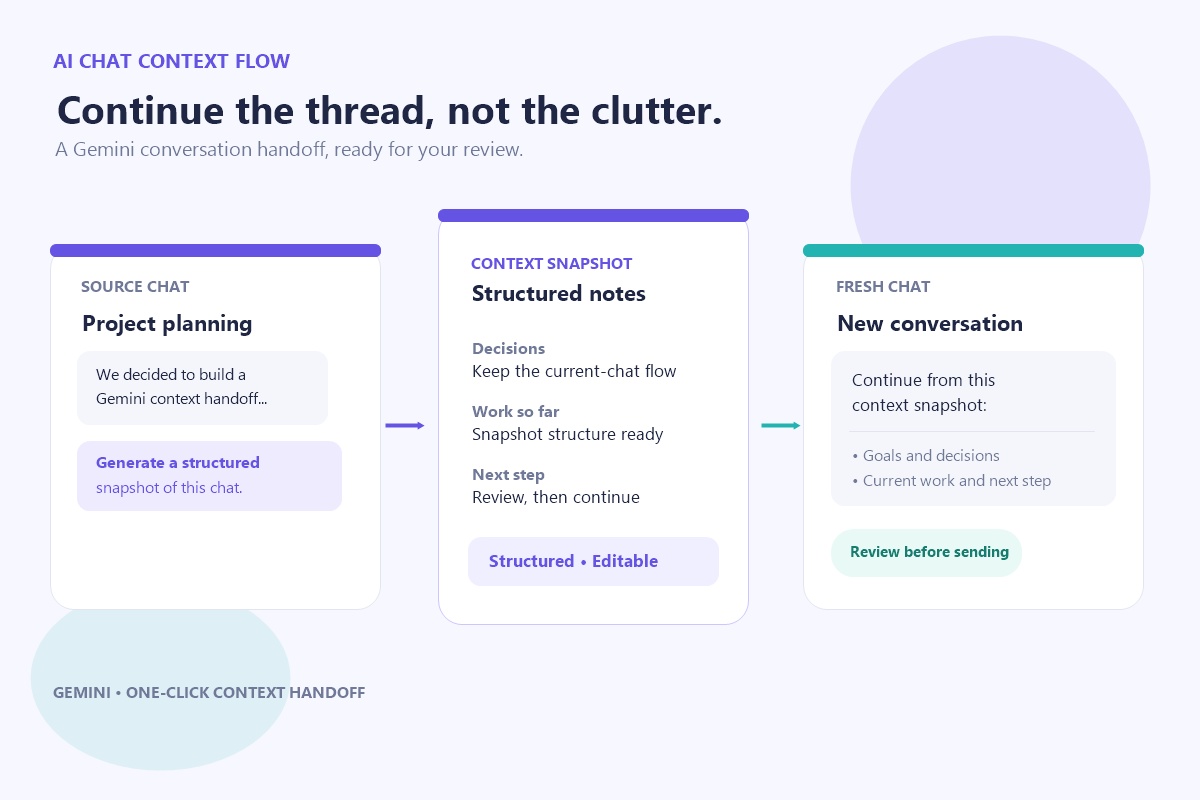
I was inspired to build this project by a struggle I experienced while using Gemini as an everyday research assistant. When a chat thread gets very long, it becomes messy and slow. If I open a new chat to continue, it doesn’t remember anything from the previous conversation. I had to manually extract a summary from the old chat and paste it into the new one—but even then, the summary was often inaccurate and took a lot of time. That’s why I built this extension: it does all of this automatically with a single click, helping the new chat accurately understand what the old conversation was about.
What it does
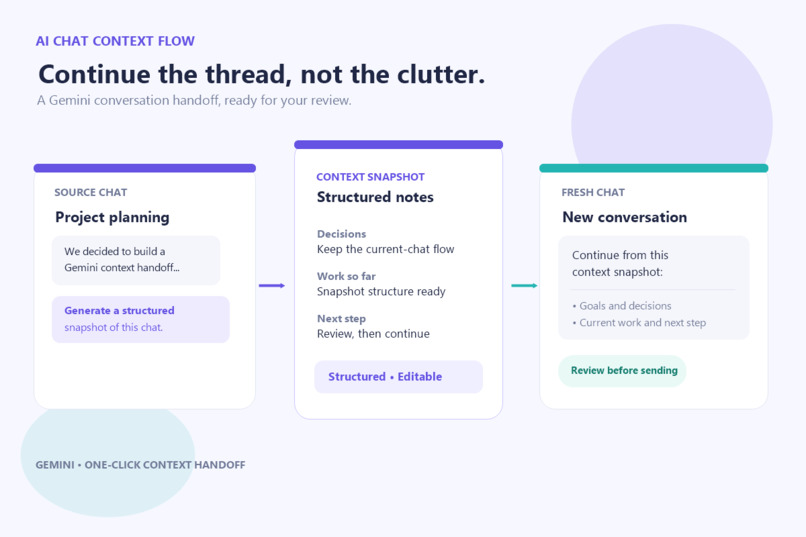
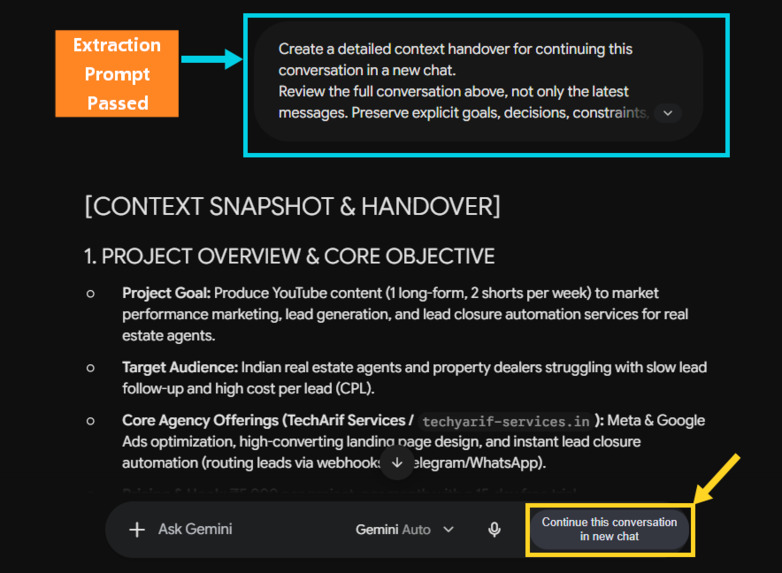
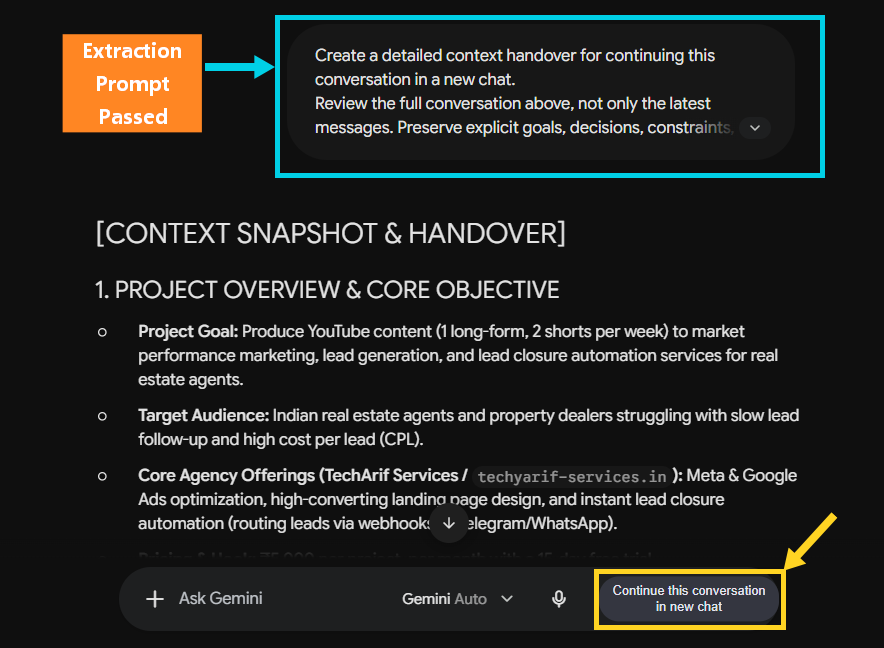
It is a Chrome extension that works with Gemini. When a user opens an old chat, a button labeled “Continue this conversation in new chat” appears in the prompt input area.
When the user clicks the button, the extension sends a detailed extraction prompt in the old chat. Gemini generates a context handoff snapshot, which the extension copies and saves locally.
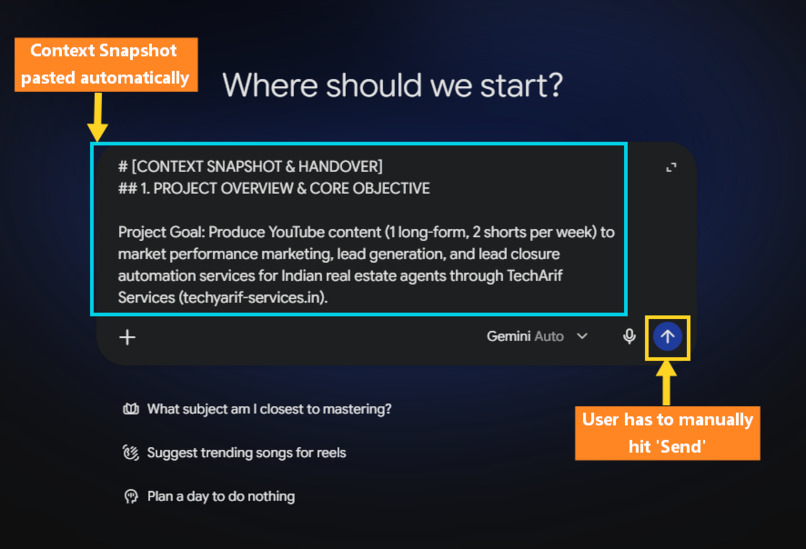
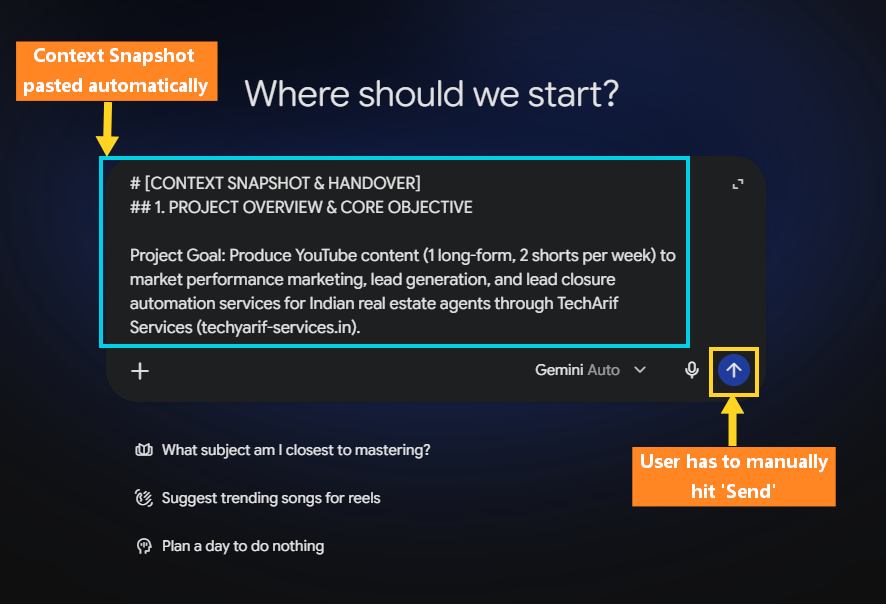
The extension then opens a new tab with a fresh Gemini chat, pastes the snapshot into the prompt field, and leaves it there for the user to review or edit.
The user must click Send manually. The new Gemini chat then receives the snapshot, giving it the key context from the old conversation.
How we built it
I built this project using the Devpost Learn Skill Pack. It helped me a lot, and I was amazed to see how AI could interview me to sharpen my idea and uncover points I might never have thought of. The skill pack gave me a clear structure, from 1-start to 6-ship. Along with GitHub Copilot in VS Code, it helped me complete this project on time. These are the languages and platform I used:
Vanilla Javascript: Runs the extension’s behavior, adds the continuation button to Gemini, requests and captures the context snapshot, and transfers it to a fresh chat.
CSS: Styles the extension’s button and other interface elements so they fit naturally into Gemini’s page.
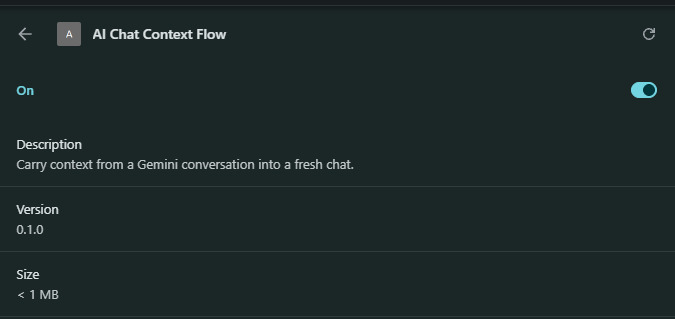
Chrome Extension Manifest V3: The extension platform and configuration format. It tells Chrome which scripts and permissions to use, and how the background service worker and Gemini page scripts work together. It’s not a programming language or framework.
Challenges we ran into
While building this project, I ran into these main challenges:
Working with Gemini's page: The extension had to find the right chat input and interact with Gemini's changing page UI.
Making the handoff reliable: It needed to wait for Gemini to finish generating the snapshot, capture it, and transfer it to a fresh chat.
Keep the scope focused: I considered adding - automatic chat renaming, but Gemini didn't make the needed current-chat action available, so we kept the handoff simpler.
Getting an accurate useful snapshot: The context needed to carry the important points from a long conversation so the new chat could continue meaningfully.
Accomplishments that we're proud of
Creating a solution for my own problem, I had been facing for years - turning my idea into a working chrome extension that hands context from an existing Gemini chat to a fresh one.
Completing the project through the Devpost Learn Skill Pack's steps - from shaping the idea to preparing it to ship.
Learned how to use Github Copilot in VS Code as part of building the project.
What we learned
I learned a couple of useful skills along the journey, such as:
How to work with AI coding agent inside a code editor ( Github Copilot in VS Code ), such that AI will handle the coding part, explain me what each file does, handle the errors/bugs that come in the way, and I will act as the main architect of the project - defining the goals/outcome of the project, learning what each file does, and test & verify each part of the project step by step.
Learned how to build a chrome extension, how it works, what are the background processes that occur and how to load an unpacked extension in chrome://extensions/.
Why extensions that depend on a website's page structure may need updates when that site changes.
How to transfer useful context between chats while keeping the snapshot editable and letting the user decide when to send it.
What's next for AI Chat Context Flow
For V2 of this project, we can definitely add on some features like:
"Import from Clipboard" option: This will allow the users to copy the context of an old gemini chat in just one click, and paste it into a fresh chat of other LLMs like Chatgpt, Claude, etc.
"Continue Past Conversation" button: When the user opens a fresh gemini chat, it will display this dropdown button beside the prompt input field - so that the user could select any of the past conversation, and the extension will carry out all the processes in background (like opening that old chat, passing detailed extraction prompt, capturing the context snapshot) and then come back and paste it into the fresh chat.
Renaming continued chats: For a chat named as "Keyword Research for Google Ads", if continued - by clicking on the "Continue this conversation in new chat" button and after sending the context snapshot to the new chat, it will rename it to "Keyword Research for Google Ads - Part 2".

Log in or sign up for Devpost to join the conversation.