-
-
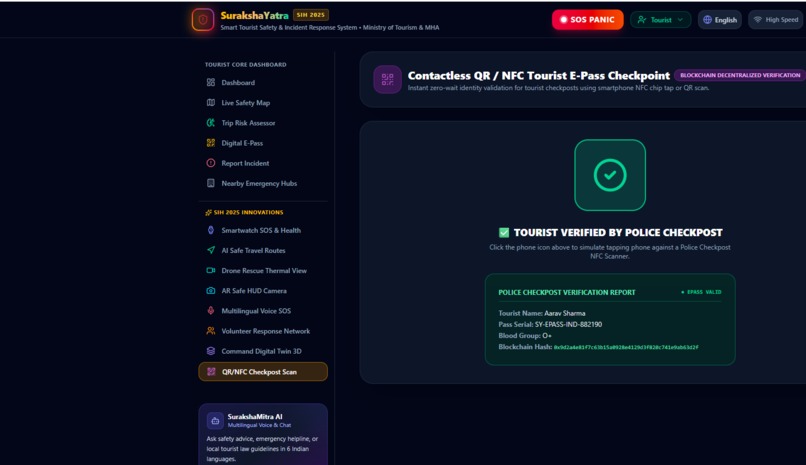
web dashboard.
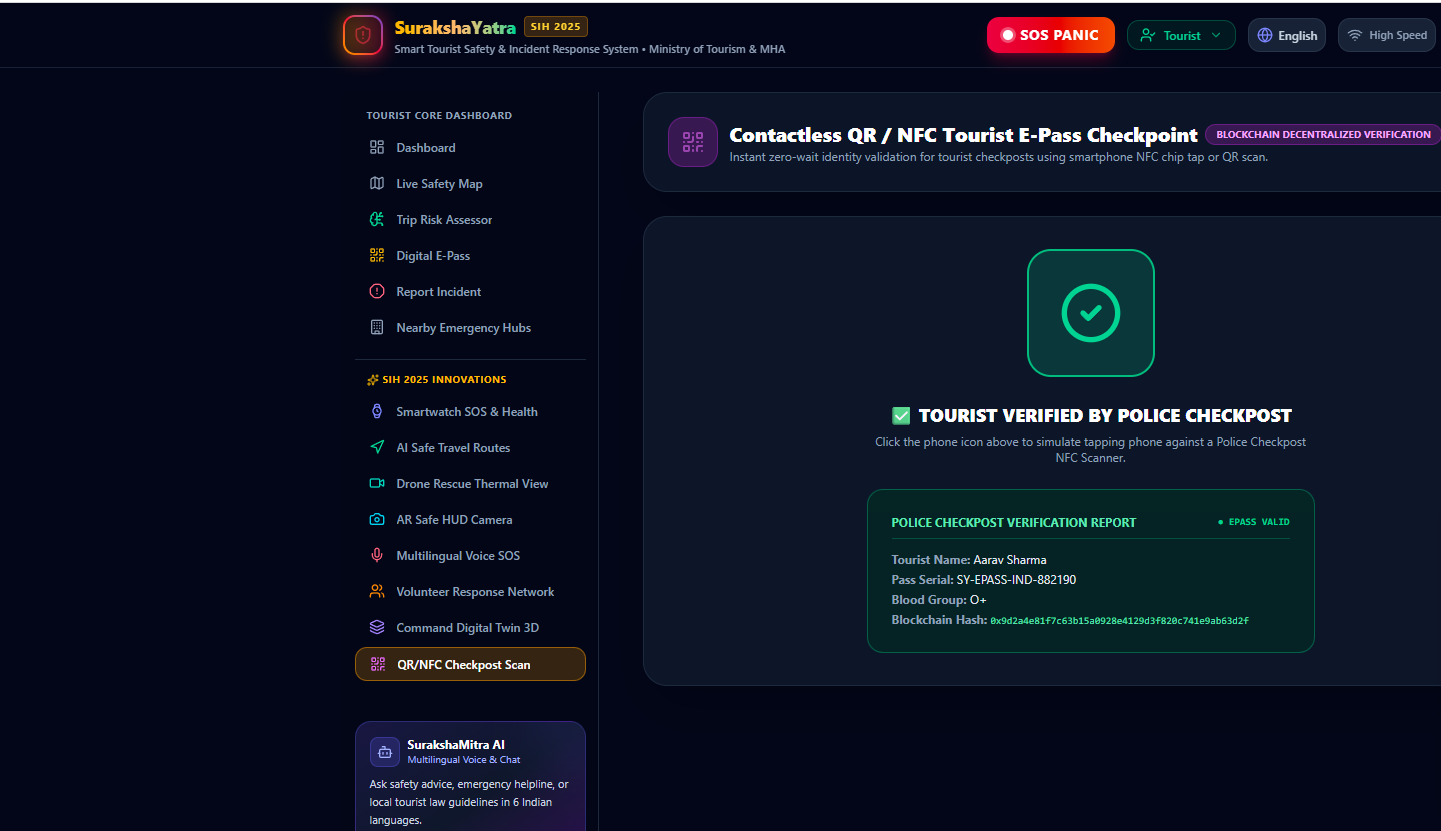
SurakshaYatra - Smart Tourist Safety & Incident Response System
SurakshaYatra is a comprehensive, multi-persona tourist safety and emergency response platform built for SIH 2025. It provides real-time tracking, multilingual AI assistance, and seamless coordination between tourists, police, rescue units, and state administration.
🌟 Key Features
1. Multi-Persona Access
The platform provides dedicated interfaces for different stakeholders:
- Tourist Mode: Personal safety dashboard, SOS trigger, e-pass verification, and risk planning.
- Police Control Room: Live incident monitoring, patrol dispatch, and threat management.
- NDRF Rescue Unit: High-altitude and disaster incident operations, emergency hubs.
- State Admin: Tourism safety analytics, policy enforcement, and tourist flow monitoring.
2. SurakshaMitra AI (Multilingual Assistant)
A 24/7 AI-powered safety companion built with Google's Gemini AI.
- Understands and responds in 6 Indian languages (English, Hindi, Bengali, Tamil, Telugu, Marathi).
- Provides safety advice, local laws, emergency protocols, and weather alerts.
- Voice-enabled query support (simulated).
3. Emergency SOS Panic Protocol
- One-touch SOS dispatch.
- 3-Second Hold Mechanism: Prevents accidental triggers.
- Instantly locks GPS coordinates and alerts Police, Ambulance, and Rescue teams.
4. AI Trip Risk Assessor
- Evaluates travel itineraries using Gemini AI.
- Analyzes route hazards, IMD weather advisories, and high-altitude safety guidelines.
5. Blockchain E-Pass (Digital Identity)
- Cryptographic proof hash for checkpoint verification.
- Stores vital medical information and emergency contacts securely.
6. Inclusive & Accessible
- 2G Lite Mode: Optimizes the app for low-bandwidth areas (common in high-altitude or remote tourist spots).
- Seamless language switching across the entire UI.
🛠️ Technology Stack
- Frontend: React 18, TypeScript, Tailwind CSS, Vite
- Backend: Node.js, Express, TypeScript (Compiled to a single
server.cjsvia esbuild) - AI Integration: Google GenAI SDK (
gemini-3.6-flash) - Icons: Lucide React
- Styling: Tailwind CSS (Mobile-first, responsive design)
📁 Project Structure
suraksha-yatra/
├── src/
│   ├── components/         # Reusable React components
│   │   ├── Admin/          # State Admin dashboard components
│   │   ├── AI/             # Multilingual Chatbot & AI modules
│   │   ├── Innovations/    # SIH 2025 specific innovative modules
│   │   ├── Map/            # Interactive Live Map integration
│   │   ├── Police/         # Police control room components
│   │   ├── Rescue/         # NDRF rescue dashboard components
│   │   ├── SOS/            # Emergency SOS Trigger Modal
│   │   └── Tourist/        # Tourist facing components (Risk Planner, E-Pass)
│   ├── context/            # React Context API (AppContext) for state management
│   ├── data/               # Mock data & static configurations
│   ├── translations/       # Multilingual dictionaries (en, hi, bn, ta, te, mr)
│   ├── types.ts            # TypeScript interfaces and types
│   ├── App.tsx             # Main React component
│   └── main.tsx            # Vite React entry point
├── server.ts               # Express backend & Vite middleware
├── package.json            # Dependencies and scripts
└── tailwind.config.js      # Tailwind CSS configuration
🚀 Getting Started
Prerequisites
- Node.js (v18 or higher)
- npm or yarn
Installation
- Clone the repository.
- Install dependencies:
bash npm install - Set up environment variables:
Create a
.envfile in the root directory and add your Gemini API key:env GEMINI_API_KEY=your_gemini_api_key_here
Development
Start the development server (Frontend + Backend):
npm run dev
The application will be available at http://localhost:3000.
Production Build
Build the application for production:
npm run build
Start the production server:
npm run start
🔐 Environment Variables
| Variable | Description | Required |
|---|---|---|
GEMINI_API_KEY |
Google Gemini API Key for the AI Assessor and Chatbot | Yes |
🛡️ Safety & Data Privacy
- Client-Side Storage: Sensitive travel data is kept locally where possible.
- Server-Side API Keys: The Gemini API key is securely stored on the server-side (
server.ts) and never exposed to the client browser. - Simulated Decentralization: The E-Pass system demonstrates cryptographic hashing principles for secure tourist verification.
Built with ❤️ for a safer travel experience in India.
Built With
- gemini-api-key


Log in or sign up for Devpost to join the conversation.