Inspiration
Forge UI Modifications are a really interesting new avenue for developers. Though myself and customers typically don't like the idea of bloating the UI with additional custom fields. So I wanted to see how far I could push the functionality and features of only focusing on the Jira issue summary field as an AI prompt box.
What it does
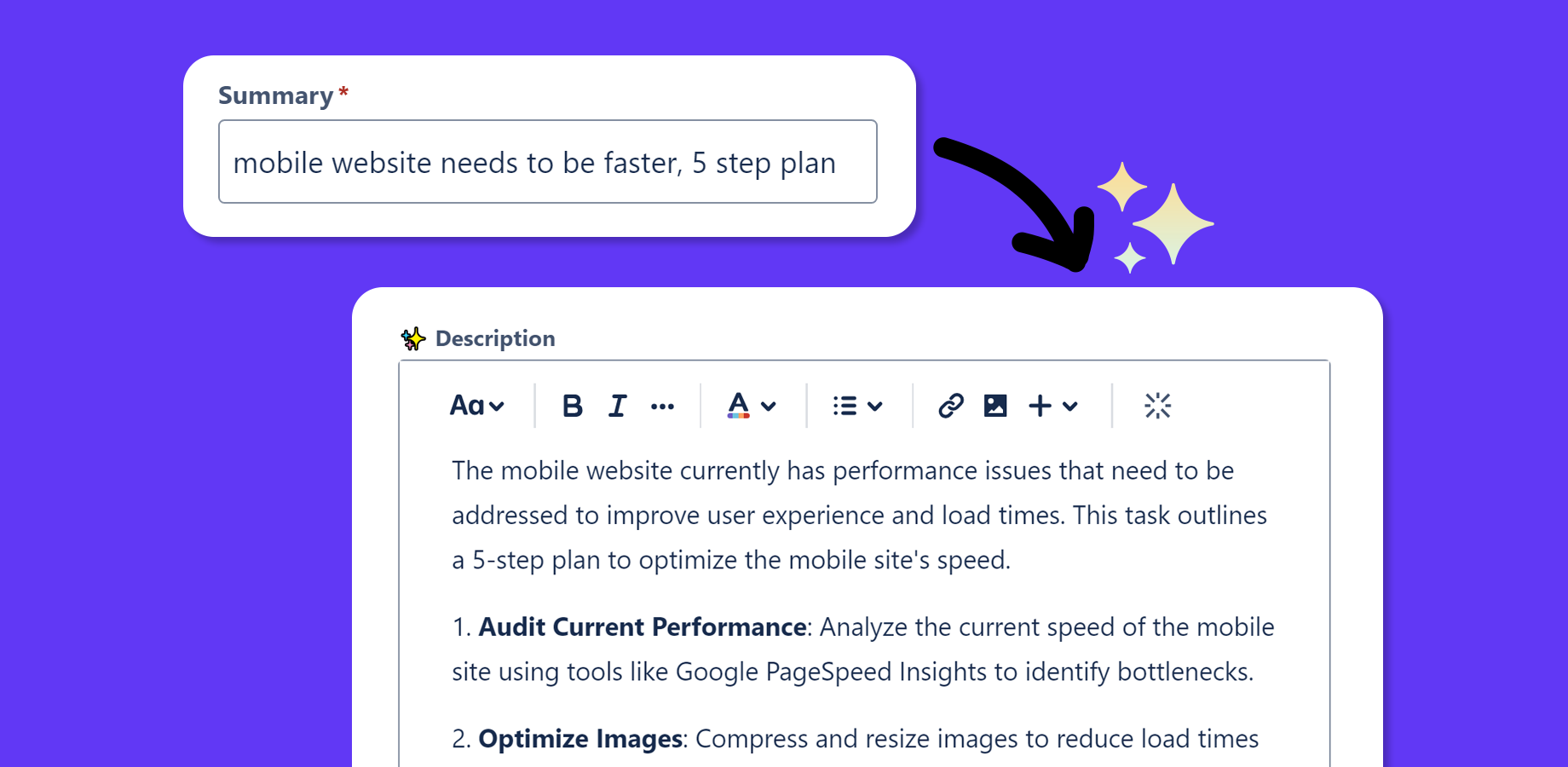
Uses the Jira issue summary field as an AI prompt box to generate and modify beautifully formatted and precise issue descriptions.
When creating a new issue the app automatically generates a description from the user's summary.
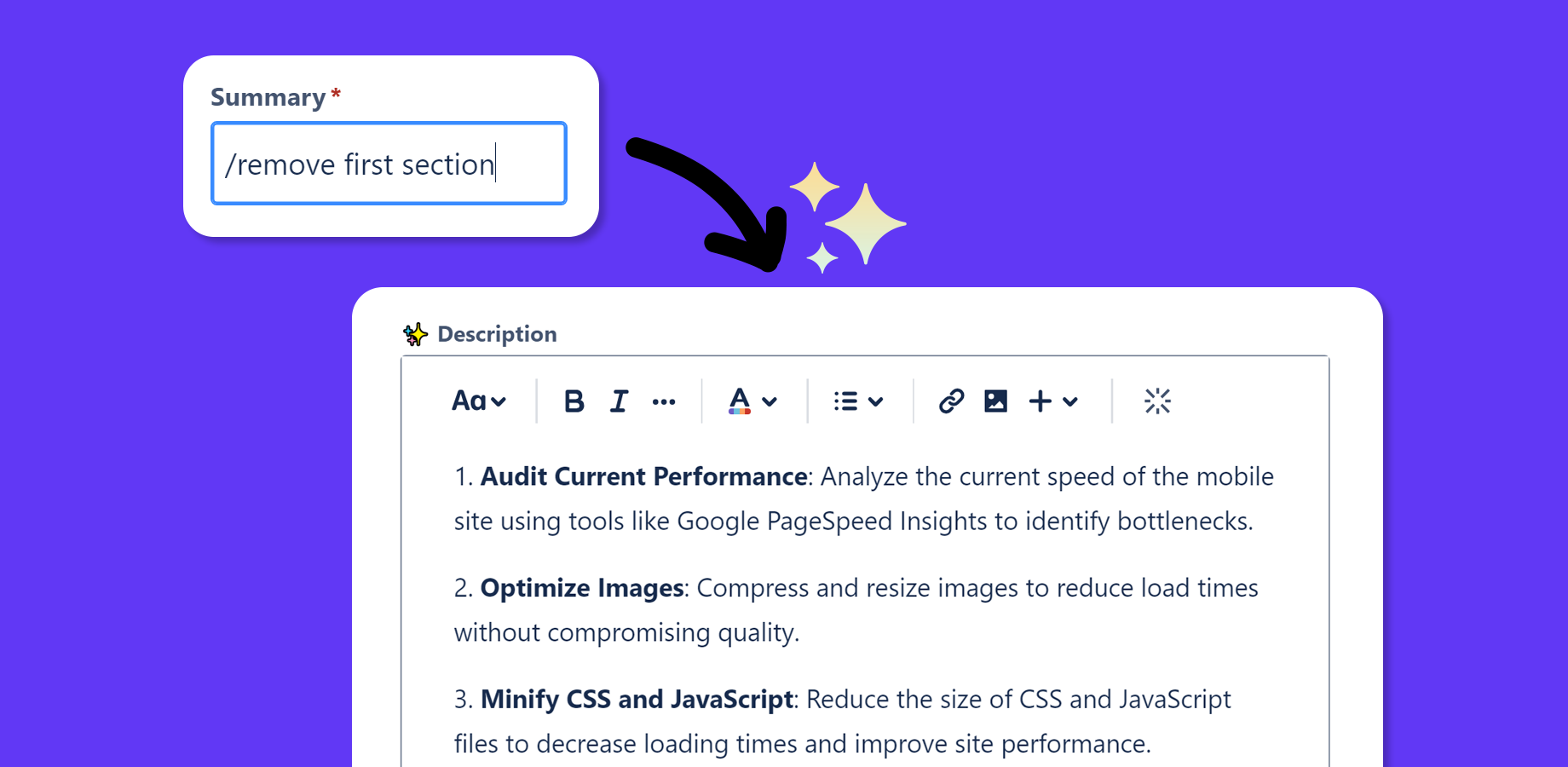
For follow-up modifications on new or existing issues, users can type /[prompt] anywhere in the summary field to trigger the AI.
How we built it
Forge UI Modifications and latest OpenAI model function calling.
Challenges we ran into
UI Modifications are quite restrictive in where and how they're injected into the Jira UI, and can be quite inconsistent in their behaviour.
Accomplishments that we're proud of
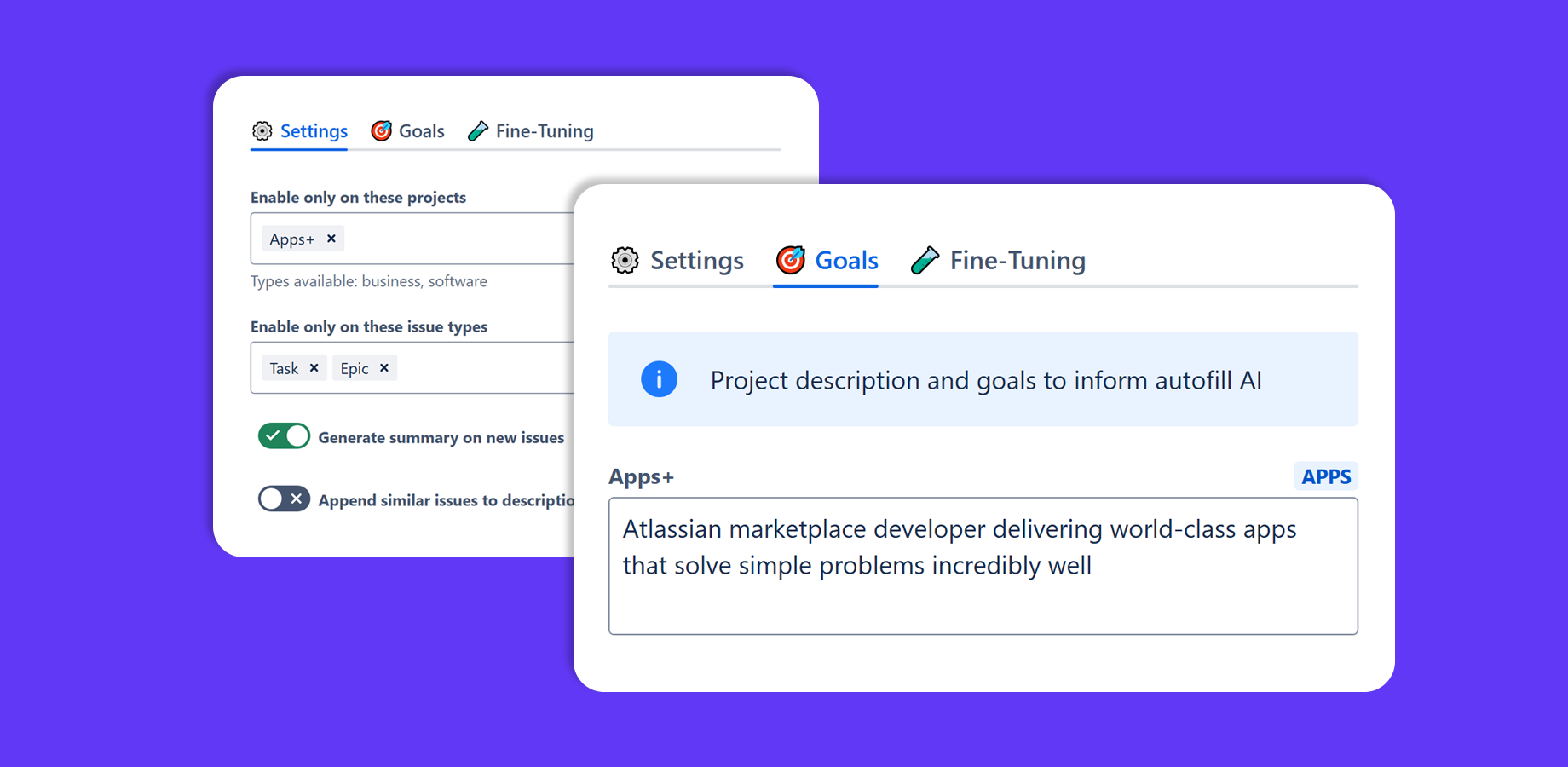
There's a lot of work that went into the /[prompt] feature to prevent unwanted changes, properly formatting the description to ADF, and providing abundant configuration options. It's not as simple as it looks!
What we learned
UI Modifications are challenging today but have the ability to become the most seamless integration point in the future.
What's next for AI Autofill+ for Jira
Iterate based on customer feedback :)


Log in or sign up for Devpost to join the conversation.