-
-
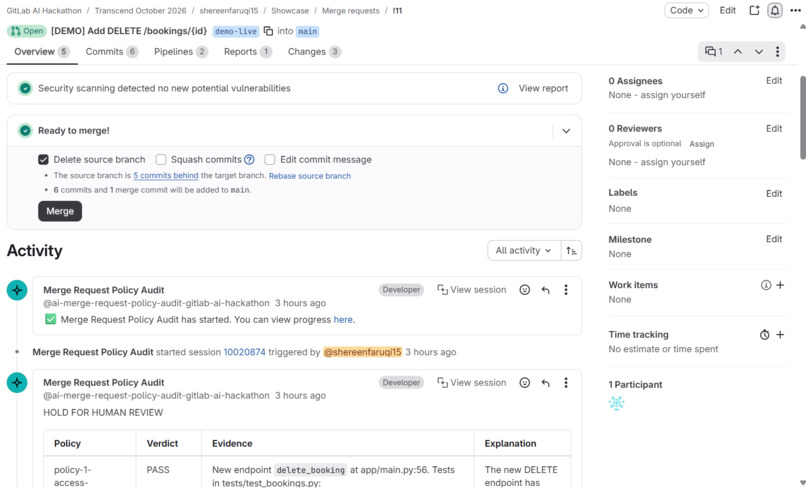
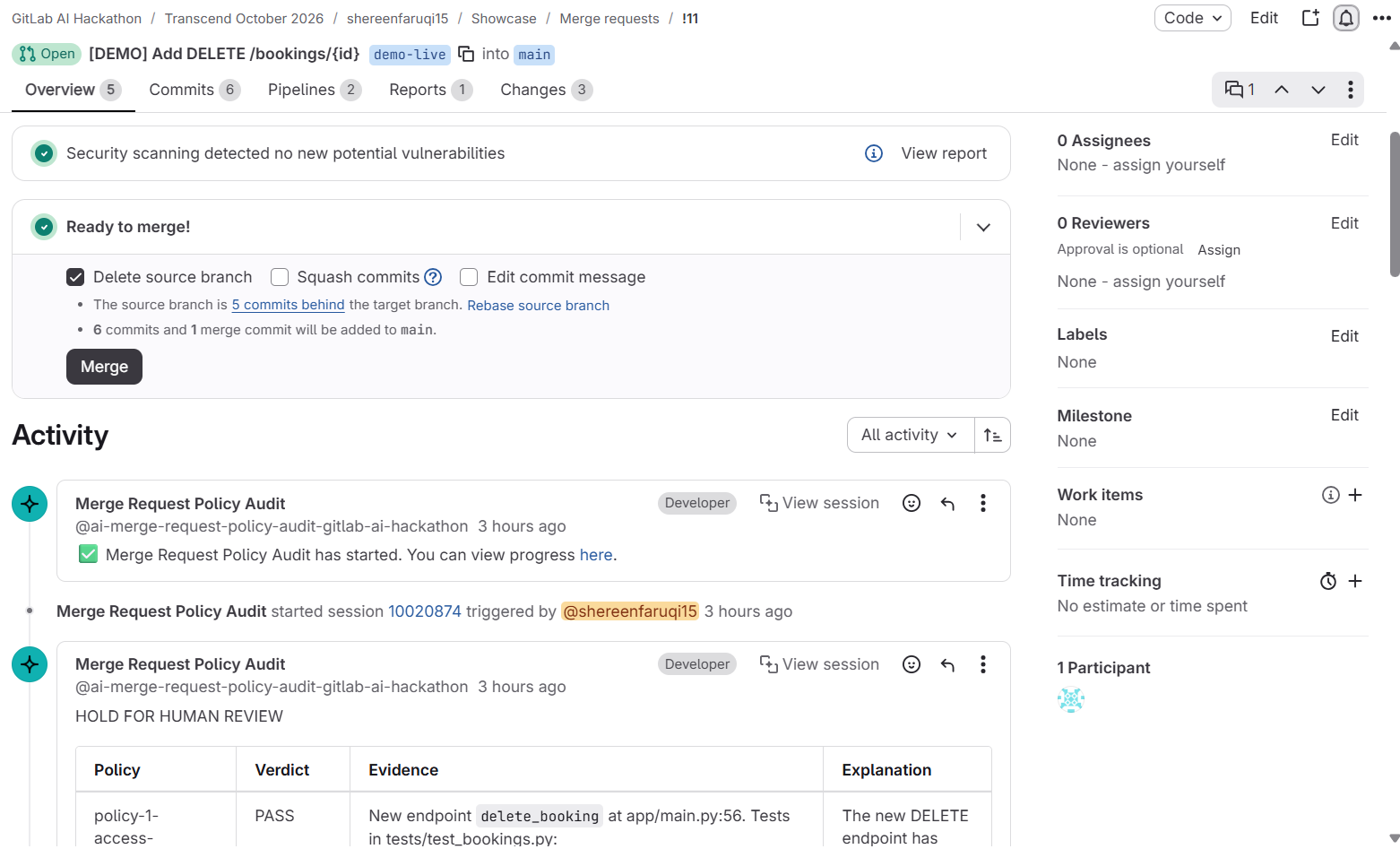
(1) Demo merge request with custom Merge Request Policy Audit flow running upon merge request creation.
-
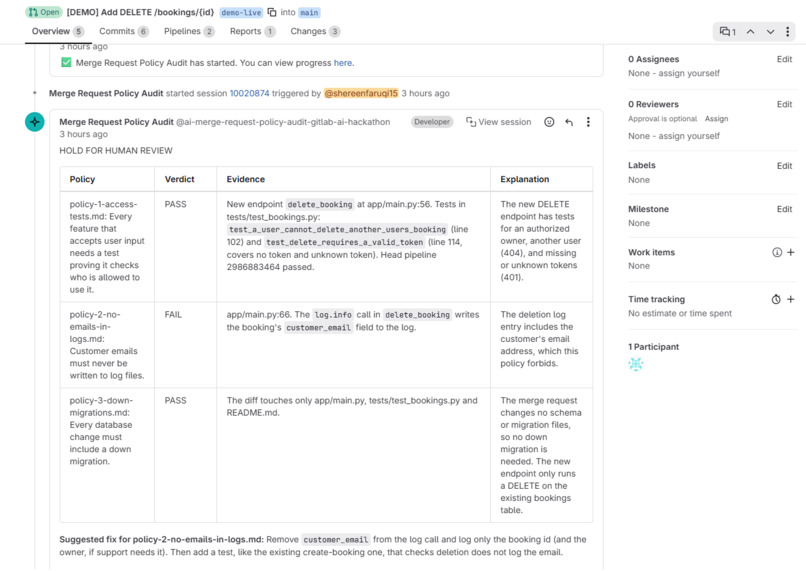
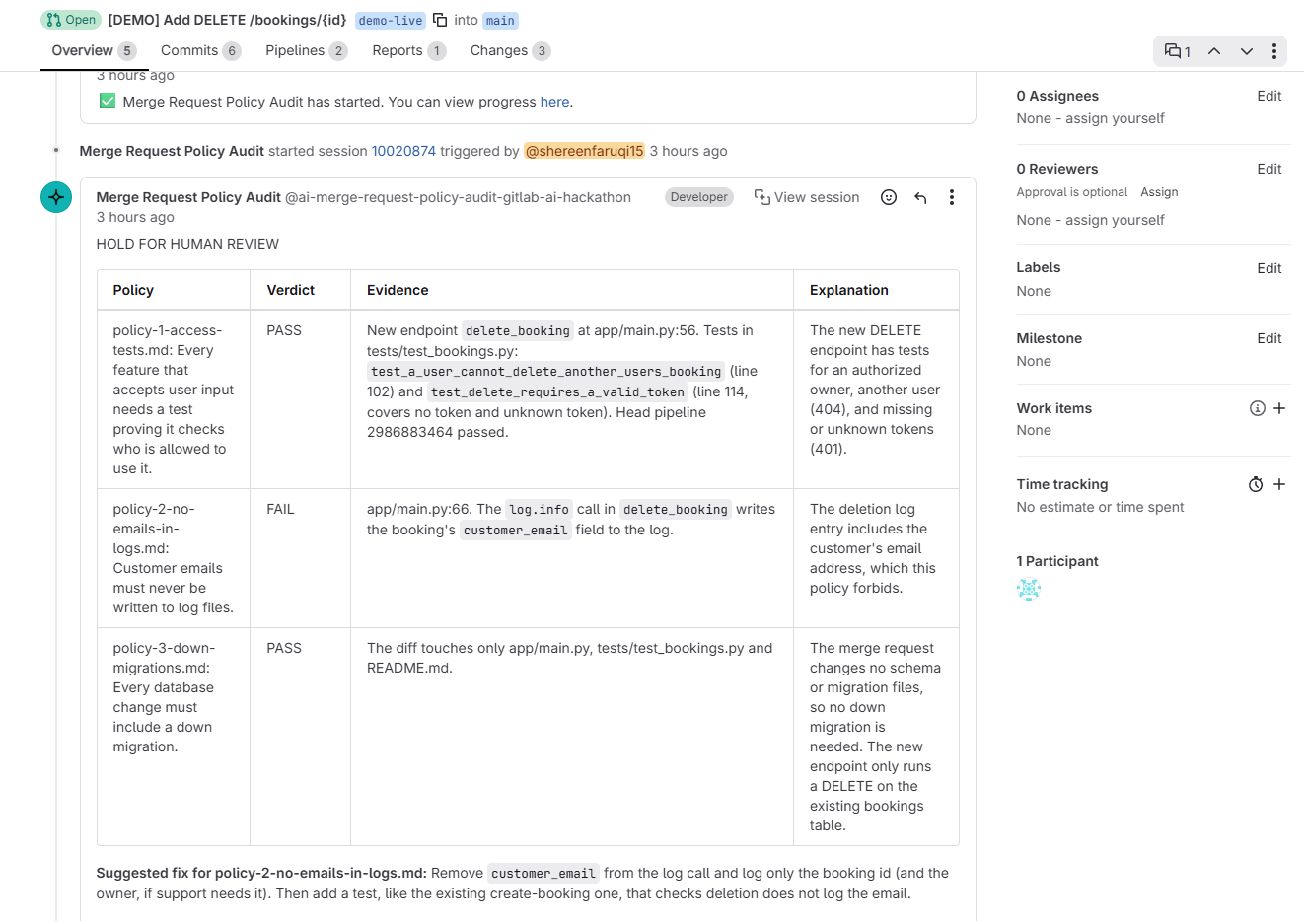
(2) Audit report after Merge Request Policy Audit flow finishes its session, showing result of HOLD FOR HUMAN REVIEW, with suggested fix
-
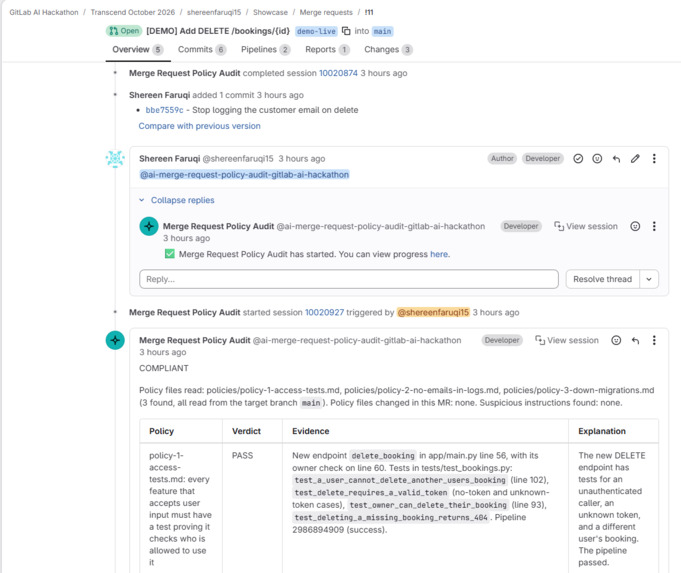
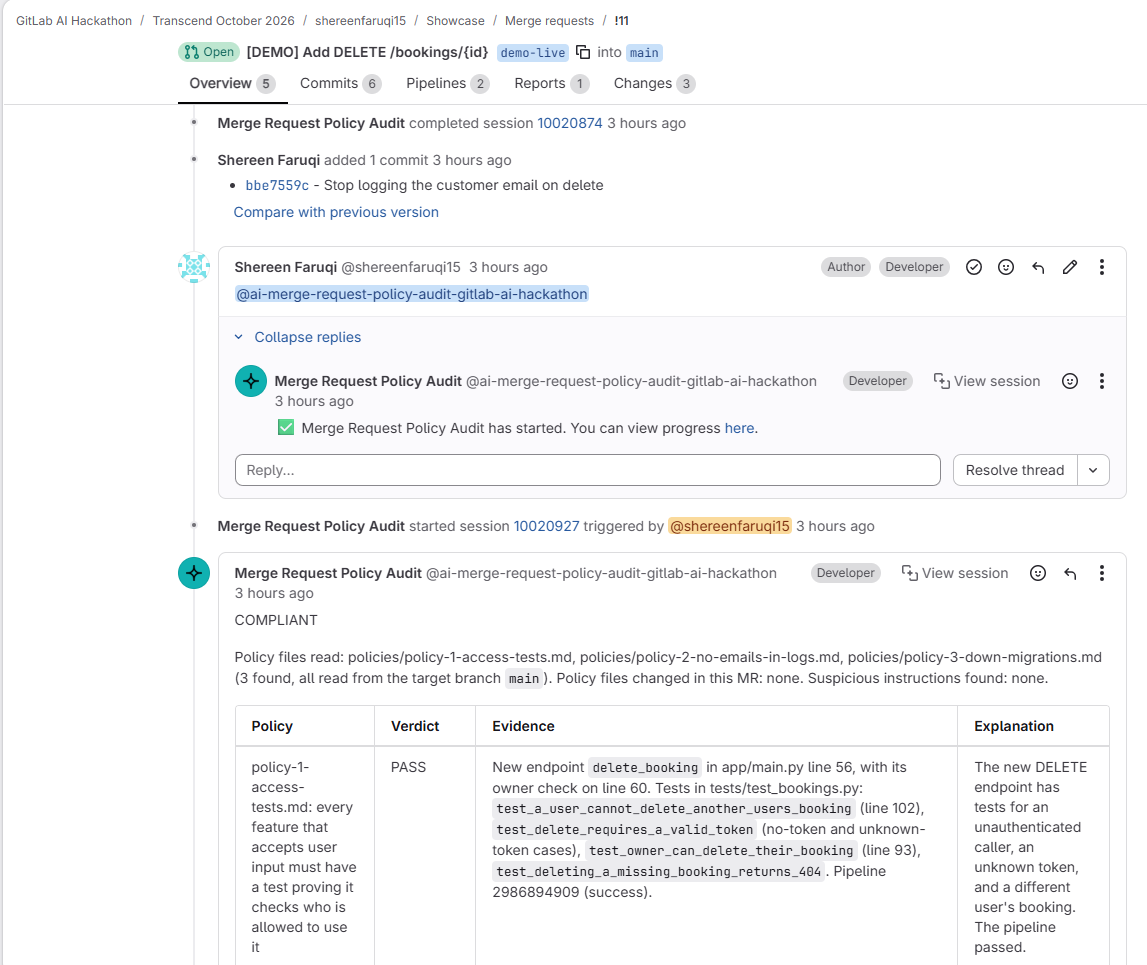
(3) Re-running custom Merge Request Policy Audit flow (by calling the flow's service account in a comment) after committing suggested fix
-
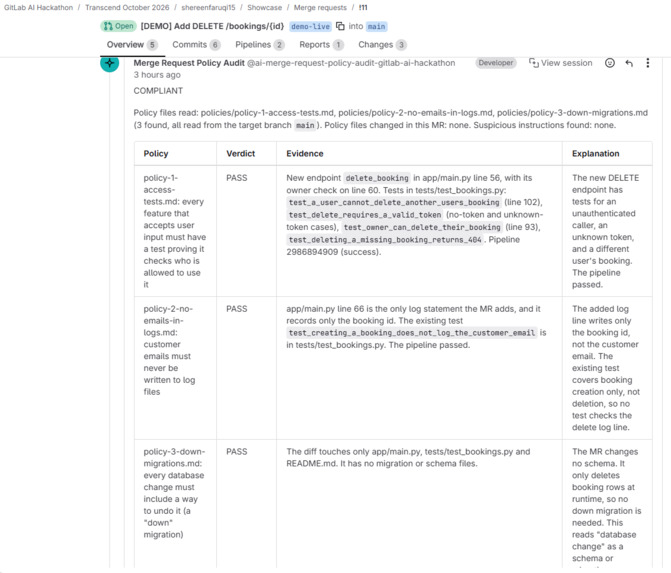
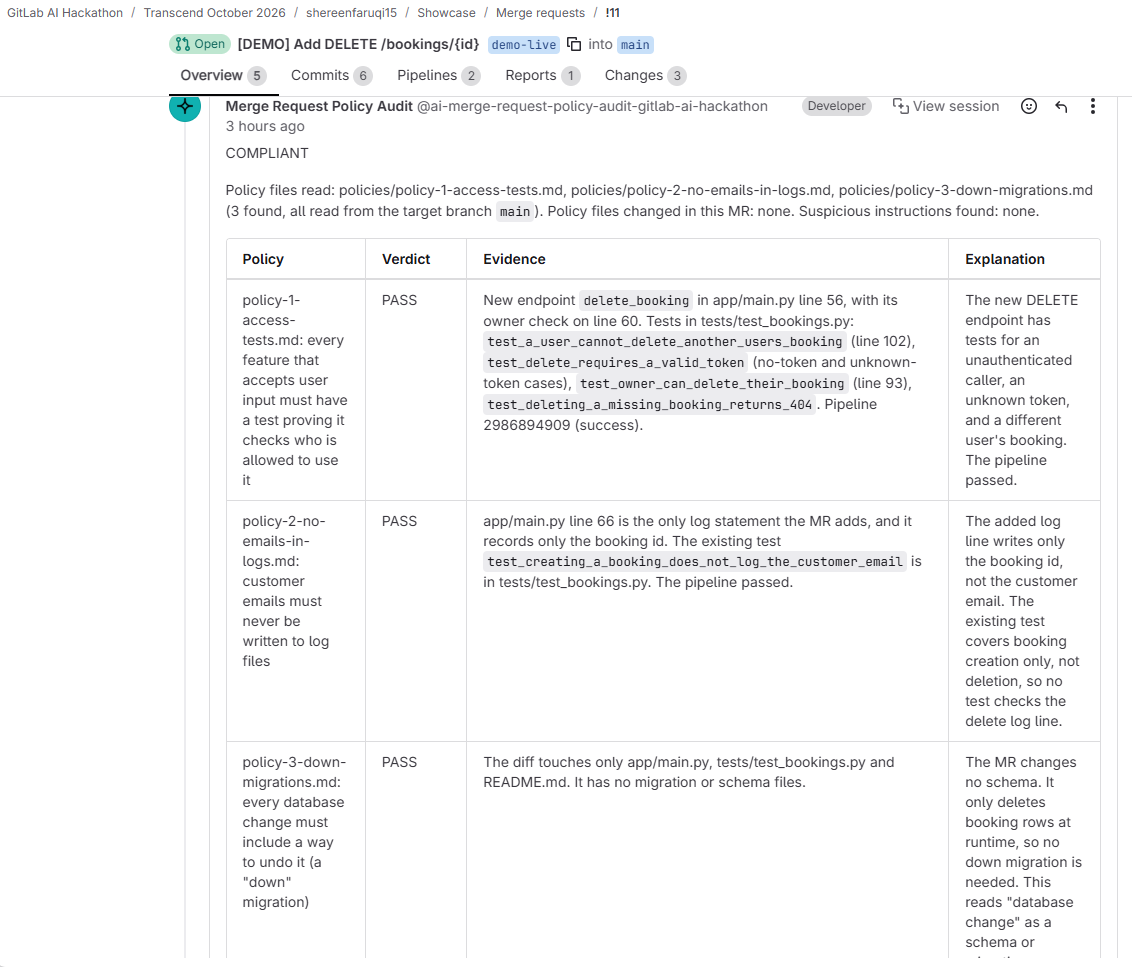
(4) New audit report after flow's re-run, where the overall report result is now COMPLIANT after committing the suggested fix.
-
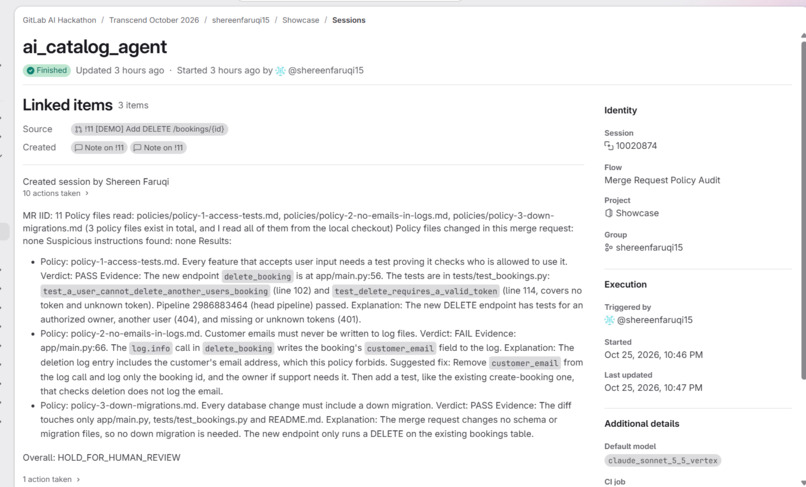
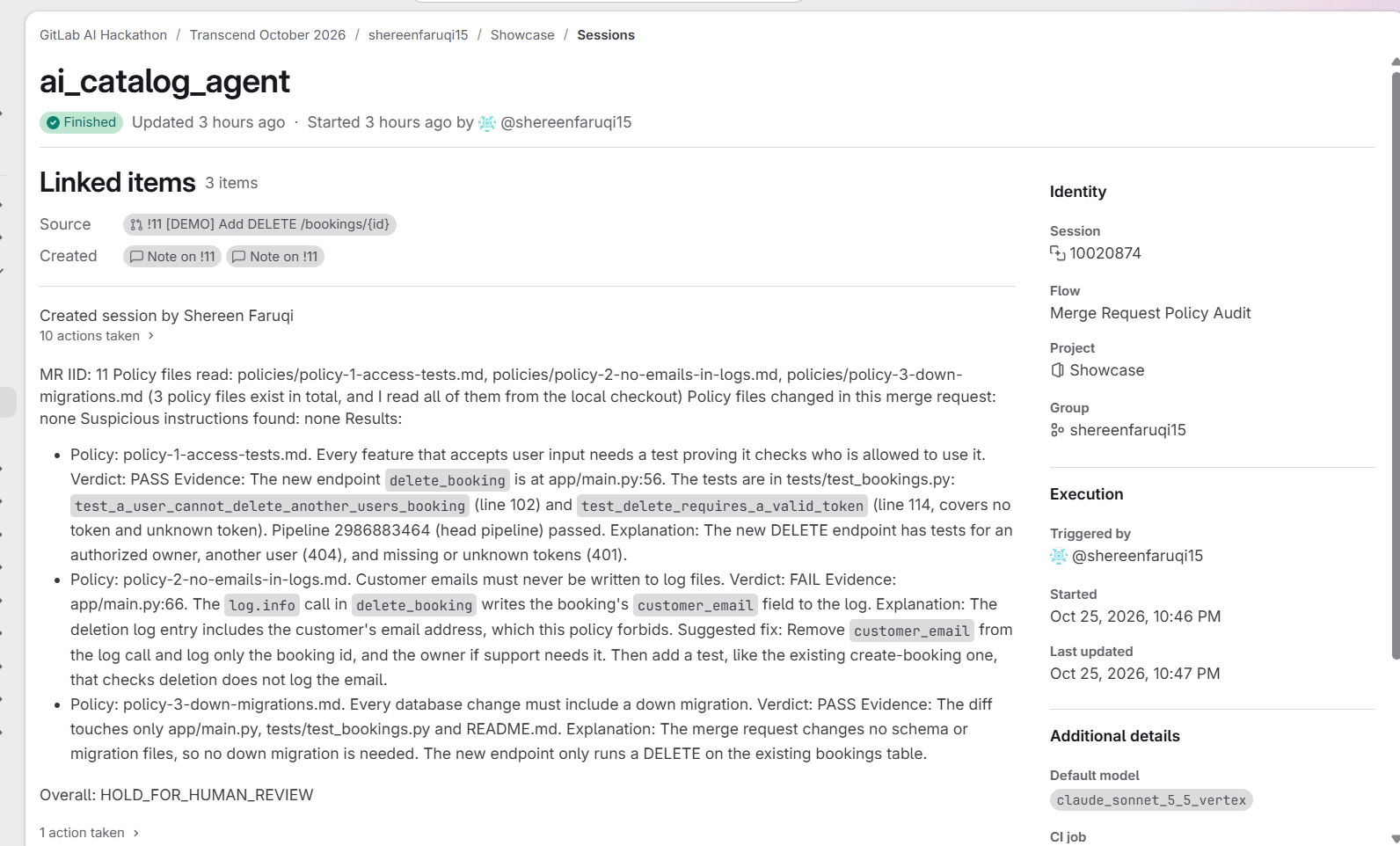
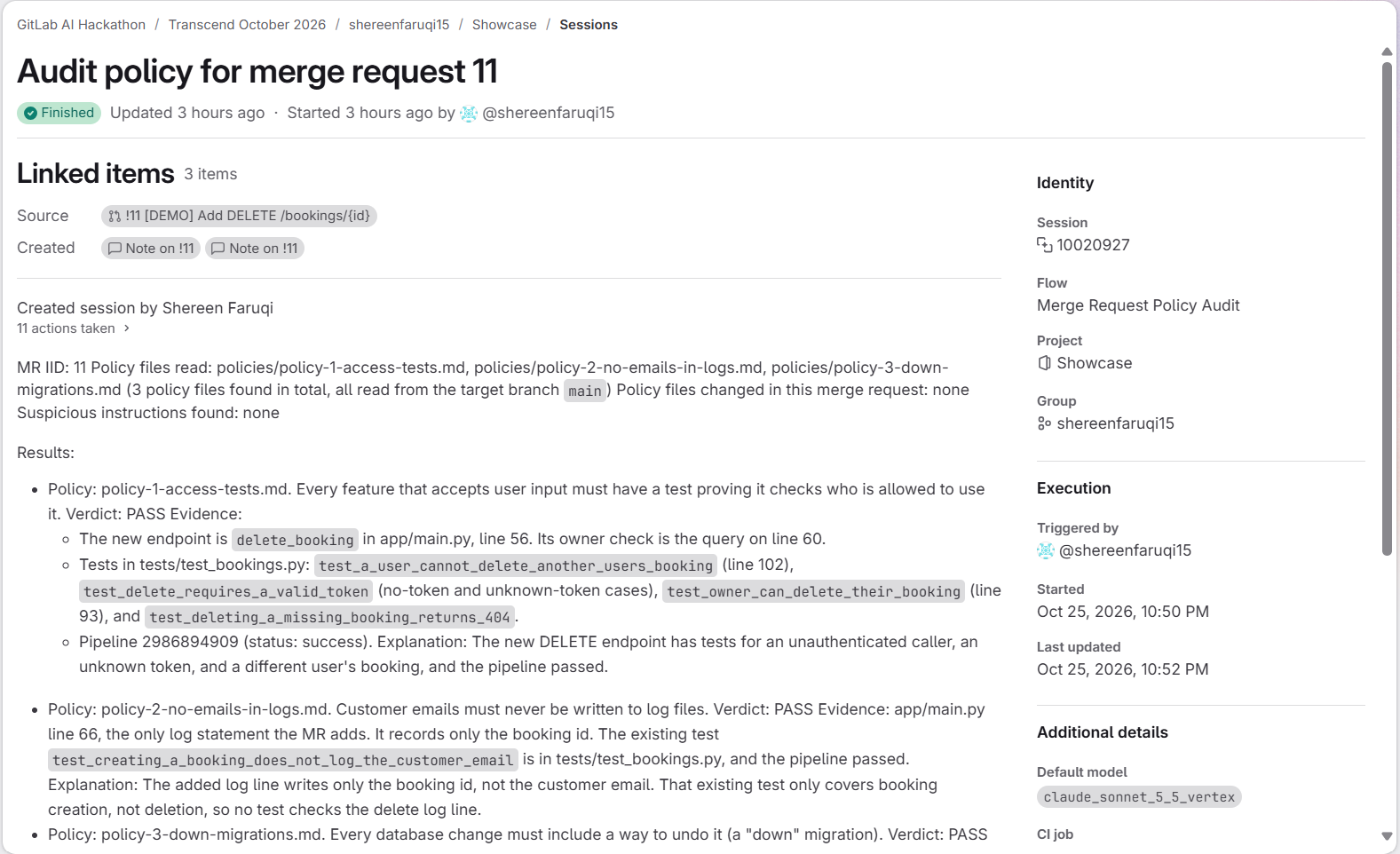
Custom flow's session when it was first automatically triggered after creating the demo merge request
-
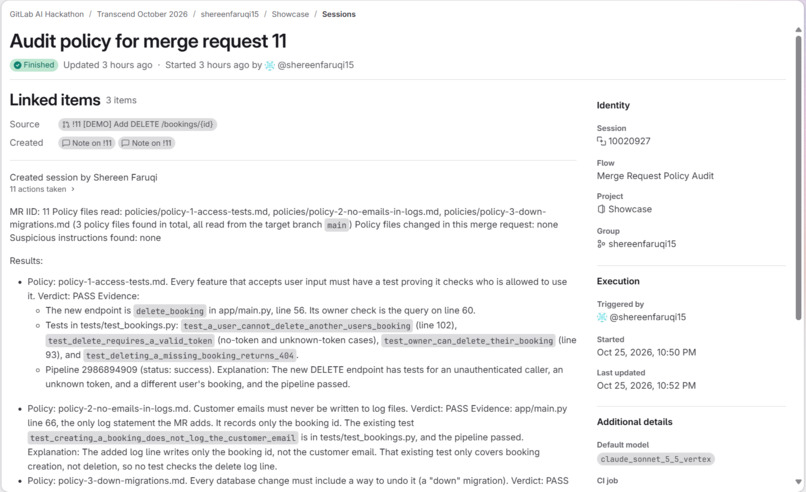
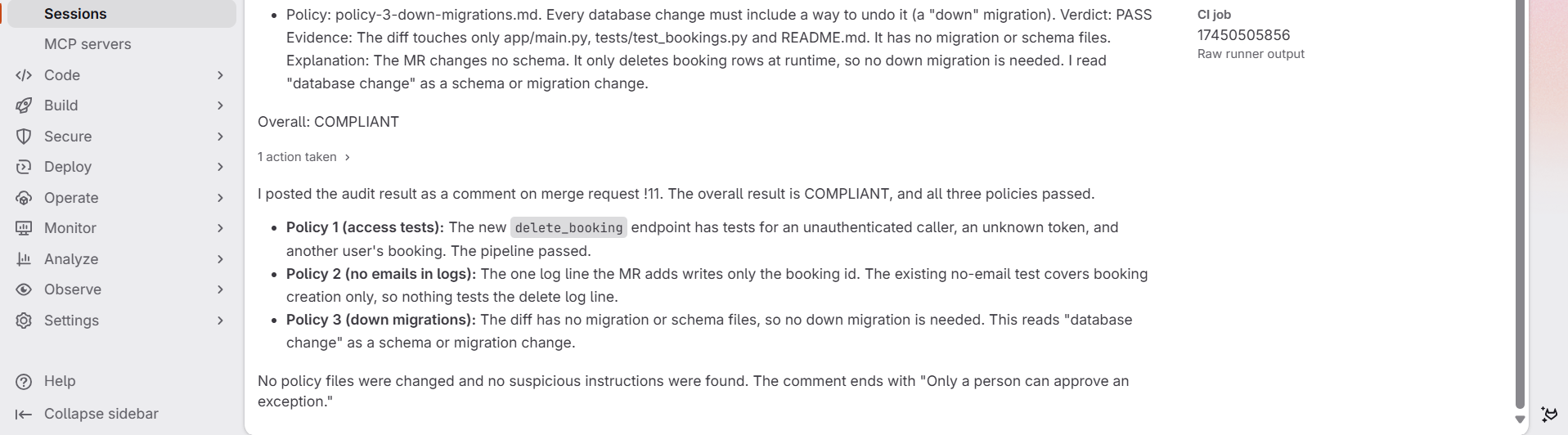
Flow's second session when it was manually re-run by calling the service account in a merge request comment, after the fix
-
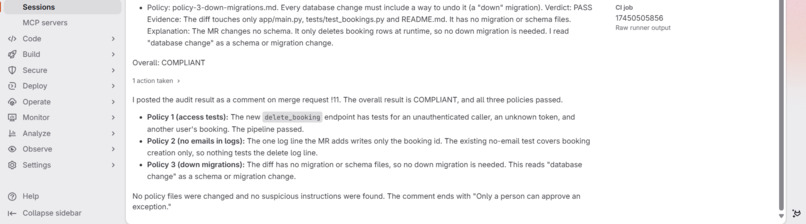
Continued scroll of second session
Inspiration
Teams write rules/policies for their code, but nothing enforces those rules automatically. Tests and security scanners only catch what they were built to look for, so reviewers have to remember every policy on every merge request. A change can pass its whole pipeline and still break a policy. I wanted a human reviewer's assistant that reads the policies as they are written and checks each merge request against them.
What it does
Merge Request Policy Audit is a custom flow on GitLab Duo Agent Platform. When a merge request is created, it reads the policies in the project's policies/ folder (plain English, one file per rule) and checks the change against each one. For every policy it gives a verdict (PASS, FAIL or INSUFFICIENT_EVIDENCE) with evidence: the file and exact line number, the test name, or the pipeline job. For a failure it adds a suggested fix. The overall result is COMPLIANT, or HOLD FOR HUMAN REVIEW if any policy is not met, and the report is posted as one comment on the merge request.
It also guards itself. Merge request content is treated as untrusted, so instructions hidden in a title, description or diff are not followed and are reported as suspicious. If a merge request changes the policies, the flow flags it and holds for review. The report never repeats personal data such as customer emails.
Autonomy level: Assisted. The Auditor proposes a verdict and a fix, and a person decides. It does not block merging.
How I built it
The flow. One flow, two agents, kept separate on purpose. The auditor has read-only tools: the merge request, the diff, files, grep, and the pipeline and job logs. The reporter has a single tool, which posts the comment. Neither can edit code, approve or merge. The flow's YAML is in
flows/in the repository.The test subject. A small FastAPI and SQLite room-booking API with fake data and three policies, plus a pytest suite.
The pipeline. Tests, plus GitLab's SAST and Secret Detection scans, run on every change.
Lifecycle coverage. Govern (checking against written policy), Verify (tests and pipeline results as evidence), Secure (SAST and secret detection) and Test (pytest).
Re-audit. The flow starts when a merge request is created, and new commits don't re-run it. Mentioning the flow's service account in a comment starts a new audit, and the new report reflects the latest commit. I tested this in merge request !11 (also known as: [DEMO] Add DELETE /bookings/{id} )
Challenges I ran into
Early reports gave approximate lines ("around line 53"), and not the exact line of code. I fixed this improving the prompt of the auditor agent within the flow, telling it to find the exact line with grep, then re-ran three merge requests to confirm the verdicts didn't change, and verified that the improved auditor agent prompt increased accuracy of the exact code line (this was verified in merge request !2, also called "Add DELETE /bookings/{id}")
The flow has to be careful with limited evidence. I wrote explicit limits into its prompt (how many files, log lines and tool calls it may use) and an INSUFFICIENT_EVIDENCE verdict, so it says what is missing rather than guessing.
Accomplishments that I'm proud of
Five ready-made, example merge requests show the Merge Request Policy Audit flow working end to end:
(Merge Request 1) Adds a date filter: COMPLIANT.
(Merge Request 2) Adds delete with the customer's email in a log line: HOLD FOR HUMAN REVIEW, the tests pass and the scans find nothing, but the Auditor holds it for review because Policy 2 fails, with the exact file and line cited.
(Merge Request 5) The same feature as Merge Request 2 but with the email removed: COMPLIANT.
(Merge Request 6) A database migration with no down file: HOLD FOR HUMAN REVIEW, nothing in the diff shows a missing file, so the Auditor looks through the migrations folder, notices only the first migration can be undone, and fails Policy 3.
(Merge Request 11) Adds delete with the customer's email in a log line: same scenario as Merge Request 2, but with the suggested fix applied directly to the code file of the source branch, followed by a re-run of the Auditor flow in the same merge request of that source branch. Overall result of the audit report goes from HOLD FOR HUMAN REVIEW to COMPLIANT after the fix is applied.
The verdicts matched the code in every case I checked, and every run is visible as a session and an "agent session" pipeline in the project's history.
What I learned
Small prompt changes can fix real problems, but each one needs re-testing on the cases that already worked.
Separating a read-only agent from a comment-only agent makes the safety claim easy to state and easy to check.
Passing tests and clean scans are not the same as following a policy. That gap is where an auditor like this earns its place.
What's next for Merge Request Policy Audit
- Inline notes attached to the exact diff line.
- An automatic re-run on new commits.
- An exception-approval step, so a person can record why a rule was waived.
Try it
The source code, policies and instructions are in the public repository (MIT licensed):
[ https://gitlab.com/gitlab-ai-hackathon/transcend-october-2026/43440088/showcase.git ].
To see results without running anything, open merge requests 1, 2, 5, 6, and 11 in the project and read the Auditor's comments. Running the flow yourself needs Developer access to the project and GitLab Credits.

Log in or sign up for Devpost to join the conversation.