Inspiration
I wanted to create a tool that makes studying more accessible, especially for auditory learners and visually impaired students who struggle with long walls of text in lecture notes.
What it does
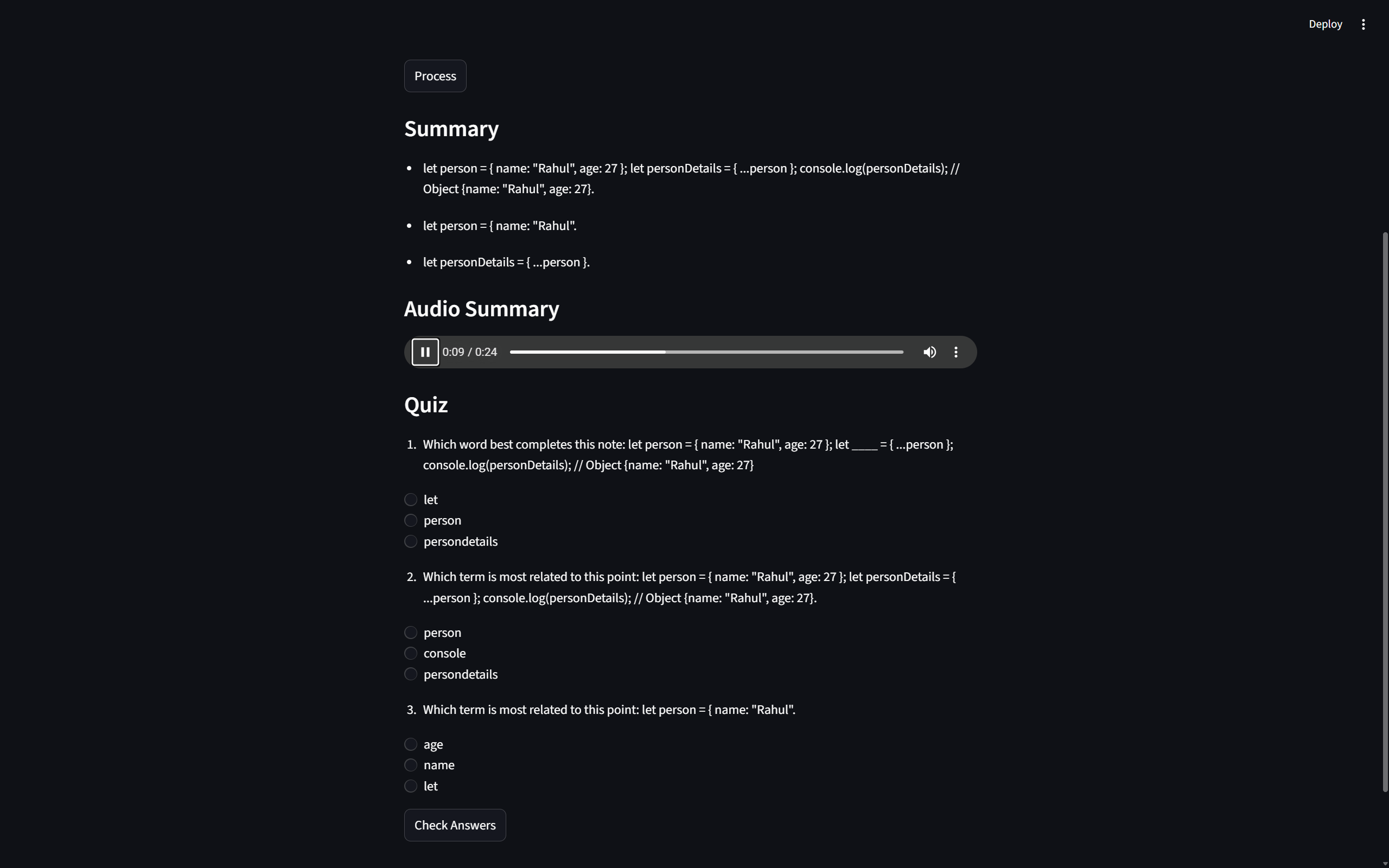
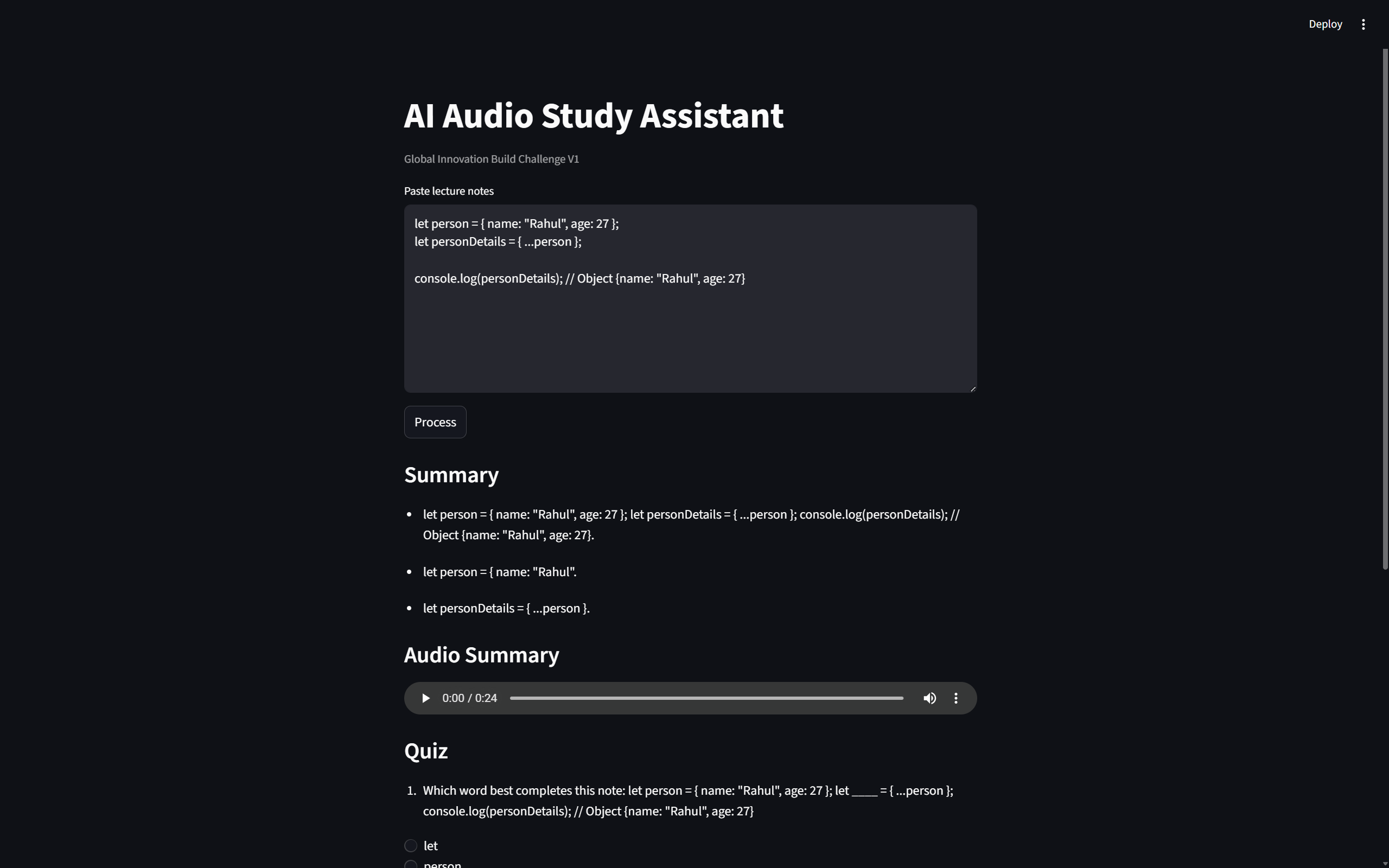
It takes raw lecture notes and uses AI to generate a concise summary. It then converts this summary into an audio file using text-to-speech. Finally, it creates a quick 3-question multiple-choice quiz based on the notes so I can test my knowledge.
How I built it
I built the backend using Python and FastAPI to handle the data processing and routing. For the frontend, I used Streamlit because it allows for rapid prototyping and creates a clean interface. I integrated an open-source LLM for the text summarization and quiz generation, and used gTTS to handle the audio conversion.
Challenges I ran into
Getting the audio player to render properly in Streamlit after the backend generated the file took some troubleshooting. I also had to refine the AI prompt to ensure the quiz questions were relevant and the summary was actually concise, rather than just repeating the text.
Accomplishments that I'm proud of
I am really proud of getting a fully functional full-stack application running so quickly. The seamless connection between the FastAPI backend and the Streamlit frontend feels great, and the audio generation works perfectly.
What I learned
I learned a lot about integrating text-to-speech libraries with web frameworks and managing state between a backend API and a Streamlit UI.
What's next for AI Audio Study Assistant
I plan to add support for uploading PDF and DOCX files directly, instead of just pasting text. I also want to explore using a more advanced LLM for deeper conversational tutoring based on the uploaded notes.
Built With
- fastapi
- gtts
- llm
- python
- streamlit

Log in or sign up for Devpost to join the conversation.