-
-
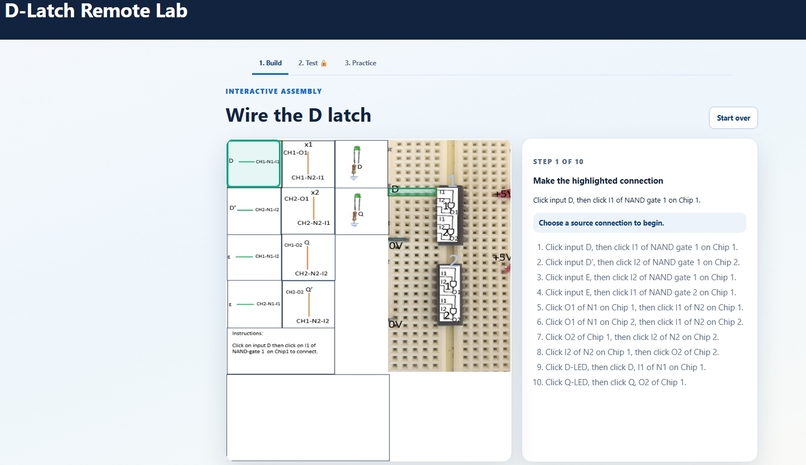
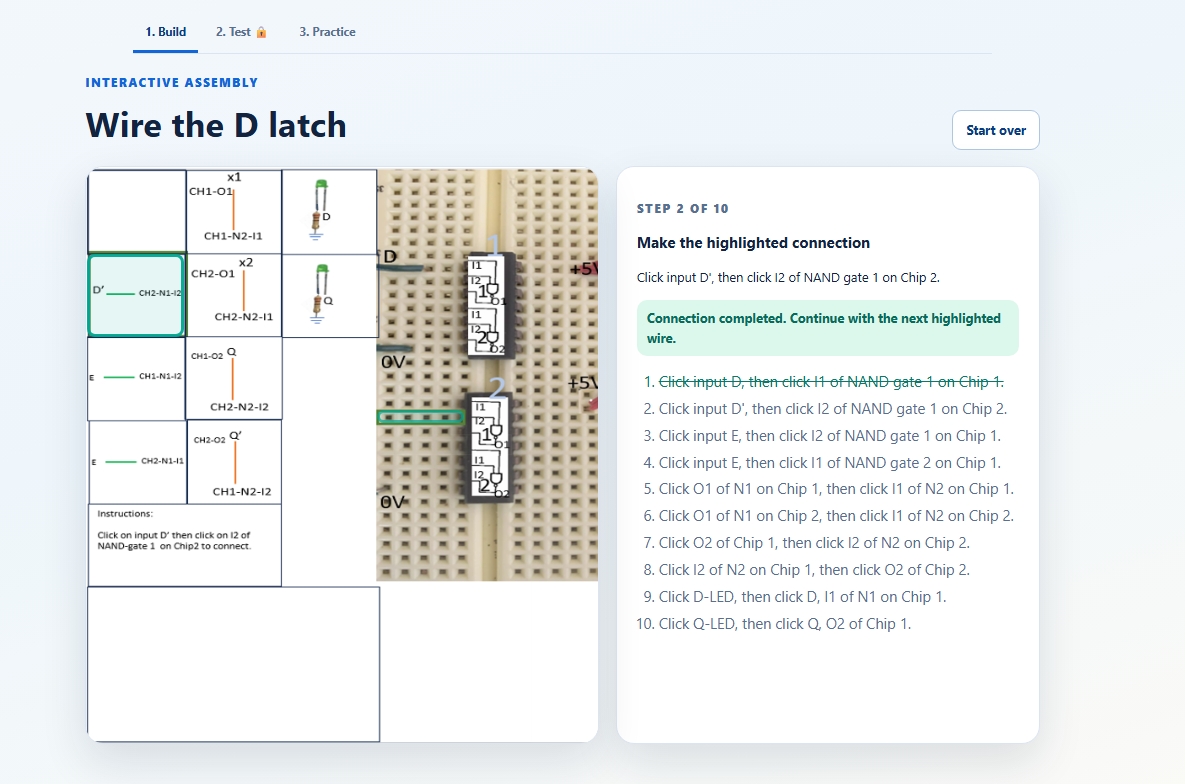
Build phase -Step1
-
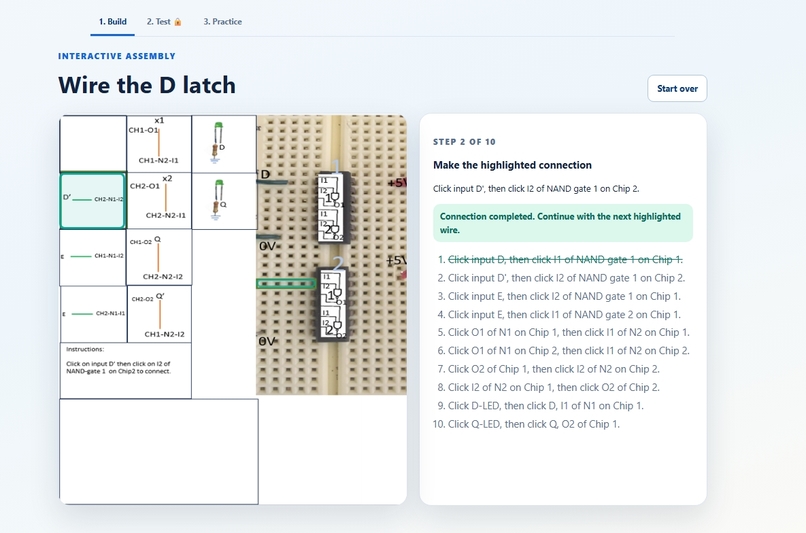
Build phase -Step 2
-
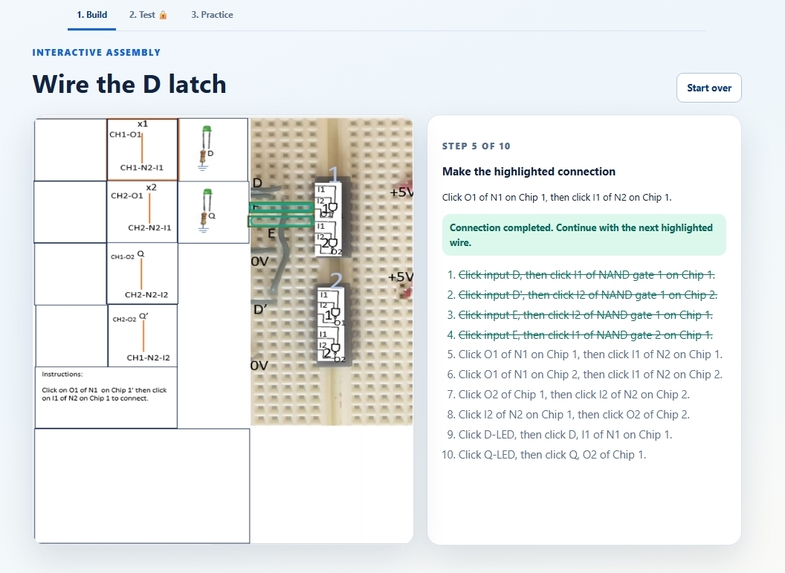
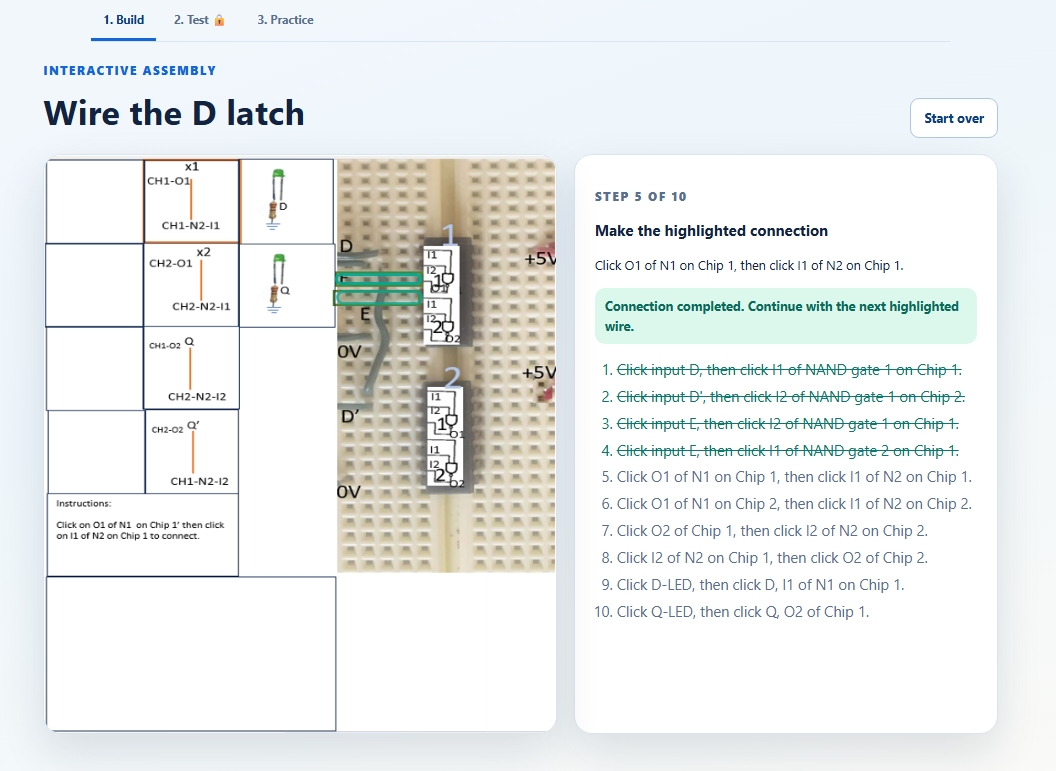
Build phase -Middle
-
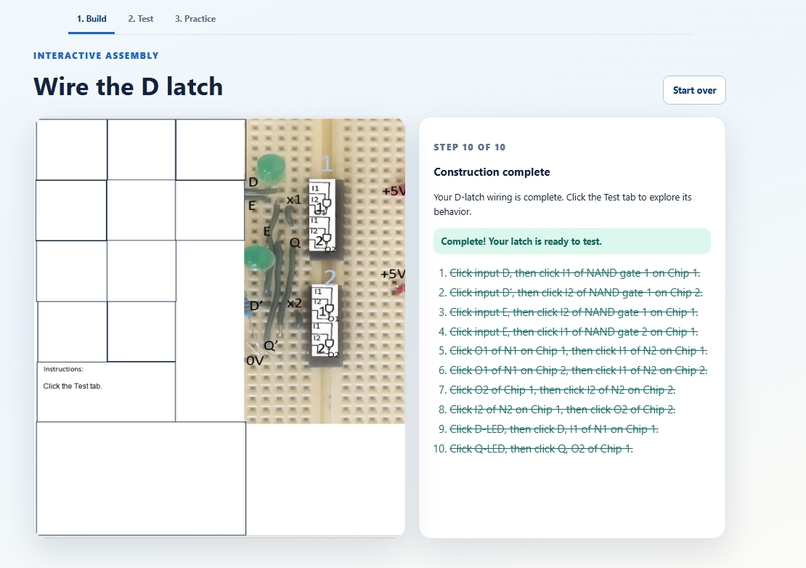
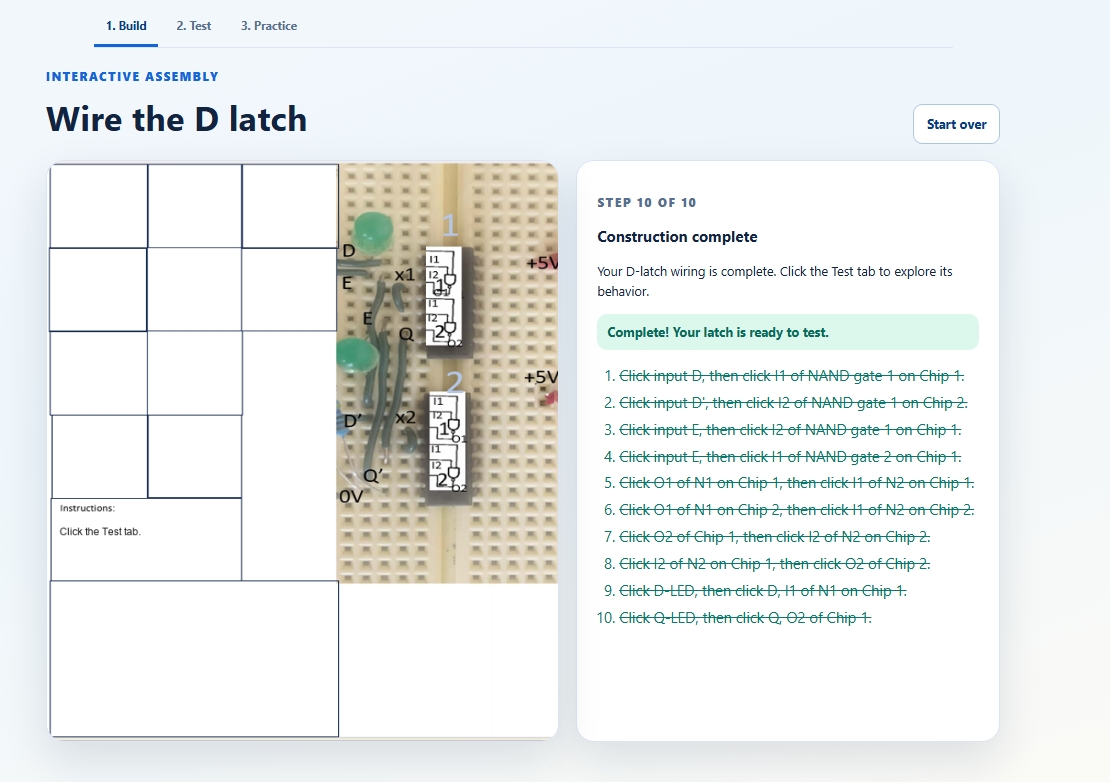
Build phase -Complete
-
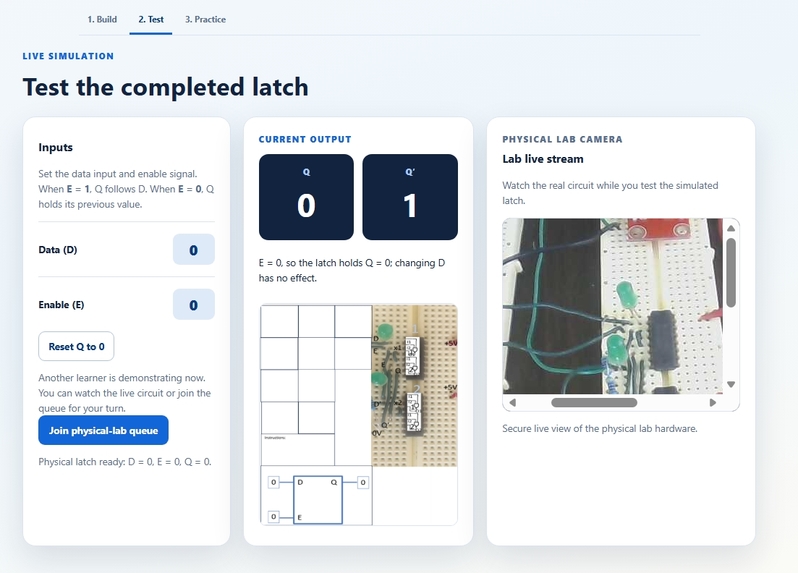
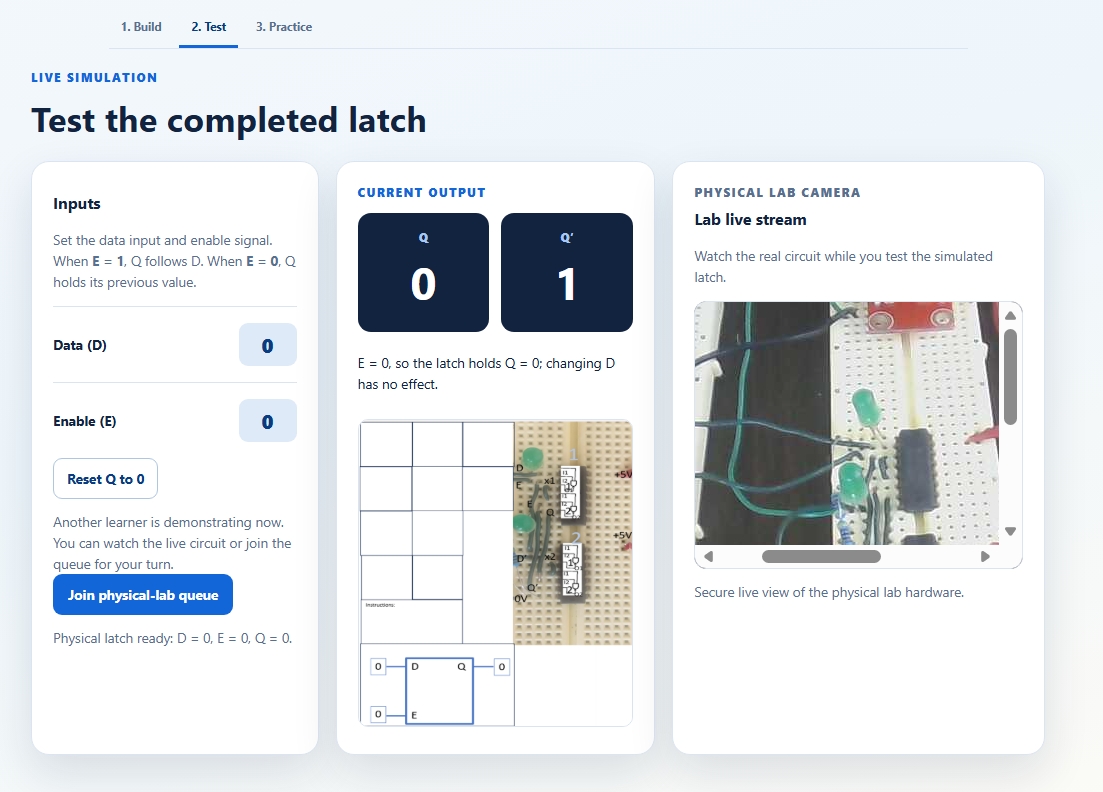
Test phase- Another learner is demonstrating.
-
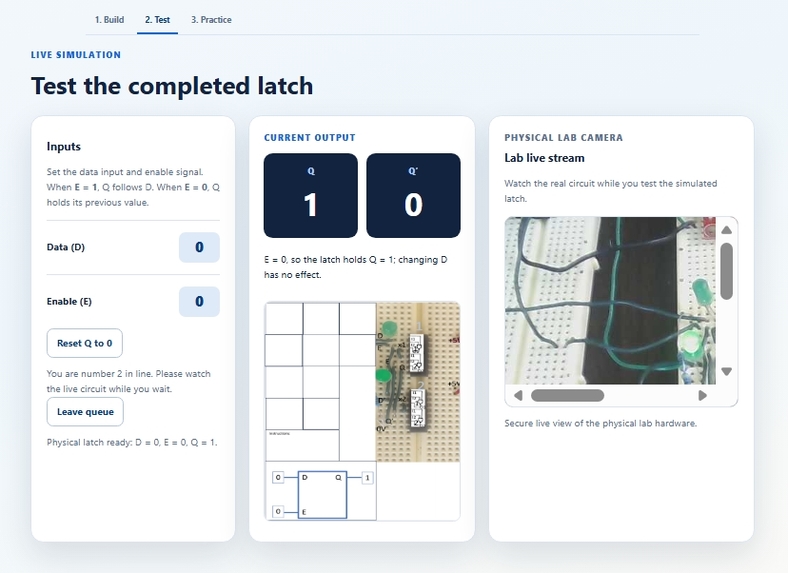
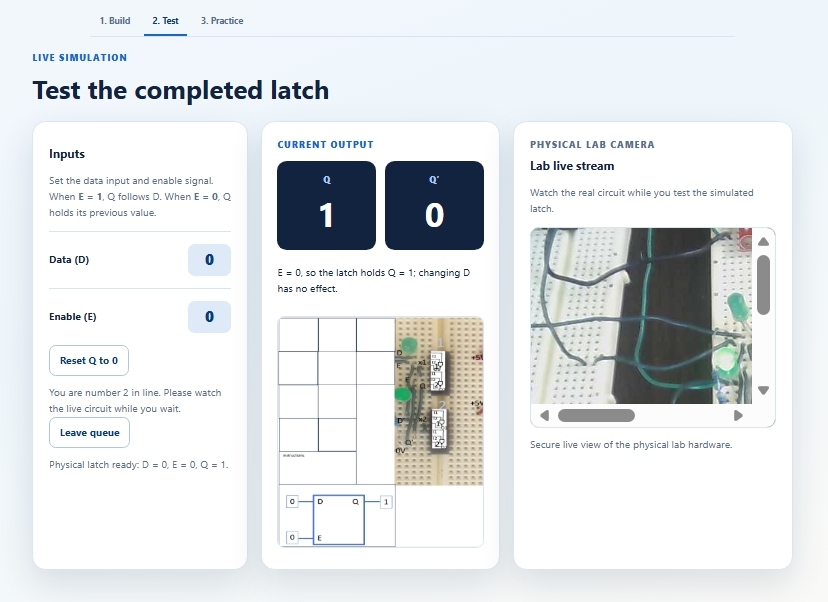
Test phase- Joined queue. Learner rank 2 in queue is shown.
-
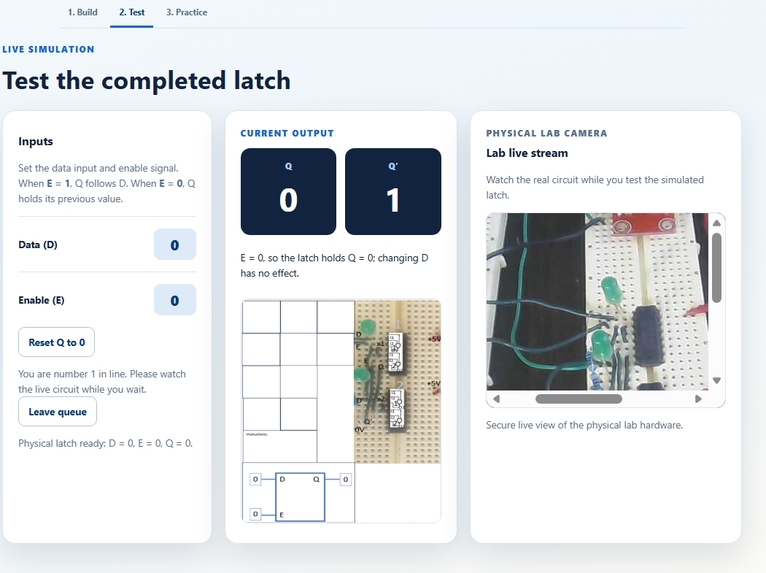
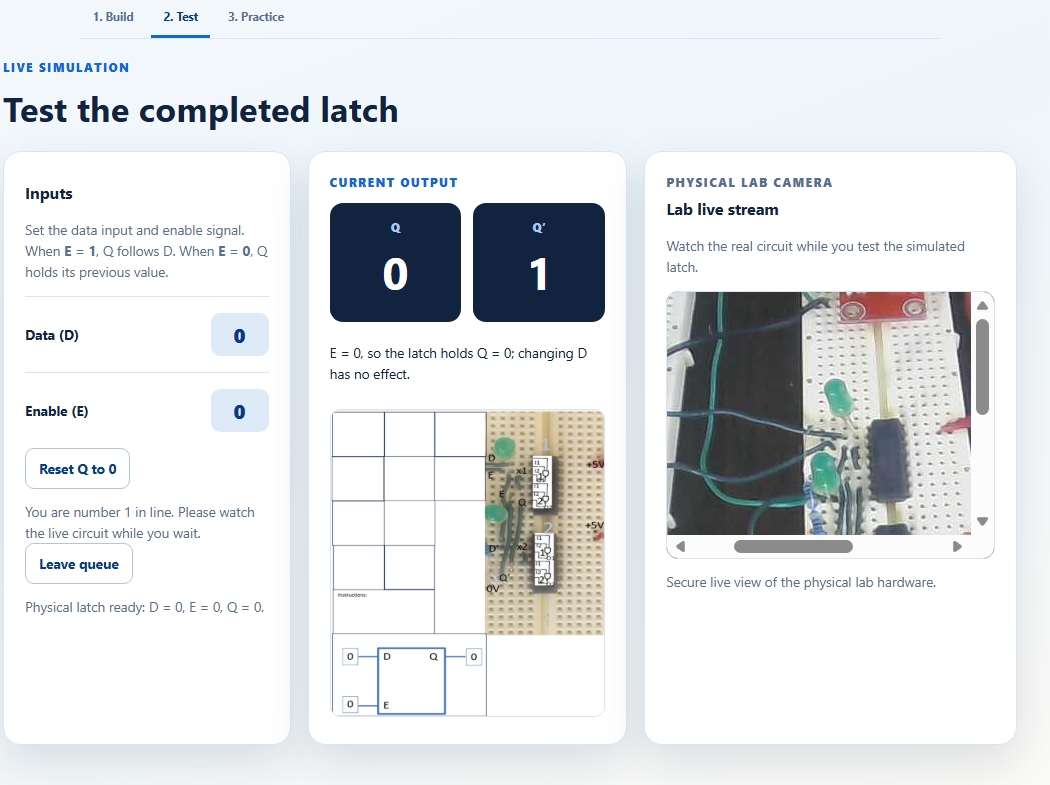
Test phase- Joined queue. Learner rank 1 in queue is shown.
-
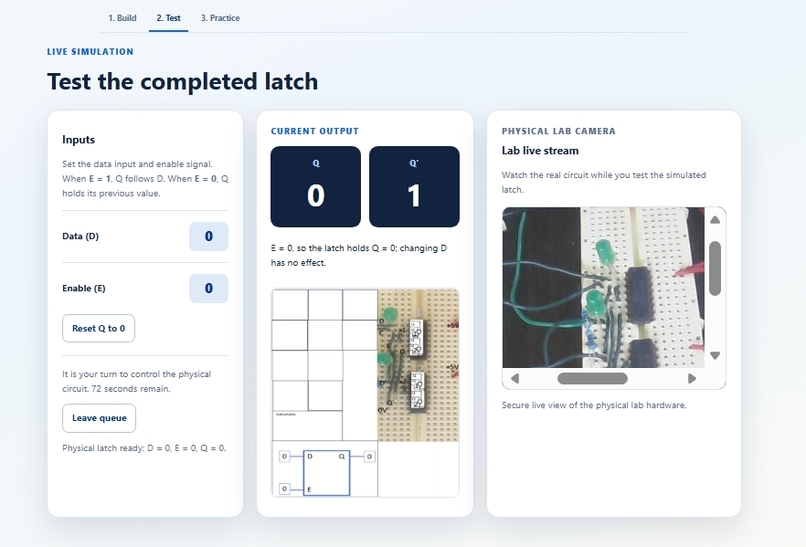
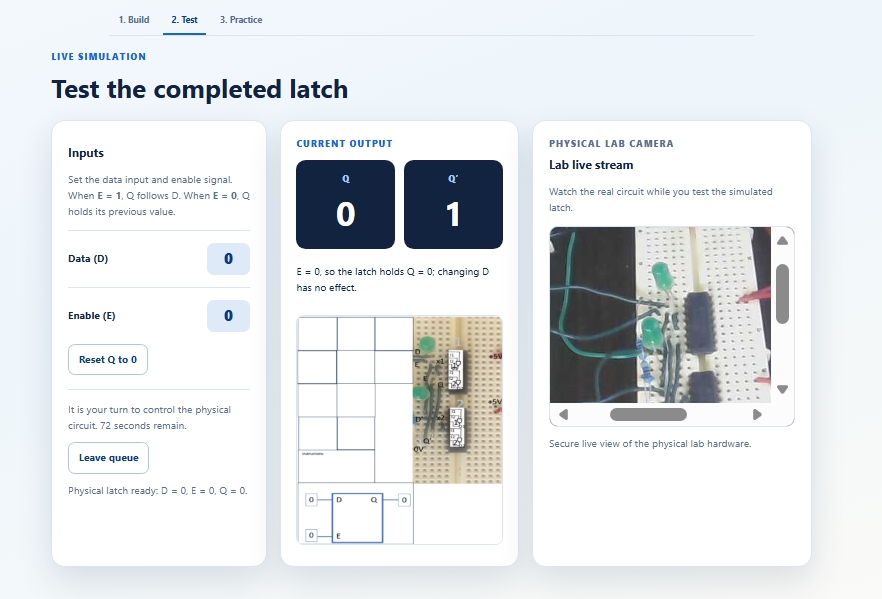
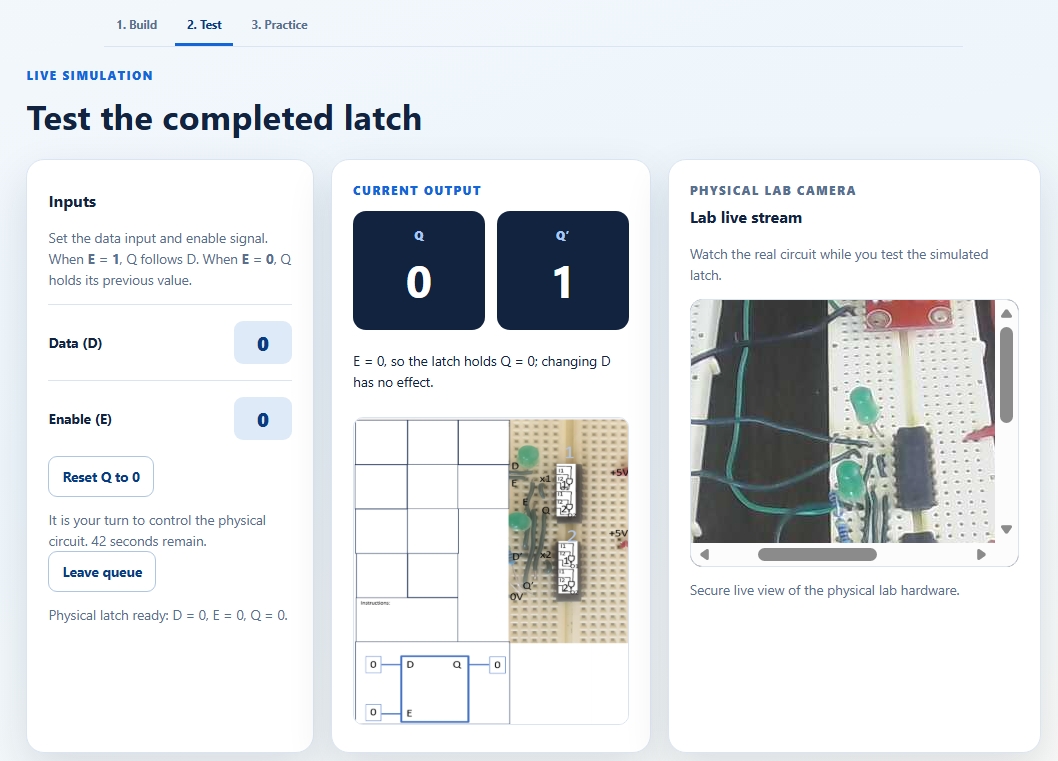
Test phase-Joined queue. Learner turn. Time remaining to demonstrate is shown.
-
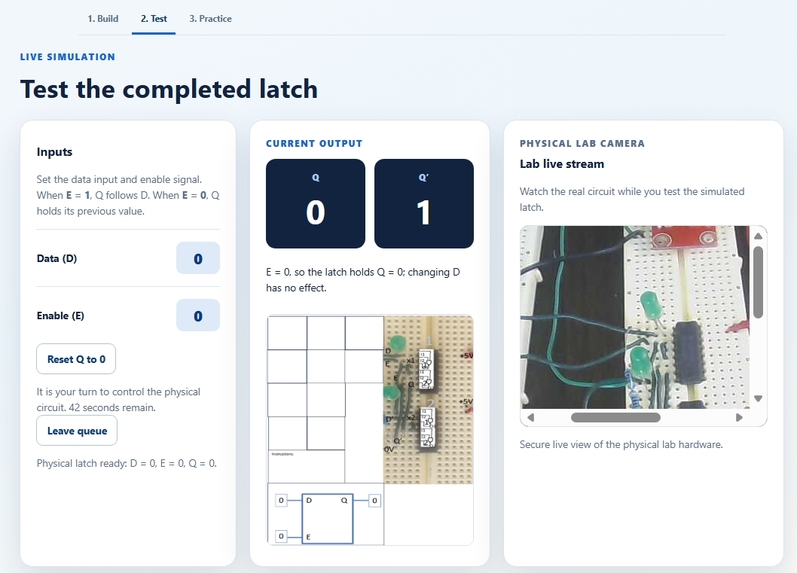
Test phase-D=0 E=0 Q=0. Time remaining to demonstrate is shown.
-
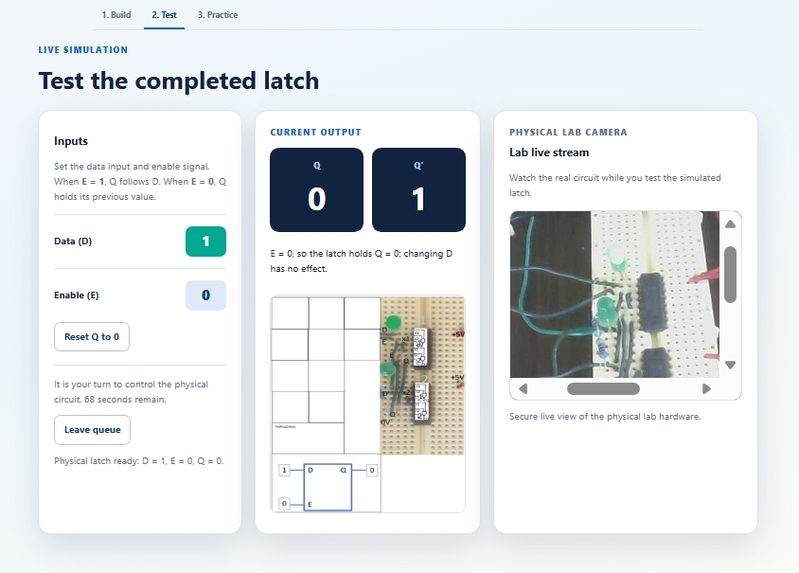
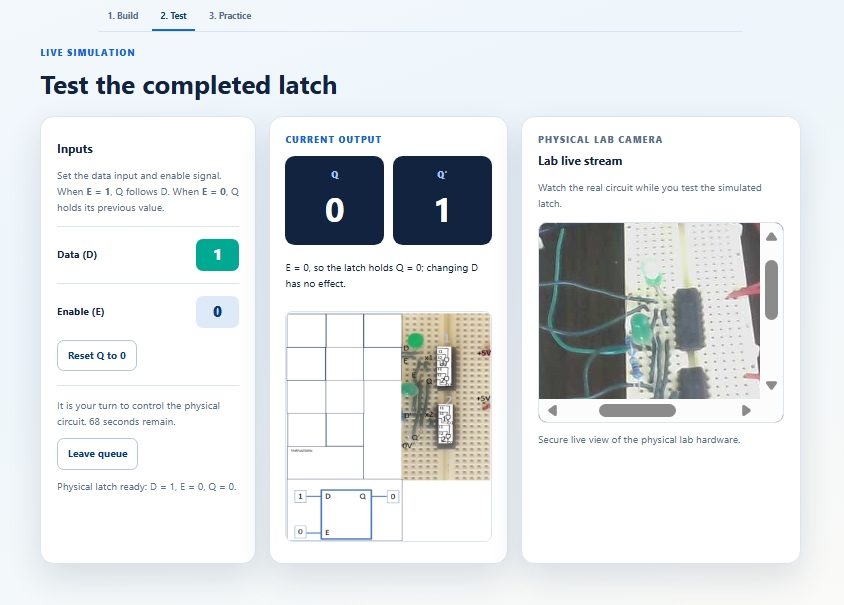
Test phase-D=1 E=0 Q=0.
-
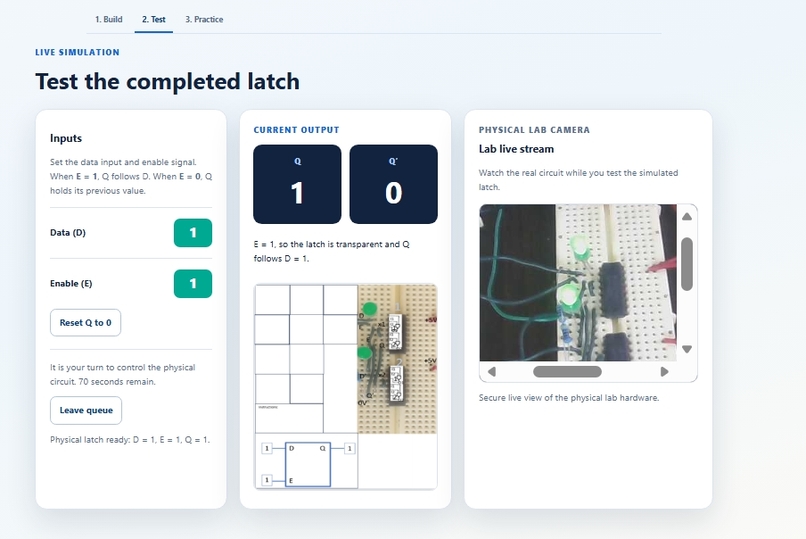
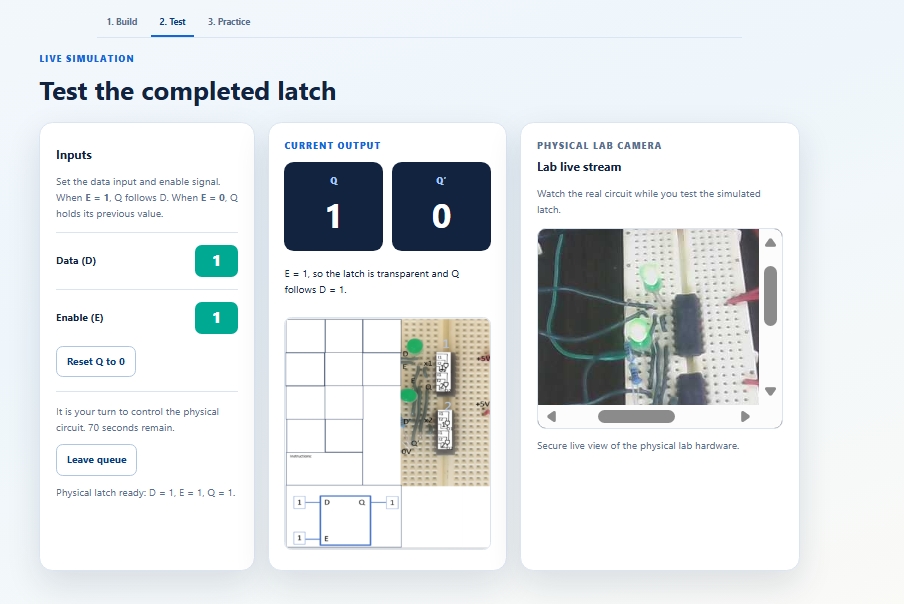
Test phase-D=1 E=1 Q=1.
-
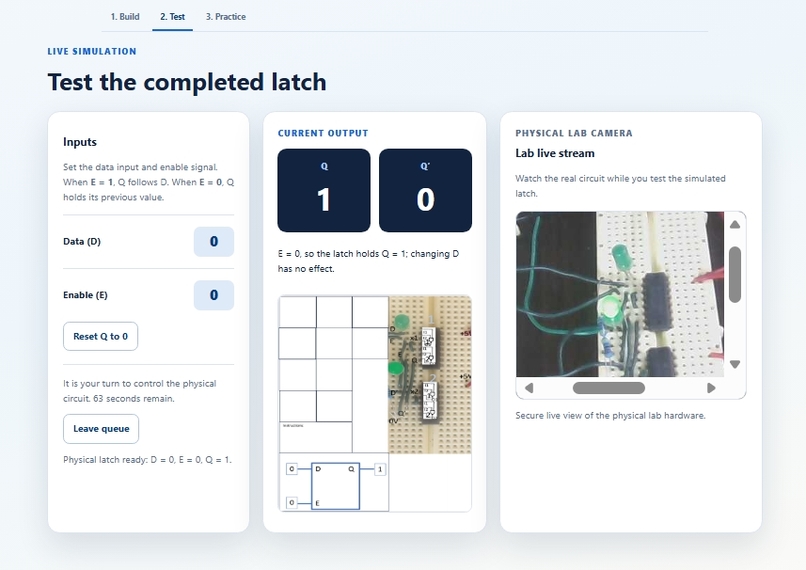
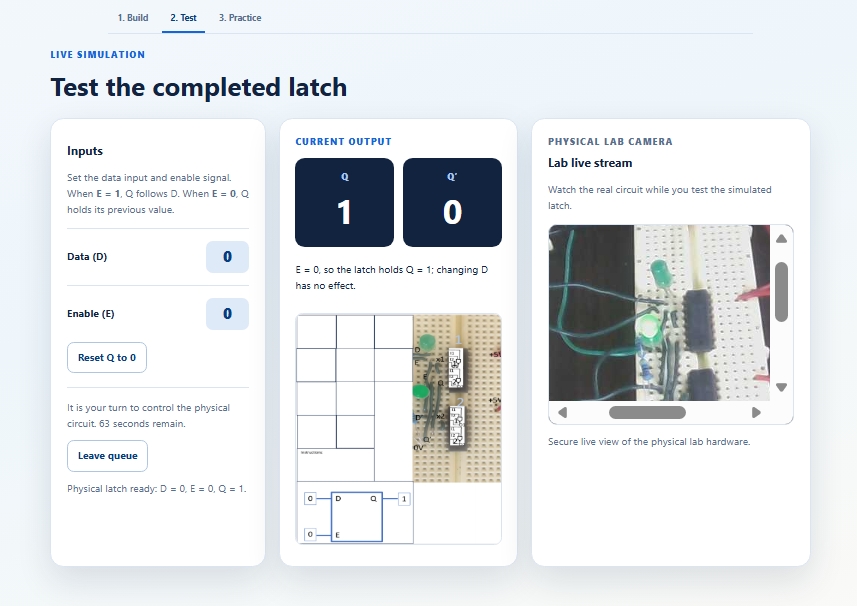
Test phase-D=0 E=0 Q=1.
-
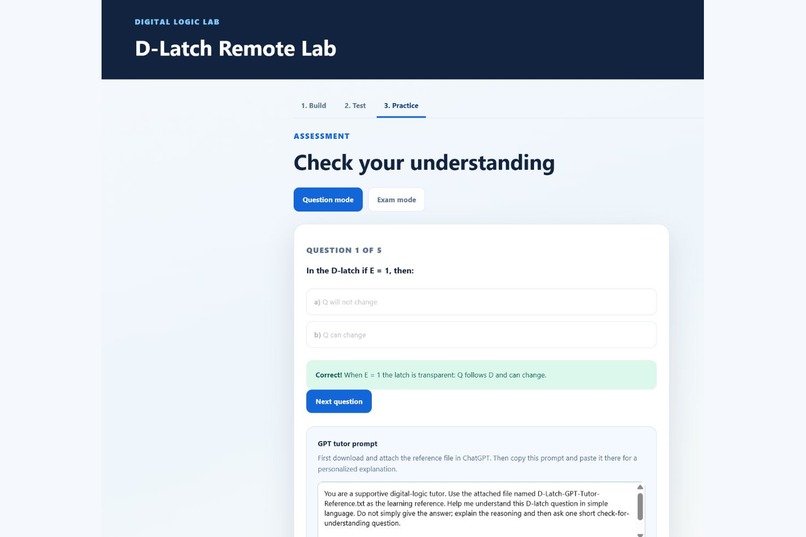
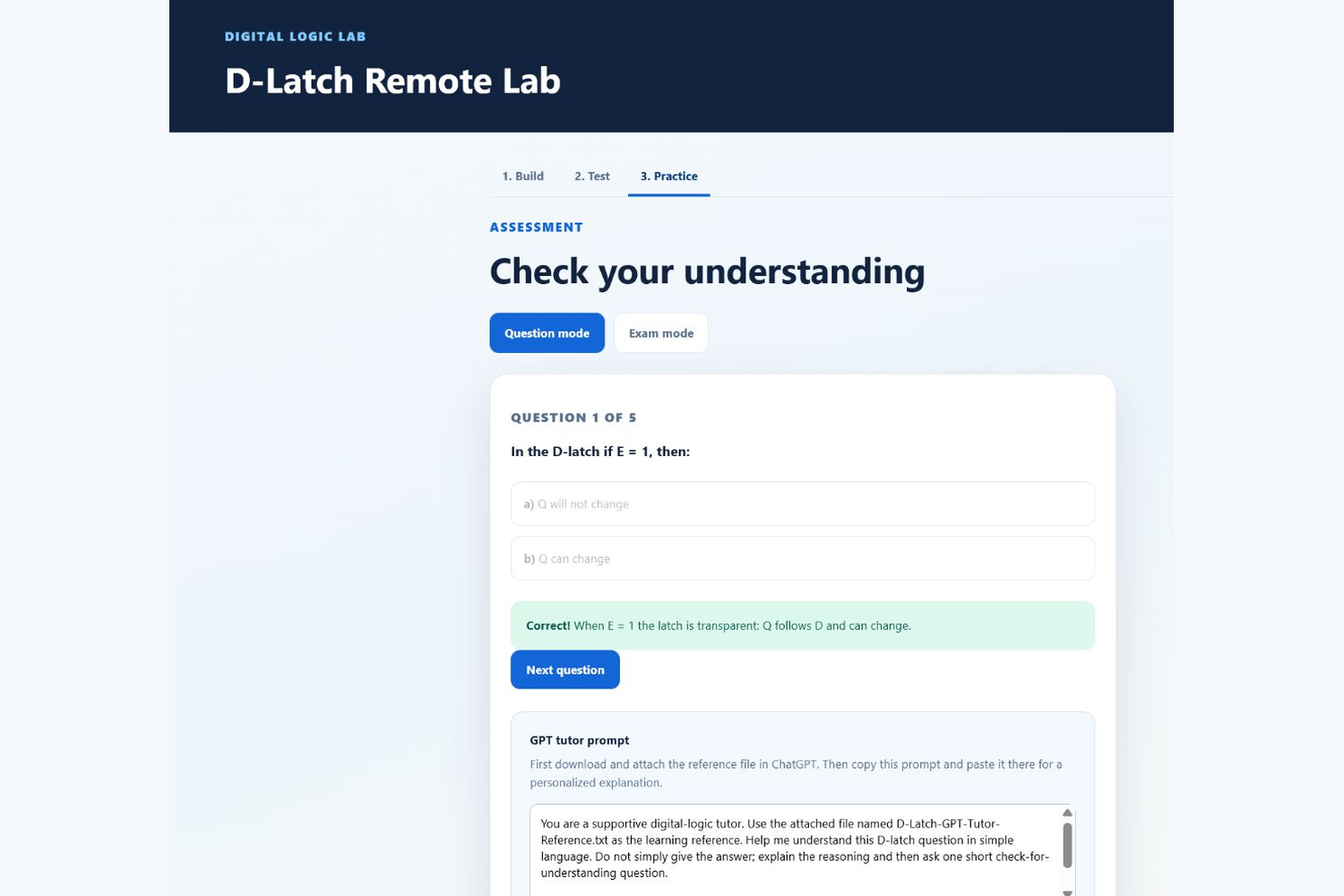
Practice phase- Question mode with feedback.
-
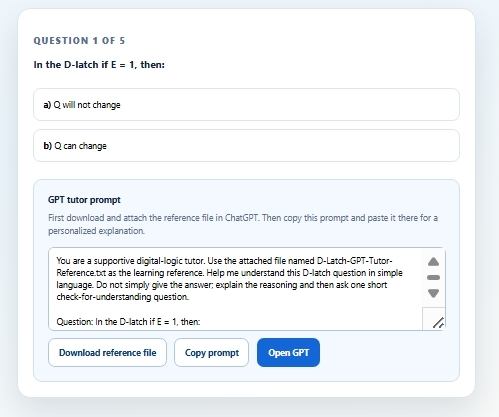
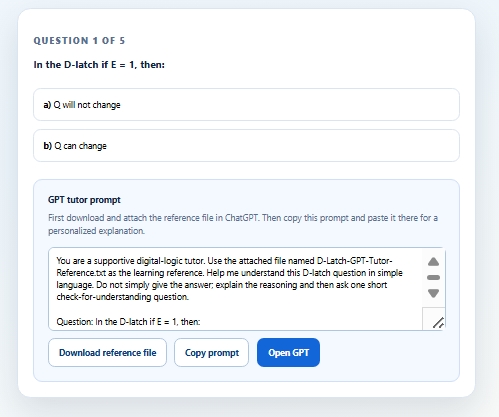
Practice phase- Question mode. GPT prompt.
-
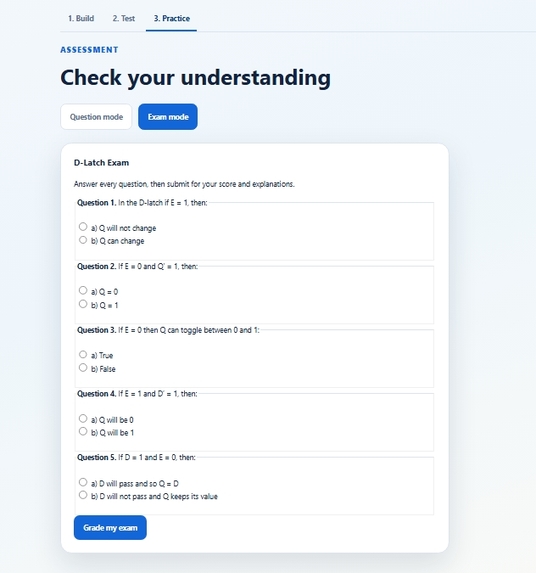
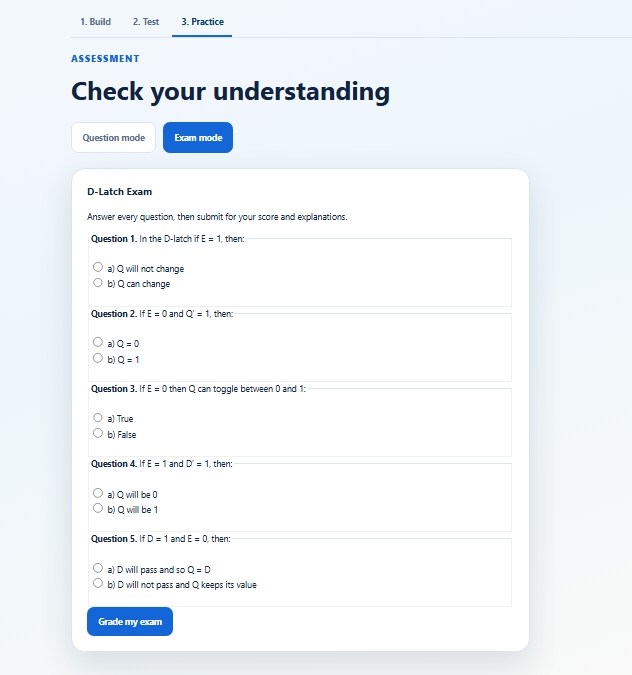
Practice phase- Exam mode.
Inspiration
There are many people eager to learn logic design systems, but this opportunity can feel like a dream for remote learners—especially those who work and have no access to a physical lab for real-time experimentation.
I wrote Python code on a Raspberry Pi that allowed learners to build and test a D-latch virtually. However, giving learners access to the system was difficult. I used Zoom to let them control the Raspberry Pi, and I had to schedule an appointment with each learner so they could access and test the system.
I always wished for the opportunity to bring this design to a web browser, so any learner could access it and try it independently. With determination and the right tools, I was able to make this dream come true.
What it does
With the help of GPT-5.6 and Codex, I implemented the AI-Assisted Real-Time D-Latch Remote Lab. The project has three stages.
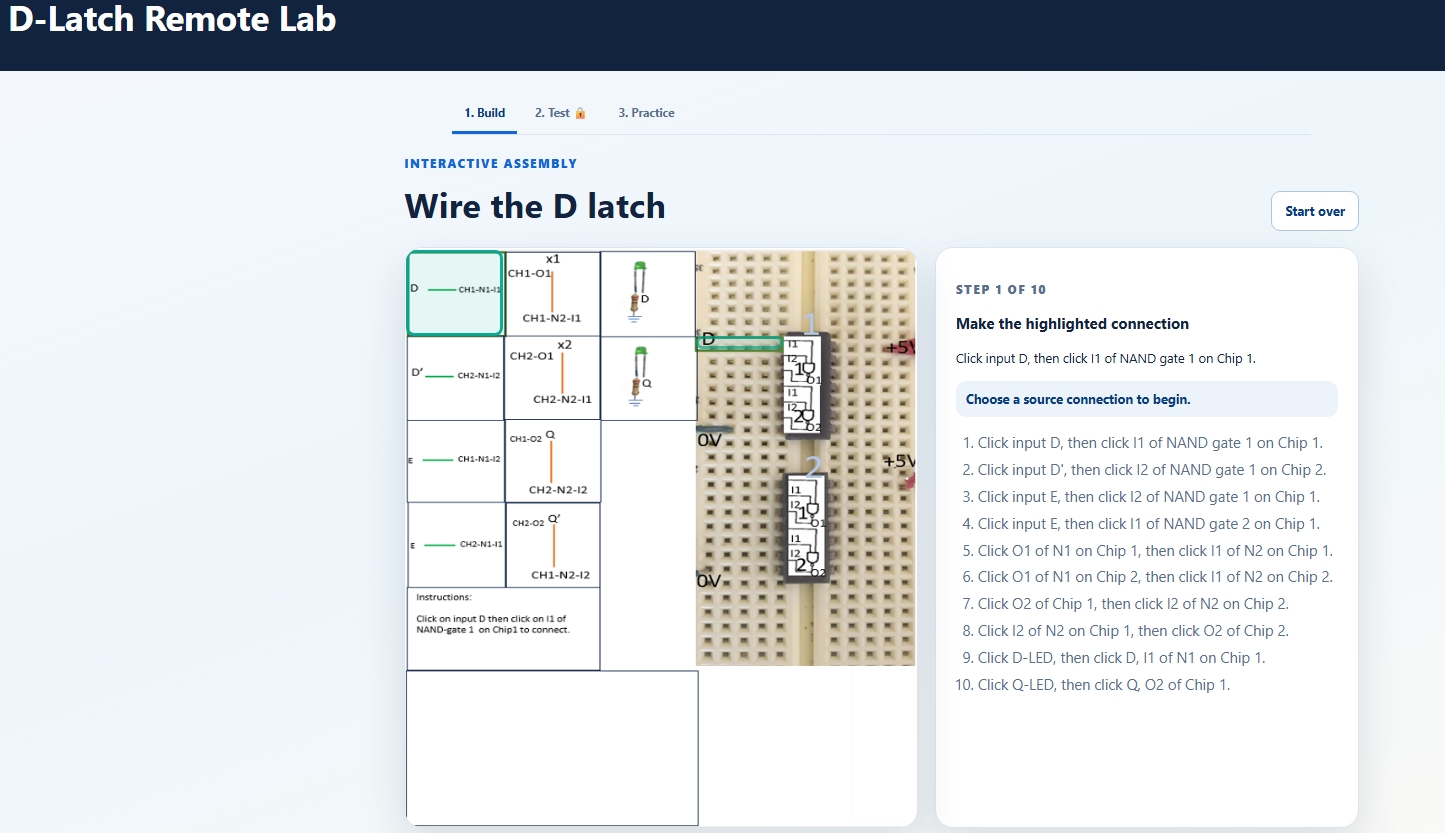
Build: Students complete a guided D-latch wiring sequence by selecting a highlighted source and its matching destination. The Test stage remains locked until the build is correct.
Test: Students change Data (D) and Enable (E), observe Q and Q′ in a virtual simulator, and watch the matching physical breadboard circuit through a live Raspberry Pi web camera.
Practice: Students receive immediate feedback in Question mode or take a graded exam. Question mode includes an AI tutor prompt and reference file that students can use to request further explanation.
How we built it
GPT-5.6 and Codex helped me transform the original Raspberry Pi activity into an interactive browser-based lab. The web application provides the Build, Test, and Practice experience, while a separate Python controller on the Raspberry Pi manages the physical D and E inputs through its GPIO pins.
The Raspberry Pi is located behind a local network, so it is not exposed directly to the internet. Instead, the Pi creates a secure outbound SSH tunnel to a Linode server. This tunnel carries two private connections: one for the live video stream and one for the D-latch control service.
When a learner changes D or E in the web browser, the website sends that request to the Linode server. The server routes it through the tunnel to the Raspberry Pi controller. The controller changes the physical D and E signals, returns the confirmed D, E, Q, and Q′ state, and the browser updates its virtual display. At the same time, the camera stream travels from the Raspberry Pi through the tunnel to the server and appears in the Test page beside the virtual lab. This lets learners control and observe the real circuit from any browser.
We made our design in such a way that any number of learners may independently use Build and Practice pages. In Test page, learners join a short queue: everyone can view the live camera and confirmed circuit state, but only the learner whose turn is active can change the real D and E signals. This prevents conflicting input and keeps the virtual display aligned with the physical circuit.
Challenges we ran into
The main challenge was safely connecting a Raspberry Pi behind a local network to remote learners. We needed a solution that would not expose the Pi directly to the internet, would reconnect after a reboot, and would allow both video and control signals to be delivered reliably. We solved this step by step with SSH keys, a persistent system service, reverse-proxy configuration, and careful testing of each connection.
We also encountered practical problems while setting up the system. Some required server packages could not initially be installed because an old software repository had an expired signing key. Existing network routes were already being used by the remote desktop system, so the new web service had to be configured without disturbing the existing laboratory access. The camera service needed adjustments to start correctly after reboot and to prevent more than one process from trying to use the same video device.
Another important challenge was synchronization. The virtual lab could not simply assume that a command had reached the physical circuit. We changed the browser workflow so it waits for the Raspberry Pi controller to confirm the actual state before updating the displayed D, E, Q, and Q′ values. We also tested reset behavior, live-stream recovery, build gating, image highlighting, and layout repeatedly until the system worked as one learning experience.
Accomplishments that we are proud of
What began as a limited user Raspberry Pi activity and became a real remote laboratory that learners can open in a browser. Students can build a D-latch virtually, test its behavior in simulation, and then observe the physical system responding live.
The learning flow is intentional. Testing does not unlock until the student has successfully completed the construction activity, so learners first think through the circuit connections before experimenting with D and E inputs. Once testing begins, the learner, through the browser virtual latch application, can send signals to the real Raspberry Pi circuit, while the live video provides immediate physical evidence of the result.
The project brings construction, simulation, real hardware observation, assessment, and AI-supported learning together in one experience. Instead of treating the physical laboratory and online learning as separate activities, it connects them in a single workflow that remote learners can access independently.
What we learned
This project taught us that difficult ideas can become real when they are approached patiently, one step at a time, with the right tools. The work involved many small challenges: networking, hardware access, video streaming, service startup, browser design, physical-state synchronization, and testing. At several points, a problem that looked complicated became manageable once we isolated it, tested it, and solved it before moving to the next step.
We learned that determination matters, but so does choosing tools that make progress possible. GPT-5.6 and Codex helped to turn an ambitious idea into an implementable plan, accelerate development, troubleshoot problems, and improve the student experience. The project showed that a realistic remote laboratory is possible when hardware, software, and thoughtful learning design are brought together.
What’s next
The next goal is to bring a full course of real-time digital-logic design experiments to the web browser. Remote learners will be able to build, test, and observe more realistic physical systems, giving them an effective laboratory experience regardless of location or schedule.
Built With
- caddy
- codex
- css
- gpio
- gpt5.6
- html
- javascript
- linode
- linux
- motion
- python
- raspberry-pi
- ssh

Log in or sign up for Devpost to join the conversation.