Inspiration
The inspiration is to explore and harness the Pieces Copilot SDK to effortlessly build a simple AI chatbot.
What it does
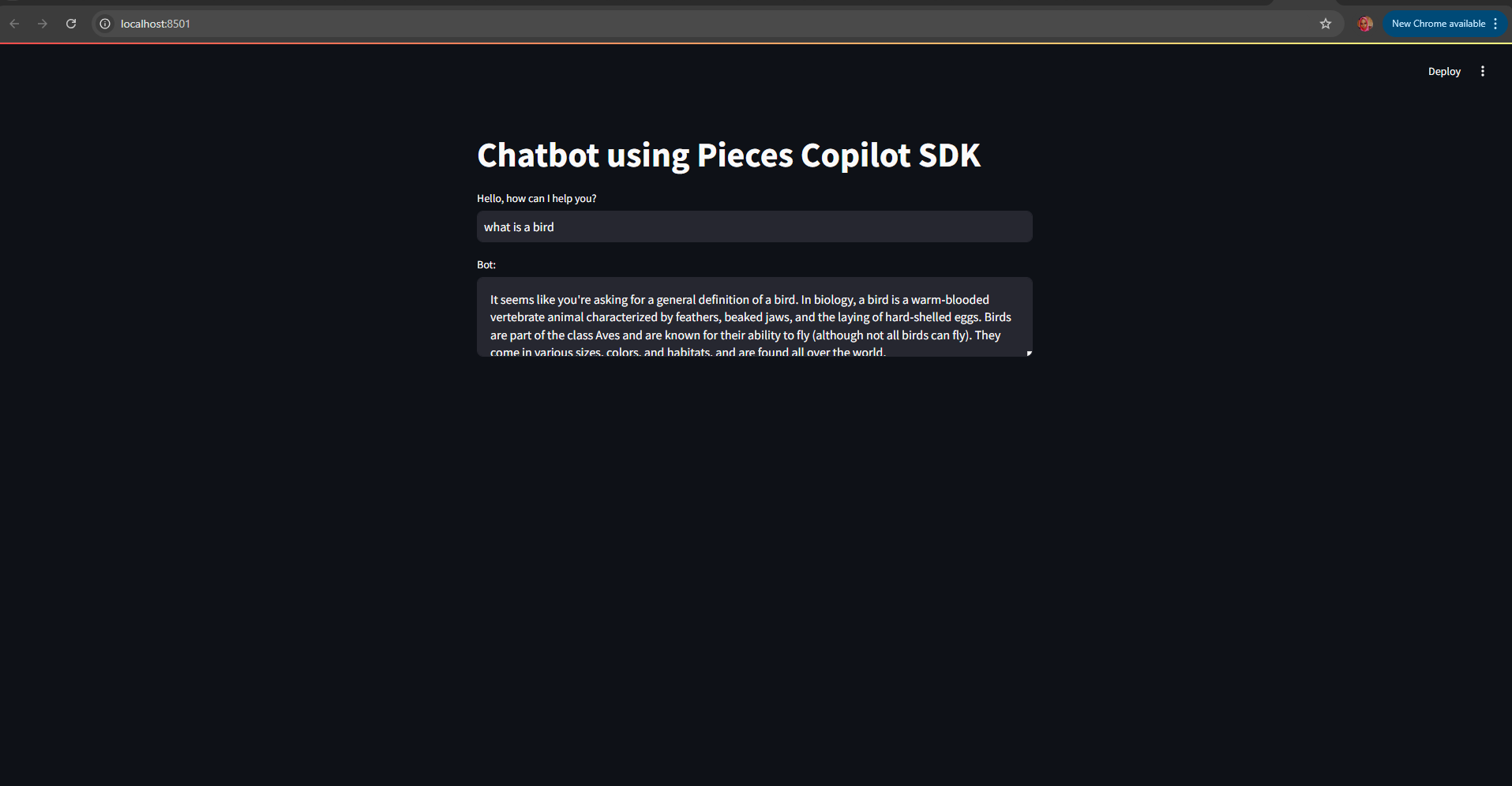
This project creates an AI-powered chatbot using the Pieces Copilot SDK and Streamlit. It takes user input, sends it to the Pieces Copilot, and displays the AI-generated response in a simple, interactive interface.
How we built it
- Setting Up a Virtual Environment:
- A virtual environment was created to isolate the project dependencies and ensure consistent behavior across different environments.
- Installing Necessary Packages:
- Inside the virtual environment, required packages such as pieces_copilot_sdk and streamlit were installed.
- Importing Necessary Libraries:
- The project imports PiecesClient from the pieces_copilot_sdk.client and streamlit for building the web interface.
- Initializing the Pieces Client:
- The PiecesClient is initialized with a configuration, setting the baseUrl to "http://localhost:1000". This client handles communication with the Pieces Copilot SDK.
- Setting Up the Streamlit Interface:
- The Streamlit interface starts with a title using st.title(), labeling the app as a chatbot.
- Collecting User Input:
- The app takes user input through st.text_input(), allowing users to type in their questions or prompts.
- Processing the Input:
- If there is user input, it is sent to the Pieces Copilot SDK using the client.ask_question() method, which generates a response.
- Displaying the Response:
- The generated response is displayed in a text area using st.text_area(), showing the bot's reply to the user.
- Testing the chatbot thoroughly to ensure it works as expected in various scenarios, and debugging was challenging ad time consuming ## Challenges we ran into
- Ensuring that all necessary dependencies are correctly installed within the virtual environment was a bit tricky
- Understanding how to properly configure and interact with the Pieces Copilot SDK, particularly setting up the correct baseUrl and handling API requests.
- Ensuring that the chatbot responds quickly and efficiently, especially if the Pieces Copilot SDK takes time to process requests ## Accomplishments that we're proud of An accomplishment I am proud of is successfully creating a working AI chatbot using the Pieces Copilot SDK. It shows my ability to connect advanced AI with a simple, easy-to-use interface, making complex technology accessible and user-friendly ## What we learned I would say I learnt how to effectively use the Pieces Copilot SDK to build a functional AI chatbot, create a simple and intuitive user interface with Streamlit, and manage dependencies within a virtual environment. Additionally, I have gained skills in problem-solving and PiecesClient integration ## What's next for AI Assistant with Pieces SDK Next steps for the AI Assistant with Pieces SDK could include adding more features like understanding context, improving the interface with interactive elements, and putting it online so more people can use it. support multiple languages and getting feedback from users can help make it even better and easier to use.
Built With
- development-environment
- pieces-copilot-sdk
- python
- streamlit
- virtual-environment

Log in or sign up for Devpost to join the conversation.