Inspiration
The author was inspired by their daily workflow needs and passion for automation. As someone who regularly journals and reads blog posts, they wanted to streamline their web clipping process into Obsidian. They're also a strong believer in using LLMs to enhance programmer productivity rather than replace programmers, seeing AI as a tool to turn developers into "10x engineers."
What it does
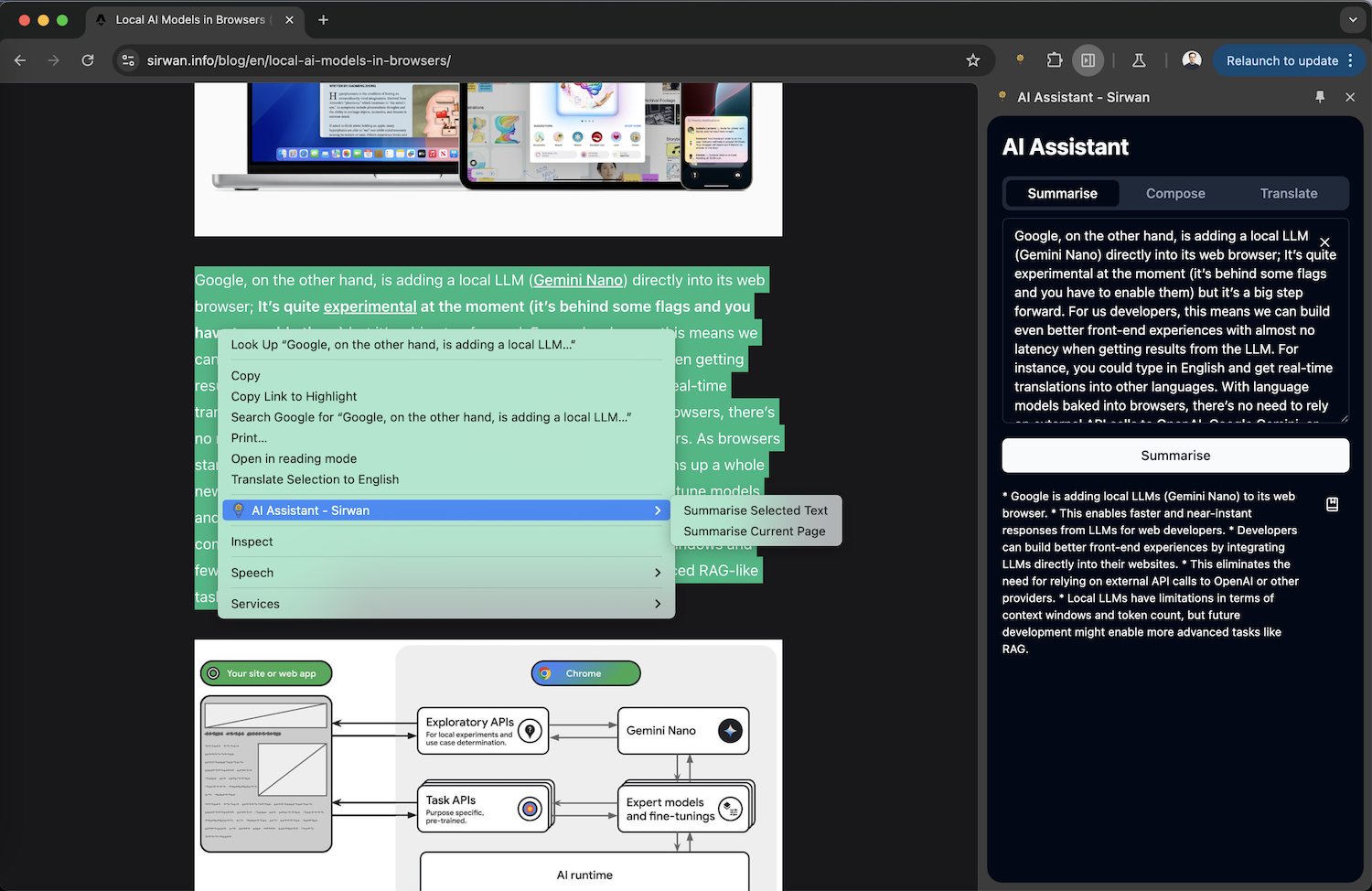
The project is a Chrome extension that:
- Captures web content (web clipping functionality)
- Uses Chrome's built-in AI model to summarise the captured text
- Sends the summarised content to the author's Obsidian vault
How we built it
The extension was built using:
- Chrome's native AI API (specifically the summarizer feature)
- React (evident from the
useCallbackhook in the code snippet) - A custom prompt template for consistent summarization
- Streaming functionality for real-time summary generation
Challenges we ran into
The blog post doesn't explicitly mention challenges, but we can infer that working with the new Chrome AI API (which is likely still in Canary/experimental phase) might have presented some learning curves and integration challenges.
Accomplishments that we're proud of
The author mentions:
- Completing the project in just a few hours
- Successfully integrating Chrome's built-in AI model
- Creating a practical tool that enhances their daily workflow
- Implementing streaming functionality for real-time summaries
What we learned
The author learned about:
- Working with Chrome's native AI capabilities
- Integrating AI summarisation into a practical workflow
- Balancing automation with human oversight (mentioned in the context of fine-tuning and quality-checking LLM responses)
What's next for AI Assistant
While not explicitly stated, based on the author's interests and the project's context, potential next steps could include:
- Expanding the summarisation capabilities
- Adding more customisation options for the summary format
- Integrating with other note-taking applications beyond Obsidian
- Adding support for different types of content beyond text
- Implementing additional AI features using Chrome's built-in models
The author seems to value iterative improvement and practical automation, suggesting they'll continue to enhance the tool based on real-world usage and needs.

Log in or sign up for Devpost to join the conversation.