-
-
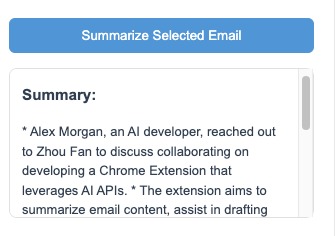
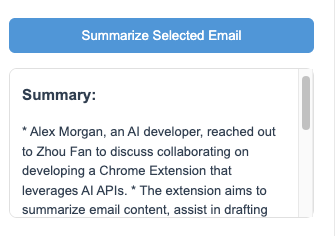
Email Summarization Example
-
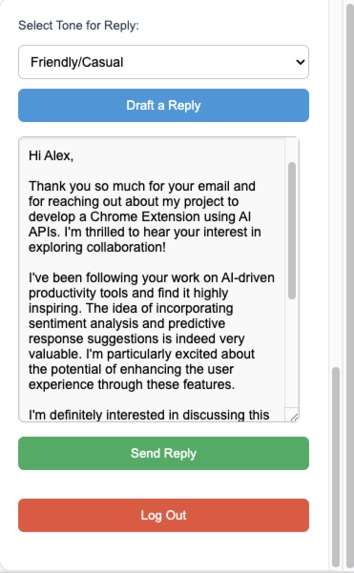
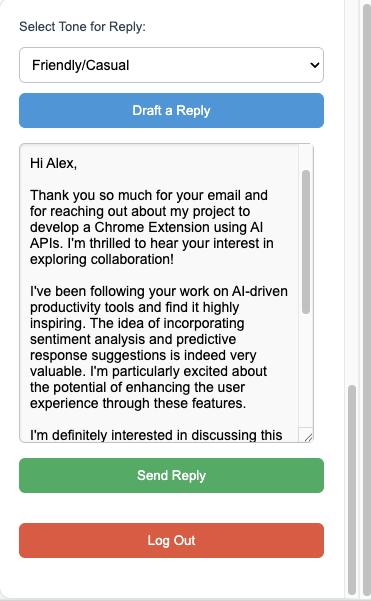
Drafting a Reply
-
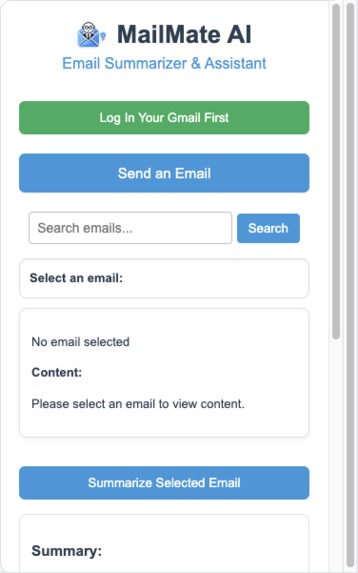
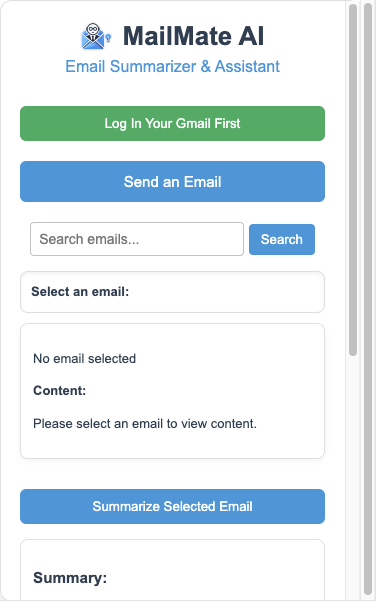
Main Interface
-
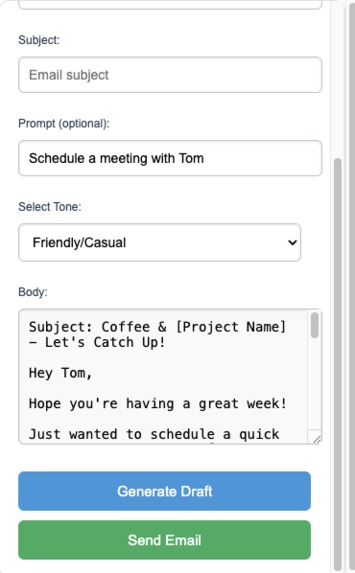
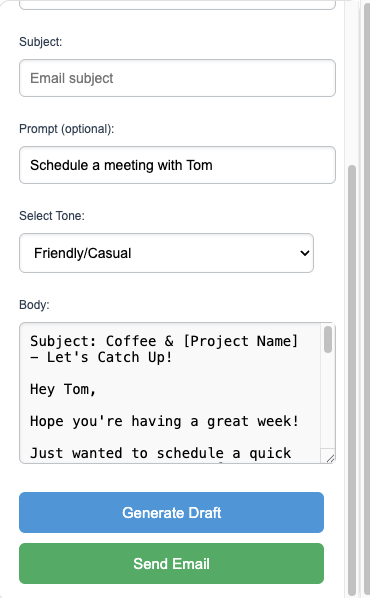
Draft a New Email
Inspiration
The growing demand for efficient communication has made email management more critical than ever. With inboxes overflowing, professionals struggle to keep up, leading to lost productivity and missed opportunities. Inspired by the need to make email handling seamless and productive, we created MailMate AI — a tool designed to transform email management through AI-driven automation.
What it does
MailMate AI is a Chrome extension that assists Gmail users by leveraging Chrome's built-in AI capabilities. It provides:
- Summarization of Emails: Quickly summarizes lengthy emails, providing users with an instant understanding of the main points.
- Draft Generation: Users can draft new emails with AI-generated content tailored to their specified tone (e.g., Friendly, Neutral, Formal).
- Reply Assistance: Based on the content of a selected email, MailMate AI drafts intelligent replies with tone customization.
- Search and Browse Emails: Easily search and browse through emails with a streamlined interface and load more as needed.
How we built it
MailMate AI is built using a combination of:
- Chrome Extensions API: To access Gmail data and manage user interactions.
- Chrome’s Built-in AI Models (Prompt and Summarization APIs): For generating drafts, replies, and summarizing content.
- Gmail API: To enable secure access to user emails and metadata. The extension was created using HTML, CSS, JavaScript, and leverages OAuth for secure authentication.
Challenges we ran into
Developing MailMate AI presented several challenges:
- OAuth Authentication: Ensuring a smooth authentication flow while maintaining security was complex.
- AI Model Integration: Integrating Chrome's built-in AI models required extensive testing to produce meaningful and accurate results.
- Handling Diverse Email Structures: Parsing and extracting meaningful content from emails with varying formats was a continuous challenge.
Accomplishments that we're proud of
- Successfully integrating Chrome’s AI models to produce accurate summaries and contextual replies.
- Creating a user-friendly interface that streamlines email management tasks.
- Enabling a seamless login and integration with Gmail using secure OAuth credentials.
What we learned
Throughout the development of MailMate AI, we gained a deeper understanding of:
- The power and limitations of Chrome's built-in AI capabilities.
- Effective strategies for integrating and managing OAuth credentials in Chrome extensions.
- Balancing functionality with user-friendly design for complex email-related tasks.
What's next for MailMate AI - An AI assistant for Gmail email management
- Improved Categorization: Develop AI-powered categorization features to help users prioritize and manage their inbox.
- Customizable Templates: Offer a library of templates for common scenarios such as meetings, follow-ups, and newsletters.
- Advanced Analytics: Provide insights into email response times, activity patterns, and sentiment analysis.
- Mobile Compatibility: Expand MailMate AI’s functionality to mobile devices for on-the-go productivity.
Built With
- chromebuit-inai
- chromeextentionapi
- css
- gmailapi
- html
- javascript
- oauth2.0


Log in or sign up for Devpost to join the conversation.