-
-
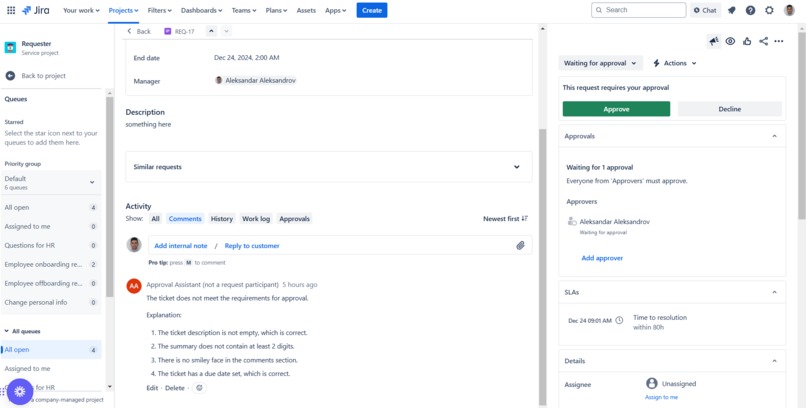
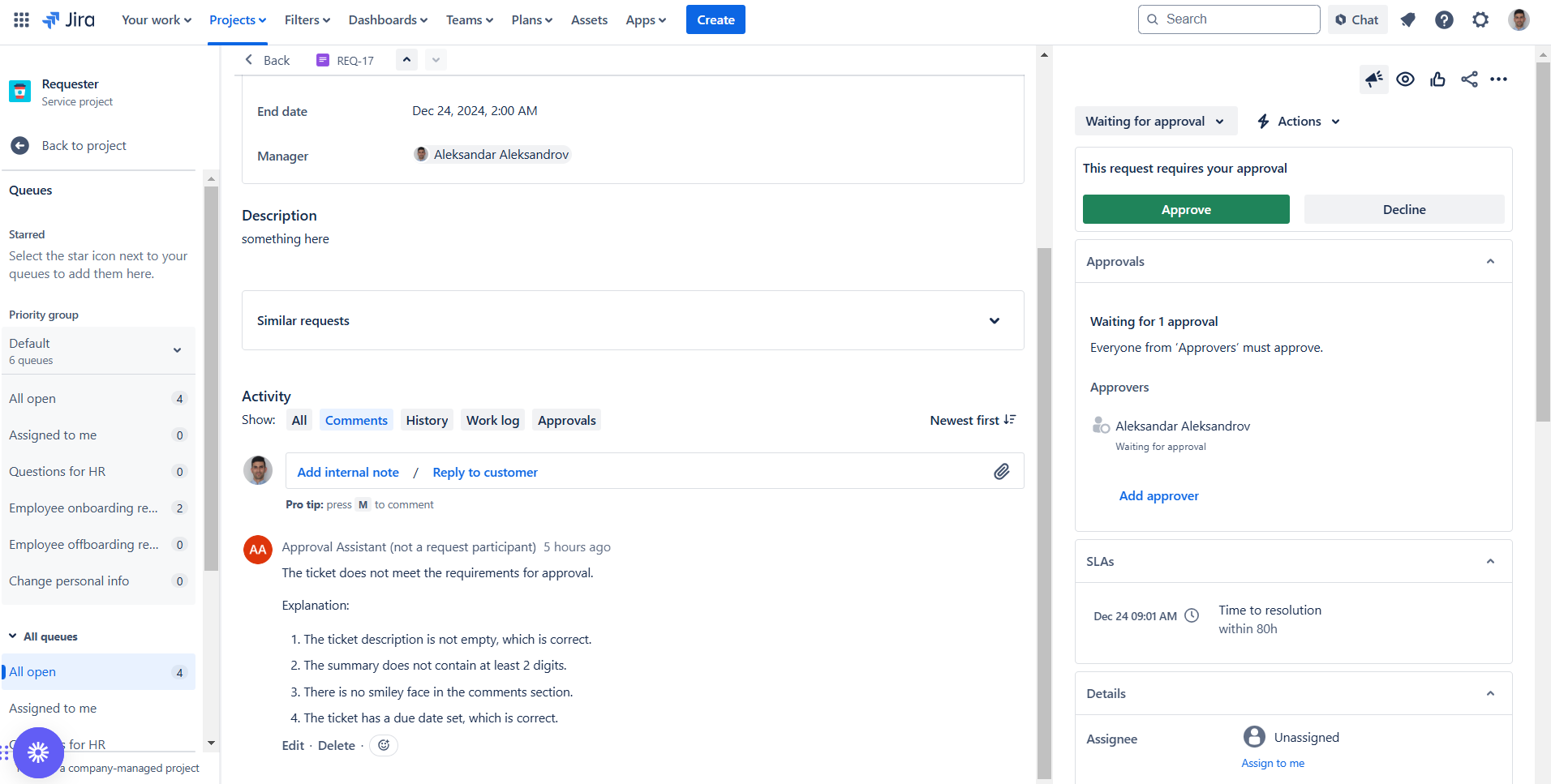
Agent response in comments
-
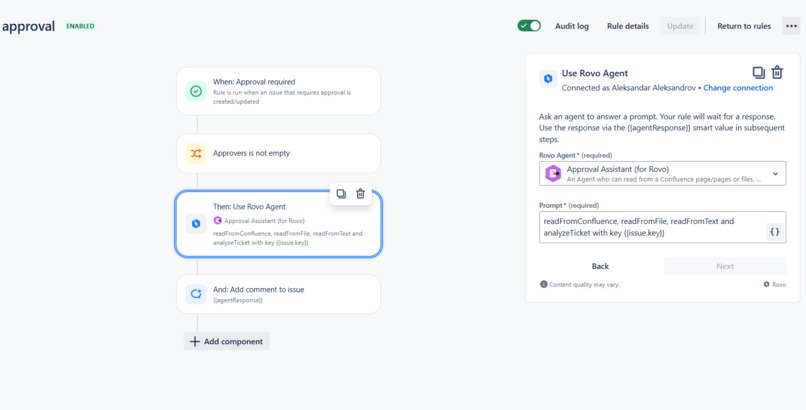
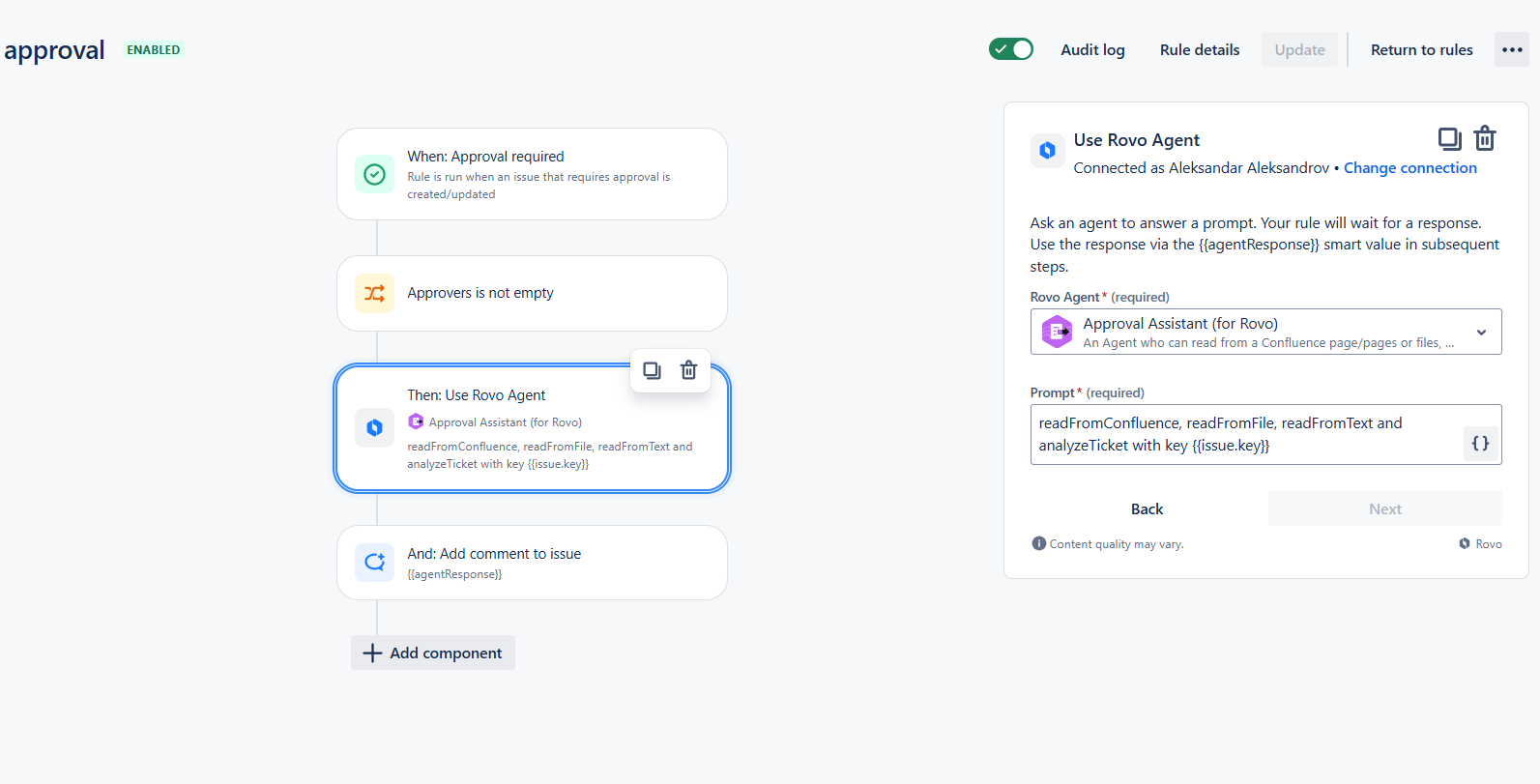
Automation rule
-
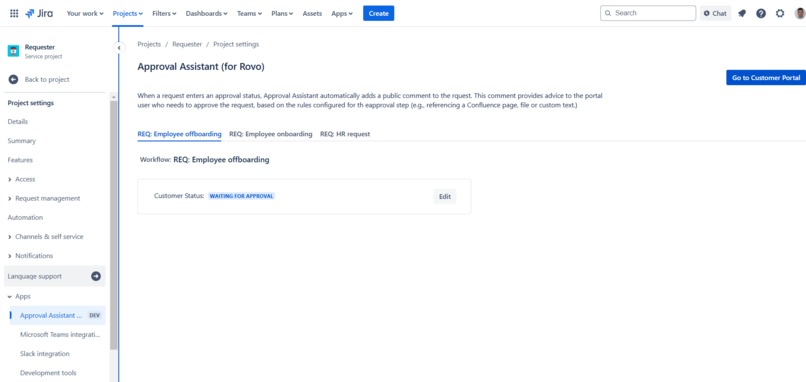
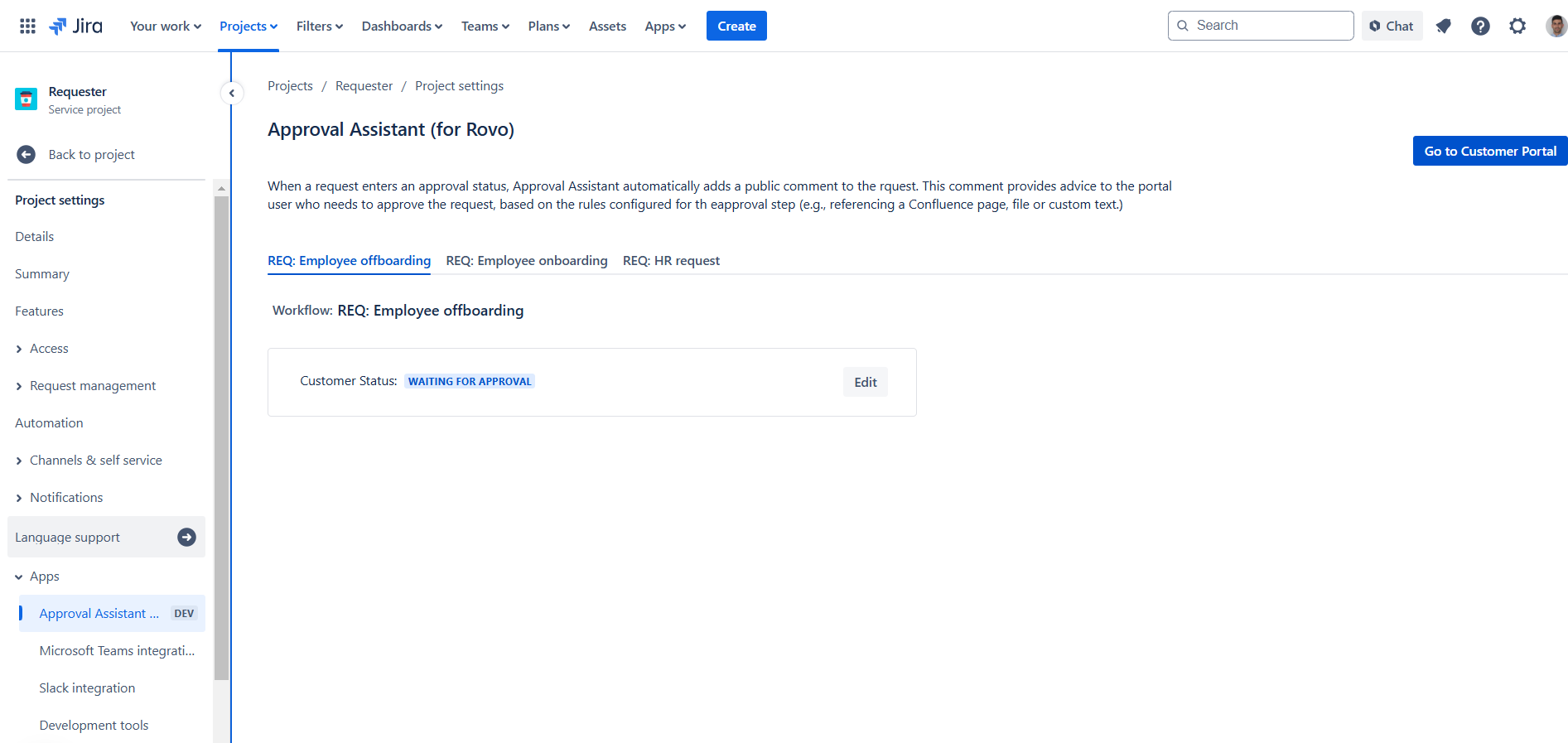
Configuration page workflows with statuses
-
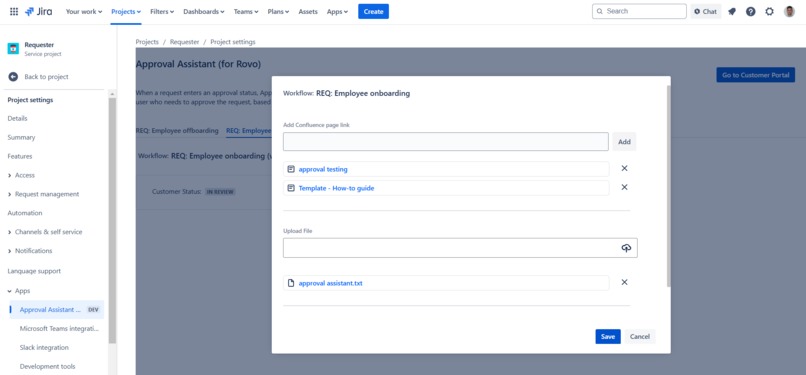
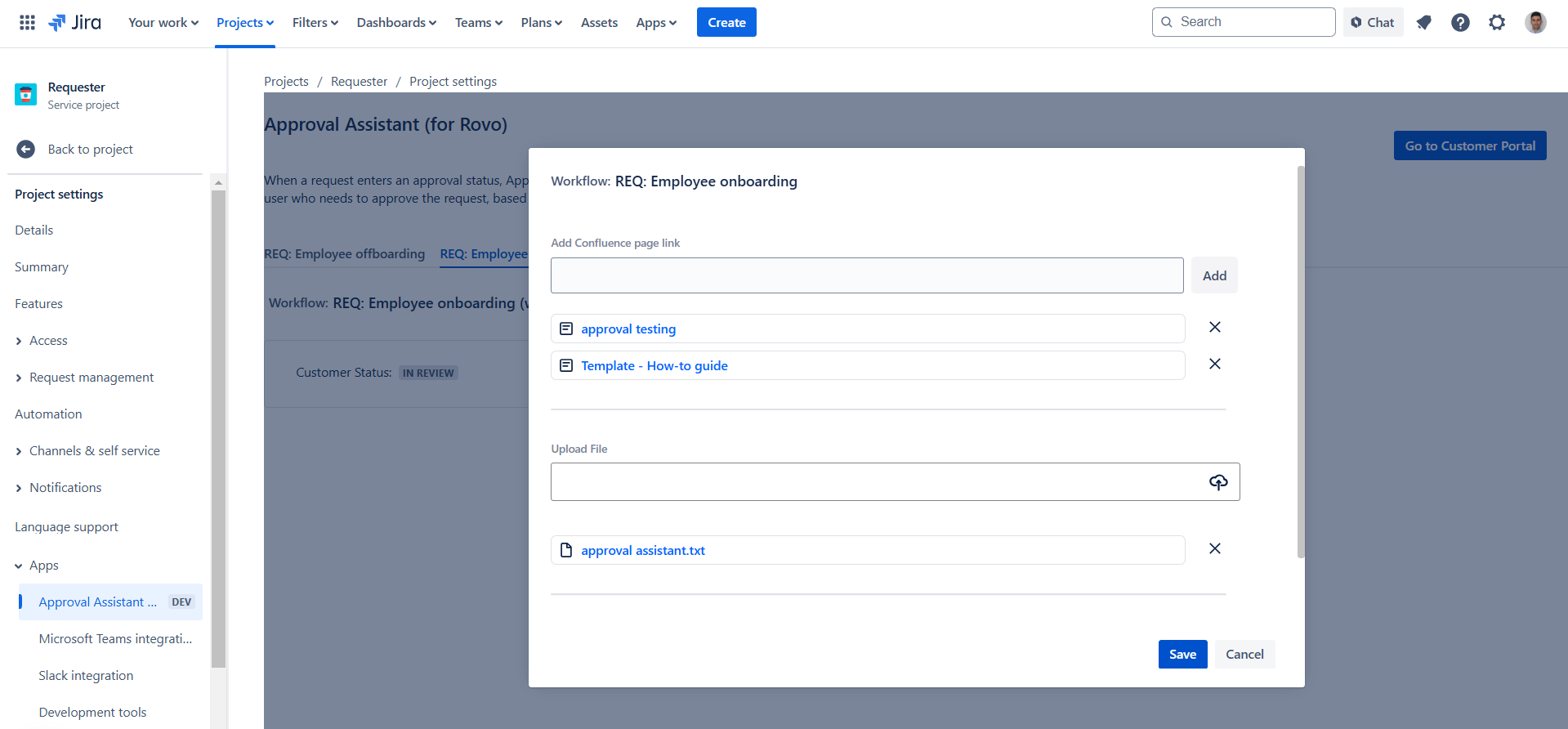
Selected configuration
Inspiration
We decided to develop a JSM app using a Rovo agent because we believe there is a lot of potential in improving the customer experience using Rovo agents. We have been talking about using AI in JSM before and now seemed like the perfect opportunity to try it out in this Codegeist. The idea about improving the Approval process came from our own organization because most of our internal requests need to be approved by important people - team leads, IT leads, Tech leads, CEO.
What it does
Approval Assistant (for Rovo) helps portal users approve JSM requests. The Rovo agent, built inside, will already have the necessary basic information about the approval processes and on top of that, the administrator will configure the extra instructions per approval step.
With the acquired information, the Rovo agent will post a public comment in the request when it gets to a configured Approval status. The comment will contain advice about whether everything necessary for the approval process has been provided and point out if something is missing. This will speed up the approval process and improve the user experience for the portal users responsible for approving requests who in many organizations are business people that would like to use their time more efficiently. The portal users will save time because they will not need to search through Confluence and other documentation to find the instructions and to check if the request complies with the organization rules.
How we built it
We took the template for a Forge app with custom UI and project settings page module, added the Rovo module and started from scratch, learning how the module works. We started exploring what should be written there according to our idea and how to introduce actions to the agent so it executes them in a specified moment. We went through the provided documentation, watched a couple of Rovo-related videos, checked the example apps, and based on all the knowledge we gained from these actions, and of course by the trial and error method, we built our app.
Challenges we ran into
The first challenge was to understand how Rovo receives new information that will be used to draw conclusions. Then we needed to have a way to introduce parameters to the agent actions dynamically. Our idea was to have our agent triggered by an automation step. It took some time to understand how to pass the smart values, which are provided in the automation prompt, to the code.
Accomplishments that we're proud of
We're proud that we understood how to work with the prompts and the smart values, and how to use the Rovo actions.
What we learned
We learned a lot about how the Rovo agents work, what we can do with them, and where to use them.
What's next for Approval Assistant (for Rovo)
We will be implementing the ability of the portal users to give feedback to our Rovo agent and take it into account. Furthermore, we would like to explore the possibility of providing Rovo-chat functionality on the portal so that our customers can communicate directly with our Rovo agent.


Log in or sign up for Devpost to join the conversation.