
Inspiration
What it does
How we built it
Challenges we ran into
Accomplishments that we're proud of
Inspiration
As AI services become more popular, developers and users often need to manage multiple AI providers, API keys, models, and usage information across different platforms. This creates a fragmented and inconvenient experience.
We wanted to build a simple Android tool that brings different AI APIs together into one dashboard, allowing users to easily monitor and manage their AI services from their home screen.
What we built
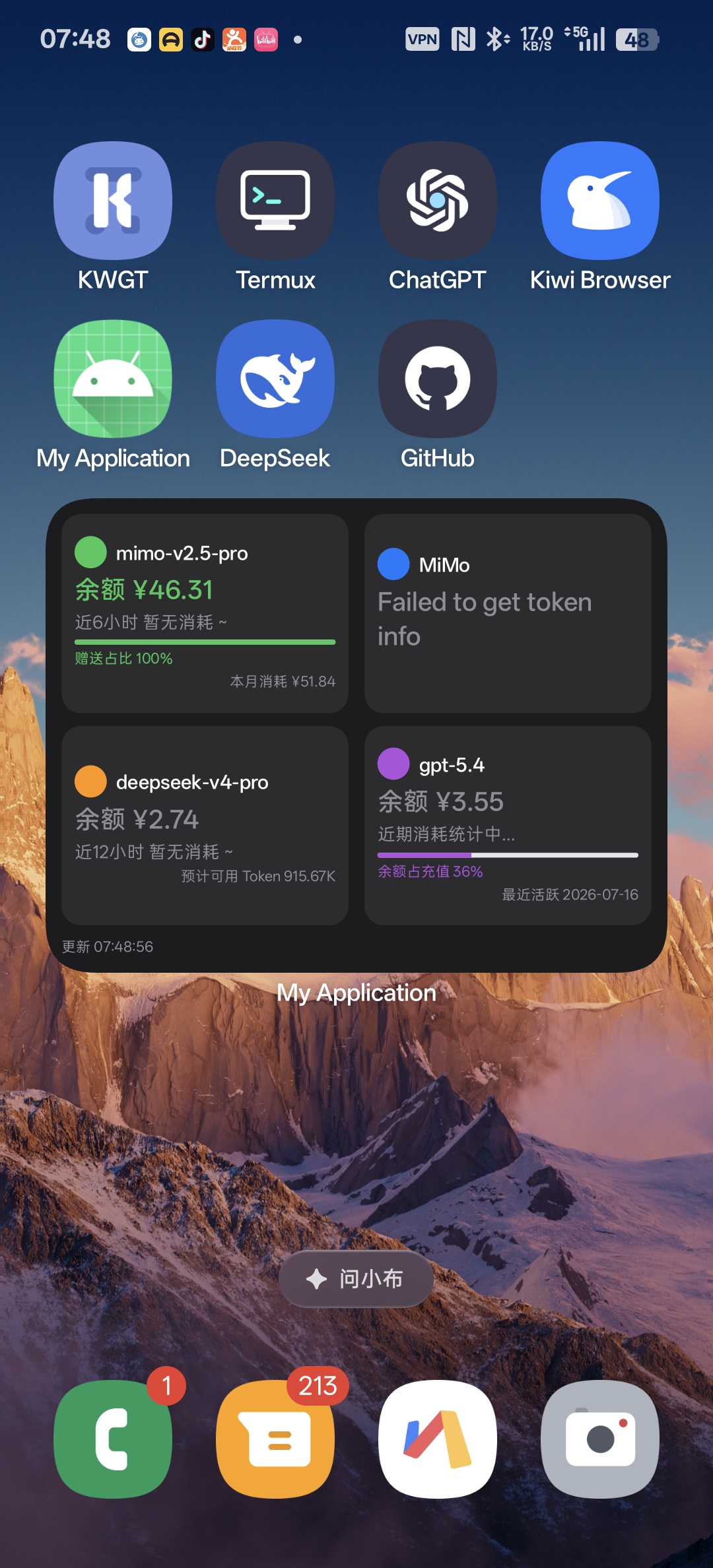
AI API Dashboard is an Android application with a customizable home-screen widget. Users can configure different AI API providers, automatically discover available models, test connections, and display important information in one place.
The project supports OpenAI-compatible APIs and is designed to work with multiple AI providers. Instead of focusing only on one platform, it provides a unified experience for managing different AI models.
How we built it
We built the application using Android technologies and used Codex as an AI development assistant throughout the process. Codex helped with implementation, debugging, architecture decisions, and improving development efficiency.
The application includes API configuration, model discovery, connection testing, persistent settings, and widget-based information display.
Challenges
One of the biggest challenges was handling differences between AI providers. Each service may expose different models, usage data, and API behaviors. We designed the system to be flexible and provider-independent.
Future plans
We plan to continue improving the dashboard with more providers, better usage analytics, more widget layouts, and a smoother experience for both technical and non-technical users.
What we learned
What's next for AI API Dashboard
Built With
- ai
- android
- api
- app
- codex
- compose
- gpt-5.6
- jetpack
- kotlin
- mobile
- openai
- rest
- widget


Log in or sign up for Devpost to join the conversation.