-
-
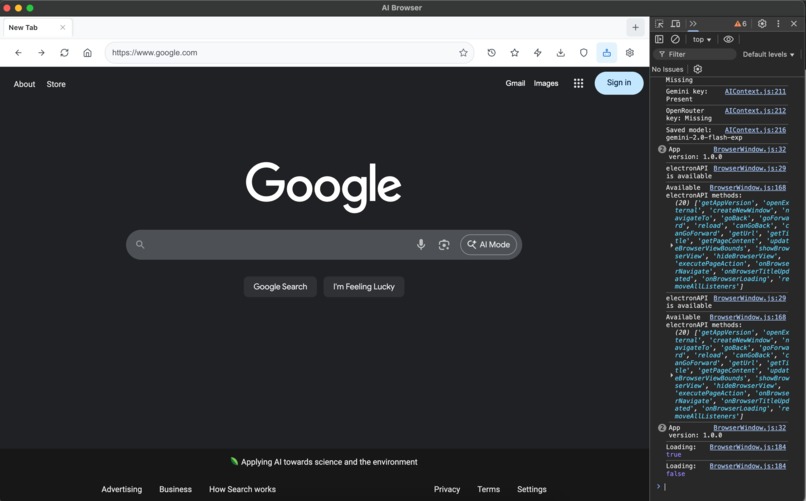
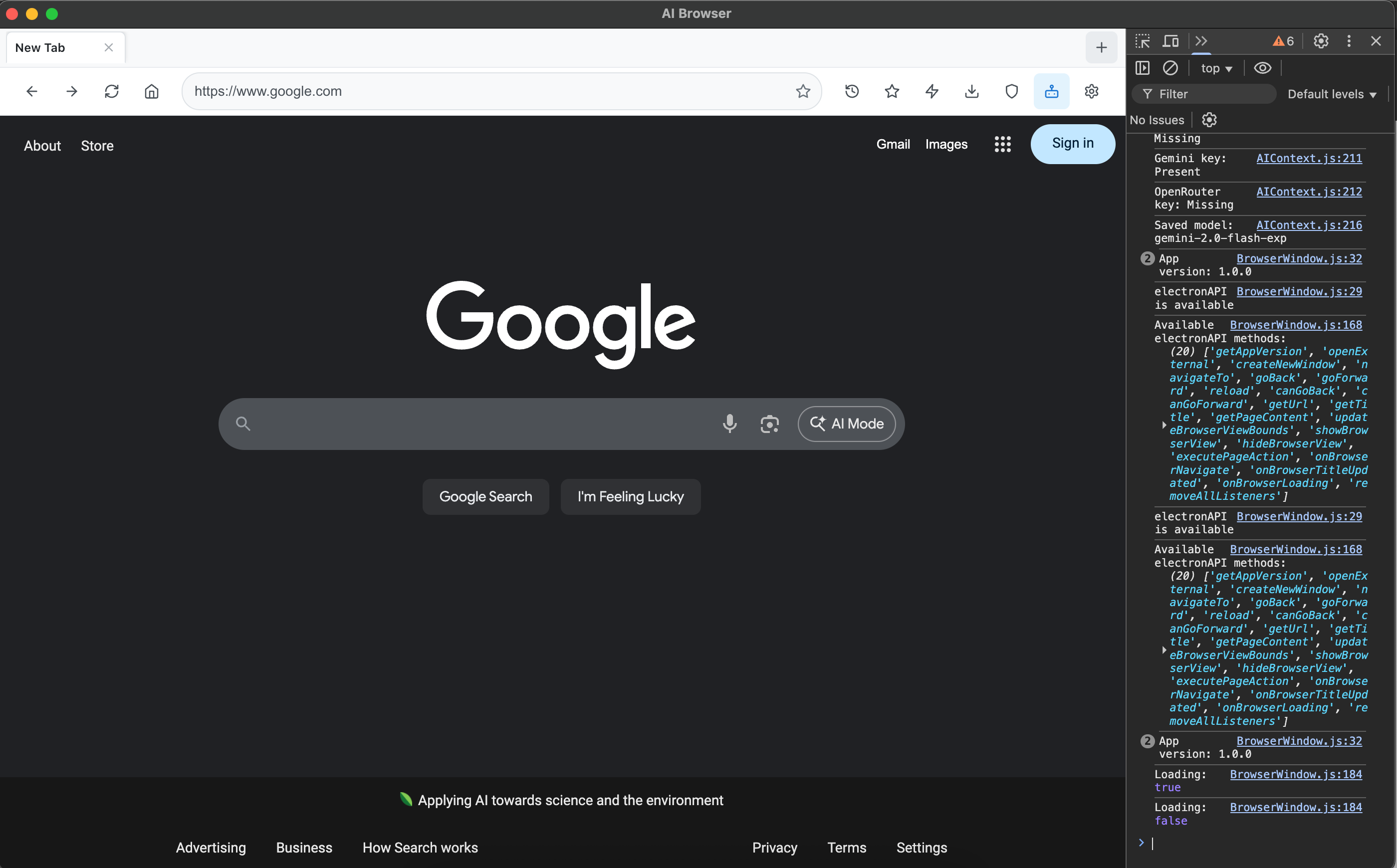
Homepage
-
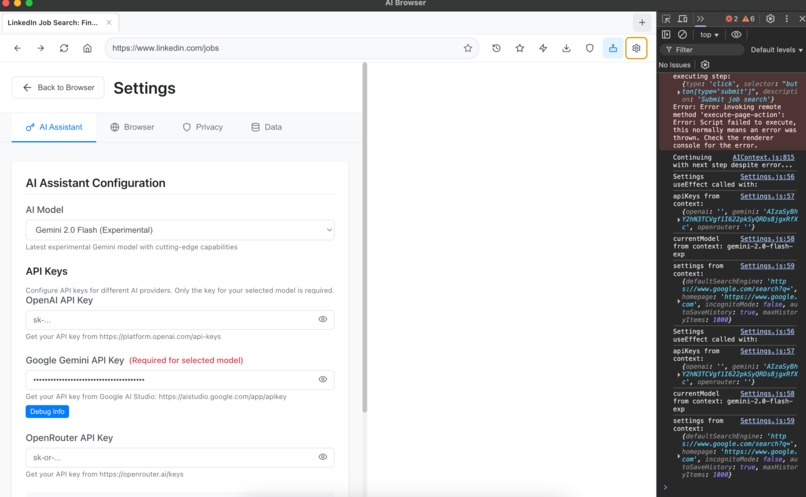
Ai agent browser
-
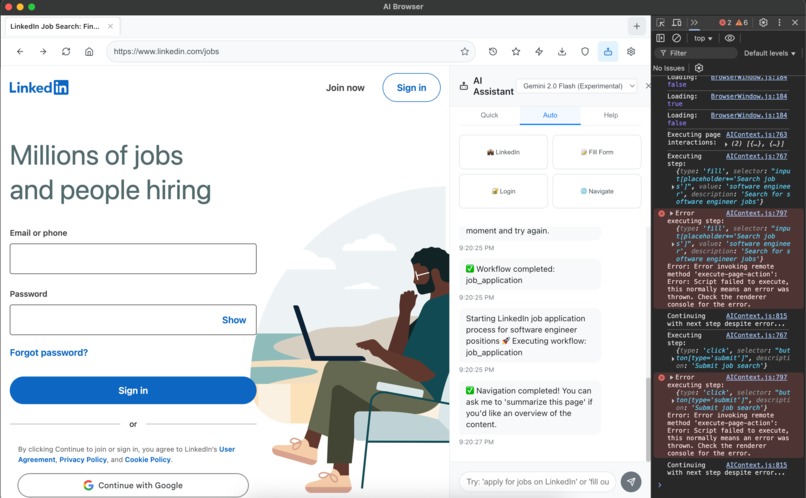
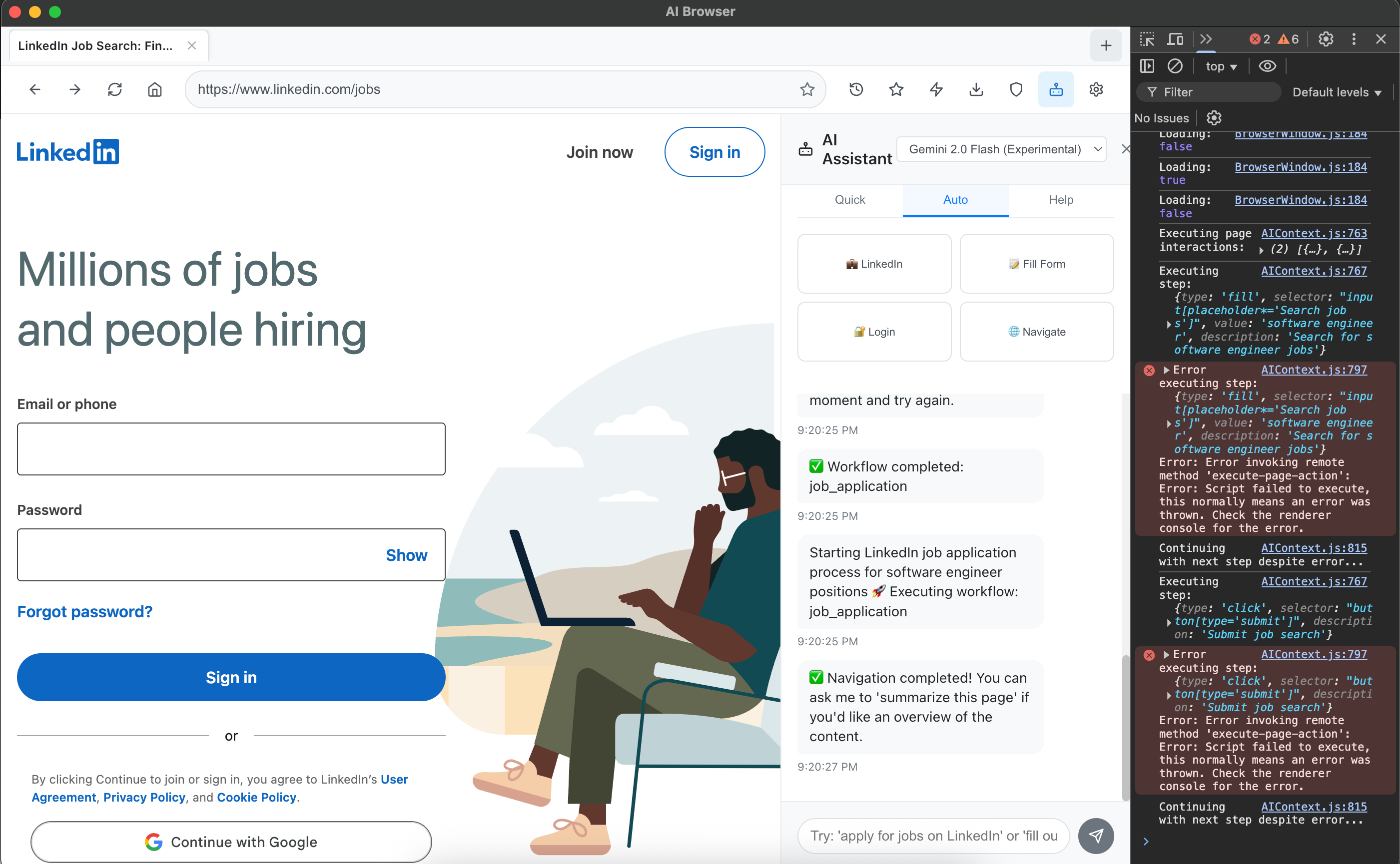
Ai search for linkedin
-
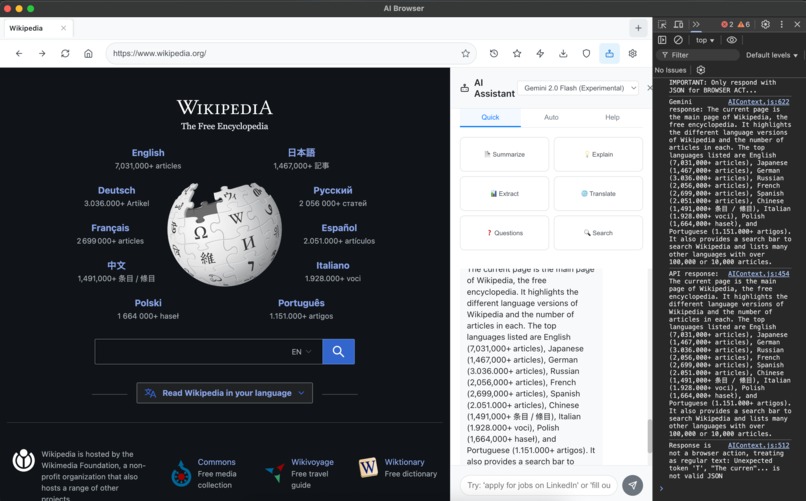
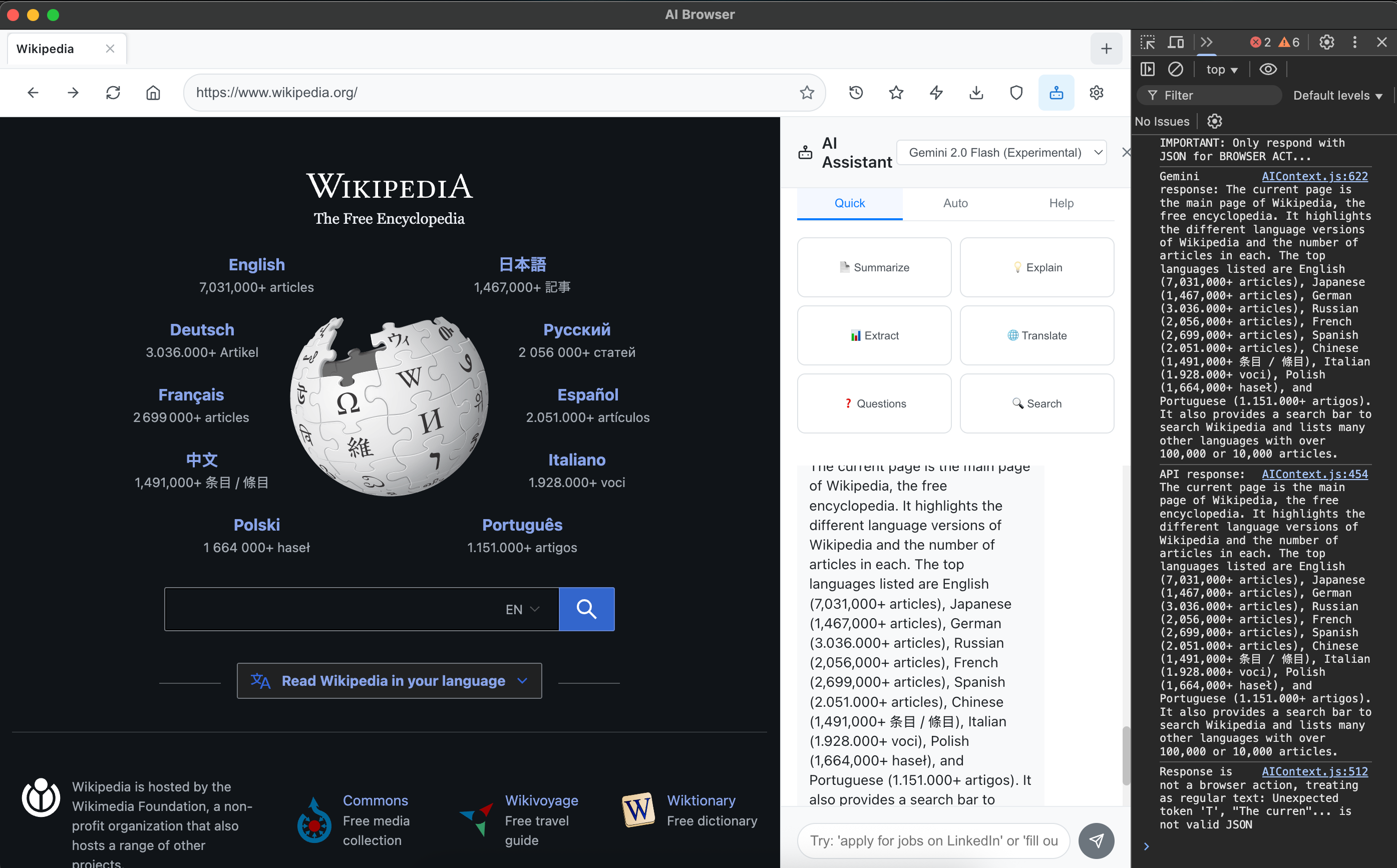
AI extracted data from website
🚀 AI-Powered Browser
A next-generation cross-platform browser built with Electron and React, featuring an integrated AI assistant that revolutionizes web browsing with intelligent automation, content analysis, and natural language interactions.




✨ Key Features
🤖 Advanced AI Integration
- Multi-Provider Support: OpenAI GPT-4, Google Gemini, OpenRouter, and more
- Natural Language Commands: "Search for jobs on LinkedIn", "Summarize this article"
- Intelligent Content Extraction: Automatically extract key information from any webpage
- Context-Aware Responses: AI understands current page content for better assistance
- Smart Page Analysis: Get insights, summaries, and actionable information instantly
🌐 Powerful Browser Features
- Modern Tab Management: Intuitive tab system with easy navigation
- Advanced Navigation: Back, forward, refresh with smart URL handling
- Comprehensive Bookmarks: Organize with folders, tags, and smart search
- Detailed History: Track, search, and analyze your browsing patterns
- Privacy-First Design: All data stored locally, no tracking
🔧 Automation & Productivity
- Web Task Automation: Automate form filling, job applications, and workflows
- Page Interaction: Click buttons, fill forms, and navigate pages via AI commands
- Complex Workflows: Multi-step automation for repetitive tasks
- Smart Element Detection: AI finds and interacts with page elements intelligently
🎯 User Experience
- Clean, Modern Interface: Intuitive design with customizable layouts
- Responsive Design: Optimized for different screen sizes
- Dark/Light Themes: Comfortable viewing in any environment
- Keyboard Shortcuts: Power user features for efficiency
🛠 Tech Stack
Frontend
- React 18 - Modern UI framework with hooks and context
- React Router - Client-side routing and navigation
- Lucide React - Beautiful, customizable icons
- CSS3 - Modern styling with flexbox and grid
Backend/Desktop
- Electron - Cross-platform desktop application framework
- Node.js - JavaScript runtime for desktop integration
- IPC Communication - Secure communication between processes
AI Integration
- OpenAI API - GPT-4, GPT-3.5-turbo models
- Google Gemini API - Latest Gemini models including 2.0 Flash
- OpenRouter - Access to Claude, Llama, and other models
- Custom AI Context - Intelligent prompt engineering
Development Tools
- Concurrently - Run multiple processes simultaneously
- Electron Builder - Package and distribute desktop apps
- Wait-on - Synchronize development processes
🚀 Quick Start
Prerequisites
Installation
Clone the repository
git clone https://github.com/your-username/ai-browser.git
cd ai-browser
Install dependencies
npm installStart development environment
npm run electron-dev
Alternative Start Methods
Option 1: Using the start script
chmod +x start-dev.sh
./start-dev.sh
Option 2: Manual start
# Terminal 1: Start React development server
npm start

# Terminal 2: Start Electron (after React is running)
npm run electron
⚙️ Configuration
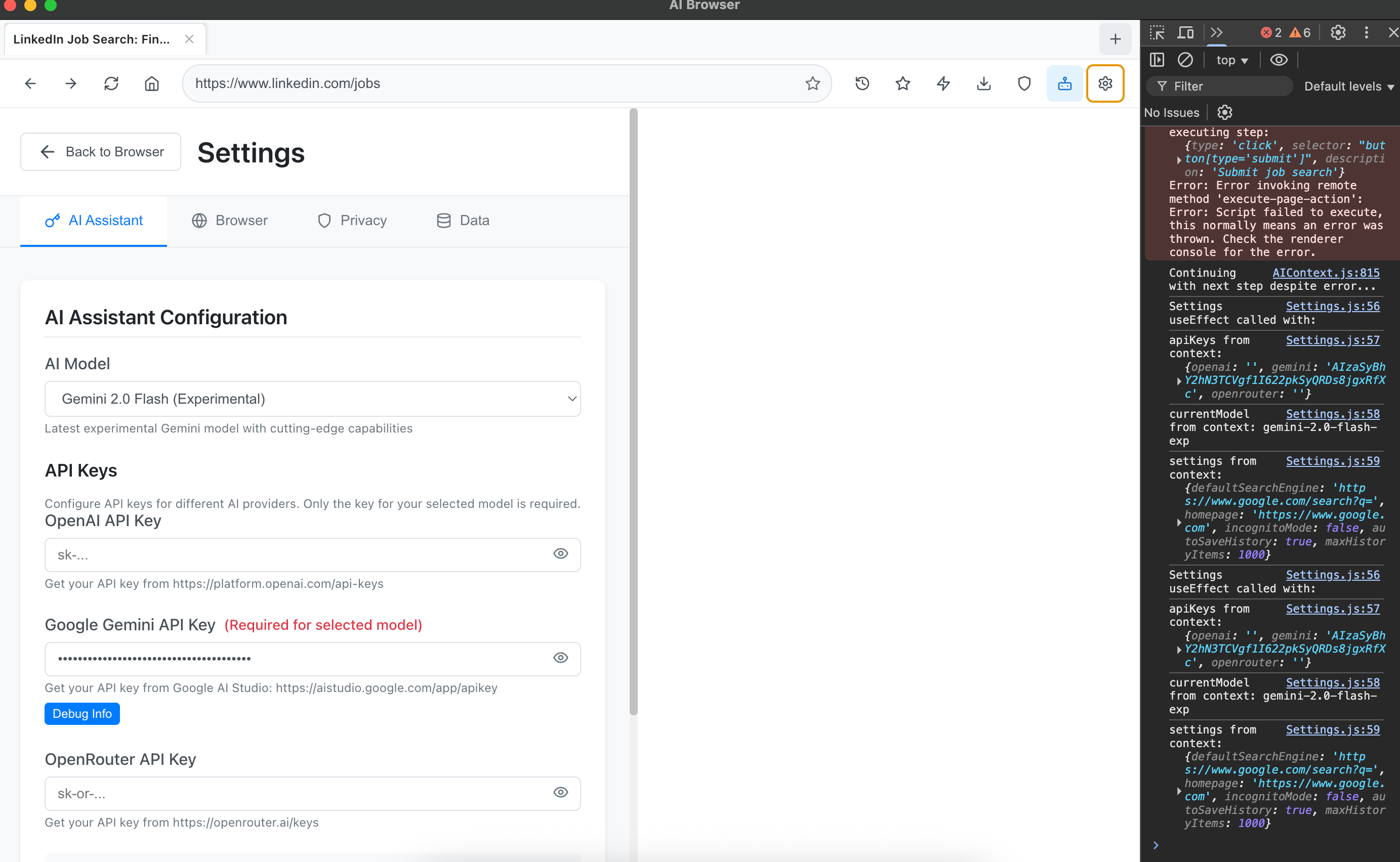
🔑 API Keys Setup
OpenAI (Recommended)
- Visit OpenAI API Keys
- Create a new API key
- Add to Settings → AI Assistant → OpenAI API Key
Google Gemini (Free tier available)
- Visit Google AI Studio
- Generate API key
- Add to Settings → AI Assistant → Gemini API Key
OpenRouter (Access to multiple models)
- Visit OpenRouter
- Create account and generate key
- Add to Settings → AI Assistant → OpenRouter API Key
🎛 Available AI Models
OpenAI Models
- GPT-4 - Most capable, best for complex reasoning
- GPT-3.5 Turbo - Fast and efficient for most tasks
Google Gemini Models
- Gemini 2.0 Flash (Experimental) - Latest cutting-edge model
- Gemini 1.5 Pro - Advanced reasoning and analysis
- Gemini 1.5 Flash - Fast multimodal processing
- Gemini 1.5 Flash-8B - Most cost-efficient option
OpenRouter Models
- Claude 3 Opus - Anthropic's most capable model
- Claude 3 Sonnet - Balanced performance and speed
- Llama 2 70B - Open-source alternative
📖 Usage Guide
🌐 Basic Browsing
Navigation
- Enter URLs or search terms in the address bar
- Use back/forward buttons for navigation
- Refresh pages with the reload button
Tab Management
- Click "+" to open new tabs
- Switch between tabs by clicking them
- Close tabs with the "×" button
🤖 AI Assistant
Open AI Sidebar
- Click the AI button (🤖) in the navigation bar
- Choose from quick action categories
Natural Language Commands
"What's on this page?"
"Summarize this article"
"Search for software engineer jobs"
"Click the first search result"
"Fill out this form with my information"
Page Analysis
- Summarize: Get key points from any webpage
- Extract Data: Pull specific information
- Translate: Convert content to different languages
- Generate Questions: Create study questions from content
🔧 Advanced Features
Task Automation
- Create workflows for repetitive tasks
- Automate job applications on LinkedIn
- Fill forms automatically
- Navigate complex websites
Data Management
- Export/import bookmarks and history
- Search through browsing history
- Organize bookmarks in folders
- Clear data for privacy
📁 Project Structure
ai-browser/
├── 📁 public/                    # Static assets and Electron main process
│   ├── electron.js              # Main Electron process with BrowserView
│   ├── preload.js               # Secure IPC communication bridge
│   └── index.html               # Application entry point
├── 📁 src/                      # React application source
│   ├── 📁 components/           # React components
│   │   ├── BrowserWindow.js     # Main browser interface
│   │   ├── TabBar.js           # Tab management component
│   │   ├── NavigationBar.js    # Address bar and navigation
│   │   ├── AISidebar.js        # AI assistant interface
│   │   ├── Settings.js         # Configuration panel
│   │   ├── HistoryManager.js   # Browsing history management
│   │   ├── BookmarkManager.js  # Bookmark organization
│   │   └── TaskAutomation.js   # Workflow automation
│   ├── 📁 contexts/            # React context providers
│   │   ├── BrowserContext.js   # Browser state management
│   │   └── AIContext.js        # AI integration and API calls
│   ├── 📁 styles/              # CSS stylesheets
│   ├── App.js                  # Main application component
│   └── index.js                # React application entry
├── 📄 package.json             # Dependencies and scripts
├── 📄 start-dev.sh            # Development startup script
└── 📄 README.md               # This documentation
🎨 Key Components Explained
AIContext.js - AI Integration Hub
- Multi-provider API management
- Natural language command processing
- Page content analysis and extraction
- Browser action execution (click, fill, navigate)
BrowserContext.js - Browser State Management
- Tab and navigation state
- History and bookmark management
- Settings and preferences
- Local data storage
electron.js - Desktop Integration
- BrowserView management for web content
- Page interaction capabilities
- Secure IPC communication
- Cross-platform desktop features
🔒 Privacy & Security
Data Protection
- ✅ Local Storage Only - All data stays on your device
- ✅ No Tracking - Zero telemetry or analytics
- ✅ Encrypted API Keys - Secure credential storage
- ✅ Incognito Mode - Private browsing option
Security Features
- Context Isolation - Secure Electron configuration
- Content Security Policy - Protection against XSS
- Sandboxed Processes - Isolated execution environments
- Secure IPC - Protected inter-process communication
🐛 Troubleshooting
Common Issues
Application Won't Start
# Clear dependencies and reinstall
rm -rf node_modules package-lock.json
npm install
npm run electron-dev
AI Assistant Not Responding
- Check API key configuration in Settings
- Verify internet connection
- Ensure API provider has sufficient credits
- Try switching to a different AI model
Page Interactions Failing
- Wait for page to fully load
- Try refreshing the page
- Use "show page elements" command to see available options
- Check browser console for detailed error messages
Build Issues
# For development issues
npm start  # Ensure React dev server starts
npm run electron  # Then start Electron

# For production builds
npm run build
npm run electron-pack
Debug Mode
Enable detailed logging by opening Developer Tools:
- macOS:
Cmd + Option + I - Windows/Linux:
Ctrl + Shift + I
🚀 Building for Production
Create Distributable Package
# Build React application
npm run build

# Package for current platform
npm run electron-pack

# Package for all platforms (requires additional setup)
npm run electron-pack-all
Distribution Files
Built applications will be in the dist/ directory:
- Windows:
.exeinstaller - macOS:
.dmgdisk image - Linux:
.AppImageor.debpackage
🤝 Contributing
We welcome contributions! Here's how to get started:
Development Setup
- Fork the repository
- Create a feature branch:
git checkout -b feature/amazing-feature - Make your changes
- Test thoroughly
- Commit:
git commit -m 'Add amazing feature' - Push:
git push origin feature/amazing-feature - Open a Pull Request
Contribution Guidelines
- Follow existing code style and patterns
- Add tests for new features
- Update documentation as needed
- Ensure cross-platform compatibility
📄 License
This project is licensed under the MIT License - see the LICENSE file for details.
🙏 Acknowledgments
Technologies
- Electron - Cross-platform desktop apps
- React - User interface framework
- OpenAI - AI model integration
- Google AI - Gemini model access
- Lucide - Beautiful icon library
Inspiration
Built to bridge the gap between traditional browsing and AI-powered productivity, making the web more intelligent and accessible.
🌟 Star this project if you find it useful!
Made with ❤️ by developers who believe in the power of AI-enhanced browsing
For support, questions, or feature requests, please open an issue or start a discussion.
Built With
- ai-model-integration
- browserview-api
- concurrently
- context-api
- cross-platform
- cross-platform-desktop-development
- css-grid
- css3
- custom-prompt-engineering
- custom-react-hooks
- desktop-integration
- dom-manipulation
- electron
- element-detection
- encrypted-storage
- file-system-apis
- flexbox
- gemini-2.0-flash
- google-gemini-api
- gpt-3.5-turbo
- gpt-4
- html5
- ipc-communication
- javascript
- json
- local-data-storage
- local-storage-api
- lucide-react
- modern-web-apis
- multi-process-architecture
- natural-language-processing
- node.js
- npm
- openai-api
- openrouter-api
- privacy-first-architecture
- react-18
- react-router
- sandboxed-execution
- secure-ipc
- wait-on
- web-automation
- workflow-automation

Log in or sign up for Devpost to join the conversation.