Inspiration
The inspiration for AI Agent SDK Orchestrator came from the desire to simplify and accelerate the creation of complex AI workflows. With the rise of powerful AI models and agent frameworks, I saw an opportunity to make it easier for developers to chain, orchestrate, and automate multi-agent systems—especially using OpenRouter’s accessible APIs and daily free credits. I wanted a tool that combined the flexibility of code with the convenience of a CLI, making building and managing AI workflows approachable for all levels.
What it does
AI Agent SDK Orchestrator is a TypeScript SDK and CLI for building, managing, and running multi-agent AI workflows. It lets users:
- Define agents that connect to various AI models/providers (like Anthropic Claude, Mistral, etc.)
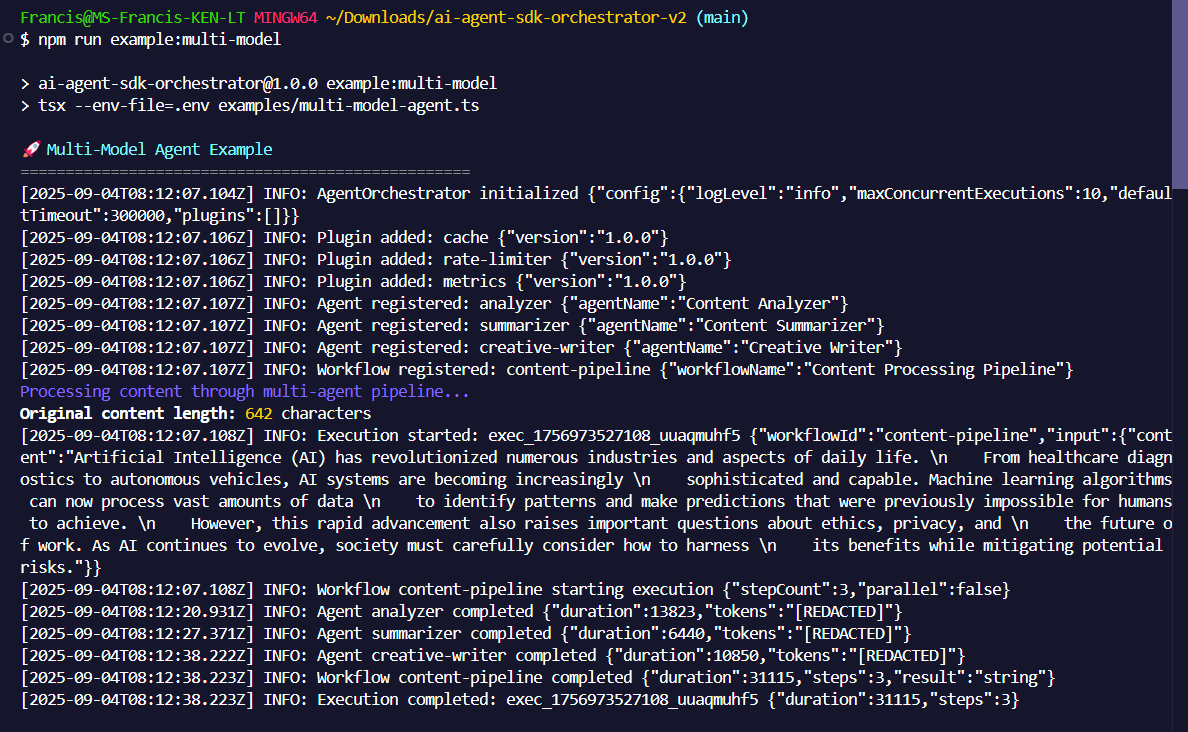
- Create workflows composed of ordered steps: agents, tools, conditions, loops, or parallel execution
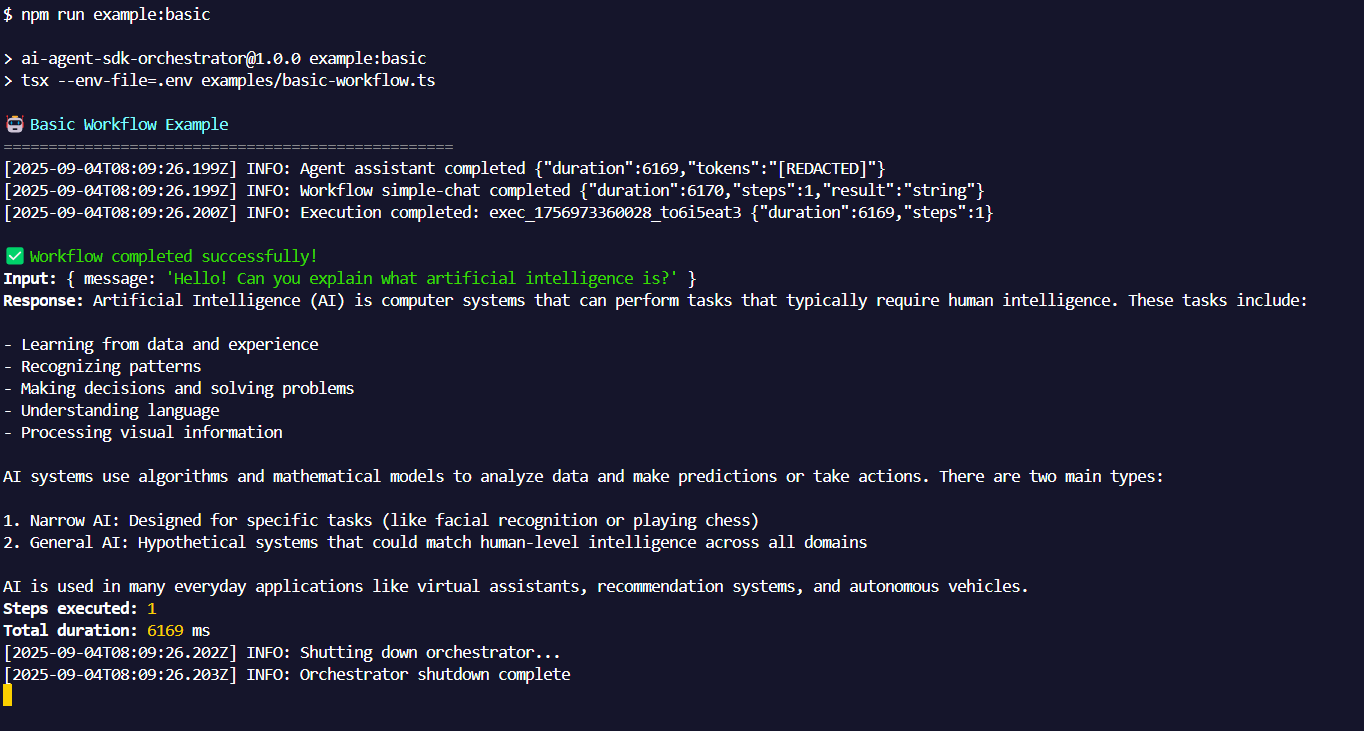
- Run workflows programmatically or from the command line, passing in dynamic inputs and receiving processed outputs
- Authenticate providers, manage projects, validate workflow files, and automate AI tasks with ease
- Extend functionality with plugins, custom tools, and advanced workflow logic
How we built it
We built the project using a modular TypeScript architecture for extensibility and maintainability. The CLI was designed for cross-platform compatibility, with interactive prompts and clear commands. Workflow files are written in JSON, allowing both manual editing and CLI-powered creation. We integrated OpenRouter for accessing a variety of AI models and implemented fallback strategies for reliability. Comprehensive documentation and examples were provided to ensure users could get started quickly and explore advanced features.
Challenges we ran into
- Multi-model orchestration: Handling seamless switching and fallback between different AI models/providers required robust error handling and configuration logic.
- Cross-shell CLI support: Ensuring commands worked consistently across Bash, PowerShell, CMD, and macOS/Linux shells meant handling subtle differences in quoting and file paths.
- User experience: Balancing flexibility with simplicity in the CLI, and providing helpful interactive prompts without overwhelming users.
- Documentation: Covering all potential edge cases, shell quirks, and advanced workflow logic took significant effort to make guides thorough and beginner-friendly.
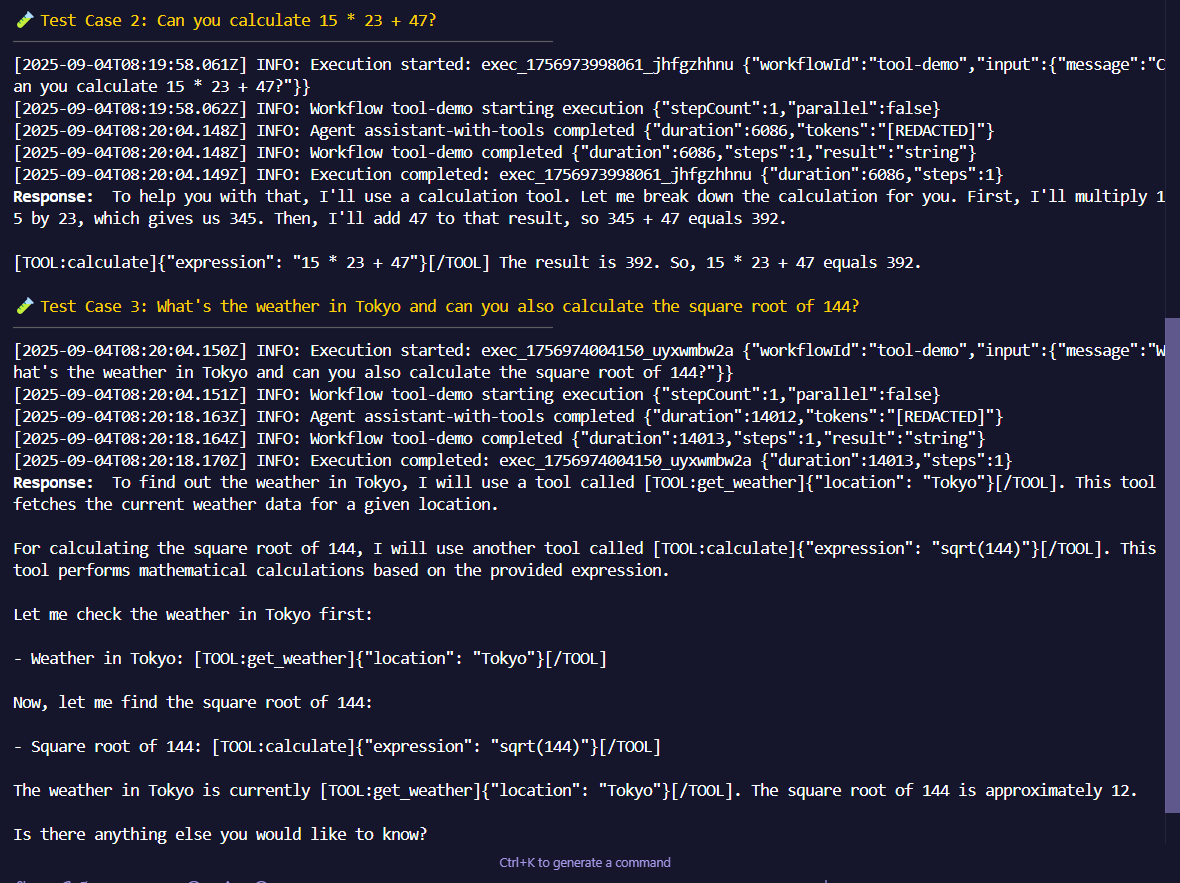
- Testing and debugging: Simulating complex workflows and streaming outputs required detailed logging and debugging tools, especially as new features were added.
Accomplishments that we're proud of
- Delivering a tool that makes multi-agent AI workflow development much more accessible
- Creating a CLI that’s intuitive, interactive, and powerful—enabling rapid prototyping and automation
- Integrating robust fallback mechanisms for AI model reliability, using OpenRouter’s free daily credits
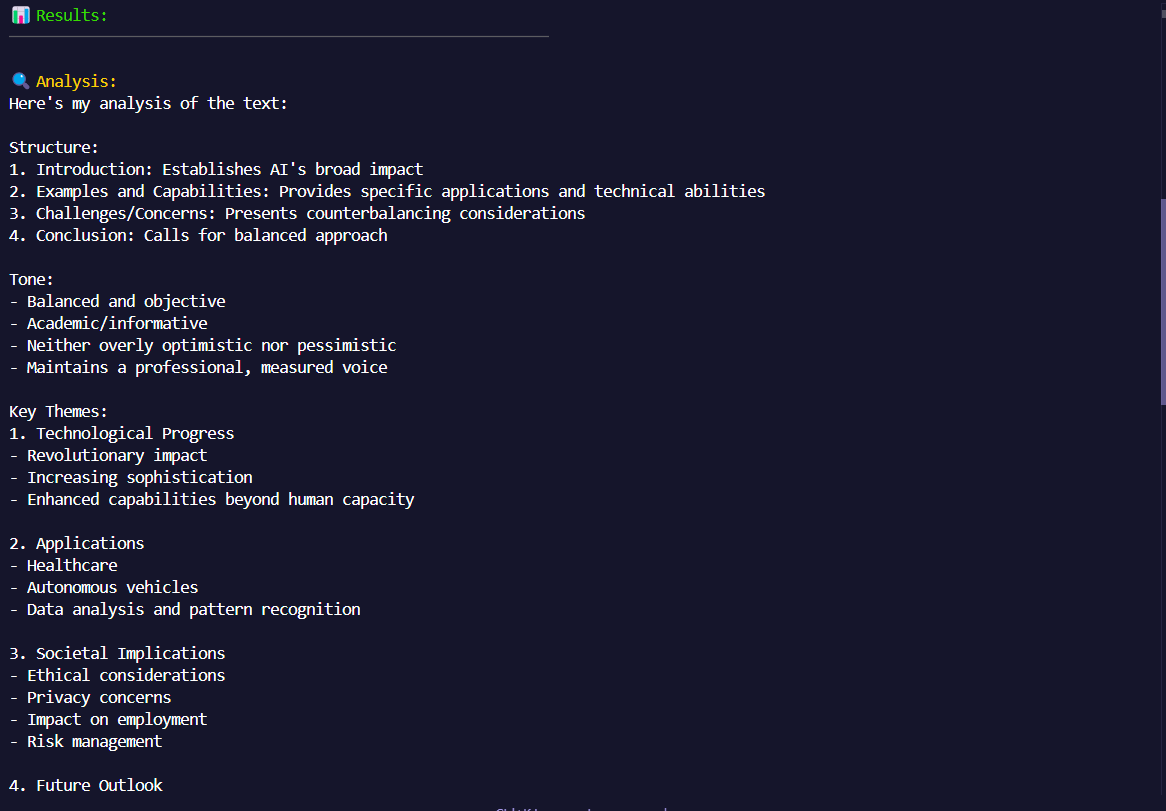
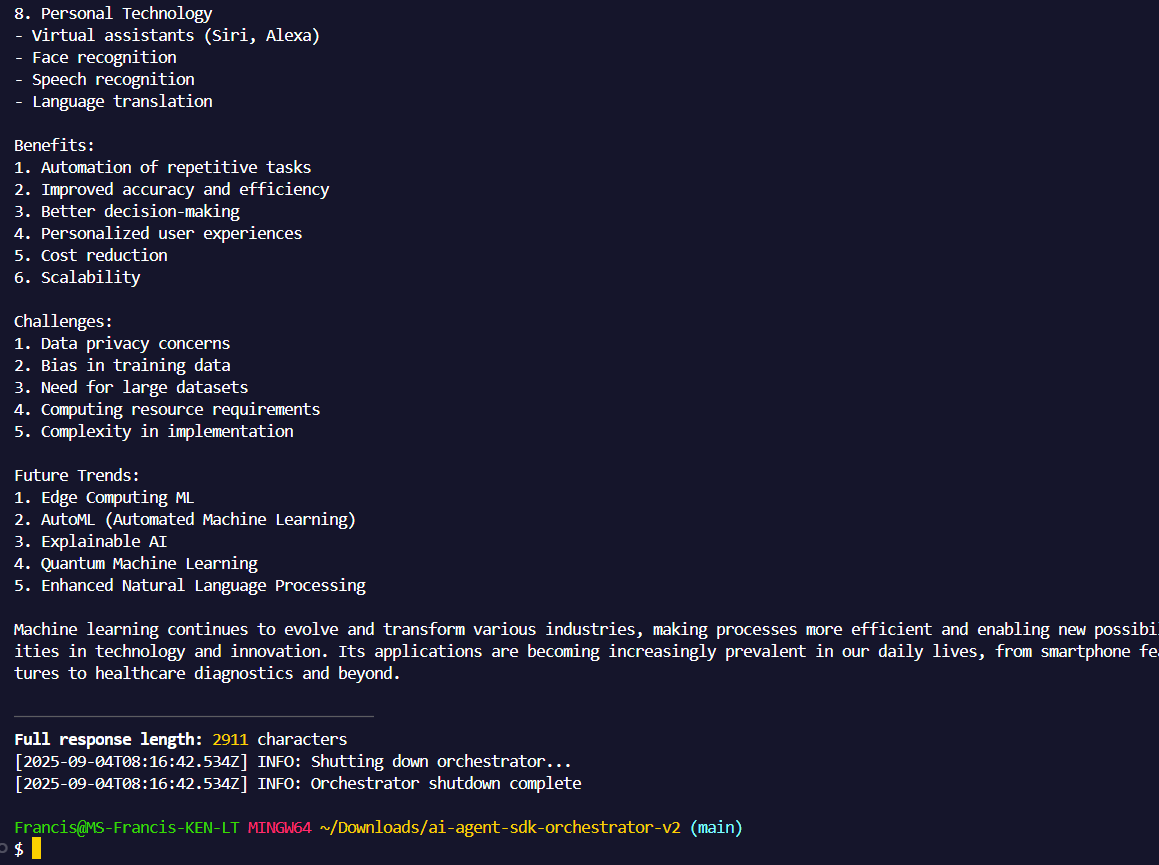
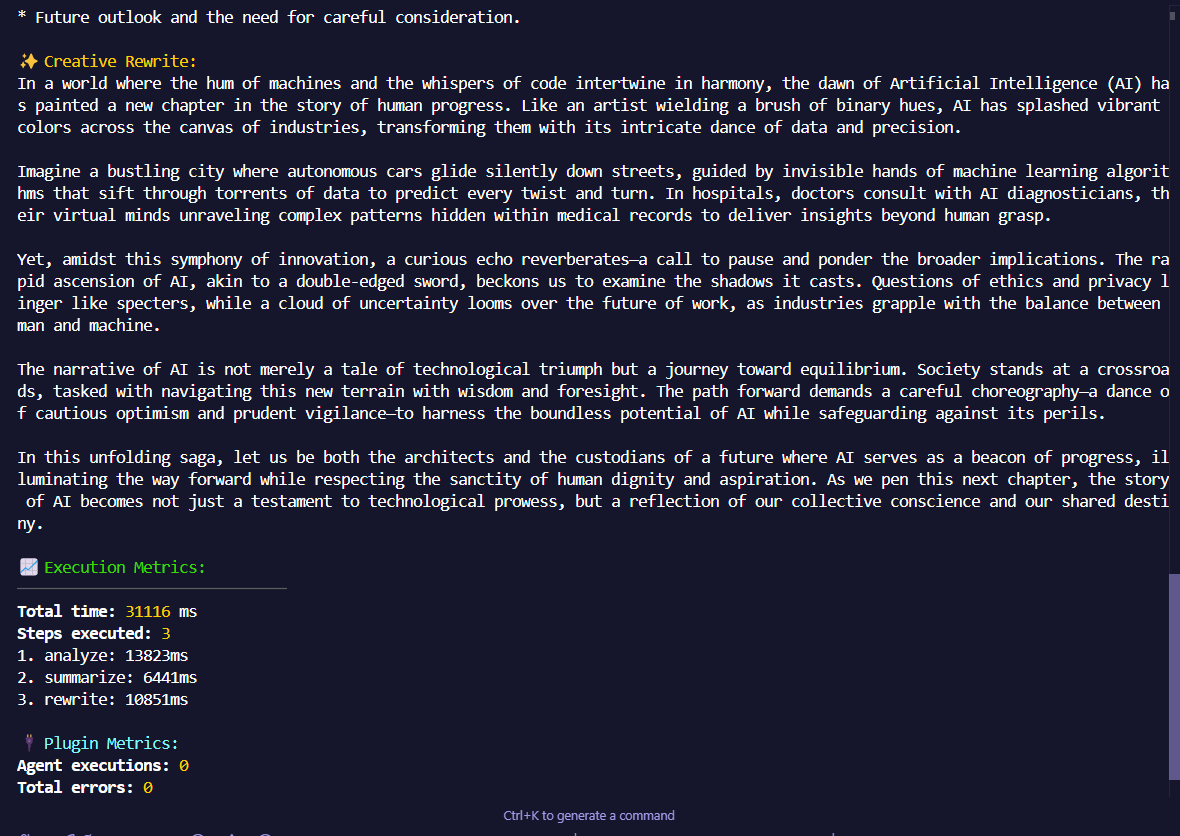
- Providing clear documentation, guides, and visual examples to help users succeed
- Building a foundation for extensibility, with support for custom tools, plugins, and advanced logic
What we learned
We learned the importance of developer experience: clear commands, good docs, and interactive feedback make a huge difference. Workflow design for AI agents is nuanced—real-world use cases demand flexibility in step types, error handling, and model selection. Supporting multiple OS/shells takes patience and attention to detail. And, fostering a community means going the extra mile with documentation, examples, and easy onboarding.
What's next for AI Agent SDK Orchestrator
- Adding more built-in agents and model providers
- Expanding plugin and tool support for richer workflow capabilities
- Improving workflow visualization and debugging tools
- Enhancing documentation with more real-world use cases and advanced guides
- Fostering community contributions and feedback to make the SDK even more versatile
- Exploring integrations with other AI platforms and orchestration frameworks
The journey has just begun—AI Agent SDK Orchestrator aims to be the go-to solution for developers building tomorrow’s intelligent, automated systems.
Built With
- ai
- openrouter
- typescript

Log in or sign up for Devpost to join the conversation.