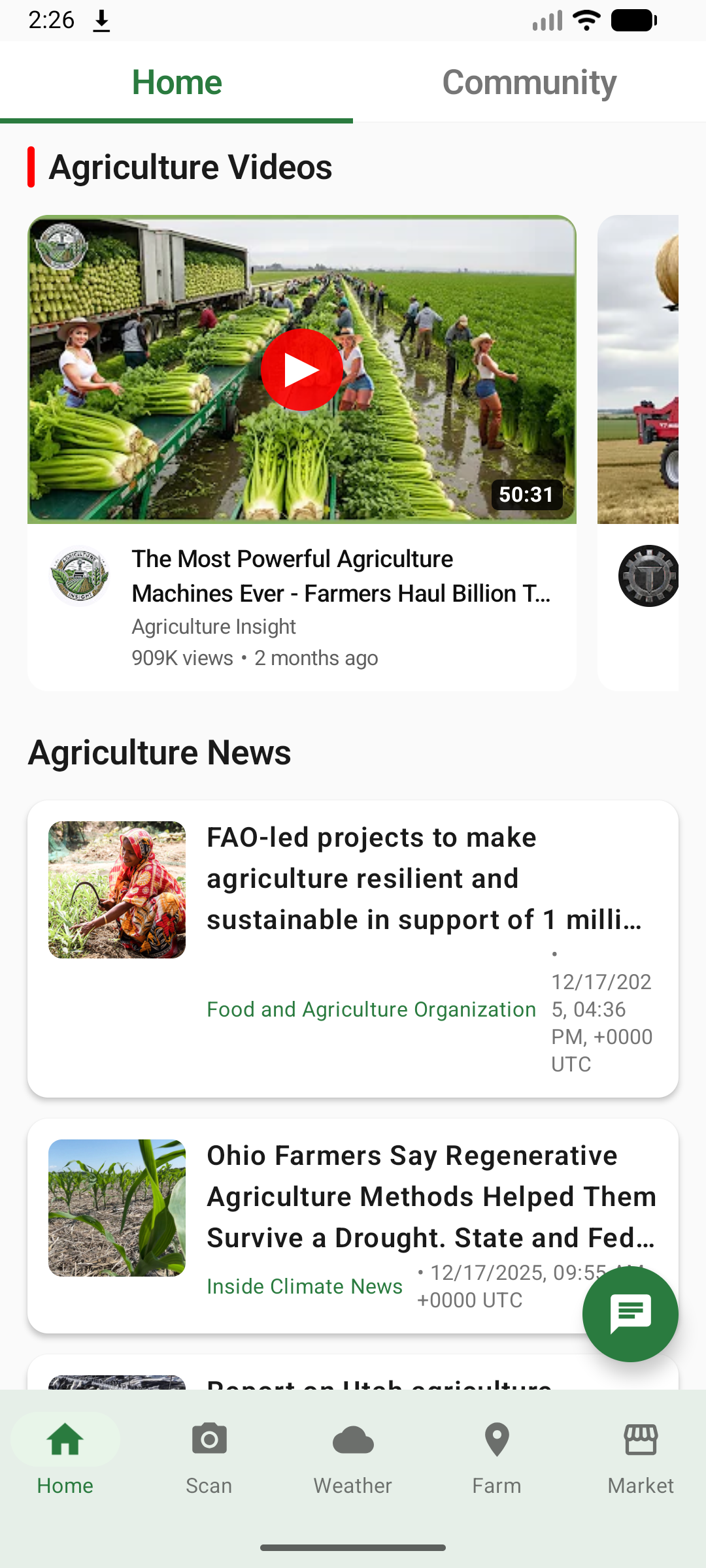
AgroHub - Smart Agriculture Platform
🌱 Inspiration
The inspiration for AgroHub came from witnessing the challenges faced by farmers in developing regions who lack access to modern agricultural technology and expert advice. We observed several critical problems:
- Knowledge Gap: Farmers struggle to identify crop diseases early, leading to significant yield losses
- Isolation: Small-scale farmers work in isolation without access to a community of peers
- Information Overload: Agricultural information is scattered across multiple sources and often not actionable
- Weather Uncertainty: Unpredictable weather patterns affect crop planning and management
- Market Access: Farmers lack efficient platforms to buy supplies and sell produce
We envisioned a comprehensive mobile platform that could democratize access to agricultural technology, bringing AI-powered insights, community support, and practical tools directly to farmers' smartphones. Our goal was to create a "digital farming assistant" that empowers farmers with knowledge, connects them with peers, and helps them make data-driven decisions.
🚜 What It Does
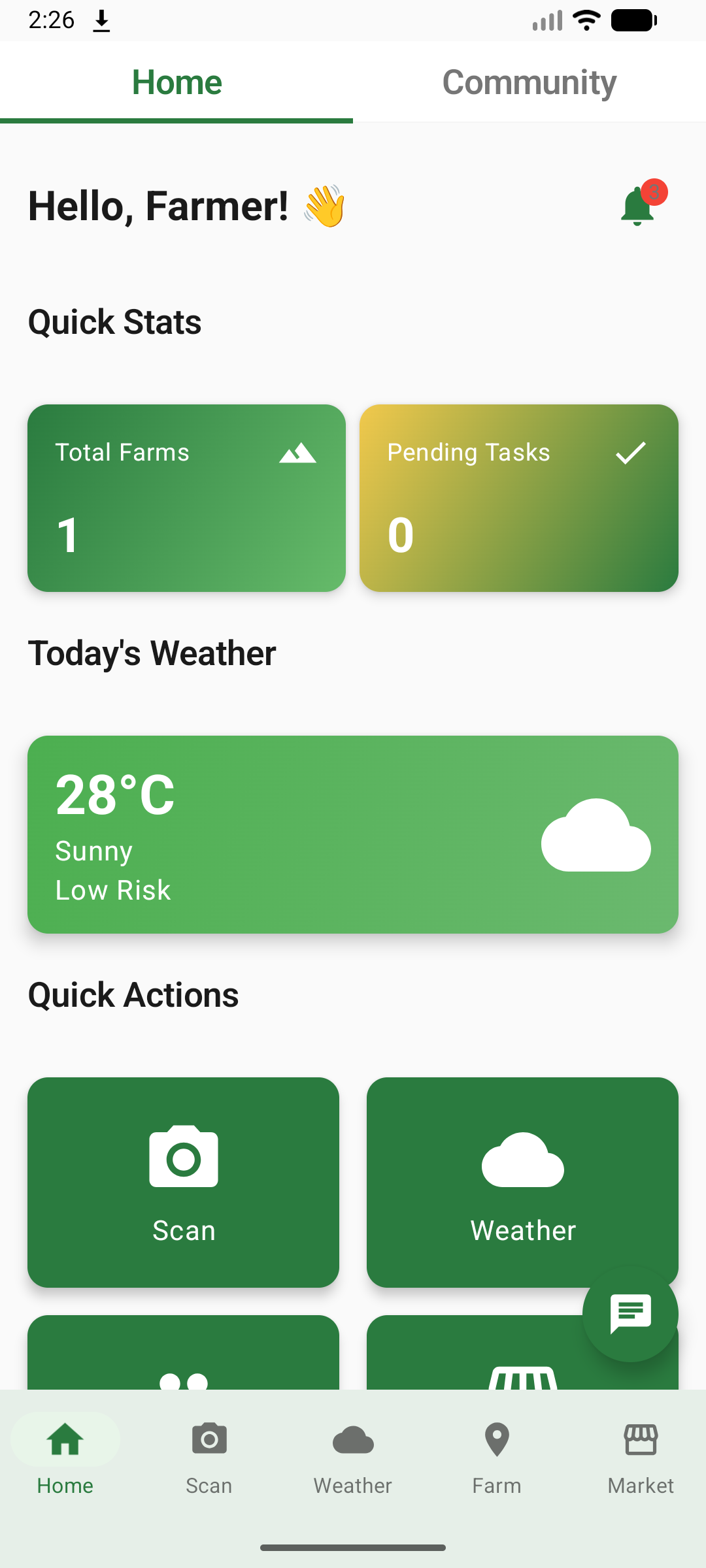
AgroHub is an all-in-one smart agriculture platform that provides farmers with essential tools and information to optimize their farming operations. The app includes:
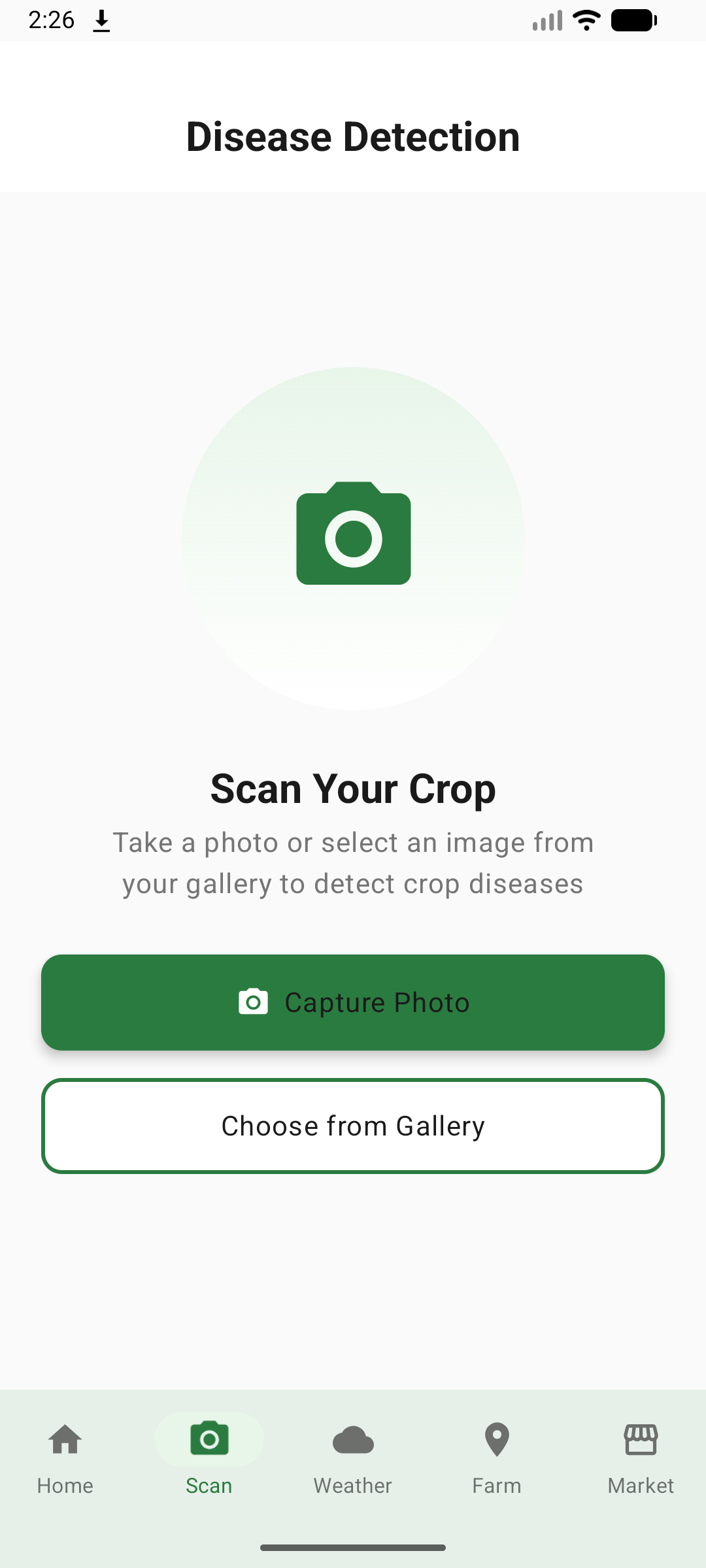
1. AI-Powered Disease Detection
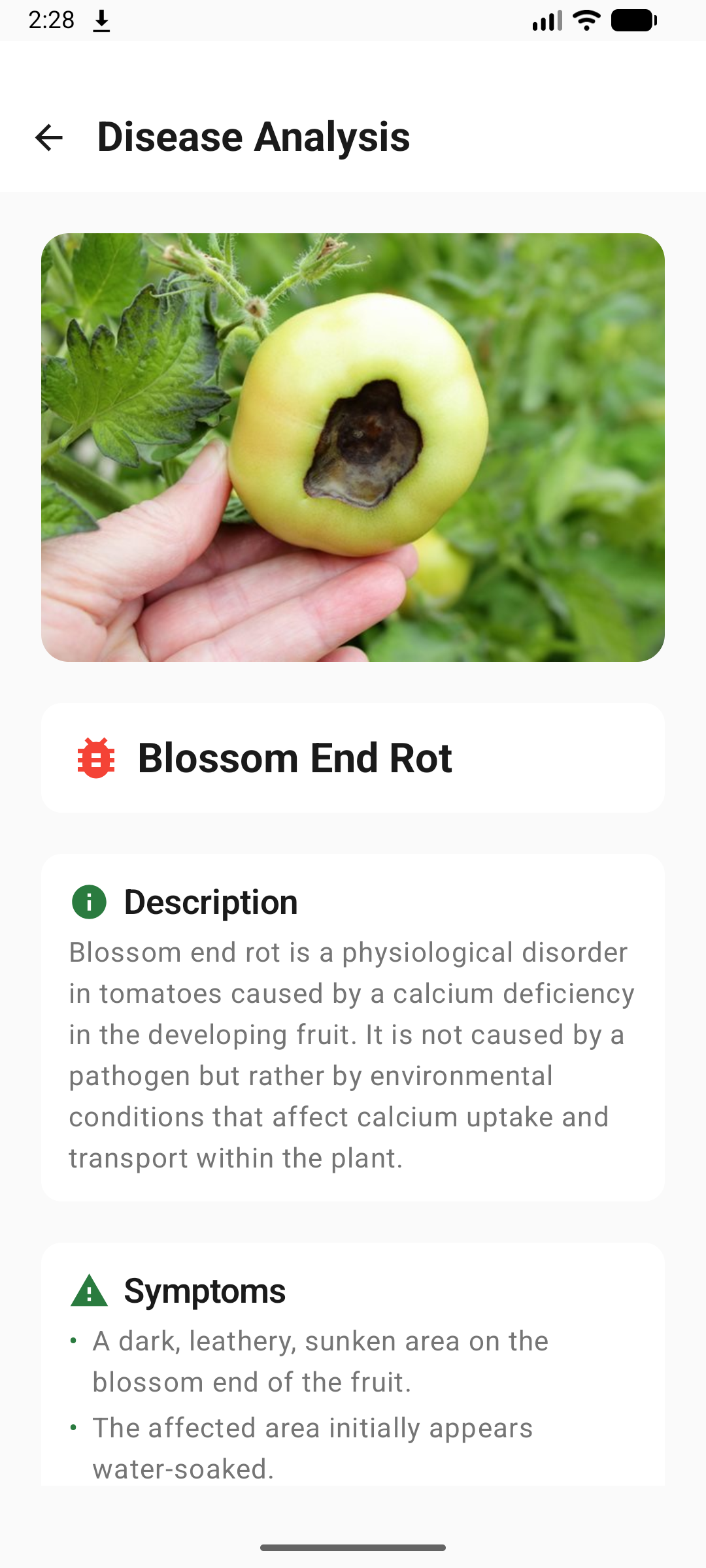
- Image Analysis: Farmers can photograph affected crops and receive instant AI-powered disease diagnosis
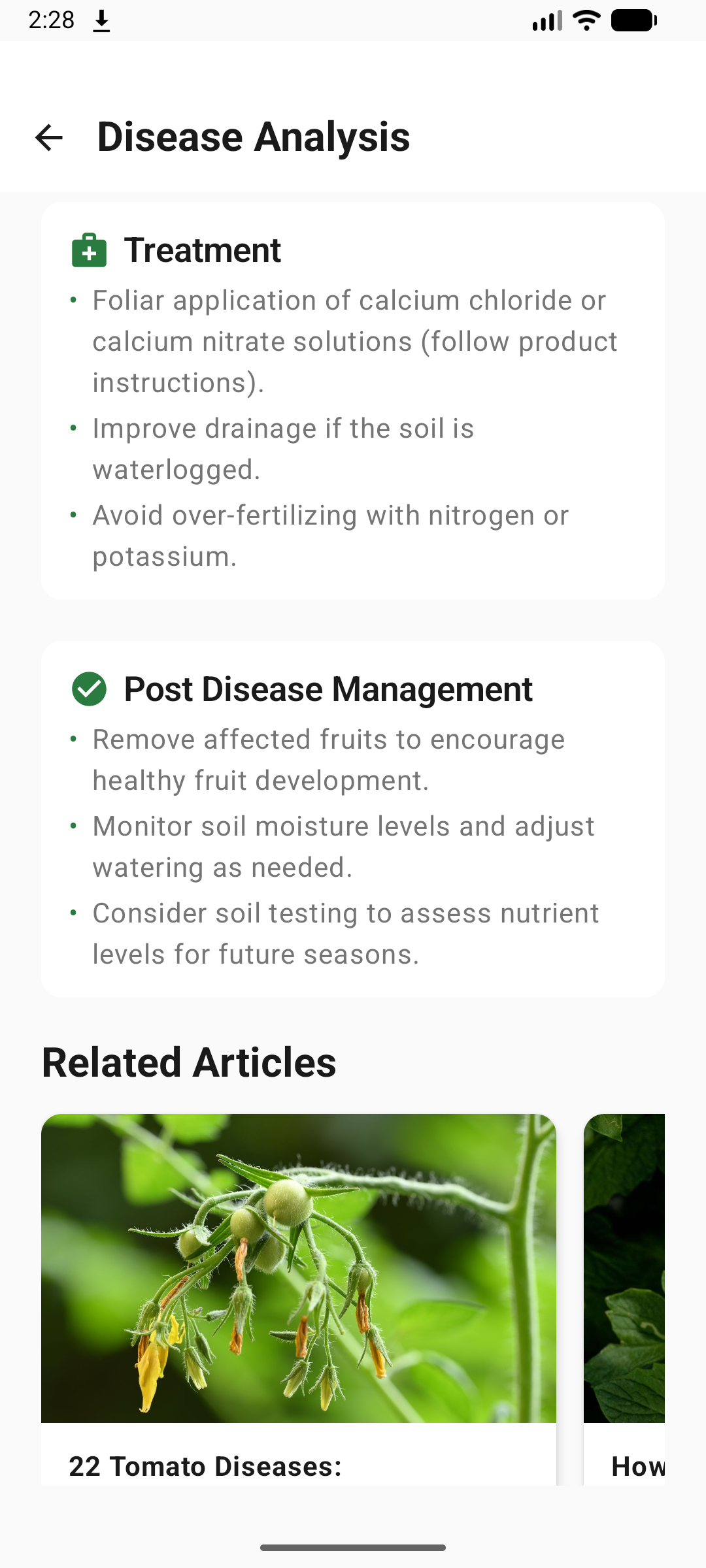
- Comprehensive Reports: Each analysis provides disease name, symptoms, threats, prevention methods, treatment plans, and post-disease management
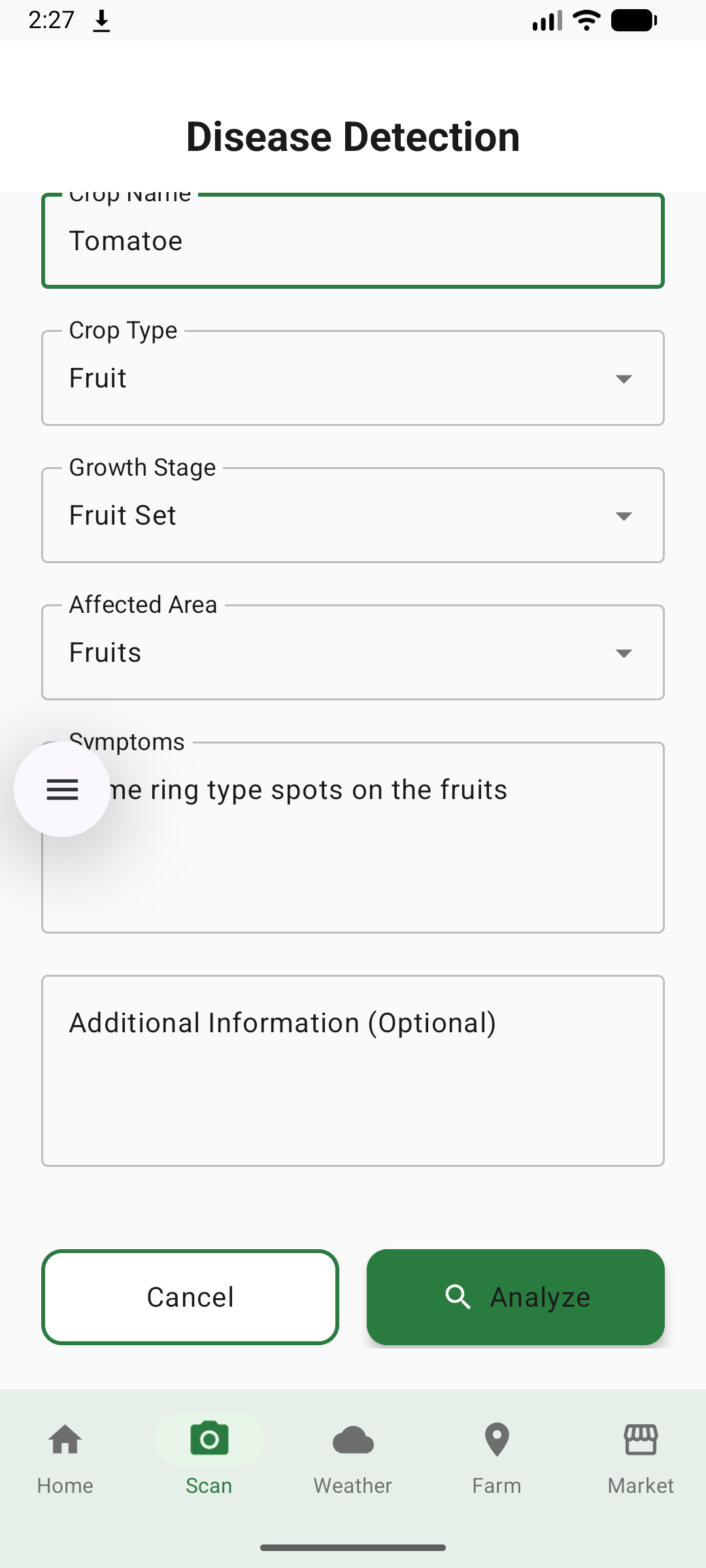
- Contextual Information: Users provide crop details (type, growth stage, affected area, symptoms) for accurate diagnosis
- Related News: Automatically fetches relevant articles about the detected disease for additional research
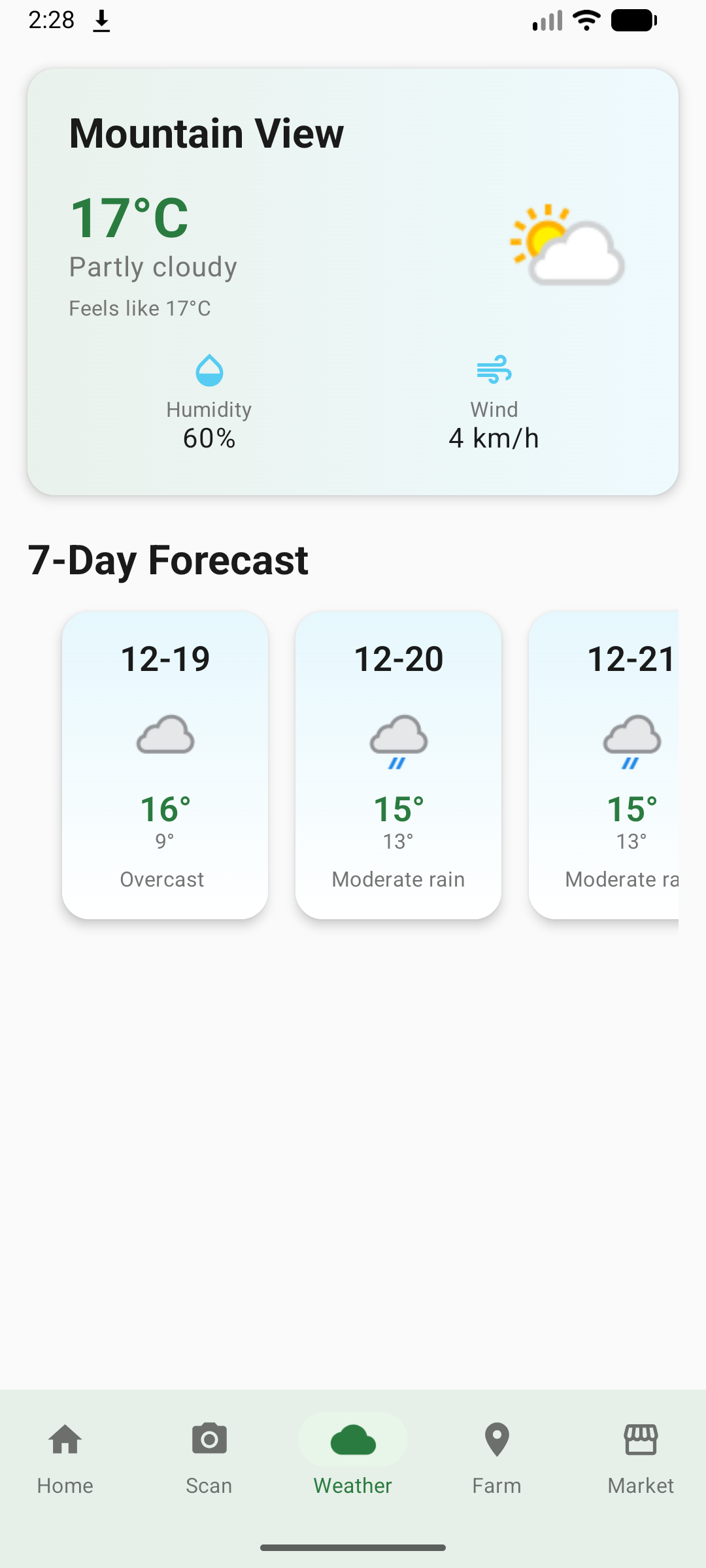
2. Weather Intelligence
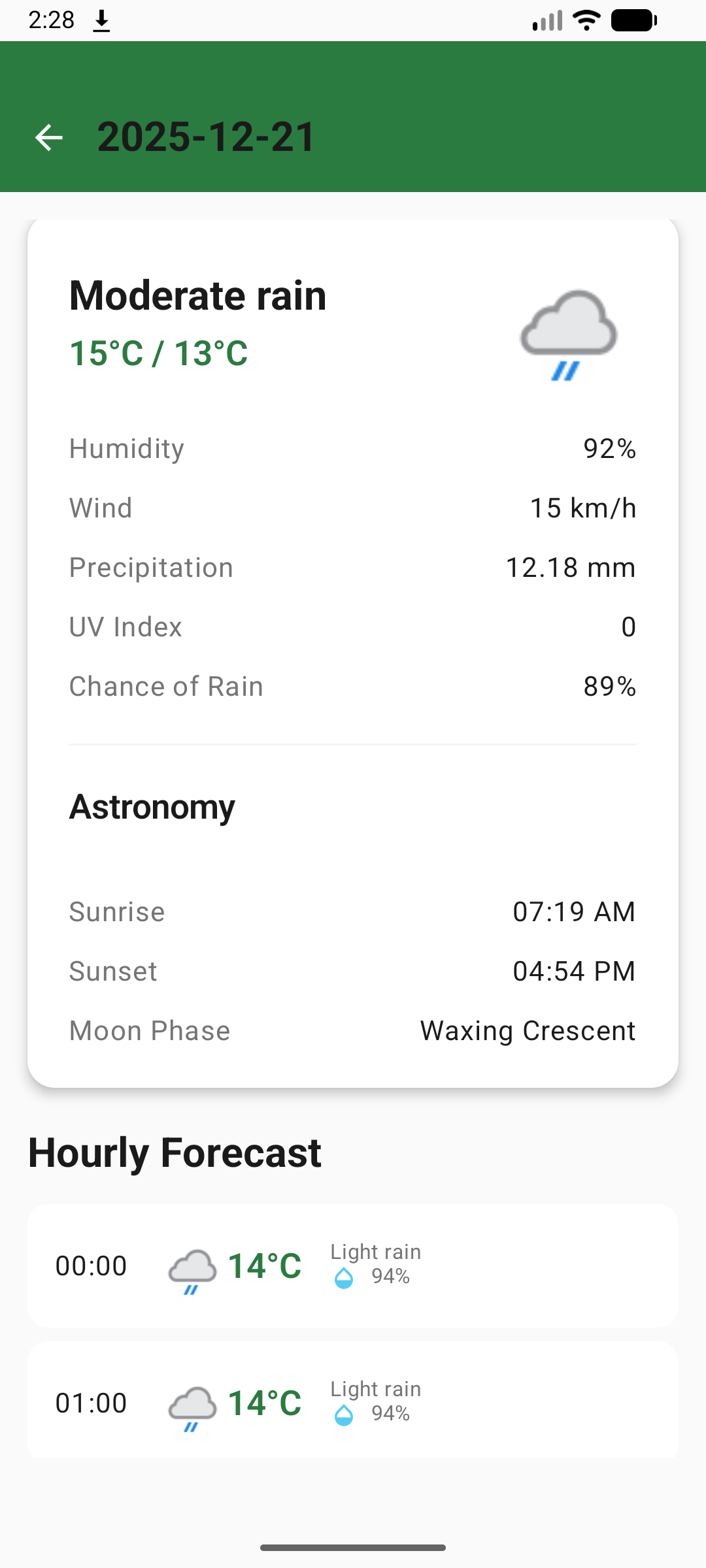
- Real-Time Weather: Current weather conditions with temperature, humidity, wind speed, and precipitation
- 7-Day Forecast: Detailed daily forecasts to plan farming activities
- Agricultural Insights: Weather-specific farming recommendations
- Location-Based: Automatic location detection or manual location search
3. Community Feed
- Social Networking: Connect with fellow farmers to share experiences and knowledge
- Post Creation: Share photos, tips, questions, and success stories
- Engagement: Like, comment, and interact with community posts
- Knowledge Sharing: Learn from experienced farmers and agricultural experts
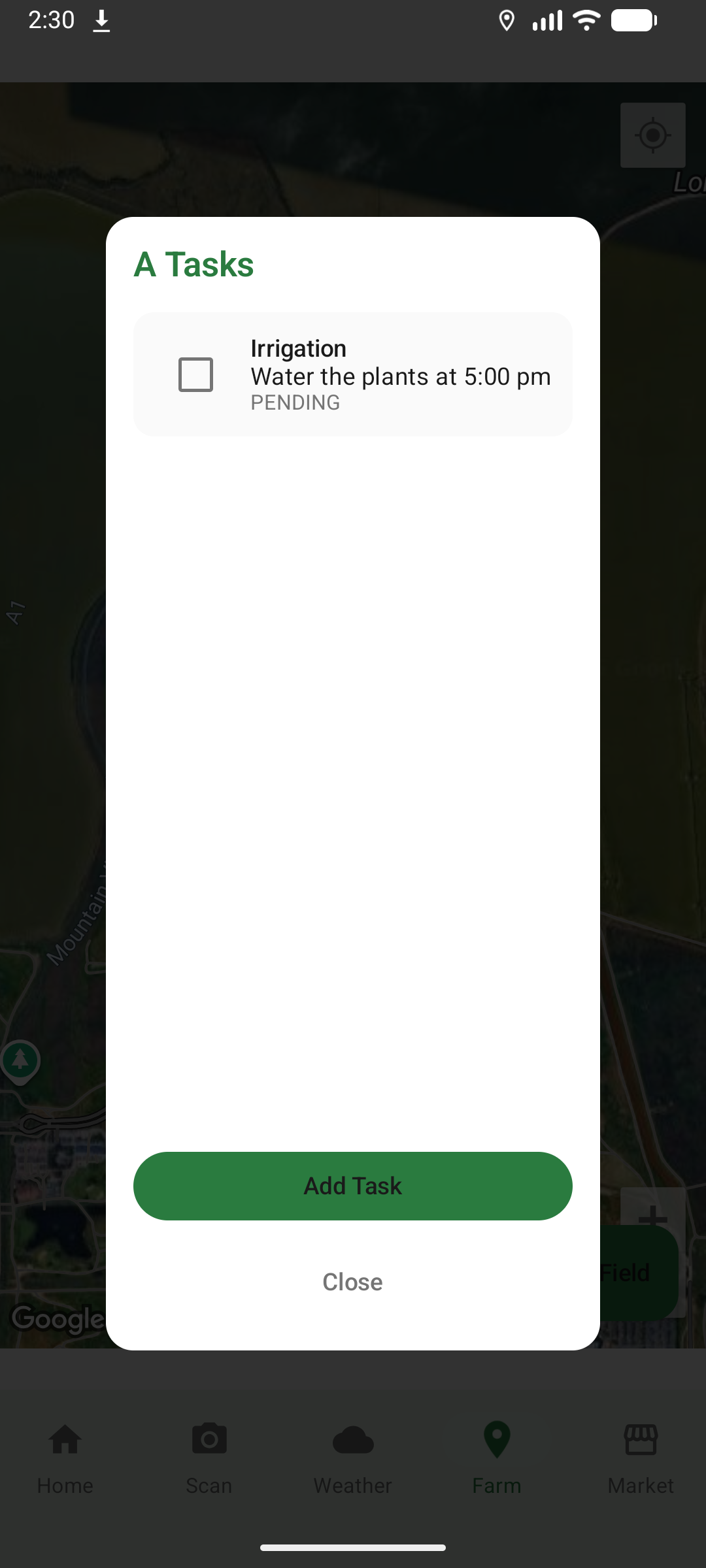
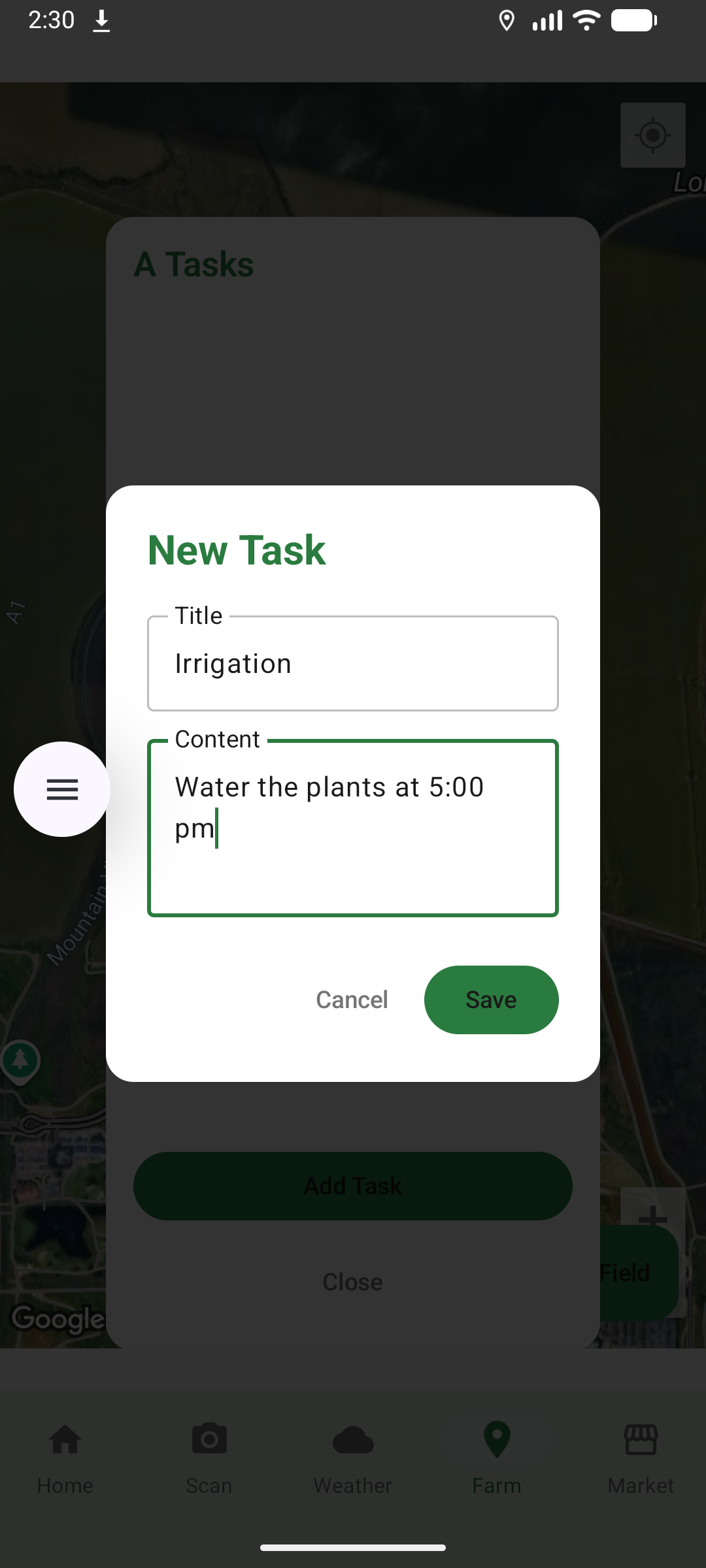
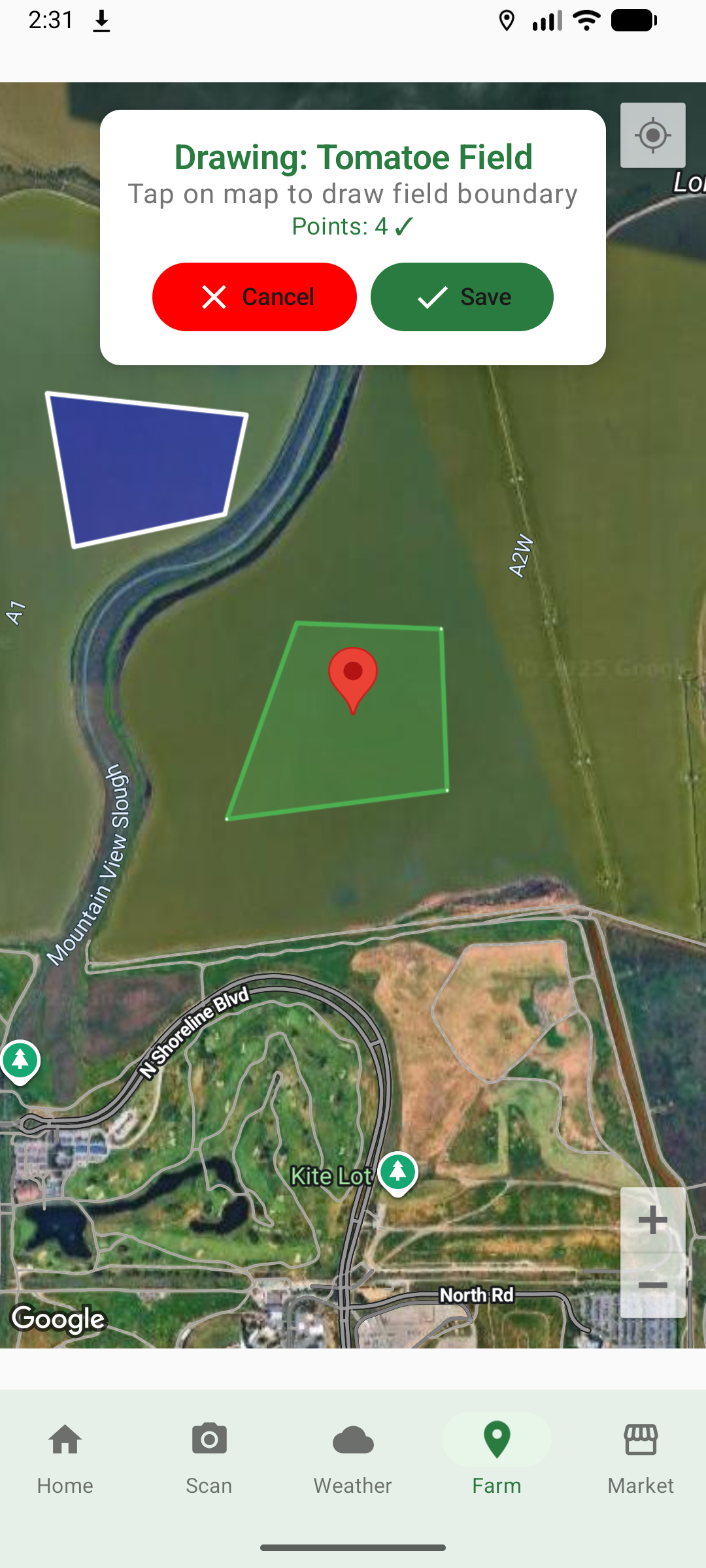
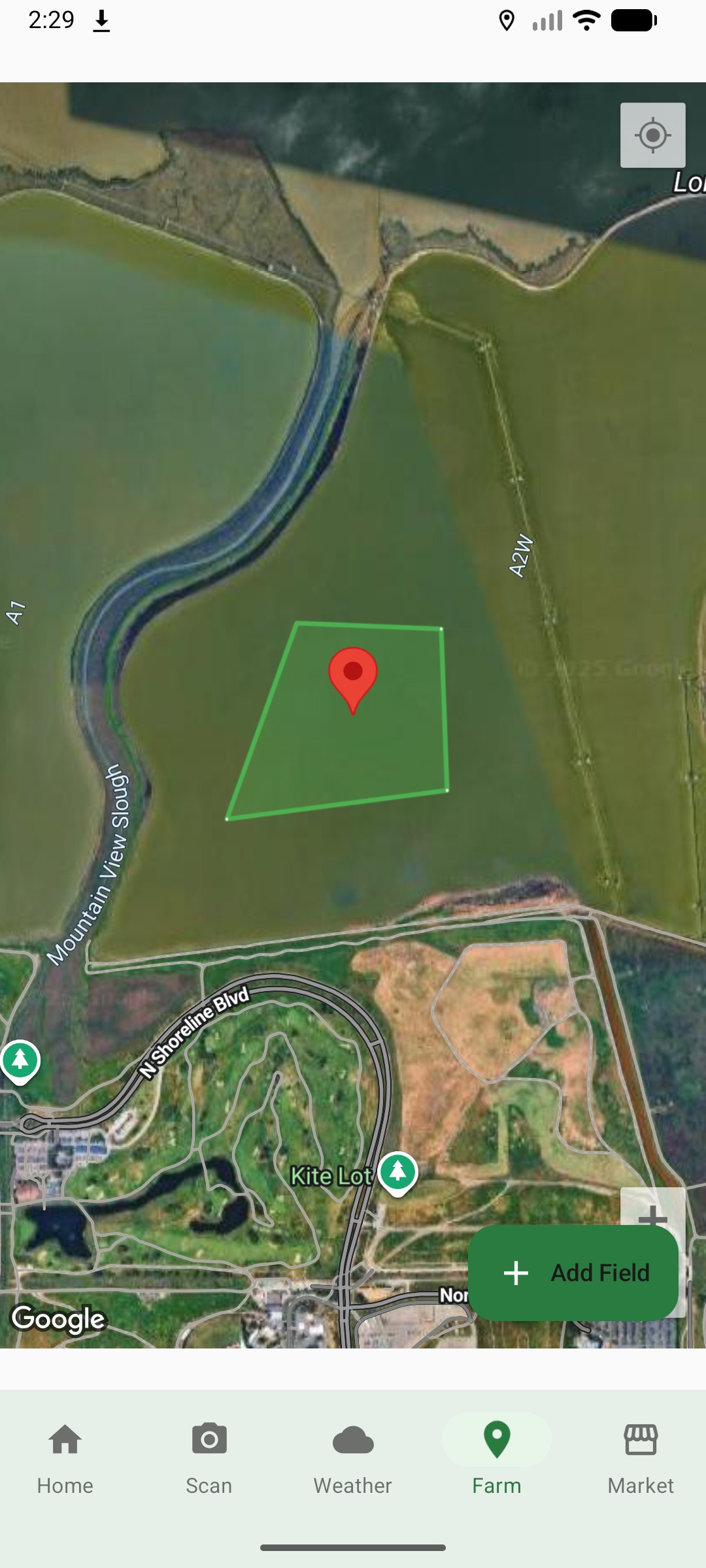
4. Field Mapping & Management
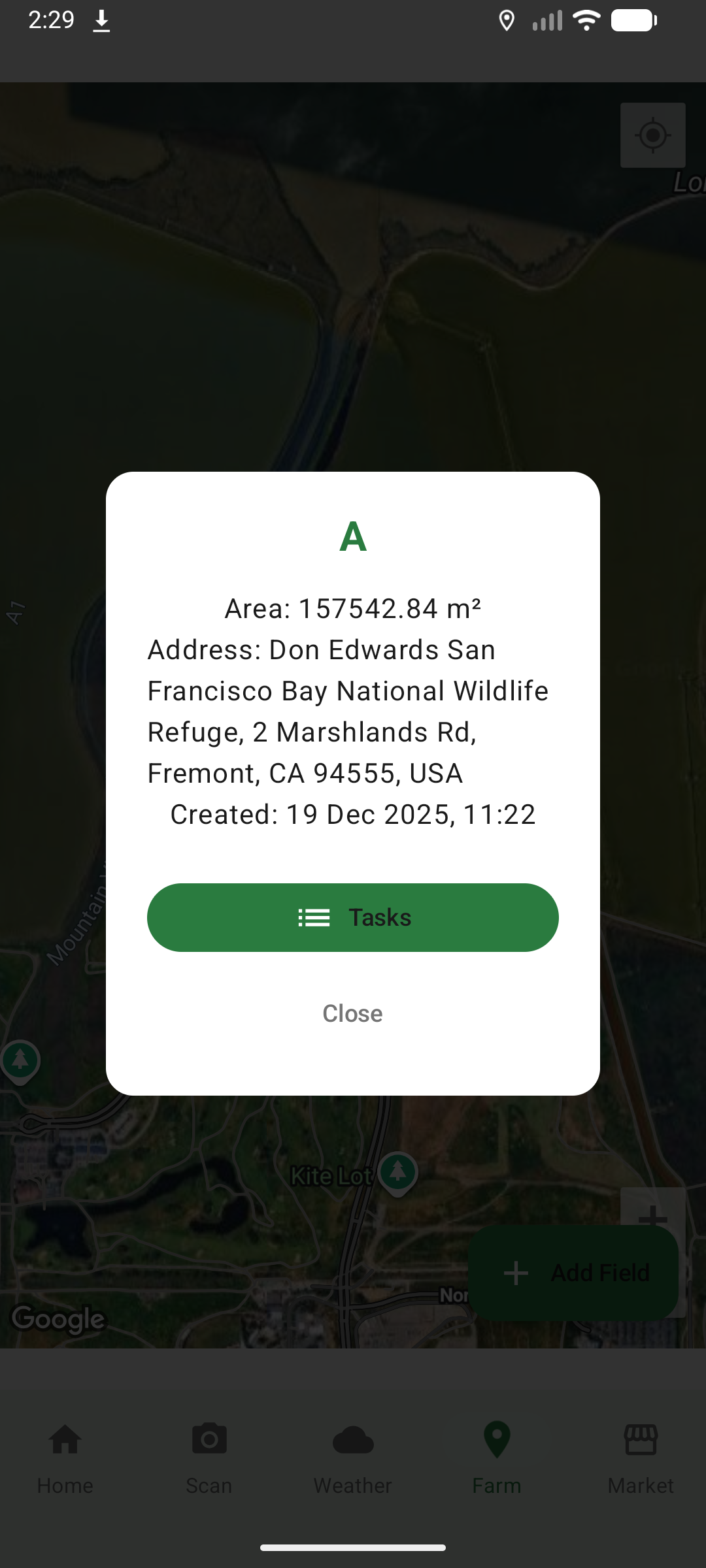
- Interactive Maps: Visualize and manage farm fields using Google Maps integration
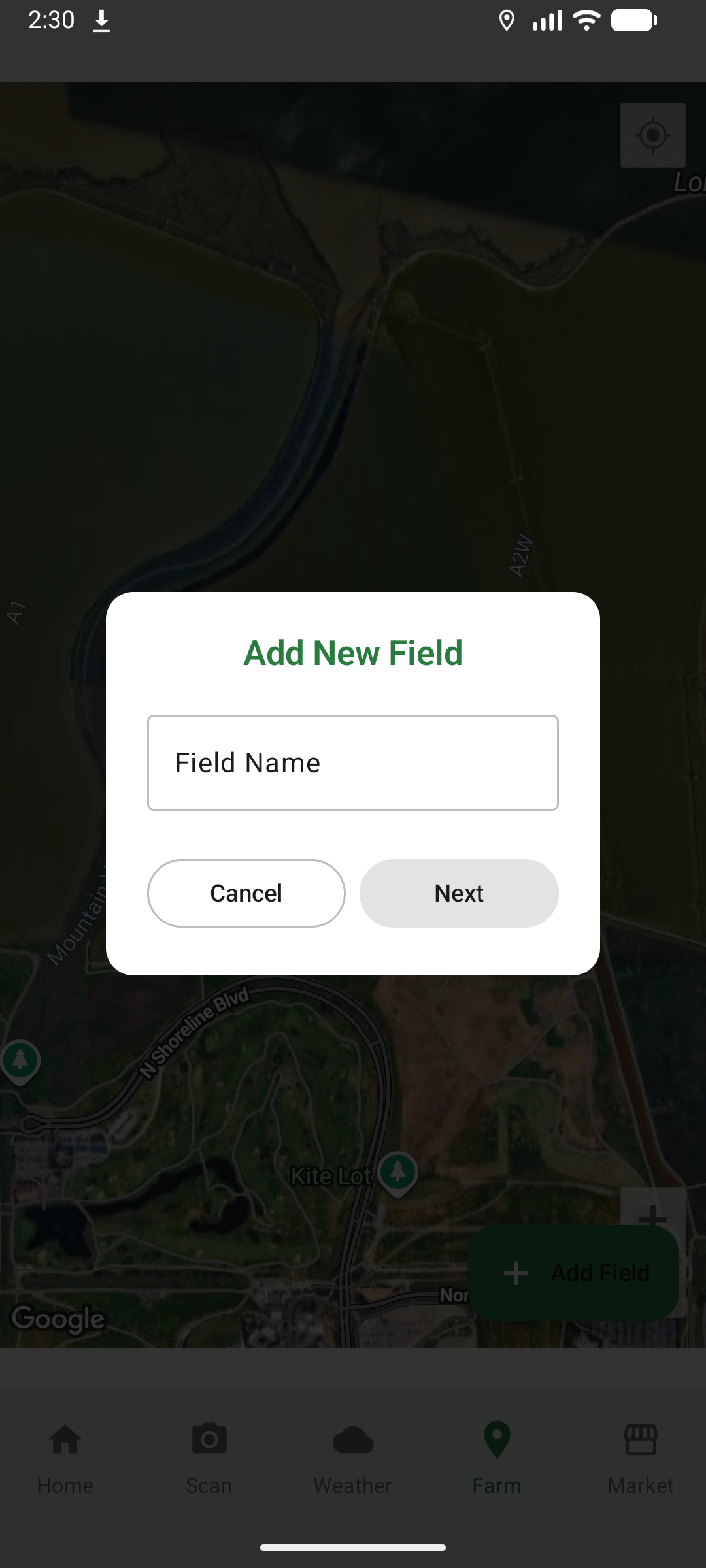
- Field Creation: Draw and save field boundaries with area calculations
- Crop Tracking: Record crop types, planting dates, and field status
- Multi-Field Support: Manage multiple fields from a single dashboard
5. Agricultural Chatbot (Agri-Bot)
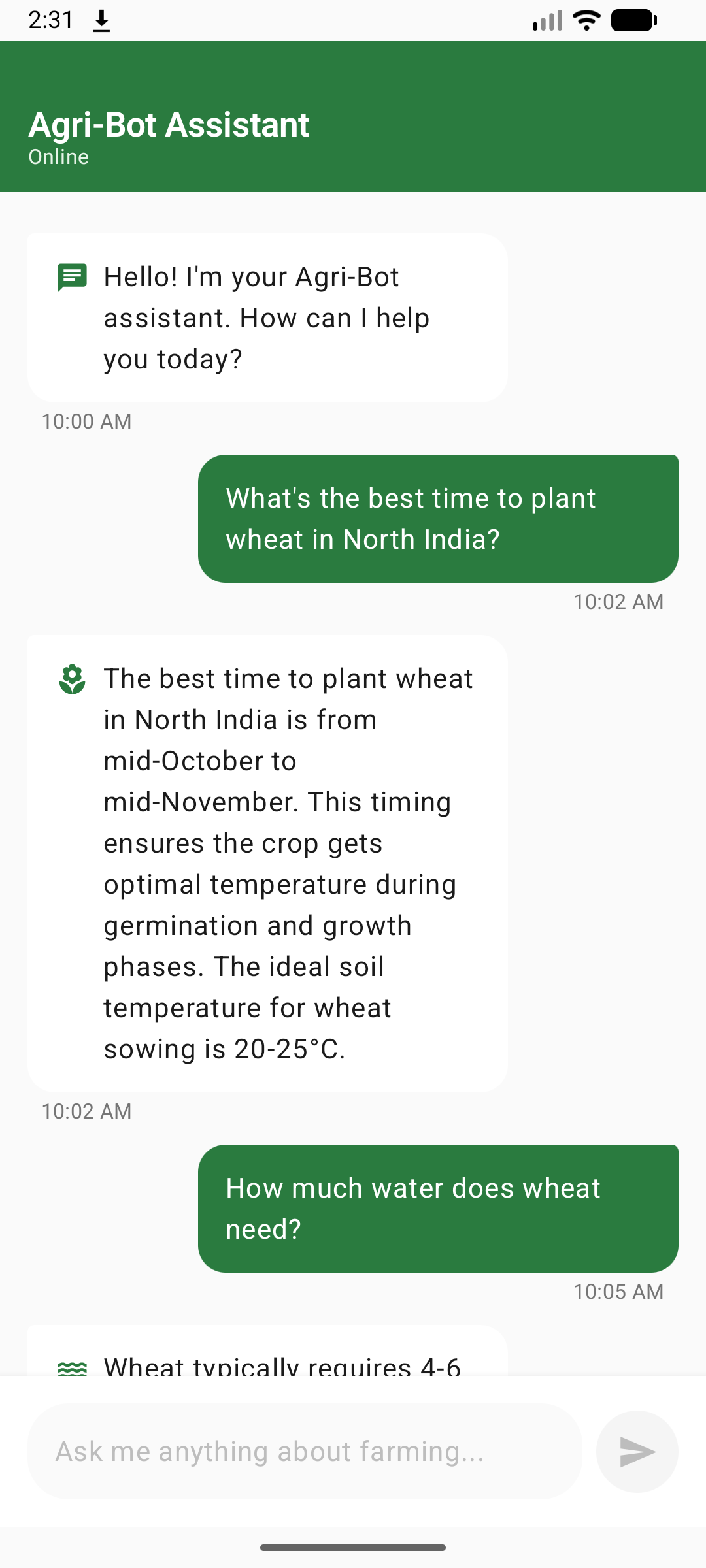
- 24/7 AI Assistant: Powered by Google Gemini AI for instant agricultural advice
- Expert Knowledge: Answers questions about crop management, pest control, soil health, irrigation, and more
- Conversational Interface: Natural language interaction for easy communication
- Context-Aware: Maintains conversation history for relevant responses
6. Marketplace (Coming Soon)
- Buy & Sell: Platform for agricultural products, equipment, and supplies
- Direct Connections: Connect buyers and sellers without intermediaries
- Product Listings: Browse and search for farming essentials
7. User Profiles & Authentication
- Secure Login: JWT-based authentication with token refresh
- User Profiles: Manage personal information and farming details
- Activity Tracking: View farming activities and engagement history
🛠️ How We Built It
Technology Stack
Frontend (Android)
- Kotlin: Primary programming language for type-safe, modern Android development
- Jetpack Compose: Declarative UI framework for building native Android interfaces
- Material Design 3: Google's latest design system for consistent, beautiful UI
- Coroutines & Flow: Asynchronous programming and reactive state management
- Navigation Component: Type-safe navigation between screens
- Coil: Efficient image loading and caching library
Backend
- Spring Boot: Java-based backend framework for RESTful APIs
- PostgreSQL: Relational database for structured data storage
- JWT Authentication: Secure token-based authentication system
- RESTful Architecture: Clean API design following REST principles
AI & Machine Learning
- Google Gemini AI: Advanced multimodal AI for disease detection and chatbot
- Model:
gemini-2.0-flashfor fast, accurate responses - Vision capabilities for image analysis
- Natural language processing for conversational AI
- Model:
- Structured Prompts: Carefully crafted prompts for consistent, parseable AI responses
Third-Party APIs
- Weather API: Real-time weather data and forecasts
- SerpAPI: Google News integration for related articles
- Google Maps SDK: Interactive mapping and location services
Architecture & Patterns
- MVVM (Model-View-ViewModel): Clean separation of concerns
- Repository Pattern: Abstraction layer for data sources
- Dependency Injection: Manual DI for loose coupling
- State Management: Kotlin Flow for reactive UI updates
- Error Handling: Comprehensive error handling with user-friendly messages
Development Process
- Requirements Analysis: Identified farmer pain points through research
- System Design: Architected scalable, modular system
- Backend Development: Built RESTful APIs with Spring Boot
- Frontend Development: Created responsive UI with Jetpack Compose
- AI Integration: Integrated Gemini AI for disease detection and chatbot
- API Integration: Connected weather, news, and mapping services
- Testing: Comprehensive testing of features and edge cases
- Documentation: Created detailed technical and user documentation
Key Implementation Details
Disease Detection Flow
User selects image → Fills crop information form →
Sends to Gemini AI with structured prompt →
AI analyzes image and context →
Parses structured response →
Fetches related news articles →
Displays comprehensive results
Authentication Flow
User login → Backend validates credentials →
Issues JWT access token (15 min) and refresh token (7 days) →
Client stores tokens securely →
Includes access token in API requests →
Auto-refreshes expired tokens →
Maintains session seamlessly
State Management
// ViewModel exposes UI state as Flow
val uiState: StateFlow<UiState> = _uiState.asStateFlow()

// UI observes state and reacts to changes
val state by viewModel.uiState.collectAsState()
when (state) {
    is Loading -> ShowLoadingIndicator()
    is Success -> ShowContent(state.data)
    is Error -> ShowError(state.message)
}
🚧 Challenges We Ran Into
1. AI Response Parsing
Challenge: Gemini AI responses were inconsistent and difficult to parse programmatically.
Solution: Designed structured prompts with explicit section headers (e.g., DISEASE_NAME:, SYMPTOMS:) and implemented robust parsing logic to extract information reliably.
2. Token Management
Challenge: JWT tokens expire, causing authentication failures and poor user experience.
Solution: Implemented automatic token refresh with interceptors that detect 401 errors, refresh tokens in the background, and retry failed requests seamlessly.
3. Image Processing
Challenge: Large images caused memory issues and slow API responses.
Solution: Used Coil for efficient image loading and compression, and processed images asynchronously on background threads.
4. State Sharing Across Screens
Challenge: Disease detection results needed to persist across navigation from input screen to results screen.
Solution: Created a singleton ViewModel factory to maintain shared state across composables and navigation transitions.
5. Complex Form Validation
Challenge: Multiple dropdowns and text fields required coordinated validation.
Solution: Implemented reactive validation with state management, disabling the submit button until all required fields are valid.
6. API Rate Limiting
Challenge: Third-party APIs (Weather, News) have rate limits that could affect user experience.
Solution: Implemented caching strategies and error handling to gracefully handle rate limit errors with informative messages.
7. Location Permissions
Challenge: Android location permissions are complex and require runtime handling.
Solution: Created a dedicated LocationPermissionManager to handle permission requests, denials, and settings navigation.
8. Backend Integration
Challenge: Coordinating frontend and backend development with different teams.
Solution: Defined clear API contracts, used mock data for parallel development, and implemented comprehensive error handling for API failures.
9. UI Responsiveness
Challenge: Ensuring smooth UI performance during network operations and image loading.
Solution: Used Kotlin coroutines for asynchronous operations, loading indicators for user feedback, and optimized composable recomposition.
10. News Article Relevance
Challenge: Generic news searches returned irrelevant articles.
Solution: Crafted specific search queries combining disease name with agricultural keywords (e.g., "tomato blight crop disease treatment").
🏆 Accomplishments That We're Proud Of
1. Seamless AI Integration
Successfully integrated Google Gemini AI for both disease detection and conversational chatbot, providing farmers with cutting-edge AI technology in an accessible format.
2. Comprehensive Disease Detection
Built a complete disease detection pipeline that goes beyond simple identification to provide actionable treatment plans, prevention strategies, and related research articles.
3. Robust Authentication System
Implemented enterprise-grade JWT authentication with automatic token refresh, ensuring secure and seamless user sessions.
4. Beautiful, Intuitive UI
Created a modern, Material Design 3 interface that's both visually appealing and easy to use, even for users with limited tech experience.
5. Real-Time Community Features
Built a fully functional social network for farmers with posts, comments, likes, and user profiles, fostering knowledge sharing and community building.
6. Interactive Field Mapping
Integrated Google Maps to allow farmers to visualize and manage their fields digitally, bringing precision agriculture to small-scale farmers.
7. Scalable Architecture
Designed a clean, modular architecture that's easy to maintain, test, and extend with new features.
8. Comprehensive Documentation
Created detailed technical documentation, user guides, and quick-start guides to ensure the project is accessible to developers and users alike.
9. Error Handling & UX
Implemented thoughtful error handling with user-friendly messages, loading states, and retry mechanisms for a polished user experience.
10. Cross-Platform Backend
Built a robust Spring Boot backend that can serve multiple clients (Android, iOS, web) with consistent APIs.
📚 What We Learned
Technical Learnings
Jetpack Compose Mastery
- Learned declarative UI patterns and state management
- Mastered composable lifecycle and recomposition optimization
- Understood Material Design 3 implementation
AI Integration Best Practices
- Crafting effective prompts for consistent AI responses
- Handling multimodal AI (text + images)
- Parsing and validating AI-generated content
Advanced Kotlin
- Coroutines and Flow for reactive programming
- Sealed classes for type-safe state management
- Extension functions for code reusability
API Design & Integration
- RESTful API best practices
- JWT authentication and token refresh strategies
- Error handling and retry mechanisms
Android Architecture
- MVVM pattern implementation
- Repository pattern for data abstraction
- Dependency injection without frameworks
Domain Knowledge
Agricultural Challenges
- Understanding farmer pain points and workflows
- Learning about crop diseases, growth stages, and management
- Recognizing the importance of community in agriculture
User Experience Design
- Designing for users with varying tech literacy
- Balancing feature richness with simplicity
- Creating intuitive navigation and information hierarchy
Mobile Development Constraints
- Managing memory and performance on mobile devices
- Handling network connectivity issues
- Optimizing for battery life and data usage
Soft Skills
Problem Solving
- Breaking down complex problems into manageable tasks
- Finding creative solutions to technical constraints
- Debugging and troubleshooting systematically
Documentation
- Writing clear, comprehensive technical documentation
- Creating user-friendly guides and tutorials
- Maintaining code comments and inline documentation
Project Management
- Prioritizing features and managing scope
- Iterative development and continuous improvement
- Balancing quality with delivery timelines
🚀 What's Next for AgroHub
Short-Term Goals (Next 3 Months)
1. Enhanced Disease Detection
- Offline disease database for common diseases
- Disease severity scoring (mild, moderate, severe)
- Historical disease tracking per field
- Multi-image analysis for better accuracy
2. Marketplace Launch
- Complete marketplace implementation
3. Advanced Weather Features
- Severe weather alerts and notifications
- Irrigation scheduling based on weather
- Frost and heat wave warnings
4. Community Enhancements
- Direct messaging between farmers
- Video posts and live streaming

Log in or sign up for Devpost to join the conversation.