About the Project
Where it Began
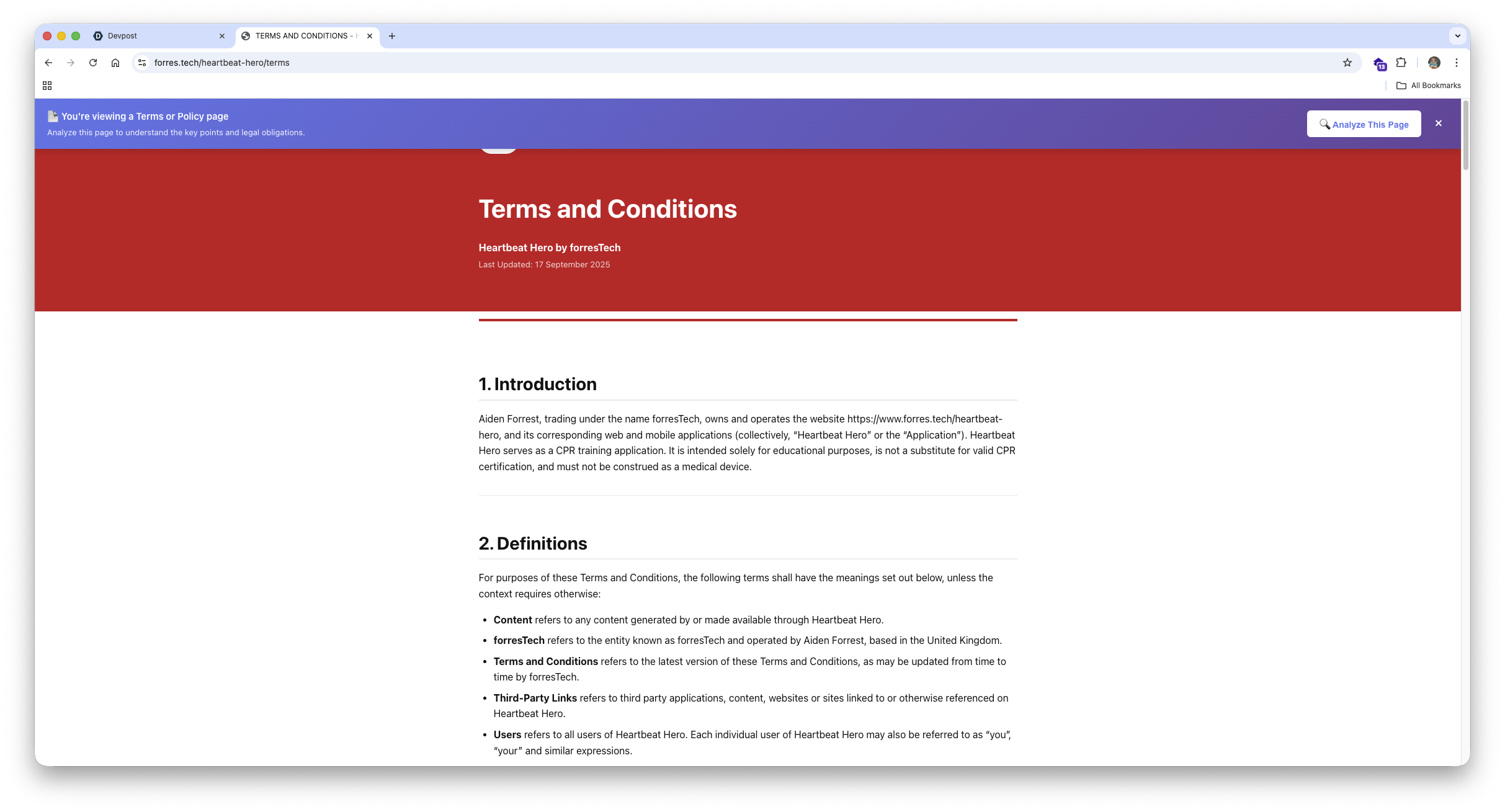
Agreezy started with a simple frustration - no one actually reads Terms of Service or Privacy Policies, yet we all have to agree to them. I wanted to fix that. After seeing how Chrome’s new built-in AI (Gemini Nano) could process text locally and securely, I thought: what if AI could instantly explain what you’re really agreeing to - right in the browser?
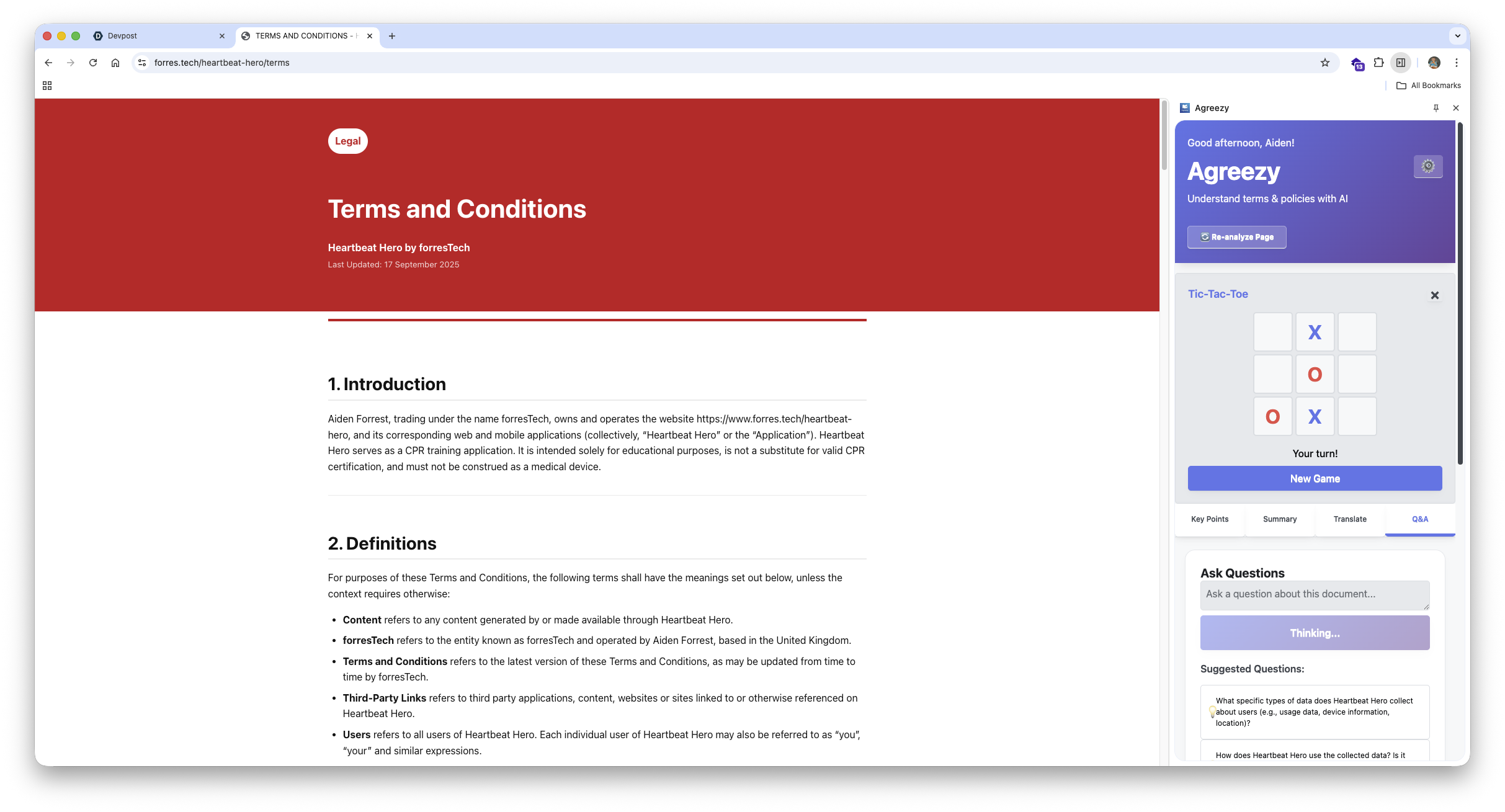
That idea became Agreezy – a Chrome extension that summarizes, translates, and answers questions about complex policies using on-device AI.
Why I Built It
I was inspired by how often friends and family just click “Accept” without knowing what they’re consenting to, especially as someone who recently wrote their own Terms and Policies for a seperate app. With Agreezy, I wanted to make transparency effortless – to help people understand privacy, data use, and rights in seconds instead of paragraphs.
What I Built
Agreezy uses Chrome’s experimental AI APIs to analyze online Terms & Policies directly in the browser.
It automatically extracts:
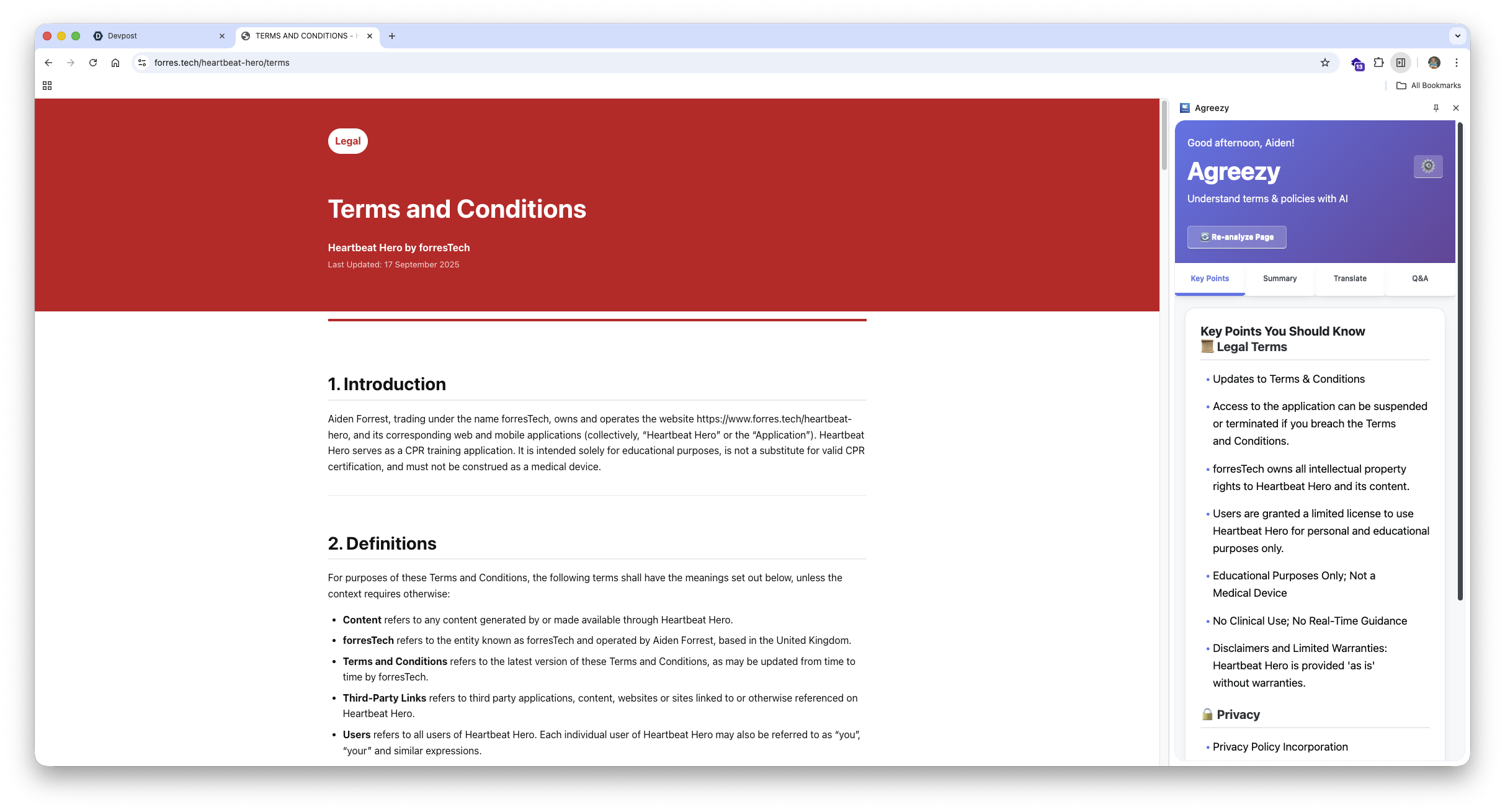
- Key points around privacy, data, and legal terms
- Smart summaries in multiple formats
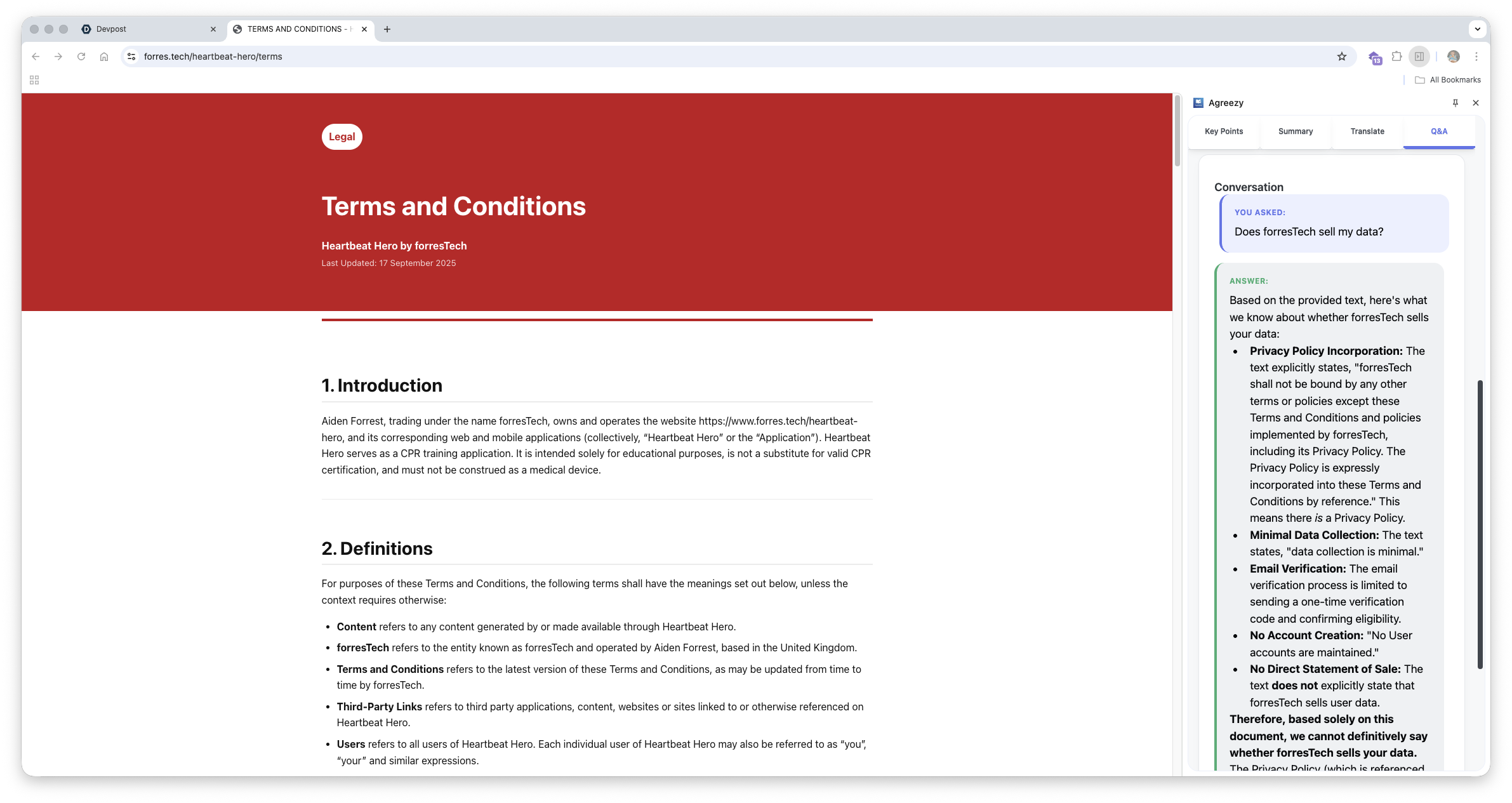
- Q&A answers based on the document content
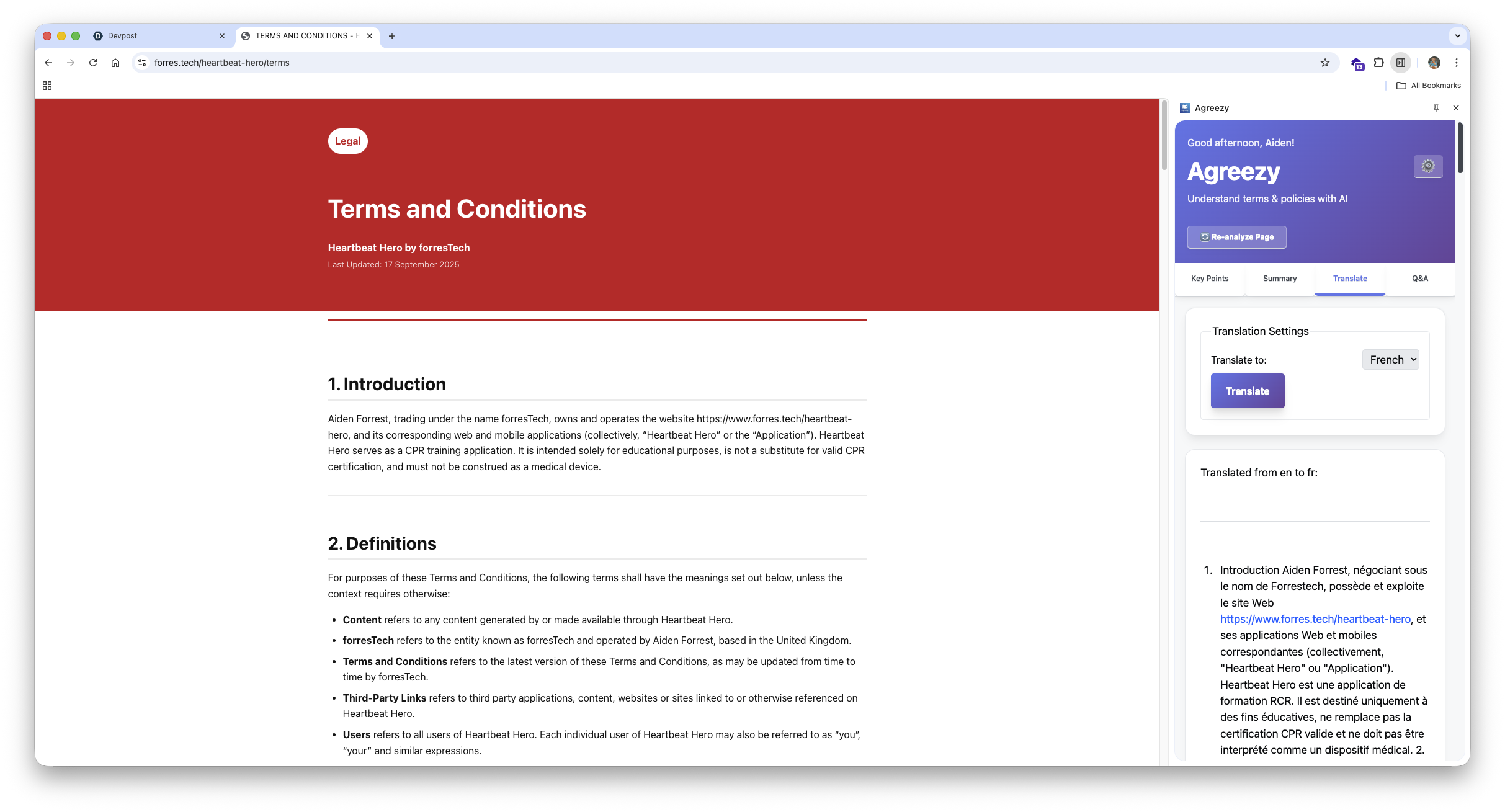
- Instant translations into 20+ languages
Everything runs locally, using Gemini Nano, with zero data leaving the device.
How I Built It
The extension’s architecture is modular and privacy-focused:
- Chunker: Splits long documents (≈50k chars) into context-aware pieces with overlapping boundaries.
- Summarizer & Prompt APIs: Generate concise key insights and answers while maintaining context between chunks.
- Translation & Language Detection: Provide multilingual understanding without external requests.
- @mozilla/readability + DOMPurify: Extracts and sanitizes main content safely.
- Rollup + Modern UI: Bundled for performance with a clean tabbed interface (Key Points, Summary, Translate, Q&A).
Challenges I Faced
Debugging context windows, handling token limits, and managing chunk overlap for accuracy were major hurdles.
I also had to design a pipeline that could handle up to 50,000 characters while preserving structure and meaning - leading to the adaptive overlap algorithm and merging strategy I built from scratch.
UI-wise, creating a seamless, fast side panel that feels native to Chrome took iteration and fine-tuning of async event handling.
What I Learned
This project taught me how powerful and privacy-preserving on-device AI can be. I learned to:
- Optimize for memory and latency using lightweight chunk processing
- Design for context retention across distributed AI calls
- Respect user privacy by keeping everything local
- Build practical tools around emerging AI APIs
It also deepened my belief that AI should empower users, not exploit them – and that transparency can be simple if designed right.

Log in or sign up for Devpost to join the conversation.