-
-
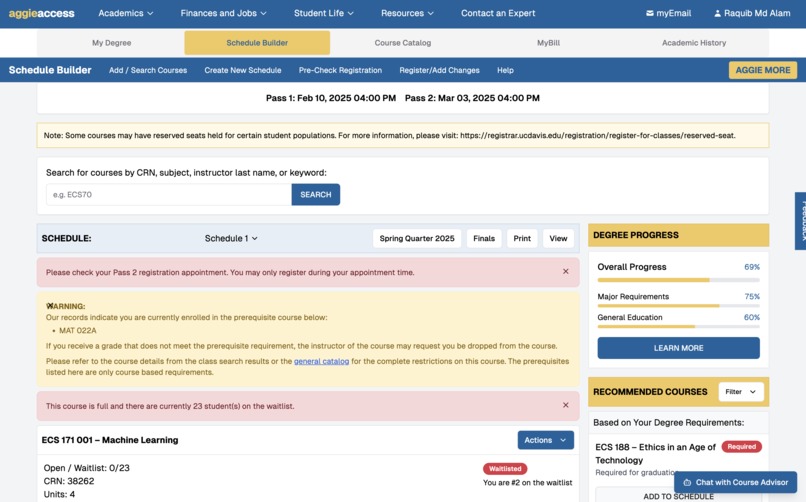
New Refreshed UI with how it would look like
-
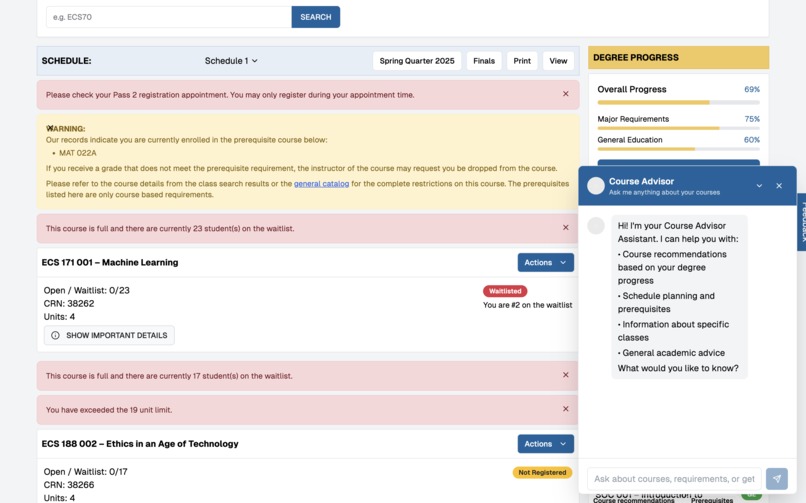
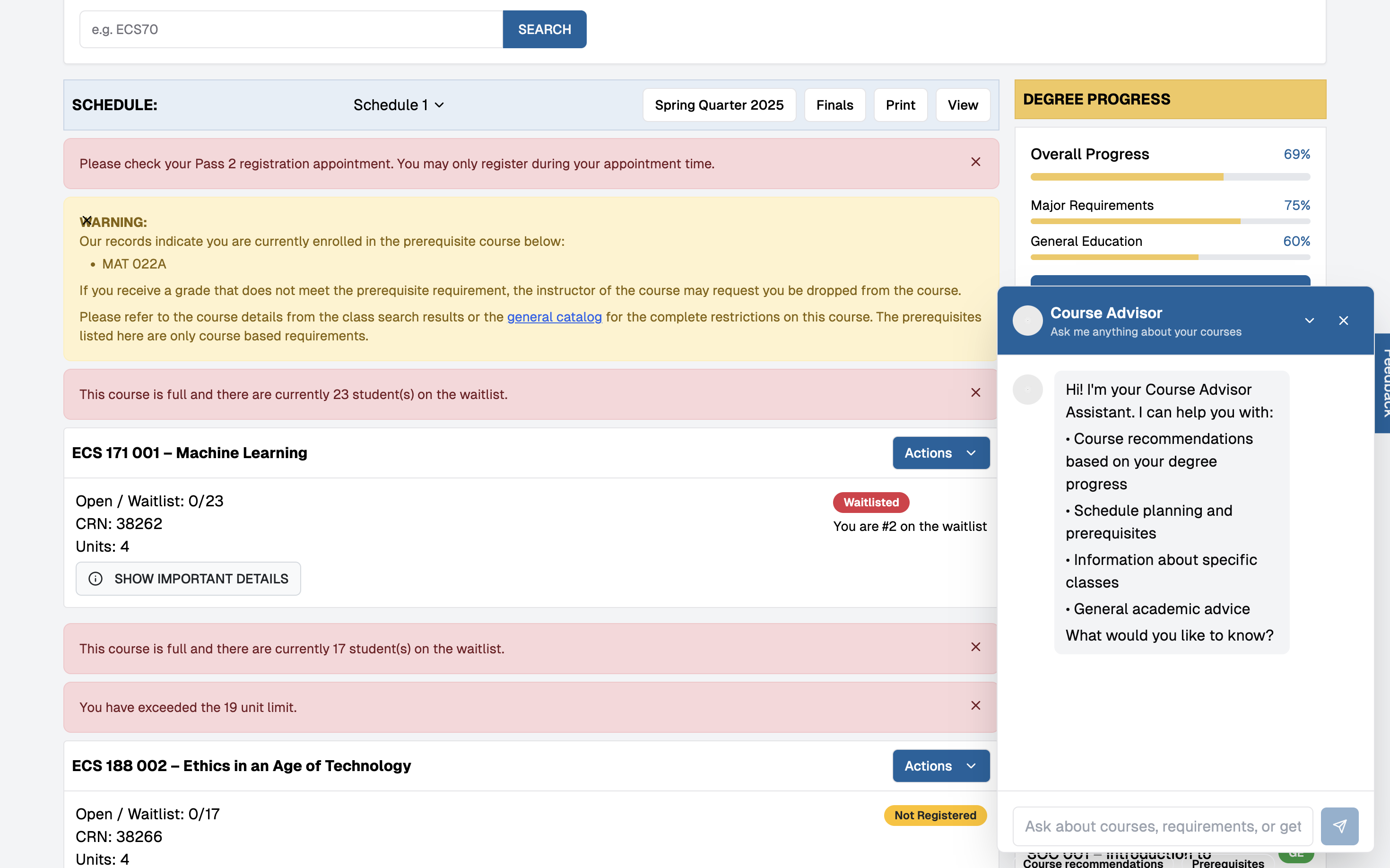
Interactive Chatbot
UC Davis AI Course Recommender
Overview
This project is an AI-powered course recommendation system tailored for UC Davis students. It provides personalized course suggestions based on previously taken courses, course similarity, and degree requirements. The system also integrates a UI similar to UC Davis' Schedule Builder to enhance user experience.
Features Implemented
1. Course Recommender Based on Similar Courses
- Uses cosine similarity to recommend courses similar to previously taken ones.
- Extracts course descriptions and applies TF-IDF vectorization for semantic similarity.
- Helps students explore courses aligned with their interests and academic goals.
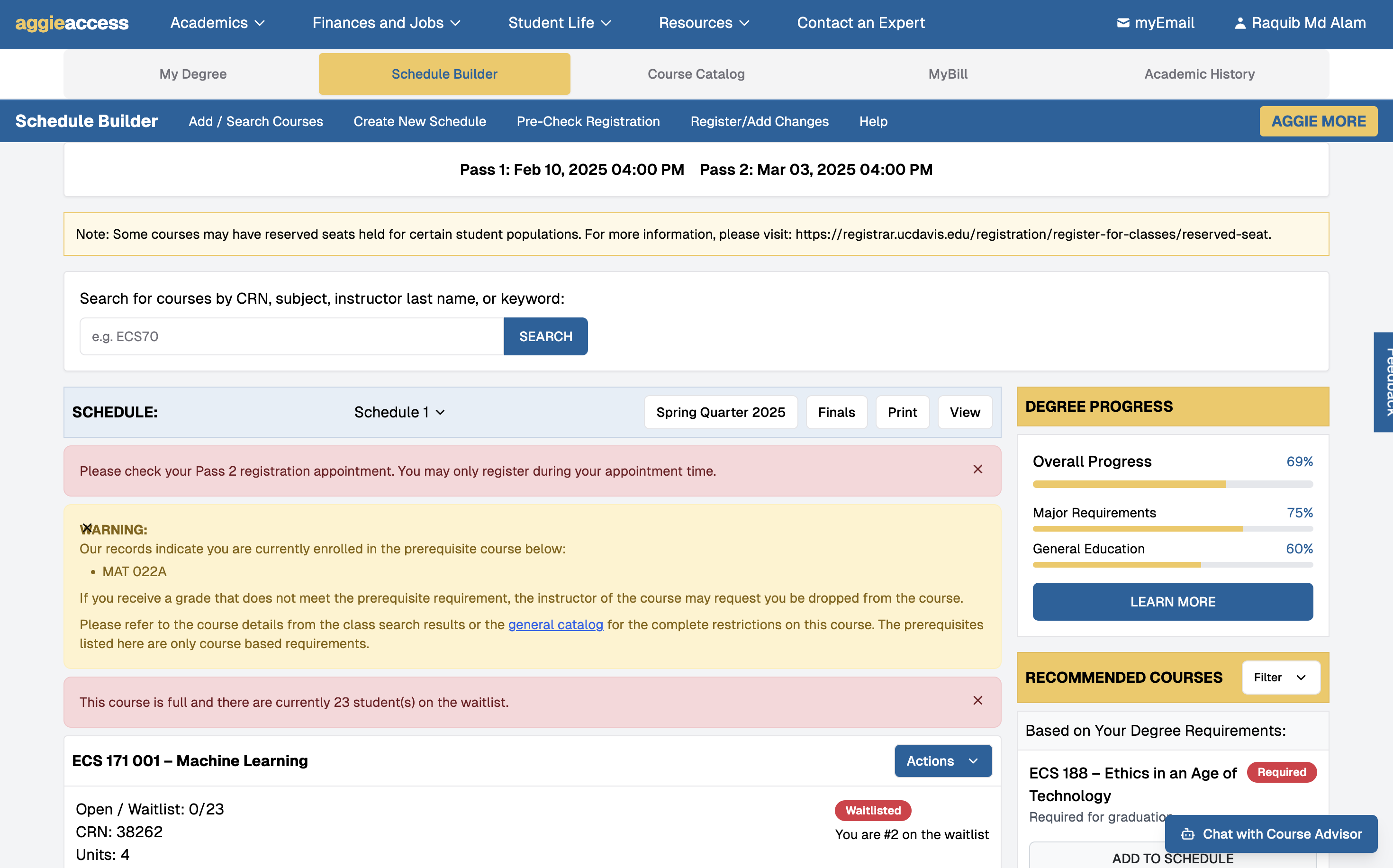
2. UI Integration (Schedule Builder-like Interface)
- Mimics the UC Davis Schedule Builder for intuitive course selection.
- Displays recommended courses, major/core requirements, and GE courses.
- Provides real-time unit tracking and waitlist status.
- Integrates, MyDegree, MyBill, Academic History from OASIS All into ONE
Future Implementations
3. Professor Reviews and Ratings
- Gather professor information from Rate My Professors or UC Davis sources.
- Provide AI-generated insights on professor teaching styles, difficulty, and reviews.
4. Sample Schedule Generator
- Generates a personalized course schedule based on:
- Completed courses
- Required major/core courses
- Desired electives and interests
- Optimizes schedule to balance workload and prerequisites.
Tech Stack
- Python (Google Colab for development)
- Pandas & NumPy (data handling)
- Scikit-learn (cosine similarity, TF-IDF vectorization)
- Flask/FastAPI (backend for UI integration)
- React/Next.js (frontend for Schedule Builder UI)
- Supabase (database management for storing user data)
How to Run
- Clone the repository:
bash git clone https://github.com/yourusername/ucd-course-recommender.git cd ucd-course-recommender - Install dependencies:
bash pip install -r requirements.txt - Run the AI Course Recommender in Google Colab:
- Upload the dataset (
course_catalog.csv). - Run the provided Colab notebook.
- Upload the dataset (
- Start the web interface:
bash
npm install
npm run dev
Contributors
- [Raquib Alam]
- [Isaac Villegas]
Future Plans
- Implement professor review analysis
- Automate schedule generation with AI
- Expand to include more universities
License
MIT License

Log in or sign up for Devpost to join the conversation.