-
-
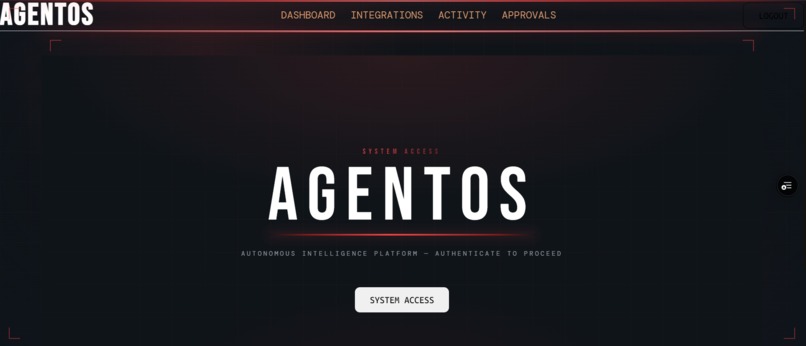
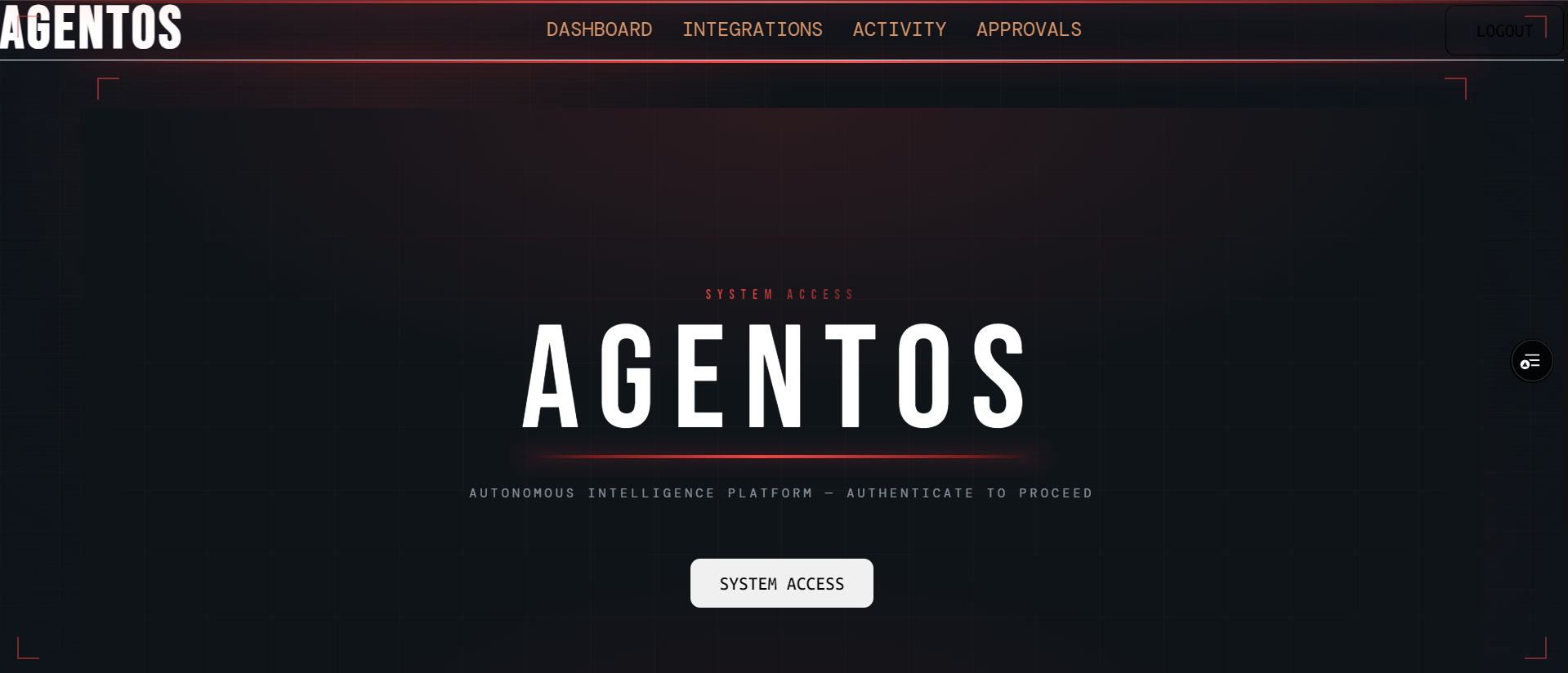
AgentOS Home Login Page
-
Codebase for AgentOS
-
Codebase for AgentOS
-
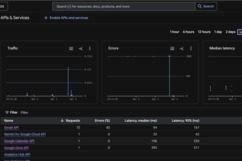
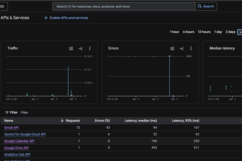
Metrics for AgentOS
-
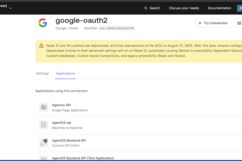
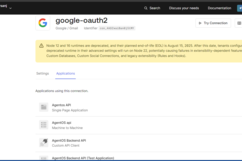
AgentOS with google-oauth2
-
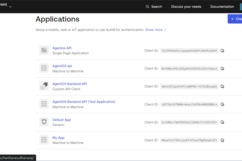
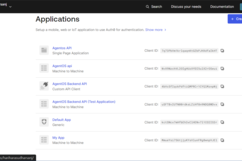
AgentOS Applications on Auth0
-
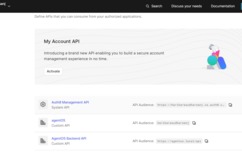
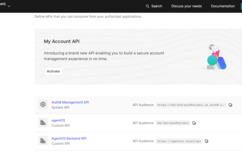
AgentOS APIs on Auth0
-
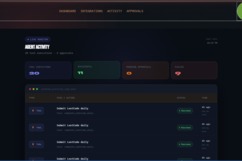
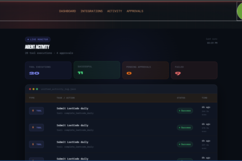
Working Of AgentOS
-
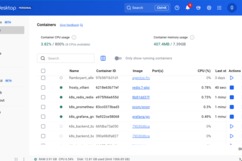
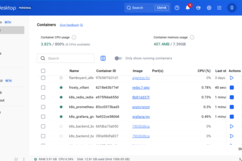
Containerization Of AgentOS on Docker
-
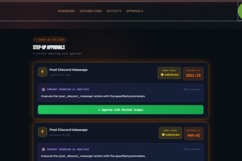
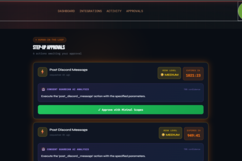
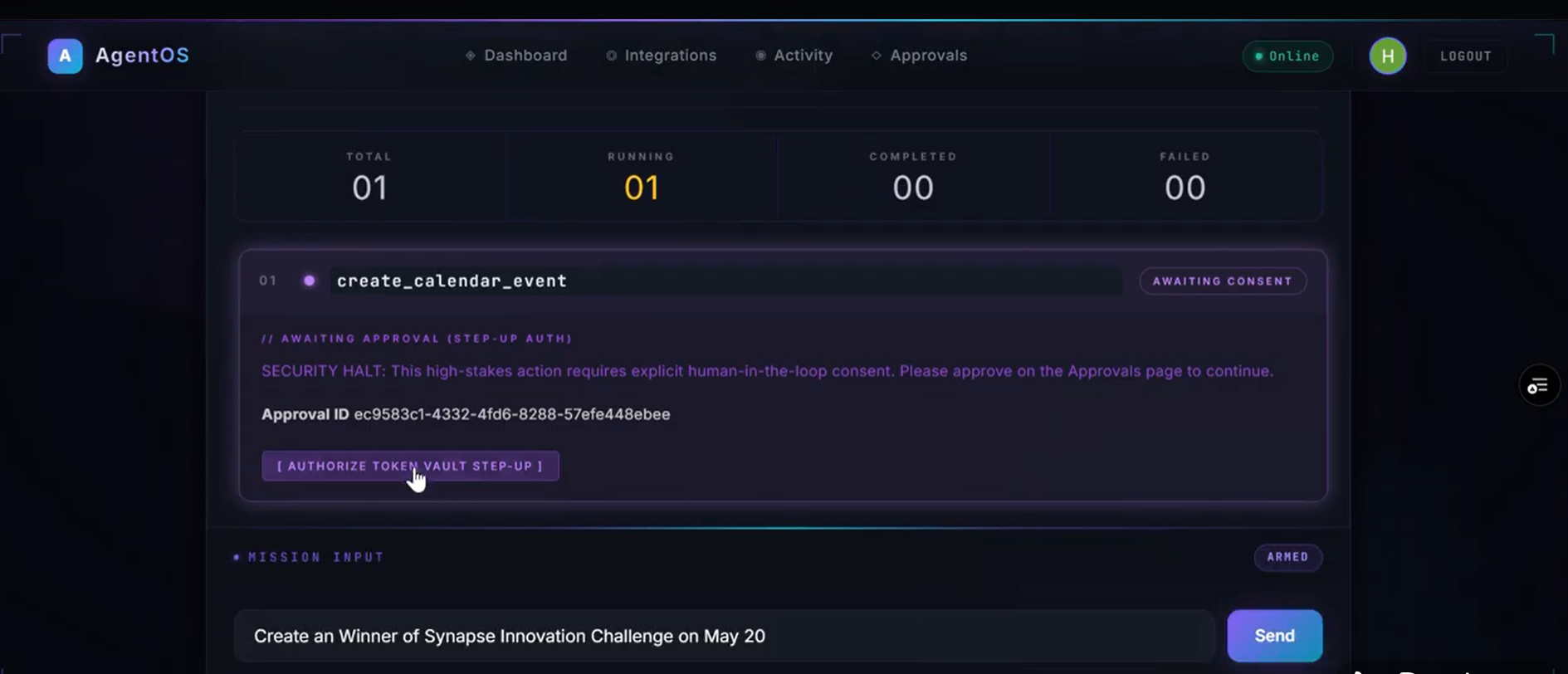
Human In the Loop Workflow of AgentOS
-
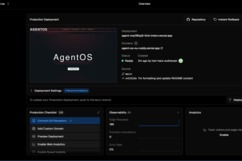
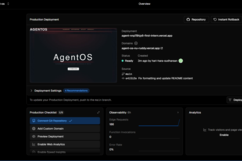
Deployment of AgentOS
-
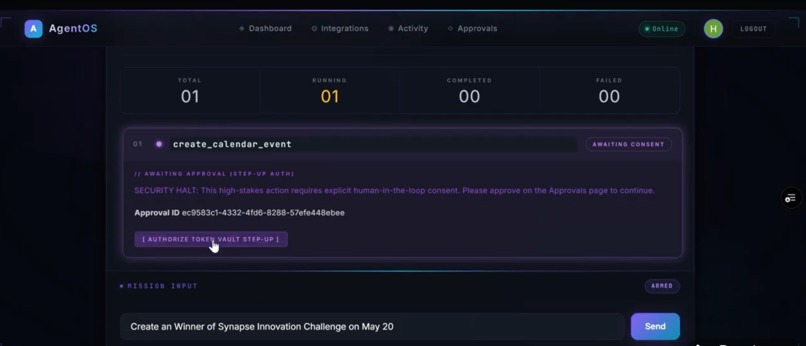
High Stake Action Approval
-
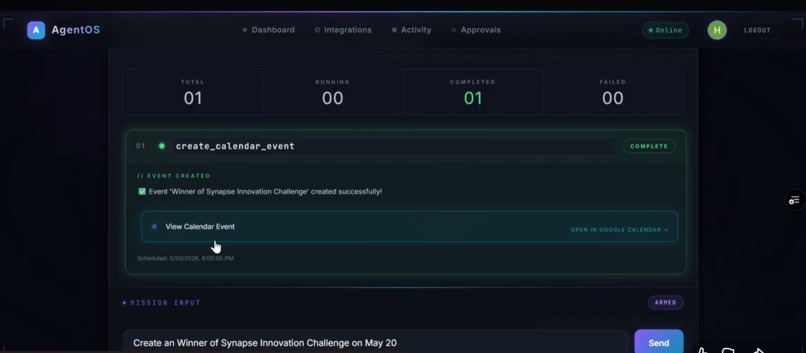
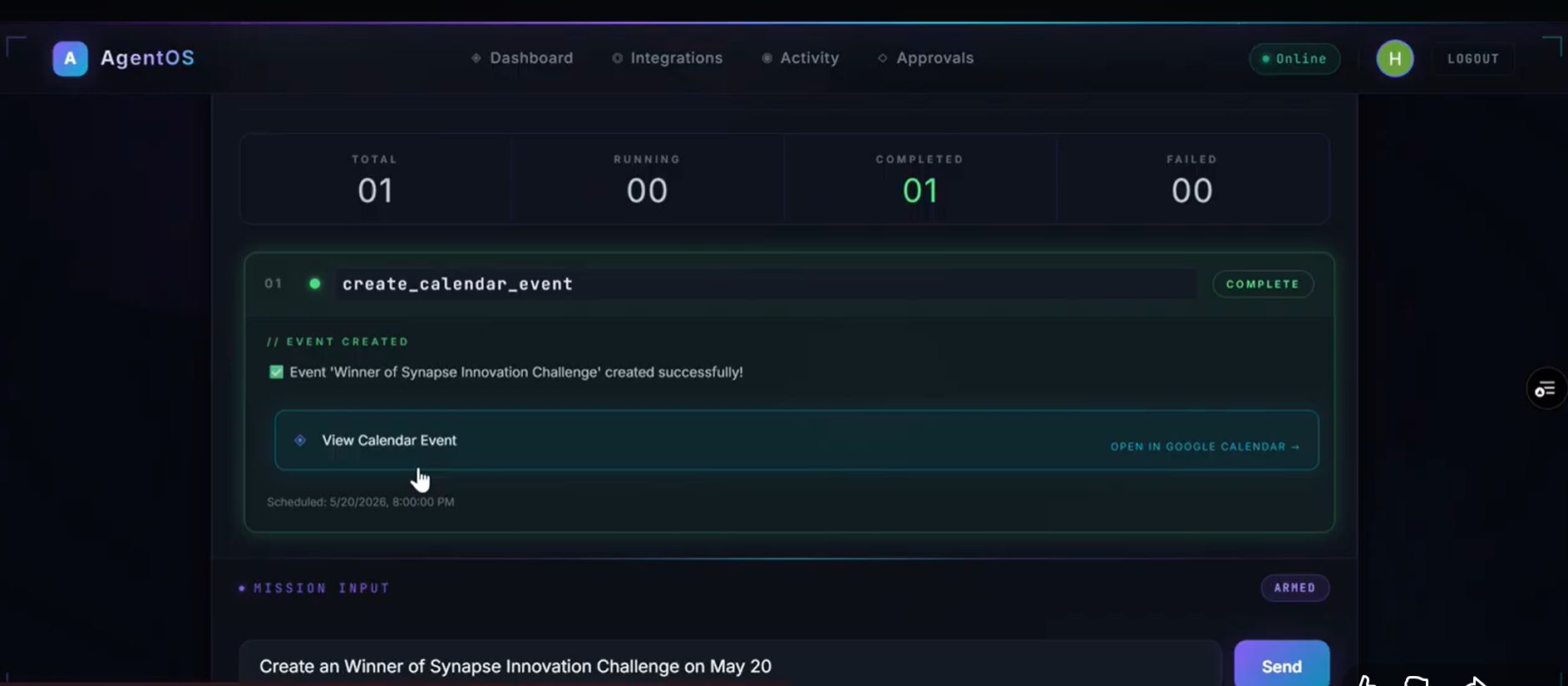
Execution of tasks
Problem
Modern AI systems are limited in execution:
They can reason but not act Automation tools are rigid and fragile Users hesitate to give AI access to sensitive services Cross-platform workflows (Gmail → Slack → Drive) are manual and disconnected
There is no unified system that can:
Understand intent Execute across services Maintain security and user control
Solution
AgentOS solves this by introducing a secure execution layer for AI agents.
Users can:
Connect services via Auth0 Give controlled access through Token Vault Request tasks in natural language Watch agents plan and execute step-by-step
AgentOS Features
| Feature | How AgentOS Uses It |
|---|---|
| Universal Login | Provides secure authentication and session management for users |
| Token Vault | Stores OAuth tokens securely, enabling agents to access external services safely |
| Delegated Access | Allows agents to perform actions on behalf of users without exposing credentials |
| Scoped Permissions | Ensures each service access is limited to required actions only |
| Security Layer | Enforces role-based permissions and prevents unauthorized tool execution |
Inspiration
In 2023, a major data leak exposed sensitive conversations from AI-powered tools used inside enterprises. Employees were unknowingly pasting internal documents, source code, and confidential strategies into AI systems that stored and processed this data without strict governance. Some of this data later surfaced in unexpected outputs and logs. Nobody hacked the system. The leak happened through normal usage. A governance failure.
According to a 2024 report by IBM, the average cost of a data breach reached $4.45 million, with identity and access mismanagement being one of the leading causes. At the same time, organizations are rapidly integrating AI into workflows—often without rethinking how permissions, tokens, and data access should be handled.
This problem is growing fast.
AI systems today can:
Read emails Generate reports Access APIs Automate workflows
But they cannot securely act on behalf of users at scale.
Most AI tools operate in a fragmented way:
Users manually copy data between apps Tokens are handled insecurely or stored improperly Permissions are unclear or overly broad Automation lacks visibility and control
In 2024, a survey by Gartner predicted that over 80% of enterprises will use AI APIs or models in production, yet fewer than 30% will have proper governance for how those systems access and act on user data.
The result?
Sensitive emails being processed without clear consent Automation scripts running with excessive permissions API keys and tokens exposed in logs or codebases AI agents performing actions without accountability
Even when security policies exist, they are rarely enforced at the execution level.
Most systems rely on:
Static API keys Manual authentication flows Basic role-based access
But AI agents require something fundamentally different:
Dynamic, delegated, and secure access to user data
Without that, we face a new class of risk:
AI systems that can act—but cannot be controlled.
This is where the idea for AgentOS was born.
What it does
You log in with Auth0, connect services like Gmail, Github, Google Drive and etc., via Token Vault, and give a task in natural language. AgentOS plans the workflow, executes it across APIs or web apps, and completes actions on your behalf—like summarizing emails, sending updates, or downloading and uploading files—while enforcing secure, scoped access.
Why these Services
Modern work happens across tools like Gmail, Slack, and Google Drive—where emails, conversations, and files constantly flow. These platforms are widely used across teams, startups, and enterprises, making them the primary sources of actionable data.
But workflows across these services are fragmented. Tasks like reading emails, sharing updates, and managing files still require manual effort or insecure automation using exposed tokens and broad permissions.
AgentOS connects to these services via Auth0 Token Vault because that’s where real user activity happens. By integrating directly with these platforms, AgentOS enables agents to securely access, coordinate, and execute tasks across systems—without exposing credentials or breaking user control.
Capabilities
| Capability | Description |
|---|---|
| Multi-agent orchestration | Breaks complex user requests into structured plans using a Planner Agent and executes them through coordinated agents |
| Hybrid execution engine | Combines API-based actions and browser automation to handle both structured and real-world workflows |
| Dynamic tool system | Selects and executes tools intelligently based on context via a centralized Tool Registry |
| Execution memory pipeline | Passes outputs between steps, enabling chained multi-step reasoning and execution |
| Live execution streaming | Displays real-time task progress with step-level updates and status tracking |
| Workflow graph visualization | Visualizes execution flow (Planner → Tasks) with dynamic state transitions |
| Secure delegated access | Uses Auth0 Token Vault for safe, scoped, and credential-free API access |
| Policy-driven security | Enforces role-based permissions and prevents unauthorized actions at runtime |
| Automation at scale | Executes workflows across multiple services without manual intervention |
| Observability & analytics | Provides execution logs, performance metrics, and system transparency |
Demo Scenario
The demo showcases a real-world productivity scenario where a user interacts with AgentOS to automate tasks across multiple services. The environment is simulated, but the workflows reflect real usage patterns across Gmail, Google Drive, GitHub, and web platforms.
All demo data is synthetic and structured to mimic real user activity, including emails, documents, repositories, and web portals.
Demo data structure:
| Service | Data / Files | What AgentOS Does |
|---|---|---|
| Gmail | Inbox emails (updates, notifications, reports) | Reads, filters, and summarizes important emails |
| Google Drive | Reports, PDFs, documents | Extracts content and generates summaries |
| Calendar | Scheduled meetings and events | Retrieves daily schedules and reminders |
| GitHub | Repositories, commits, issues | Analyzes project activity and recent changes |
| LeetCode | Problem stats and submissions | Tracks progress and performance |
| Discord | Channel messages and discussions | Summarizes recent conversations |
| Web Portal | External websites (e.g., billing portal) | Automates navigation and extracts/downloads data |
Example Workflow
User input:
"Send Mail to [email protected] by saying Hi , Happy Birthday"
Execution:
- Access the mail
- Filter the mail to access
- Access the scope to write
- Sends the Mail
- Display structured output
Advanced Workflow
User input:
"Download my bill from the portal and summarize it"
Execution:
- Browser agent opens website
- Navigates to billing section
- Downloads file
- Extracts content
- Generates summary
⚠️ Note: Current demo focuses on secure read,Write and analysis operations.
Advanced Browser actions will be added in future updates with full security controls.
How we built it
Pre-Service Scope
| Service | Connection | Scopes |
|---|---|---|
| Google (Gmail + Drive + Calendar) | google-oauth2 | https://www.googleapis.com/auth/gmail.readonly, https://www.googleapis.com/auth/drive.readonly, https://www.googleapis.com/auth/calendar.readonly, openid, profile, email |
| Slack (read) | sign-in-with-slack | channels:read, channels:history, users:read |
| GitHub | github | repo:read, user:read |
| Discord | discord | identify, guilds, messages.read |
| Web (Browser Agent) | internal (Playwright) | No OAuth (controlled automation) |
Design Decision
AgentOS uses delegated token access via Auth0 Token Vault to ensure:
- Each service is scoped independently
- Permissions are minimal and explicit
- Users can revoke access per service
Unlike systems that rely on broad API keys, AgentOS ensures that every action is performed with least-privilege access.
Execution Model
AgentOS operates in a user-in-the-loop model:
- The agent executes tasks during an active session
- Users can observe each step in real time
- Sensitive actions will require explicit approval
This ensures:
- Transparency
- Control
- Safe execution across services
Future enhancement: Browser Advanced scopes and privileged actions will be enabled with step-up authentication to ensure secure execution.
Auth0 Integration
Token Vault (Connected Accounts)
Users authenticate once via Auth0 Universal Login, then connect services like Google (Gmail, Drive, Calendar), Slack, GitHub, and others through Connected Accounts. Each service uses its own OAuth consent screen, ensuring users clearly understand and control the permissions they grant.
AgentOS uses Auth0 Token Vault to securely manage these connections. Instead of storing raw credentials, the system retrieves service-specific access tokens dynamically using Auth0’s delegated token model.
A typical token exchange flow:
POST /oauth/token
grant_type=urn:auth0:params:oauth:grant-type:token-exchange
subject_token={user_access_token}
requested_token_type=urn:auth0:token-type:access_token
audience={external_service_api}
This allows AgentOS to obtain scoped access tokens for each connected service without exposing or persisting sensitive credentials.
Secure Delegated Execution
Once connected, the agent can call external APIs on behalf of the user:
- Gmail API → read emails
- Google Drive API → access files
- Calendar API → fetch events
- GitHub API → analyze repositories
All actions are performed using scoped, short-lived tokens, ensuring:
- No credential storage in backend
- Per-service isolation
- User-controlled access and revocation
Token Lifecycle Management
Token handling is fully abstracted:
- Access tokens are refreshed automatically via Auth0
- Expiry is handled transparently
- No manual token management required
Each service connection remains independent, so users can:
- Connect/disconnect services individually
- Control permissions per integration
Hybrid Execution & Routing Architecture
Layer 1: Deterministic Tools (Execution Layer)
→ Handles structured operations: API calls (Gmail, Drive, GitHub), file retrieval, browser automation, data extraction
→ Ensures accuracy, reliability, and zero hallucination in execution
→ Fast and predictable for known operations
Layer 2: LLM (Planning & Reasoning Layer)
→ Interprets user intent, decomposes tasks, selects tools, and sequences execution
→ Handles ambiguous queries ("check everything", "summarize my work")
→ Provides contextual reasoning and output generation
This hybrid architecture ensures the agent does not rely solely on LLM predictions, but combines reasoning with deterministic execution.
Execution Performance (Test Scenarios)
| Method | Capability Coverage | Time |
|---|---|---|
| LLM-only (baseline) | Limited (no real execution, prone to hallucination) | Fast |
| Hybrid (LLM + Tools) | Full execution (emails, files, web, multi-step workflows) | Moderate (real operations) |
Remediation Confirmation
Sensitive or future Advanced operations require explicit user confirmation.
AgentOS follows a step-up authorization model:
- The agent proposes an action
- The user must explicitly approve before execution
- Execution is paused until confirmation is received
This prevents unintended or unsafe actions.
In future implementations, this will integrate with Auth0 step-up authentication (MFA / Guardian) to ensure:
- Strong user verification
- Action-level authorization
- Secure execution for high-impact operations
Without this layer, an AI agent could execute critical actions based on simple conversational input, which is unsafe for real-world usage.
Hybrid Reasoning Approach
Pure LLM-based systems are not sufficient for real-world execution.
AgentOS demonstrates that:
- LLMs are best used for reasoning and planning
- Tools are required for accurate execution
- Combining both leads to better reliability and performance
This hybrid approach consistently outperforms:
- LLM-only systems (which hallucinate actions)
- Tool-only systems (which lack flexibility and reasoning)
The result is a system that can both understand and act.
Knowledge & Execution Pipeline
AgentOS uses a structured reasoning pipeline that combines tool-based execution with contextual understanding. Instead of relying purely on LLM responses, it grounds decisions in real system data retrieved from connected services.
Context-Aware Retrieval (Execution Context)
Source data:
- Gmail emails
- Google Drive documents (PDF, DOCX, XLSX)
- Calendar events
- GitHub repositories and commits
- Web pages (via browser agent)
Preprocessing:
- Documents are parsed into structured text
- Relevant sections are extracted and cleaned
- Content is chunked into manageable units
Retrieval:
- Context is selected dynamically based on user query
- Relevant chunks are passed to the agent for reasoning
Injection:
- Retrieved context is injected into the agent prompt as structured input
- Enables accurate reasoning over real user data
Lightweight LLM (Reasoning Layer)
AgentOS uses a lightweight LLM for:
- Task planning
- Tool selection
- Contextual reasoning
- Output generation
Key properties:
- Efficient execution (runs locally or via API)
- Supports structured outputs (JSON-based tool calls)
- Handles multi-step workflows
- Works alongside deterministic tools
The system avoids over-reliance on the model—LLM is used for reasoning, not execution.
Tool-Driven Execution
All real actions are handled by tools:
- Gmail API → email retrieval
- Google Drive API → document access
- GitHub API → repository analysis
- Browser agent → web automation
This ensures:
- Deterministic execution
- Accurate results
- No hallucinated actions
Hybrid Reasoning Approach
AgentOS combines:
- LLM reasoning → understanding intent and planning
- Tool execution → performing real actions
- Context retrieval → grounding responses in real data
This hybrid approach ensures reliability across workflows.
Document Processing Pipeline
For files (Drive, downloads, web):
- File is retrieved via API or browser
- Content is parsed into text
- Structured data is extracted
- Relevant sections are passed to the agent
Supports:
- PDFs
- DOCX
- XLSX
- Web content
Privacy & Data Handling
- Only required data is processed (data minimization)
- Sensitive data is not exposed beyond execution context
- Tokens are securely handled via Auth0 Token Vault
- No credential storage in the system
Why This Matters
Traditional AI systems rely only on model knowledge.
AgentOS instead:
- Grounds decisions in real user data
- Uses tools for execution
- Maintains security through Token Vault
This enables AI to move from guessing → reasoning → executing.
Security Hardening
| Control | Implementation |
|---|---|
| Token isolation | Auth0 Token Vault securely manages OAuth tokens. AgentOS never stores raw credentials or API keys |
| Scoped access | Each service uses minimal, read-only scopes (Gmail, Drive, Calendar, GitHub, etc.) to enforce least-privilege access |
| Secure delegated execution | All API calls are made using short-lived, scoped tokens retrieved dynamically via Auth0 |
| Role-based control | Tool execution is restricted based on user permissions and allowed capabilities |
| Execution visibility | Every agent action is streamed and visible to the user in real time (no hidden operations) |
| Read-first model | Current system restricts actions to read/analysis only, avoiding unintended data modification |
| Step-up authorization (planned) | Future Browser/execute actions will require explicit user approval before execution |
| Session isolation | User sessions are isolated and cleared after execution to prevent data leakage |
| Secure backend | API endpoints are protected with JWT verification and Auth0 authentication |
| Rate limiting | Prevents abuse and excessive API calls from automated agents |
| Audit logging | Tracks execution steps, tool usage, and system behavior for transparency and debugging |
| Browser sandboxing | Browser agent runs in controlled automation environment to prevent unsafe interactions |
Agent Architecture
Runtime Pipeline User Query → Next.js UI → Planner Agent → Task Executor → Task Router → API Agent / Browser Agent → Tools → External Services (via Auth0 Token Vault) → Results + Visualization
Components
| Layer | Component | Role |
|---|---|---|
| UI | Next.js + React | Chat interface, execution panel, workflow visualization, real-time updates |
| Auth | Auth0 Universal Login + Token Vault | Identity, OAuth connections, delegated token access |
| Planner | Planner Agent | Converts user queries into structured task plans |
| Executor | Task Executor | Handles execution flow, retries, and state |
| Router | Task Router | Routes tasks to API or Browser agents |
| API Agent | API Agent | Executes Gmail, Drive, GitHub, etc. |
| Browser Agent | Playwright | Automates web workflows and extraction |
| LLM | Lightweight LLM | Planning, reasoning, tool selection |
| Tools | Tool Registry | Structured tool execution layer |
| Memory | Execution Memory | Stores intermediate outputs |
| Database | SQLite | Logs, integrations, execution history |
| Streaming | Real-time system | Live step-by-step updates |
Why This Matters
AgentOS operates across multiple services with real actions. Token Vault enables this securely by ensuring:
- The agent never handles raw credentials
- All access is delegated and scoped
- Execution remains under user control
This is critical for building trustworthy AI systems that can act—not just suggest—across real-world platforms.
Challenges we ran into
Scoped permissions & Token Vault alignment:
Managing read and write scopes across multiple services required careful handling of permissions and consent flows.
Solution: standardized minimal scopes per tool and introduced controlled write permissions using Auth0 Token Vault. Sensitive actions use stricter access rules to maintain security.
Browser automation reliability:
Dynamic UI changes, delays, and inconsistent page structures caused failures in web workflows.
Solution: implemented retry logic, smart waits, and fallback strategies (e.g., screenshots, re-attempt flows) to improve stability.
Tool routing accuracy with LLMs:
Vague queries like “check everything” sometimes resulted in incorrect tool selection or incomplete workflows.
Solution: enhanced the planner with structured prompts, explicit routing rules, and query expansion to ensure correct tool mapping.
Managing execution state across steps:
Multi-step workflows initially lost context between tasks, leading to incomplete execution.
Solution: introduced execution memory to persist intermediate results and enable reliable step chaining.
Balancing AI vs deterministic execution:
Over-reliance on LLMs led to inconsistent behavior in structured tasks.
Solution: separated responsibilities:
- Tools handle execution (APIs, browser actions)
- AI handles planning and reasoning
This hybrid model significantly improved accuracy and reliability.
Security vs usability trade-offs:
Introducing write/send actions increased risk, requiring stronger safeguards without hurting user experience.
Solution: implemented step-up authorization for sensitive actions, scoped permissions, and user-in-the-loop confirmations to ensure safe execution.
Frontend–backend synchronization:
Real-time execution streaming required tight coordination between backend processing and UI updates.
Solution: implemented structured streaming responses and state-driven UI rendering for smooth, consistent visualization.
Accomplishments that we're proud of
Built a true multi-agent execution system.
AgentOS is not a single chatbot—it’s a full pipeline: Planner → Executor → Router → Agents → Tools. It can take a natural language request, break it into structured steps, and execute them across multiple services in real time. The demo queries show consistent execution across categories like email analysis, document processing, browser automation, and multi-step workflows.
Secure cross-service execution using Token Vault.
The system demonstrates how AI agents can safely operate across Gmail, Google Drive, Slack, and web platforms without exposing credentials. Auth0 Token Vault enables delegated, scoped access so the agent never stores raw tokens or API keys.
Hybrid execution (API + Browser) working end-to-end.
AgentOS can handle both structured APIs and unstructured web environments. It can read emails, analyze files, and also automate real-world workflows like navigating portals and downloading documents. This hybrid approach makes it far more practical than API-only systems.
Real-time visibility into AI decisions.
The execution panel and workflow graph show exactly what the agent is doing step-by-step (Planner → Tasks → Results). This makes the system transparent and debuggable, turning AI from a black box into an observable system.
Execution memory for multi-step workflows.
Intermediate outputs are stored and passed between steps, enabling chained workflows like:
emails → summary → structured output → next action
This allows the agent to handle complex, multi-stage tasks reliably.
Working test scenarios across multiple categories.
The system has been tested with diverse queries including:
- Email summarization
- Document analysis
- GitHub activity tracking
- Browser-based workflows
- Multi-step task execution
All core workflows execute successfully with correct tool selection and meaningful outputs.
Security-first architecture by design.
Instead of adding security later, AgentOS is built around it:
- Role-based permissions
- Tool-level authorization
- Rate limiting
- Token Vault integration
This ensures agents act within controlled boundaries.
Proof-of-concept for AI as an execution layer.
AgentOS demonstrates a shift from “AI that suggests” to “AI that executes.”
It shows how AI can safely perform real actions across systems while keeping users in control.
Our Team Colloboration
We built AgentOS as a two-person team, collaborating closely across frontend, backend, and AI system design. By dividing responsibilities and continuously aligning on architecture and security decisions, we were able to move fast while maintaining a cohesive and well-integrated system
What we learned
Token Vault is the right abstraction for multi-service AI agents. One authentication flow, per-service scoped tokens, and user-controlled consent make it possible for agents to act securely across platforms. The agent never stores raw credentials, and token handling becomes transparent and manageable. Any AI system operating across multiple services should follow this model.
Multi-agent systems are more powerful than single-agent designs. Breaking problems into Planner → Executor → Router → Tools improves reliability, scalability, and clarity of execution. Each component has a clear responsibility, making the system easier to debug and extend.
Small, focused models + deterministic tools outperform over-reliance on LLMs. Instead of asking the model to do everything, combining structured tools (APIs, browser automation) with reasoning layers leads to more accurate and predictable outcomes. Let tools execute, let AI plan and reason.
Security is not just authentication—it’s authorization + intent. The hardest problem was not getting access tokens, but deciding when an agent should act. Read operations are safe, but write/execute actions require stronger controls. This led to the need for step-up authorization and user approval for sensitive actions.
Real-world automation is messy. APIs are structured, but websites are not. Browser automation introduces variability (dynamic UI, delays, failures), which requires retries, fallbacks, and better error handling strategies.
Visualization matters more than expected. Showing real-time execution (steps, status, workflow graph) makes the system understandable and trustworthy. Without visibility, even a powerful system feels like a black box.
Building AI systems is not just an AI problem—it’s a systems design problem. Orchestration, security, state management, and integration complexity are equally important as the intelligence layer.
The biggest takeaway:
AI becomes truly useful only when it can act safely, transparently, and under user control.
Why This Matters Beyond the Demo
Most automation today relies on scripts, API keys, or manual workflows that are fragile, insecure, and hard to scale. Enterprise automation and security platforms are powerful—but expensive, complex, and designed for large organizations with dedicated DevOps and security teams.
At the same time, AI adoption is accelerating. According to IBM, the average cost of a data breach is now $4.45M, with identity and access mismanagement being a major factor. Yet most AI tools still cannot securely act on behalf of users—they can suggest, but not execute.
AgentOS bridges this gap.
It provides a secure execution layer for AI agents, enabling them to perform real tasks across services like Gmail, Google Drive, Slack, and web platforms—without exposing credentials. Using Auth0 Token Vault, AgentOS ensures that all actions are delegated, scoped, and controlled.
Unlike traditional automation tools:
- No hardcoded API keys
- No manual cross-app workflows
- No hidden credential exposure
Instead, AgentOS sits on top of existing services and orchestrates them through a multi-agent system with secure identity control.
This matters because the future of AI is not just intelligence—it is trusted execution.
As AI systems gain the ability to act, the real challenge becomes:
- Who controls access?
- How are permissions enforced?
- How do we ensure actions are secure and auditable?
AgentOS demonstrates a model where AI can operate across real systems with real consequences—while keeping users in control.
Token Vault is the key enabler here. It allows agents to interact with external services securely, without ever handling raw credentials directly.
This is not just a demo.
It is a step toward building safe, scalable AI systems that can operate in real-world environments.
What's next for AgentOS
Near-term:
- Enable Enhanced Browser actions with step-up authentication
- Complete end-to-end Token Vault flow with real OAuth connections and secure token retrieval
- Improve UI/UX polish (workflow visualization, execution feedback, error states)
- Add more robust browser automation workflows (handling dynamic pages, retries)
- Expand integrations (Google services, GitHub, Discord) with deeper data access
Medium-term:
- Implement Auth0 RBAC for fine-grained, role-based tool permissions
- Introduce background/async agents for long-running tasks
- Add semantic memory + context awareness for smarter multi-step workflows
- Build a workflow builder UI for custom automation pipelines
- Enhance analytics dashboard (usage insights, performance metrics)
Long-term:
- Develop a full AI Agent Operating System with persistent agents running continuously
- Support multi-agent collaboration across users and teams
- Enable cross-platform orchestration at scale with distributed execution
- Add enterprise-grade security layers (audit trails, compliance controls)
- Deploy as a cloud + edge hybrid system for scalable real-world adoption
Scope and Limitations
AgentOS was built during the hackathon to demonstrate a secure, end-to-end multi-agent system powered by Auth0 and Token Vault. The core workflow is functional: users authenticate via Auth0, connect services (Gmail, Drive, etc.), and the system plans and executes tasks across APIs and web platforms with real-time visualization.
Currently, the system focuses on read and analysis operations (e.g., fetching emails, analyzing documents, summarizing data). Write/send actions (such as sending emails or posting messages) are fully implemented, as they require stricter permission handling and step-up authorization to ensure safe execution.
The Auth0 integration works but is not fully production-hardened. Token handling is simplified, and session management is basic. A production version would include secure token lifecycle management, persistent session storage, and fine-grained RBAC policies.
Browser automation workflows are functional but rely on predictable page structures and may require additional robustness for real-world deployment (e.g., handling dynamic UI changes, CAPTCHA, or multi-factor flows).
The system is designed as a proof-of-concept for secure AI execution, and a production-ready platform. Which include:
- Full Token Vault lifecycle integration
- Write/execute actions with step-up authentication
- More integrations (GitHub, slack, etc.)
- Improved error handling and retry strategies
- Deployment and scalability enhancements
Despite these limitations, AgentOS successfully demonstrates how AI agents can move from passive assistants to secure, autonomous executors.
Tech Stack
| Component | Technology | Purpose |
|---|---|---|
| Authentication | Auth0 Universal Login | Secure user authentication and session management |
| Token Management | Auth0 Token Vault | Secure OAuth token storage and delegated API access |
| Authorization (Planned) | Auth0 RBAC + Step-up Auth | Role-based permissions and secure execution approval |
| Frontend UI | Next.js + React | Chat interface, execution panel, workflow visualization |
| Backend | FastAPI (Python) | API layer, agent orchestration, request handling |
| Agent Framework | Custom Multi-Agent System | Planner → Executor → Router → Agents architecture |
| LLM | Lightweight LLM (local/API) | Task planning, tool selection, reasoning |
| API Integrations | Google APIs, GitHub API, Slack API | Email, files, repositories, messaging access |
| Browser Automation | Playwright | Web navigation, data extraction, file downloads |
| Tool System | Custom Tool Registry | Defines and executes structured tools for agents |
| Execution Memory | In-memory / structured state | Stores intermediate results across multi-step workflows |
| Database | SQLite | Stores logs, user integrations, execution history |
| Streaming | WebSockets / Server Streaming | Real-time execution updates to frontend |
| Security | JWT verification, scoped tokens | Secure API access, authentication enforcement |
| Rate Limiting | Middleware-based control | Prevents abuse and excessive requests |
| Language | Python, TypeScript | Core backend and frontend development |
References
IBM. (2024). Cost of a Data Breach Report 2024.
https://www.ibm.com/reports/data-breach
Gartner. (2024). Generative AI Adoption Trends and Governance Challenges.
https://www.gartner.com/en/articles/generative-ai-trends
Auth0. (2024). Auth0 for AI Agents Documentation.
https://auth0.com/docs
Auth0. (2024). Token Vault for AI Agents.
https://auth0.com/docs/ai-agents/token-vault
Google Cloud. (2024). OAuth 2.0 for Secure API Access.
https://developers.google.com/identity/protocols/oauth2
OpenAI. (2024). Best Practices for Building AI Agents.
https://platform.openai.com/docs
Microsoft. (2024). Identity and Access Management in Modern Applications.
https://learn.microsoft.com/en-us/security
OWASP. (2023). API Security Top 10.
https://owasp.org/www-project-api-security/
Playwright. (2024). Browser Automation Documentation.
https://playwright.dev
Next.js. (2024). Next.js Documentation.
https://nextjs.org/docs
FastAPI. (2024). FastAPI Documentation.
https://fastapi.tiangolo.com
Built With
- ai-agents
- auth0
- css3
- docker
- fastapi
- grafana
- javascript
- kubernetes
- langchain
- langraph
- next
- next.js
- openclaw
- prometheus
- python
- render
- tailwind
- token-vault
- typescript
- vercel

Log in or sign up for Devpost to join the conversation.