Inspiration
Justice moves slowly. I learned that firsthand as my family navigated a legal dispute. What struck me wasn't just the stress, it was that things were quite disorganized. Documents being paper-based or somewhere in emails, different WhatsApp messages, simple documents taking a really long time to be drafted and then sent off, not getting proper updates about the case timeously. The system was fragmented and difficult to navigate.
Companies like Harvey tackle document drafting well, but legal research tools or LLM wrappers can hallucinate case law, citing judgments that don't exist. I knew that if I was going to build something for this space, it had to be grounded in real, verifiable law. That led me to look at Lexis Nexis, SAFLII and also Laws Africa, which provides structured access to actual South African legislation and court judgments.
I also noticed a problem that lawyers experienced: the mechanical work. Logging into court portals to file a case. Hunting through OneDrive, Google Drive, and Dropbox for the right version of a document. Sifting through hundreds of emails to find something relevant to a matter. Onboarding a new client when the intake form is a PDF someone emails you. These aren't quite AI problems. They're automation problems, and lawyers or their secrataries are doing them manually.
That became Agently.
What it does
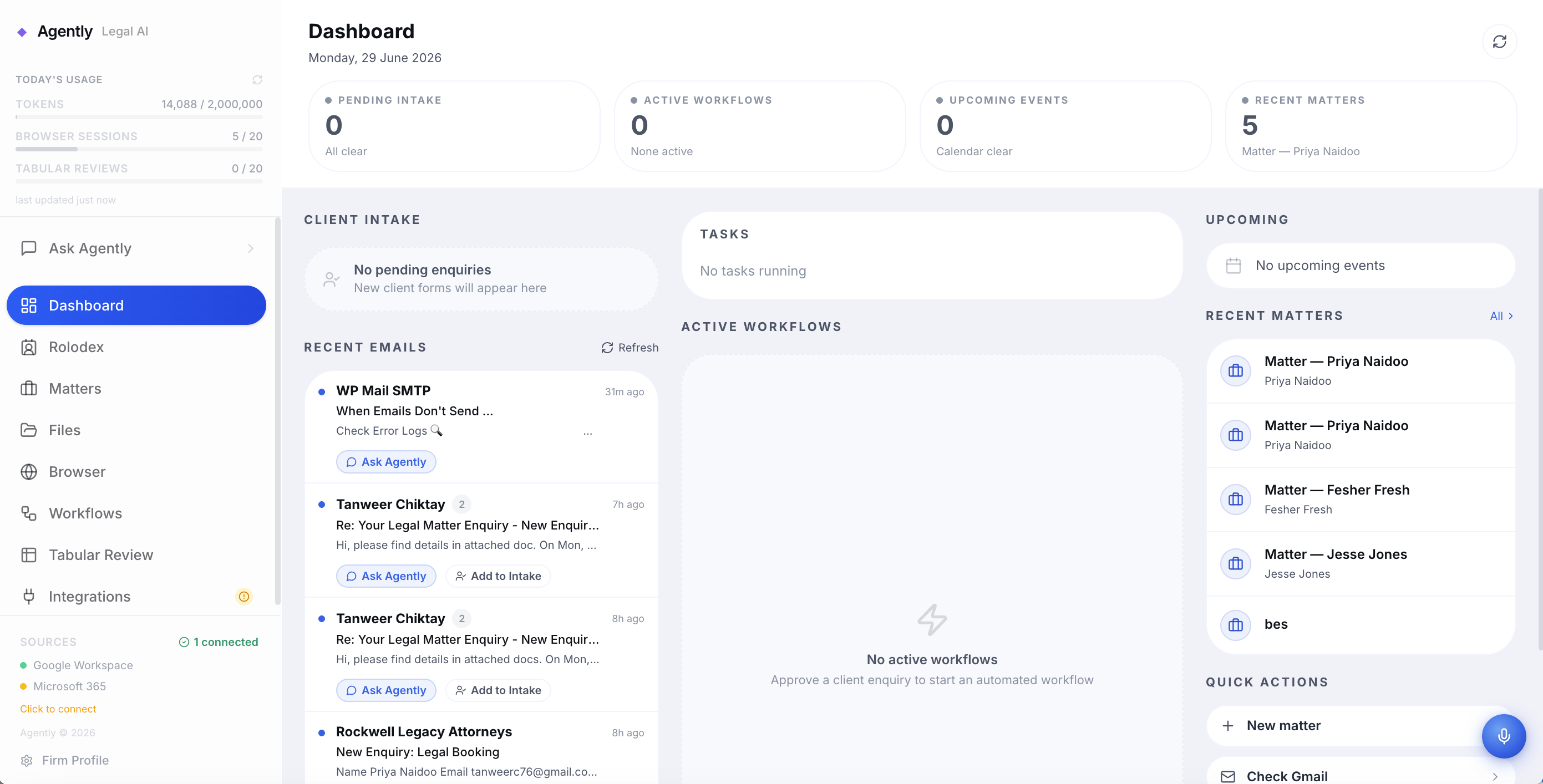
Agently is a legal workspace that handles the full lifecycle of a matter, from the moment a client submits an intake form to the day the case closes.
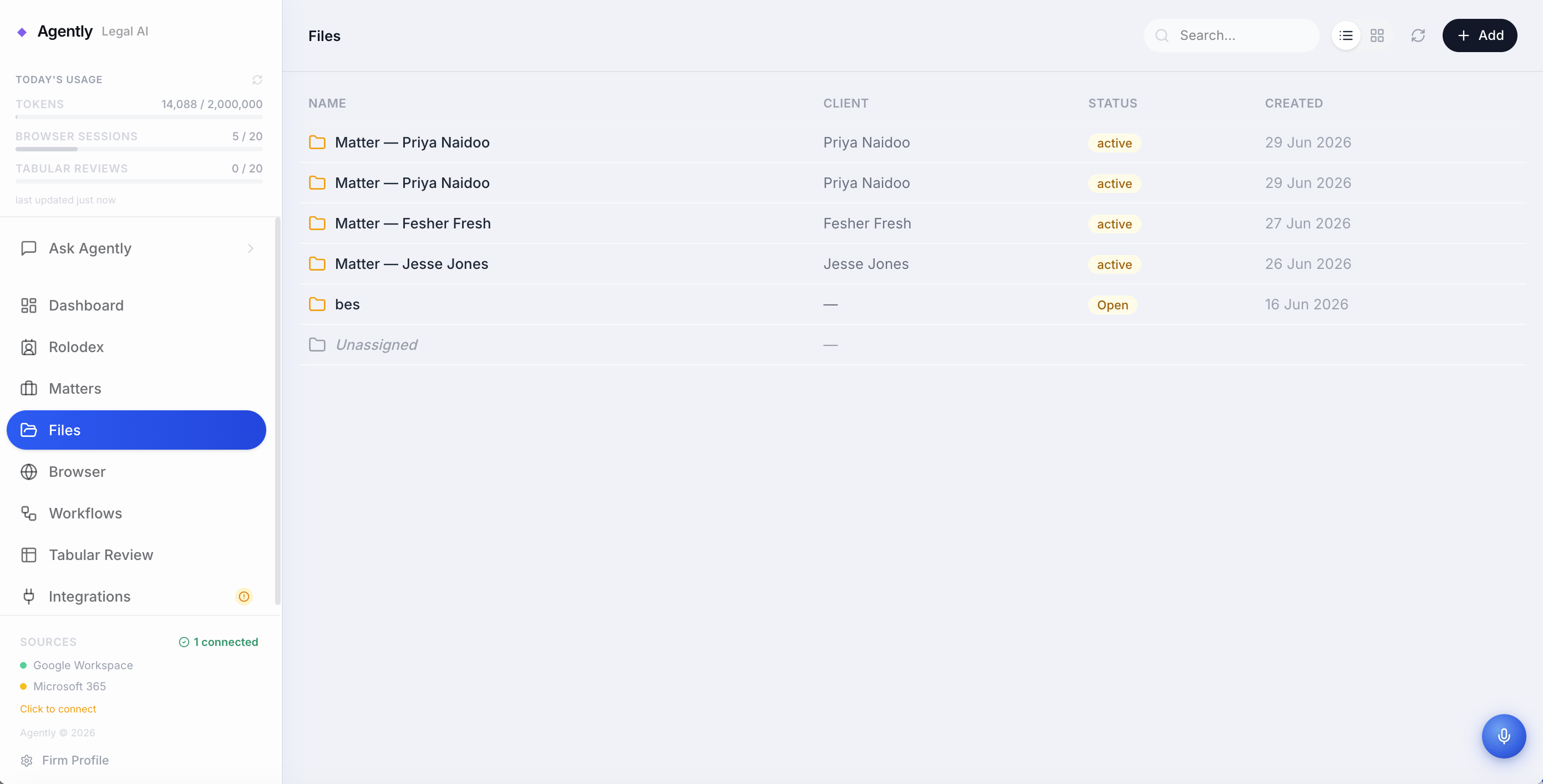
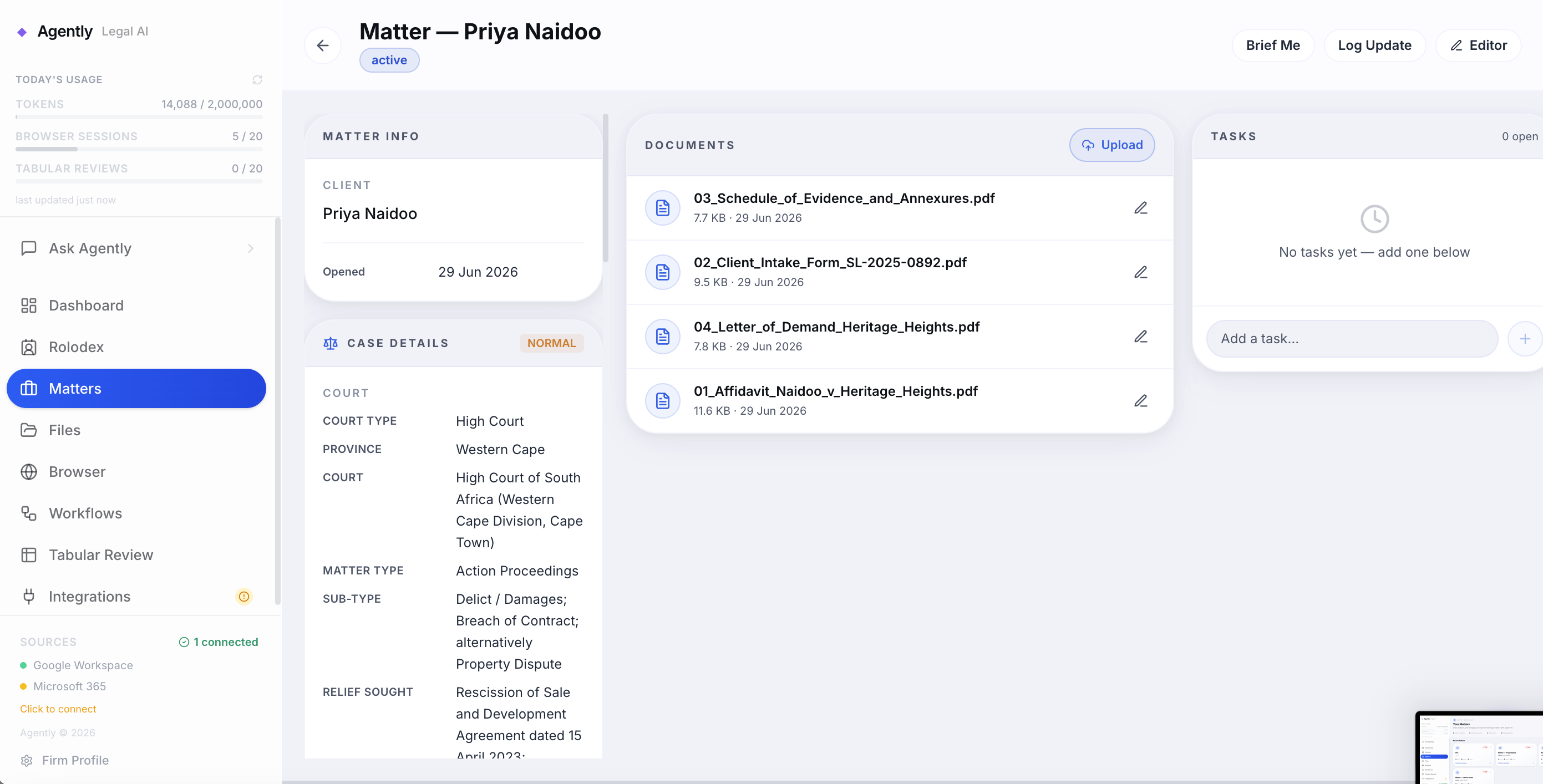
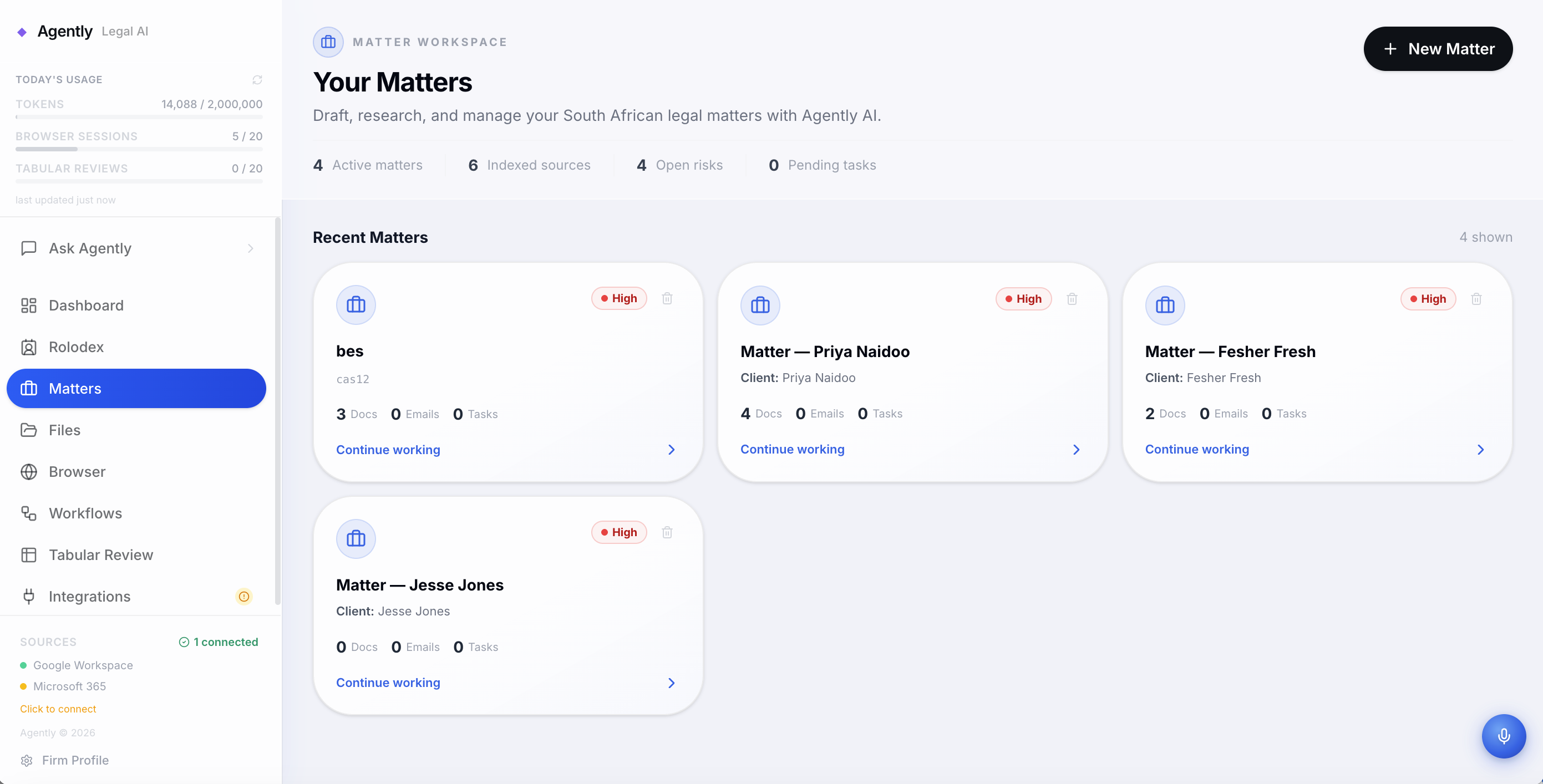
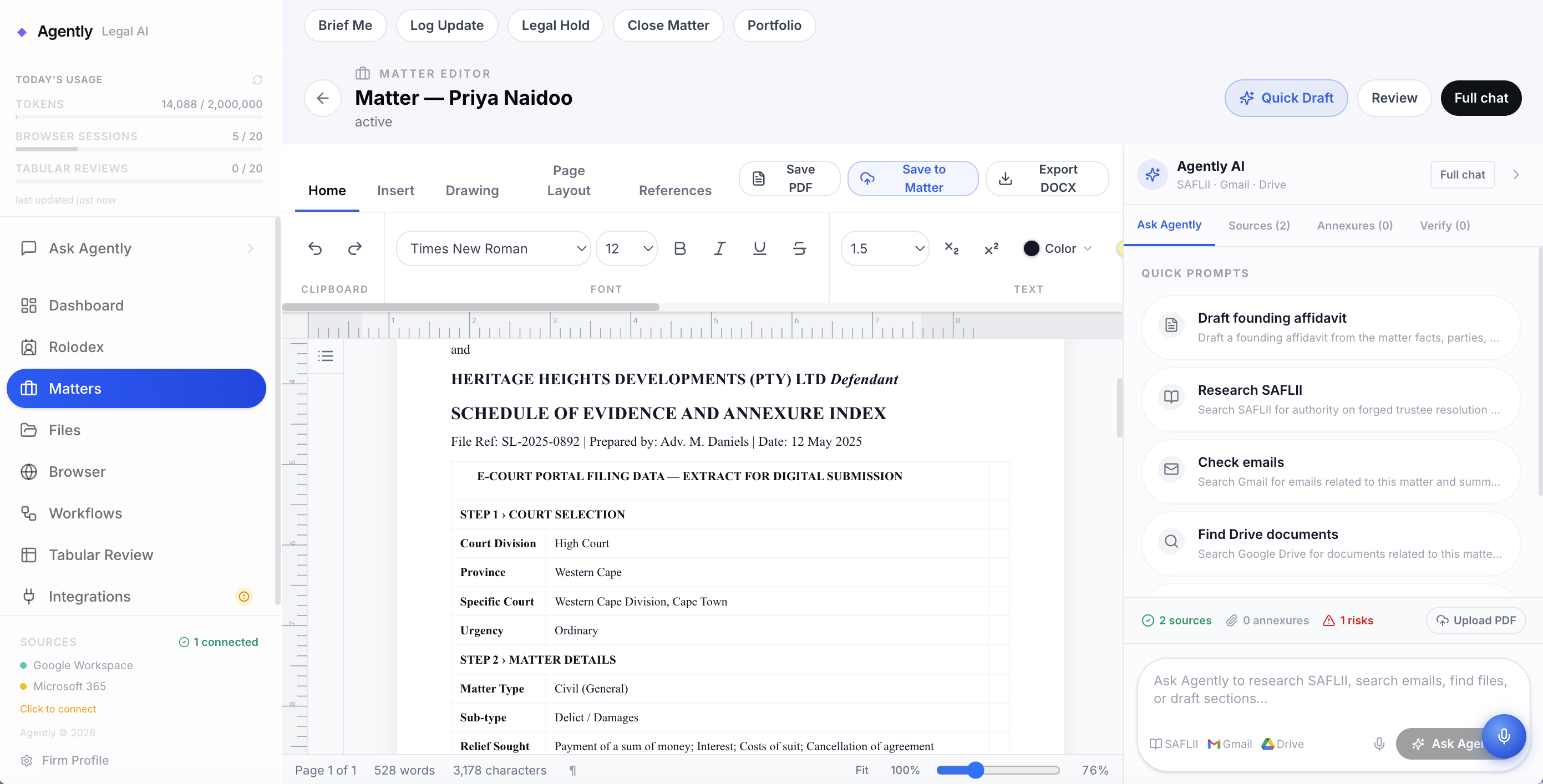
Matter management: Every client engagement lives in a structured matter. Documents, emails, notes, contacts, workflows, and AI conversations are all scoped to the matter. Lawyers can open a matter and immediately see everything relevant.
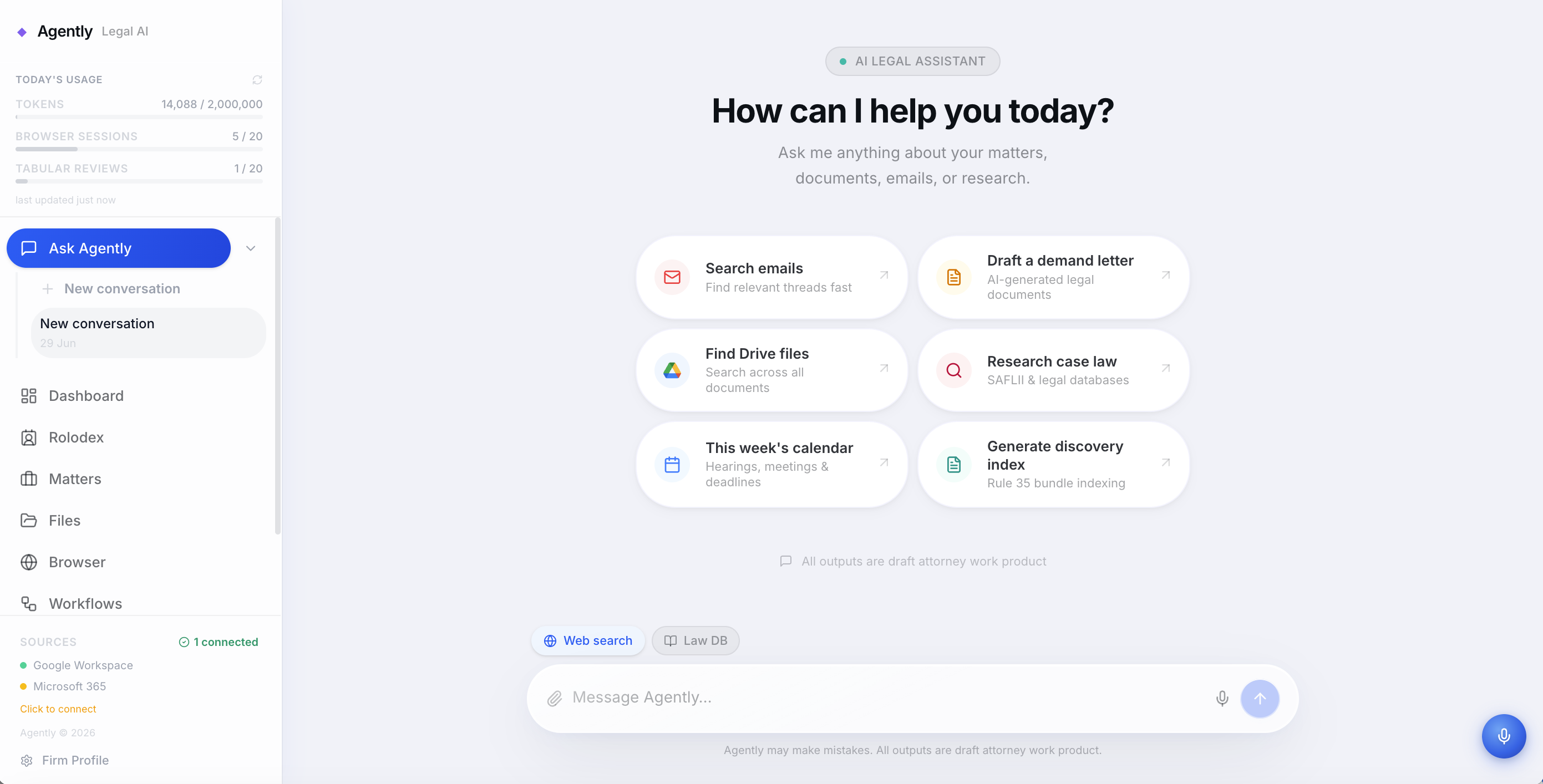
AI agent with real legal research: The AI connects to Laws Africa's knowledge bases — South African legislation, court judgments, and municipal law — so research is grounded in actual legal sources, not guessed. Ask it to find case law on a topic and it retrieves real judgments with citations.
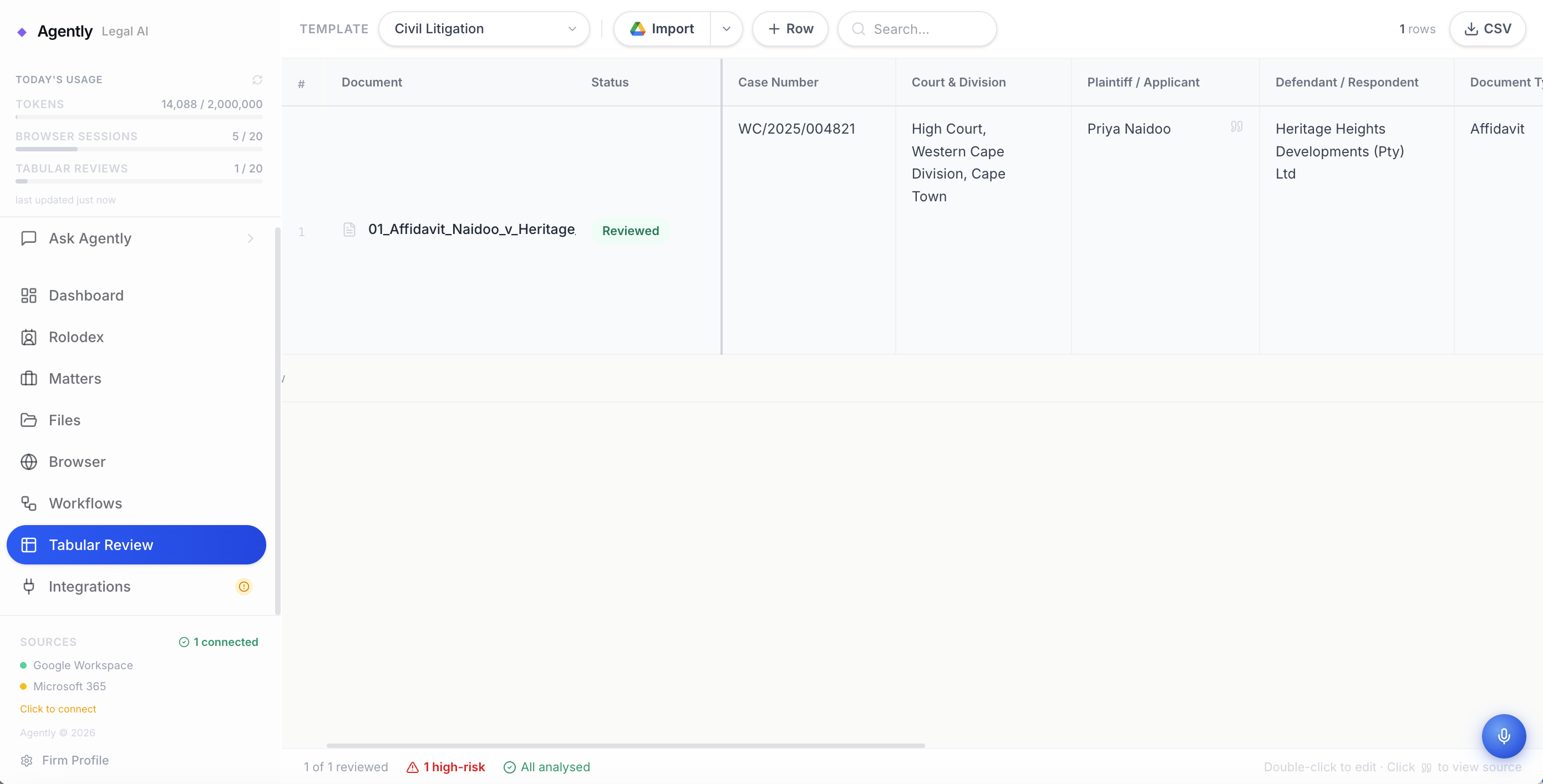
Document work: Upload PDFs, Word documents, and other files. The AI reads and analyses them, extracts key facts, and can generate new documents from scratch using a full rich text editor. A dedicated tabular review mode lets lawyers run structured clause-by-clause analysis across contracts. There's a separate document editor inside each matter so drafting and reviewing happen in the same place.
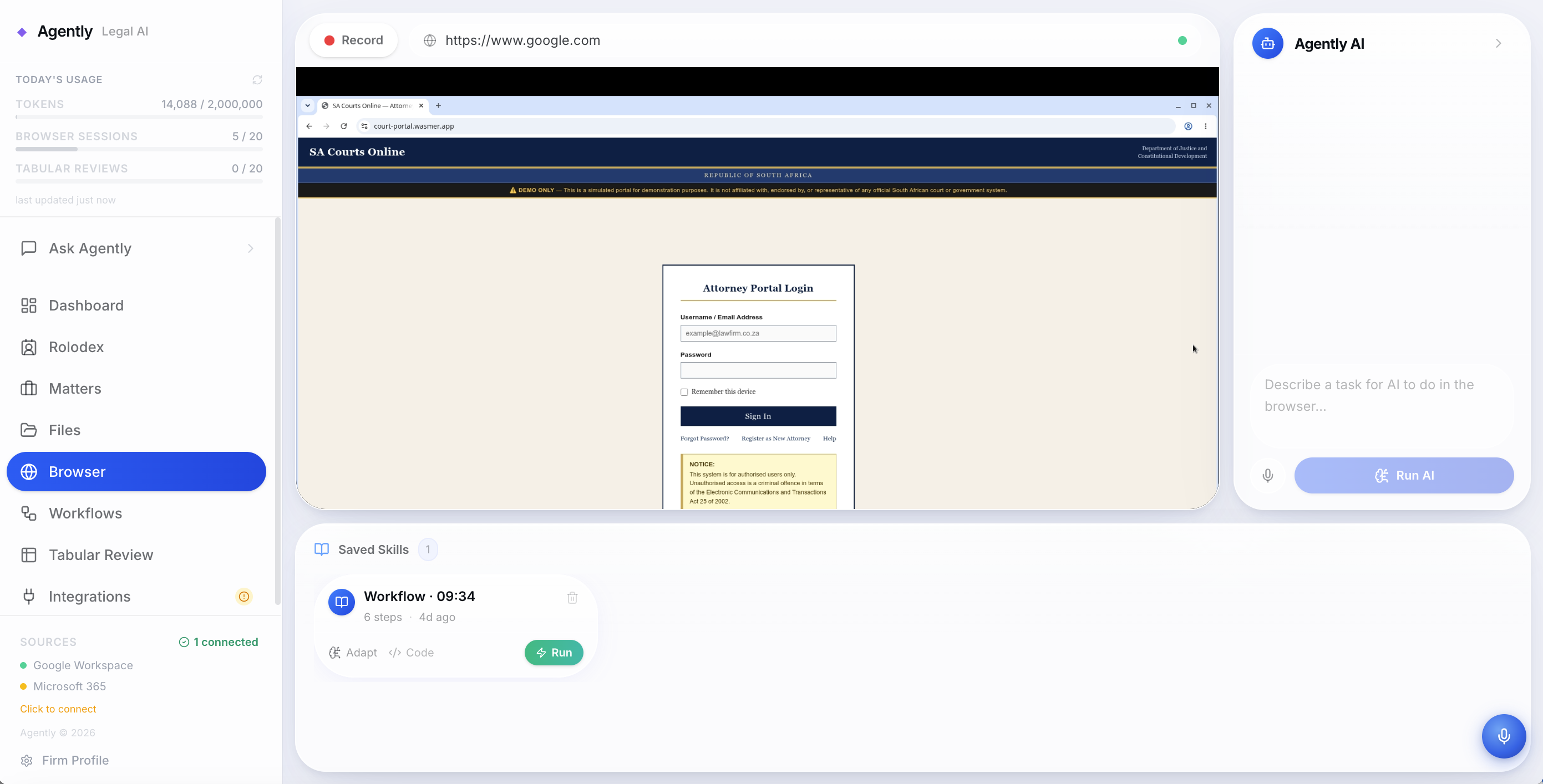
Browser agent: Agently can operate a real browser on behalf of the lawyer. It can navigate court e-filing portals, fill in every field using structured case data from the matter, upload the required documents, and complete the submission, including automatically logging in using securely stored credentials. The lawyer watches the browser live and can intervene at any point.
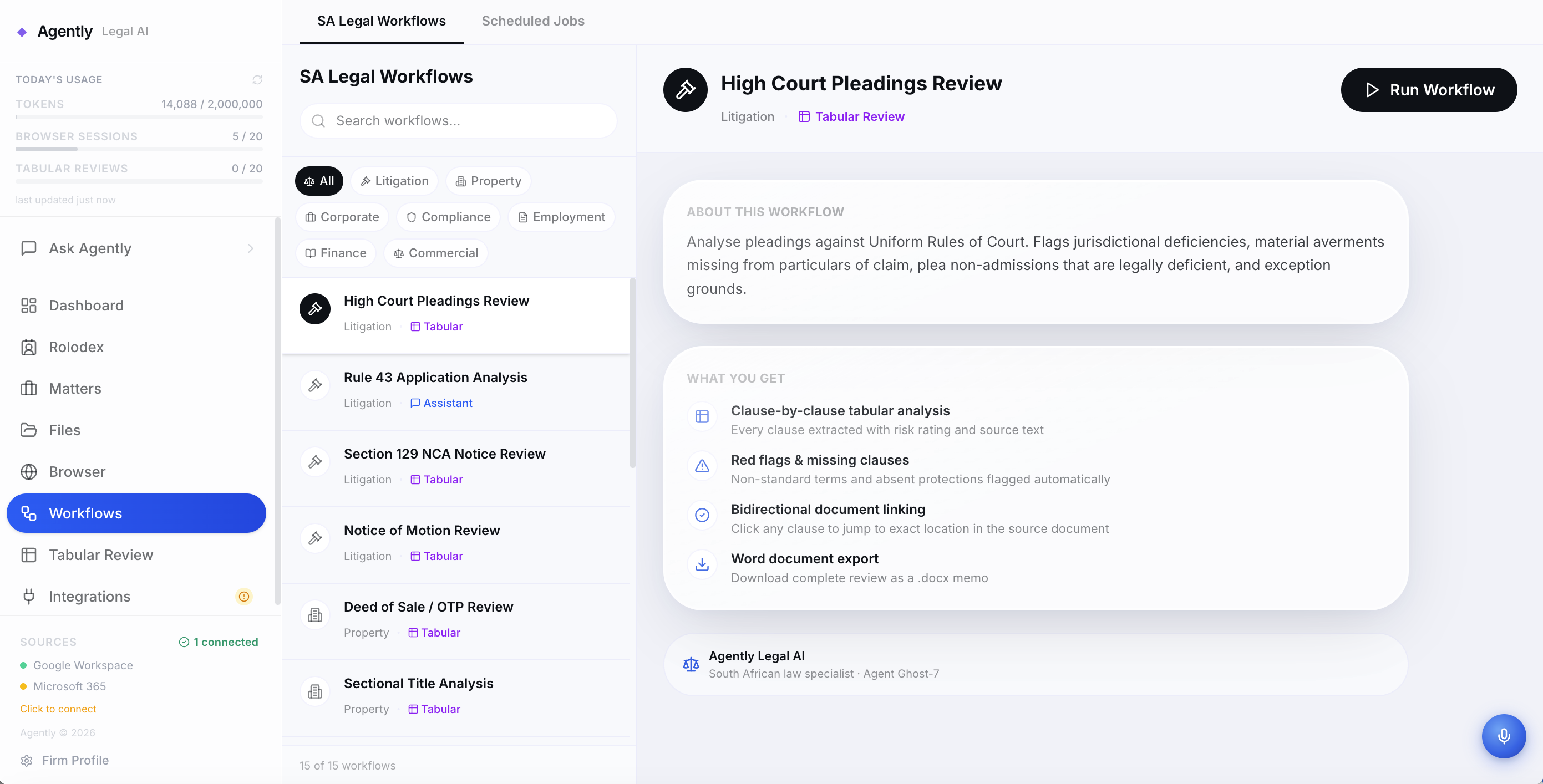
Workflow automation: Lawyers can define multi-step workflows, document review, contract approval chains, research tasks, and run them on demand as needed. They can also record their work like navigating some portal or website and then save the recording as a workflow which can be run when they need it and they can even add instructions to that workflow to have AI adapt to different things or think at a certain stage while executing it.
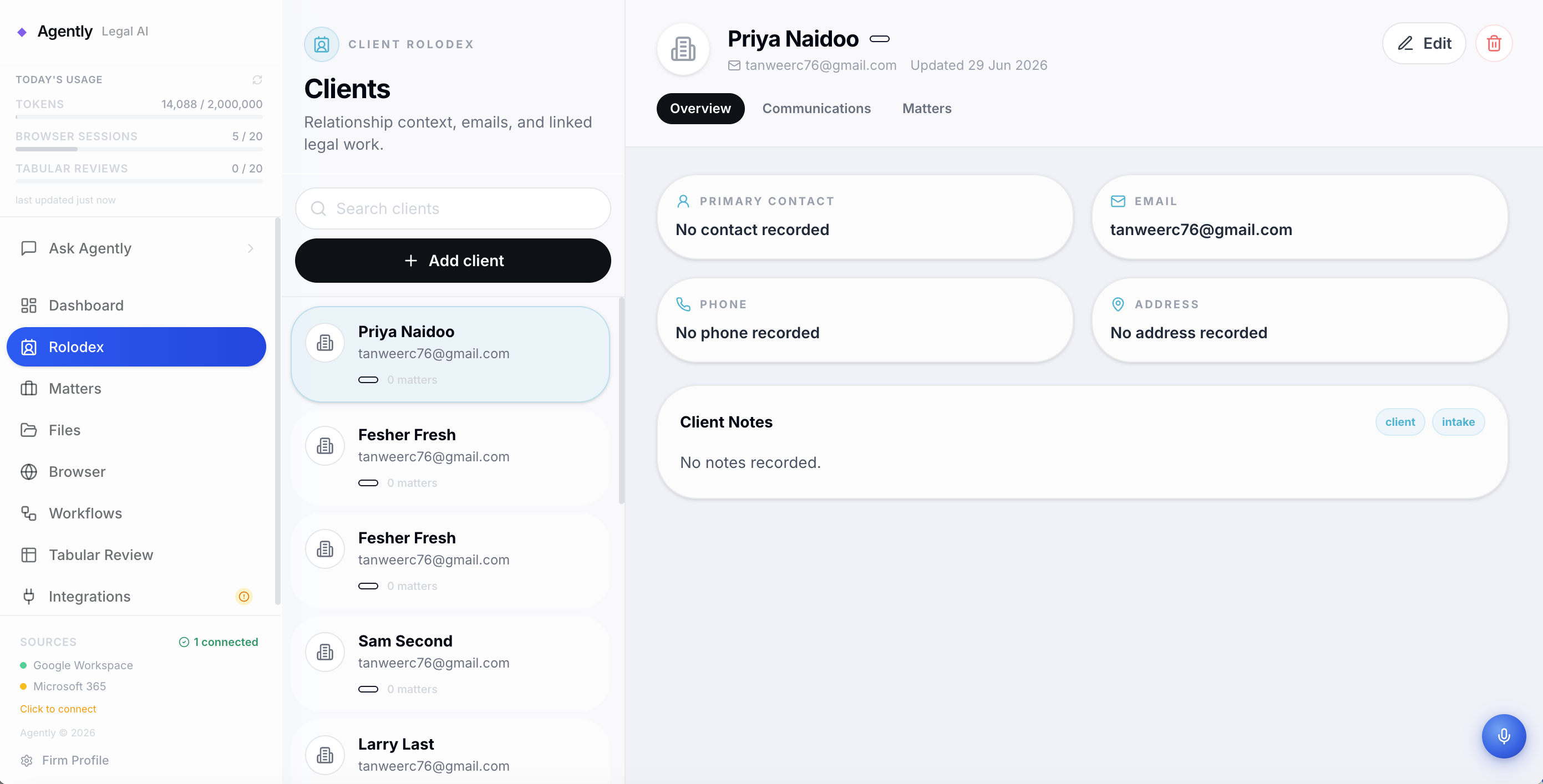
Rolodex: A contacts system linked to matters, so the firm's network of clients, counterparties, and courts is always at hand.
Client intake: If a prospective client emails the firm or fills out a form on the website which notifies the firm, they can be added approved for intake on the dashboard, which runs an AI agent in the background to add the client to the Rolodex, make a new matter, respond to the clients emails and request further information and documents, upon receipt of this it can then draft a letter of engagement, fill in the clients case details in the matter from any provided documents and draft a legal opinion summary to catch up the lawyer.
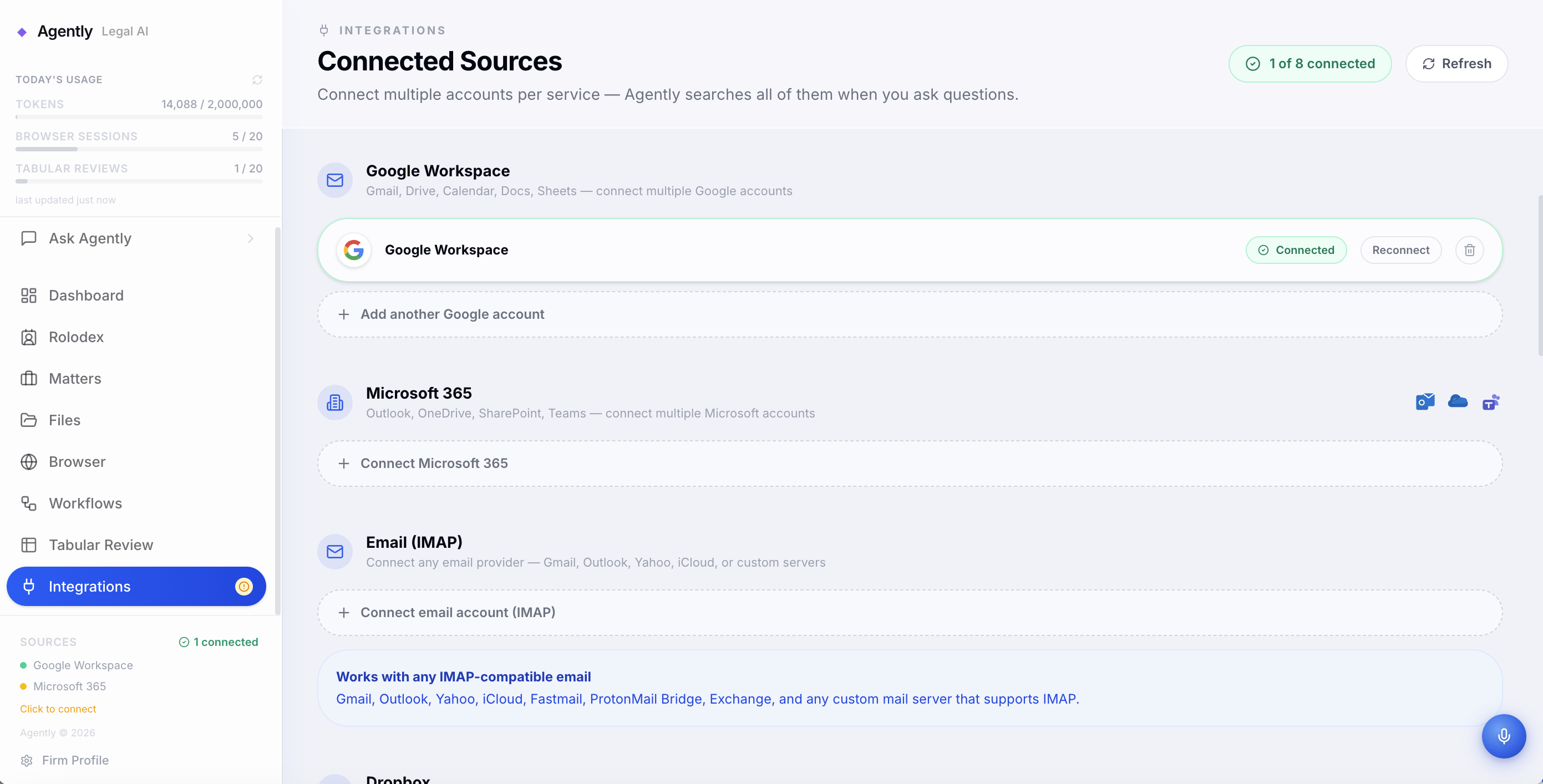
Integrations: Gmail, Google Drive, Google Docs, Google Calendar, Microsoft Outlook, Microsoft Teams, OneDrive, Dropbox, Xero, WordPress, and IMAP email, so Agently connects to whatever the firm already uses rather than forcing them to migrate.
How we built it
Frontend: React 19 with Vite and TailwindCSS v4. Tiptap powers the rich text editor for document drafting inside matters. React Router v7 handles navigation. The AI SDK's useChat hook streams Claude's responses directly to the client via SSE, with tool-call rendering so the lawyer can see what the agent is doing in real time.
Backend: Express 5 deployed as a Vercel Serverless Function (Node 24, Fluid Compute, 300 second timeout). Twenty-four route modules cover the full surface area: chat, matters, files, workflows, browser automation, contracts, intake, voice transcription, PDF operations, email, calendar, and more.
Database: Amazon Aurora DSQL is the primary database. We chose it specifically because it is PostgreSQL-compatible and serverless — no infrastructure to manage, and it scales without us provisioning anything. The integration required real engineering. DSQL uses short-lived IAM tokens (15 minute TTL) rather than static credentials. We built a custom pool manager with DsqlSigner from @aws-sdk/dsql-signer that refreshes credentials 2 minutes before expiry, deduplicates concurrent refresh requests so multiple in-flight queries don't each try to rotate the token, and drains old pool connections gracefully without dropping live requests. DSQL also has no support for SET LOCAL or session-level configuration, which meant traditional row-level security via Postgres policies was not an option. We replaced it with explicit firm_id scoping on every query — a more transparent isolation pattern that is also easier to audit. Fifteen idempotent migrations handle schema setup, each DDL statement run in its own transaction as DSQL requires.
AI: Inference runs through AWS Bedrock with Claude as the primary model, streamed to the client via Server-Sent Events. The AI SDK's streamText and generateText handle the orchestration layer, with a full tool-calling pipeline for actions like file retrieval, legal research, web search, and browser control. Token usage is tracked per user and per firm, with tier-based quotas enforced at the API layer.
Browser automation: This was one of the most complex parts of the system. The browser agent uses Steel.dev to spin up a remote Chrome session in a cloud VM. Documents from the matter are retrieved from S3, then uploaded directly to the Steel session VM via the Steel Files API before the agent starts, so when the browser-use agent calls upload_file, the file is already on the same machine as Chrome. This was a hard problem: Chrome's CDP Input.setFileInputFiles requires the file to exist locally on the VM running Chrome. Getting that right required understanding the full CDP execution path.
The Python browser-use agent runs on AWS ECS (not Lambda, which cannot run Python browser-use reliably at the required timeout and dependency size). The Vercel function creates the Steel session, pre-uploads the documents, then fires an async HTTP request to the ECS container with the task and CDP URL. The frontend polls for events. On local development, Playwright Core connects directly over CDP.
Court portal automation is especially deep. The system detects court-related tasks by keyword, looks up the firm's portal URL from Aurora DSQL, retrieves login credentials from AWS Secrets Manager, resolves the relevant matter from the task description using a multi-factor scoring algorithm (matter name, client name, applicant name), fetches associated documents from S3, uploads them to the Steel VM, then builds a structured step-by-step agent prompt with exact field values, province inference logic, and explicit sub-steps for every section of the filing wizard.
Lawyers can also record browser workflows using a built-in Playwright recorder. We inject a tracker script into the live browser via CDP that captures clicks and form fills as console events, converts them to Playwright actions in real time, and streams them back to the UI as an editable script. That script can be replayed directly (fast, no AI) or handed to the AI agent with modifications — the hybrid run-skill endpoint replays the recorded steps first, then invokes the AI to handle the delta. Azure OpenAI can also improve recorded scripts automatically, replacing fragile CSS selectors with robust AI browser use.
Storage: Documents live in Amazon S3, keyed by firmId/matterId/docId. Presigned PUT and GET URLs are generated server-side with a 5 minute expiry. AWS Secrets Manager stores court portal credentials per firm, retrieved at filing time.
Auth: Clerk handles authentication and multi-tenancy. Org IDs are extracted from cryptographically signed JWTs and used as the firm_id in every database query.
Challenges we ran into
Getting browser-use to run reliably was the hardest engineering challenge. Lambda has a 250 MB deployment package limit and a 15 minute execution cap — fine for most things, but browser-use with its Python dependencies and Playwright binaries blows past both. The solution was ECS: a containerised Python service with the full browser-use stack, connected to Steel's cloud Chrome via CDP. Getting Playwright Core (TypeScript) and browser-use (Python) to share the same Steel CDP session cleanly — so one could record while the other executes — took significant iteration.
Uploading files into a remote Steel browser session securely was another real challenge. We could not give the agent access to S3 directly. Instead we built a pipeline: S3 GetObject → Buffer → Steel Files API (POST /v1/sessions/{id}/files) → VM path embedded in the agent prompt → browser-use upload_file with that path. The agent never touches S3 credentials.
Aurora DSQL's DDL transaction requirements caught us off guard. Standard migration libraries send multiple DDL statements in a single transaction, which DSQL rejects. We wrote a custom migration runner that splits each SQL file on semicolons and executes each statement in its own transaction.
What we learned
Building for law forces precision. Every claim the AI makes, every document it generates, every form it fills, there is real professional and legal consequence if it is wrong. That raised the bar on how we thought about tool design, prompt engineering, and agent control. The lawyer-in-the-loop browser interface (live view with intervention capability) exists because full autonomy is not appropriate here.
What's next for Agently
Real-time collaborative document editing. Native billing and time-tracking. Expanded court jurisdiction support beyond South Africa. A client portal for document sharing and e-signatures. And deeper workflow automation so entire matter types, conveyancing, deceased estates and civil disputes can be handled with minimal manual touchpoints.
Built With
- ai-sdk
- amazon-aurora-dsql
- amazon-web-services
- aws-bedrock
- aws-ec2
- aws-ecs
- aws-lambda
- aws-secrets-manager
- browser-use
- browserbase
- cartesia
- clerk
- datadog
- docx
- dropbox
- express.js
- framer-motion
- gmail-api
- google-drive-api
- imanage-api
- laws-africa-api
- mammoth
- microsoft-graph-api
- node.js
- onedrive-api
- pdf-lib
- pino
- playwright
- postgresql
- react-19
- serpapi
- stagehand
- steel.dev
- tailwindcss
- tiptap
- typescript
- vercel
- vite
- wordpress-api
- xero
- zod


Log in or sign up for Devpost to join the conversation.