-
-
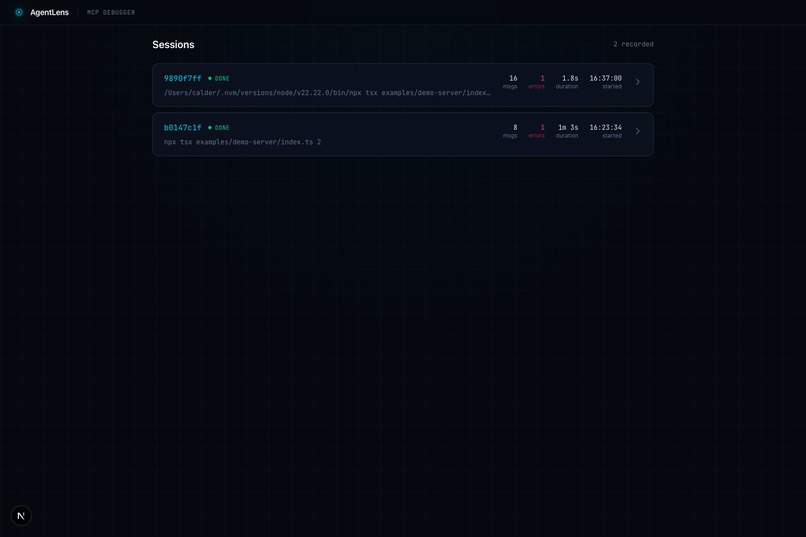
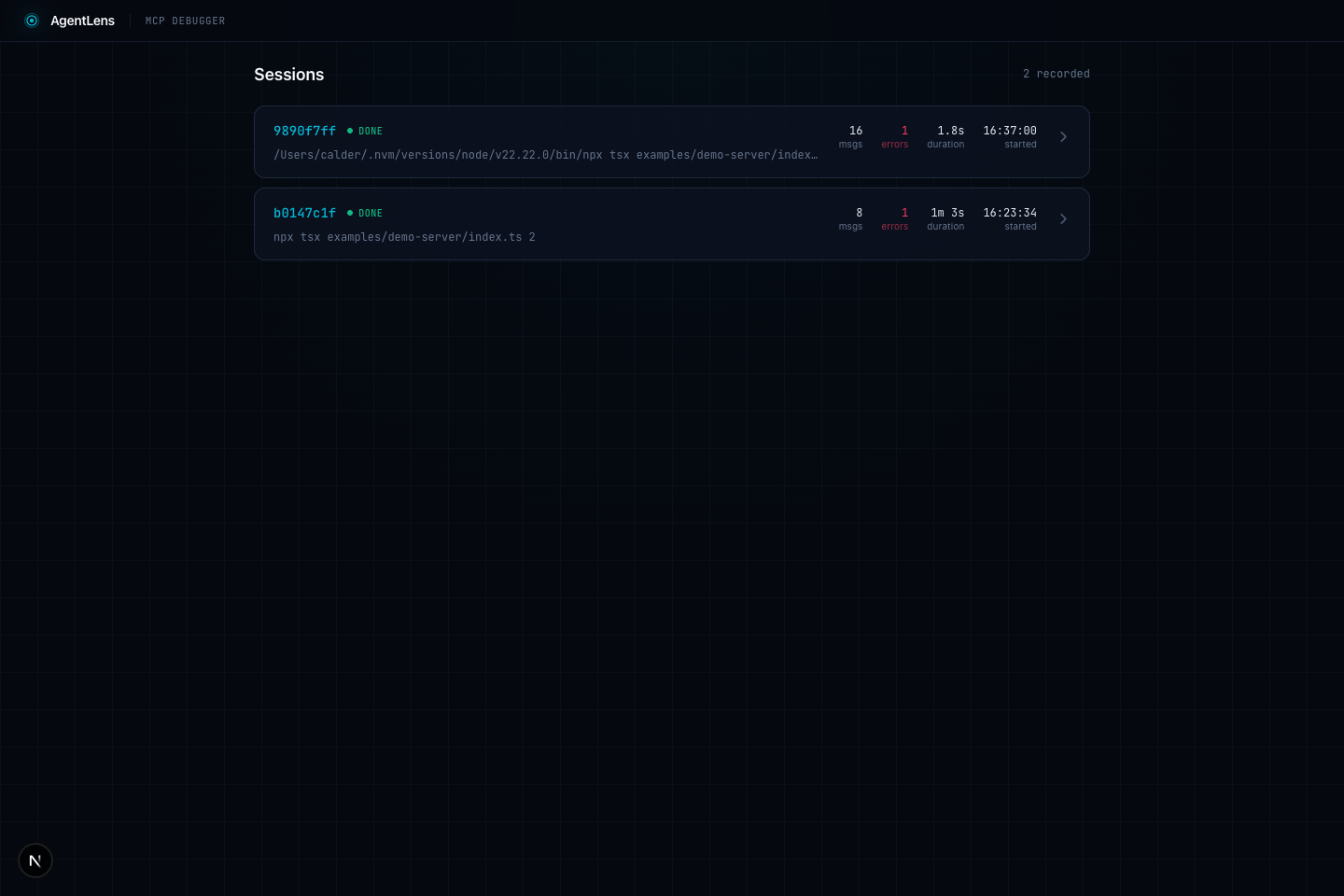
Session List - Browse all recorded MCP sessions
-
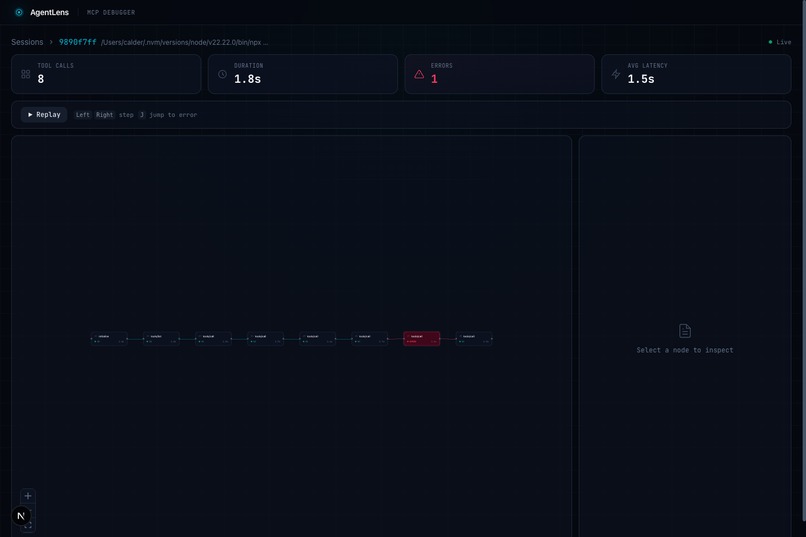
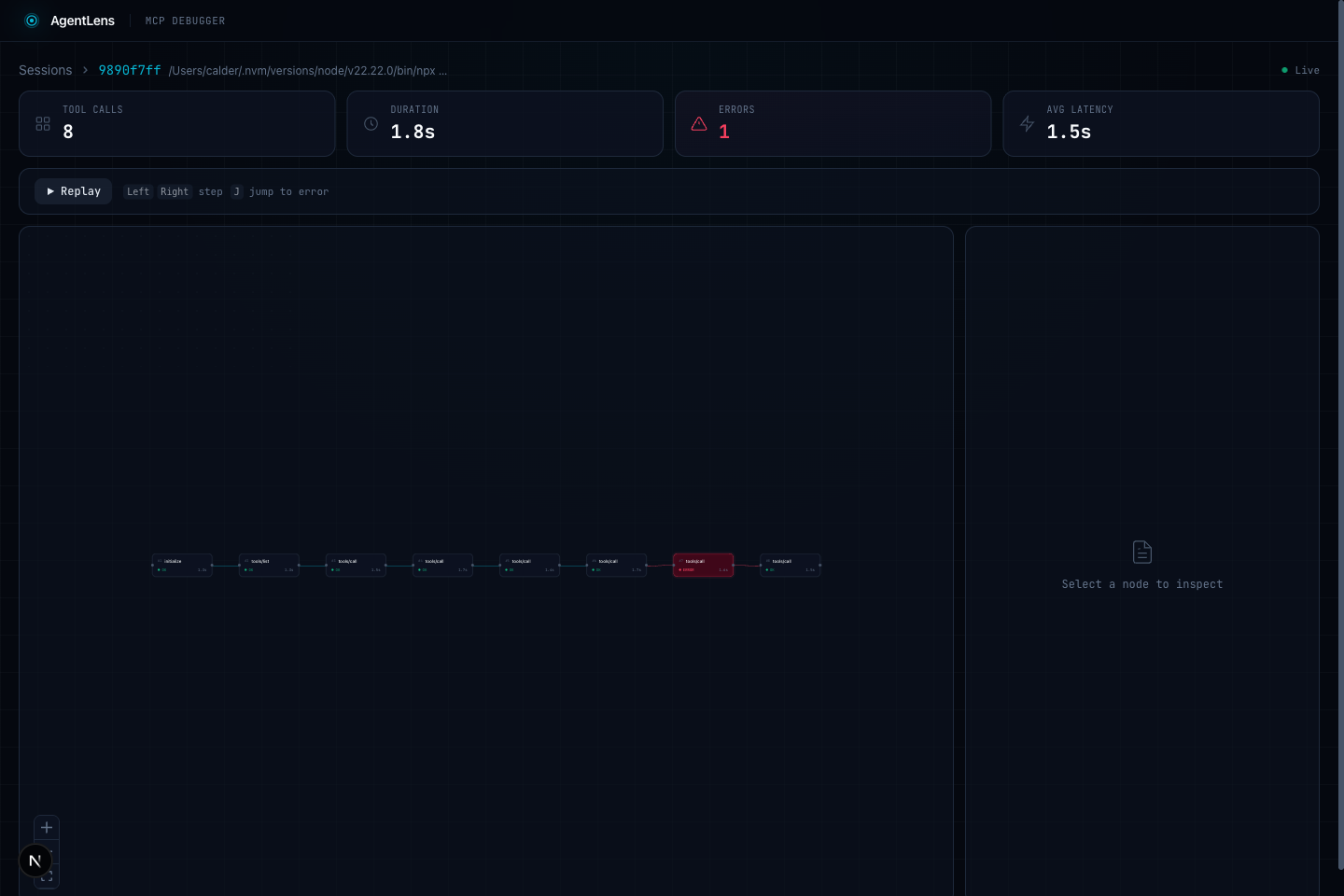
Trace Timeline - Visual node graph of every tool call
-
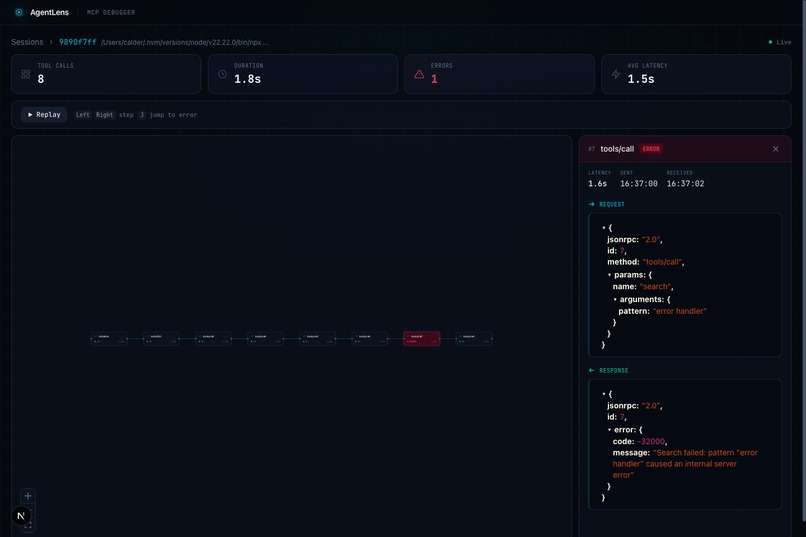
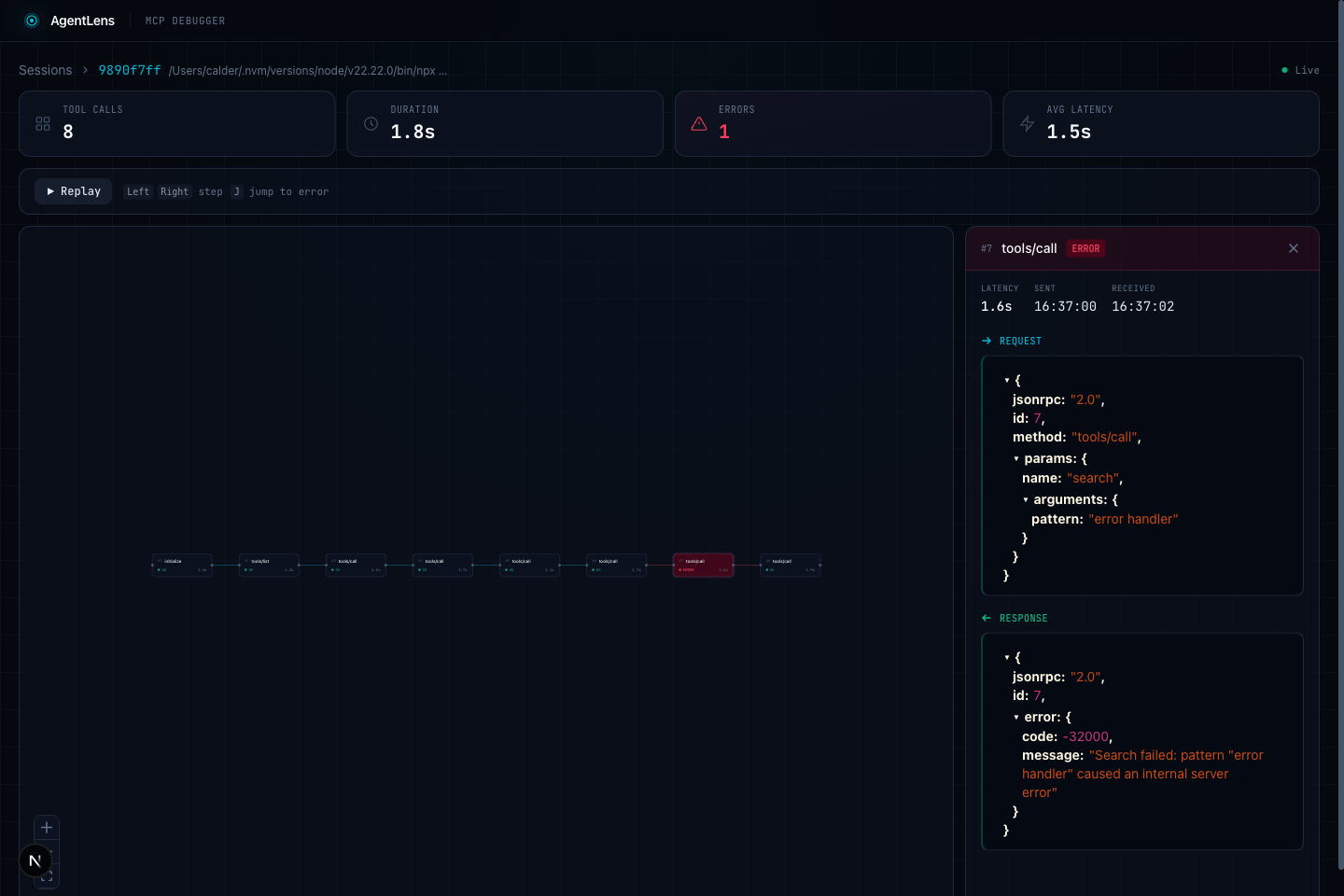
Inspector Panel - Full JSON-RPC request/response with error details
-
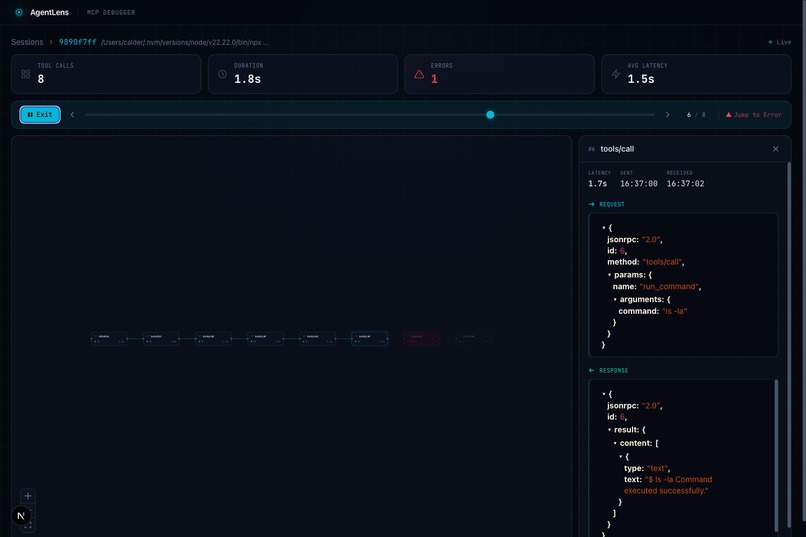
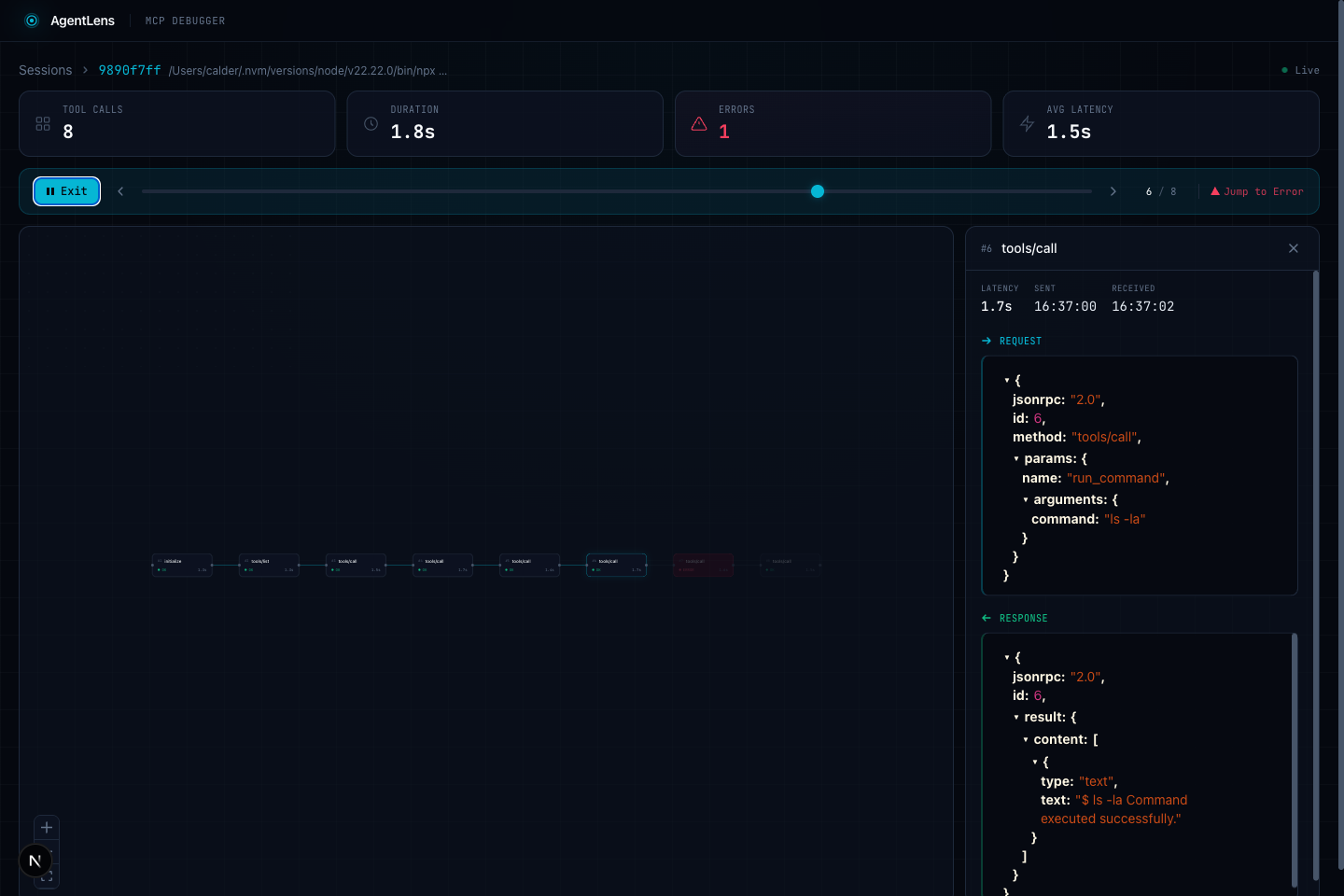
Replay Mode - Step through tool calls like a debugger
Inspiration
Debugging MCP (Model Context Protocol) agent sessions is painful. When an AI agent communicates with MCP servers via stdio, all JSON-RPC messages fly by invisibly in the terminal. If a tool call fails or returns unexpected results, there's no easy way to see what happened, when, or why. We built AgentLens to make the invisible visible.
What it does
AgentLens sits between your MCP client and server as a transparent stdio proxy. It intercepts every JSON-RPC 2.0 message flowing between them, stores everything in a local SQLite database, and serves a real-time dashboard where you can:
- Browse sessions -- See all recorded sessions with status, message count, error count, and duration
- Trace timeline -- Visual node graph of every tool call in sequence, powered by React Flow. Error nodes pulse red.
- Inspect payloads -- Click any node to view the full JSON-RPC request and response with syntax highlighting, latency, and timestamps
- Replay mode -- Step through tool calls one by one with a scrubber. Use arrow keys to step, press J to jump to the next error
- Real-time updates -- When a session is active, new tool calls appear live via WebSocket
How we built it
The project is a TypeScript monorepo with two packages:
Proxy (packages/proxy): A Node.js stdio proxy that spawns the target MCP server as a child process, pipes stdin/stdout through a parser that extracts JSON-RPC messages, and writes them to SQLite (WAL mode for concurrent reads). A WebSocket server broadcasts new messages in real-time, and a REST API serves historical data.
Dashboard (packages/dashboard): A Next.js 16 app with React 19 that renders the session list and detail views. The trace timeline uses @xyflow/react for the interactive node graph. The inspector panel uses react-json-view-lite for collapsible JSON trees. Tailwind CSS 4 handles styling with a custom "Observatory" dark theme -- deep space backgrounds with electric teal accents.
Challenges we ran into
- Stdio stream parsing: JSON-RPC messages over stdio aren't newline-delimited by default. We had to handle partial reads, buffering, and message boundary detection correctly.
- Concurrent database access: The proxy writes while the dashboard reads. SQLite WAL mode solved this, but getting the connection pool and busy timeout right took iteration.
- React Flow layout: Auto-positioning nodes in a horizontal timeline while keeping the graph responsive required careful layout math and viewport fitting.
- Real-time + historical data merge: Combining WebSocket live updates with REST API data without duplicating or dropping messages needed careful deduplication logic.
Accomplishments that we're proud of
- Zero-config setup: just prefix any MCP server command with
npx agentlens --and it works - The replay mode with keyboard navigation makes debugging feel like stepping through a debugger
- Real-time WebSocket updates mean you can watch tool calls appear as the agent works
- Clean "Observatory" dark theme designed specifically for long debugging sessions
What we learned
- The MCP ecosystem is growing fast but lacks developer tooling. Simple proxy-based approaches can add powerful debugging without modifying the client or server.
- SQLite with WAL mode is remarkably capable as a real-time event store for single-machine use cases.
- @xyflow/react (React Flow) is excellent for building custom node-based visualizations beyond typical flowcharts.
What's next for AgentLens
- Message filtering and search -- Find specific tool calls by name, content, or error type
- Session diffing -- Compare two sessions side by side to spot behavioral changes
- Export and sharing -- Export session traces as JSON or shareable HTML reports
- Multi-server support -- Proxy multiple MCP servers in a single AgentLens instance
Built With
- flow
- json-rpc
- next.js
- node.js
- react
- sqlite
- tailwind
- typescript
- websocket


Log in or sign up for Devpost to join the conversation.