Agentic Voice Map
Inspiration
Every day, millions of people run errands after work — grabbing coffee, picking up groceries, getting gas. But planning a multi-stop trip with any existing map app is painfully slow. You have to set an anchor point, define a search radius, search for your first stop, pick from a list, repeat for every additional stop, manually optimize the order, and then finally hit navigate. That's 7 or more steps and 30+ seconds of tapping, just to do something you could describe in a single sentence.
We asked ourselves: what if you could just say what you need and have an AI figure out the rest? Not a chatbot that asks you 10 follow-up questions, but a true agent that hears "Take me home with Starbucks and Walmart on the way" and immediately finds the best locations on your route, orders them to minimize your detour, and starts navigation — all in under 5 seconds.
That gap between how humans naturally describe errands and how apps force us to plan them is what inspired Agentic Voice Map.
What It Does
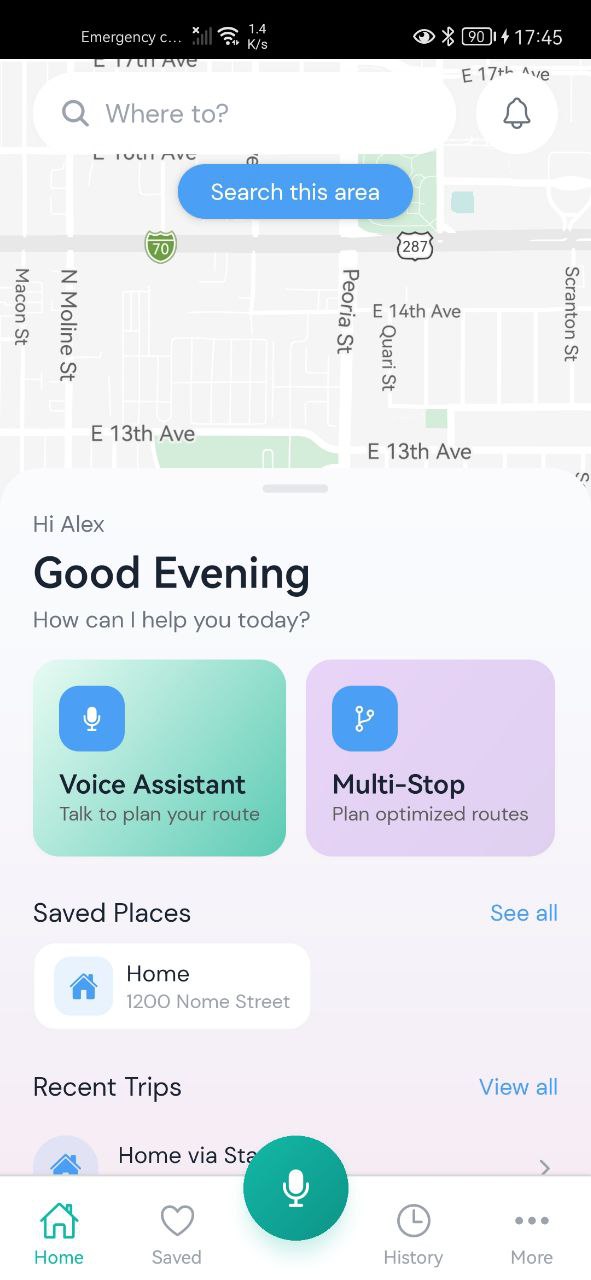
Agentic Voice Map is a voice-first mobile route planner that turns natural language into optimized multi-stop journeys. It has two input modes:
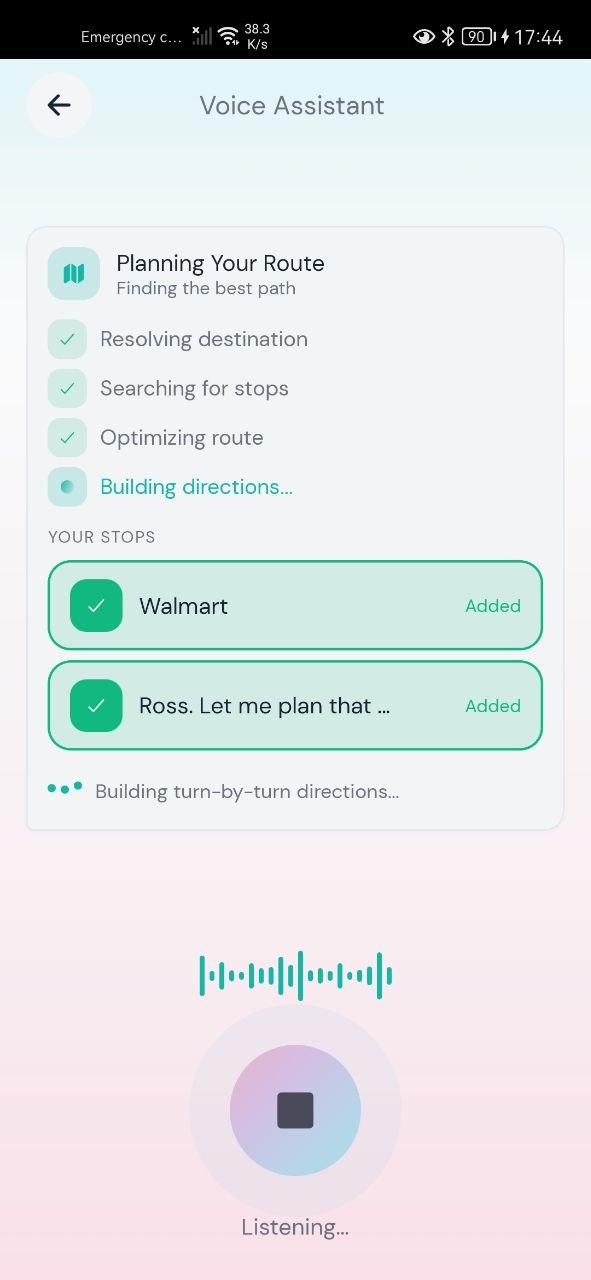
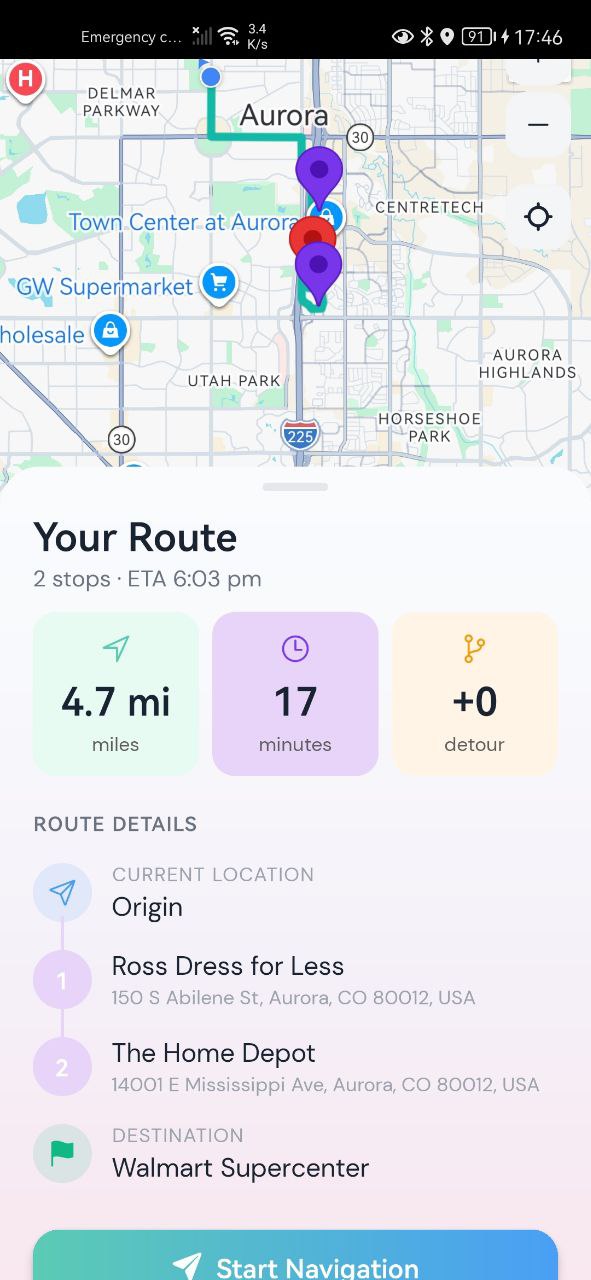
Voice Mode: Tap the mic and speak naturally. Say something like "Take me home but stop for gas and Chick-fil-A on the way." The app streams your audio in real-time to the backend, transcribes it live on screen, understands your intent, finds the best stops along your route, and speaks the result back to you while simultaneously drawing the route on the map. You can interrupt the app mid-sentence, change your mind, or confirm with a simple "yes."
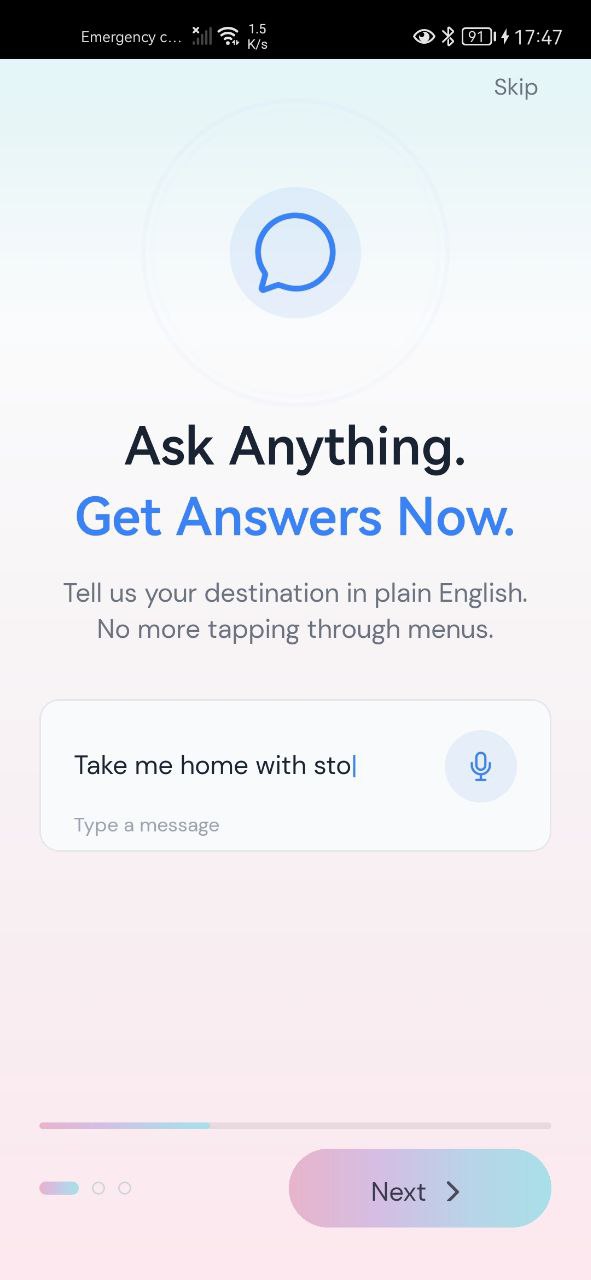
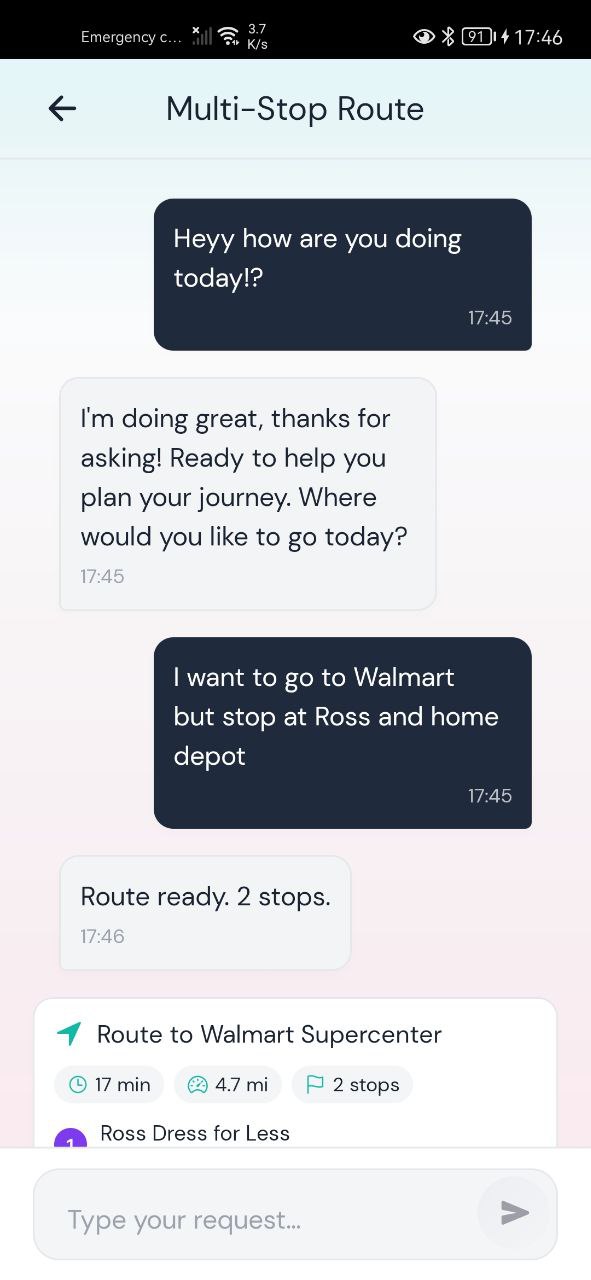
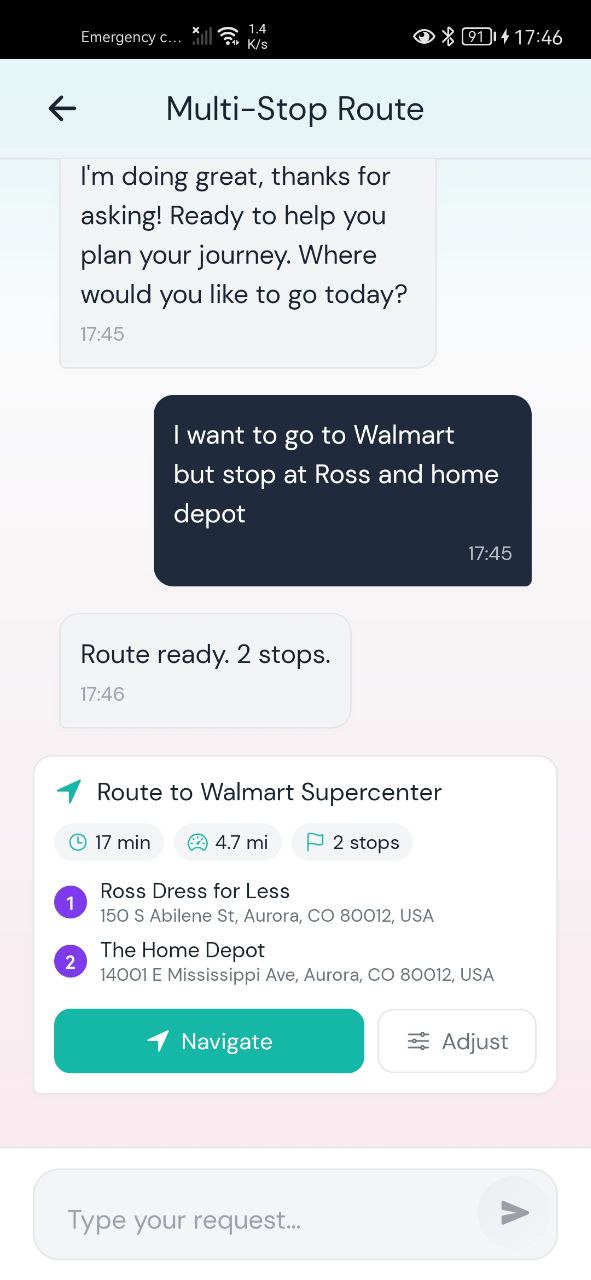
Text Mode: Type the same request in a chat-like interface and get back a visual route with up to 5 alternative options for each stop, so you can compare and swap.
Under the hood, the app does several things automatically:
- Entity Resolution: "Home" and "work" resolve to your saved locations (anchors). "Starbucks" triggers a search along your actual route, not just a radius search.
- Smart Stop Selection: For each requested stop category, the system finds the category winner — the single option with the lowest detour cost. In text mode, it also shows alternatives.
- Dynamic Detour Budget: Short routes (under 2 miles) allow up to 10% extra distance. Medium routes allow 7%. Long routes allow 5%. This prevents absurd detours on short trips and overly strict limits on long ones.
- Confidence-Based Decisions: If the AI is highly confident ($\geq 0.80$) in what you said, it executes immediately. Medium confidence ($0.60$–$0.79$) triggers a confirmation dialog. Low confidence ($< 0.60$) escalates to a more powerful AI model for deeper reasoning.
- Detour Warnings: Stops that add 0–5 minutes are marked MINIMAL and added quietly. Stops adding 5–10 minutes get a warning. Stops adding 10+ minutes get a strong warning with the option to skip.
How We Built It
Frontend (React Native + Expo): We built the mobile app with React Native using Expo SDK 52+ with a Dev Client for access to native audio APIs. State management runs on Redux Toolkit with dedicated slices for voice state, route data, and offline caching. The map uses react-native-maps with Google Maps, rendering polylines and animated marker drops synchronized with the voice response. Styling is done with NativeWind (Tailwind CSS for React Native). For voice input, we use ElevenLabs' Conversational AI SDK with WebRTC for production-quality real-time audio streaming.
Backend (NestJS): The backend is a NestJS server written in TypeScript. For voice mode, it runs a WebSocket gateway (Socket.io) that receives audio chunks and pipes them through a processing pipeline:
$$\text{Audio} \xrightarrow{\text{VAD}} \text{STT} \xrightarrow{\text{NLU}} \text{Route Planning} \xrightarrow{\text{TTS}} \text{Audio Response}$$
- VAD (Voice Activity Detection): Monitors silence to know when the user is done speaking (700ms threshold).
- STT (Speech-to-Text): Google Cloud Speech-to-Text streams partial transcripts back to the app in real-time.
- NLU (Natural Language Understanding): A dual-agent system using Gemini 2.5 Flash for fast intent parsing (~85% of requests) and Gemini 3.0 Pro for complex disambiguation (~15% of requests).
- Route Planning: A multi-step algorithm that calculates direct routes via the Google Maps Routes API, searches for stops along the route polyline using the Google Places API (Search Along Route), clusters candidates by detour cost, and optimizes stop ordering.
- TTS (Text-to-Speech): ElevenLabs streams audio back to the frontend so the app can "speak" the result.
The database is PostgreSQL with Prisma ORM, and Redis handles caching for places data and route results.
Key Optimization — Search Along Route: Instead of doing radius-based place searches (which return places far from your actual path), we use the Google Places Search Along Route API. This makes a single API call per stop category and returns only places that are actually near the route polyline, cutting planning time from ~12 seconds down to ~5 seconds.
Challenges We Ran Into
Real-time audio streaming on mobile. Getting bidirectional audio streaming to work reliably on both iOS and Android was one of our biggest hurdles. Standard Expo Go doesn't expose native audio APIs, so we had to use Expo Dev Client with custom native modules. Managing audio recording, WebSocket transmission, and playback simultaneously without glitches or memory leaks required careful buffer management.
Voice interruption handling. When a user interrupts the app while it's speaking, we need to immediately stop TTS playback, clear the audio buffer, cancel the pending TTS generation on the backend, and switch back to listening mode — all without losing the user's new words. Getting this state transition to be seamless took significant iteration.
Route planning latency. Our initial route planning pipeline took 11–12 seconds end-to-end because each step ran sequentially: resolve entities, get direct route, search for places, calculate detours, optimize order, build final route. We brought this down to ~5 seconds through parallelization (running independent API calls simultaneously), the Search Along Route API (1 call per category instead of many radius searches), cluster-based scoring (filtering out bad candidates early), and caching (Places data cached for 7 days, routes for 1 hour).
ElevenLabs webhook tool detection. In voice mode, we use ElevenLabs' server tools to trigger route planning via a webhook. But we discovered that the onAgentToolRequest callback doesn't fire for webhook-based (server) tools in the current SDK version. We had to pivot to using onAgentToolResponse to detect when planning starts, and the next AI message to detect when it ends. This was undocumented behavior that took time to figure out.
NLU confidence calibration. Getting the confidence thresholds right was harder than expected. Too high and the app asks for confirmation too often, which is annoying. Too low and it misinterprets requests. We landed on $\geq 0.80$ for auto-execute, $0.60$–$0.79$ for confirmation, and $< 0.60$ for escalation after extensive testing with varied phrasings.
Accomplishments That We're Proud Of
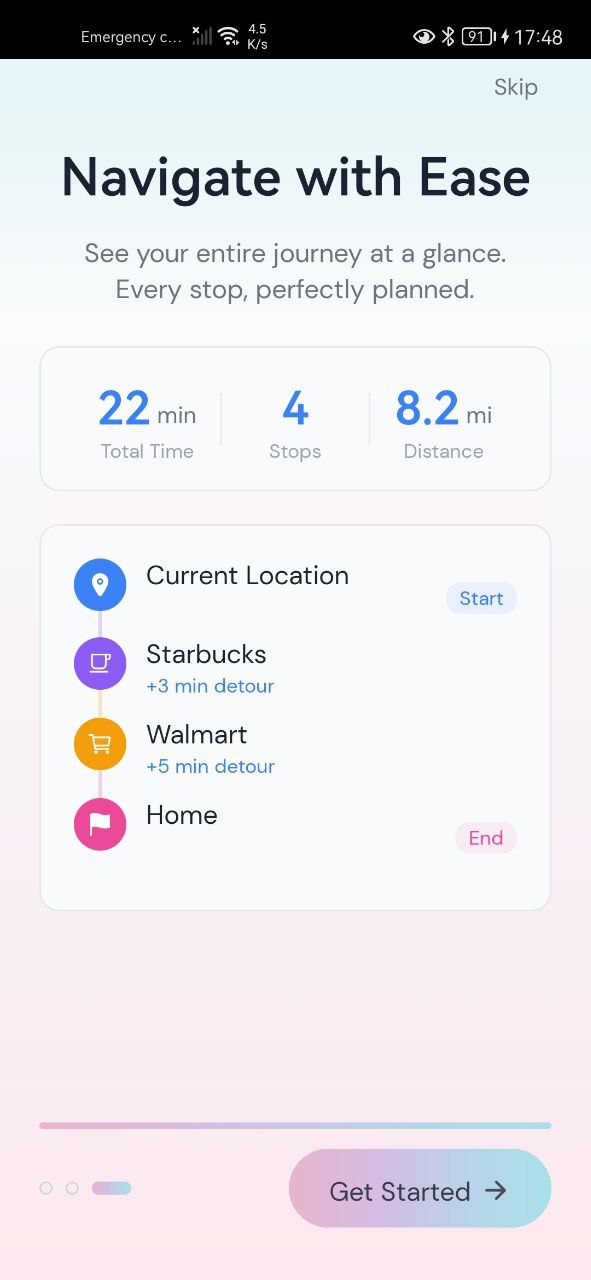
The "one sentence" experience actually works. You can say "Take me home with Starbucks and Walmart on the way" and within 5 seconds, the app has found the best stops, optimized the order, drawn the route on the map, and is speaking the summary to you. That end-to-end flow — from a single spoken sentence to a fully optimized multi-stop route — feels genuinely magical compared to the 7+ step manual process.
Dual input modes sharing one brain. Voice and text mode use the exact same backend route planning engine. Voice mode gives you the single best option and speaks it. Text mode gives you 5 alternatives per stop so you can compare. Same algorithm, different presentation — no duplicated logic.
Sub-5-second route planning. Through parallelization, the Search Along Route API, and smart caching, we brought planning latency from 12 seconds to under 5. For a voice-first app, every second of silence feels like an eternity, so this was critical.
Graceful degradation. The app handles edge cases cleanly. No results? It tells you and offers to search wider. Huge detour? It warns you and lets you decide. Low confidence? It asks for clarification instead of guessing wrong. Lost network? It falls back to text mode with cached data.
What We Learned
Voice UX is fundamentally different from text UX. In text mode, you can show 5 alternatives and let the user compare. In voice mode, you have to pick the single best option and commit to it — nobody wants to hear a list of 5 Starbucks locations read aloud. This "best first, alternatives on request" pattern shaped our entire route planning algorithm.
Latency is the product in a voice app. A 2-second delay in a text app is fine. A 2-second silence in a voice app feels broken. We learned that perceived latency matters as much as actual latency — streaming partial transcripts, showing "Thinking..." spinners, and starting the map animation before the voice finishes all make the experience feel faster.
Detour budgets need to be context-aware. A 0.5-mile detour on a 2-mile trip is significant (25% longer). The same detour on a 20-mile trip is negligible (2.5% longer). Using a flat detour limit doesn't work. Our percentage-based system with absolute floor ($250$m) and ceiling ($1600$m) values handles both short and long routes sensibly.
AI confidence routing saves user frustration. Instead of always asking "Did you mean X?" or always guessing, the three-tier confidence system ($\geq 0.80 \to$ execute, $0.60$–$0.79 \to$ confirm, $< 0.60 \to$ escalate) strikes the right balance. High-confidence requests fly through instantly. Ambiguous ones get a quick check. Truly unclear ones get routed to a more powerful model that can reason through the ambiguity.
What's Next for Agentic Voice Map
Learning from your habits. We want the app to learn your frequent stops and proactively suggest them. If you stop at Starbucks every morning on the way to work, the app should eventually just ask "Want your usual Starbucks today?" without you having to mention it.
Multi-turn conversation. Right now, each voice interaction is largely a single turn: you speak, the app responds. We want to support natural back-and-forth: "Add another stop" / "What about Trader Joe's?" / "Actually, swap the Walmart for a Target" — all within one continuous conversation.
Live traffic-aware replanning. Currently the route is planned once and handed off to navigation. We want to monitor traffic in real-time and suggest route adjustments mid-drive: "There's an accident ahead. I can reroute you through Oak Street and still hit your Starbucks."
Shared trips. Let multiple people contribute stops to the same trip. One person says "I need gas," another says "Can we stop at the pharmacy?" and the app optimizes a route that works for everyone.
Wearable and car integration. Bring the voice experience to smartwatches and Android Auto / CarPlay, so you never have to look at your phone while driving.
Built With
- android
- claude
- elevenlabs-conversational-ai
- elevenlabs-conversational-ai-sdk
- expo-av
- expo-router
- expo-sdk
- git/github
- google-cloud-speech-to-text
- google-cloud-text-to-speech
- google-gemini-2.5-flash
- google-gemini-3.0-pro
- google-maps-places-api-(new)
- google-maps-routes-api
- ios
- javascript
- nativewind
- nestjs
- node.js
- postgresql
- prisma
- react-native
- react-native-maps
- redis
- redux-toolkit
- socket.io
- typescript

Log in or sign up for Devpost to join the conversation.