PRism AI / Agentic Code Review Assistant
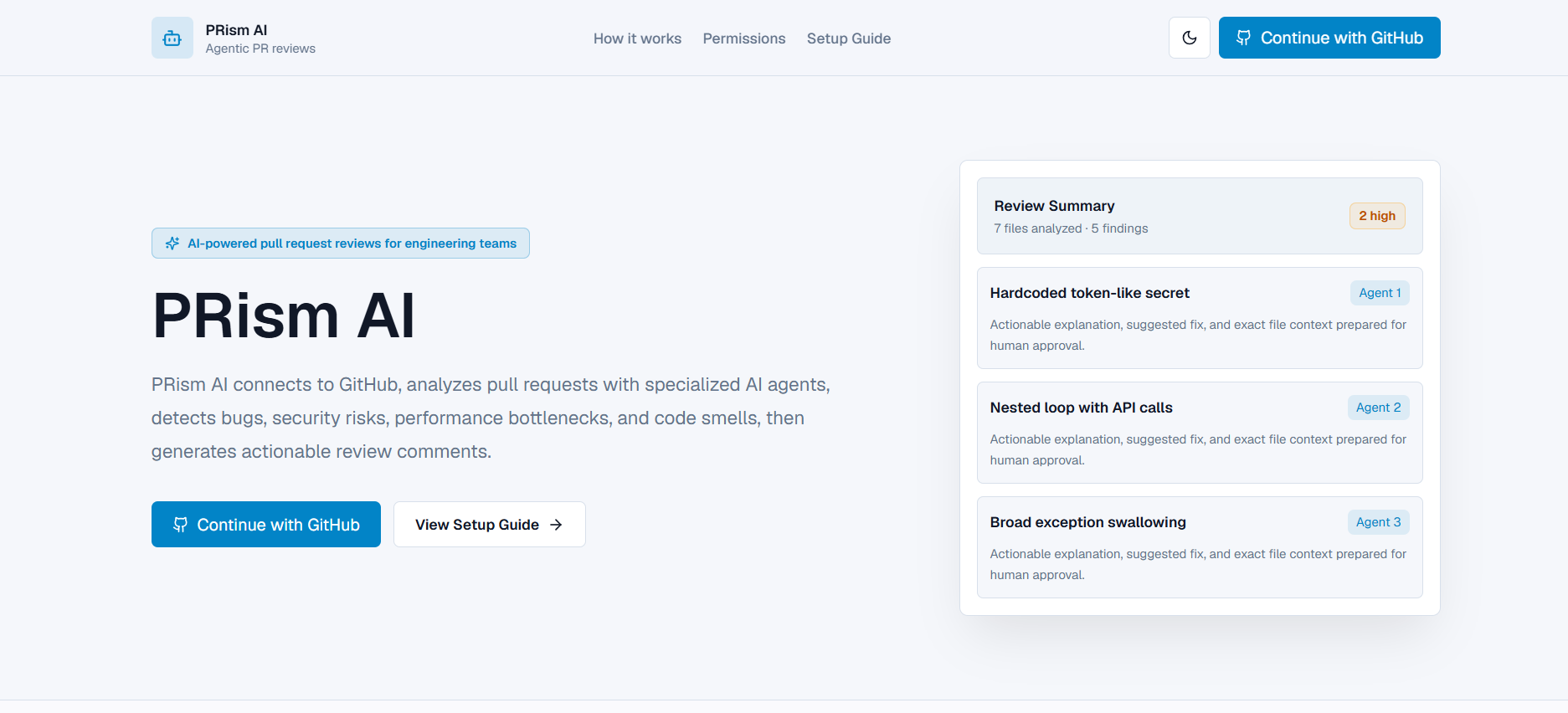
PRism AI is an AI-powered Pull Request Review Assistant for Engineering Teams. It connects to GitHub, analyzes pull requests using specialized review agents, streams review progress in real time, produces actionable findings, and posts only human-approved review comments back to GitHub.
The current project is an MVP: Clerk handles app authentication, GitHub OAuth through Clerk provides repository access, and the existing FastAPI backend runs the review pipeline, SSE stream, findings workflow, and GitHub comment posting.
Project Overview
Developers spend hours reviewing pull requests manually, and important bugs, security issues, code smells, and performance bottlenecks are often missed. PRism AI focuses on one workflow: real-time AI-assisted pull request review.
Core flow:
- Sign in with GitHub through Clerk.
- Select a repository and pull request.
- Fetch PR metadata, changed files, patches, and commits.
- Run the agentic review pipeline.
- Watch live SSE agent progress.
- Approve or reject findings.
- Post approved comments to GitHub.
Public Landing And Onboarding
Production visitors who land on / now see a public PRism AI landing page instead of a blank login wall. The page explains:
- What PRism AI does.
- How the AI pull request review workflow works.
- Which GitHub OAuth scopes are required.
- Why
reposcope is needed for the MVP. - How Clerk and GitHub OAuth fit together.
- How to start with GitHub sign-in or the setup guide.
Authenticated users visiting / are redirected to /dashboard. Protected app routes still require Clerk authentication.
Public routes:
//setup-guide
Authenticated app routes:
/dashboard/repositories/repositories/[owner]/[repo]/pull-requests/repositories/[owner]/[repo]/pull-requests/[prNumber]/pull-requests/settings
After login, the dashboard shows an onboarding checklist:
- GitHub connected
- Required scopes verified
- AI provider configured or mock mode enabled
- Repository selected
- First PR review completed
Architecture Flowchart
flowchart TD
    User["Developer / Reviewer"] --> Frontend["Next.js Frontend<br/>PR Review Workspace"]

    Frontend --> Clerk["Clerk Auth<br/>GitHub Social Login"]
    Clerk --> TokenRoute["Next.js API Route<br/>/api/github-token"]
    TokenRoute --> GitHubOAuth["GitHub OAuth Token<br/>MVP Mode"]

    Frontend -->|Fetch PR / Run Review / Post Comments| FastAPI["FastAPI Backend"]
    Frontend -->|SSE Subscribe| SSE["/review/stream/{job_id}"]

    FastAPI --> GitHubClient["GitHub REST Client"]
    GitHubClient -->|Repos, PRs, Files, Commits| GitHub["GitHub REST API"]

    FastAPI --> Pipeline["Agent Pipeline"]
    Pipeline --> Fetcher["PRFetcherAgent"]
    Pipeline --> Context["ContextBuilderAgent"]
    Pipeline --> Security["SecurityReviewAgent"]
    Pipeline --> Bugs["BugDetectionAgent"]
    Pipeline --> Perf["PerformanceReviewAgent"]
    Pipeline --> Smells["CodeSmellAgent"]
    Pipeline --> Summary["SummaryAgent"]

    Pipeline --> Storage["Storage Layer<br/>SQLite dev / PostgreSQL prod"]
    Storage --> SSE
    SSE --> Frontend

    Frontend -->|Approve / Reject Findings| FastAPI
    FastAPI --> Storage

    Frontend -->|Post Approved Comments| FastAPI
    FastAPI -->|PR Review Comment / Issue Comment| GitHub

    subgraph ProductionPath["Production SaaS Path"]
      GitHubApp["GitHub App Installation"] --> InstallationToken["Installation Access Token"]
      InstallationToken --> GitHubClient
    end
Authentication Overview
MVP Mode: Clerk OAuth
GITHUB_AUTH_MODE=clerk_oauth
- Clerk handles user authentication and session management.
- Clerk GitHub social connection provides a GitHub OAuth access token.
- GitHub OAuth App credentials are configured inside Clerk.
- OAuth scopes are configured in Clerk.
- The frontend retrieves the GitHub token through a Next.js server route and forwards it in memory to FastAPI.
- Tokens are not stored in browser localStorage.
This mode is convenient for demos and hackathon-style MVPs, but the repo OAuth scope is broad.
Production Mode: GitHub App
GITHUB_AUTH_MODE=github_app
- Clerk remains responsible for app identity and sessions.
- A GitHub App handles repository access.
- Users or organizations install the GitHub App on selected repositories.
- The backend stores
installation_idper user/org. - The backend generates short-lived installation access tokens server-side.
- GitHub tokens are never exposed to the frontend.
- Permissions are fine-grained and repository-scoped.
GitHub App mode is intentionally not fully implemented yet. The backend contains a migration-ready auth mode flag and token-provider abstraction. If github_app is enabled today, token retrieval raises:
GitHub App mode is planned for production. Configure installation token provider.
Clerk Setup Steps
- Create a Clerk application.
- In Clerk, enable the GitHub social connection.
- Enable
Use custom credentials. - Create a GitHub OAuth App and copy its Client ID and Client Secret into Clerk.
- Configure scopes in Clerk:
read:user
user:email
repo
workflow
- Copy Clerk environment variables into
frontend/.env.local:
NEXT_PUBLIC_CLERK_PUBLISHABLE_KEY=pk_...
CLERK_SECRET_KEY=sk_...
NEXT_PUBLIC_API_BASE_URL=http://localhost:8000
- Ensure Clerk can retrieve GitHub OAuth access tokens for the signed-in user.
- If you change scopes later, users must disconnect/reconnect GitHub or revoke the GitHub OAuth App authorization and sign in again.
GitHub OAuth App Setup For MVP
- Open GitHub
Settings. - Go to
Developer settings. - Open
OAuth Apps. - Create a new OAuth App.
- Set Homepage URL:
http://localhost:3000
- Set Authorization callback URL to the callback URL shown by Clerk for the GitHub social connection.
- Copy the GitHub OAuth Client ID and Client Secret into Clerk.
- Configure scopes in Clerk:
read:user
user:email
repo
workflow
Scope meaning:
read:user: read GitHub profile.user:email: read verified GitHub email.repo: read private repositories and write PR/issue comments.workflow: access workflow-related operations if needed later.
Warning: repo is broad and should be used only for MVP/demo mode. Production SaaS should use a GitHub App with selected repository installation.
Required GitHub Permissions By Feature
| Feature | MVP OAuth Scope | Production GitHub App Permission |
|---|---|---|
| List repositories | repo |
Metadata read, Contents read |
| Fetch PRs | repo |
Pull requests read |
| Read PR diffs/files | repo |
Pull requests read, Contents read |
| Post PR comments | repo |
Pull requests write |
| Post issue comments | repo |
Issues write |
| Read GitHub Actions | workflow / repo |
Actions read |
| Resolve merge conflicts later | repo |
Contents write, Pull requests write |
Production SaaS Recommendation
For production, keep Clerk for product identity and sessions, but move GitHub repository access to a GitHub App.
Recommended production architecture:
- Clerk authenticates users.
- GitHub App is installed on selected repositories.
- Backend stores
installation_idper user/org. - Backend mints installation access tokens server-side.
- Frontend never receives GitHub tokens.
- Backend requests only required permissions.
Recommended GitHub App permissions:
- Metadata: read
- Contents: read
- Pull requests: read/write
- Issues: read/write
- Actions: read
- Checks: read
- Commit statuses: read
If a future merge conflict resolver is enabled:
- Contents: write
- Pull requests: write
Security Notes
- Never store raw GitHub tokens in frontend localStorage.
- Never log GitHub tokens.
- Encrypt OAuth tokens if stored server-side.
- Prefer GitHub App installation tokens in production.
- Use least privilege permissions.
- Use selected repository installation for teams.
- Reconnect GitHub after scope changes so old limited tokens are replaced.
Environment Variables
Root .env:
ENV=development
APP_VERSION=0.1.0
BACKEND_URL=http://localhost:8000
FRONTEND_URL=http://localhost:3000
BACKEND_PORT=8000
CORS_ORIGINS=http://localhost:3000,http://127.0.0.1:3000
DATABASE_PATH=data/reviews.db
DATABASE_URL=
DEMO_MODE=false
GITHUB_AUTH_MODE=clerk_oauth
GITHUB_WEBHOOK_SECRET=

CLERK_SECRET_KEY=
CLERK_JWKS_URL=
GITHUB_OAUTH_CLIENT_ID=
GITHUB_OAUTH_CLIENT_SECRET=
GITHUB_OAUTH_CALLBACK_URL=http://localhost:8000/auth/github/callback
SESSION_SECRET_KEY=change-me-use-a-long-random-string
SESSION_COOKIE_NAME=acra_session

APP_ENCRYPTION_KEY=change-me-use-a-long-random-string
OPENAI_API_KEY=
OPENROUTER_API_KEY=
OPENROUTER_APP_URL=http://localhost:3000
OPENROUTER_APP_NAME=PRism AI
DEFAULT_AI_PROVIDER=openai
DEFAULT_OPENAI_MODEL=gpt-4o-mini
DEFAULT_OPENROUTER_MODEL=openai/gpt-4o-mini

NEXT_PUBLIC_API_BASE_URL=http://localhost:8000
NEXT_PUBLIC_CLERK_PUBLISHABLE_KEY=
Frontend .env.local:
NEXT_PUBLIC_API_BASE_URL=http://localhost:8000
NEXT_PUBLIC_CLERK_PUBLISHABLE_KEY=pk_...
CLERK_SECRET_KEY=sk_...
Local Development Instructions
Backend:
cd backend
python -m venv .venv
.venv\Scripts\activate
pip install -r requirements.txt
uvicorn app.main:app --reload --host 0.0.0.0 --port 8000
Frontend:
cd frontend
pnpm install
pnpm dev
Workflow:
- Start backend.
- Start frontend.
- Sign in with GitHub through Clerk.
- Open
/dashboard. - Confirm GitHub Permission Status.
- Open
/repositories. - Select a repository with active PRs.
- Open the PR Review Workspace.
- Fetch the PR.
- Run review.
- Watch SSE logs, agent graph, toasts, and activity pill.
- Approve or reject findings.
- Post approved comments to GitHub.
Production Deployment
PRism AI is prepared for:
- Frontend on Vercel
- Backend on Render
- Database on Supabase Postgres or Render Postgres
Production backend mode uses SQLAlchemy with PostgreSQL when DATABASE_URL is set. SQLite remains the local development fallback when DATABASE_URL is empty.
Run database migrations before opening production traffic:
cd backend
alembic upgrade head
Production CORS is intentionally strict: when ENV=production, FastAPI only allows FRONTEND_URL.
Deployment files:
backend/Dockerfilerender.yaml.github/workflows/ci.ymlDEPLOYMENT.md
See DEPLOYMENT.md for the complete Render, Vercel, Clerk, and database checklist.
Production Environment Highlights
Backend:
ENV=production
BACKEND_URL=https://your-render-service.onrender.com
FRONTEND_URL=https://your-vercel-app.vercel.app
DATABASE_URL=postgresql://...
CLERK_SECRET_KEY=sk_live_...
CLERK_JWKS_URL=https://your-clerk-domain/.well-known/jwks.json
GITHUB_AUTH_MODE=clerk_oauth
GITHUB_WEBHOOK_SECRET=...
APP_ENCRYPTION_KEY=<long random secret>
OPENAI_API_KEY=
OPENROUTER_API_KEY=
Frontend:
NEXT_PUBLIC_API_BASE_URL=https://your-render-service.onrender.com
NEXT_PUBLIC_CLERK_PUBLISHABLE_KEY=pk_live_...
CLERK_SECRET_KEY=sk_live_...
BYOK AI Provider Support
PRism AI supports bring-your-own-key AI configuration for:
- OpenAI
- OpenRouter
Users can open /settings, choose a provider, enter an API key, test the key, save it, and set a default model. Raw keys are never returned by the API and are not stored in frontend localStorage.
Encryption
Set:
APP_ENCRYPTION_KEY=change-me-use-a-long-random-string
The backend encrypts user AI keys before storing them in SQLite. If APP_ENCRYPTION_KEY is missing, saving keys fails with a clear error. The app does not silently store plaintext.
In production, BYOK records are stored in PostgreSQL through SQLAlchemy and Alembic-managed schema migrations.
OpenAI Setup
Supported model presets:
gpt-4o-minigpt-4ogpt-4.1-minigpt-4.1
Server fallback:
OPENAI_API_KEY=
DEFAULT_AI_PROVIDER=openai
DEFAULT_OPENAI_MODEL=gpt-4o-mini
OpenRouter Setup
OpenRouter uses the OpenAI-compatible endpoint:
https://openrouter.ai/api/v1/chat/completions
Supported presets:
openai/gpt-4o-minianthropic/claude-3.5-sonnetgoogle/gemini-flash-1.5deepseek/deepseek-chatmeta-llama/llama-3.1-70b-instruct
Server fallback:
OPENROUTER_API_KEY=
DEFAULT_AI_PROVIDER=openrouter
DEFAULT_OPENROUTER_MODEL=openai/gpt-4o-mini
OPENROUTER_APP_URL=http://localhost:3000
OPENROUTER_APP_NAME=PRism AI
Provider Fallback Order
Review-time AI selection uses:
- User BYOK provider key and default model.
- Server provider config from environment variables.
- Deterministic mock fallback.
Logs only expose safe metadata:
- provider name
- model name
- source:
user,server, ormock
API keys are never logged.
BYOK Troubleshooting
Invalid key:
- Use
/settings->Test key. - Verify the provider matches the key.
Model unavailable:
- Try a preset model.
- Confirm the model is enabled for your OpenAI/OpenRouter account.
Rate limits:
- Provider APIs may return rate-limit errors.
- Use a different model or provider key.
Missing encryption key:
- Set
APP_ENCRYPTION_KEYbefore saving keys.
Malformed provider response:
- Check provider status and selected model compatibility.
API Summary
Auth:
GET /auth/github/loginlegacy backend OAuthGET /auth/github/callbacklegacy backend OAuthGET /auth/github/mePOST /auth/logout
GitHub:
GET /github/permissions/checkGET /github/repositoriesGET /github/repositories/{owner}/{repo}/pullsPOST /github/pr/fetch
Review:
POST /review/runGET /review/stream/{job_id}GET /review/results/{job_id}POST /review/finding/statusPOST /review/comment/post
Troubleshooting
Access denied:
- Clerk GitHub token likely lacks required scopes.
- Ensure
repois configured in Clerk for MVP mode. - Reconnect GitHub after scope changes.
Old token does not have new scopes:
- GitHub tokens issued before a scope update remain limited.
- Revoke the OAuth App in GitHub settings or disconnect/reconnect in Clerk, then sign in again.
Private repo not visible:
- MVP OAuth mode requires
repo. - Organization repos may require SSO or OAuth App approval.
Comment posting fails:
- MVP mode needs
repo. - Production GitHub App mode needs Pull requests write and Issues write.
- If line-level comments fail, backend falls back to PR-level issue comments.
Rate limit:
- GitHub may rate-limit OAuth tokens.
- Retry after reset, or use GitHub App installation tokens in production.
No scopes detected:
- Some token types may omit
x-oauth-scopes. - Use the dashboard GitHub Permission Status card and verify Clerk token configuration.
Known Limitations
- GitHub repository access currently uses Clerk's GitHub OAuth social connection in MVP mode. GitHub App installation tokens are documented and scaffolded conceptually, but the production GitHub App flow is not implemented yet.
- The MVP requires broad GitHub OAuth
reposcope to read private repositories, fetch PR diffs, and post approved comments. A production SaaS rollout should migrate to a GitHub App for selected-repository, least-privilege permissions. - Review history is still primarily stored in frontend localStorage for the UI. Review jobs, findings, logs, OAuth sessions, and BYOK keys are database-backed, but a full server-side review history API is not yet implemented.
- Repository and pull request listing currently uses GitHub REST pagination limits suitable for an MVP. Very large GitHub accounts or organizations may need deeper pagination, search, caching, and installation-level sync.
- The AI review pipeline combines deterministic rule-based agents with optional OpenAI/OpenRouter summary enhancement. It is useful for demos and early validation, but it is not a substitute for mature static analysis, dependency scanning, or human security review.
- Line-level GitHub comments depend on patch line mapping. When an exact line cannot be posted, the backend falls back to a general PR issue comment.
- BYOK keys are encrypted server-side, but user identity is still bridged pragmatically from the current Clerk user context. A production multi-tenant system should verify Clerk JWTs on the backend and enforce tenant-level authorization.
- PostgreSQL/Supabase production storage and Alembic migrations are available, while SQLite remains the local development fallback. Data migration from existing local SQLite files to Postgres is not automated.
- SSE streaming is implemented for live logs, but jobs currently run as FastAPI background tasks. Production scale should move long-running reviews to a worker queue such as Celery, RQ, Dramatiq, or a managed job system.
Screenshot Placeholders
- Dashboard with GitHub Permission Status
- Repository list highlighting active PR repos
- PR Review Workspace with Monaco diff viewer
- Findings approval/rejection workflow
- Agent graph and real-time timeline
Built With
- css
- dockerfile
- javascript
- mako
- python
- typescript
