-
-
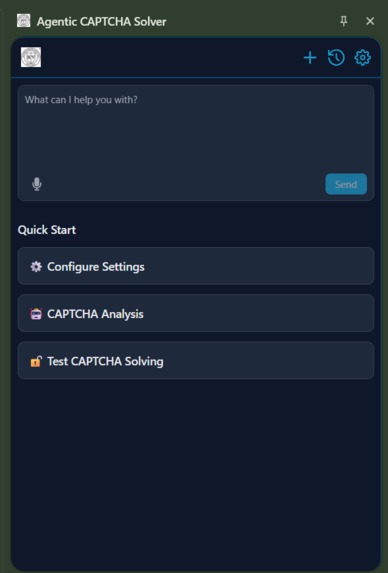
Main Ui
-

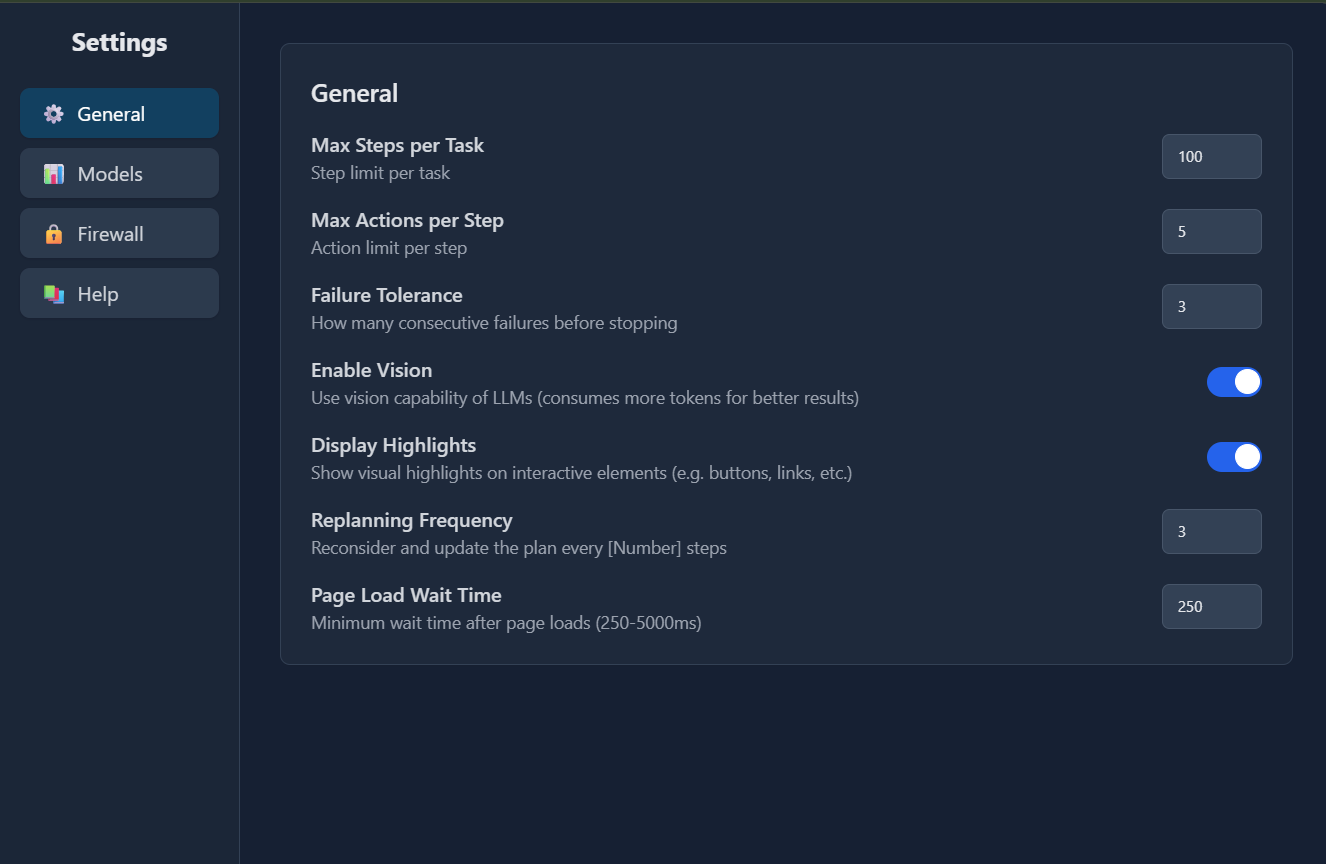
Options
-
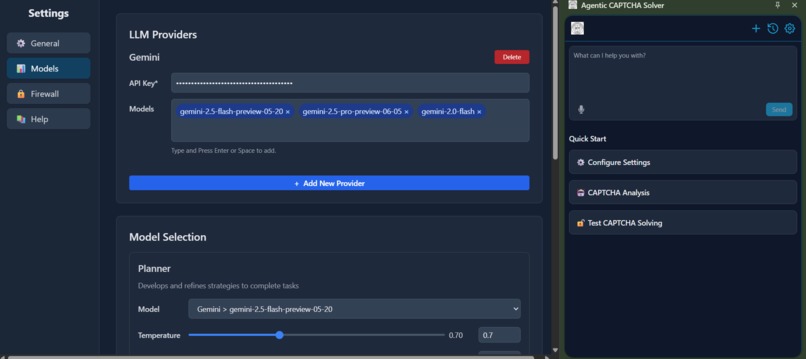
Setting Pannel
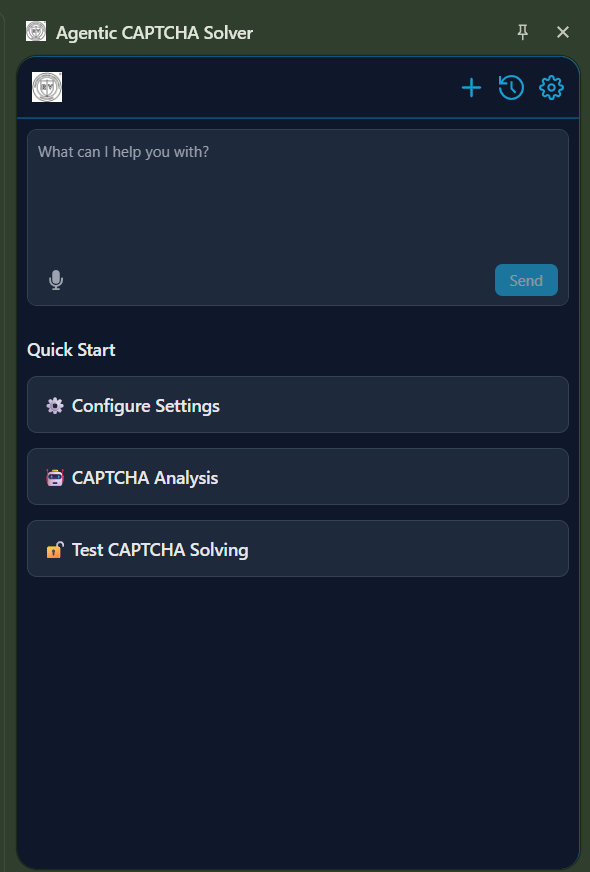

Agentic CAPTCHA Solver
Project Story
Inspiration
CAPTCHAs are everywhere — from logging into accounts to preventing bots on websites. But with the rise of AI, traditional CAPTCHA methods are becoming weaker. We wanted to explore how AI models interact with CAPTCHA security and build a tool that not only solves them but also analyzes their resilience.
Honestly, this project hit close to home for me. I've spent countless hours getting frustrated with those twisted letters or endless "select all the traffic lights" puzzles, especially when trying to automate simple tasks like testing websites or scraping data for research. As someone who's always tinkering with AI agents for everyday automation, I kept running into this wall—CAPTCHAs designed to stop bots, but getting in the way of legitimate AI helpers. It felt outdated in a world where AI is becoming smarter every day.
That's what sparked the idea for the Agentic CAPTCHA Solver. I wanted to create something that doesn't just brute-force its way through CAPTCHAs but actually understands and adapts to them, like a smart assistant navigating the web. Drawing from cool agentic AI projects I've followed (think LangChain or Auto-GPT), I focused on building it right into the browser as a Chrome extension—making it seamless, private, and ready for real-world use without relying on shady third-party services.
What I Learned
Diving into this project was a real eye-opener. I got way deeper into Chrome extensions than I ever had before—figuring out how background scripts talk to content scripts, and building that sleek side panel for chatting with the agent. It was fascinating (and sometimes maddening) to mimic Puppeteer-style DOM tricks directly in the browser, without a full Node setup.
Prompt engineering became my new obsession; crafting those multi-agent prompts for the planner (who breaks down the task), navigator (who actually clicks around), and validator (who double-checks everything) felt like directing a tiny AI team. Adding speech-to-text for voice commands was a game-changer for accessibility, but it taught me a ton about async events and keeping things snappy in the browser.
On the tech side, I wrestled with TypeScript optimizations for Vite builds, got comfy with IndexedDB for secure, local storage, and learned the hard way about securing API keys in extensions. Handling all sorts of CAPTCHAs—from images to audio—showed me just how tricky real-time AI can be in a constrained environment like a browser.
How I Built It
I kicked things off with a basic Chrome extension skeleton and a pnpm monorepo to keep all the pieces organized—it's got custom packages for everything from UI components to storage, which made scaling up way easier.
At the heart is the background agent system in TypeScript: a trio of agents (planner, navigator, validator) that work together like a well-oiled machine. The planner figures out the steps for something like "solve this reCAPTCHA," the navigator dives into the page DOM to interact with elements, and the validator makes sure it all worked without triggering alarms. They communicate through clever prompt templates and message passing.
For browser smarts, content scripts grab the page's DOM state, while the background handles the heavy lifting. I threw in Web Speech API for speech-to-text, so you can just talk to it—super handy for multitasking.
The user interface? A React-powered side panel with Tailwind CSS for that clean, chatty vibe, complete with message history, bookmarks, and settings. There's also an options page to tweak AI models or set up firewall rules for privacy.
Build-wise, Vite handles the bundling with hot reloads for quick tweaks, and I rolled custom utils like schema-utils for JSON wrangling and i18n for going multilingual down the line.
The process was iterative: mock CAPTCHAs for safe testing, real browser runs to iron out kinks like cross-origin headaches (solved with Chrome's APIs), and endless debugging sessions that turned into "aha!" moments.
Challenges Faced
Oh man, the hurdles were real—and honestly, that's what made it exciting.
First off, CAPTCHAs aren't one-size-fits-all. reCAPTCHA, hCaptcha, audio ones... each needed different tricks. Integrating speech for audio CAPTCHAs meant battling Web Audio API weirdness, like timing issues that had me pulling my hair out.
Performance was a beast in the extension world—big AI prompts could lag the whole browser, so I had to chunk tasks, lean on web workers, and keep everything lean. No room for sloppy code!
Security kept me up at night: API keys can't leak, so I built in encrypted storage and local-only options. Privacy first, always.
Testing was tricky without breaking site rules—I mocked up local pages and controlled setups, but edge cases like dynamic loads or sneaky anti-bot measures? The validator agent got a workout handling those errors gracefully.
Through it all, I learned to fuse AI smarts with browser limits, ending up with a tool that's not just functional, but actually fun and reliable to use. Can't wait to see it evolve!
Built with
- Languages: TypeScript (primary), JavaScript (for manifests and utils)
- Frameworks & Build Tools: Vite (bundling and HMR), React (for side panel and options UI), Rollup (for package builds)
- Styling: Tailwind CSS (via custom config package)
- Chrome Extension APIs: Background scripts, content scripts, side panels, message passing, storage (IndexedDB), Web Speech API (speech-to-text)
- AI & Agent Components: Custom multi-agent system (planner, navigator, validator agents) with prompt templates; integrates with external LLMs (configurable via settings, e.g., OpenAI, Anthropic)
- Utilities & Packages:
- Custom monorepo packages: ui (components), shared (hooks/HoC), storage (IndexedDB wrappers), schema-utils (JSON schema handling), i18n (localization), dev-utils (manifest parsing), hmr (hot reload), zipper (bundling)
- ESLint & Prettier (linting/formatting)
- Other Technologies: pnpm (workspaces and lockfile), Chrome Web APIs (DOM manipulation, history tracking), no external cloud services or databases—fully client-side for privacy
Built With
- extension
- indexeddb
- react
- tailwind
- typescript

Log in or sign up for Devpost to join the conversation.