-
-
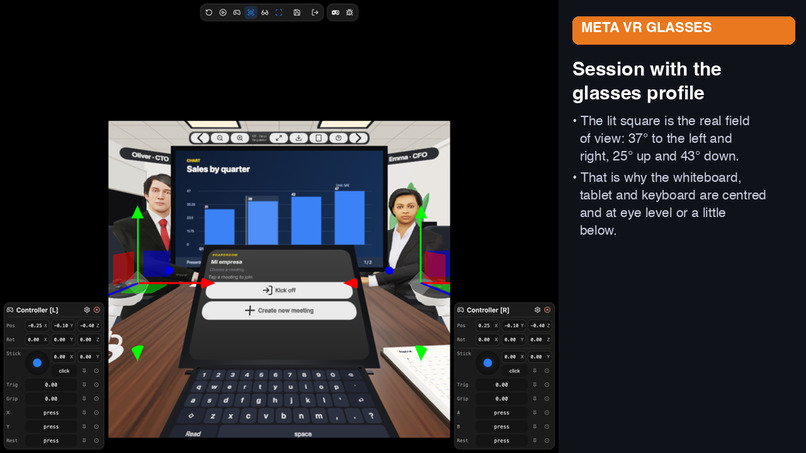
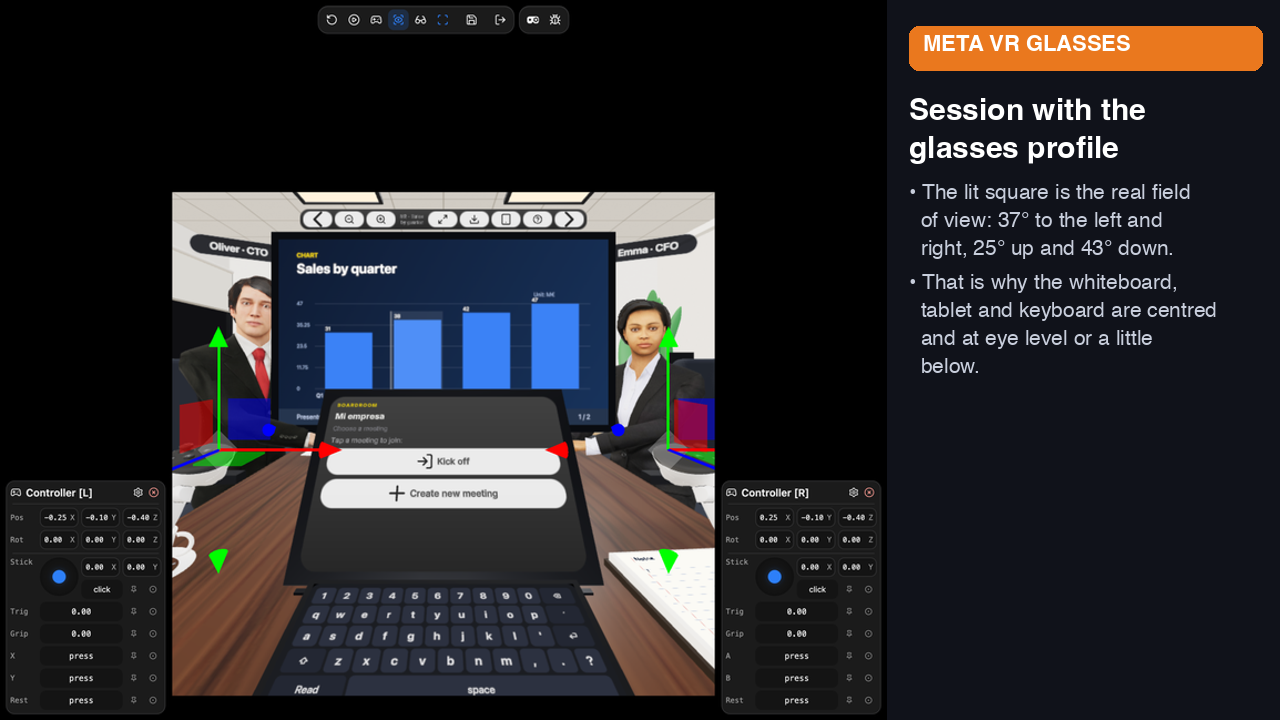
Session with the Meta VR Glasses profile: the lit square is the real field of view (37°/25°/43°).
-
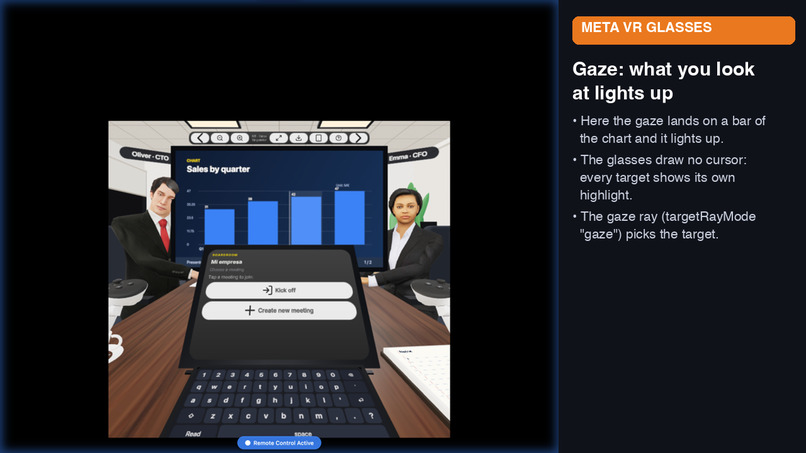
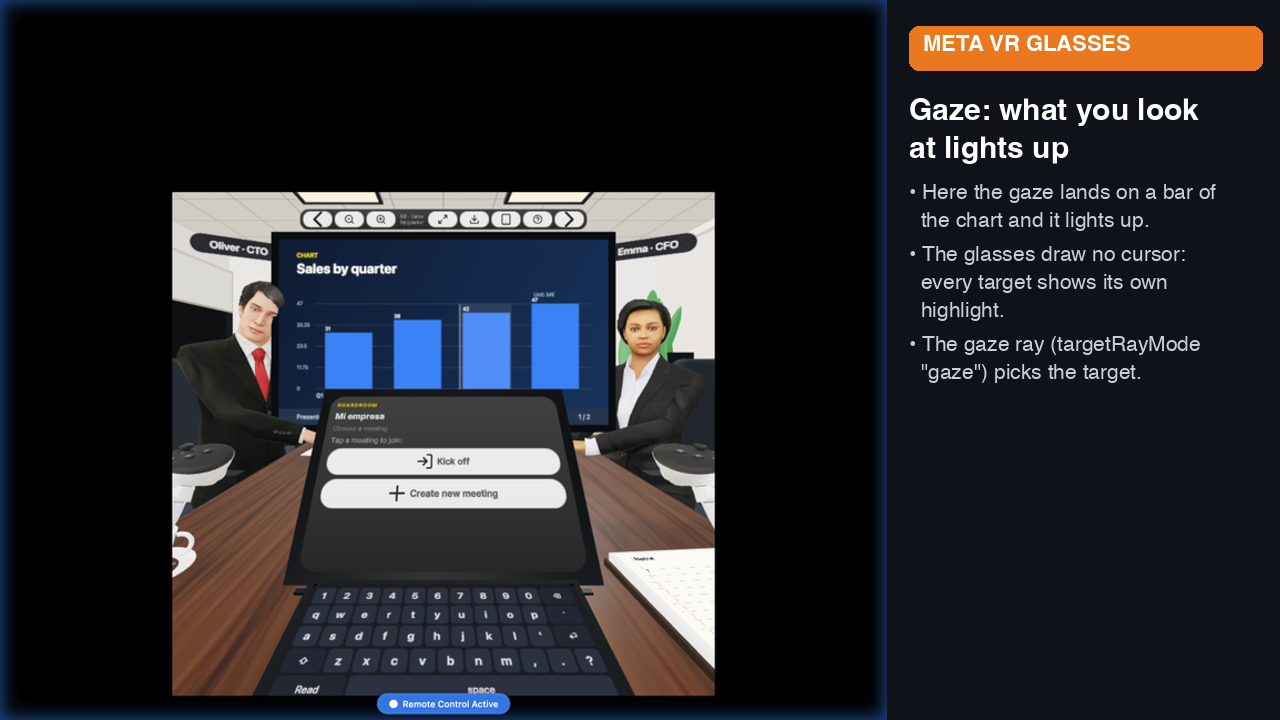
Gaze: what you look at lights up. The glasses draw no cursor, so every target has its own highlight.
-
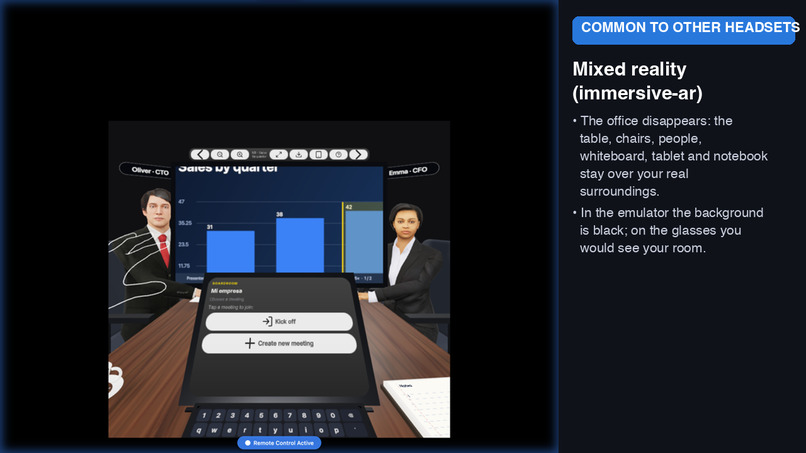
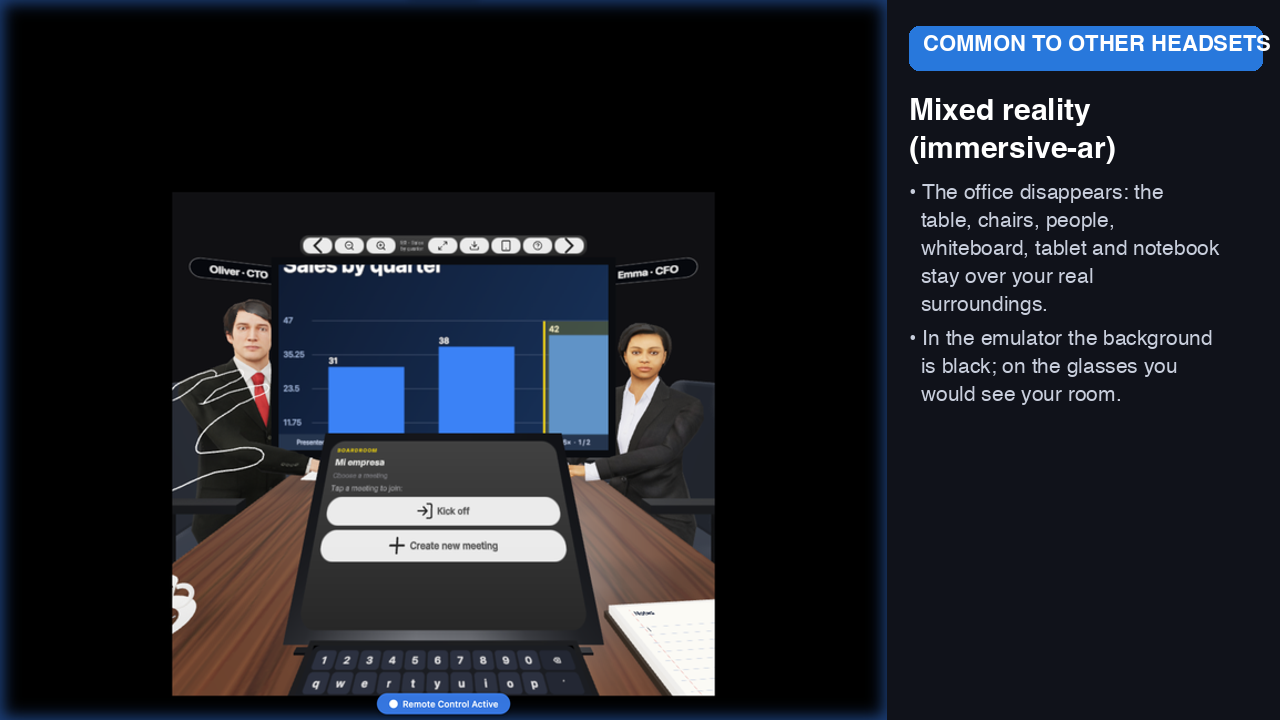
Mixed reality (immersive-ar): the office disappears; table, people and whiteboard stay over your surroundings.
-
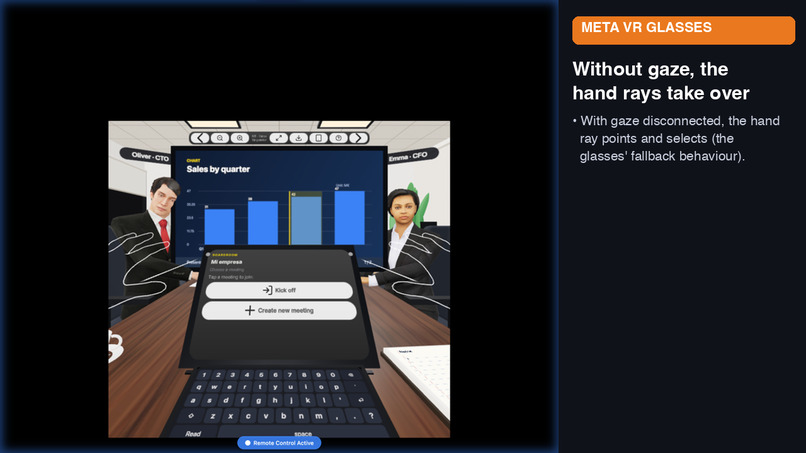
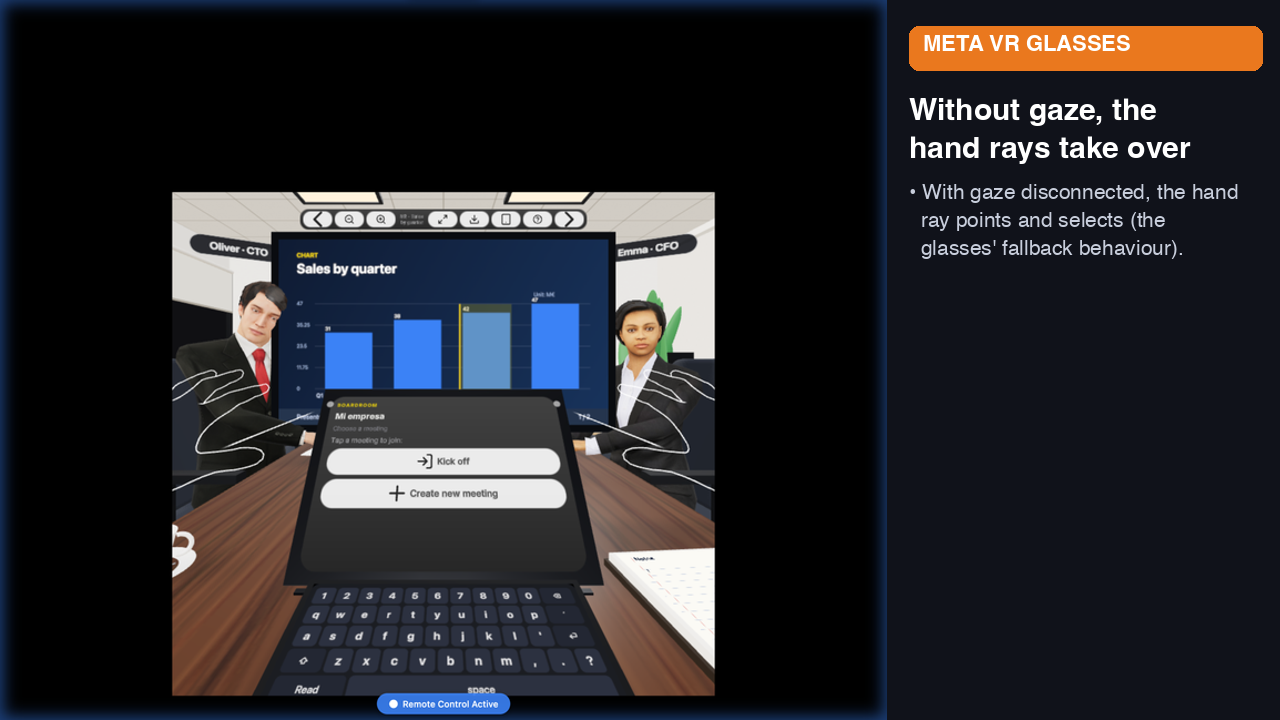
Without gaze, the hand rays take over (fallback behaviour of the glasses).
-
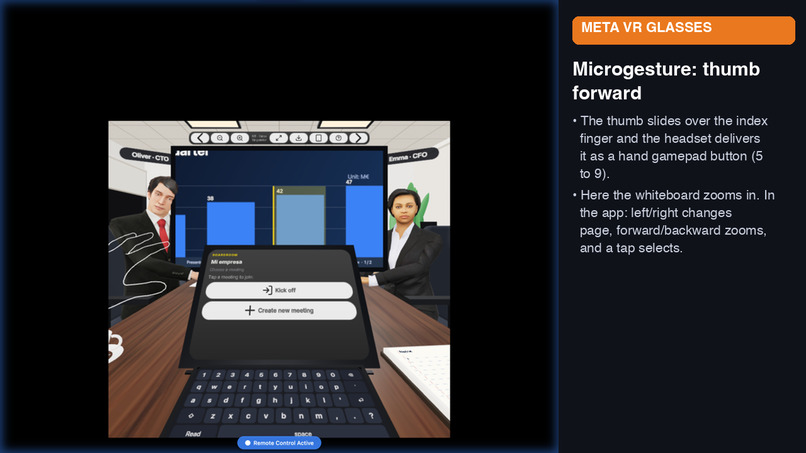
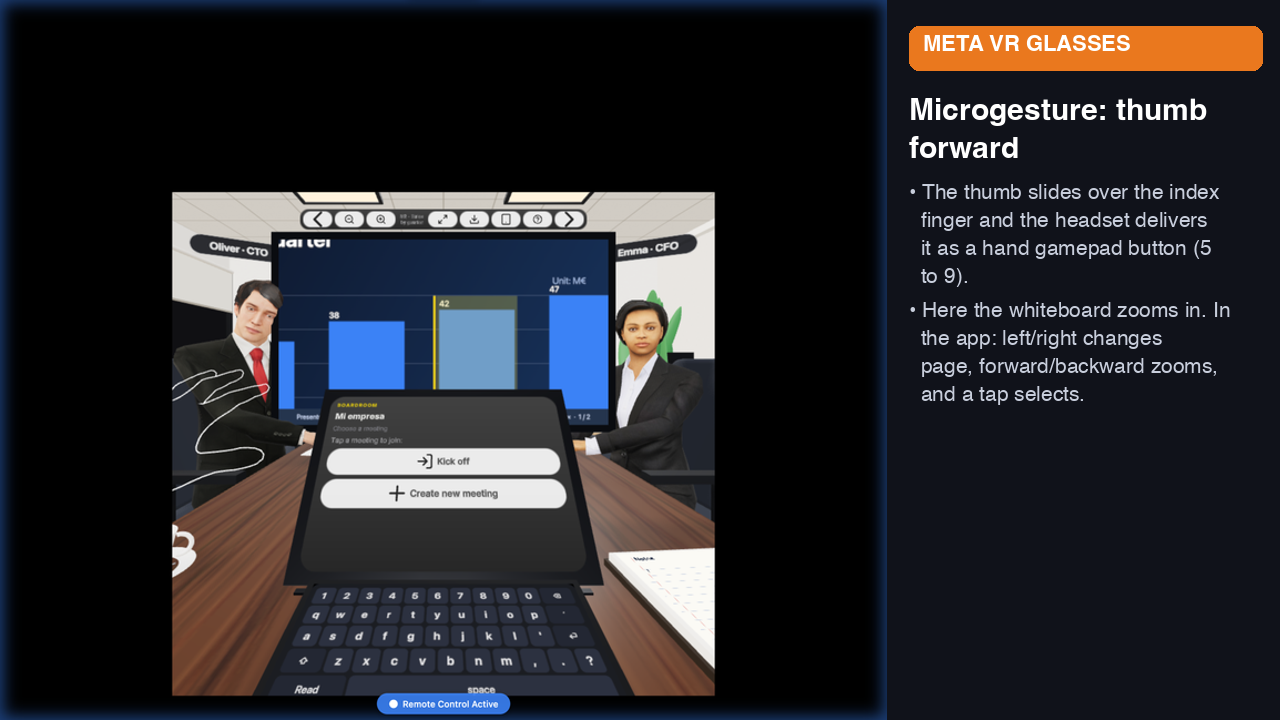
Thumb microgesture: the app receives a hand-gamepad button. Here the whiteboard zooms in.
-
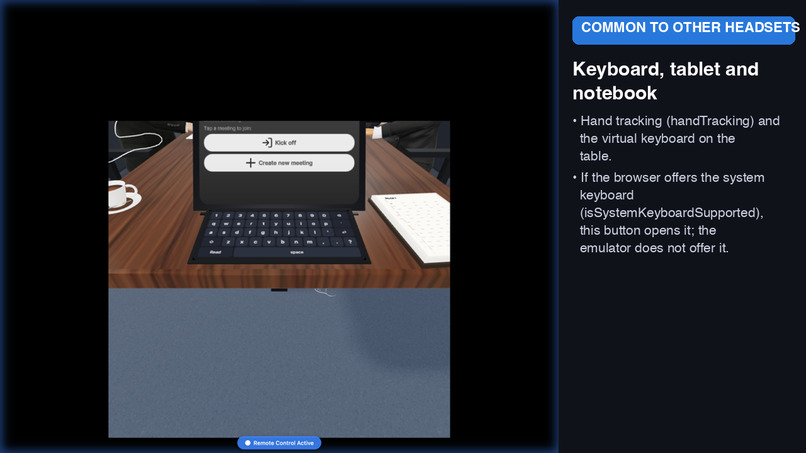
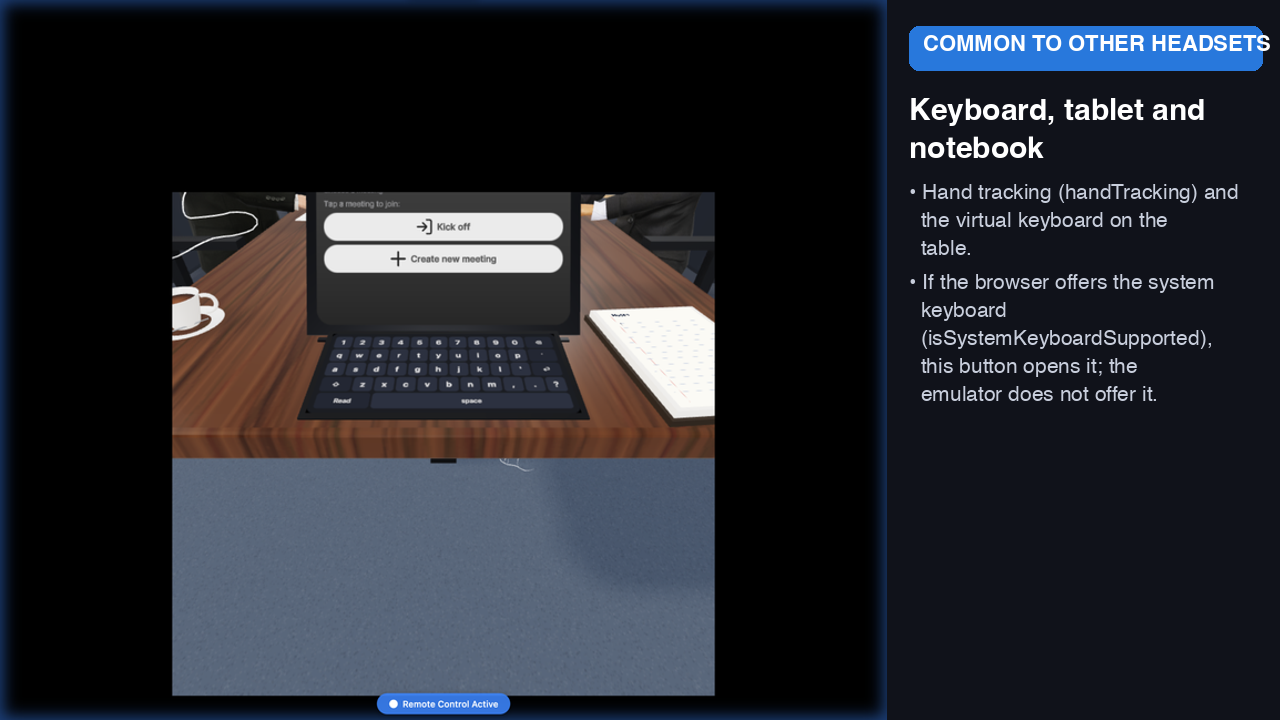
Keyboard, tablet and notebook at the edge of the table, within hand reach.
Inspiration
On my daily way I have cloud agents for my different customers, for development, documentation, presentations... and I communicate with these agents via Slack, auditing what they do. My inspiration was my daily job, how the AI has modified how I work this during the year and how I can adapt it to VR/Meta VR glasses to be able to work from them.
What it does
You will humanize the agents as directors from a company (CTO, CFO, ..). They are autonomous agents with access to the tools they usually need (PDF reader, Excel managements...) and you can interact them using their names or looking at the one you want to talk. They wll answer you by voice and they can use a whiteboard in the meeting to present data, excels,... or whatever they need as part of their answer. You cna take notes using the virtual keyboard from MetaVR glasses, and remove/add directors to the meetings as you need, even creating specific ones.
A few more details of what is in the app today:
- Always-on microphone: no push-to-talk. If you start speaking while the directors are talking, they stop and give you the floor; if you pause for 2 seconds, they answer.
- Multi-agent meetings: call a director by name, or a moderator picks who answers. Each director has its own voice, a gender-matched avatar, and tools: document search, consulting colleagues, web search, calculator and the whiteboard.
- Whiteboard on the wall and on your tablet: charts, documents, slides and notes. Hands-free control: look at something and pinch to point at it, thumb microgestures to change page or zoom, or say "zoom in" / "next". Directors can point back at a part of the page.
- Your documents: upload files at any time (private Vercel Blob, vectorised with pgvector); they apply to every meeting or only to the current one, and can be changed or deleted at any time.
- Notebook on the table: your notes are saved per meeting in the backend, so they are there next time.
- VR and Mixed Reality: a full virtual boardroom, or mixed reality where the office disappears and only the table, chairs, people, whiteboard, tablet and notebook remain over your surroundings.
- A first-run gesture tutorial with animated 3D hands and editable director names/genders.
Meta VR Glasses features we used
- Gaze + pinch as the primary input (
gaze-tracking), with each target showing its own hover state because the glasses draw no cursor. - Layout designed for the glasses' narrow field of view (37° left/right, 25° up, 43° down): UI centred and at or just below eye level.
- Thumb microgestures read as hand-gamepad buttons to drive the whiteboard.
- Hand tracking, VR and mixed-reality (immersive-ar) sessions, and a
?diagpanel showing which inputs the device reports.
How we built it
Frontend -> TypeScript 5.5, Vite 7 y Node ≥20.19. Framework XR: IWSDK (@iwsdk/core 1.1.0-rc.2). 3D: Three.js Backend-> Vercel infrastructure (include Vercel Agents) in a NEXT environment
In more detail: UIKit/UIKitML spatial panels, Microsoft Rocketbox avatars, and canvas-textured whiteboard, keyboard and notebook on the front end. On the back end, Next.js 16 on Vercel with the Vercel AI SDK 7 through the AI Gateway (Claude Sonnet 5.5 for the directors, Claude Haiku 5.5 as moderator; every director is a tool-calling agent), OpenAI TTS for the voices and gpt-4o-mini-transcribe for speech-to-text, Neon Postgres + pgvector via Prisma, and Vercel Blob for documents. Replies stream over SSE so the voice can start before the message is finished.
Challenges we ran into
The biggest one is the usability and understanding Meta VR Glasses. I am a Quest user for a long time, but this device is kind of revolution and I need to be sure that I understand the pros and cons and what I have in mind is achievable
Technical ones along the way: periodic flicker in VR (a blinking notebook cursor re-uploading a texture every 0.6 s, the keyboard repainting on every hover, lights and shadows, depth precision), latency to the first spoken word (functions moved next to the database, parallel context loading, speech starting at the first clause), and voice without dictation APIs in the headset browser (our own voice-activity detection, barge-in and silence handling, with speculative transcription).
Accomplishments that we're proud of
Being able thanks to agentic tools to participate in this hackaton at the same time I work as a freelance for other companies. I m proud as well in the idea of "humanize" the agents in "real" directors.
What we learned
Designing for glasses is mostly about restraint: few, large, centred targets, as little text entry as possible, and every second of waiting needs a visible or audible signal.
Status, honestly: the app was developed and verified with the Meta VR Glasses profile of the XR emulator and on a Quest 3 browser. It has not yet been tested on physical Meta VR Glasses; the microgesture button mapping and the system keyboard are implemented from the documentation and still need on-device validation.
What's next for Agentic BoardRoom VR
Validate everything on real glasses, shared meetings with several people, richer whiteboard exports (PPTX/CSV already supported) and more director roles and company knowledge sources.
Built With
- iwsdk
- neon
- nextjs
- node.js
- openai
- postgresql
- prisma
- three.js
- typescript
- vercel
- vercel-ai
- vite
- webxr
