-
-
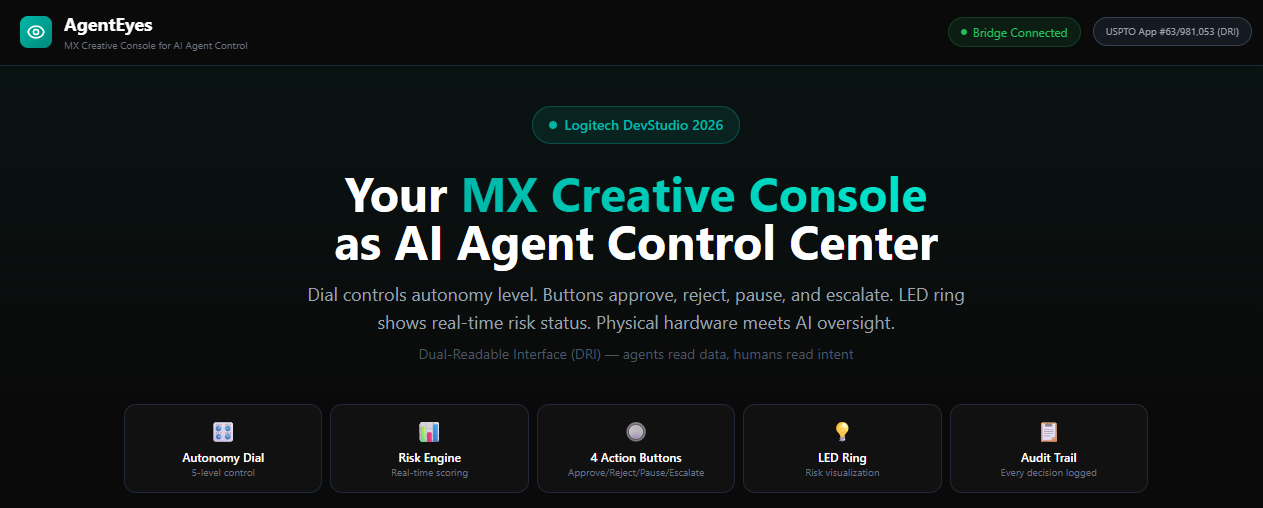
Transform your MX Creative Console into the ultimate AI Command Center. Seamlessly manage human-AI workflows with AgentEyes
-
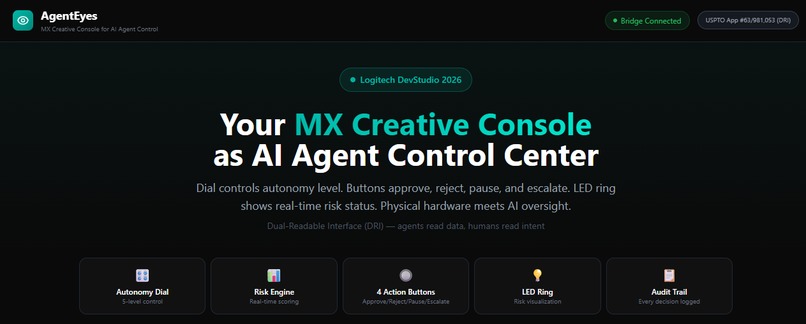
Map AI governance to hardware: Dial for autonomy, Buttons for approval, and LED Ring for real-time risk visualization.
-
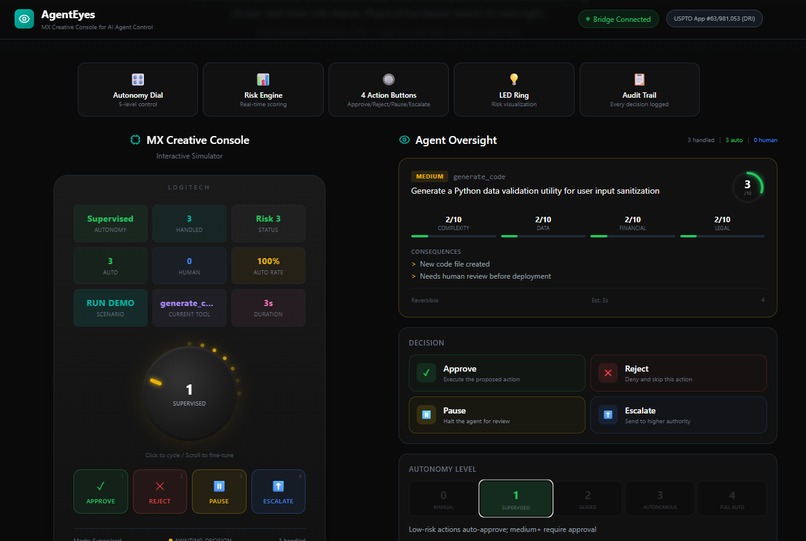
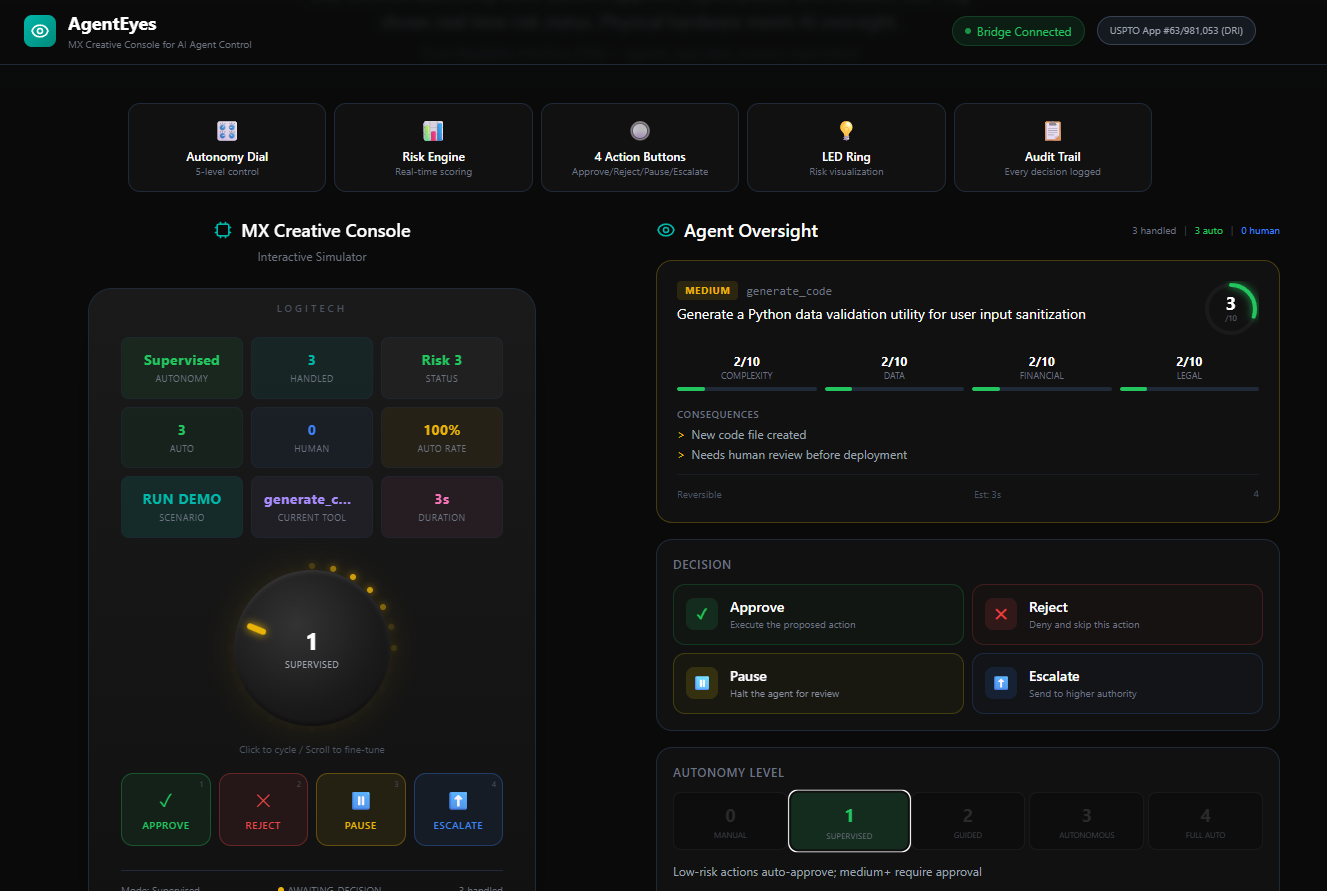
The Interactive Simulator. See how physical console inputs (left) directly control the Agent Oversight dashboard (right) in real-time.
-
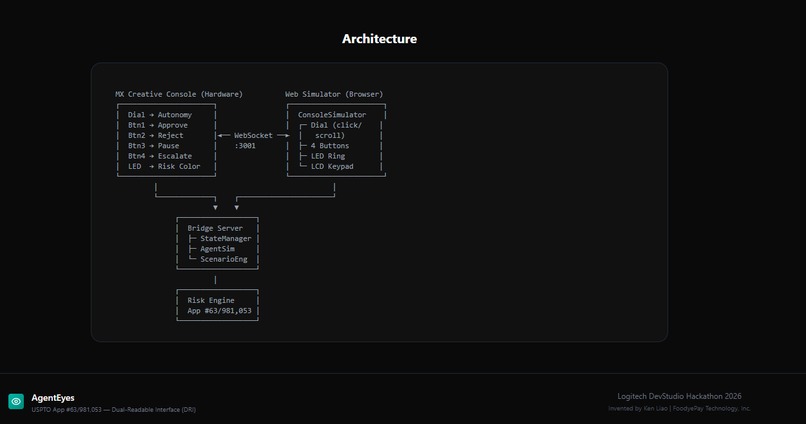
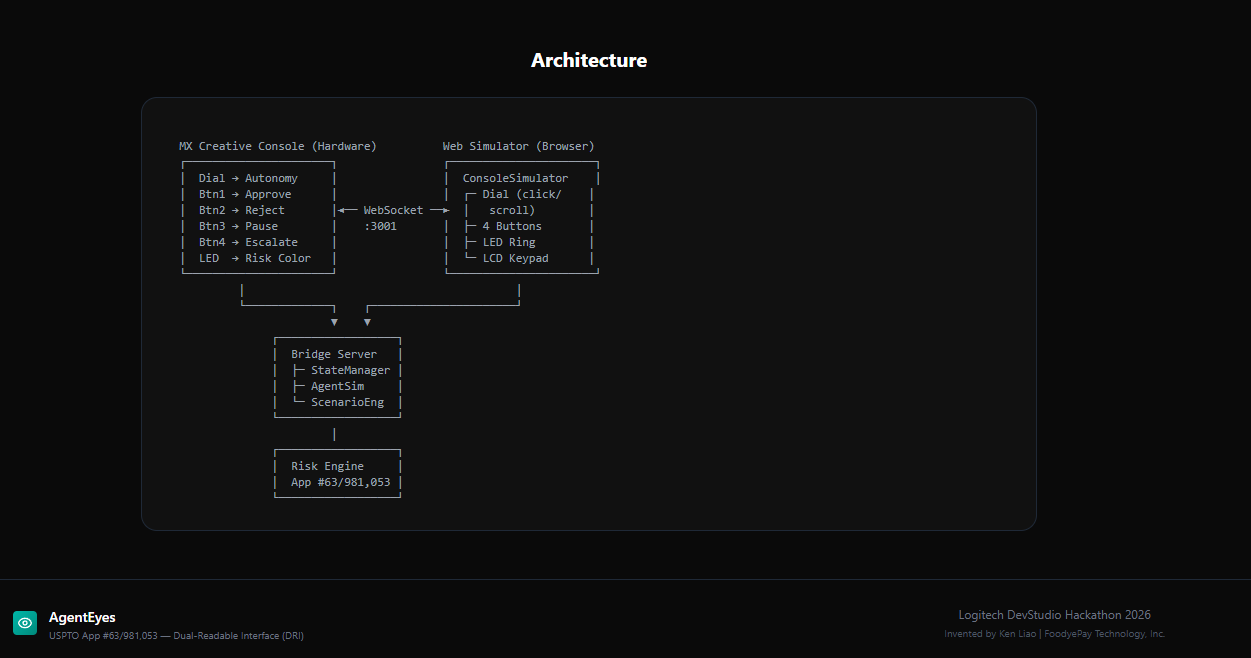
System Architecture. A WebSocket bridge links MX hardware inputs directly to the State Manager and proprietary Risk Engine.
Inspiration
We watched AI agents struggle with the same problem every day: they're powerful but invisible. Your AI assistant can analyze 10,000 data points in seconds — but you have no idea what it's doing, why it's doing it, or how to stop it.
Meanwhile, the MX Creative Console sits on your desk — a beautiful piece of hardware with a dial, buttons, and LED ring — waiting for someone to give it a purpose beyond adjusting Photoshop sliders.
The idea hit us: What if the MX Creative Console became the physical control layer for AI agents?
Turn the dial to adjust how much autonomy your agent has. Press a button to approve or reject its next action. See the LED ring change color based on risk level. Finally — a way to FEEL your AI agent's presence through hardware, not just stare at a chat window.
What It Does
AgentEyes transforms the MX Creative Console into an AI agent command center: ┌───────────────┬─────────────────────────────────────────────────────────────────┐ │ Control │ Function │ ├───────────────┼─────────────────────────────────────────────────────────────────┤ │ Dial rotation │ Adjusts agent autonomy: full manual ← → fully autonomous │ ├───────────────┼─────────────────────────────────────────────────────────────────┤ │ Button 1 │ Approve agent's proposed action │ ├───────────────┼─────────────────────────────────────────────────────────────────┤ │ Button 2 │ Reject / block action │ ├───────────────┼─────────────────────────────────────────────────────────────────┤ │ Button 3 │ Pause agent — enter supervised mode │ ├───────────────┼─────────────────────────────────────────────────────────────────┤ │ Button 4 │ Escalate — flag for human review │ ├───────────────┼─────────────────────────────────────────────────────────────────┤ │ LED Ring │ Real-time status: green (safe), yellow (attention), red (alert) │ └───────────────┴─────────────────────────────────────────────────────────────────┘ On screen, the AgentEyes overlay shows what your agent sees — not raw data, but structured information: what action it wants to take, why, what the risks are, and what happens if you approve.
The core concept is our Dual-Readable Interface (DRI) — every UI element has two layers:
- Human View: simple, visual, intuitive
- Agent View: structured intent, risk classification, preconditions, effects
The MX Creative Console becomes the physical bridge between these two worlds.
How We Built It
AgentEyes SDK — Three components:
- AgentEyes Annotator: Attaches DRI semantic metadata to existing UI elements. Three lines of code per element. Works with React.
- AgentEyes Runtime: Client-side engine that intercepts agent actions, evaluates authorization, and routes approved actions to the application layer.
- MX Console Bridge: Maps Actions SDK events (dial rotation, button press, LED control) to AgentEyes commands (autonomy level, approve/reject/pause, status display).
Architecture: MX Creative Console (hardware) ↕ Actions SDK AgentEyes MX Bridge (plugin) ↕ Events AgentEyes Runtime (authorization + display) ↕ DRI Protocol Application (any web app with DRI annotations)
Tech Stack:
- Logitech Actions SDK for hardware integration
- React + TypeScript for the overlay UI
- AgentEyes DRI protocol for semantic annotations
- WebSocket for real-time agent ↔ console communication
Challenges We Faced
- The autonomy dial UX: How do you map a continuous rotation to discrete autonomy levels? We settled on 5 zones — Manual, Supervised, Guided, Autonomous, Full Auto — with tactile haptic feedback at each boundary.
- Latency: Agent decisions happen in milliseconds. Human reaction happens in hundreds of milliseconds. The MX Console bridge needs to buffer agent proposals without losing them, while giving humans enough time to react. We implemented a configurable decision queue with timeout-based auto-approval.
- Information density: Agents process thousands of data points. Humans can absorb maybe 5-7 items at once. The overlay had to compress agent perception into human-digestible summaries — showing WHAT matters, not EVERYTHING.
What We Learned
The biggest insight: hardware makes AI tangible. Everyone talks about AI in abstract terms — models, tokens, inference. But the moment you turn a physical dial and watch an AI agent respond, it clicks. You're not chatting with AI. You're controlling it. The MX Creative Console makes the invisible visible and the abstract physical.
What's Next
- MX Master4 Actions Ring integration — wrist-level agent control
- Multi-agent management — one console controlling a fleet of agents
- Enterprise deployment — IT teams managing AI agents across the organization through physical hardware
IP Foundation
AgentEyes is backed by USPTO Patent Application #63/981,053 (Dual-Readable Interface System, filed February 2026) — part of a portfolio of 26 patent applications covering AI agent licensing, lifecycle management, and human-agent co-execution.
Built With
- agenteyes
- dri
- logitech-actions-sdk
- node.js
- react
- typescript
- websocket

Log in or sign up for Devpost to join the conversation.