-
-
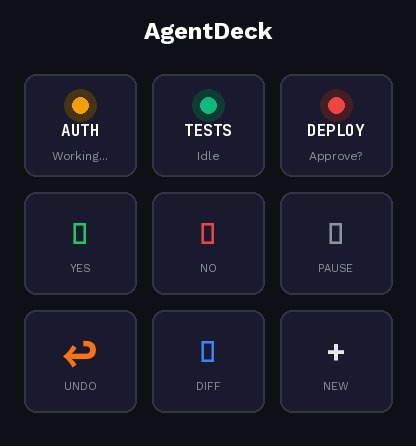
Shot showing mixed agent states
Inspiration
I run multiple Claude Code sessions daily - one refactoring auth, one writing tests, one debugging deployments. But managing them? Pure chaos.
I'm constantly alt-tabbing between terminals, scrolling up to find missed approval prompts, losing track of which agent needs me. The AI is smart. My workflow isn't.
When I saw Logitech's DevStudio challenge, I realized: the MX Creative Console is the perfect mission control for headless AI agents.
What it does
AgentDeck transforms your MX Creative Console into a command center for AI coding agents like Claude Code.
LCD Keypad - Live Dashboard
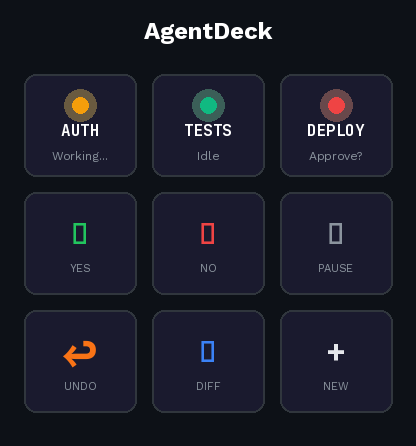
- Top row: Each button represents an agent session with live status
- 🟢 Green = Idle (ready for input)
- 🟡 Yellow = Working (thinking/coding)
- 🔴 Red = Waiting (needs your approval)
- Middle row: Context-aware actions (Approve, Reject, Pause)
- Bottom row: Workspace commands (Undo, Show Diff, New Task)
Dial - Contextual Control
- When agent is idle → scroll command history
- When agent is working → scrub through plan steps
- When reviewing → navigate diffs file-by-file
Haptics (MX Master 4)
- 3 pulses = agent needs approval
- 1 long pulse = task completed
- Rapid vibration = error occurred
No more tab hunting. No more missed prompts. You stay in flow.
How I built it
AgentDeck consists of two components:
Bridge Service: A daemon that monitors terminal sessions, parses Claude Code output, and tracks agent state (status, current task, files modified, approval requests)
Logi Actions Plugin: Built with the Actions SDK in C#, receives state from the bridge and:
- Updates LCD button displays with agent status
- Sends commands back to terminals on button press
- Triggers haptic feedback on MX Master 4 for notifications
The bridge communicates with the plugin via local WebSocket, enabling real-time updates without polling.
Challenges
- Parsing unstructured terminal output: Claude Code doesn't have a formal API, so detecting state changes requires pattern matching on CLI output
- Multi-session coordination: Tracking which terminal maps to which agent slot, handling session starts/stops gracefully
- LCD refresh timing: Balancing update frequency with visual stability
What I learned
- The Actions SDK is surprisingly powerful - dynamic folders, multistate actions, and haptics open up interaction patterns I hadn't considered
- CLI-based AI agents are the future, but their UX is stuck in the past
- Physical controls create a fundamentally different relationship with software than keyboard shortcuts
What's next
- Support for additional agents (Codex CLI, Gemini, Aider, Goose, etc.)
- Token usage and cost tracking display
- Git-aware undo integration
- Actions Ring shortcuts for quick commands
- VS Code extension for tighter terminal integration
Built With
- .net
- c#
- claude
- logi-actions-sdk
- node.js
- typescript
- websocket

Log in or sign up for Devpost to join the conversation.