-
-
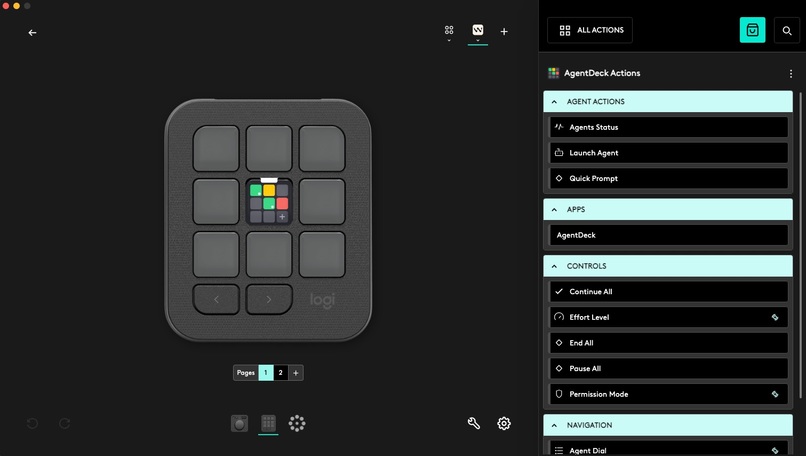
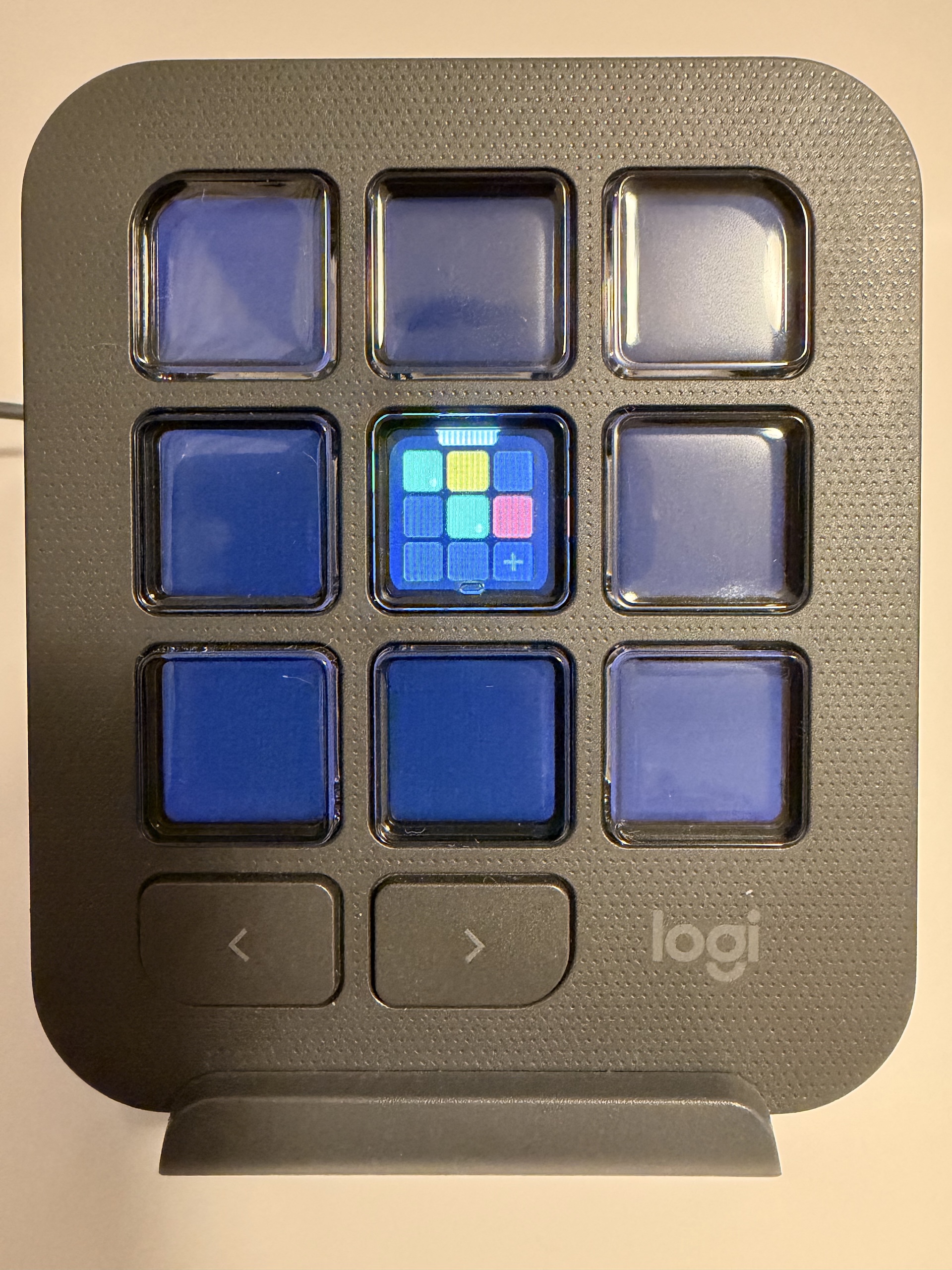
Standard workflow: Dynamic folder "AgentDeck" from Apps group
-
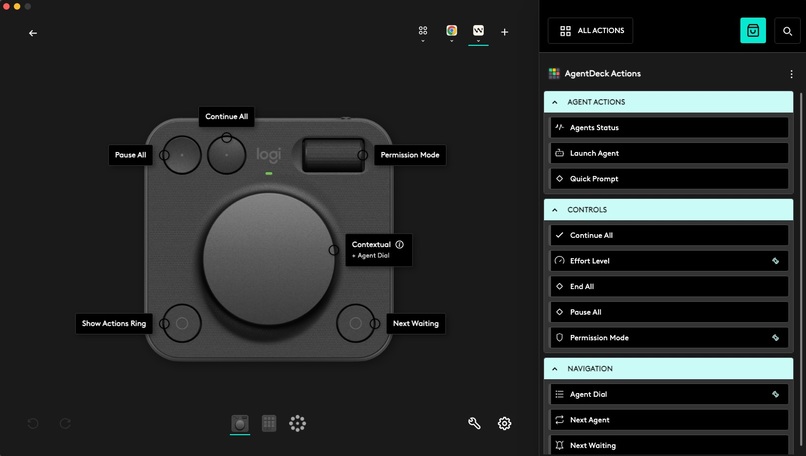
Standalone actions for customising Dialpad
-
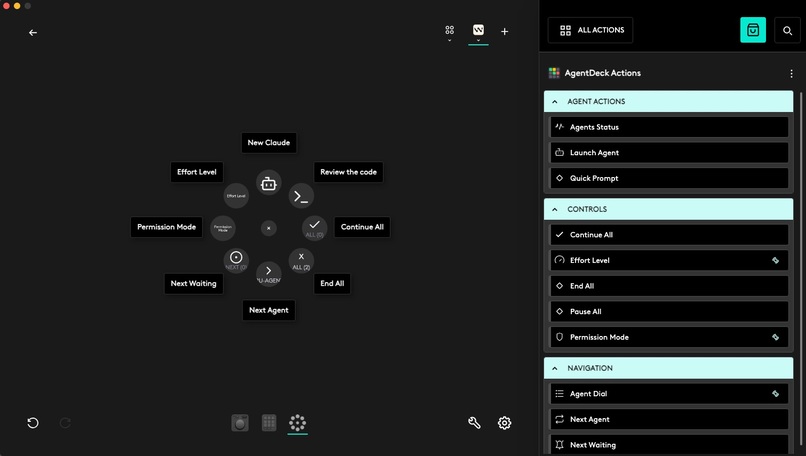
Standalone actions for customising Ring
-
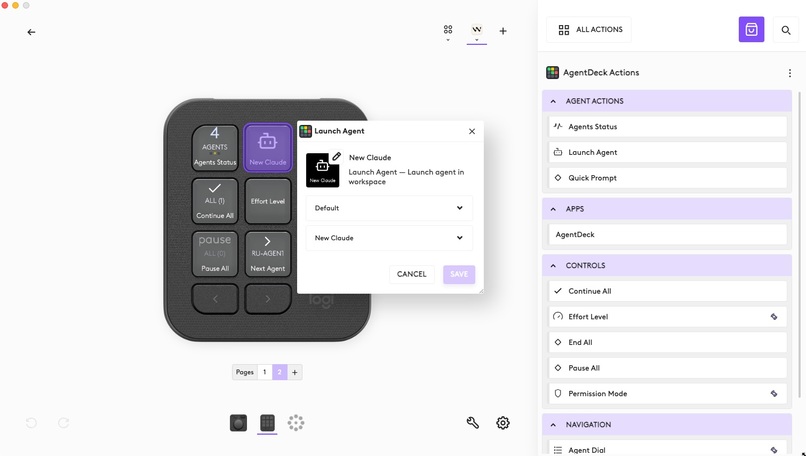
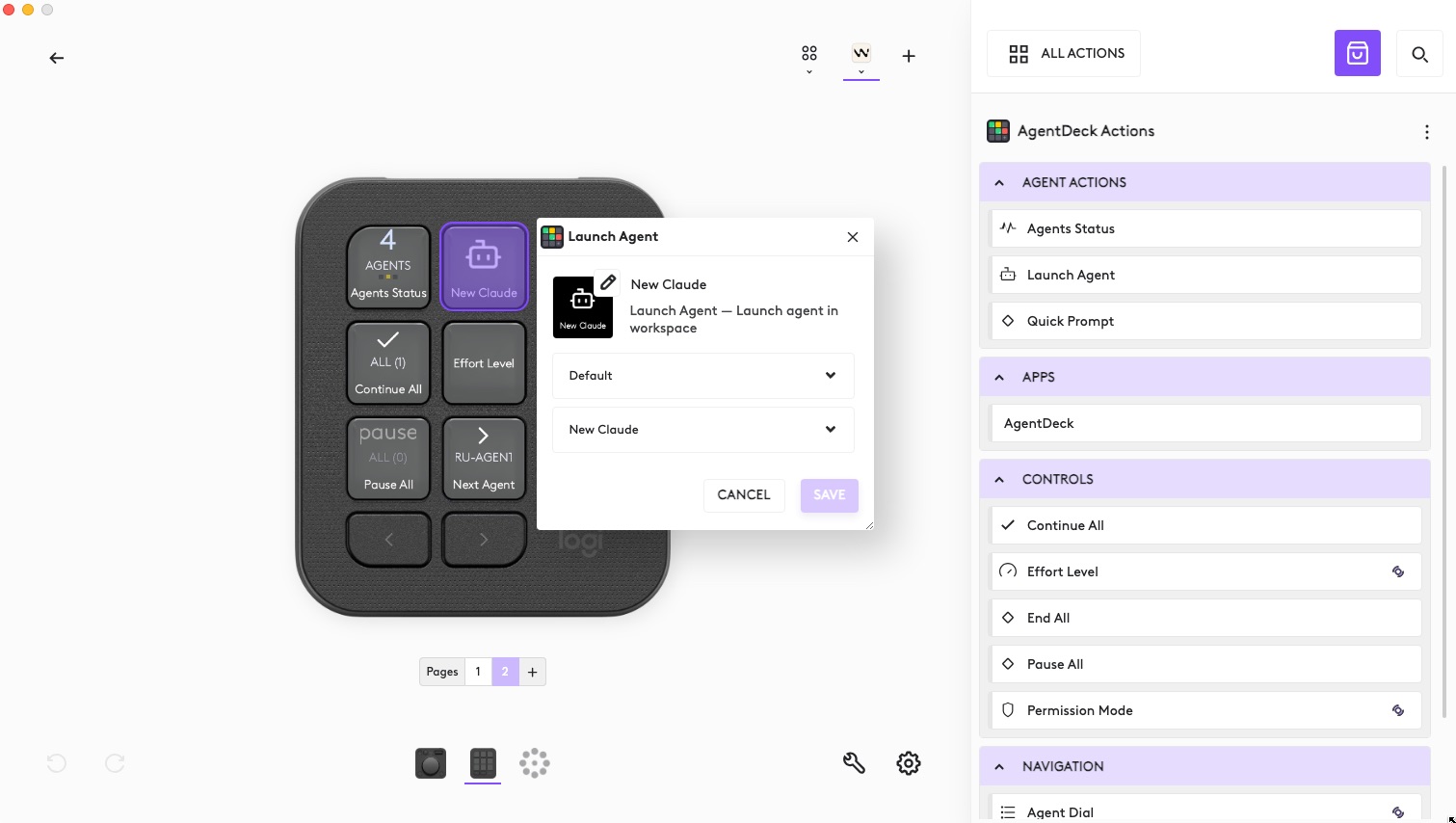
Custom action "New Agent" 's configs
-
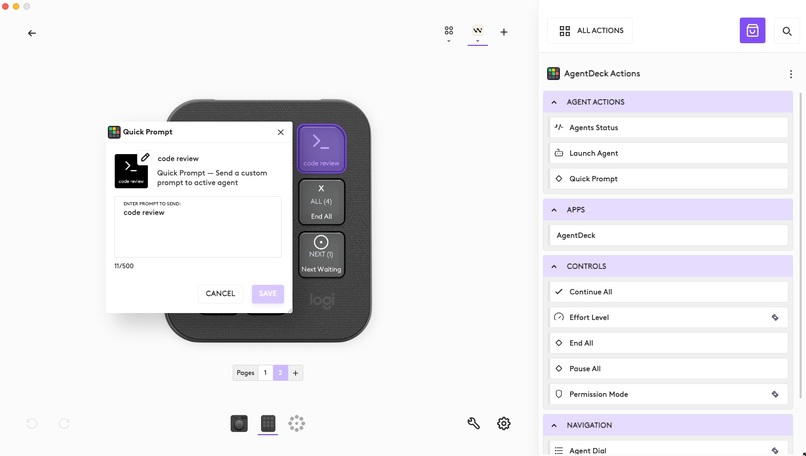
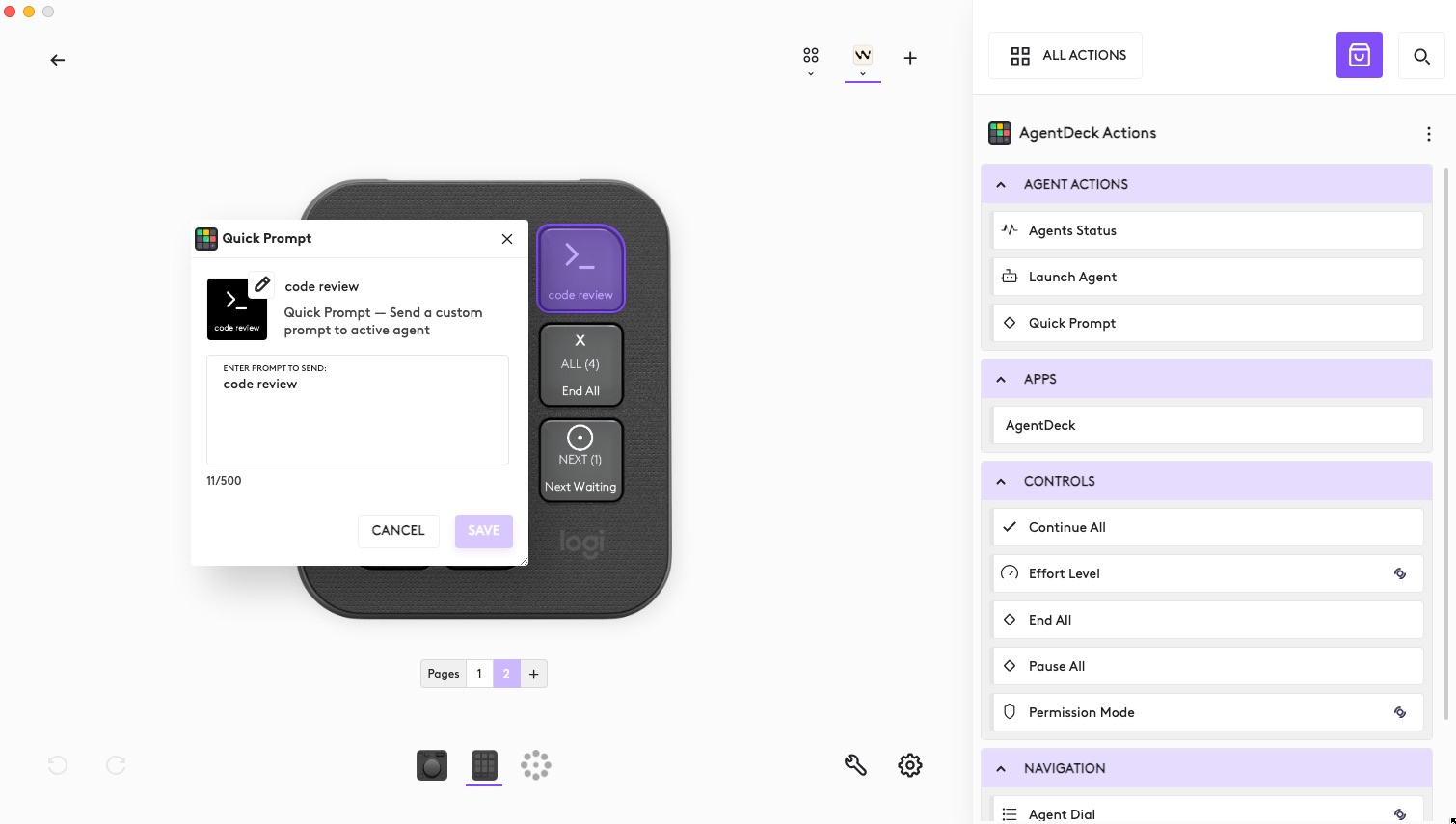
Custom action "Quick Prompt" 's configs
-
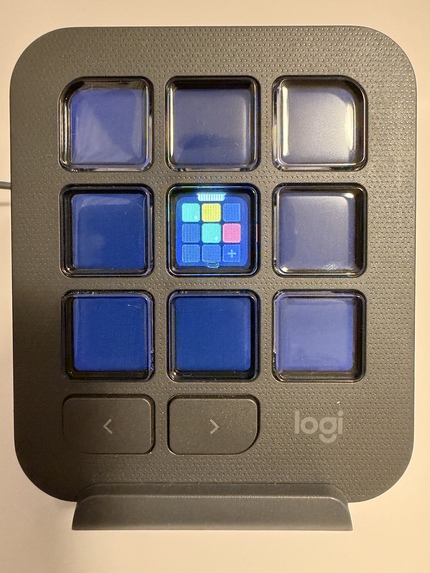
Standard workflow: Dynamic folder "AgentDeck"
-
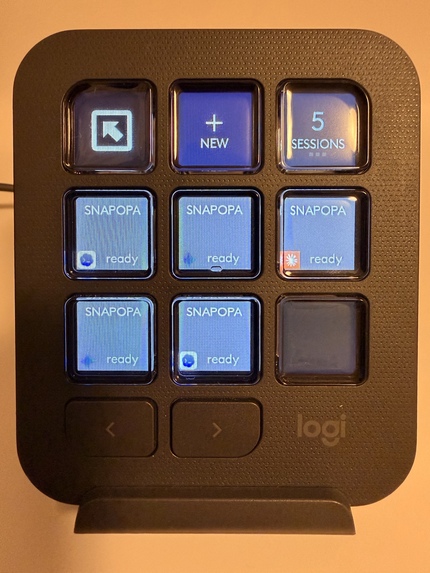
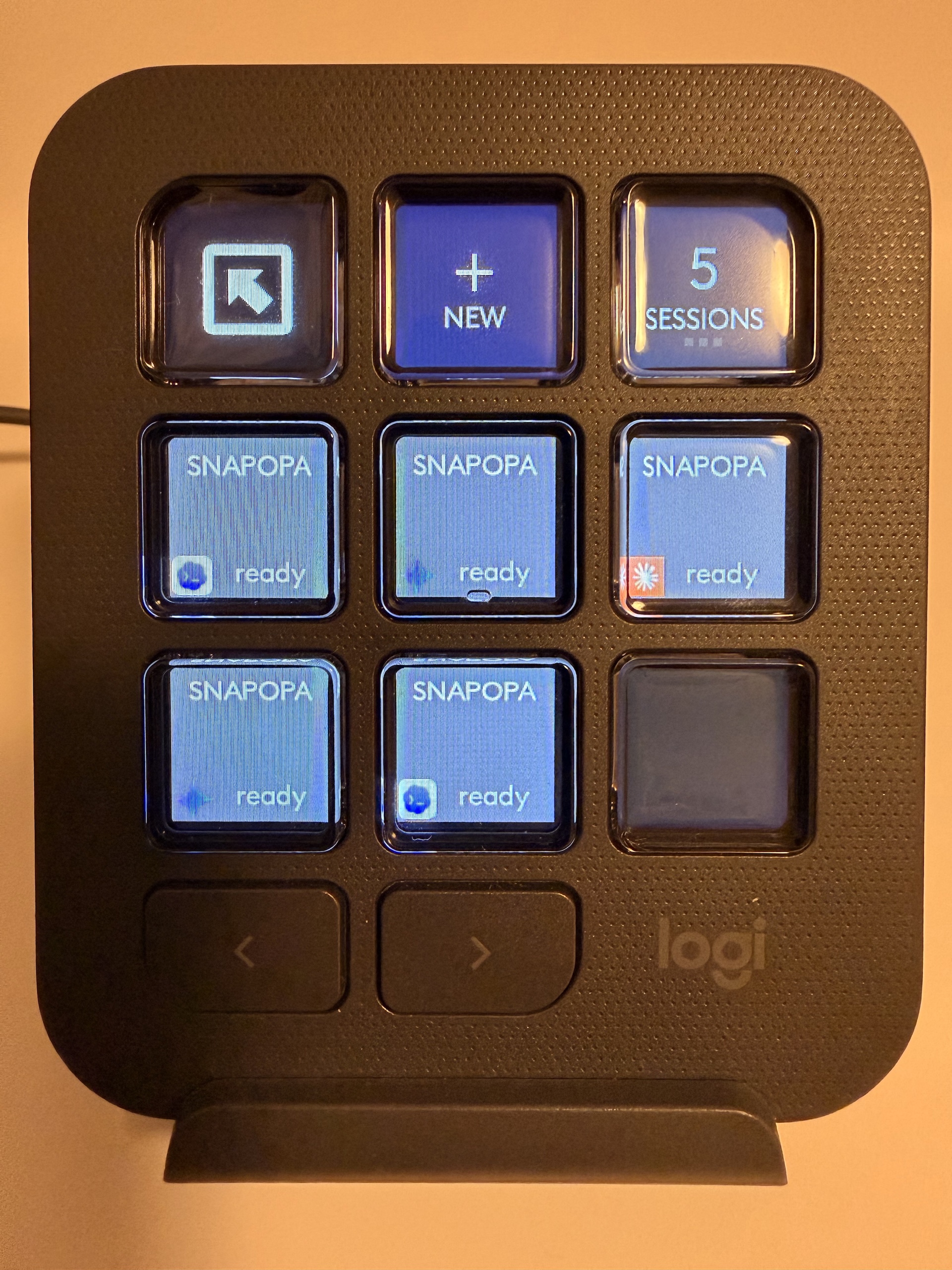
Dynamic folder screen
-
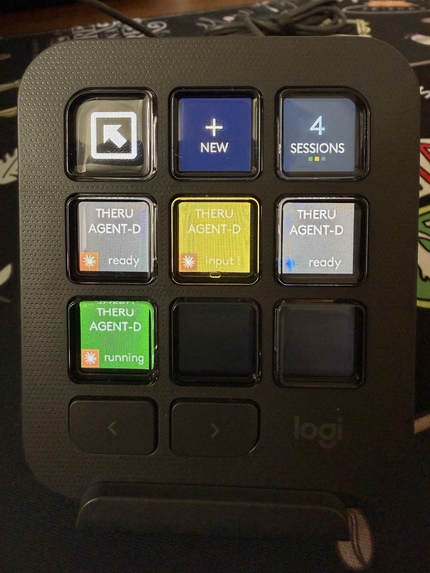
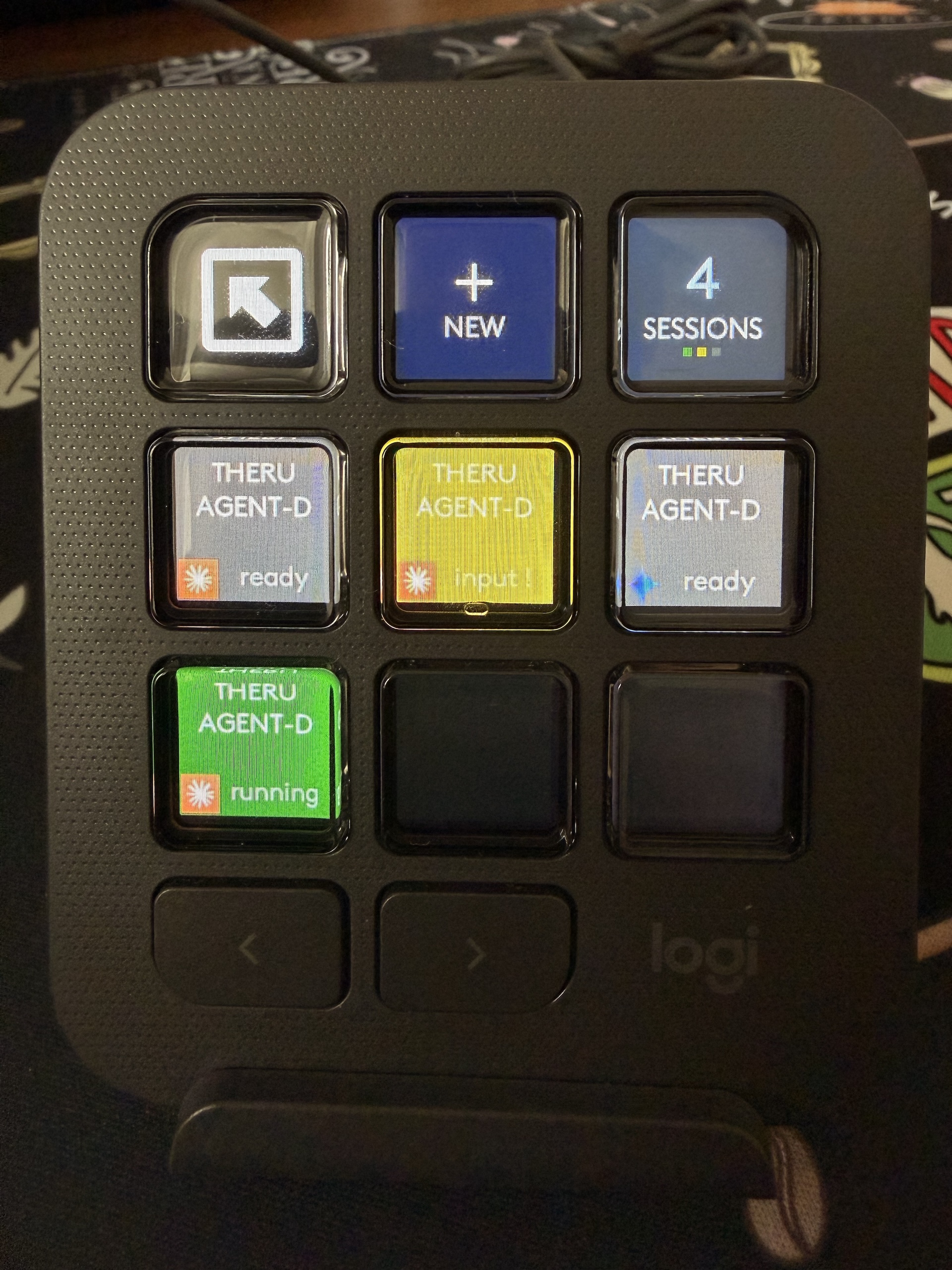
Dynamic folder screen (with different agents status)
-
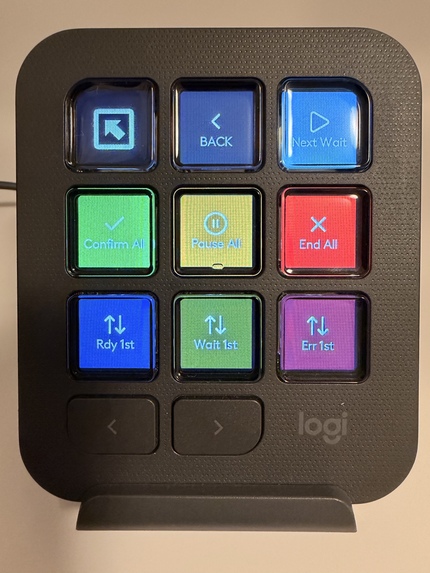
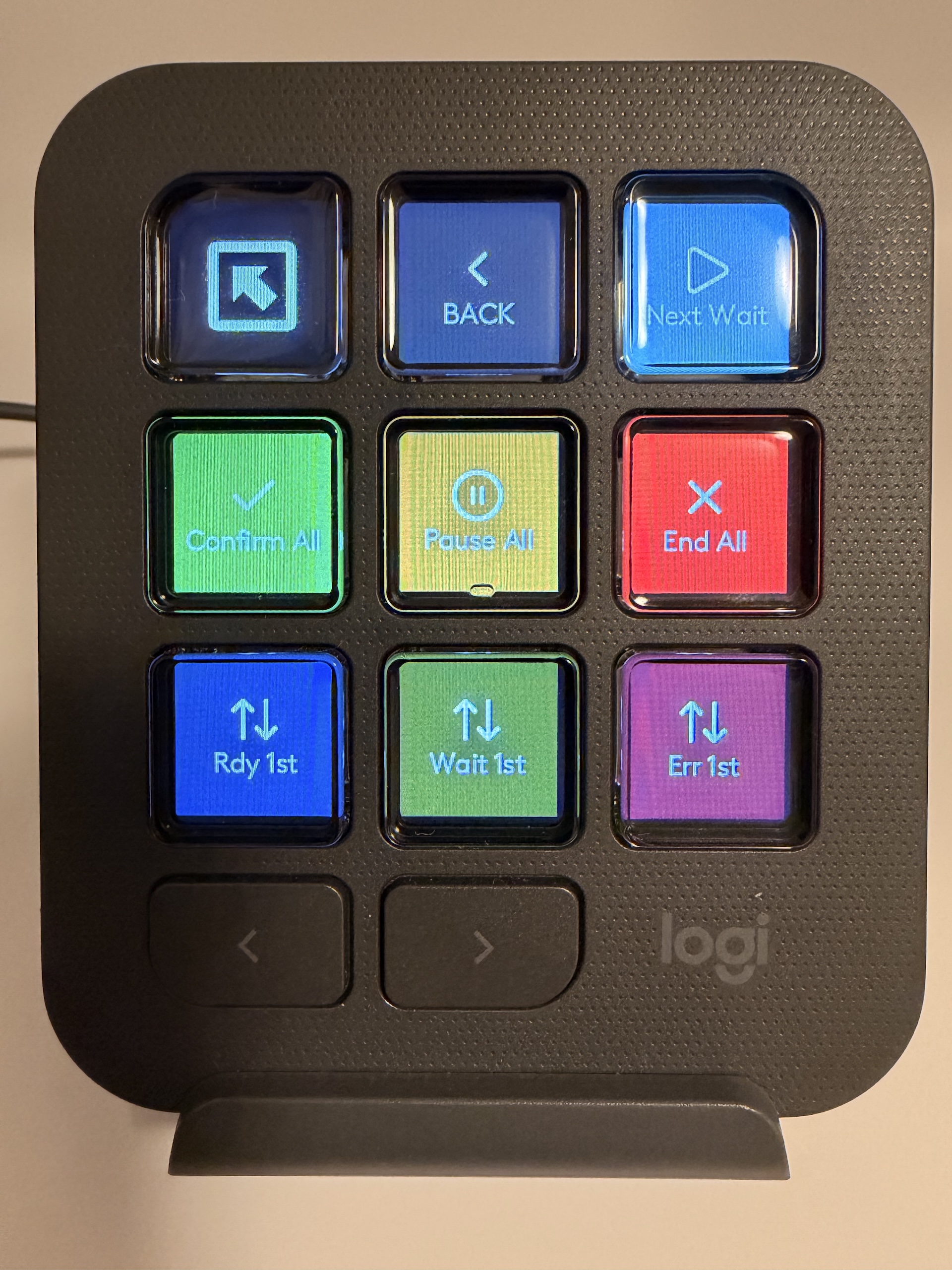
Sessions screen
-
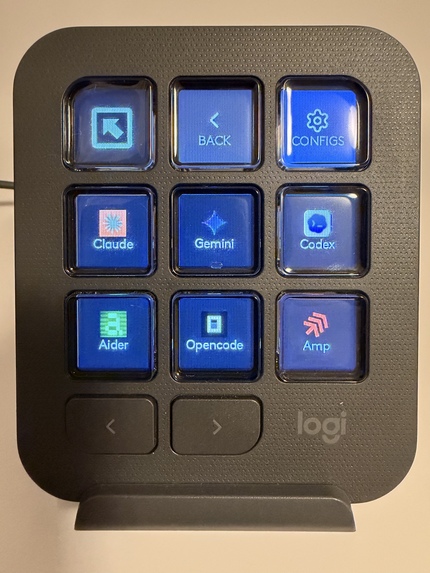
New agents screen
-
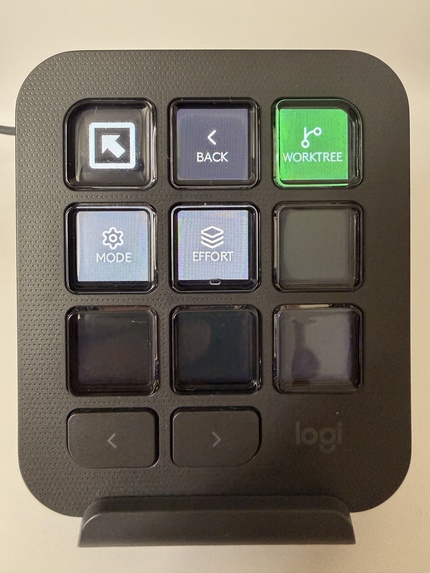
New agents config screen
-
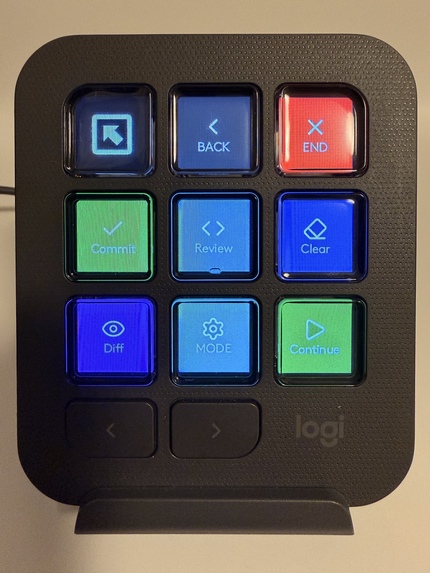
Single agent skills (double tap any active agent tile)
-
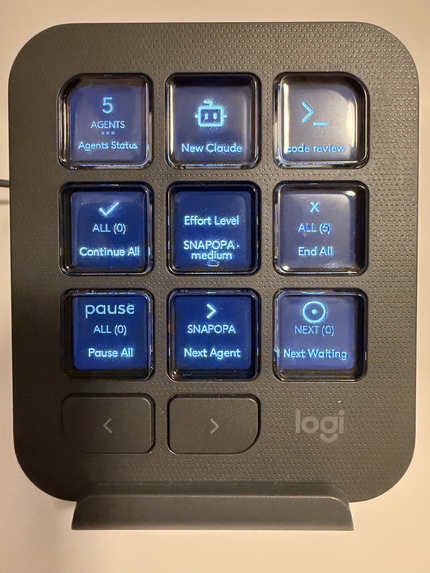
Standalone actions example
-
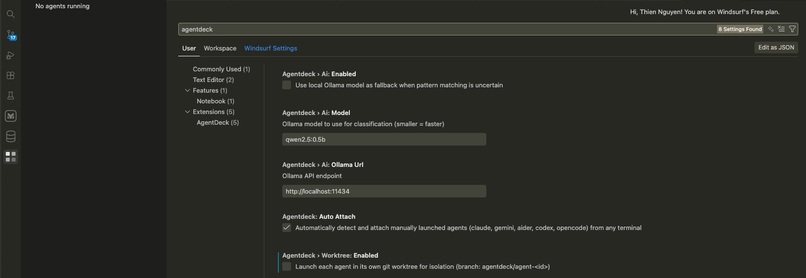
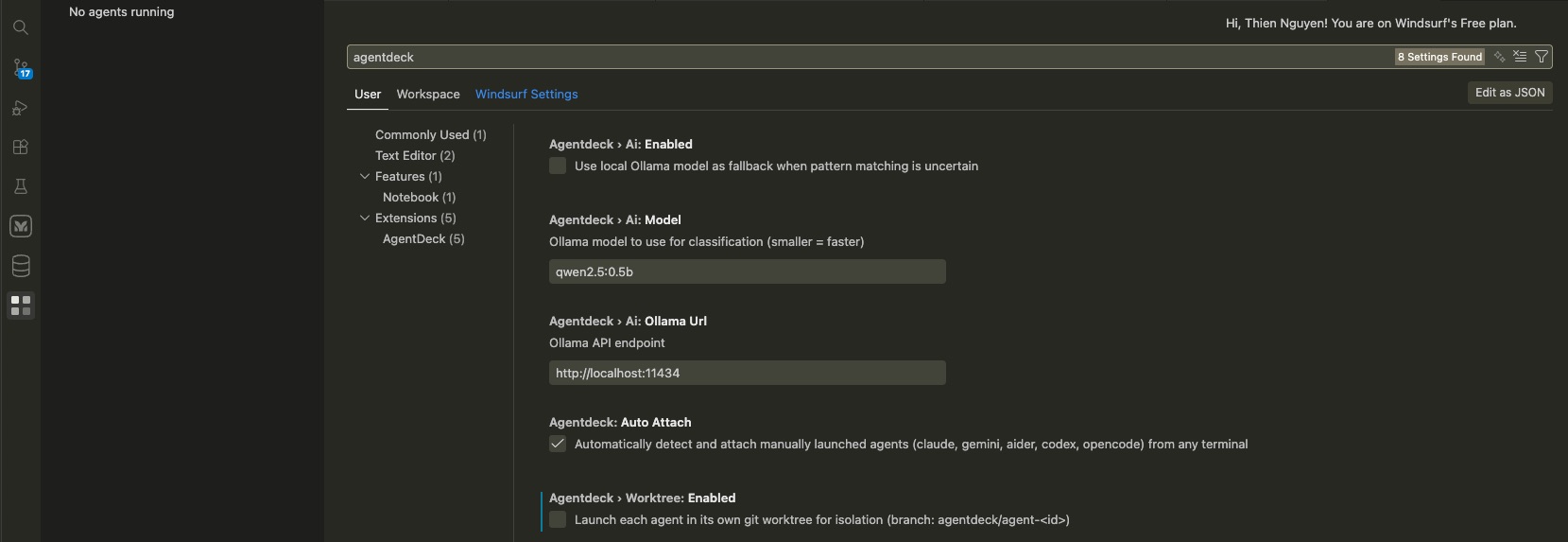
Extra IDE settings
Inspiration
We run multiple AI coding agents in parallel every day. One refactors auth. One writes tests. One chases a deployment bug. The agents are brilliant. Managing them is chaos.
We tab-switch to check "is it done yet?". We scroll back to find a missed prompt. We lose track of who's waiting on us. We miss BELs. We alt-tab to the wrong window. We lose flow.
The agents are from 2026. The interaction model is from 1975.
And we're not alone. Every developer we talk to is wrestling with the same thing. The AI era flipped our workflow overnight. We've gone from writing every line ourselves to orchestrating fleets of agents. The tooling hasn't caught up. We still babysit each agent in its own terminal, burning cognitive fuel on window management instead of shipping. Agents got 10x more capable. Our interface to them got 10x more expensive to operate.
We wanted to build the thing we needed - and that every AI-native developer needs. A physical control surface that turns multi-agent chaos into something you can glance at, feel, and steer with one hand. Something that gives developers their flow state back. Being a great engineer now means being a great conductor.
When we saw the Logitech DevStudio challenge, it clicked. The MX Creative Console is the perfect mission control for headless AI agents. A glance tells us who needs us. A tap tells them what to do. A buzz on the MX Master 4 tells us when to look up.
The console should be the remote control. The editor is the screen.
What it does
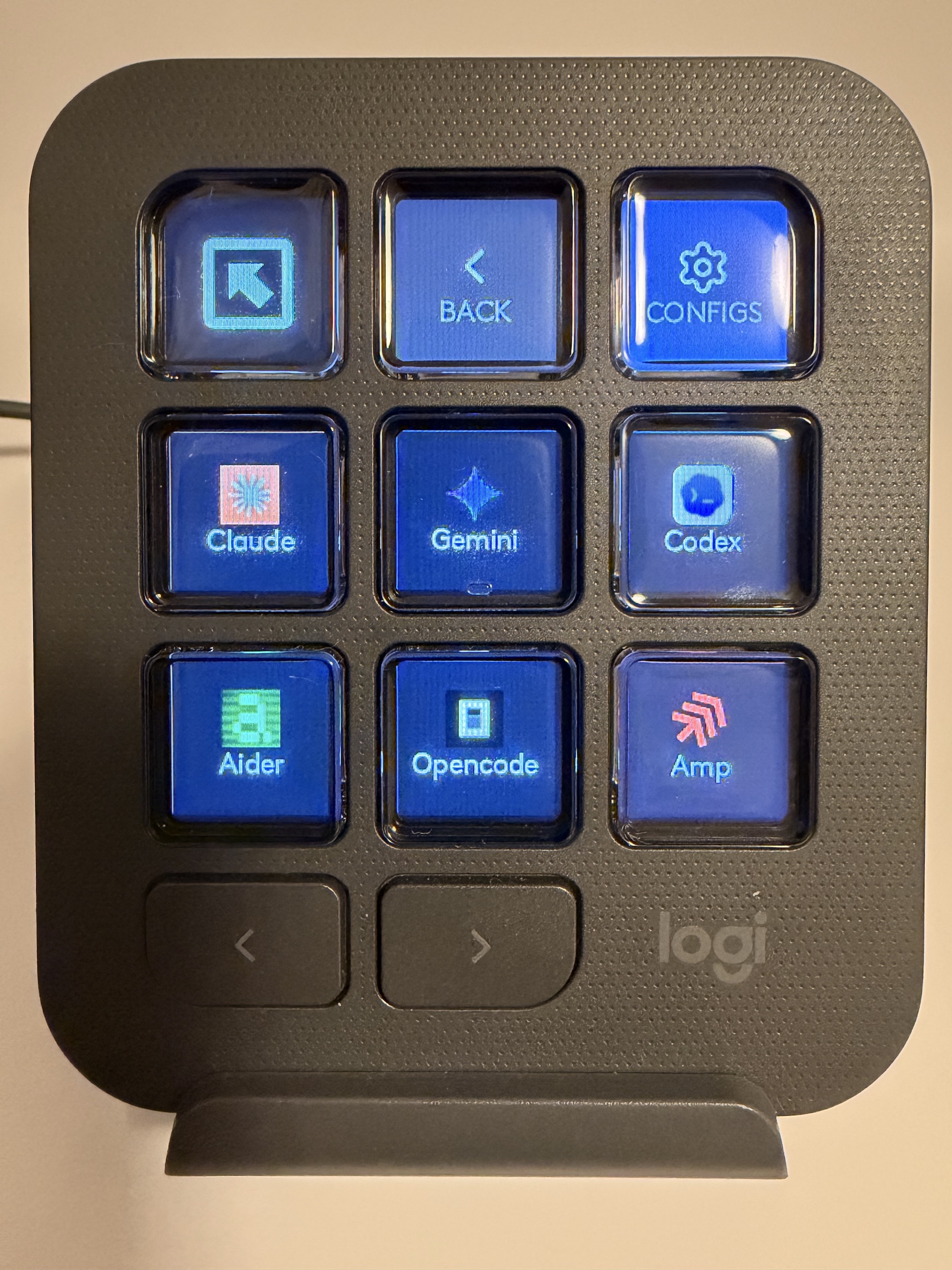
AgentDeck turns your MX Creative Console + MX Master 4 into a physical command center for AI coding agents. It works with Claude Code, Gemini CLI, Codex, Aider, and OpenCode inside VS Code, Windsurf, or Cursor.

Three layers of physical interaction
Layer 1 - LCD Dashboard: Glanceable Status (The dynamic folder - AgentDeck)
A Dynamic Folder takes over all 9 LCD buttons. Up to 6 agent tiles per page, page through the rest with the dial. Manage an unlimited fleet, not a fixed slot count. Each tile shows live status: 🟢 running, 🟡 pulsing needs input, 🔴 error, ⚪ idle/ready.


- Single tap -> raises the right editor window and focuses that agent's terminal.
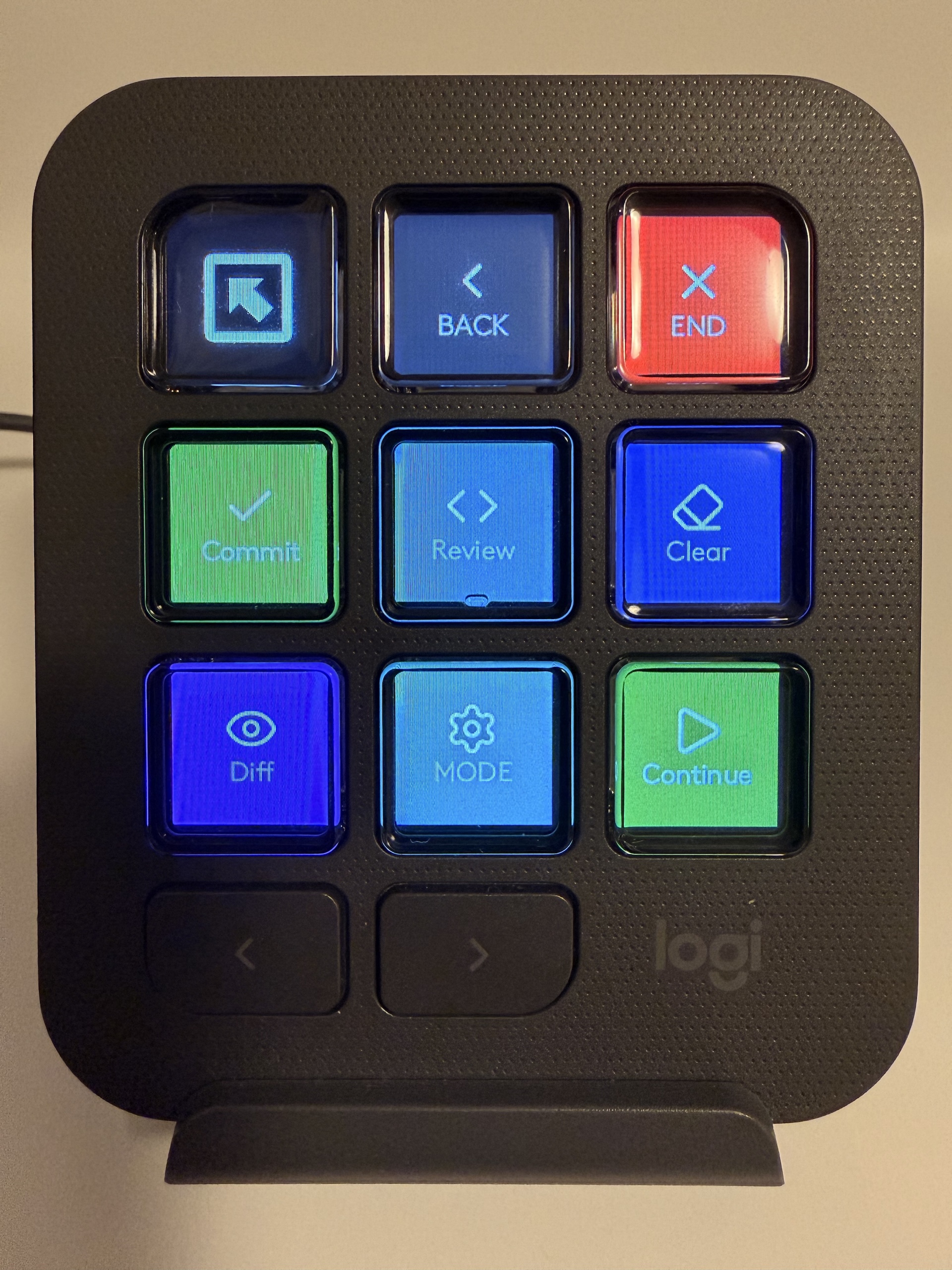
- Double tap -> opens a per-agent Skills page (End, Commit, Review, Clear, Diff, Mode, Continue).

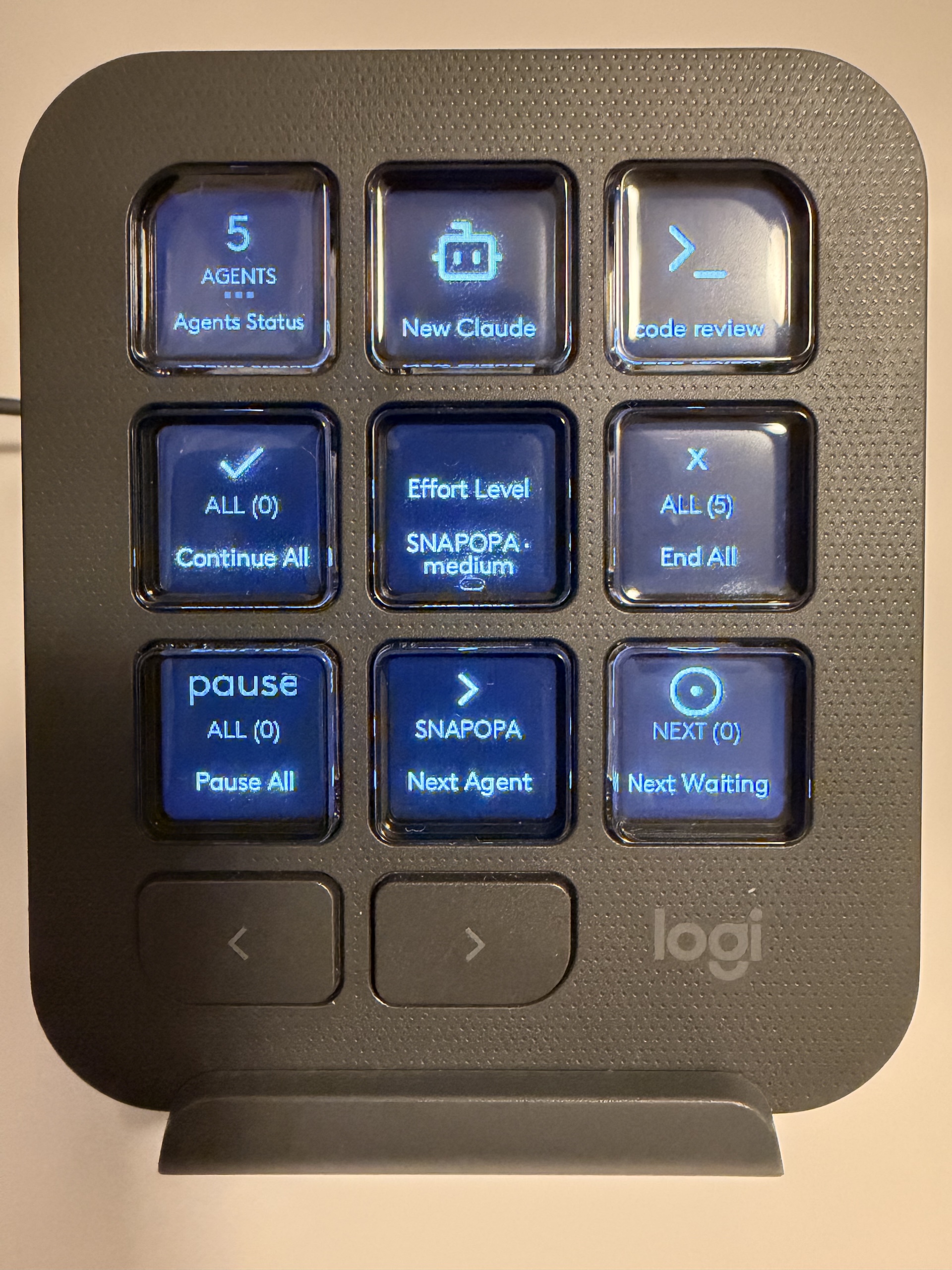
Tap the Sessions tile for fleet-wide actions across every window:

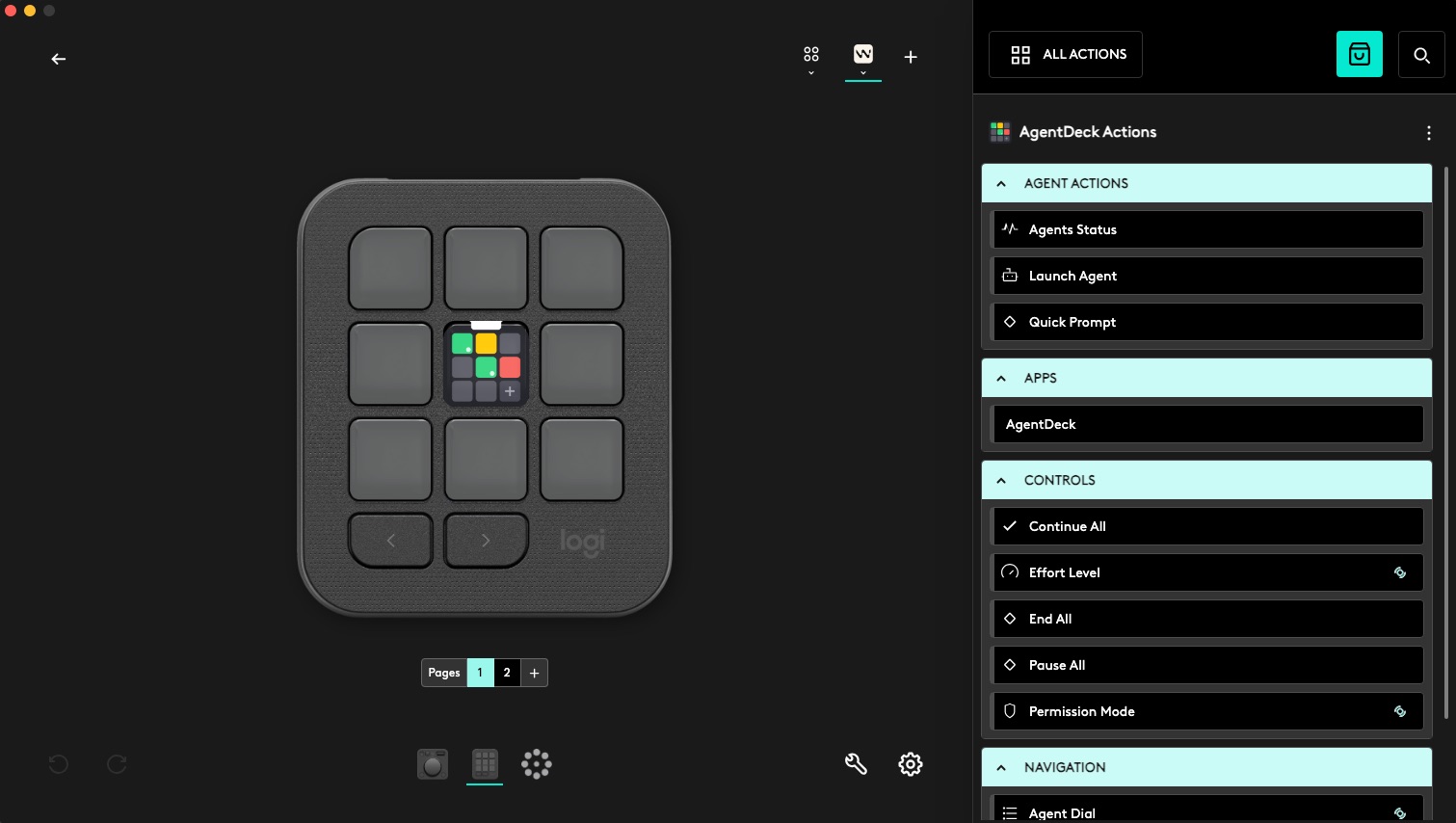
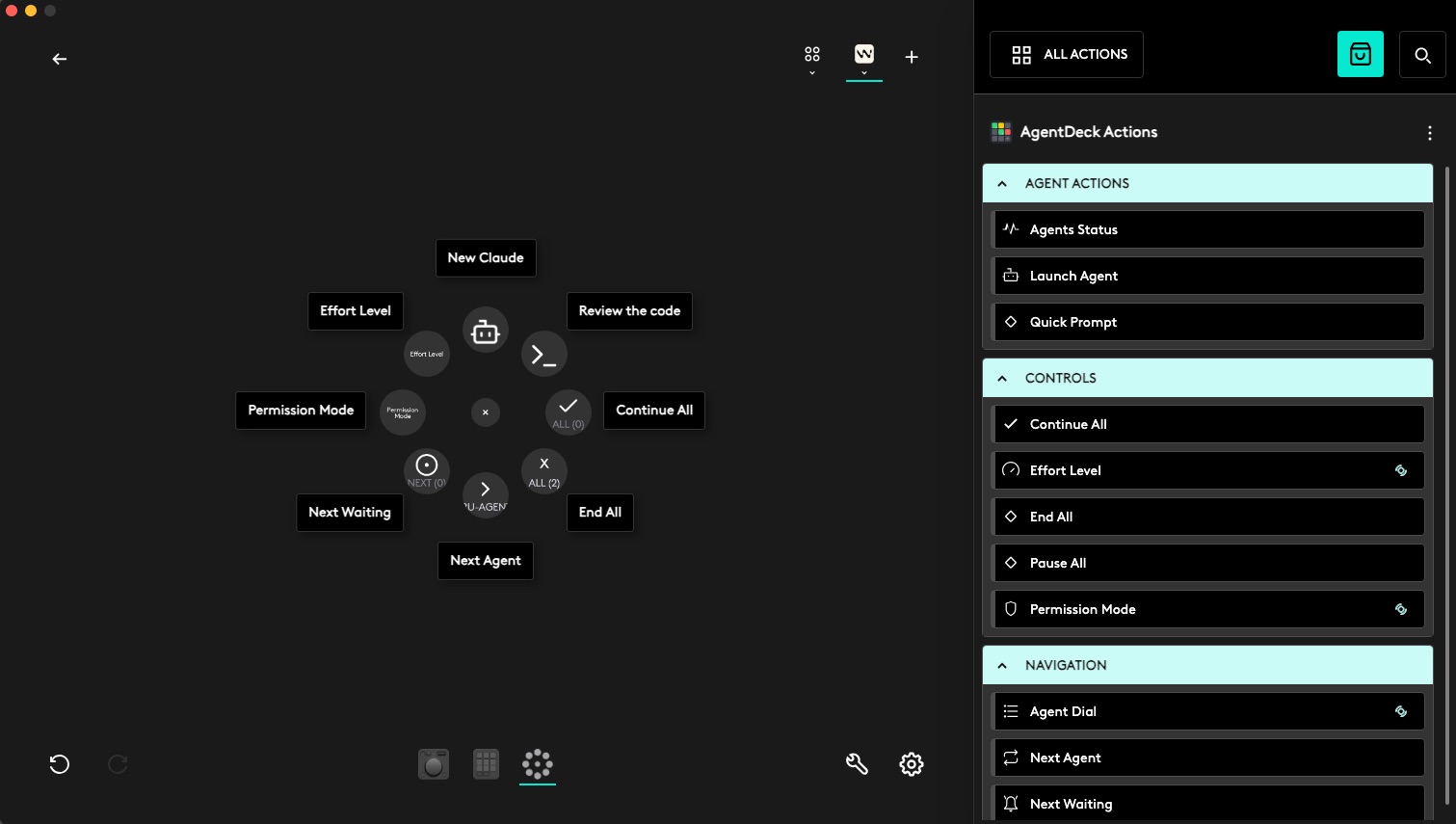
Layer 2 - Assignable Dialpad & Buttons: Fleet Controls Every dial, button, and Actions Ring slot is an assignable action in Logi Options+. Users wire up their own loadout. Our daily driver:
- Top-left dial -> Pause All (Ctrl+C every running agent)
- Top dial -> Continue All (approve or nudge every agent at once)
- Roller -> Permission Mode (cycle ask / auto / plan via Shift+Tab)
- Main dial -> Contextual + Agent Dial (rotate to cycle agents, press to focus; in Diff mode, rotate scrubs changed files, press toggles file <-> hunk)
- Bottom-left button -> Show Actions Ring
- Bottom-right button -> Next Waiting (jumps to the next agent needing input)
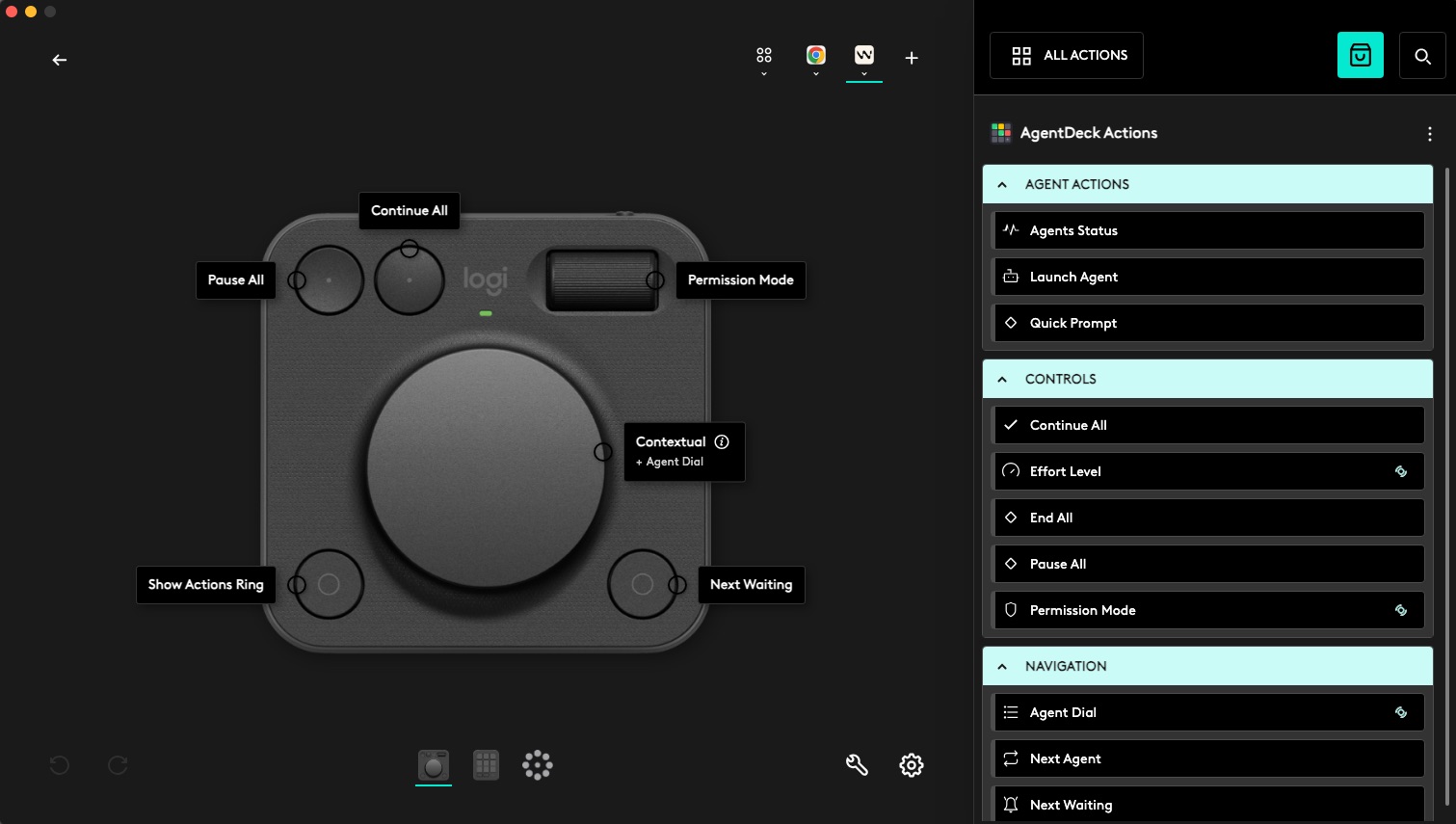
To have your own action tiles, drag any AgentDeck action onto any surface - keypad, dialpad, or MX Master 4 Actions Ring.

Layer 3 - MX Master 4: Haptic Feedback
The mouse buzzes on status changes. sharp_collision when an agent needs input. completed when it finishes. angry_alert on error. Ambient awareness - no need to look at the console.
New Agent flow with git worktree isolation
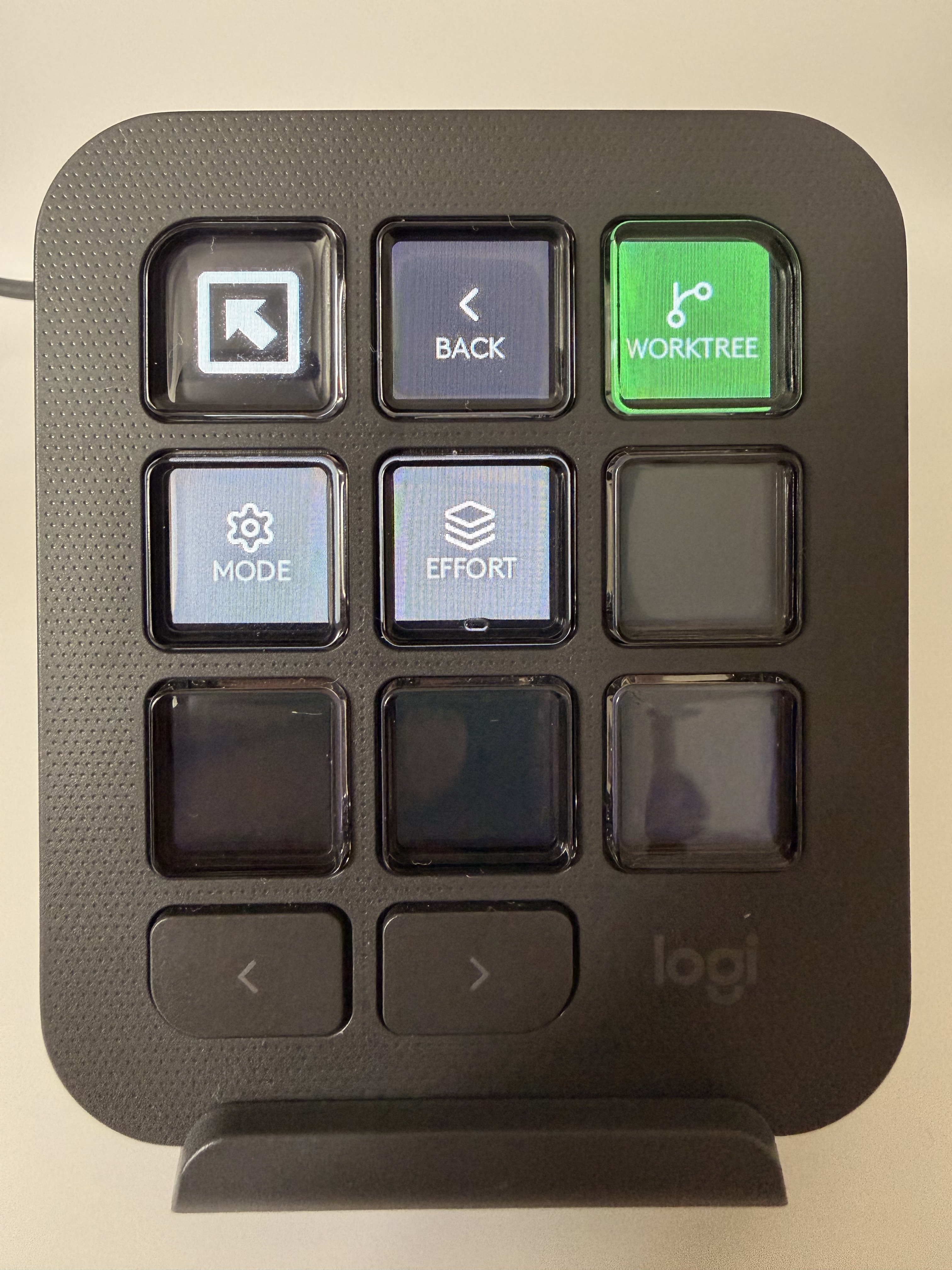
Tap NEW on the LCD Dashboard -> pick from 6 agent types. Tweak settings on the same screen via CONFIGS: WORKTREE, Permission Mode, Effort level.
When worktree is ON (🟢green), the extension runs git worktree add and spawns the agent in an isolated branch and directory (e.g., agentdeck/claude-myproject-a1b2). Agents on the same repo no longer clobber each other. Worktrees share the .git object database, so creation is instant and lightweight.


Skills page: prompt-as-action (double tap any active agent tile)
Double-tap any agent tile to open its Skills page. Each tile sends a real message to that agent's terminal:
- Commit - asks the agent to commit its work
- Clear - kills and relaunches the agent with a fresh worktree
- Review - Review code changes from current branch
- Diff - opens the agent's changed files in VS Code's diff viewer
- Continue - smart: approves when waiting, sends "continue" when idle
- Mode - cycles permission mode via Shift+Tab (ask / auto / plan)
- End - kills the agent session
Note: After a double-tap, skill tiles are locked for ~700ms to prevent an accidental third tap from firing a skill.
Standalone actions on Logi+
The Logi+ plugin ships many custom actions you can attach to separate tiles:

Quick Prompt - your own skill slots: Bind any button to a Quick Prompt with your own text in Logi Options+. Tap to send it to the active agent. Build your own muscle-memory skills - "run tests", "explain this file", "write a commit message" - and fire them with one press.
Launch Agent - create new agent within your IDE: Bind any button to a Launch Agent with options of agent type and worktree config. Tap to create a new agent with that predefined config.
Effort + Permission Mode dials. Two purpose-built dial actions:
- Effort Level - rotate to cycle
/effort low / medium / highon the selected agent. Press to reset. - Permission Mode - rotate to walk through ask / auto / plan via Shift+Tab.
Multi-window fleet (one of the most important features)
Every VS Code / Windsurf / Cursor window runs its own extension on its own WebSocket port (:9999-:10008). The Logi plugin discovers all of them and merges the agent lists into one dashboard. Commands route to the right window via a port prefix on each agent's ID. Launch a NEW agent -> it spawns in the last-focused window. Tap on an agent tile, it brings up the correct window with correct terminal, ready for review and input
Zero-config auto-attach (so you don't even need to launch the agent from the console)
Type claude, gemini, codex, aider, or opencode in any terminal. The extension detects it via VS Code's Shell Integration API, auto-attaches, and streams output for full status detection. For older terminals without shell integration, a backup output-signature matcher spots agent branding ("Claude Code", "Gemini CLI", "Aider v...") and promotes them too. No launcher, no wrapper, no config.
Optional local AI status classifier
When the heuristic parser is uncertain, an optional local Ollama model (defaults to qwen2.5:0.5b, ~1GB RAM) breaks the tie. Off by default in IDE settings. Zero cloud, no API costs. Async and debounced with silent fallback, so it never slows detection down.
How We built it
AgentDeck is two components, zero daemons:
- VS Code Extension (TypeScript) - the brain. Spawns agents via
node-pty+vscode.Pseudoterminal, detects status, serves a WebSocket server, handles diffs, worktrees, and window focus. - Logi Plugin (C#, Actions SDK) - the face. Renders LCD tiles, handles input, manages multi-window connections, drives haptics.
Killing the bridge
v1.0 had a separate bridge daemon. v2.0 doesn't. The extension is the server. No tmux, no external binary, no launch agent. When VS Code closes, the agents close - a reasonable trade because the console user always has an editor open.
4-layer status detection
Detecting agent state from TUI output is the single hardest problem in this project. We ended up with a layered pipeline, each layer faster and more specific than the next:
| Layer | Mechanism | Latency |
|---|---|---|
| 1. Escape sequences | BEL (\x07), OSC 9/777 |
Instant |
| 2. Heuristic patterns | Stripped ANSI + per-agent regex | 2s poll |
| 3. Silence detection | Time since last PTY chunk | 2-10s |
| 4. AI classifier | Optional local Ollama fallback | Async |
BEL is the killer feature. Claude Code emits it the moment it needs approval, so the tile turns 🟡 within a single data chunk - no polling, no pattern matching. The TTY spec has carried this signal since 1975; we just finally gave it a UI.
Silence detection solved the "is it done?" problem that regex couldn't. TUI agents stream spinner frames every ~100ms while working. The absence of data is the signal. Per-agent thresholds (2s for Claude, 10s for Aider) map cleanly onto each agent's streaming behavior.
Pseudoterminal, not proposed APIs
Our first attempt used VS Code's proposed terminalDataWriteEvent API to intercept output from native terminals. It worked perfectly in Extension Development Host. It was silently blocked in production - VS Code scans for enabledApiProposals at load time and refuses to activate. Even stripping the field but leaving the .d.ts in the VSIX tripped the check.
The fix: node-pty + vscode.Pseudoterminal (stable API). We spawn a real PTY (xterm-256color, proper cols/rows) and bridge it into VS Code's terminal UI. Output flows to both the visible terminal and our status parser. TUI agents get real isatty(), we get unfiltered data. And node-pty is loaded from VS Code's bundled node_modules.asar - no native binary in the VSIX.
Multi-window routing
The port-scanning handshake took a few iterations. Each extension instance probes :9999 -> :10008 sequentially and claims the first free port. Agent IDs get prefixed with the port (w9999-agent-1) so they stay globally unique across windows. The plugin's BridgeMultiClient opens all 10 sockets in parallel, merges state, and routes commands by parsing the prefix.
For window focus (tapping an agent tile should raise the right editor window), osascript was the trap. Windsurf and Cursor register their process name as "Electron" - tell application "Windsurf" doesn't work. The fix: match by bundle identifier (com.exafunction.windsurf, com.microsoft.VSCode, com.todesktop.230313mzl4w4u92) via System Events, then frontmost + AXRaise.
Hardware-free Web Simulator
A browser-based simulator (bun dev → localhost:8888) renders the full LCD, dial, and button interactions. Lets us develop, test, and demo AgentDeck without the physical console plugged in - and made the entire project buildable before hardware was wired up.
Challenges We ran into
Proposed API lockout. We spent a full day convinced we could obfuscate the onDidWriteTerminalData property access. VS Code scans compiled output too. The only real answer was a full architectural pivot to Pseudoterminal.
TUI output is a nightmare. Agents redraw entire screens with ANSI sequences. Regex that worked on Monday was broken by a UI tweak on Thursday. Silence detection became the safety net - if the stream stops, the agent is done, regardless of what's in the buffer.
Logi SDK gotchas. The SDK is powerful but the docs leave edges. A few that cost us hours:
PluginDynamicFolderwithNavigationArea.Nonestill reserves position 0 for Back - we only had 8 usable buttons, not 9.ButtonActionNamesChanged()only re-renders if the parameter names change, so we had to bake an epoch counter into every parameter to force refresh on view switches.- The MX Creative Console requests bitmaps at
Width116(116x116), not the 80x80 most docs imply. Our first tiles rendered upscaled and blurry. MakeProfileAction("tree")dropdowns silently disable the Save button unless you callAddLevel()exactly twice - single-level trees look correct but won't save.
No hold/long-press in the SDK. The MX Creative Console fires RunCommand with no duration metadata, so we rolled our own double-tap detection (~400ms window) + a 700ms view-switch cooldown to prevent a third tap from firing a skill action right after transitioning.
VSIX runtime deps. .vscodeignore excludes node_modules/** by default. The extension activated silently with no error - commands just... didn't exist. The fix was one line: !node_modules/ws/**.
What We learned
- Physical controls change your relationship with software. A tile that turns yellow and buzzes your mouse is cognitively different from a notification you have to tab over to see. Ambient awareness beats explicit checking every time.
- The absence of signal is a signal. Silence detection solved more status bugs than a week of regex tuning.
- Terminal escape sequences are an underused API surface. BEL, OSC 9, OSC 777 - the TTY spec already had the hooks we needed. We didn't need a new protocol; we needed to listen to the one that's been there since 1975.
- Stable APIs beat clever APIs. Pseudoterminal is less elegant than
onDidWriteTerminalDatabut ships to real users. - The MX Creative Console is a real input device, not a toy. The dial for diff scrubbing feels genuinely better than any keyboard shortcut we've used.
What's next
- Claude Code Hooks integration - replace BEL/heuristic parsing with the structured Hooks API (
PreToolUse,Notification,Stop-> direct status). Same approach for Gemini's--output-format stream-jsonand OpenCode's SDK/SSE. - Default
.lp5profile - pre-assign the Agent Deck folder on install so users don't have to wire it up manually. - Full Actions Ring loadout - Approve / Reject / NextWaiting / Kill / OpenTerminal as standalone Actions Ring commands on MX Master 4.
- Cost + token tracking - per-agent spend visible on the dashboard.
- Session forking - branch an agent's conversation into a new worktree with one tap.
- Windows & Linux - plugin is cross-platform; needs PowerShell window focus (Windows) and Logi Options+ for Linux.
Notes
- To set it up, please check https://github.com/quangthien27/theru-agent-deck#setup
- Works with Claude Code, Gemini CLI, Codex, Aider, and OpenCode inside VS Code, Windsurf, or Cursor.
- 100% local. No cloud, no API keys, no telemetry.
- Open source - PRs welcome on GitHub.
Built With
- .net
- c#
- logi-actions-sdk
- node-pty
- ollama
- typescript
- vs-code-api
- websockets

Log in or sign up for Devpost to join the conversation.