-
-
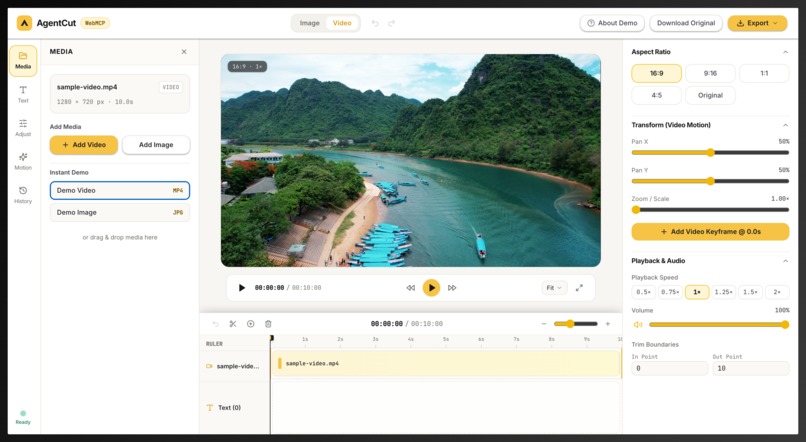
AgentCut Home Page
-
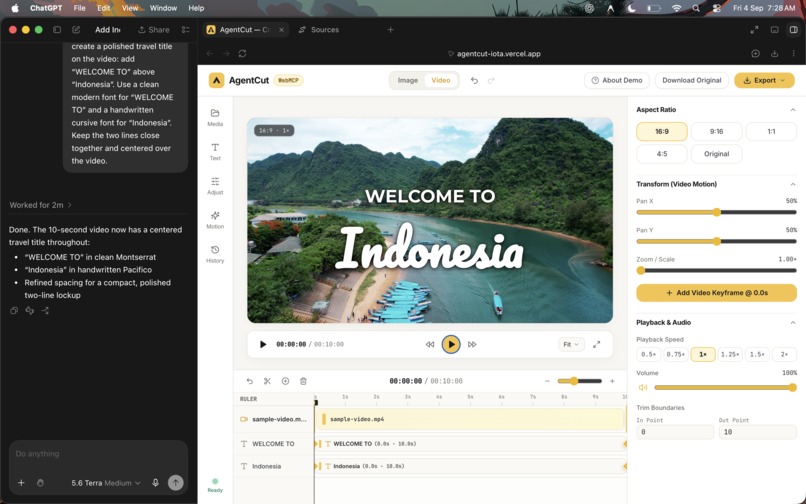
Codex WebMCP
-
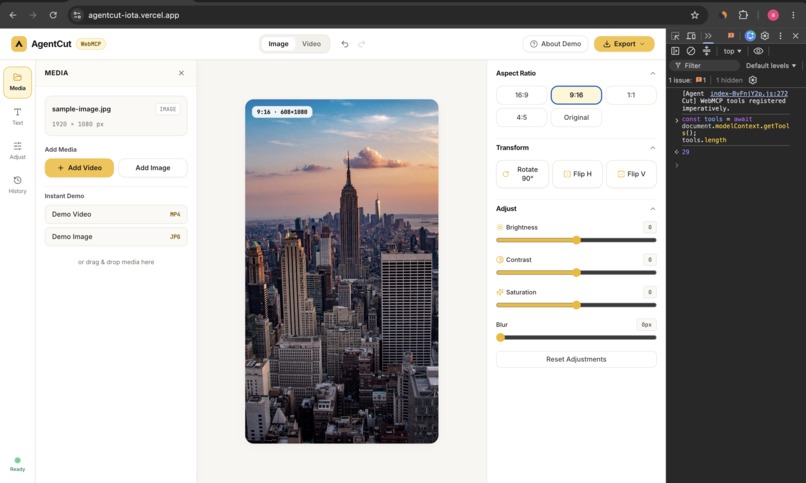
Chrome WebMcp
Inspiration
I have basic video editing skills things like splitting clips, adding text, and simple transitions but more advanced editing such as keyframes, motion, and text animation always felt overwhelming.
When I learned about WebMCP, I saw an opportunity to change that. Instead of learning every advanced control myself, I could build an editor that exposes those capabilities as structured tools and let an AI agent use them for me.
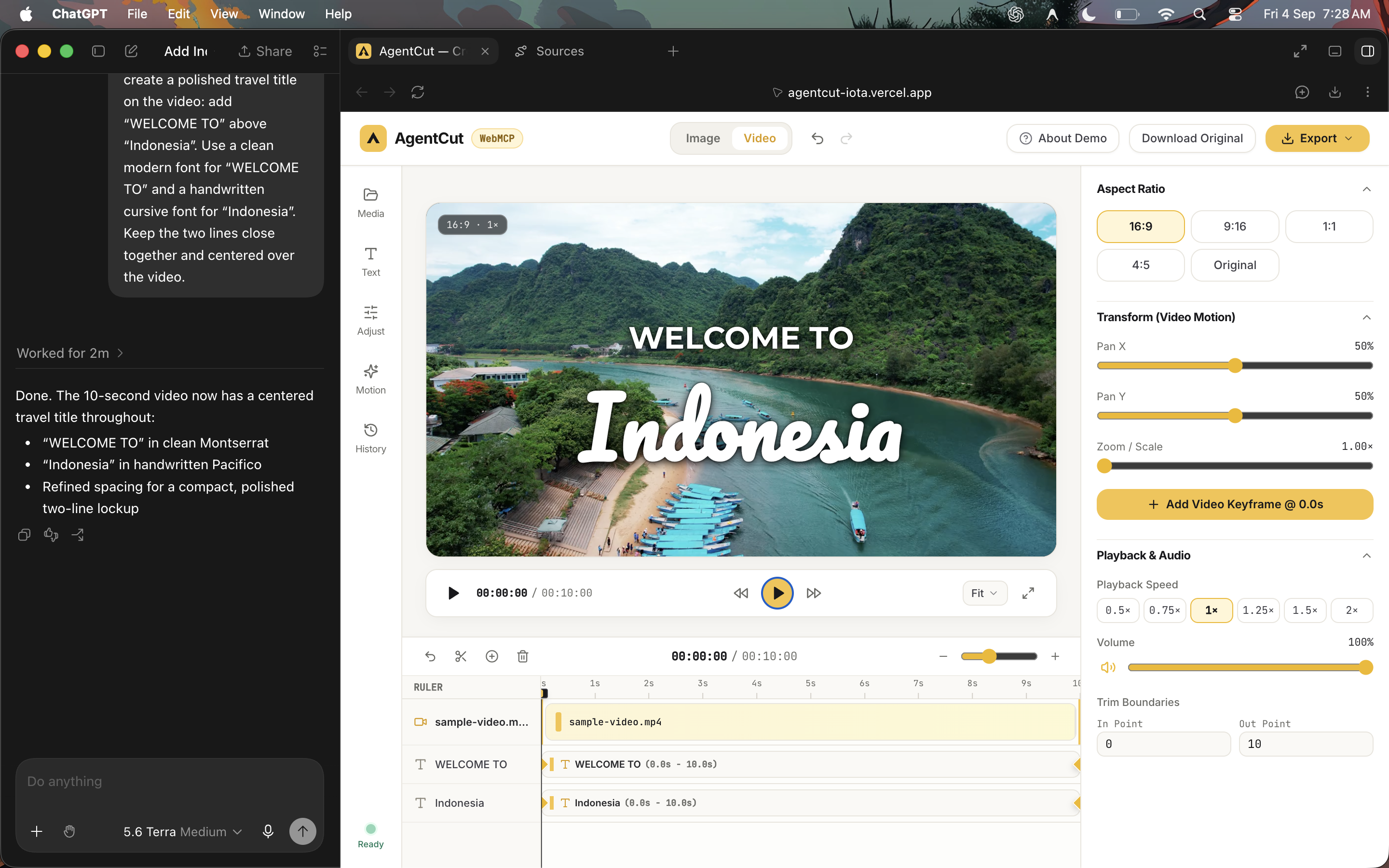
That became the idea behind AgentCut: a lightweight image and video editor where I can describe the result I want, and the agent can use advanced editing features like keyframes, animation, typography, and motion through WebMCP. In practice, it helped me go from using only basic editing tools to creating edits that previously felt like “pro-level” work.
What it does
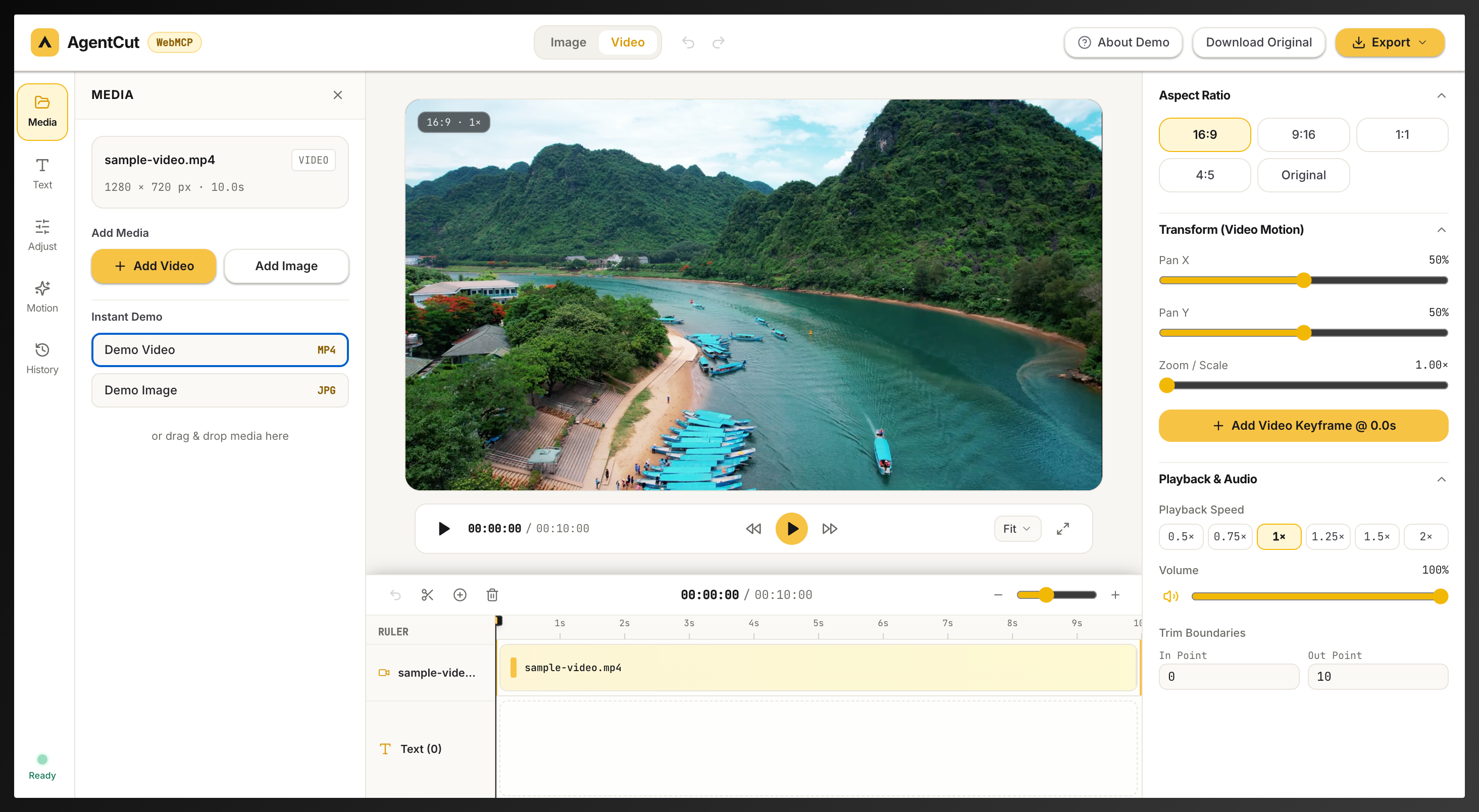
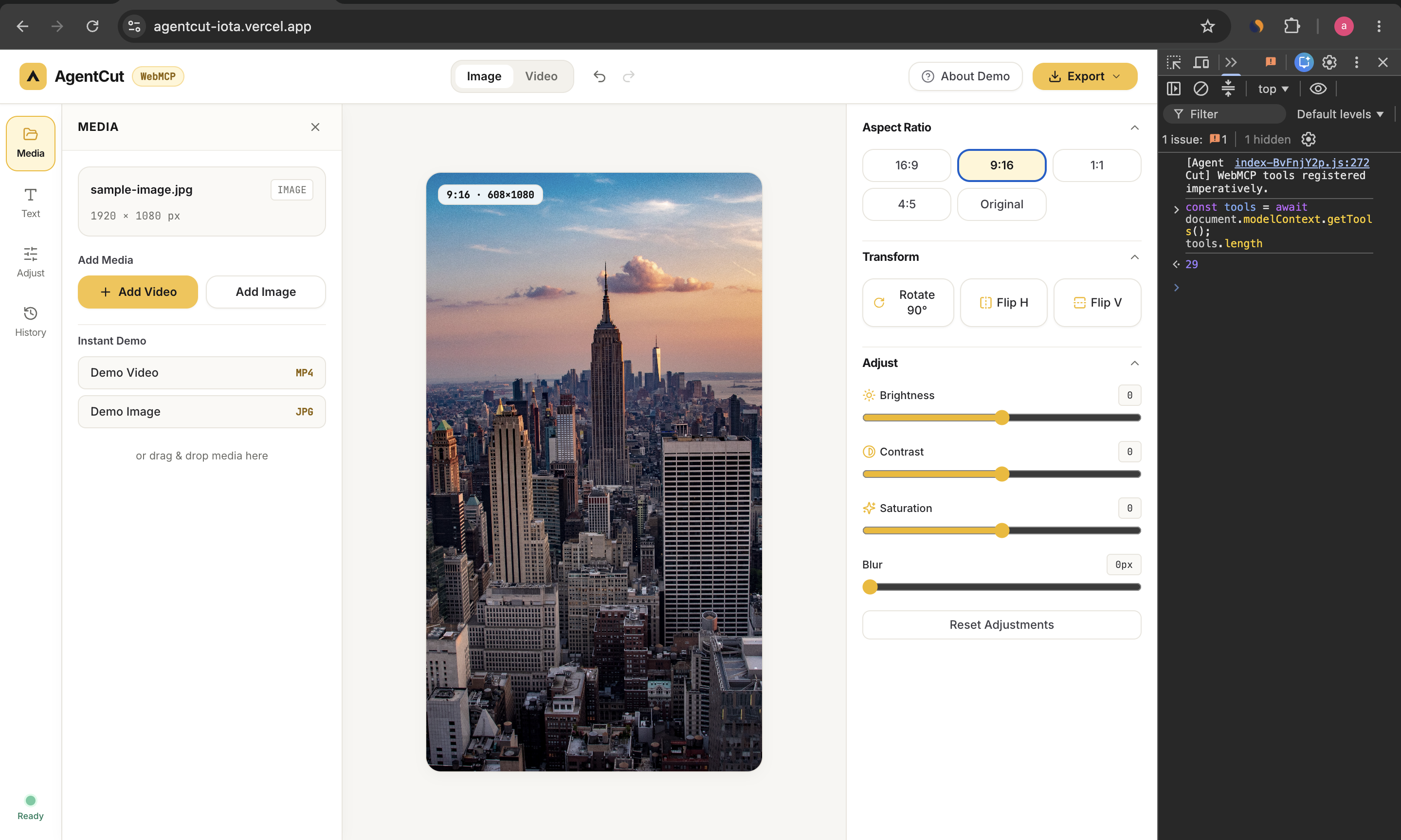
AgentCut is a lightweight image and video editor that can be controlled manually or by an external AI agent through WebMCP.
The editor supports things like:
- image adjustments and aspect ratios
- multiple text layers and curated fonts
- video trimming and reframing
- text timing
- text animation with keyframes
- video pan and zoom keyframes
- undo and redo
- rendered image and video export
The difference is that these editing capabilities are also exposed as structured WebMCP tools, so an agent can inspect the project and perform edits from natural-language instructions.
How we built it
AgentCut is built with React, TypeScript, Vite, Tailwind CSS, HTML Canvas, MediaRecorder, and browser media APIs.
The human interface and WebMCP tools operate on the same project state. This means an edit made by the agent immediately appears in the editor and can still be changed manually.
AgentCut exposes 29 WebMCP tools covering image editing, video editing, text, keyframes, project inspection, undo/redo, and export.
Challenges we ran into
The biggest challenge was making agent edits reliable rather than just automating clicks.
For example, when an agent changes only the font or size of one text layer, every other property needs to remain untouched.
Smooth keyframe playback was another challenge. Early animation felt choppy, so the preview was changed to use frame-synchronized video timing.
Video export was also difficult. AgentCut originally downloaded only the source file, but it now renders the actual edited composition and exports the result as MP4 or WebM depending on browser support.
Accomplishments that we're proud of
I am most proud that AgentCut lets someone like me use editing features that previously felt too advanced.
In my demo, I could simply ask the agent to create a travel title, animate only one text layer, add a cinematic push-in, and change the aspect ratio. The agent translated those requests into structured edits and keyframes.
The project now has:
- 29 WebMCP tools
- independent text layers
- fonts and styling
- text and video keyframes
- smooth animation
- real rendered video export
- 97 automated tests covering the editor and WebMCP workflows
What we learned
The biggest lesson was that giving an AI access to a webpage is not the same as giving it access to the product.
WebMCP lets a website expose meaningful capabilities directly to an agent. Instead of trying to visually find and click controls, the agent can work with structured project state and editing actions.
I also learned that this can make advanced software much more approachable. The user can focus on describing the result instead of learning every control first.
What's next for AgentCut
Next I would expand AgentCut with more advanced creative capabilities while keeping the same agent-first approach.
Possible additions include:
- easing and richer animation controls
- transitions
- audio editing
- more typography controls
- reusable styles and presets
- multi-clip compositions
The goal is to keep the editor simple for humans while exposing increasingly powerful creative tools to AI agents through WebMCP.
Built With
- google-fonts
- html
- html5-video
- mediarecorder
- react
- tailwind-css
- typescript
- vercel
- vite
- vitest
- web-audio-api
- webmcp

Log in or sign up for Devpost to join the conversation.