-
-

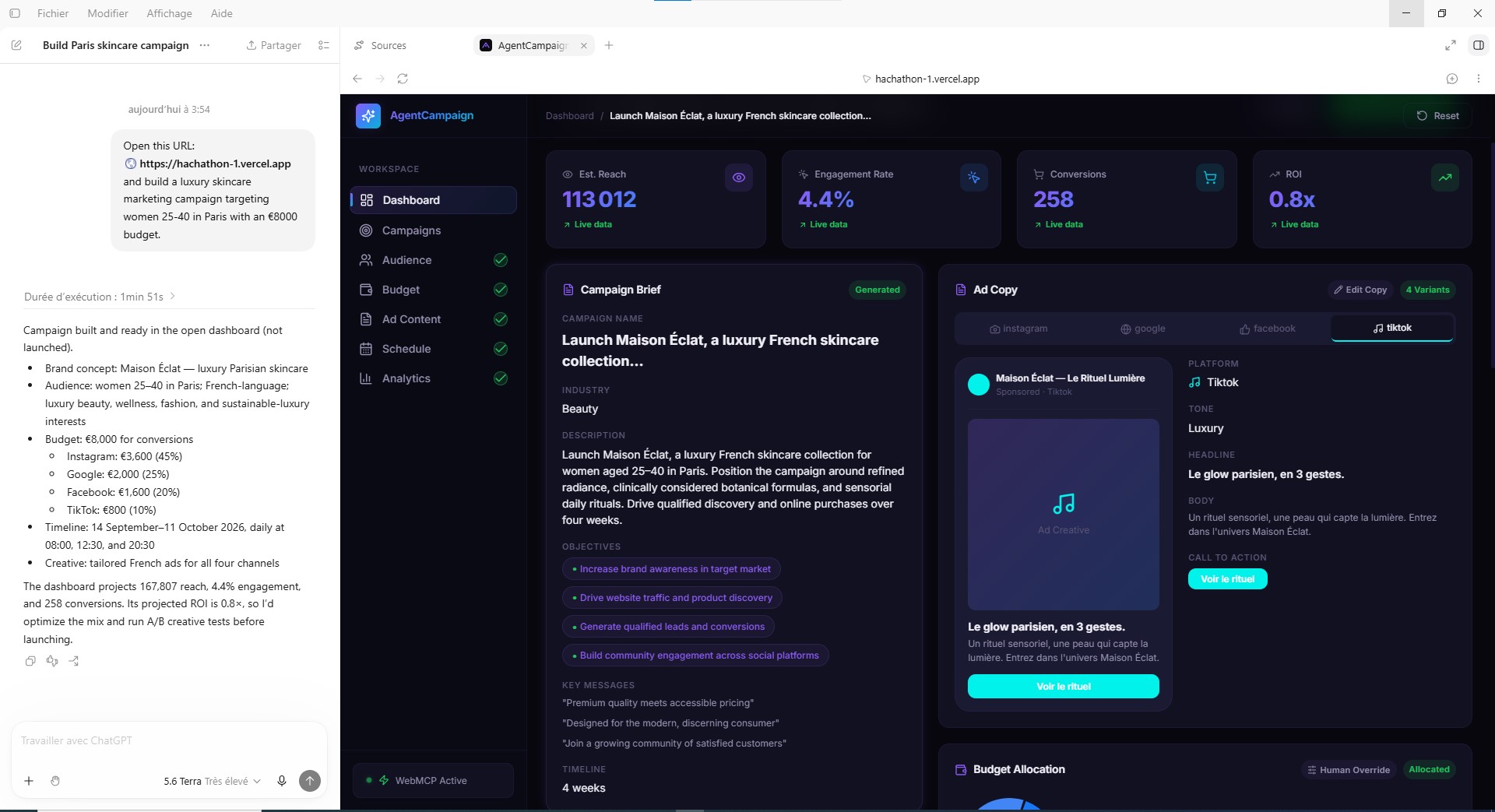
Image 1 (ChatGPT Prompt): Prompting the AI agent in ChatGPT to build a campaign.
-
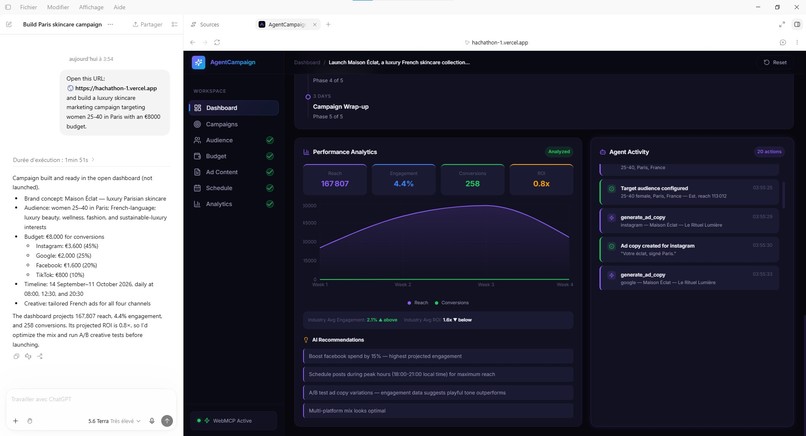
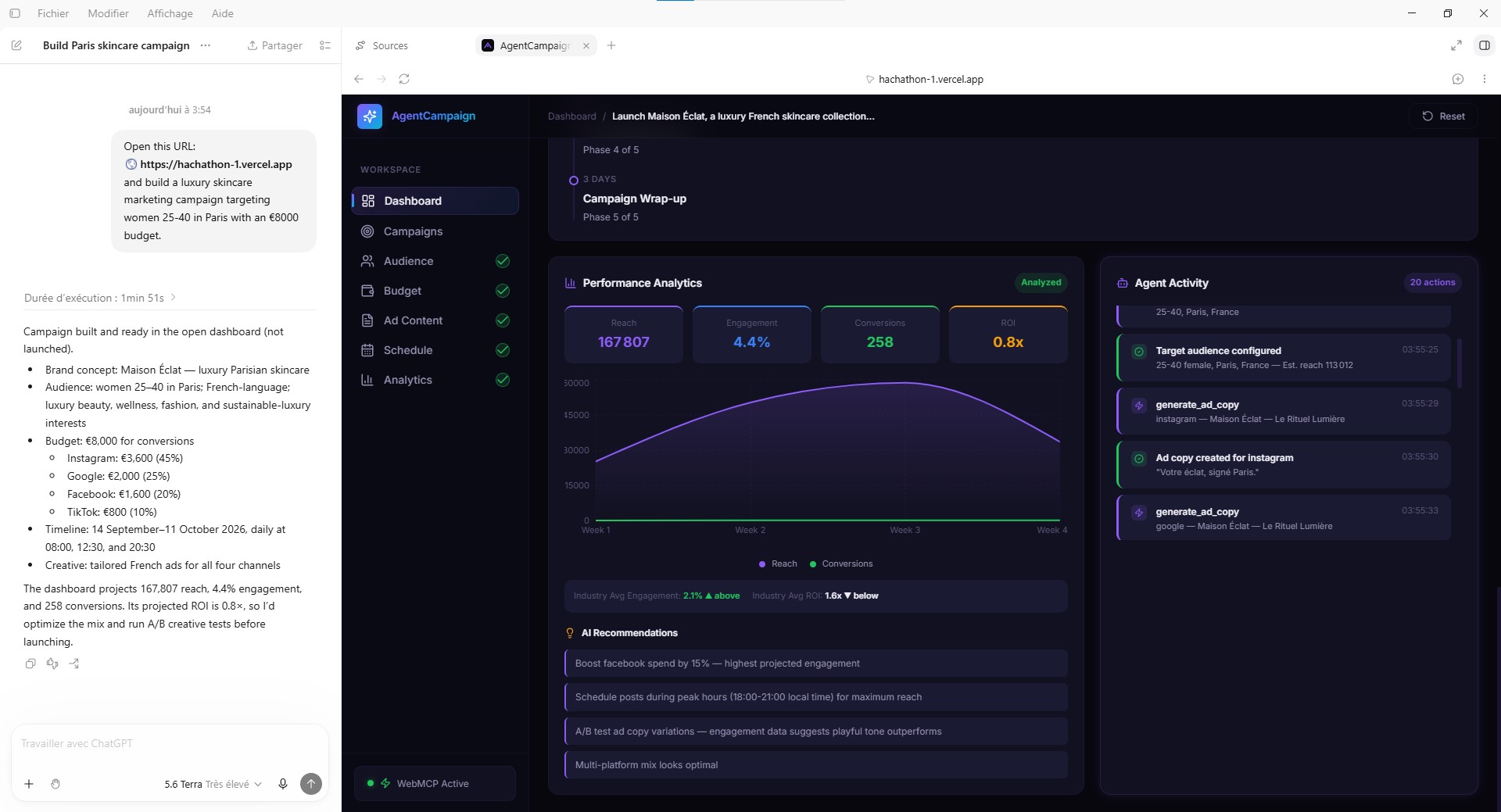
Image 3 (Dashboard Analytics): Tracking AI execution via transparent Agent Activity logs.
-
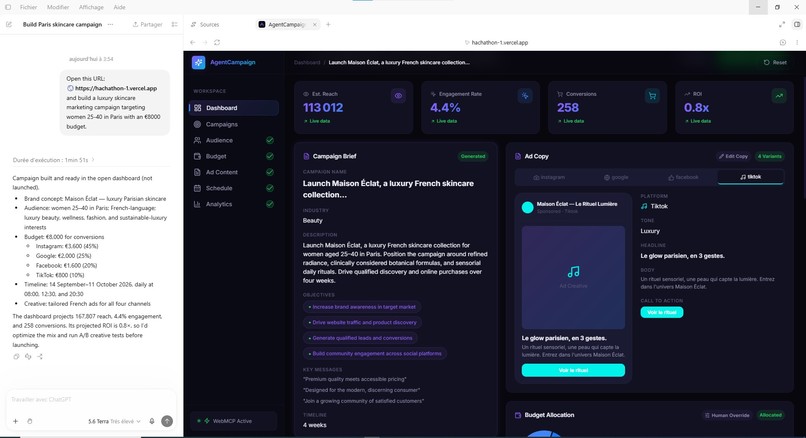
Image 4 (Dashboard Brief & Ad Copy): Reviewing the AI-generated campaign brief and ad copy.
-
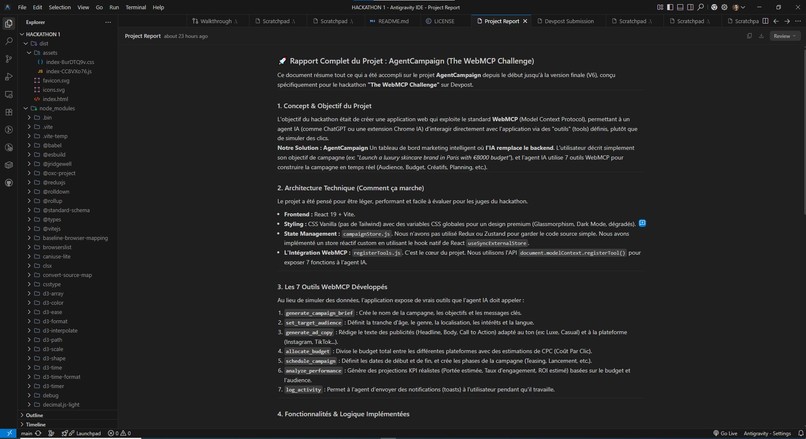
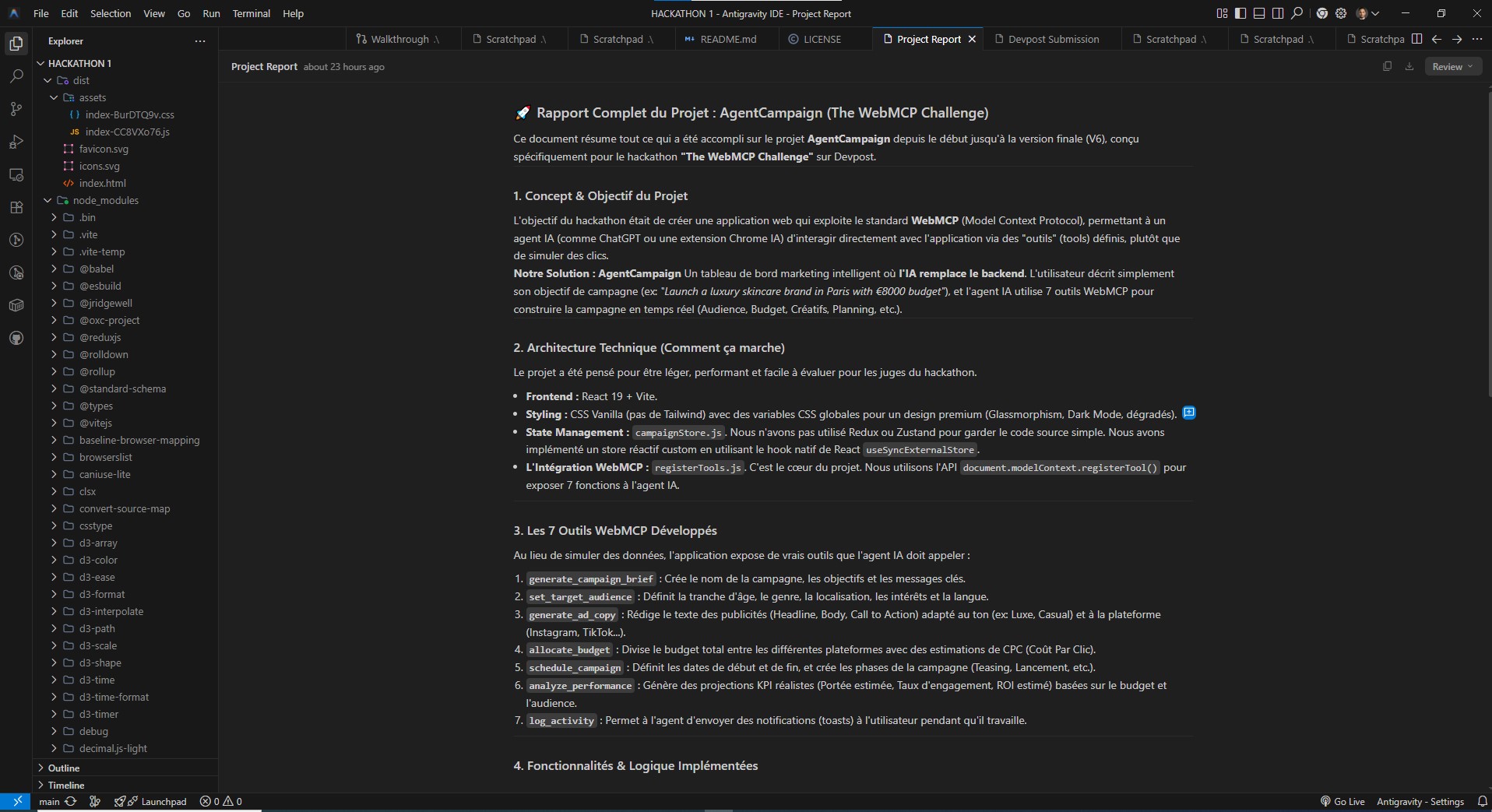
Image 2 (VS Code): Exposing 7 custom WebMCP tools to control the dashboard.

Inspiration
Digital marketing workflows are traditionally bogged down by complex UIs, endless forms, and fragmented platforms. As a marketer and full-stack developer, I saw an opportunity to bridge the gap between human strategy and AI execution. AgentCampaign is inspired by the need to transform passive dashboards into active API landscapes using the new WebMCP standard.
Why your use case is a strong fit for WebMCP
AgentCampaign perfectly aligns with WebMCP because it moves AI from being a passive advisor (generating text) to an active software operator. By exposing core marketing functions (like audience analysis, budget allocation, and ad copywriting) as WebMCP tools, we allow AI agents to directly orchestrate backend logic and manipulate application state.
How it creates a better user experience
Instead of manually clicking through tabs to set up a campaign, marketers can now use natural language in ChatGPT. The UX shifts from "navigating software" to "collaborating with a co-pilot." The marketer simply prompts the agent, and the dashboard instantly populates with a fully configured campaign, saving hours of manual data entry while maintaining a clean, visual interface for final human review.
What people and agents can do together that was difficult or impossible before
Before, an AI could draft ad copy, but a human still had to manually copy-paste it, format it, set the budget, and configure the targeting in a complex dashboard. With AgentCampaign, humans and agents collaborate concurrently. The agent handles the heavy lifting—processing demographic data and distributing funds across platforms based on expected ROI—while the human acts as the strategic director, reviewing the AI's transparent actions (visible in our Activity log) and adjusting sliders or copy before final launch.
How we implemented WebMCP
We built a React frontend and a Node.js backend. We implemented the WebMCP standard by exposing a secure context model. We registered 7 custom tools using document.modelContext.registerTool({...}). These tools include:
-
generate_campaign_brief -
set_target_audience -
allocate_budget -
generate_ad_copy
The ChatGPT in-app browser reads these tools, allowing the agent to parse the input schema, execute the functions asynchronously, and update our database, which instantly reflects on the React dashboard.
Built With
- css3
- framer-motion
- javascript
- react
- recharts
- vercel
- vite
- webmcp


Log in or sign up for Devpost to join the conversation.