-
-

AgentBridge hero/logo — use the logo we just generated as the main image.
-
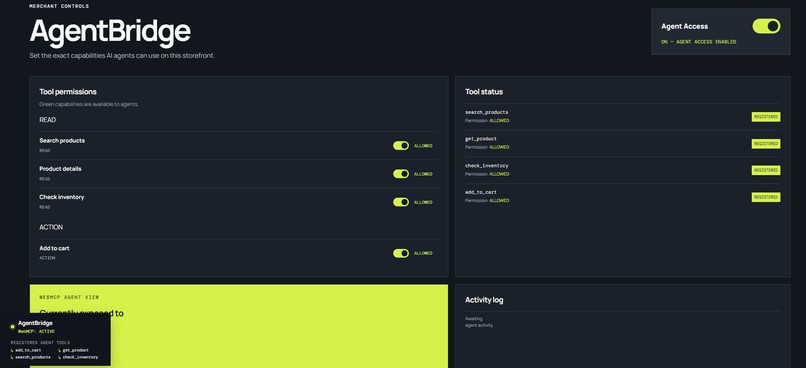
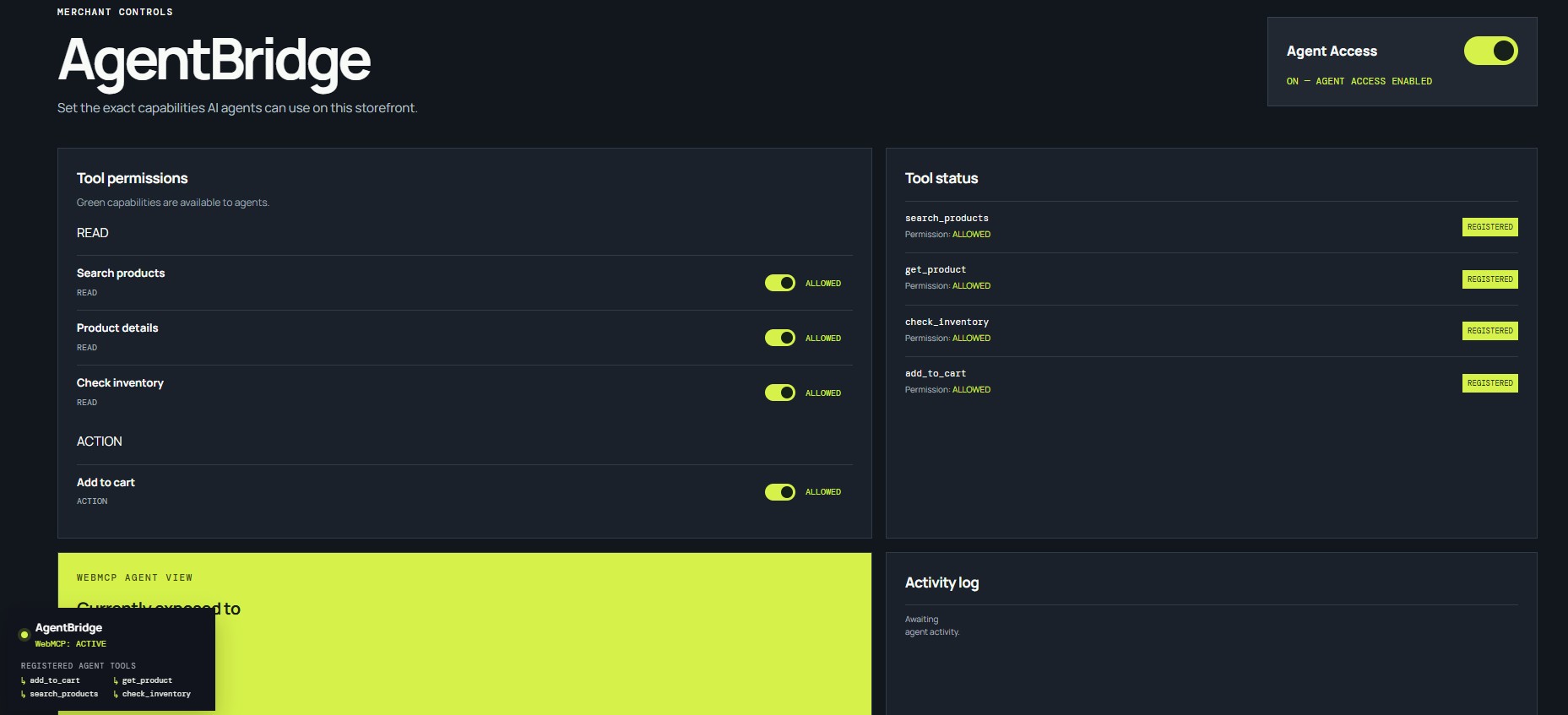
AgentBridge Merchant Control — tools (search_products, get_product, check_inventory, add_to_cart) plus permission controls/Agent Access.
-
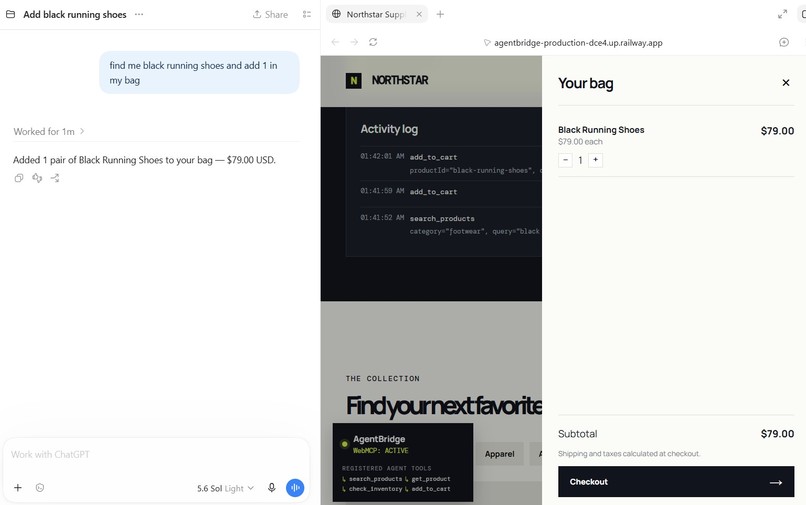
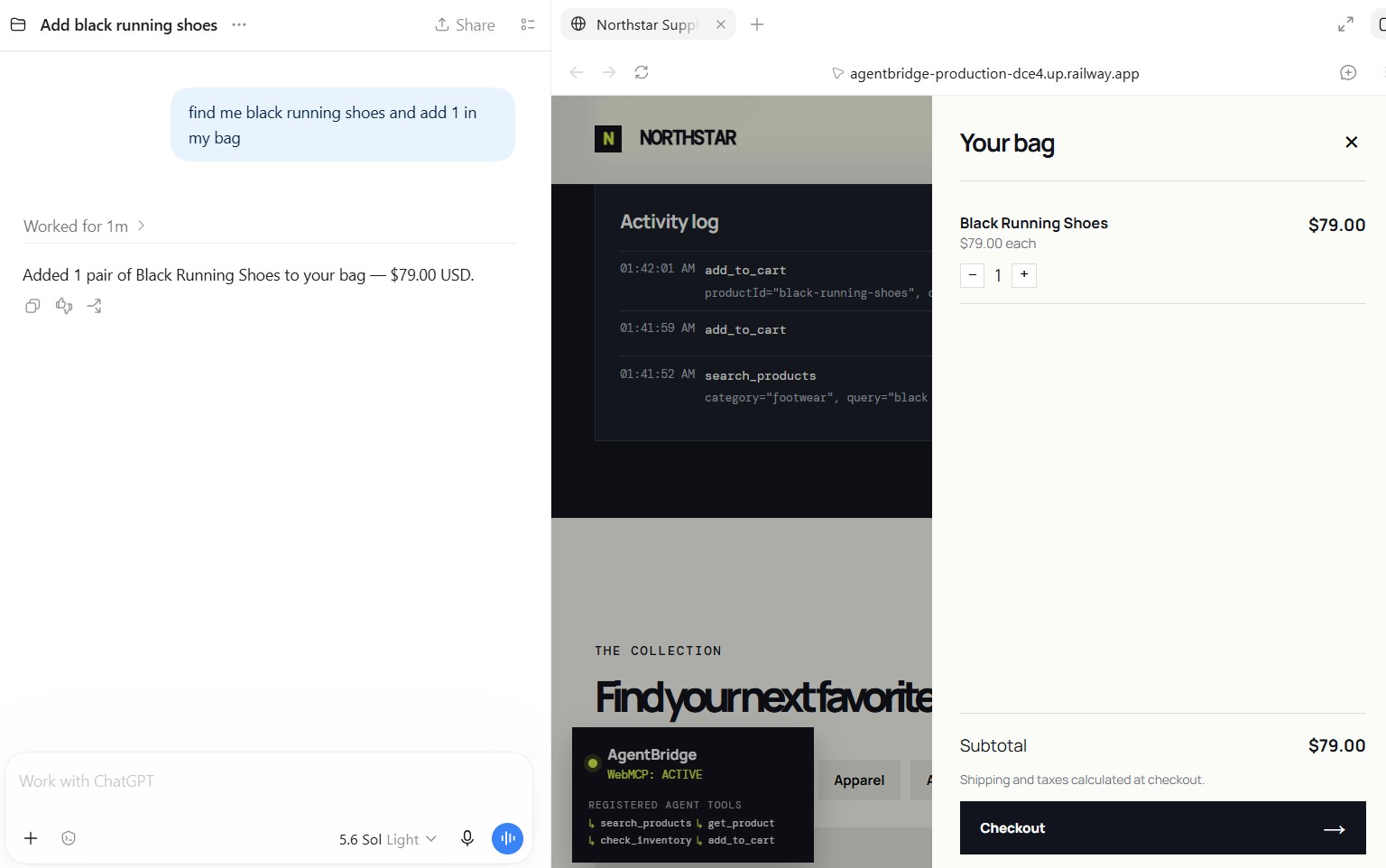
ChatGPT → Northstar action — ChatGPT is actually invoking the WebMCP tools, ideally around the human-confirmation step.
-
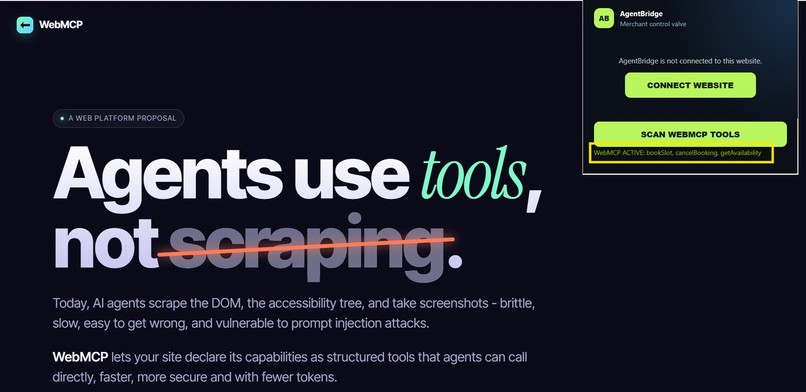
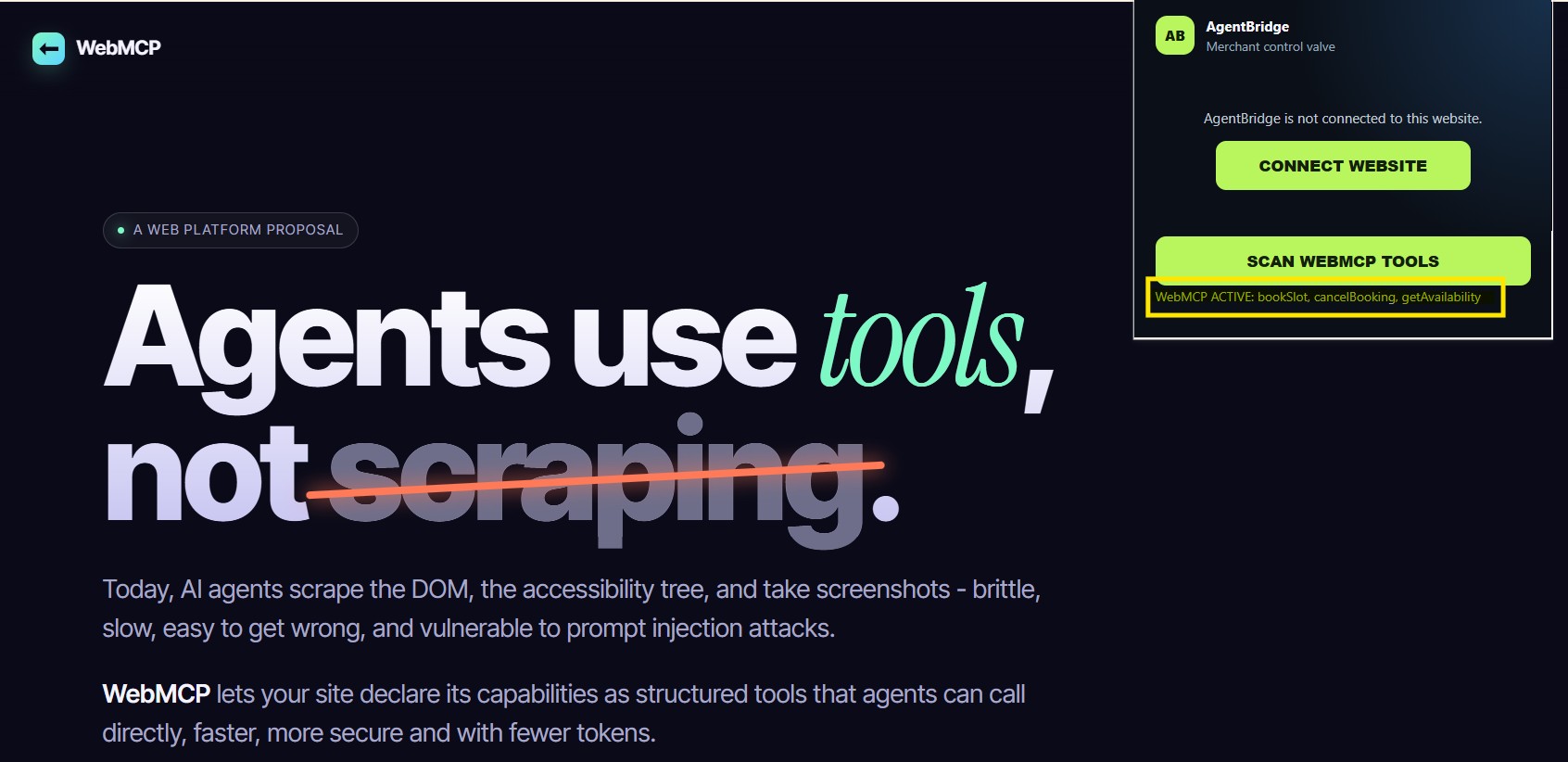
WebMCP Inspector — screenshot showing AgentBridge discovering tools from the independent Google Chrome Labs WebMCP demo.

Inspiration
The web is rapidly moving from websites designed only for humans toward a web where humans and AI agents can work together.
WebMCP makes this possible by allowing websites to expose structured tools directly to AI agents. But while experimenting with WebMCP, I saw another important problem: how does a website owner stay in control of what an AI agent can actually do?
A merchant may be comfortable allowing an agent to search products or check inventory, but actions such as adding items to a cart, submitting a request, or changing data may require more control.
That inspired AgentBridge — the control layer for the agent-ready web.
What it does
AgentBridge helps website owners make their websites agent-ready while maintaining control over agent access.
A website can expose capabilities such as:
search_productsget_productcheck_inventoryadd_to_cart
as structured WebMCP tools that compatible AI agents can discover and invoke.
AgentBridge then adds a merchant-controlled layer around those capabilities. Website owners can:
- Discover capabilities that could become agent tools
- Control individual tool permissions
- Enable or revoke Agent Access
- Require human confirmation for sensitive actions
- Inspect WebMCP tools exposed by websites
For example, an AI agent can search a merchant's products and check inventory automatically, while an add_to_cart action can require explicit human confirmation before it is completed.
How I built it
I built AgentBridge as an end-to-end WebMCP prototype consisting of a merchant portal, a WebMCP-enabled demonstration storefront, a backend policy layer, and a Chrome extension that acts as a WebMCP Inspector.
The Northstar demo storefront exposes commerce capabilities as structured tools. AgentBridge manages which of those capabilities are available to agents and applies policies for actions requiring confirmation.
I also built the Inspector to discover WebMCP tools registered by websites. I tested it not only against my own storefront but also against an independent Google Chrome Labs WebMCP implementation, which helped demonstrate interoperability beyond the AgentBridge demo environment.
The project uses JavaScript, Node.js, Express, Chrome Extension APIs, WebMCP, HTML/CSS, and Railway for deployment.
Challenges I faced
One of the biggest challenges was moving beyond simply exposing tools and designing a practical permission model around them.
I had to think about questions such as:
Who controls agent access? Which capabilities should be available? What happens when an action changes something? How can access be revoked immediately?
This led to per-tool permissions, a global Agent Access switch, and human confirmation for higher-impact actions.
Another challenge was making the system work across different websites rather than designing everything specifically for one storefront. Building and testing the WebMCP Inspector against an independent implementation helped validate the broader approach.
Website ownership verification, runtime policy synchronization, extension-to-website communication, deployment, and keeping tool state consistent also presented interesting engineering challenges during development.
What I learned
The biggest thing I learned is that making the web agent-ready is not only about giving AI agents more capabilities.
It is also about giving humans control over those capabilities.
WebMCP provides a powerful foundation for structured agent-to-website interaction. Building AgentBridge showed me how permission management, confirmation, discovery, and access control could complement that foundation.
What's next
I see AgentBridge evolving into infrastructure that helps businesses adopt the agentic web without giving up control.
Future versions could support more website platforms and capability types, richer policies, production-grade ownership verification, activity analytics, and developer tooling for testing WebMCP implementations.
As more websites become accessible to AI agents, I believe there will be a growing need for a layer that sits between websites and agents and answers a simple question:
What is this agent allowed to do?
That's the role AgentBridge is designed to play.
AgentBridge — The control layer for the agent-ready web.
Built With
- chrome
- express.js
- javascript
- node.js
- railway
- webmcp

Log in or sign up for Devpost to join the conversation.