-
-
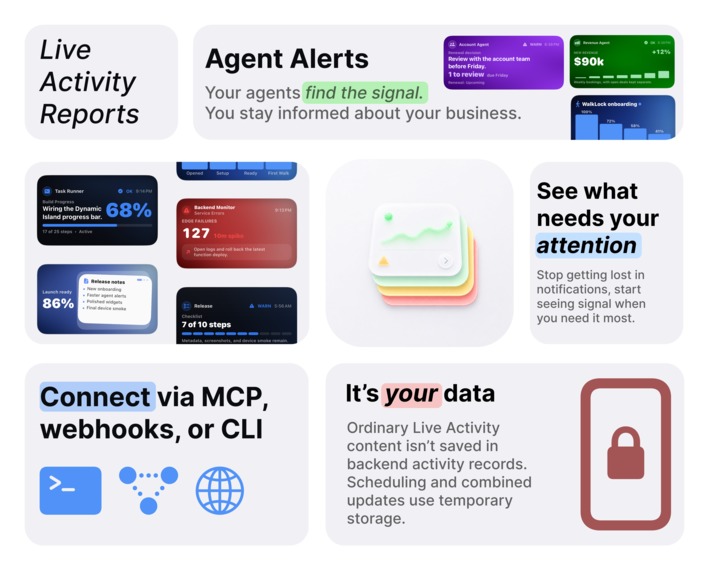
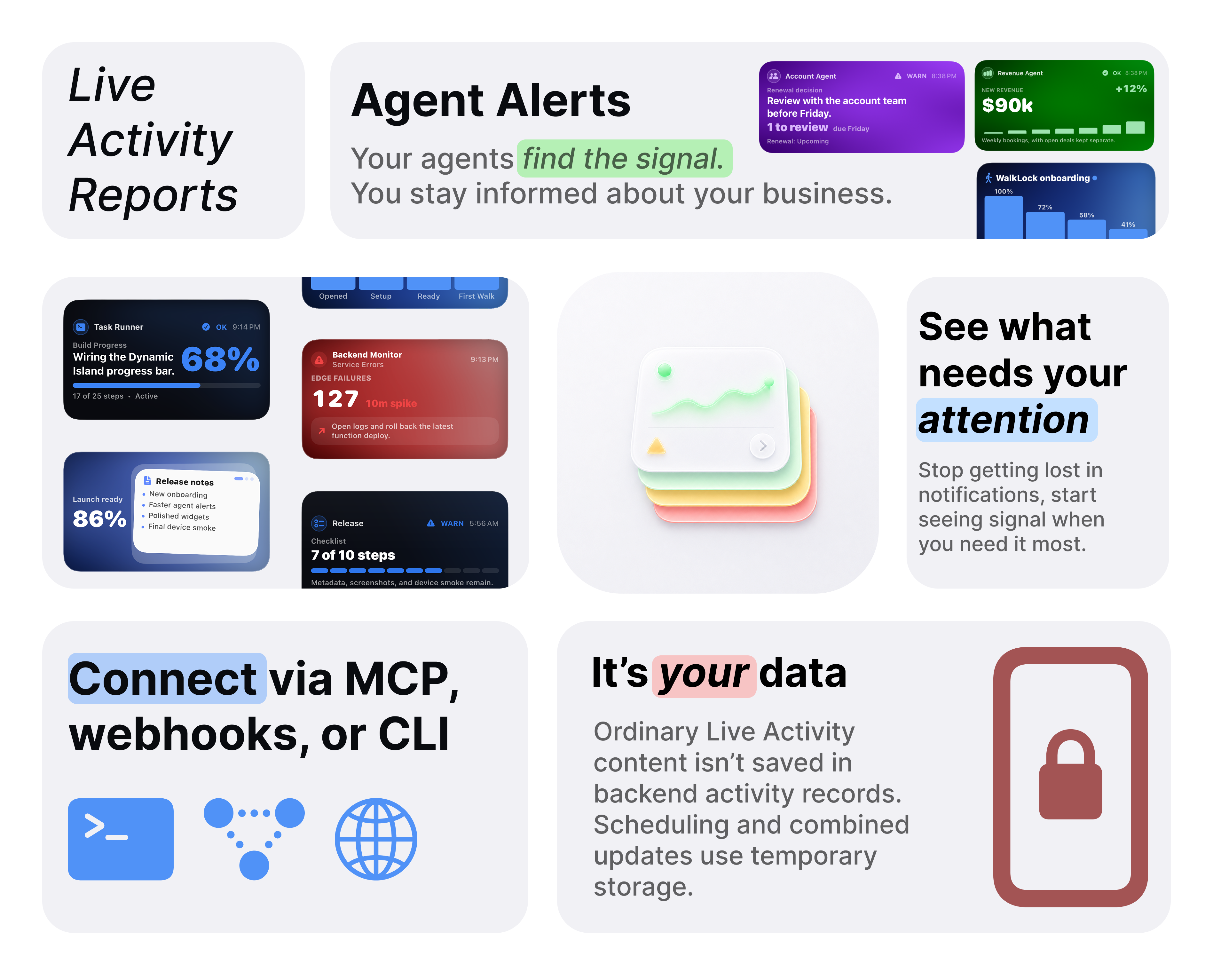
Your agents find the signal. You stay informed about your business.
-
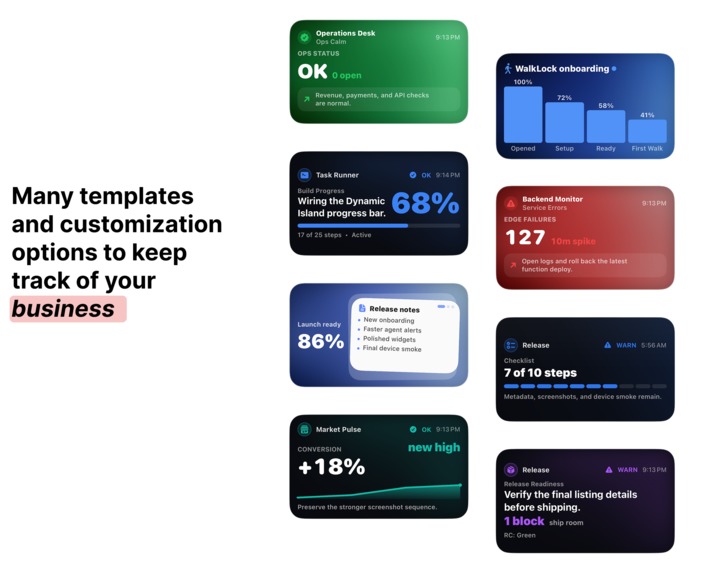
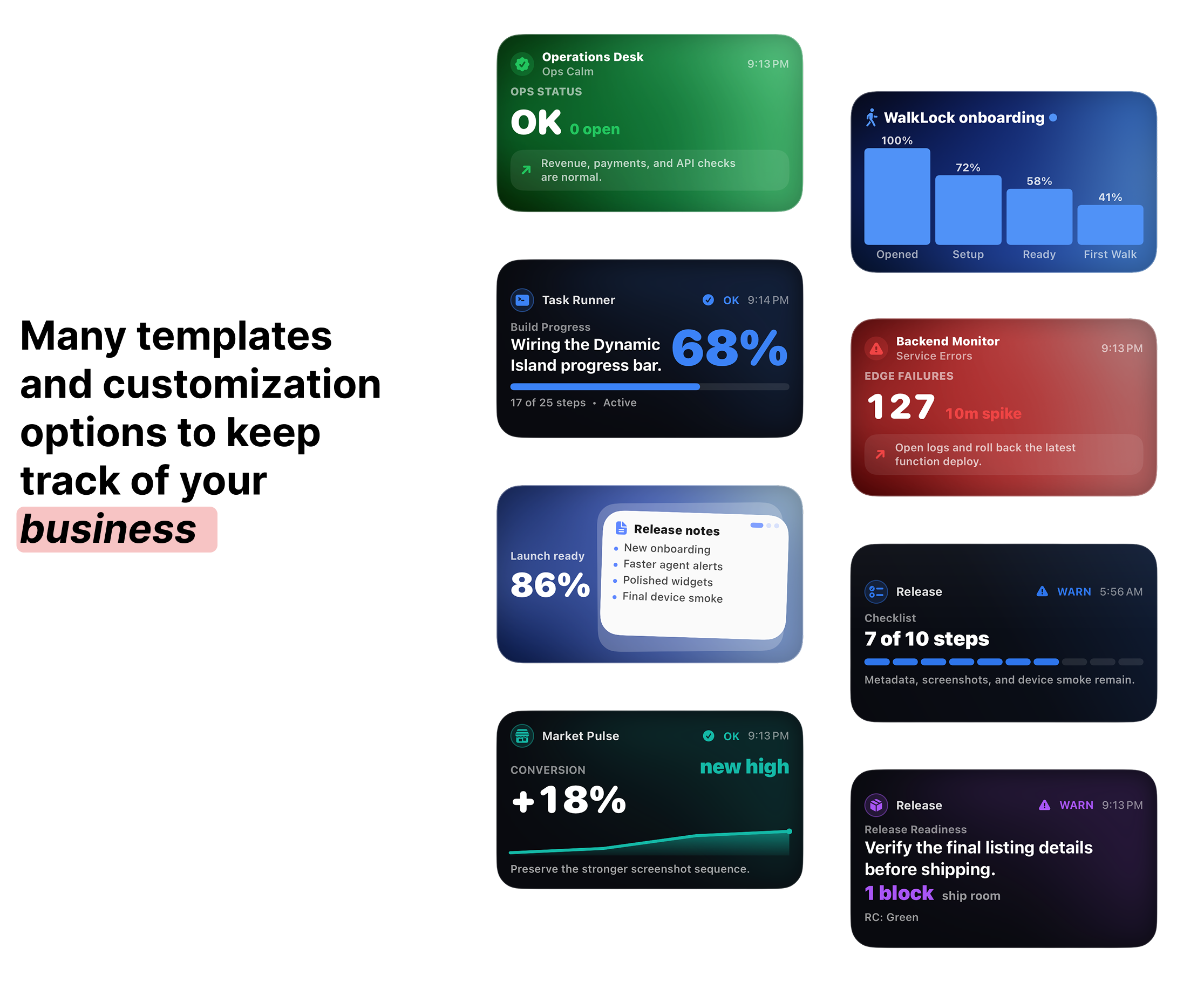
Templates & customizations
-
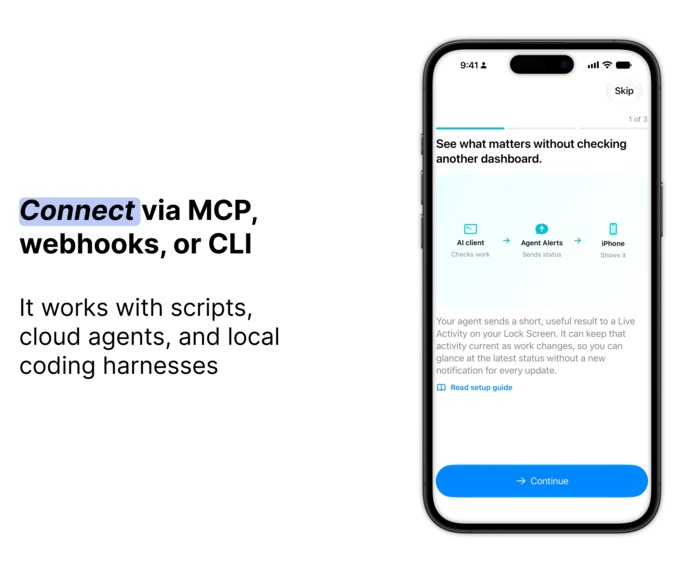
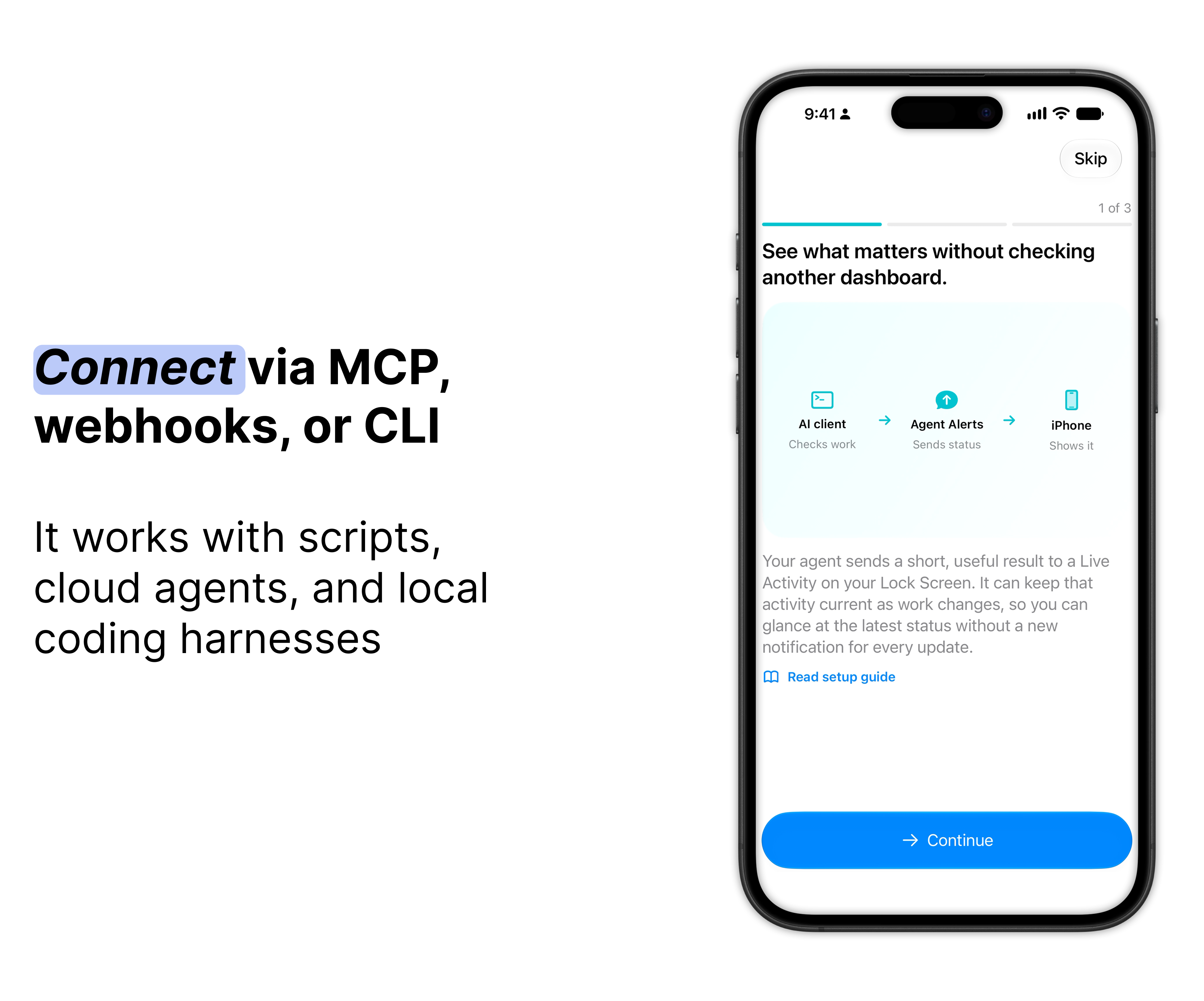
Connect via MCP, webhooks, or CLI
-
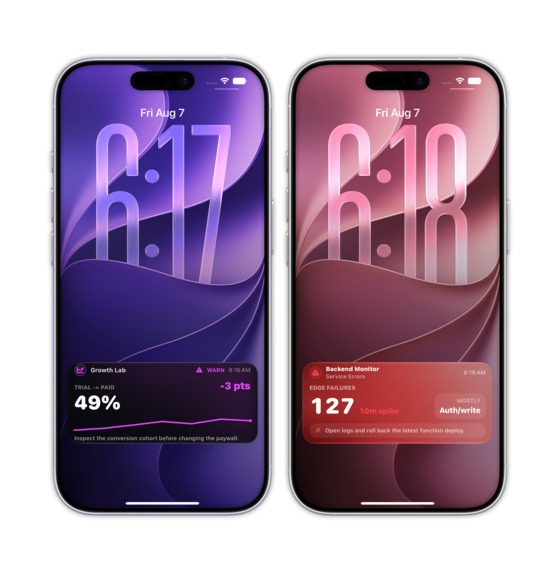
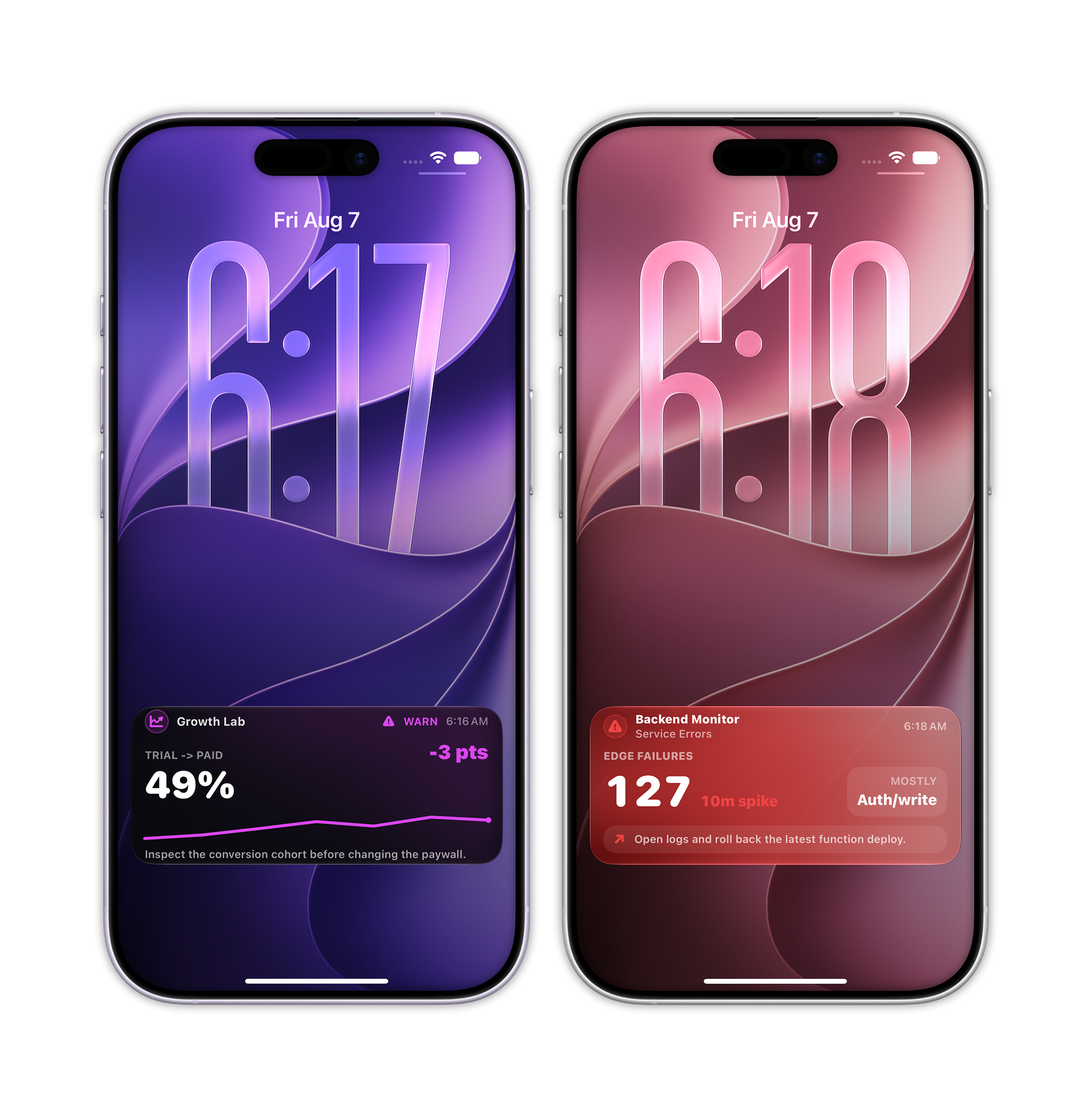
See business insights on your lock screen
-
Agent Alerts - App Icon
-
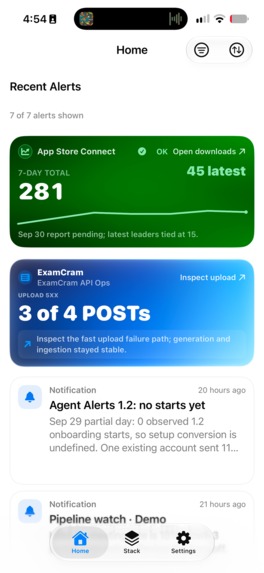
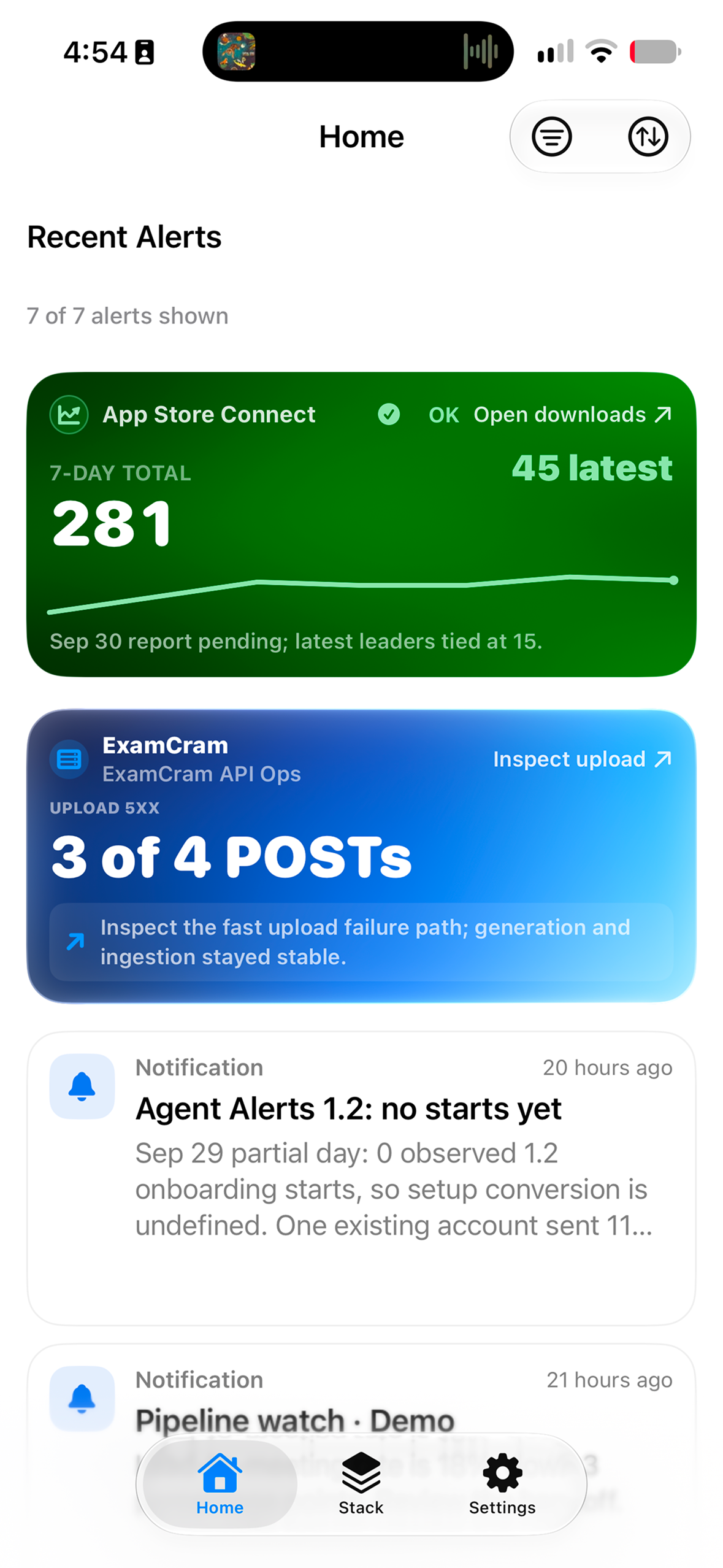
Agent Alerts - No device frame app screenshot
Problem
- Important business insights are spread across dashboards I have to remember to check.
- With so many notifications, it's easy to miss what actually matters for my business.
Solution
- Agent Alerts brings key business updates from AI agents to Live Activities on my Lock Screen.
- I can glance at the status and tap in for the full report, more context, or the next step.

Inspiration
My phone gets ~190 notifications a day and somehow, the things I actually care about still live across dashboards I have to remember to check.
I don't want another dashboard and I definitely don't want more notifications. I still want visibility and options to operate my business better: so I built Agent Alerts.
What it does
Agent Alerts shows digestible yet actionable live activities from agents to stay on top of business operations. For example, in Codex I have an automation to analyze my recent TikTok posts, show my progress with a bar chart, and give a sample script when I tap on the live activity.

Paired with automations in Codex, Claude Code, Grok Bot, ChatGPT Dots, and others... Agent Alerts surfaces relevant business insights from your agent without an infinite stream of notifications or remembering to check a dashboard or email, rather the app provides one surface to glance and act on.
Why this is different from Slack/email alerts/dashboards
Slack/email are streams. Mixpanel, App Store Connect, etc are dashboards. Agent Alerts is a surface.
Streams: interruption + scroll tax + buried context
Dashboards: buried context, increases information overload
Surface: persistent state + low-noise escalation + action path
Common Examples
App Store Connect Summary
Instead of opening App Store Connect throughout the day, an agent can pull downloads, revenue, conversion, and anything that actually changed into one Live Activity. If something looks interesting, I can tap in and get the fuller analysis or next step.
Product Correlation Analysis
My favorite use case. An agent can compare data across tools and look for useful relationships: did a TikTok post line up with a download spike, did an onboarding update improve conversion, did a release change retention, etc. The Live Activity shows the takeaway first instead of making me bounce between dashboards.
Infrastructure/Service Health
An agent can keep checking Cloud Run, Supabase, Vercel, APIs, or whatever matters and keep a persistent status visible.
Agent Status and Interaction
For longer running work. Agent Alerts gives me a place to see what an agent is doing without keeping the client open.
Alarms for Urgent Alerts
Some things really are urgent. For a production outage, failed critical workflow, or another issue I genuinely need to know about immediately, an agent can escalate.

More B2B Examples
Sales Pipeline Watch
An agent can watch CRM activity and keep the important changes visible. Instead of checking HubSpot or Salesforce all day, I can see what actually needs attention.
Customer Health / Churn Risk
An agent can combine product usage and other signals to show a Live Activity can show insights into who may churn.
Support Escalation
An agent can summarize incoming support volume and only escalate when something crosses a real threshold.
What I learned
- Feedback on onboarding and setup often pulled in different directions. I had to work out which suggestions addressed the same underlying confusion.
- I learned that explaining Agent Alerts meant showing a concrete example: an insight on the Lock Screen, then a tap into the report. Describing the concept alone wasn’t enough.
- Polish starts with a clear story. I spent time on visual effects before stepping back and deciding what the demo actually needed to explain.
- Showing rough previews early helped me get specific feedback before investing more time in the wrong direction.
Built With
- codex
- figma
- remotion
- revenuecat
- swift
- swiftui

Log in or sign up for Devpost to join the conversation.