Inspiration
Your AI agent can plan your week. But when your calendar changes, should it be allowed to change a commitment you already approved? On a screen a changed plan is one more notification. I wanted to see it: the time I approved, what took it, and what I could do instead, all at once. A wall is big enough to show a week as evidence. A desk is where you sign things.
What it does
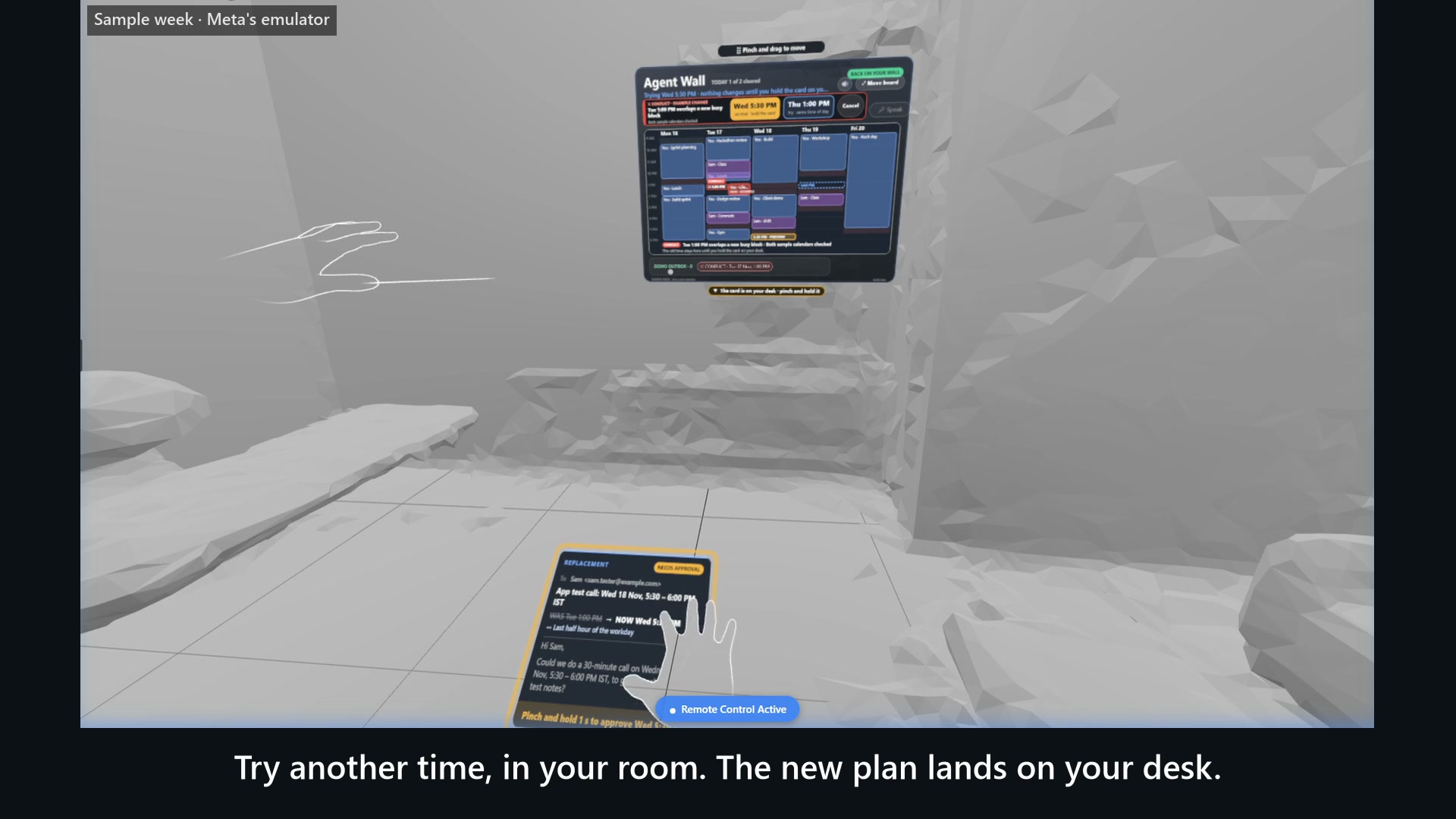
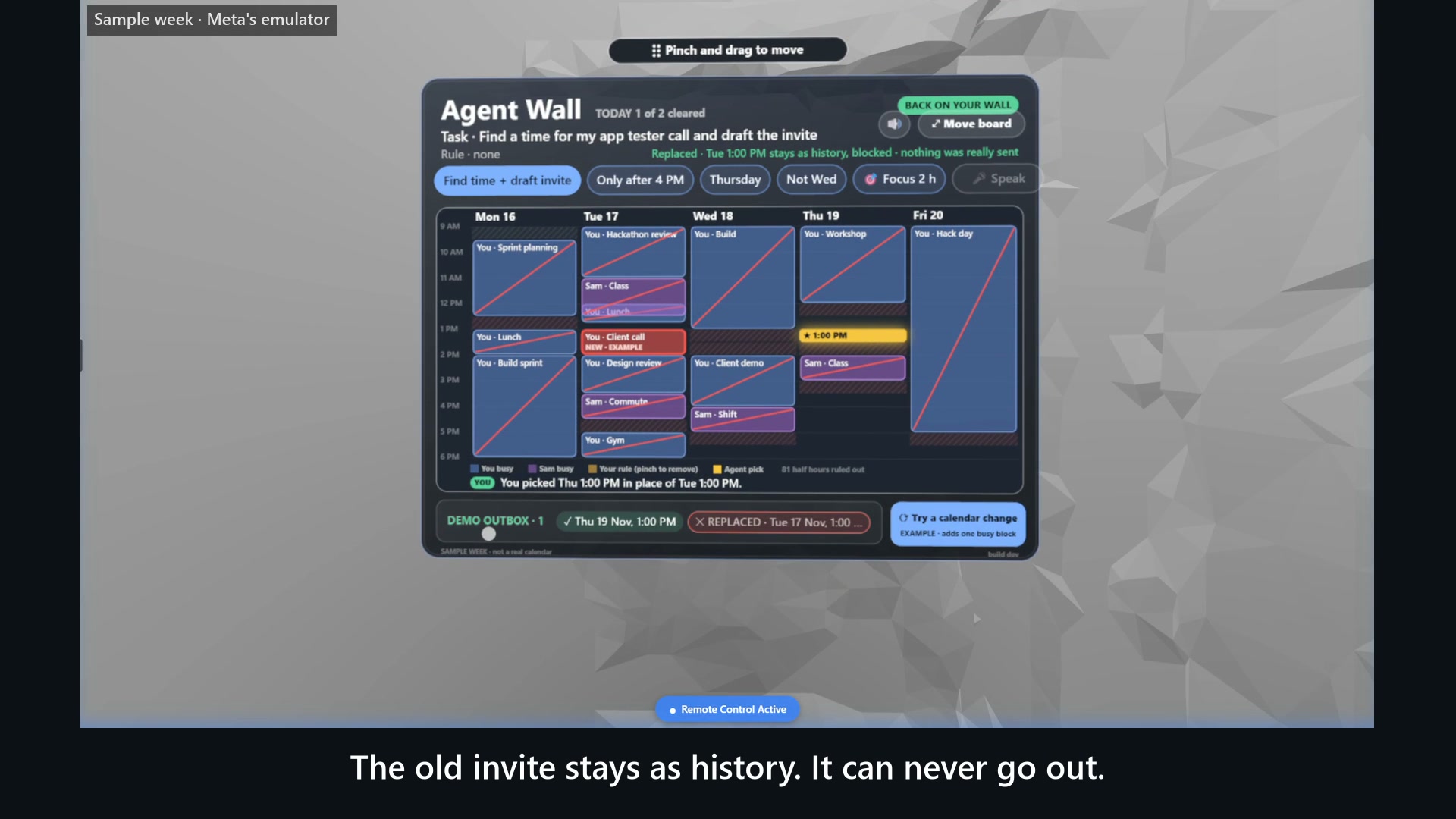
Agent Wall is a hands-only mixed reality app for Meta Quest. The agent plans on your real wall; the one card that needs you lands on your real desk. When a time you approved stops fitting:
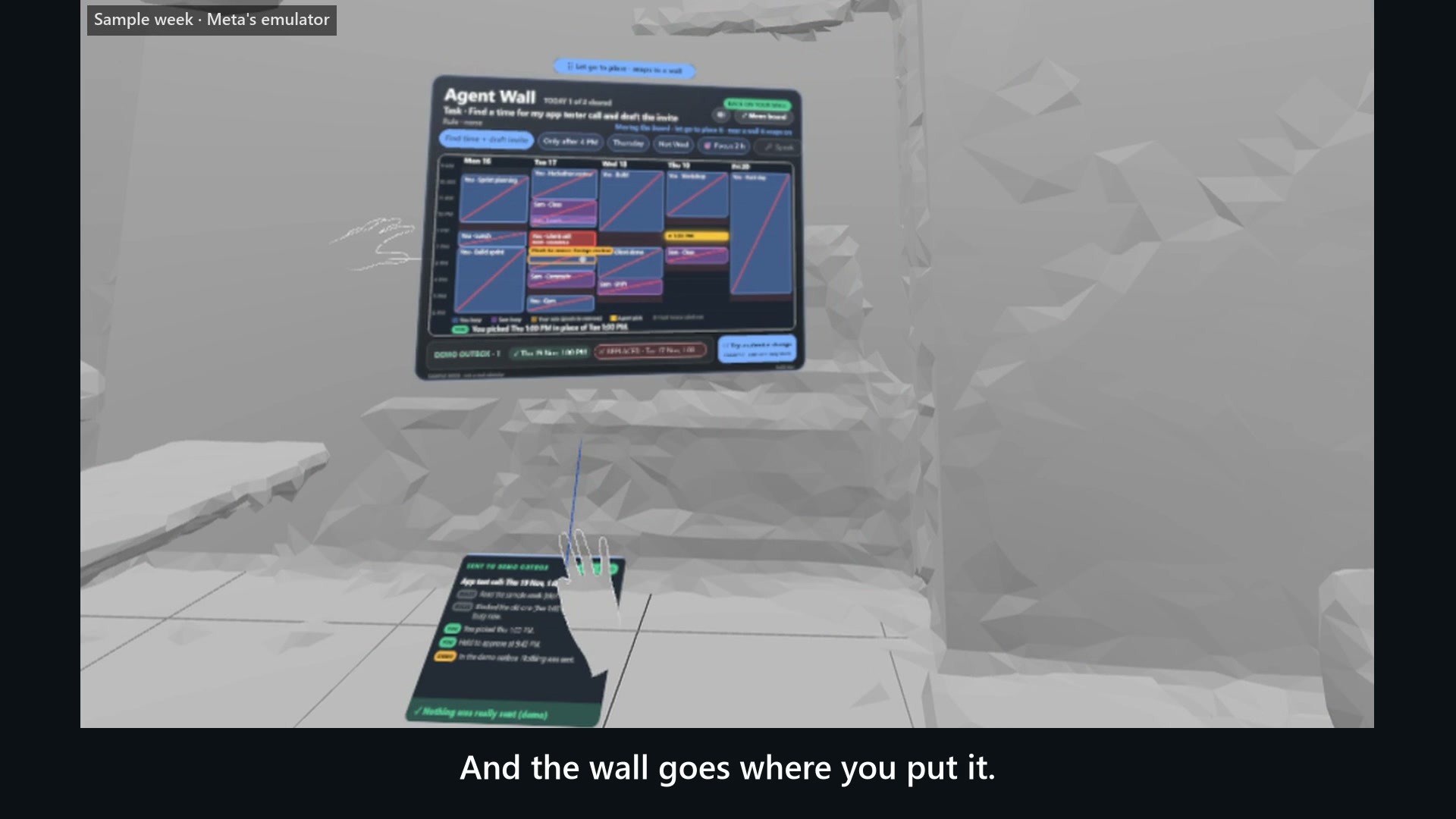
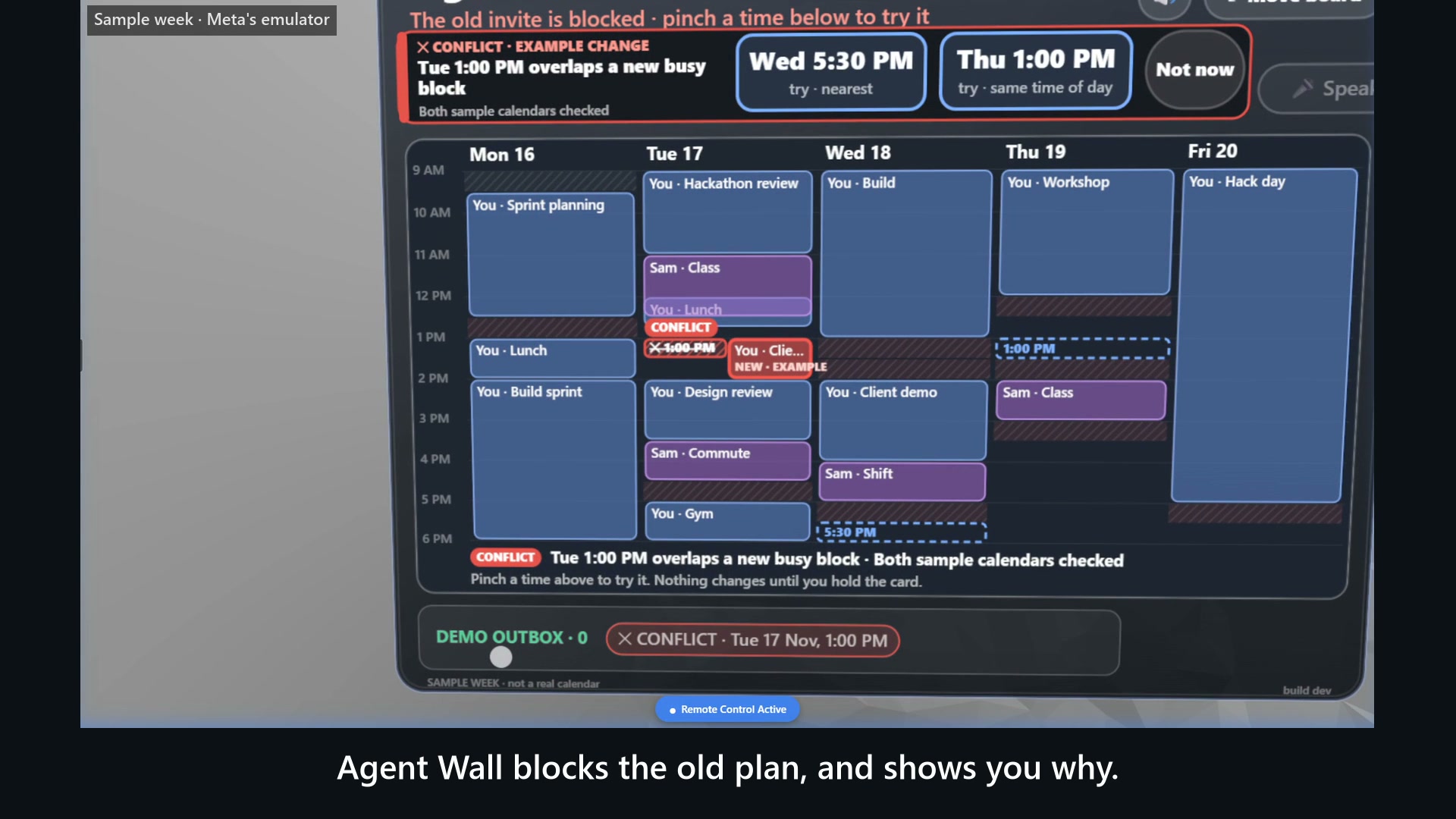
- The wall blocks it and shows why. The old time stays where it was, crossed out and labelled CONFLICT, beside the block that took it. Its email draft and calendar file are withdrawn at that moment.
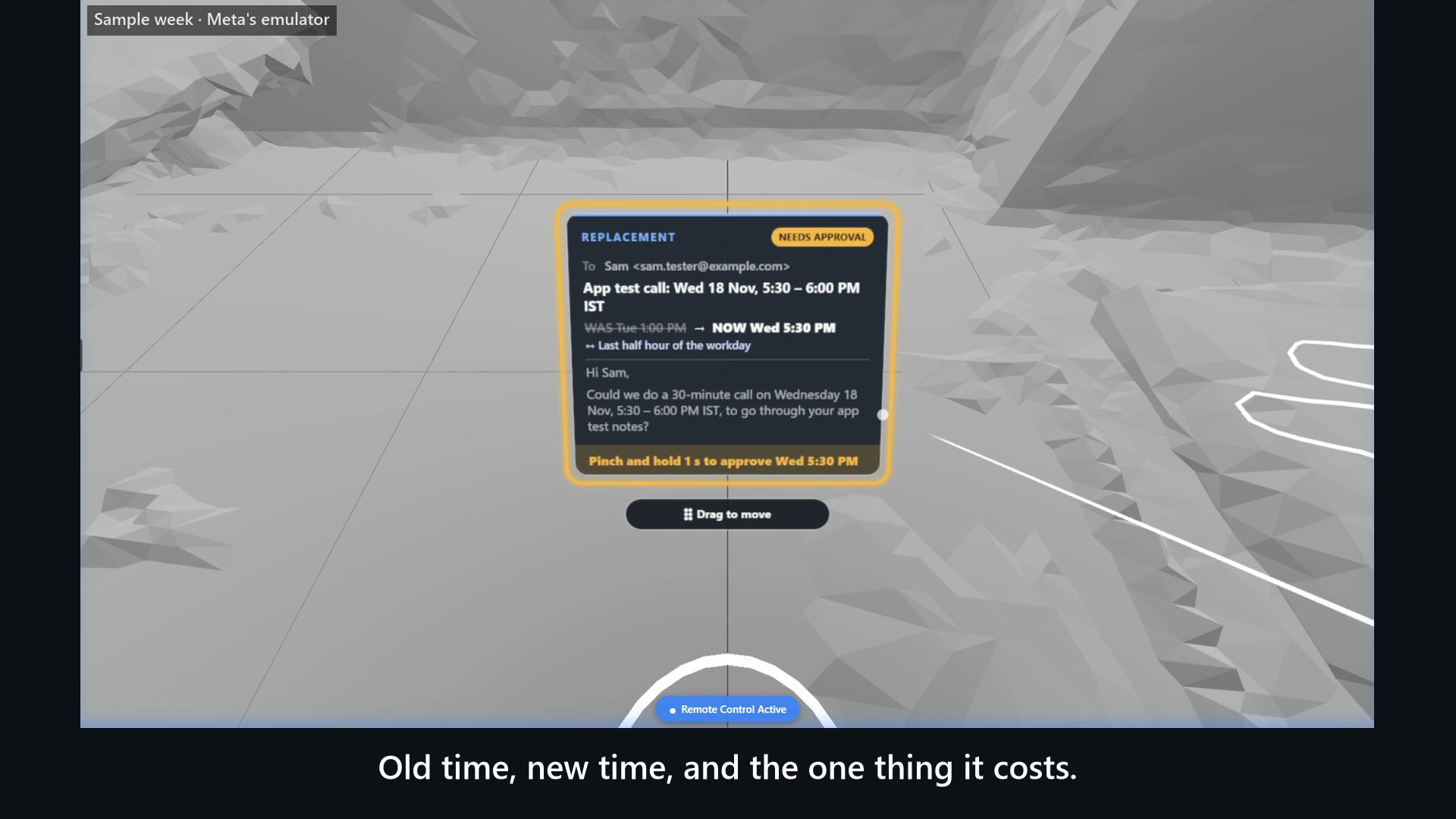
- You try a replacement in the room. Pinch one of two large times: a preview appears on the week, and a card flies to your desk with the old time, the new time and one computed trade-off. Switching or cancelling changes nothing you approved.
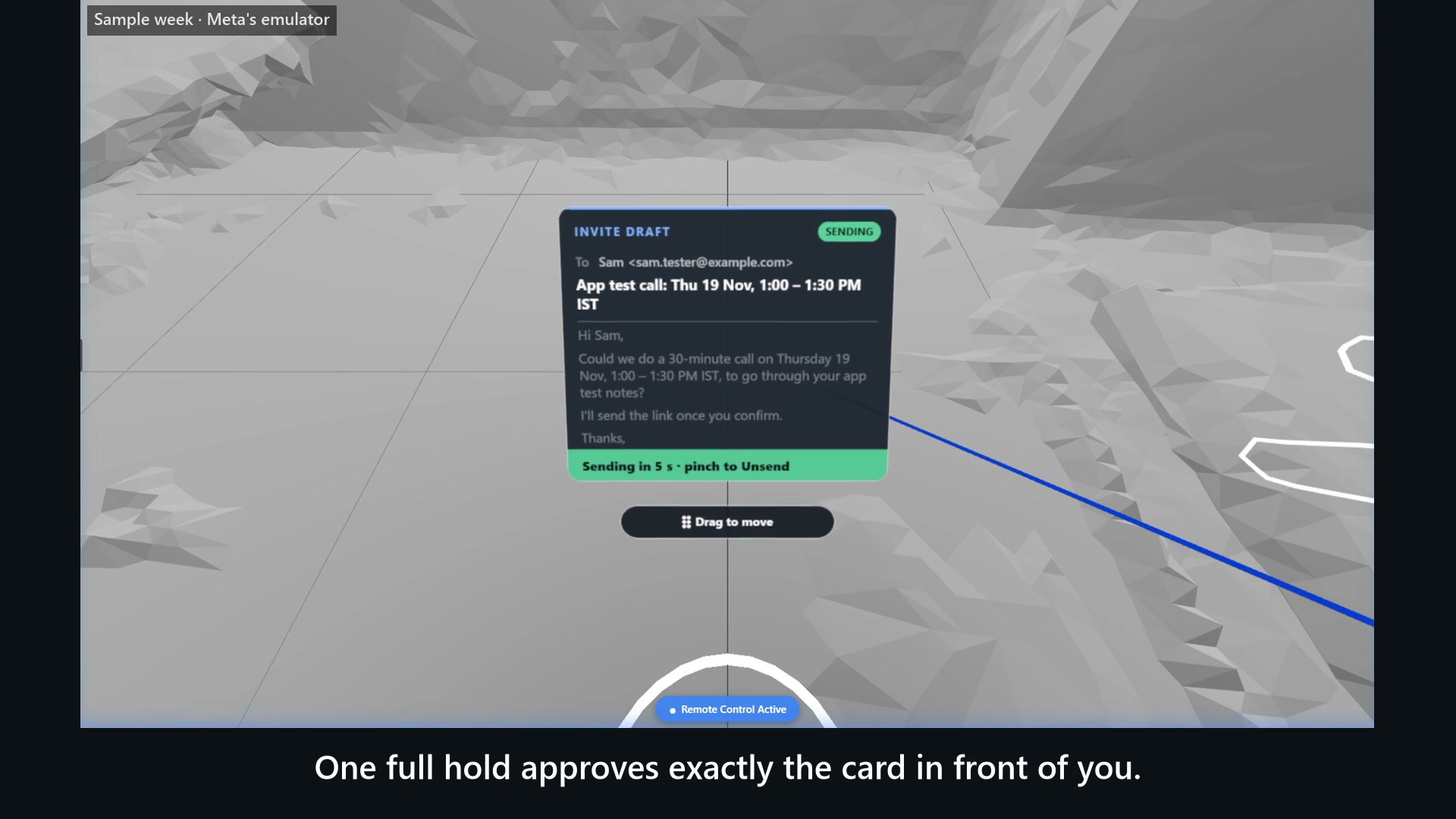
- You hold to approve. One continuous pinch-and-hold approves the exact card in front of you. Let go early, lose hand tracking or get a new conflict, and it cancels. The old invite stays as history, replaced.
AI proposes. Code verifies. You authorize. A language model only turns a spoken sentence ("Could we push it past three o'clock?") into a search limit. Code decides what is free, what collides and what may leave. An approved invite waits as an email draft and a calendar file, and the last click is yours, in your own mail app.
The room has a job: the wall keeps the whole week in view, the desk holds the one decision, and your hand gives the authorisation.
It runs at once on a labelled sample week. Your own calendar (an .ics file or a private iCal link) goes through the same check.
How I built it
WebXR with Meta's Immersive Web SDK 1.0.1, TypeScript and Vite, on GitHub Pages. Planes from Space Setup put the board on a wall and the card on a table. Every decision is plain TypeScript with 332 unit tests. Each panel is one draw call and one canvas texture, redrawn only when its content changes. A small Cloudflare Worker keeps the model key off the page.
Hand interactions
One hand ray. A pinch selects; a one-second hold commits; both work with the hand resting in your lap. The board and the card each have a grab bar, like a Quest window: pinch it, move your hand, and the board snaps onto a wall you let it go near.
On a real Quest 3
A Meta Start mentor ran the conflict review live in a mentor session on 16 Nov: the hand tracking "works perfectly" and it "felt really smooth". He asked for a card farther from the eyes and a calendar he could grab and move. Both shipped that evening and pass 22 scripted hand-pinch checks in Meta's emulator; they have not been on a headset yet, and no frame rate was measured on a Quest. An independent Quest owner had earlier confirmed wall placement, recentering, the hold ring and the palm gesture.
The video is recorded in Meta's emulator on the labelled sample week.
What is next
The other person's free/busy through a consented calendar connection; the same review for anything an agent did for you, not only meetings; and a headset pass with frame times.
Built With
- cloudflare-workers
- github
- groq
- iwsdk
- three.js
- typescript
- vite
- webxr
