-
-
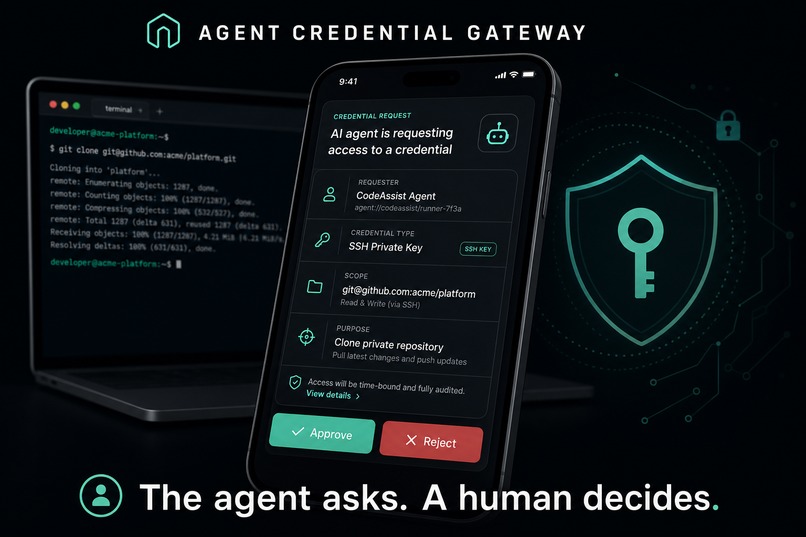
The agent asks. A Human decides
Inspiration
I run almost everything on my machines through AI agents: SSH keys, API tokens, router bootstrap secrets. That left me with two bad options. Keep credentials where any agent session can silently read them, or manually mint separate agent-only credentials for every remote service and babysit them forever. I wanted a third option: the agent can ask, but a human always decides.
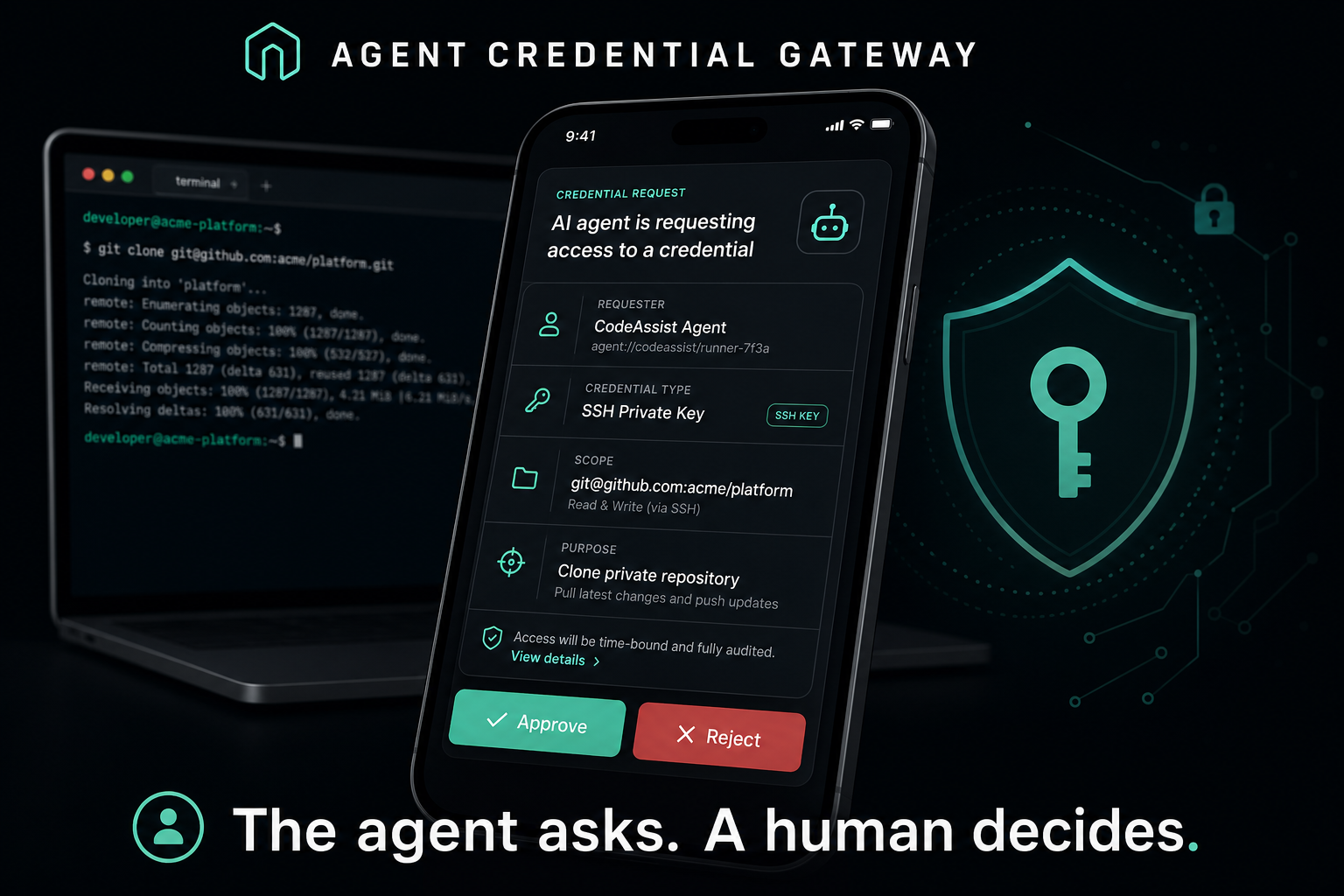
So I built a gateway where an agent requests a credential through a local CLI, describing its intent in structured fields (who it is, what task, why this field, who the value goes to, how it will handle it). I get a push notification on my phone, review the request in a small PWA, and approve or reject with a passkey. Only then does a private Cloudflare Worker perform the operation through a 1Password Service Account scoped to a single vault, and release the result exactly once. Reject it, or ignore it, and nothing happens.
How I built it
The backend runs entirely on the Cloudflare Workers free tier: a public
Gateway Worker serving the PWA and requester API, a SQLite Durable Object for
WebAuthn credentials, requester enrollment, approvals, Web Push and audit
state, and a private Executor Worker that runs the pinned 1Password Go core
through Extism/WASM. A Go CLI (approvalctl) is what the agent actually
calls; its Ed25519 identity lives in the macOS Keychain. The whole thing is
deployed by a one-shot interactive ceremony (operator init) that provisions
the vaults, service account, workers, first passkey and VAPID keys, then
deletes its own bootstrap secret.
I built it with OpenAI Codex (GPT-5.6) as a genuine collaborator across two long sessions, not as autocomplete. The design was argued out in conversation: Codex proposed the structured-intent request model that became the approval card; I rejected its split-vault design to keep human overhead low; we settled on one scoped service account. The second session solved the hardest problem, deployment isolation, by moving production to an independent free Cloudflare account whose credentials exist nowhere on any of my machines.
What I learned
The naive way to run a Go SDK inside a Worker is not the way. The 1Password core had to be compiled to WASM via Extism and squeezed under the free tier's 3 MB limit, which took real optimization passes. I also learned that the deployment problem I was agonizing over (how to gate Wrangler so an agent can't silently deploy) was the wrong problem: the right answer is an account the agent can't authenticate to at all. Finally, testing a human-in-the-loop product means being the human in the loop. I approved hundreds of requests on my own phone, including one at 1am that turned out to be the moment the threat model stopped being theoretical.
Challenges
- Free-tier limits: fitting the 1Password Go core (WASM) into a free Worker, no Containers, under 3 MB.
- Deploy isolation: Wrangler has no per-project deploy gating. After I rejected a second paid account, a custom deploy broker, and pulling Wrangler creds into 1Password, we landed on the independent free Cloudflare account model.
- 1Password rate limits: service accounts cap at 100 writes / 1000 reads per window, discovered mid-spike; the test plan had to be restructured around them.
- Real-world edge cases: passkey registration on a Mac mini with no Touch ID, iOS push badge quirks, "request expired or already handled" races, and a bootstrap flow I called unfriendly enough that we redesigned it twice.
Built With
- 1password
- ai-agents
- cloudflare-durable-objects
- cloudflare-workers
- ed25519
- extism
- go
- gpt-5.6
- human-in-the-loop
- macos
- openai-codex
- openwrt
- passkeys
- pnpm
- pwa
- react
- security
- sqlite
- tailwindcss
- tanstack
- typescript
- vite
- wasm
- web-push
- webauthn

Log in or sign up for Devpost to join the conversation.